
August 31, 2026

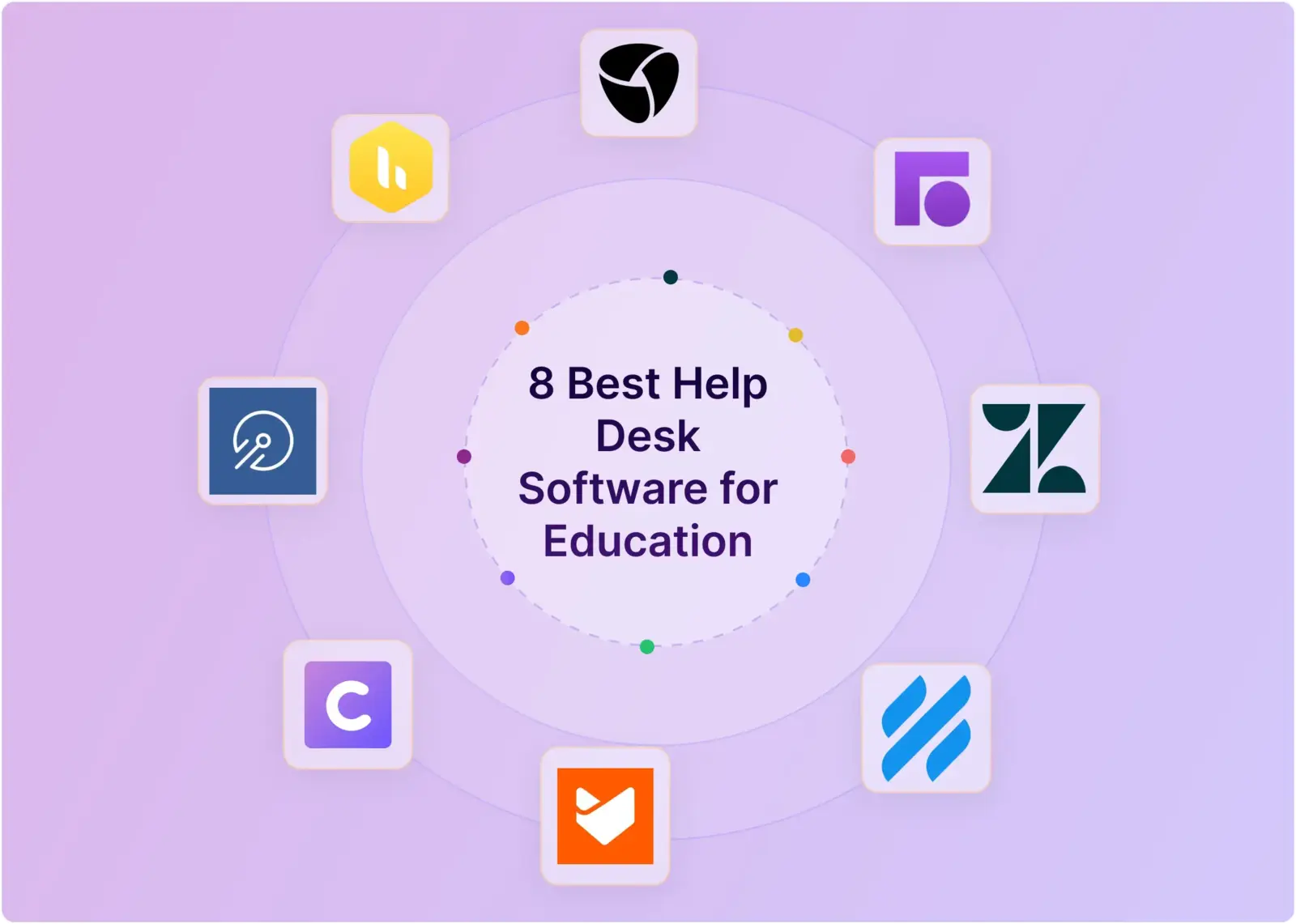
8 Best Helpdesk Software for Education in 2026

WRITTEN BY
Happy Das
8 Best Helpdesk Software for Education in 2026

Education teams need more than a narrow IT tool or shared inbox. They support students, parents, faculty, staff, and partners across IT, facilities, financial aid, and student services.

The best help desks provide familiar intake, clear ownership, routing, private collaboration, escalation, seasonal reporting, and strong privacy controls without forcing everyone into a complex portal.

We compared eight platforms using current documentation, pricing, G2 reviews, Reddit discussions, and anonymized discovery notes from our conversation with support leads. Here are the best options, where they fit, and what to check before buying.

‍

What Are Some Use Cases of Help Desks in Education?

Universities and schools use help desks to coordinate requests across students, administrators, and faculty. They are also being used as a tool in education itself to answer students' questions. Finally, colleges looking to attract students may want to offer live chat support to answer prospective students' questions. Here’s a more concrete list:

  1. IT help desks: to track faculty and student requests around IT services
  2. Facilities help desks: to track facilities-related help requests by the community
  3. HR helpdesks: to manage HR onboarding/offboarding and other requests
  4. Finance Helpdesks: to manage student queries and requests around tuition, aid, and so on.
  5. Class help desks: to answer students' questions for a specific course.

Some of these use cases are new and emerging. A good example is using help desks to address students' questions in regular coursework. We see a pattern here similar to how B2B product and service firms support their customers.

An Emerging Communication Channel: Slack

Traditionally, communication within academia has been dominated by Email. However, with students being the younger generation and modern communication leaning toward real-time chat, whether iMessage or WhatsApp, the Education sector has increasingly embraced Slack as a communication tool on campus. Students and Faculty now expect fast responses in chat, just like their counterparts in the industry.

This doesn’t mean Email has disappeared. In fact, email remains vital for communicating with prospective students and employees who may not be members of the college Slack workspace. However, it has become the preferred medium for communication on campus. Slack’s generous pricing package for the education sector has helped power this adoption.

‍

The Best Help Desk Software for Education at a Glance

Considering the established and emerging use cases of help desks in the Education sector, as well as the rise of Slack as a communication channel, we have compiled a list of help desk software best suited for modern educational institutions and campuses. Here is our top-eight list:

Tool Best for Starting price (billed monthly) Free plan?
ClearFeed Education and edtech teams that run support in Slack $24/agent/month or $40/month usage-based No; 14-day trial
HappyFox Multi-department school or university service desks $24/agent/month No; 14-day trial
Help Scout Student-services teams replacing shared email $30/user/month Yes; up to 5 users
Front High-volume, omnichannel campus communications $25/seat/month No; 14-day trial
Hiver Email-first teams that may grow into omnichannel support $35/user/month No; 7-day trial
Zendesk Institutions needing a scalable, omnichannel help desk with AI $19/agent/month No; 14-day trial
Incident IQ K-12 districts managing IT tickets and device fleets together Custom annual quote Not publicly listed
TeamDynamix Higher-ed institutions modernizing campus-wide service management Custom quote Not publicly listed

‍

How We Evaluated These Education Help Desks

We reviewed current vendor documentation and pricing, G2 reviews, Reddit threads, and anonymized education-support discovery notes from our conversation with the relevant teams for this article. We did not independently test every platform, so product limitations are framed as buyer checks rather than universal verdicts. We have included that affiliation plainly and evaluated it against the same six criteria used for every tool:

  1. Accessible intake: Can students, parents, faculty, and staff ask for help through the channels they already use?
  2. Workflow and ownership: Can the team capture useful context, route work, set priorities, and prevent requests from disappearing?
  3. Self-service and AI: Can routine questions be answered safely, with an obvious path to a person?
  4. Collaboration and escalation: Can support involve another department without losing context or exposing internal discussion?
  5. Performance and scale: Can leaders track service levels, seasonal demand, and recurring problems?
  6. Governance and fit: Do permissions, integrations, pricing, and administration suit an education environment?

‍

The 8 Best Help Desk Software Tools for Education

1. ClearFeed

Best for: Education and edtech support teams that want Slack to remain the working surface while requests also arrive by email, web chat, portal, or Microsoft Teams.

ClearFeed is a conversational help desk centered on Slack. Email, web chat, support portals, Microsoft Teams, Discord, and other supported channels can feed shared triage workflows, while agents can also work from a browser inbox. It is best suited to teams that already coordinate in Slack and want support operations embedded in that environment.

Key features

  • Omnichannel intake: Connect Slack, custom email addresses, web chat, support portals, Microsoft Teams, Discord, Telegram beta, and API-based sources to shared support workflows.
  • AI and knowledge: Use a requester-facing Virtual Agent or a human-reviewed Agent Assistant grounded in connected knowledge. Atlas provides a native knowledge base, while DocAssist identifies missing or outdated documentation from resolved conversations.
  • Workflow and ownership: Forms, custom fields, AI classification, assignment rules, Slack-group-backed teams, rotations, business-hour SLAs, and a departmental Collections route that routes requests to the right team. Approval Workflows can support multi-step academic or administrative processes, including dynamic approvers sourced from Okta.
  • Collaboration and incident handling: Agents can use private notes, synchronize work with systems such as Freshdesk, Zendesk, Jira, and JSM, group duplicate incidents with Parent-Child Tickets, and broadcast announcements across supported channels.
  • Slack-native operations: Agents can manage status, priority, assignment, replies, and internal discussion from Slack. Emoji Rules, Quick Replies, and Welcome Messages reduce friction for rotating or student-worker teams.
  • Security and governance: Private Tickets, PII Redaction, audit and activity logs, configurable retention, SSO, Okta, and JumpCloud support handling of sensitive requests and institutional governance requirements.
  • Analytics: Insights reports on volume, response time, resolution time, CSAT, department, channel, and custom fields. The Insights Agent supports natural-language analysis, while Digests surface aging work to team leads.

Pros

  • High agent adoption: Teams can handle much of the support lifecycle without leaving Slack.
  • Flexible operating model: Agent-based and usage-based pricing can support both dedicated support staff and larger groups of occasional collaborators.
  • Handles seasonal demand: Virtual Agent and Agent Assistant can absorb repetitive requests during admissions, semester starts, finals, and other peaks.
  • Departmental autonomy: Collections let departments maintain separate workflows, SLAs, knowledge sources, and automation without requiring a single shared configuration.

Cons

  • Limited contact-center coverage: No native phone, SMS, or WhatsApp support.
  • Procurement: ClearFeed is SOC 2 Type II, GDPR, and HIPAA-compliant, with configurable retention and a DPA available upon request. FERPA obligations should be raised early; EU data residency is planned
  • No native IT asset or MDM management: Chromebook fleets, device checkout, loaners, and device-state management require another system or custom integration.
  • No SIS integration: Banner, PowerSchool, Workday Student, and similar systems require API or automation work if SIS context must appear on tickets.

Pricing

The starter is $24 per agent per month or $40 per month for 10 channels and 100 tickets. Professional is $49 per agent per month or $80 per month on usage-based pricing and adds features including SLAs, advanced assignment, portals, Teams channels, and the AI Pack. Discounts may be available to qualified educational institutions.

‍

2. HappyFox

Best for: K-12 schools and universities that want one configurable service desk across IT, facilities, HR, finance, and student services.

HappyFox is a general help desk with an explicit education configuration. Its education offering combines departmental queues with device context and lists integrations such as ClassLink, Google Workspace, Microsoft Entra ID, Okta, Google Endpoint Management, and Apple MDM.

Key features

  • Workflow and ownership: Separate queues, forms, permissions, and SLA targets can route requests by campus, department, and issue type.
  • Governance and fit: Native asset management can attach Chromebook or classroom-device information to a request.
  • Self-service and AI: Knowledge bases provide answers to routine questions, while optional AI products offer triage and response suggestions.
  • Performance and scale: Unified reporting gives leadership a cross-department view without forcing every team into the same queue. 

Pros

  • It can support workflows for parents, students, faculty, IT, and facilities without pretending they are identical.
  • Schools can compare per-agent and unlimited-agent plans, and qualifying educational organizations can request a discount.

Cons

  • AI, Web Messaging, Workflows, and Business Intelligence are priced separately, so a complete deployment may exceed the headline rate.
  • A multi-campus setup with assets, permissions, and several departments still needs deliberate design and ownership.

Pricing

Help Desk starts at $24 per agent per month; the Basic plan is capped at five agents. Higher tiers and unlimited-agent pricing depend on scope.

‍

3. Help Scout

Best for: Admissions, housing, financial aid, registrar, and student services teams that have outgrown a shared Gmail or Outlook inbox.

Help Scout turns departmental addresses into accountable shared inboxes without making every interaction feel like a formal IT ticket. Staff can assign conversations, leave private notes, see when someone else is replying, and retain the student's conversation history. Its education guidance is unusually concrete about semester surges and seasonal workers.

Key features

  • Accessible intake: Bring email, live chat, SMS, WhatsApp, Instagram, and Messenger into shared inboxes, depending on the plan and integration.
  • Self-service and AI: Docs, Beacon, and AI Answers combine a knowledge base, embedded help, and a clear “I still need help” escalation path.
  • Workflow and ownership: Use assignments, tags, saved replies, collision detection, workflows, and round-robin routing.
  • Performance and scale: Reports can break down volume and response trends by department, tag, team, or custom field.

Pros

  • The interface is approachable for part-time and student staff who need to become useful quickly.
  • Help Scout publicly describes a FERPA-conscious approach with encrypted connections, role-based access, retention controls, and no secondary use of education records.

Cons

  • It is not a native IT asset, change-management, or facilities work-order system.
  • Advanced routing, secure portals, SAML, and larger-scale controls require higher tiers or add-ons; AI Answers costs per resolution.

Pricing

Standard is $25, Plus is $45, and Pro is $75 per user per month. The free plan includes up to five users, one inbox, and 1 Docs site; qualifying nonprofits receive a 10% lifetime discount.

‍

4. Front

Best for: Universities and education businesses managing high-volume communications across email, SMS, social channels, and chat.

Front combines a shared inbox with ticketing, automation, and analytics. It fits teams for whom the conversation itself is the work: admissions, advancement, program operations, international offices, and partner support. Workspaces can separate departments while company-level controls remain centralized.

Key features

  • Accessible intake: Professional and Enterprise combine email with channels such as SMS, social messaging, WhatsApp, and chat.
  • Workflow and ownership: Rules can assign, tag, load-balance, or escalate conversations according to content, time, and business hours.
  • Collaboration and escalation: Teammates can comment, share drafts, invite subject-matter experts, and move work between controlled workspaces.
  • Performance and scale: Advanced analytics, knowledge bases, CSAT, and custom reports support larger service operations.

Pros

  • It handles complex shared-email work without hiding the original conversation behind a rigid ticket form.
  • Workspace access, SSO, SCIM, and company controls help separate sensitive departmental communication.

Cons

  • Omnichannel support starts at $65 per seat per month, and several AI capabilities are paid add-ons below the Enterprise tier.
  • Front does not natively supply SIS/MDM-linked device or classroom workflows; those require integrations or custom design.

Pricing

Front’s Starter costs $25 per seat per month for up to 10 seats. Professional is $65 per seat per month, and Enterprise is $105 per seat per month, both billed annually.

‍

5. Hiver

Best for: Education support teams that want to start in Gmail but may later need a standalone omnichannel service workspace.

Hiver offers two related paths: Hiver in Gmail for email-centered teams and Hiver Omni for teams working across more channels. That makes it a practical middle ground between a Gmail extension and a traditional support suite.

Key features

  • Accessible intake: Hiver Omni can combine email, live chat, Slack, WhatsApp, social channels, and optional voice in one workspace.
  • Self-service and AI: A Help Center, AI Agents, and AI Copilot support both requester self-service and agent assistance.
  • Workflow and ownership: Rule-based automation assigns and updates conversations; Pro adds formal response and resolution SLAs.
  • Performance and scale: Pre-built analytics start on Growth, with custom dashboards and SLA analysis on Pro.

Pros

  • Teams can choose inbox-native simplicity or broader channel coverage without buying the largest enterprise suite.
  • Hiver includes 24/7 vendor support and offers discounts to qualified nonprofits.

Cons

  • The customer portal, Slack channel management, SLAs, CSAT, and advanced analytics are included in the $55 Pro tier.
  • SSO and custom roles require the $85 Elite tier, and campus asset/SIS workflows are not native strengths.

Pricing

Growth is $25, Pro is $55, and Elite is $85 per user per month. A free plan covers basic shared inbox, ticketing, and self-service.

‍

6. Zendesk

Best for: Universities, school districts, and education companies that need scalable omnichannel support, AI, and mature Slack or Microsoft Teams integrations.

Zendesk is a cloud-based customer service platform with a dedicated education offering. It brings requests from email, voice, web, chat, and social channels into one agent workspace and supports self-service through knowledge bases and community forums. It fits institutions coordinating complex support across IT, admissions, student services, and other departments.

Key features

  • Accessible intake: Zendesk Suite combines email, voice, SMS, live chat, web and mobile messaging, and social channels in one workspace.
  • Self-service and AI: Knowledge bases, community forums, AI Agents, and optional Copilot tools can answer routine questions, recommend content, summarize conversations, and assist agents.
  • Collaboration and escalation: The native Slack integration lets teams create, update, and resolve tickets and coordinate approvals in Slack. The Microsoft Teams integration supports ticket creation, updates, internal notes, replies, and notifications from Teams.
  • Performance and scale: Automations, triggers, routing, prebuilt analytics, and higher-tier skills-based routing support multi-department service operations.

Pros

  • Zendesk has a dedicated education solution for supporting students, parents, faculty, and staff across multiple channels.
  • Its mature ticketing, knowledge, AI, reporting, and collaboration features suit institutions with complex or high-volume workflows.
  • Educational pricing may be available, although institutions should confirm eligibility and terms directly with Zendesk.

Cons

  • The $19 annual Support Team plan is primarily for email ticketing; the broader omnichannel Suite Team plan starts at $55 per agent per month when billed annually.
  • Copilot costs an additional $50 per agent per month when billed annually, and some advanced routing, governance, and AI features require higher tiers.
  • Zendesk is not a native SIS, MDM, or education asset-management platform, so institutions may need integrations for student and device context.
  • Larger multi-department deployments can require substantial configuration, administration, and staff training.

Pricing

Support Team costs $19 per agent per month when billed annually, or $25 per agent per month when billed monthly. Suite Team costs $55 annually or $69 monthly and adds the knowledge base, AI Agents, omnichannel routing, messaging, live chat, and voice. Suite Professional costs $115 annually or $149 monthly. Zendesk offers a 14-day trial; Copilot is a $50-per-agent monthly add-on when billed annually.

‍

7. Incident IQ

Best for: K-12 districts that need help desk ticketing to share context with device, student, classroom, and location records.

Incident IQ is a K-12-focused service management platform built for school districts. For education support teams, its biggest advantage is that it combines help desk ticketing, asset management, and school-specific workflows in one system.

Key features

  • Workflow and ownership: Guided forms, Quick Tickets, automated routing, approvals, and a staff portal standardize classroom issue reporting.
  • Governance and fit: SIS and MDM integrations can populate course, user, device, ownership, service history, and location context.
  • Collaboration and escalation: Ticketing connects with optional asset, facilities, event, and instructional-resource modules for district-wide handoffs.
  • Performance and scale: District reporting can expose device failure patterns, building-level demand, repair trends, and support response times.

Pros

  • Built specifically for K-12 environments, so workflows align well with school IT/support needs
  • Tickets can be tied directly to devices, users, and locations, which helps speed up troubleshooting
  • Strong fit for 1:1 device programs and school-managed inventory
  • Integrations with tools like Chromebooks and SIS platforms can reduce manual work
  • Supports more than just IT—can extend into facilities, events, and HR workflows

Cons

  • Its K-12 specialization is less compelling for higher education, education nonprofits, or edtech customer-support teams
  • Pricing is modular and quote-based, which makes early budget comparisons less precise and can require more scoping
  • Asset location drift between schools/campuses can create tracking issues
  • The broad feature set may create a learning curve for smaller or less technical teams

Pricing

Incident IQ uses an annual subscription model with custom pricing for districts. You may need to contact the sales team to get a quote for your business needs.

‍

8. TeamDynamix

Best for: Colleges and universities that need a configurable IT service management platform spanning IT, assets, projects, and services across campus.

TeamDynamix is a no-code ITSM and enterprise service management platform built for institutions with complex campus systems and workflows. It brings ticketing, IT asset management, project portfolio management, self-service, AI, and integration automation into one platform. Its higher-education offering is aimed at teams that want to support students, faculty, and staff while extending service workflows beyond IT.

Key features

  • ITSM and workflow: ITIL-aligned incident, problem, change, and release workflows sit alongside configurable forms, fields, approvals, service catalogs, and automation.
  • Campus-wide self-service: Institutions can create multiple portals and provide a single entry point to services across IT, financial aid, housing, dining, facilities, HR, and other departments.
  • Campus integrations: The no-code integration layer can connect systems such as Banner, Workday, Ellucian, Microsoft 365, Active Directory, Teams, Slack, Jamf, and Microsoft Intune.
  • Assets and projects: IT asset management links hardware and software context with service delivery, while project portfolio management supports intake, governance, resources, timelines, and reporting.
  • AI and knowledge: AI Service Assist can suggest field values, resolutions, related tickets, and knowledge content. Virtual support agents combine conversational intake with forms and workflow automation.
  • Reporting: Configurable, role-based dashboards can track tickets, SLAs, service performance, projects, and operational trends.

Pros

  • Its higher-ed focus covers campus-specific needs, including student onboarding, device-heavy environments, and integrations with SIS, LMS, identity, and endpoint management systems.
  • No-code configuration can help institutions adapt forms, workflows, portals, and departmental services without depending on custom development for every change.
  • ITSM, enterprise service management, assets, projects, AI, and integration automation can all be managed within a single, broader platform.

Cons

  • The platform's breadth may be more than a small admissions or student-services team needs if its main requirement is simply to manage a shared inbox.
  • A campus-wide rollout still requires process design, integration planning, data ownership, and ongoing administration across departments.
  • Public pricing and plan-level limits are not listed, so you need a scoped quote before comparing total costs with per-agent tools.

Pricing

TeamDynamix does not publish standard plan prices on its website. You must request a demo and custom quote based on the products and implementation scope you need.

‍

Which Education Help Desk Should You Choose?

Choose Incident IQ when K-12 device and SIS context must be included in every IT ticket. Choose TeamDynamix when a college or university needs no-code ITSM, asset management, project management, and campus-wide service workflows in one platform. Choose HappyFox when several school or university departments need a configurable shared service desk.

Choose Zendesk for a broad, conventional help desk; Help Scout for approachable student-service email; and Front for more complex omnichannel communications. For Google Workspace teams, Hiver offers a path from shared email to a fuller omnichannel support operation.

Choose ClearFeed when requesters may use Slack, email, web chat, Teams, Discord, or a portal, but the support team wants to triage and collaborate in Slack. That architecture directly addresses the “several intake valves” problem from the opening story: one operating queue, without forcing every student, parent, colleague, or partner into the same channel.

Before signing, run a pilot through a real peak period, map every channel and system of record, and complete the privacy review early. A quiet-week demo proves that a tool can accept a ticket. It does not prove that your team can run enrollment week from it.

Education teams need more than a narrow IT tool or shared inbox. They support students, parents, faculty, staff, and partners across IT, facilities, financial aid, and student services.

The best help desks provide familiar intake, clear ownership, routing, private collaboration, escalation, seasonal reporting, and strong privacy controls without forcing everyone into a complex portal.

We compared eight platforms using current documentation, pricing, G2 reviews, Reddit discussions, and anonymized discovery notes from our conversation with support leads. Here are the best options, where they fit, and what to check before buying.

‍

What Are Some Use Cases of Help Desks in Education?

Universities and schools use help desks to coordinate requests across students, administrators, and faculty. They are also being used as a tool in education itself to answer students' questions. Finally, colleges looking to attract students may want to offer live chat support to answer prospective students' questions. Here’s a more concrete list:

  1. IT help desks: to track faculty and student requests around IT services
  2. Facilities help desks: to track facilities-related help requests by the community
  3. HR helpdesks: to manage HR onboarding/offboarding and other requests
  4. Finance Helpdesks: to manage student queries and requests around tuition, aid, and so on.
  5. Class help desks: to answer students' questions for a specific course.

Some of these use cases are new and emerging. A good example is using help desks to address students' questions in regular coursework. We see a pattern here similar to how B2B product and service firms support their customers.

An Emerging Communication Channel: Slack

Traditionally, communication within academia has been dominated by Email. However, with students being the younger generation and modern communication leaning toward real-time chat, whether iMessage or WhatsApp, the Education sector has increasingly embraced Slack as a communication tool on campus. Students and Faculty now expect fast responses in chat, just like their counterparts in the industry.

This doesn’t mean Email has disappeared. In fact, email remains vital for communicating with prospective students and employees who may not be members of the college Slack workspace. However, it has become the preferred medium for communication on campus. Slack’s generous pricing package for the education sector has helped power this adoption.

‍

The Best Help Desk Software for Education at a Glance

Considering the established and emerging use cases of help desks in the Education sector, as well as the rise of Slack as a communication channel, we have compiled a list of help desk software best suited for modern educational institutions and campuses. Here is our top-eight list:

Tool Best for Starting price (billed monthly) Free plan?
ClearFeed Education and edtech teams that run support in Slack $24/agent/month or $40/month usage-based No; 14-day trial
HappyFox Multi-department school or university service desks $24/agent/month No; 14-day trial
Help Scout Student-services teams replacing shared email $30/user/month Yes; up to 5 users
Front High-volume, omnichannel campus communications $25/seat/month No; 14-day trial
Hiver Email-first teams that may grow into omnichannel support $35/user/month No; 7-day trial
Zendesk Institutions needing a scalable, omnichannel help desk with AI $19/agent/month No; 14-day trial
Incident IQ K-12 districts managing IT tickets and device fleets together Custom annual quote Not publicly listed
TeamDynamix Higher-ed institutions modernizing campus-wide service management Custom quote Not publicly listed

‍

How We Evaluated These Education Help Desks

We reviewed current vendor documentation and pricing, G2 reviews, Reddit threads, and anonymized education-support discovery notes from our conversation with the relevant teams for this article. We did not independently test every platform, so product limitations are framed as buyer checks rather than universal verdicts. We have included that affiliation plainly and evaluated it against the same six criteria used for every tool:

  1. Accessible intake: Can students, parents, faculty, and staff ask for help through the channels they already use?
  2. Workflow and ownership: Can the team capture useful context, route work, set priorities, and prevent requests from disappearing?
  3. Self-service and AI: Can routine questions be answered safely, with an obvious path to a person?
  4. Collaboration and escalation: Can support involve another department without losing context or exposing internal discussion?
  5. Performance and scale: Can leaders track service levels, seasonal demand, and recurring problems?
  6. Governance and fit: Do permissions, integrations, pricing, and administration suit an education environment?

‍

The 8 Best Help Desk Software Tools for Education

1. ClearFeed

Best for: Education and edtech support teams that want Slack to remain the working surface while requests also arrive by email, web chat, portal, or Microsoft Teams.

ClearFeed is a conversational help desk centered on Slack. Email, web chat, support portals, Microsoft Teams, Discord, and other supported channels can feed shared triage workflows, while agents can also work from a browser inbox. It is best suited to teams that already coordinate in Slack and want support operations embedded in that environment.

Key features

  • Omnichannel intake: Connect Slack, custom email addresses, web chat, support portals, Microsoft Teams, Discord, Telegram beta, and API-based sources to shared support workflows.
  • AI and knowledge: Use a requester-facing Virtual Agent or a human-reviewed Agent Assistant grounded in connected knowledge. Atlas provides a native knowledge base, while DocAssist identifies missing or outdated documentation from resolved conversations.
  • Workflow and ownership: Forms, custom fields, AI classification, assignment rules, Slack-group-backed teams, rotations, business-hour SLAs, and a departmental Collections route that routes requests to the right team. Approval Workflows can support multi-step academic or administrative processes, including dynamic approvers sourced from Okta.
  • Collaboration and incident handling: Agents can use private notes, synchronize work with systems such as Freshdesk, Zendesk, Jira, and JSM, group duplicate incidents with Parent-Child Tickets, and broadcast announcements across supported channels.
  • Slack-native operations: Agents can manage status, priority, assignment, replies, and internal discussion from Slack. Emoji Rules, Quick Replies, and Welcome Messages reduce friction for rotating or student-worker teams.
  • Security and governance: Private Tickets, PII Redaction, audit and activity logs, configurable retention, SSO, Okta, and JumpCloud support handling of sensitive requests and institutional governance requirements.
  • Analytics: Insights reports on volume, response time, resolution time, CSAT, department, channel, and custom fields. The Insights Agent supports natural-language analysis, while Digests surface aging work to team leads.

Pros

  • High agent adoption: Teams can handle much of the support lifecycle without leaving Slack.
  • Flexible operating model: Agent-based and usage-based pricing can support both dedicated support staff and larger groups of occasional collaborators.
  • Handles seasonal demand: Virtual Agent and Agent Assistant can absorb repetitive requests during admissions, semester starts, finals, and other peaks.
  • Departmental autonomy: Collections let departments maintain separate workflows, SLAs, knowledge sources, and automation without requiring a single shared configuration.

Cons

  • Limited contact-center coverage: No native phone, SMS, or WhatsApp support.
  • Procurement: ClearFeed is SOC 2 Type II, GDPR, and HIPAA-compliant, with configurable retention and a DPA available upon request. FERPA obligations should be raised early; EU data residency is planned
  • No native IT asset or MDM management: Chromebook fleets, device checkout, loaners, and device-state management require another system or custom integration.
  • No SIS integration: Banner, PowerSchool, Workday Student, and similar systems require API or automation work if SIS context must appear on tickets.

Pricing

The starter is $24 per agent per month or $40 per month for 10 channels and 100 tickets. Professional is $49 per agent per month or $80 per month on usage-based pricing and adds features including SLAs, advanced assignment, portals, Teams channels, and the AI Pack. Discounts may be available to qualified educational institutions.

‍

2. HappyFox

Best for: K-12 schools and universities that want one configurable service desk across IT, facilities, HR, finance, and student services.

HappyFox is a general help desk with an explicit education configuration. Its education offering combines departmental queues with device context and lists integrations such as ClassLink, Google Workspace, Microsoft Entra ID, Okta, Google Endpoint Management, and Apple MDM.

Key features

  • Workflow and ownership: Separate queues, forms, permissions, and SLA targets can route requests by campus, department, and issue type.
  • Governance and fit: Native asset management can attach Chromebook or classroom-device information to a request.
  • Self-service and AI: Knowledge bases provide answers to routine questions, while optional AI products offer triage and response suggestions.
  • Performance and scale: Unified reporting gives leadership a cross-department view without forcing every team into the same queue. 

Pros

  • It can support workflows for parents, students, faculty, IT, and facilities without pretending they are identical.
  • Schools can compare per-agent and unlimited-agent plans, and qualifying educational organizations can request a discount.

Cons

  • AI, Web Messaging, Workflows, and Business Intelligence are priced separately, so a complete deployment may exceed the headline rate.
  • A multi-campus setup with assets, permissions, and several departments still needs deliberate design and ownership.

Pricing

Help Desk starts at $24 per agent per month; the Basic plan is capped at five agents. Higher tiers and unlimited-agent pricing depend on scope.

‍

3. Help Scout

Best for: Admissions, housing, financial aid, registrar, and student services teams that have outgrown a shared Gmail or Outlook inbox.

Help Scout turns departmental addresses into accountable shared inboxes without making every interaction feel like a formal IT ticket. Staff can assign conversations, leave private notes, see when someone else is replying, and retain the student's conversation history. Its education guidance is unusually concrete about semester surges and seasonal workers.

Key features

  • Accessible intake: Bring email, live chat, SMS, WhatsApp, Instagram, and Messenger into shared inboxes, depending on the plan and integration.
  • Self-service and AI: Docs, Beacon, and AI Answers combine a knowledge base, embedded help, and a clear “I still need help” escalation path.
  • Workflow and ownership: Use assignments, tags, saved replies, collision detection, workflows, and round-robin routing.
  • Performance and scale: Reports can break down volume and response trends by department, tag, team, or custom field.

Pros

  • The interface is approachable for part-time and student staff who need to become useful quickly.
  • Help Scout publicly describes a FERPA-conscious approach with encrypted connections, role-based access, retention controls, and no secondary use of education records.

Cons

  • It is not a native IT asset, change-management, or facilities work-order system.
  • Advanced routing, secure portals, SAML, and larger-scale controls require higher tiers or add-ons; AI Answers costs per resolution.

Pricing

Standard is $25, Plus is $45, and Pro is $75 per user per month. The free plan includes up to five users, one inbox, and 1 Docs site; qualifying nonprofits receive a 10% lifetime discount.

‍

4. Front

Best for: Universities and education businesses managing high-volume communications across email, SMS, social channels, and chat.

Front combines a shared inbox with ticketing, automation, and analytics. It fits teams for whom the conversation itself is the work: admissions, advancement, program operations, international offices, and partner support. Workspaces can separate departments while company-level controls remain centralized.

Key features

  • Accessible intake: Professional and Enterprise combine email with channels such as SMS, social messaging, WhatsApp, and chat.
  • Workflow and ownership: Rules can assign, tag, load-balance, or escalate conversations according to content, time, and business hours.
  • Collaboration and escalation: Teammates can comment, share drafts, invite subject-matter experts, and move work between controlled workspaces.
  • Performance and scale: Advanced analytics, knowledge bases, CSAT, and custom reports support larger service operations.

Pros

  • It handles complex shared-email work without hiding the original conversation behind a rigid ticket form.
  • Workspace access, SSO, SCIM, and company controls help separate sensitive departmental communication.

Cons

  • Omnichannel support starts at $65 per seat per month, and several AI capabilities are paid add-ons below the Enterprise tier.
  • Front does not natively supply SIS/MDM-linked device or classroom workflows; those require integrations or custom design.

Pricing

Front’s Starter costs $25 per seat per month for up to 10 seats. Professional is $65 per seat per month, and Enterprise is $105 per seat per month, both billed annually.

‍

5. Hiver

Best for: Education support teams that want to start in Gmail but may later need a standalone omnichannel service workspace.

Hiver offers two related paths: Hiver in Gmail for email-centered teams and Hiver Omni for teams working across more channels. That makes it a practical middle ground between a Gmail extension and a traditional support suite.

Key features

  • Accessible intake: Hiver Omni can combine email, live chat, Slack, WhatsApp, social channels, and optional voice in one workspace.
  • Self-service and AI: A Help Center, AI Agents, and AI Copilot support both requester self-service and agent assistance.
  • Workflow and ownership: Rule-based automation assigns and updates conversations; Pro adds formal response and resolution SLAs.
  • Performance and scale: Pre-built analytics start on Growth, with custom dashboards and SLA analysis on Pro.

Pros

  • Teams can choose inbox-native simplicity or broader channel coverage without buying the largest enterprise suite.
  • Hiver includes 24/7 vendor support and offers discounts to qualified nonprofits.

Cons

  • The customer portal, Slack channel management, SLAs, CSAT, and advanced analytics are included in the $55 Pro tier.
  • SSO and custom roles require the $85 Elite tier, and campus asset/SIS workflows are not native strengths.

Pricing

Growth is $25, Pro is $55, and Elite is $85 per user per month. A free plan covers basic shared inbox, ticketing, and self-service.

‍

6. Zendesk

Best for: Universities, school districts, and education companies that need scalable omnichannel support, AI, and mature Slack or Microsoft Teams integrations.

Zendesk is a cloud-based customer service platform with a dedicated education offering. It brings requests from email, voice, web, chat, and social channels into one agent workspace and supports self-service through knowledge bases and community forums. It fits institutions coordinating complex support across IT, admissions, student services, and other departments.

Key features

  • Accessible intake: Zendesk Suite combines email, voice, SMS, live chat, web and mobile messaging, and social channels in one workspace.
  • Self-service and AI: Knowledge bases, community forums, AI Agents, and optional Copilot tools can answer routine questions, recommend content, summarize conversations, and assist agents.
  • Collaboration and escalation: The native Slack integration lets teams create, update, and resolve tickets and coordinate approvals in Slack. The Microsoft Teams integration supports ticket creation, updates, internal notes, replies, and notifications from Teams.
  • Performance and scale: Automations, triggers, routing, prebuilt analytics, and higher-tier skills-based routing support multi-department service operations.

Pros

  • Zendesk has a dedicated education solution for supporting students, parents, faculty, and staff across multiple channels.
  • Its mature ticketing, knowledge, AI, reporting, and collaboration features suit institutions with complex or high-volume workflows.
  • Educational pricing may be available, although institutions should confirm eligibility and terms directly with Zendesk.

Cons

  • The $19 annual Support Team plan is primarily for email ticketing; the broader omnichannel Suite Team plan starts at $55 per agent per month when billed annually.
  • Copilot costs an additional $50 per agent per month when billed annually, and some advanced routing, governance, and AI features require higher tiers.
  • Zendesk is not a native SIS, MDM, or education asset-management platform, so institutions may need integrations for student and device context.
  • Larger multi-department deployments can require substantial configuration, administration, and staff training.

Pricing

Support Team costs $19 per agent per month when billed annually, or $25 per agent per month when billed monthly. Suite Team costs $55 annually or $69 monthly and adds the knowledge base, AI Agents, omnichannel routing, messaging, live chat, and voice. Suite Professional costs $115 annually or $149 monthly. Zendesk offers a 14-day trial; Copilot is a $50-per-agent monthly add-on when billed annually.

‍

7. Incident IQ

Best for: K-12 districts that need help desk ticketing to share context with device, student, classroom, and location records.

Incident IQ is a K-12-focused service management platform built for school districts. For education support teams, its biggest advantage is that it combines help desk ticketing, asset management, and school-specific workflows in one system.

Key features

  • Workflow and ownership: Guided forms, Quick Tickets, automated routing, approvals, and a staff portal standardize classroom issue reporting.
  • Governance and fit: SIS and MDM integrations can populate course, user, device, ownership, service history, and location context.
  • Collaboration and escalation: Ticketing connects with optional asset, facilities, event, and instructional-resource modules for district-wide handoffs.
  • Performance and scale: District reporting can expose device failure patterns, building-level demand, repair trends, and support response times.

Pros

  • Built specifically for K-12 environments, so workflows align well with school IT/support needs
  • Tickets can be tied directly to devices, users, and locations, which helps speed up troubleshooting
  • Strong fit for 1:1 device programs and school-managed inventory
  • Integrations with tools like Chromebooks and SIS platforms can reduce manual work
  • Supports more than just IT—can extend into facilities, events, and HR workflows

Cons

  • Its K-12 specialization is less compelling for higher education, education nonprofits, or edtech customer-support teams
  • Pricing is modular and quote-based, which makes early budget comparisons less precise and can require more scoping
  • Asset location drift between schools/campuses can create tracking issues
  • The broad feature set may create a learning curve for smaller or less technical teams

Pricing

Incident IQ uses an annual subscription model with custom pricing for districts. You may need to contact the sales team to get a quote for your business needs.

‍

8. TeamDynamix

Best for: Colleges and universities that need a configurable IT service management platform spanning IT, assets, projects, and services across campus.

TeamDynamix is a no-code ITSM and enterprise service management platform built for institutions with complex campus systems and workflows. It brings ticketing, IT asset management, project portfolio management, self-service, AI, and integration automation into one platform. Its higher-education offering is aimed at teams that want to support students, faculty, and staff while extending service workflows beyond IT.

Key features

  • ITSM and workflow: ITIL-aligned incident, problem, change, and release workflows sit alongside configurable forms, fields, approvals, service catalogs, and automation.
  • Campus-wide self-service: Institutions can create multiple portals and provide a single entry point to services across IT, financial aid, housing, dining, facilities, HR, and other departments.
  • Campus integrations: The no-code integration layer can connect systems such as Banner, Workday, Ellucian, Microsoft 365, Active Directory, Teams, Slack, Jamf, and Microsoft Intune.
  • Assets and projects: IT asset management links hardware and software context with service delivery, while project portfolio management supports intake, governance, resources, timelines, and reporting.
  • AI and knowledge: AI Service Assist can suggest field values, resolutions, related tickets, and knowledge content. Virtual support agents combine conversational intake with forms and workflow automation.
  • Reporting: Configurable, role-based dashboards can track tickets, SLAs, service performance, projects, and operational trends.

Pros

  • Its higher-ed focus covers campus-specific needs, including student onboarding, device-heavy environments, and integrations with SIS, LMS, identity, and endpoint management systems.
  • No-code configuration can help institutions adapt forms, workflows, portals, and departmental services without depending on custom development for every change.
  • ITSM, enterprise service management, assets, projects, AI, and integration automation can all be managed within a single, broader platform.

Cons

  • The platform's breadth may be more than a small admissions or student-services team needs if its main requirement is simply to manage a shared inbox.
  • A campus-wide rollout still requires process design, integration planning, data ownership, and ongoing administration across departments.
  • Public pricing and plan-level limits are not listed, so you need a scoped quote before comparing total costs with per-agent tools.

Pricing

TeamDynamix does not publish standard plan prices on its website. You must request a demo and custom quote based on the products and implementation scope you need.

‍

Which Education Help Desk Should You Choose?

Choose Incident IQ when K-12 device and SIS context must be included in every IT ticket. Choose TeamDynamix when a college or university needs no-code ITSM, asset management, project management, and campus-wide service workflows in one platform. Choose HappyFox when several school or university departments need a configurable shared service desk.

Choose Zendesk for a broad, conventional help desk; Help Scout for approachable student-service email; and Front for more complex omnichannel communications. For Google Workspace teams, Hiver offers a path from shared email to a fuller omnichannel support operation.

Choose ClearFeed when requesters may use Slack, email, web chat, Teams, Discord, or a portal, but the support team wants to triage and collaborate in Slack. That architecture directly addresses the “several intake valves” problem from the opening story: one operating queue, without forcing every student, parent, colleague, or partner into the same channel.

Before signing, run a pilot through a real peak period, map every channel and system of record, and complete the privacy review early. A quiet-week demo proves that a tool can accept a ticket. It does not prove that your team can run enrollment week from it.
Related Blogs

See all Blog Posts
TOC heading
Text LinkText Link Active
Get a Free consultation with a Support Expert
Learn how fast growing companies like Teleport, Chronosphere and Acryl Data have scaled Support processes with ClearFeed
Thank you for contacting us. Our team will reach out to you shortly.
Oops! Something went wrong while submitting the form.