
September 24, 2026

7 Best SaaS Customer Support Platforms in 2026

WRITTEN BY
Happy Das
7 Best SaaS Customer Support Platforms in 2026

The best SaaS customer support platform depends on the shape of your support operation. ClearFeed and Plain suit account-based B2B conversations. Intercom is built around in-product engagement and AI. Zendesk and Freshdesk handle conventional, high-volume ticketing. HubSpot and Salesforce connect service to a wider customer relationship management (CRM) system.

The wrong choice usually becomes visible only after rollout, when agents monitor Slack separately from the help desk, engineering updates never reach customers, account context lives in another tab, or AI and higher-tier features make invoices hard to forecast.

This guide compares the seven platforms against those practical consequences. We reviewed current product documentation, pricing pages, and the customer and prospect calls supplied for this article. ClearFeed is our product, so this is not a detached review; where another tool is the better fit, we have said so.

‍

How We Evaluated SaaS Customer Support Platforms

We used six criteria:

  1. Customer channels: Email, in-app chat, phone, portal, social messaging, and shared Slack or Microsoft Teams channels.
  2. Customer context: Account tier, product usage, past requests, open engineering issues, and CRM data available to the agent.
  3. Support operations: Ownership, routing, service-level agreements (SLAs), internal collaboration, and engineering handoffs.
  4. AI: Approved knowledge, connected actions, human takeover, testing, and improvement after weak answers.
  5. Reporting and governance: Response and resolution time, customer satisfaction (CSAT), recurring issues, permissions, and auditability.
  6. Total cost: Seats, platform fees, AI usage, add-ons, implementation, and administration.

For B2B support, channel count alone is not enough. A credible platform must preserve context when a request is transferred to another team or channel, so the customer does not have to repeat the issue at each handoff.

‍

Best SaaS Customer Support Platforms at a Glance

Tool Best for Main trade-off Starting price
ClearFeed B2B support in shared Slack and Microsoft Teams channels No native voice or broad social support $24/agent/month or $40/month usage-based
Plain Technical B2B teams that want product data inside support Smaller ecosystem and limited traditional channels $35/month with one seat
Zendesk Mature, high-volume omnichannel support Cost and administration increase quickly $19/agent/month; Suite Team $55 annually
Intercom In-app, chat-first support with AI automation Seat and AI outcome charges stack $29/seat/month annually, plus Fin outcomes
HubSpot Service Hub HubSpot customers joining support, success, sales, and marketing Most serious support features require Professional Free; Starter from $7/seat/month annually
Salesforce Service Cloud Large enterprises with complex Salesforce data and workflows Highest implementation and administration burden $25/user/month; service-focused Core from $195 annually
Freshdesk Affordable conventional ticketing and self-service Shared-channel support and advanced features need extra tooling or higher plans $19/agent/month annually

‍

7 Best SaaS Customer Support Platforms in 2026

1. ClearFeed

Category: Omnichannel B2B customer support platform

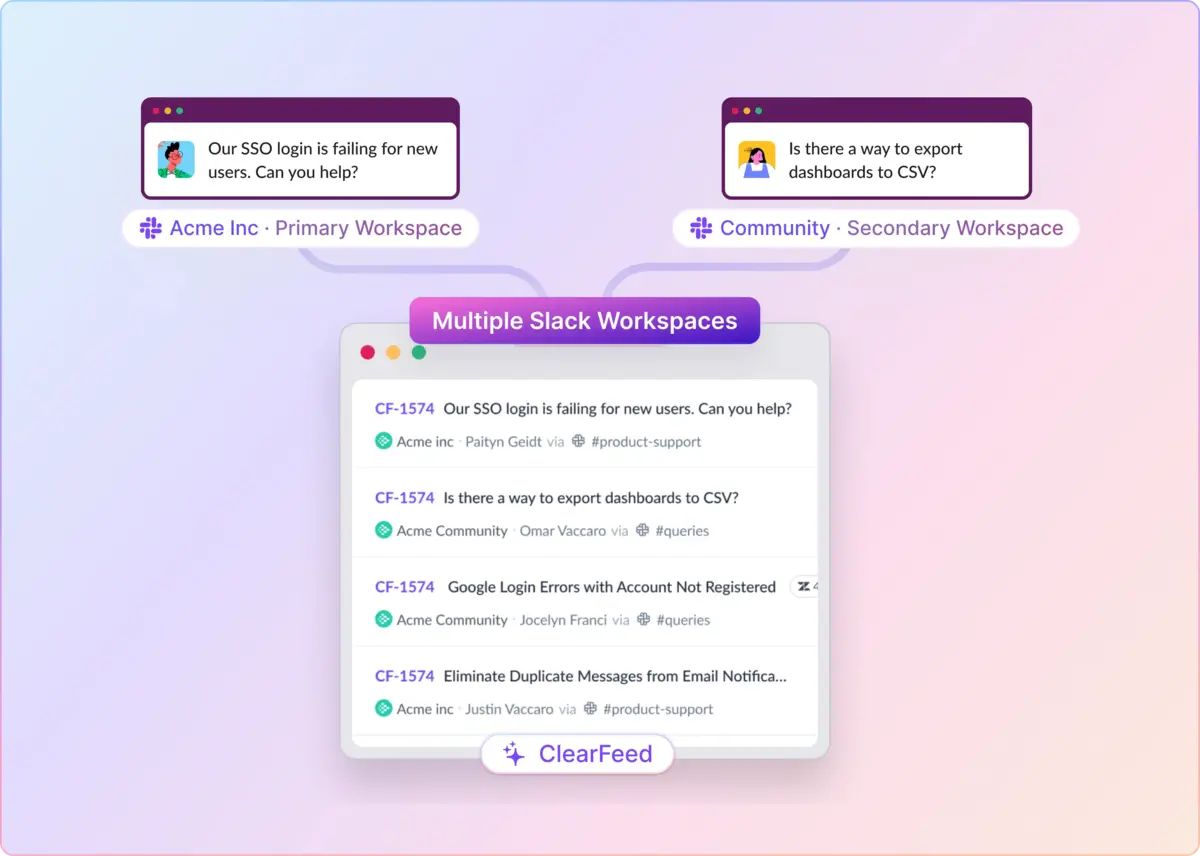
ClearFeed is designed for SaaS companies that support customers in Slack Connect—shared Slack channels between companies—or Microsoft Teams, Discord, Telegram, Web Chat, and Email. It can serve as the help desk itself or route those conversations into an existing Zendesk, Intercom, Freshdesk, HubSpot, Salesforce, Jira, or Linear workflow.

Agents can work from a private Slack triage channel, the ClearFeed web app, or a connected system, while a Virtual Agent handles Tier-1 questions directly in the customer's channel. It fits account-based support, where customer success and engineering frequently collaborate on complex requests, but is less suitable for phone-heavy or mass-market social support.

Key features

  • Ticket intake from Slack, Microsoft Teams, email, web chat, Discord, Telegram, and a customer portal
  • ClearFeed ticketing or two-way synchronization with help desks and engineering tools
  • Assignments, forms, internal notes, approvals, SLAs, CSAT, and customer-level reports
  • AI answers or private drafts using approved knowledge, screenshots, and connected-tool actions
  • A Virtual Agent that answers customer questions inside shared Slack and Teams channels, with an Interactive mode that asks clarifying questions before handing off to a human
  • Knowledge indexing across help centers, Confluence, Notion, Google Drive, Slack history, and PDFs, with priority-based ordering and customer-conditional access so premium accounts can see restricted docs
  • Auto-Category, Auto-CSAT, and Auto-Emotion AI fields for routing and triage; bring-your-own-model support for Anthropic, OpenAI, or Gemini so teams can avoid LLM lock-in
  • A Doc Assist agent that flags documentation gaps from resolved tickets, plus an Insights Agent that answers reporting questions in natural language

Pros

  • Keeps support in the customer's channel: Customers stay in Slack or Teams while agents retain ownership, history, and service metrics.
  • Avoids a forced migration: Teams can add shared-channel support to an incumbent help desk or use ClearFeed as the system of record.
  • Fits cross-functional support: Usage-based plans allow unlimited responders, so occasional participation from engineering or customer success does not require an additional full agent seat.
  • Deploys AI where the customer already is: The Virtual Agent handles common questions in the same Slack or Teams thread the customer opened, and every answer can be validated against historical tickets before it goes live, with full session logs available afterward.

Cons

  • It is not a full contact center: Native phone, broad social messaging, and community forums require other products.
  • Its ecosystem is smaller: Zendesk, Salesforce, and HubSpot offer larger marketplaces and deeper pools of experienced administrators.
  • Advanced operations cost more: SLAs, advanced assignment, the portal, CRM sync, Teams channels, audit logs, and the included AI Pack require a Professional plan.

Pricing

The agent-based Starter plan costs $24 per agent per month, and the Professional plan costs $49 per agent per month. The usage-based Starter plan begins at $40 per month for 10 channels or 100 tickets; customers choose one billing model rather than paying both meters. Starter can add the AI Pack for $20 per month, which includes 100 credits; additional usage is $2 per 10 credits. Professional includes the AI Pack.

‍

2. Plain

Category: API-first B2B customer support platform

Plain is built for technical SaaS companies that want product and account data beside every support conversation. Slack, email, live chat, in-app forms, and custom channels flow into Plain, while customer cards can show plan, usage, entitlements, and other live information from internal systems.

Its center of gravity is the Plain web app, supported by an application programming interface (API), webhooks, and events. This makes it attractive to engineering-adjacent teams willing to shape the platform around their product.

Key features

  • Slack, email, live chat, in-app forms, Microsoft Teams on Horizon, and custom channels
  • Customer cards populated with live account and product data
  • Workflows, SLAs, labels, account owners, CSAT, and engineering integrations
  • Ari customer-facing AI with citations, handoff rules, and silent live-traffic testing

Pros

  • Gives agents useful technical context: Product events and account data can reduce the back-and-forth needed to diagnose a request.
  • Offers strong extensibility: Teams can build custom channels, automations, and interfaces instead of working around a fixed ticket model.
  • Fits high-value B2B conversations: The product is organized around accounts and collaborative problem-solving rather than anonymous ticket volume.

Cons

  • It needs technical investment: Its advantage is greatest when engineering connects live product data and maintains custom workflows.
  • Traditional channel coverage is limited: Voice, SMS, broad social messaging, and community forums are not core strengths.
  • Foundation is easy to outgrow: Microsoft Teams, unlimited Slack channels, SLAs, escalation paths, all-time reporting, and the headless portal require Horizon.

Pricing

Foundation costs $35 per month and includes one seat; each additional seat is $35, and the plan comes with 2,000 monthly Sidekick credits. Horizon costs $299 per month and includes three seats; each additional seat is $99, with 15,000 credits included. Ari is included at no additional resolution fee; the agent-facing Sidekick assistant consumes credits. Frontier pricing is custom.

‍

3. Zendesk

Category: Mature omnichannel help desk

Zendesk is the most comprehensive conventional support platform on this list. It suits established teams that need email, messaging, live chat, phone, social channels, knowledge, automation, reporting, and quality management in one system.

Its depth is most valuable when support is a dedicated operation with formal queues and specialist administrators. For account-based teams working mainly in shared Slack channels, the ticket-centric Agent Workspace can introduce another place to monitor.

Key features

  • Unified ticketing across email, chat, messaging, voice, SMS, and social channels
  • Help center, knowledge management, customer portal, and self-service
  • Routing, triggers, automations, custom roles, approvals, and sandboxes by plan
  • AI Agents, agent copilots, analytics, quality assurance, and workforce tools

Pros

  • Handles operational complexity: Multi-brand, multilingual, high-volume teams can model detailed queues, permissions, and routing.
  • Provides mature knowledge and reporting: Zendesk's long investment in self-service and analytics reduces the need to assemble separate tools.
  • Has a large ecosystem: The marketplace, implementation partners, and administrator talent make it easier to source unusual integrations.

Cons

  • The practical price sits well above the headline: The $19 Support plan is email-only, while the omnichannel Suite Team starts at $55 per agent.
  • Administration becomes a real role: Forms, triggers, views, permissions, reporting, and add-ons need active governance at scale.
  • Shared-channel B2B support needs another layer: Zendesk's native workflow centers on its inbox rather than the customer's Slack or Teams thread.

Pricing

Support Team starts at $19 per agent per month, billed annually. Suite Team is $55, and Suite Professional is $115. Ten Suite Team agents cost $550 per month, before adding advanced AI, workforce management, quality assurance, or implementation services.

‍

4. Intercom

Category: In-app and AI-first customer service platform

Intercom is strongest when support begins inside a software product. Its Messenger combines live help, self-service, customer context, and proactive product communication. Fin, its customer-facing AI agent, is central, not an optional layer.

This makes Intercom a good fit for chat-heavy, product-led SaaS teams willing to invest in maintained support content. Email-first or ticket-first organizations risk paying for an engagement platform they never fully use.

Key features

  • In-app Messenger, email, chat, shared inbox, tickets, and help center
  • Fin AI Agent with procedures, connected actions, and human handoff
  • Customer segmentation, workflows, multiple inboxes, and routing by plan
  • Optional Copilot, advanced AI analysis, product tours, surveys, and outbound messaging

Pros

  • Creates a strong in-product support experience: Customers can get contextual help without leaving the application.
  • Connects self-service and human support: Fin and agents work from the same knowledge, conversation, and inbox.
  • Supports product-led engagement: Support, onboarding prompts, announcements, tours, and surveys can use the same behavioral data.

Cons

  • Knowledge quality determines AI value: Fin needs current, well-structured content and carefully designed procedures; it is not a plug-and-play cost reduction.
  • Costs scale on two axes: Full seats and $0.99 Fin outcomes stack, while Copilot, advanced analysis, and paid messaging add more.
  • Formal operations require higher tiers: Multiple team inboxes and round-robin assignment require Advanced; SLAs require Expert.

Pricing

Essential starts at $29 per full seat per month, billed annually; Advanced is $85 per seat per month, and Expert is $132 per seat per month. Fin costs $0.99 per billable outcome, which includes some completed procedures that end in a handoff. Ten Essential seats plus 1,000 Fin outcomes cost about $1,280 per month, before add-ons.

‍

5. HubSpot Service Hub

Category: CRM-centered customer service and success platform

HubSpot Service Hub makes the most sense for companies already running sales, marketing, and customer success in HubSpot. Tickets sit on the same company and contact records as deals, conversations, and lifecycle activity.

Its advantage is not the deepest ticket queue. It is the ability to connect support with account health, renewals, and revenue without synchronizing several databases. Outside the HubSpot ecosystem, that advantage largely disappears.

Key features

  • Help Desk for email, chat, calling, forms, WhatsApp, Messenger, and custom channels
  • Shared CRM records across service, customer success, sales, and marketing
  • Routing, SLAs, knowledge base, portal, feedback surveys, and service reports by plan
  • Customer Agent, AI summaries, health scores, playbooks, and retention workflows

Pros

  • Creates one customer lifecycle record: Support and account teams can connect ticket history with deals, engagement, and renewal context.
  • Improves support-to-revenue analysis: Managers can examine service activity alongside customer health and commercial outcomes.
  • Reduces tooling for HubSpot customers: Common data, permissions, automation, and reporting can serve several customer-facing teams.

Cons

  • It is less compelling without HubSpot CRM: As a standalone help desk, it offers less operational depth than specialist incumbents.
  • Serious support features require Professional: Advanced Help Desk, SLAs, portal, knowledge, feedback, and custom reporting sit well above Starter.
  • The total cost includes more than seats: Professional and Enterprise have onboarding fees, while Customer Agent consumes credits that expire monthly.

Pricing

Starter starts at $7 per seat per month when billed annually, or $20 per seat per month when billed monthly. Professional starts at $90 per seat per month, billed annually, plus a $1,500 onboarding fee; Enterprise starts at $150 per seat per month, billed annually, plus a $3,500 onboarding fee. Customer Agent uses 50 credits per resolved conversation, and extra credits start at $9 per 1,000 annually.

‍

6. Salesforce Service Cloud

Category: Enterprise CRM and contact-center platform

Salesforce Service Cloud is built for large organizations whose service processes depend on Salesforce accounts, contracts, assets, entitlements, and custom objects. It can support contact centers, digital services, field services, regulated workflows, and multiple business units on a single platform.

Its flexibility is the reason to buy it—and the source of its cost. A serious rollout is a software, implementation, and staffing decision, not a simple help-desk subscription.

Key features

  • Case management on Salesforce CRM and custom data objects
  • Digital channels, voice, portals, knowledge, field service, and incident management
  • Skills-based routing, entitlements, approvals, SLAs, and custom Flow automation
  • Agentforce customer AI, agent assistance, connected actions, and contextual handoff

Pros

  • Models complex customer operations: Global account structures, assets, contracts, permissions, and workflows can share one data model.
  • Unifies sales and service at enterprise scale: Support works directly on Salesforce records instead of a reduced CRM copy.
  • Has unmatched implementation capacity: A large application and consulting ecosystem supports regulated and highly customized deployments.

Cons

  • Implementation is substantial: Data design, permissions, routing, integrations, testing, and change management usually require specialist teams.
  • Ongoing administration is expensive: Custom objects and flows create maintenance work whenever the process or platform changes.
  • It is excessive for most smaller SaaS teams: The dedicated service editions, add-ons, credits, and staffing can outweigh the value of its flexibility.

Pricing

Starter Suite begins at $25 per user per month, but the service-focused editions start with Core at $195, Advanced at $395, and Max at $550—each per user per month, billed annually. Ten Core users cost $1,950 per month, before adding implementation, AI usage, contact-center products, storage, or other add-ons.

‍

7. Freshdesk

Category: Affordable conventional help desk

Freshdesk gives small and midsize teams mature ticketing, automation, self-service, and reporting at a lower entry price than Zendesk. The core product is email-first; Freshdesk Omni adds a wider set of messaging and voice channels.

It fits teams whose support follows a familiar form-or-email-to-ticket workflow. It is a less natural fit when customer conversations live in shared Slack or Teams channels where engineering has to participate in the original thread.

Key features

  • Shared inbox, ticketing, internal threads, tasks, and collision detection
  • Dispatch rules, time-based automation, routing, business hours, and SLAs
  • Customer portal, multilingual knowledge base, community forums, and CSAT
  • Freddy AI Agent, Copilot, management insights, and custom reporting by plan

Pros

  • Delivers a broad help desk at an accessible price: Growth covers the essentials for moving beyond a shared mailbox.
  • Automates conventional support well: Assignment, follow-ups, escalations, and SLA policies suit structured L1 and L2 queues.
  • Offers a clear expansion path: Teams can add omnichannel services, collaborators, more robust analytics, and enterprise governance as they grow.

Cons

  • Shared-channel support is not the native model: Slack- or Teams-heavy B2B teams may need a separate conversational layer.
  • The most robust operations require higher plans: Intelligent routing, multiple SLAs, multilingual service, and custom dashboards start on Pro.
  • AI adds variable cost: The 500 included AI Agent sessions are a one-time trial allowance; additional sessions and Copilot seats cost extra.

Pricing

Growth costs $19 per agent per month; Pro, $55 per agent per month; and Enterprise, $89 per agent per month. Additional Freddy AI Agent sessions cost $49 per 100, and Freddy Copilot costs $29 per selected agent per month on eligible plans. A ten-agent Pro team costs $550 per month, before adding AI extras.

‍

Which SaaS Customer Support Platform Should You Choose?

Choose ClearFeed when shared Slack or Microsoft Teams channels are a core part of the customer surface. Choose Plain when technical account context and extensibility matter more than traditional channels. Choose Intercom for in-app, chat-first service with AI at the center.

Choose Zendesk for mature, high-volume omnichannel operations, or Freshdesk for a more affordable conventional help desk. Choose HubSpot Service Hub when support should share HubSpot data with sales and customer success. Choose Salesforce Service Cloud when the complexity of enterprise data and the need for customization justify the implementation burden.

Before buying, run the same real requests through every finalist: an account-specific question, an engineering escalation, an AI-to-human handoff, and a conversation that changes channel. Measure what the customer repeats, which tools the agent leaves, and what the manager can report afterward.

If shared customer channels are missing from your current support stack, try ClearFeed for free or book a demo with a few difficult customer threads.

The best SaaS customer support platform depends on the shape of your support operation. ClearFeed and Plain suit account-based B2B conversations. Intercom is built around in-product engagement and AI. Zendesk and Freshdesk handle conventional, high-volume ticketing. HubSpot and Salesforce connect service to a wider customer relationship management (CRM) system.

The wrong choice usually becomes visible only after rollout, when agents monitor Slack separately from the help desk, engineering updates never reach customers, account context lives in another tab, or AI and higher-tier features make invoices hard to forecast.

This guide compares the seven platforms against those practical consequences. We reviewed current product documentation, pricing pages, and the customer and prospect calls supplied for this article. ClearFeed is our product, so this is not a detached review; where another tool is the better fit, we have said so.

‍

How We Evaluated SaaS Customer Support Platforms

We used six criteria:

  1. Customer channels: Email, in-app chat, phone, portal, social messaging, and shared Slack or Microsoft Teams channels.
  2. Customer context: Account tier, product usage, past requests, open engineering issues, and CRM data available to the agent.
  3. Support operations: Ownership, routing, service-level agreements (SLAs), internal collaboration, and engineering handoffs.
  4. AI: Approved knowledge, connected actions, human takeover, testing, and improvement after weak answers.
  5. Reporting and governance: Response and resolution time, customer satisfaction (CSAT), recurring issues, permissions, and auditability.
  6. Total cost: Seats, platform fees, AI usage, add-ons, implementation, and administration.

For B2B support, channel count alone is not enough. A credible platform must preserve context when a request is transferred to another team or channel, so the customer does not have to repeat the issue at each handoff.

‍

Best SaaS Customer Support Platforms at a Glance

Tool Best for Main trade-off Starting price
ClearFeed B2B support in shared Slack and Microsoft Teams channels No native voice or broad social support $24/agent/month or $40/month usage-based
Plain Technical B2B teams that want product data inside support Smaller ecosystem and limited traditional channels $35/month with one seat
Zendesk Mature, high-volume omnichannel support Cost and administration increase quickly $19/agent/month; Suite Team $55 annually
Intercom In-app, chat-first support with AI automation Seat and AI outcome charges stack $29/seat/month annually, plus Fin outcomes
HubSpot Service Hub HubSpot customers joining support, success, sales, and marketing Most serious support features require Professional Free; Starter from $7/seat/month annually
Salesforce Service Cloud Large enterprises with complex Salesforce data and workflows Highest implementation and administration burden $25/user/month; service-focused Core from $195 annually
Freshdesk Affordable conventional ticketing and self-service Shared-channel support and advanced features need extra tooling or higher plans $19/agent/month annually

‍

7 Best SaaS Customer Support Platforms in 2026

1. ClearFeed

Category: Omnichannel B2B customer support platform

ClearFeed is designed for SaaS companies that support customers in Slack Connect—shared Slack channels between companies—or Microsoft Teams, Discord, Telegram, Web Chat, and Email. It can serve as the help desk itself or route those conversations into an existing Zendesk, Intercom, Freshdesk, HubSpot, Salesforce, Jira, or Linear workflow.

Agents can work from a private Slack triage channel, the ClearFeed web app, or a connected system, while a Virtual Agent handles Tier-1 questions directly in the customer's channel. It fits account-based support, where customer success and engineering frequently collaborate on complex requests, but is less suitable for phone-heavy or mass-market social support.

Key features

  • Ticket intake from Slack, Microsoft Teams, email, web chat, Discord, Telegram, and a customer portal
  • ClearFeed ticketing or two-way synchronization with help desks and engineering tools
  • Assignments, forms, internal notes, approvals, SLAs, CSAT, and customer-level reports
  • AI answers or private drafts using approved knowledge, screenshots, and connected-tool actions
  • A Virtual Agent that answers customer questions inside shared Slack and Teams channels, with an Interactive mode that asks clarifying questions before handing off to a human
  • Knowledge indexing across help centers, Confluence, Notion, Google Drive, Slack history, and PDFs, with priority-based ordering and customer-conditional access so premium accounts can see restricted docs
  • Auto-Category, Auto-CSAT, and Auto-Emotion AI fields for routing and triage; bring-your-own-model support for Anthropic, OpenAI, or Gemini so teams can avoid LLM lock-in
  • A Doc Assist agent that flags documentation gaps from resolved tickets, plus an Insights Agent that answers reporting questions in natural language

Pros

  • Keeps support in the customer's channel: Customers stay in Slack or Teams while agents retain ownership, history, and service metrics.
  • Avoids a forced migration: Teams can add shared-channel support to an incumbent help desk or use ClearFeed as the system of record.
  • Fits cross-functional support: Usage-based plans allow unlimited responders, so occasional participation from engineering or customer success does not require an additional full agent seat.
  • Deploys AI where the customer already is: The Virtual Agent handles common questions in the same Slack or Teams thread the customer opened, and every answer can be validated against historical tickets before it goes live, with full session logs available afterward.

Cons

  • It is not a full contact center: Native phone, broad social messaging, and community forums require other products.
  • Its ecosystem is smaller: Zendesk, Salesforce, and HubSpot offer larger marketplaces and deeper pools of experienced administrators.
  • Advanced operations cost more: SLAs, advanced assignment, the portal, CRM sync, Teams channels, audit logs, and the included AI Pack require a Professional plan.

Pricing

The agent-based Starter plan costs $24 per agent per month, and the Professional plan costs $49 per agent per month. The usage-based Starter plan begins at $40 per month for 10 channels or 100 tickets; customers choose one billing model rather than paying both meters. Starter can add the AI Pack for $20 per month, which includes 100 credits; additional usage is $2 per 10 credits. Professional includes the AI Pack.

‍

2. Plain

Category: API-first B2B customer support platform

Plain is built for technical SaaS companies that want product and account data beside every support conversation. Slack, email, live chat, in-app forms, and custom channels flow into Plain, while customer cards can show plan, usage, entitlements, and other live information from internal systems.

Its center of gravity is the Plain web app, supported by an application programming interface (API), webhooks, and events. This makes it attractive to engineering-adjacent teams willing to shape the platform around their product.

Key features

  • Slack, email, live chat, in-app forms, Microsoft Teams on Horizon, and custom channels
  • Customer cards populated with live account and product data
  • Workflows, SLAs, labels, account owners, CSAT, and engineering integrations
  • Ari customer-facing AI with citations, handoff rules, and silent live-traffic testing

Pros

  • Gives agents useful technical context: Product events and account data can reduce the back-and-forth needed to diagnose a request.
  • Offers strong extensibility: Teams can build custom channels, automations, and interfaces instead of working around a fixed ticket model.
  • Fits high-value B2B conversations: The product is organized around accounts and collaborative problem-solving rather than anonymous ticket volume.

Cons

  • It needs technical investment: Its advantage is greatest when engineering connects live product data and maintains custom workflows.
  • Traditional channel coverage is limited: Voice, SMS, broad social messaging, and community forums are not core strengths.
  • Foundation is easy to outgrow: Microsoft Teams, unlimited Slack channels, SLAs, escalation paths, all-time reporting, and the headless portal require Horizon.

Pricing

Foundation costs $35 per month and includes one seat; each additional seat is $35, and the plan comes with 2,000 monthly Sidekick credits. Horizon costs $299 per month and includes three seats; each additional seat is $99, with 15,000 credits included. Ari is included at no additional resolution fee; the agent-facing Sidekick assistant consumes credits. Frontier pricing is custom.

‍

3. Zendesk

Category: Mature omnichannel help desk

Zendesk is the most comprehensive conventional support platform on this list. It suits established teams that need email, messaging, live chat, phone, social channels, knowledge, automation, reporting, and quality management in one system.

Its depth is most valuable when support is a dedicated operation with formal queues and specialist administrators. For account-based teams working mainly in shared Slack channels, the ticket-centric Agent Workspace can introduce another place to monitor.

Key features

  • Unified ticketing across email, chat, messaging, voice, SMS, and social channels
  • Help center, knowledge management, customer portal, and self-service
  • Routing, triggers, automations, custom roles, approvals, and sandboxes by plan
  • AI Agents, agent copilots, analytics, quality assurance, and workforce tools

Pros

  • Handles operational complexity: Multi-brand, multilingual, high-volume teams can model detailed queues, permissions, and routing.
  • Provides mature knowledge and reporting: Zendesk's long investment in self-service and analytics reduces the need to assemble separate tools.
  • Has a large ecosystem: The marketplace, implementation partners, and administrator talent make it easier to source unusual integrations.

Cons

  • The practical price sits well above the headline: The $19 Support plan is email-only, while the omnichannel Suite Team starts at $55 per agent.
  • Administration becomes a real role: Forms, triggers, views, permissions, reporting, and add-ons need active governance at scale.
  • Shared-channel B2B support needs another layer: Zendesk's native workflow centers on its inbox rather than the customer's Slack or Teams thread.

Pricing

Support Team starts at $19 per agent per month, billed annually. Suite Team is $55, and Suite Professional is $115. Ten Suite Team agents cost $550 per month, before adding advanced AI, workforce management, quality assurance, or implementation services.

‍

4. Intercom

Category: In-app and AI-first customer service platform

Intercom is strongest when support begins inside a software product. Its Messenger combines live help, self-service, customer context, and proactive product communication. Fin, its customer-facing AI agent, is central, not an optional layer.

This makes Intercom a good fit for chat-heavy, product-led SaaS teams willing to invest in maintained support content. Email-first or ticket-first organizations risk paying for an engagement platform they never fully use.

Key features

  • In-app Messenger, email, chat, shared inbox, tickets, and help center
  • Fin AI Agent with procedures, connected actions, and human handoff
  • Customer segmentation, workflows, multiple inboxes, and routing by plan
  • Optional Copilot, advanced AI analysis, product tours, surveys, and outbound messaging

Pros

  • Creates a strong in-product support experience: Customers can get contextual help without leaving the application.
  • Connects self-service and human support: Fin and agents work from the same knowledge, conversation, and inbox.
  • Supports product-led engagement: Support, onboarding prompts, announcements, tours, and surveys can use the same behavioral data.

Cons

  • Knowledge quality determines AI value: Fin needs current, well-structured content and carefully designed procedures; it is not a plug-and-play cost reduction.
  • Costs scale on two axes: Full seats and $0.99 Fin outcomes stack, while Copilot, advanced analysis, and paid messaging add more.
  • Formal operations require higher tiers: Multiple team inboxes and round-robin assignment require Advanced; SLAs require Expert.

Pricing

Essential starts at $29 per full seat per month, billed annually; Advanced is $85 per seat per month, and Expert is $132 per seat per month. Fin costs $0.99 per billable outcome, which includes some completed procedures that end in a handoff. Ten Essential seats plus 1,000 Fin outcomes cost about $1,280 per month, before add-ons.

‍

5. HubSpot Service Hub

Category: CRM-centered customer service and success platform

HubSpot Service Hub makes the most sense for companies already running sales, marketing, and customer success in HubSpot. Tickets sit on the same company and contact records as deals, conversations, and lifecycle activity.

Its advantage is not the deepest ticket queue. It is the ability to connect support with account health, renewals, and revenue without synchronizing several databases. Outside the HubSpot ecosystem, that advantage largely disappears.

Key features

  • Help Desk for email, chat, calling, forms, WhatsApp, Messenger, and custom channels
  • Shared CRM records across service, customer success, sales, and marketing
  • Routing, SLAs, knowledge base, portal, feedback surveys, and service reports by plan
  • Customer Agent, AI summaries, health scores, playbooks, and retention workflows

Pros

  • Creates one customer lifecycle record: Support and account teams can connect ticket history with deals, engagement, and renewal context.
  • Improves support-to-revenue analysis: Managers can examine service activity alongside customer health and commercial outcomes.
  • Reduces tooling for HubSpot customers: Common data, permissions, automation, and reporting can serve several customer-facing teams.

Cons

  • It is less compelling without HubSpot CRM: As a standalone help desk, it offers less operational depth than specialist incumbents.
  • Serious support features require Professional: Advanced Help Desk, SLAs, portal, knowledge, feedback, and custom reporting sit well above Starter.
  • The total cost includes more than seats: Professional and Enterprise have onboarding fees, while Customer Agent consumes credits that expire monthly.

Pricing

Starter starts at $7 per seat per month when billed annually, or $20 per seat per month when billed monthly. Professional starts at $90 per seat per month, billed annually, plus a $1,500 onboarding fee; Enterprise starts at $150 per seat per month, billed annually, plus a $3,500 onboarding fee. Customer Agent uses 50 credits per resolved conversation, and extra credits start at $9 per 1,000 annually.

‍

6. Salesforce Service Cloud

Category: Enterprise CRM and contact-center platform

Salesforce Service Cloud is built for large organizations whose service processes depend on Salesforce accounts, contracts, assets, entitlements, and custom objects. It can support contact centers, digital services, field services, regulated workflows, and multiple business units on a single platform.

Its flexibility is the reason to buy it—and the source of its cost. A serious rollout is a software, implementation, and staffing decision, not a simple help-desk subscription.

Key features

  • Case management on Salesforce CRM and custom data objects
  • Digital channels, voice, portals, knowledge, field service, and incident management
  • Skills-based routing, entitlements, approvals, SLAs, and custom Flow automation
  • Agentforce customer AI, agent assistance, connected actions, and contextual handoff

Pros

  • Models complex customer operations: Global account structures, assets, contracts, permissions, and workflows can share one data model.
  • Unifies sales and service at enterprise scale: Support works directly on Salesforce records instead of a reduced CRM copy.
  • Has unmatched implementation capacity: A large application and consulting ecosystem supports regulated and highly customized deployments.

Cons

  • Implementation is substantial: Data design, permissions, routing, integrations, testing, and change management usually require specialist teams.
  • Ongoing administration is expensive: Custom objects and flows create maintenance work whenever the process or platform changes.
  • It is excessive for most smaller SaaS teams: The dedicated service editions, add-ons, credits, and staffing can outweigh the value of its flexibility.

Pricing

Starter Suite begins at $25 per user per month, but the service-focused editions start with Core at $195, Advanced at $395, and Max at $550—each per user per month, billed annually. Ten Core users cost $1,950 per month, before adding implementation, AI usage, contact-center products, storage, or other add-ons.

‍

7. Freshdesk

Category: Affordable conventional help desk

Freshdesk gives small and midsize teams mature ticketing, automation, self-service, and reporting at a lower entry price than Zendesk. The core product is email-first; Freshdesk Omni adds a wider set of messaging and voice channels.

It fits teams whose support follows a familiar form-or-email-to-ticket workflow. It is a less natural fit when customer conversations live in shared Slack or Teams channels where engineering has to participate in the original thread.

Key features

  • Shared inbox, ticketing, internal threads, tasks, and collision detection
  • Dispatch rules, time-based automation, routing, business hours, and SLAs
  • Customer portal, multilingual knowledge base, community forums, and CSAT
  • Freddy AI Agent, Copilot, management insights, and custom reporting by plan

Pros

  • Delivers a broad help desk at an accessible price: Growth covers the essentials for moving beyond a shared mailbox.
  • Automates conventional support well: Assignment, follow-ups, escalations, and SLA policies suit structured L1 and L2 queues.
  • Offers a clear expansion path: Teams can add omnichannel services, collaborators, more robust analytics, and enterprise governance as they grow.

Cons

  • Shared-channel support is not the native model: Slack- or Teams-heavy B2B teams may need a separate conversational layer.
  • The most robust operations require higher plans: Intelligent routing, multiple SLAs, multilingual service, and custom dashboards start on Pro.
  • AI adds variable cost: The 500 included AI Agent sessions are a one-time trial allowance; additional sessions and Copilot seats cost extra.

Pricing

Growth costs $19 per agent per month; Pro, $55 per agent per month; and Enterprise, $89 per agent per month. Additional Freddy AI Agent sessions cost $49 per 100, and Freddy Copilot costs $29 per selected agent per month on eligible plans. A ten-agent Pro team costs $550 per month, before adding AI extras.

‍

Which SaaS Customer Support Platform Should You Choose?

Choose ClearFeed when shared Slack or Microsoft Teams channels are a core part of the customer surface. Choose Plain when technical account context and extensibility matter more than traditional channels. Choose Intercom for in-app, chat-first service with AI at the center.

Choose Zendesk for mature, high-volume omnichannel operations, or Freshdesk for a more affordable conventional help desk. Choose HubSpot Service Hub when support should share HubSpot data with sales and customer success. Choose Salesforce Service Cloud when the complexity of enterprise data and the need for customization justify the implementation burden.

Before buying, run the same real requests through every finalist: an account-specific question, an engineering escalation, an AI-to-human handoff, and a conversation that changes channel. Measure what the customer repeats, which tools the agent leaves, and what the manager can report afterward.

If shared customer channels are missing from your current support stack, try ClearFeed for free or book a demo with a few difficult customer threads.
Related Blogs

See all Blog Posts
TOC heading
Text LinkText Link Active
Get a Free consultation with a Support Expert
Learn how fast growing companies like Teleport, Chronosphere and Acryl Data have scaled Support processes with ClearFeed
Thank you for contacting us. Our team will reach out to you shortly.
Oops! Something went wrong while submitting the form.