The #1 Slack Linear Integration for Slack-based Support
Slack + Linear Integration

Convert Slack into a Helpdesk with ClearFeed & Linear

Track requests in Slack, Email & Web Chat, and sync seamlessly with Linear. Resolve issues with AI and scale support to 100s of channels.


Add To Slack
Request Demo

Trusted by Leading Companies Globally

Key Benefits

No more missed Slack responses
No more lost Slack threads
Create Tickets from Slack
Connect Email, Teams and Chat to Slack
No more lost Slack threads
Resolve queries faster with AI

Features to work seamlessly across Linear & Slack

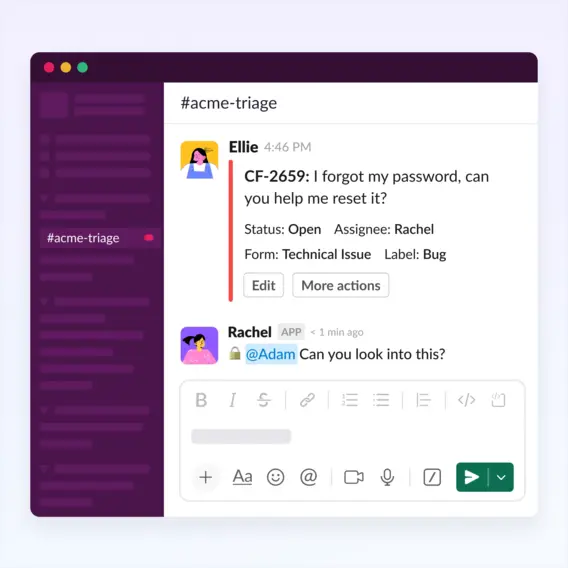
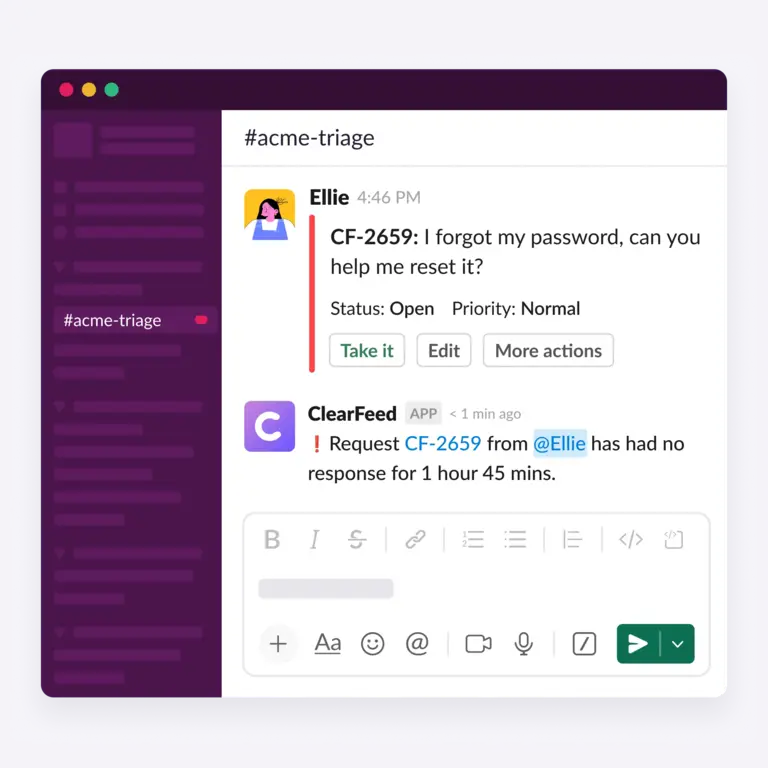
Triage Channel in Slack tracking every thread
01

Track Customer Slack Threads

  • Each thread tracked internally as a Request
  • Triage request queue from Slack
  • Automatic merging of related chats ✨
  • Post internal comments with đź”’emoji.
02
Create Linear Issues from Slack
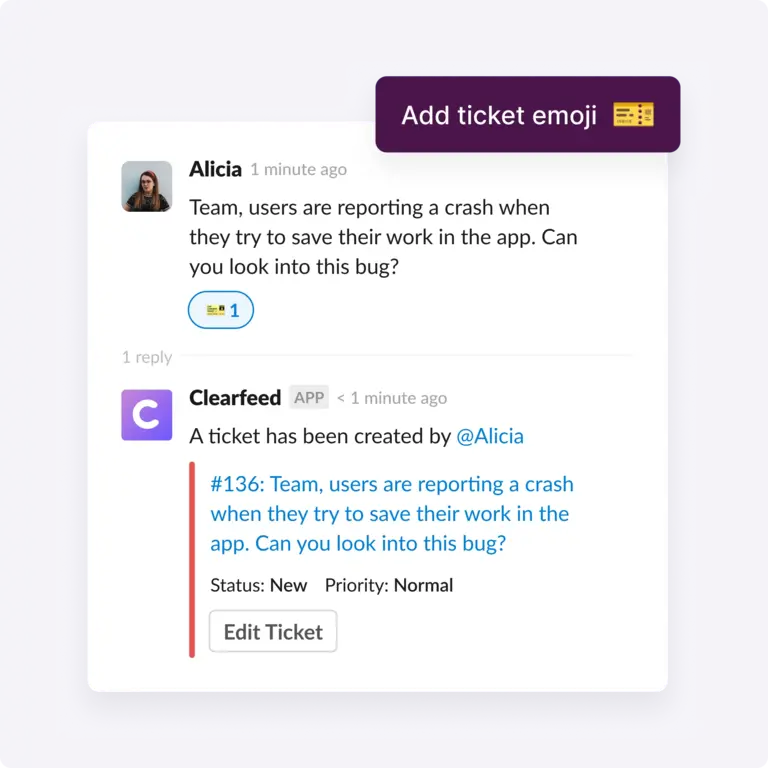
  • Convert threads to issues - manually or automatically
  • Use Emojis, tag a Bot, Shortcuts or Actions to file issues
  • Manage status, ownership and respond to requests from Slack
Create Tickets from Slack
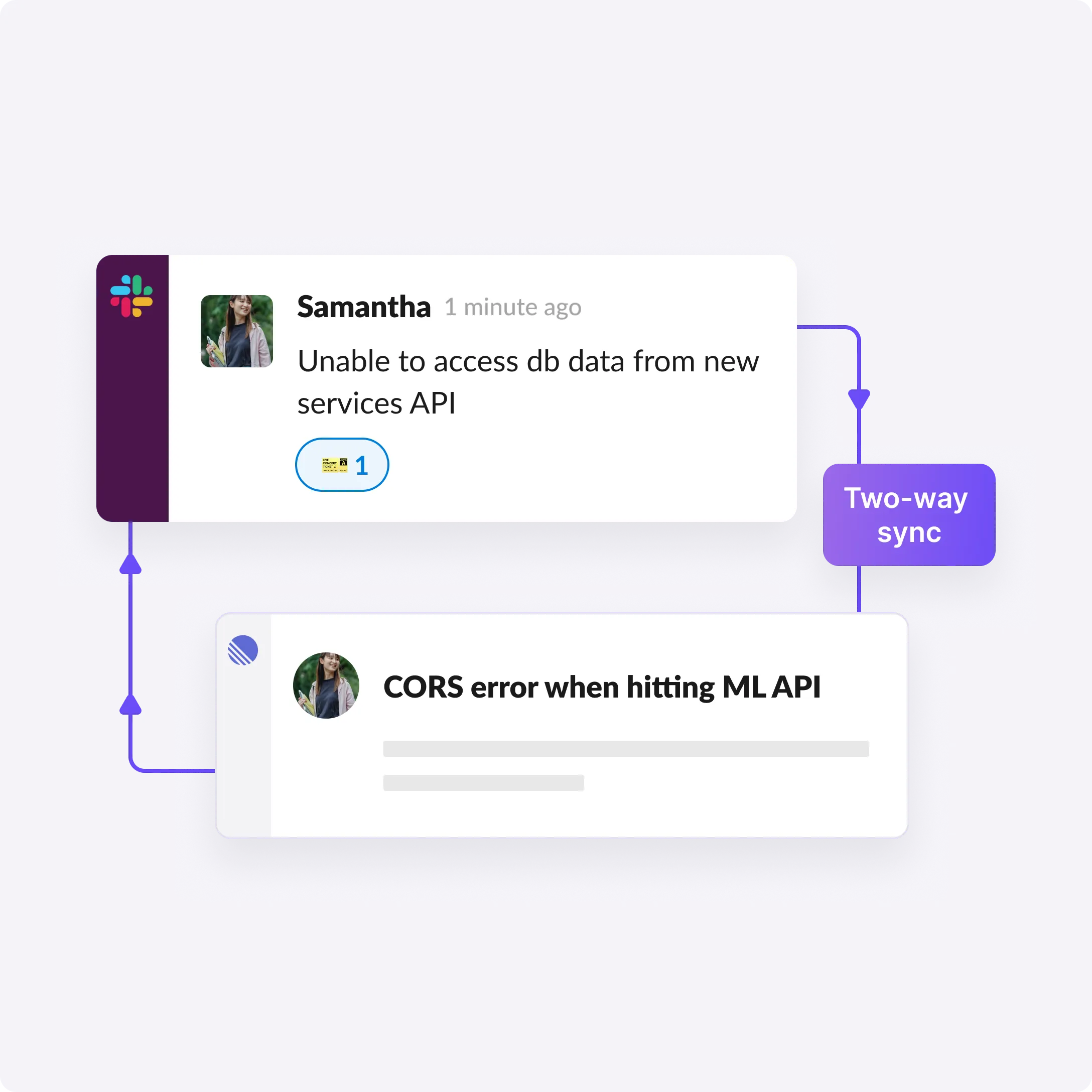
Two-Way Sync Between Slack & Linear
03
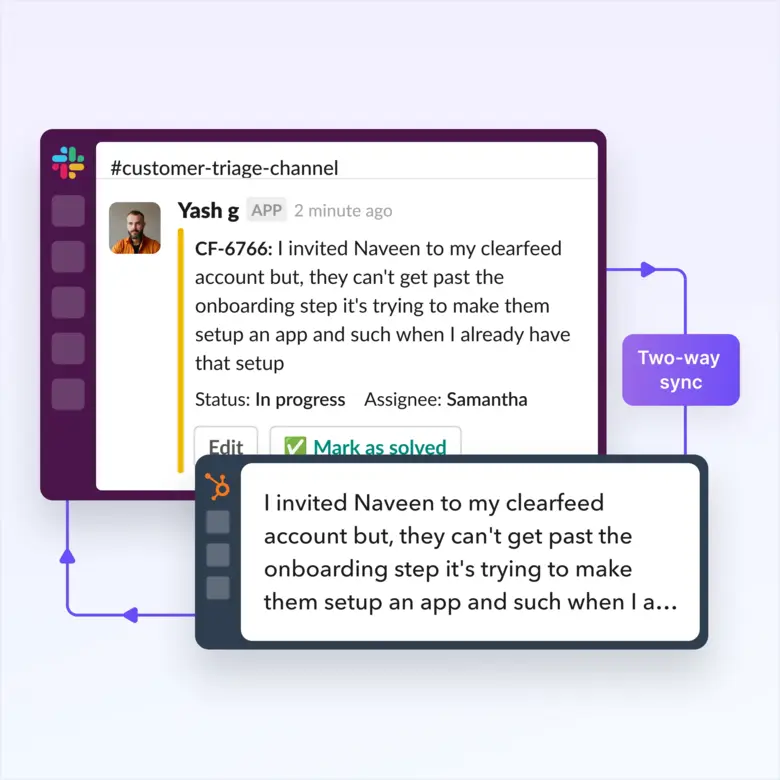
Two-Way Sync Between Slack & Linear
  • Sync comments from Slack to Linear in real time
  • Linear comments & status updates synced back to Slack
  • Configurable sync settings and Emoji actions
  • Automatic mapping of users across Linear & Slack
04
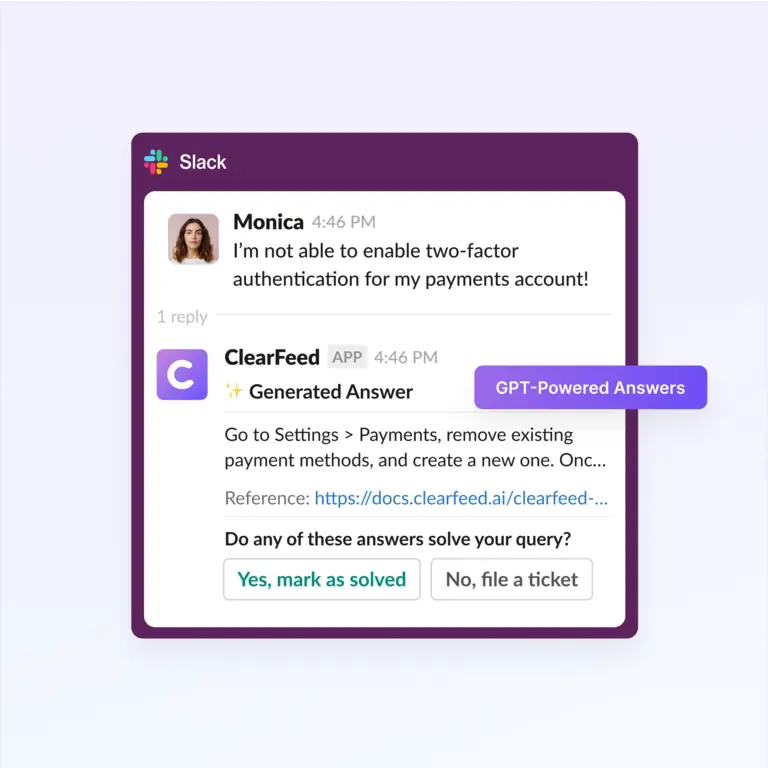
Resolve Questions with AI Agents ✨
  • Index knowledge in GDrive, Confluence, Notion, KBs ..
  • Auto-respond to queries in Slack & other channels
  • Take automated actions in SalesForce, Hubspot, Linear
  • AI learns from previous conversations
Manual or Automatic Ticket creation in Slack channels
Manage request status and ownership from Triage
Use đź”’emoji for internal notes and collaboration
Support Customers Across Multiple Channels
05
Get Alerts on Pending Responses
  • AI detects pending responses ✨
  • Sends proactive alerts on Slack & Email
  • Setup repeating alerts to manage Incidents
  • Configure SLAs by customer segments
  • Measure response & closure times
06
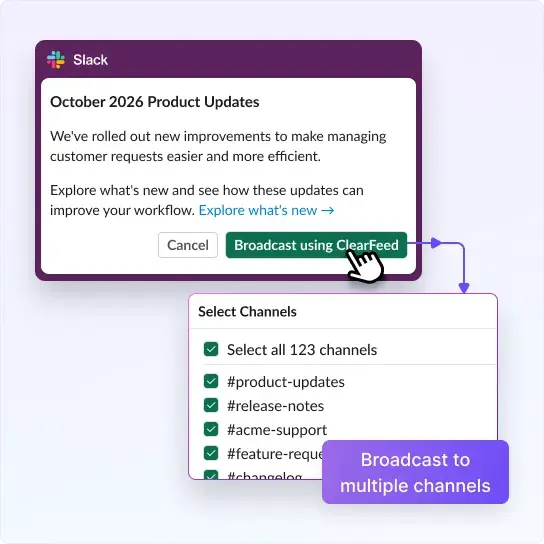
Broadcast Updates to Customers
  • Automatically Monitor new Slack Connect channels
  • Schedule broadcasts to multiple channels
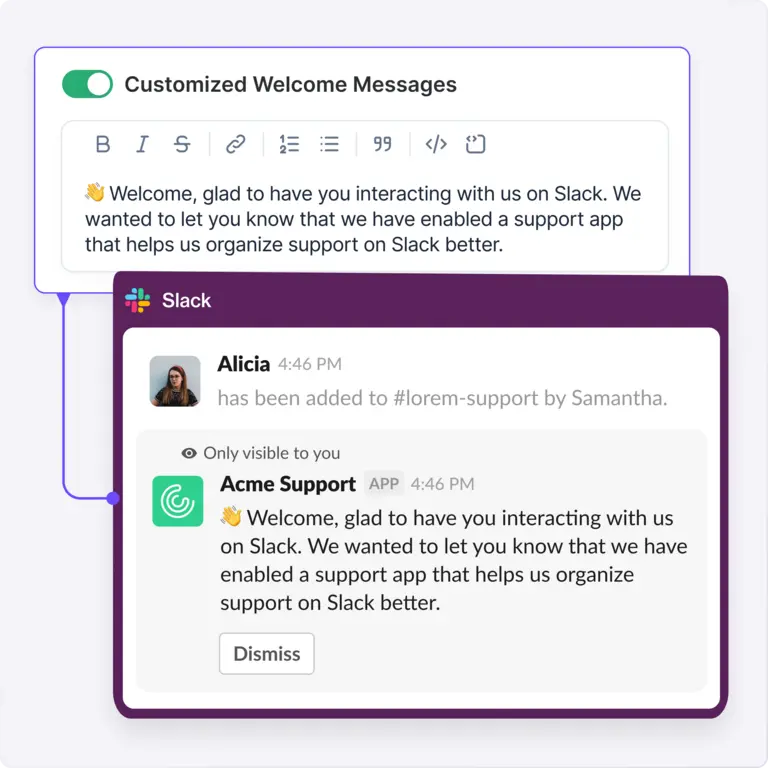
  • Automated Welcome Messages for new channels/users
  • Group channels for SLA policies and Ownership.
Create Tickets from Slack
Sync Slack to your CRM
07
Sync Conversations with your CRM
  • View CRM properties like ARR on each request
  • Filter & organize requests using CRM properties
  • Power routing & automations based on CRM fields
  • Log Tickets as Notes in CRM easily
08
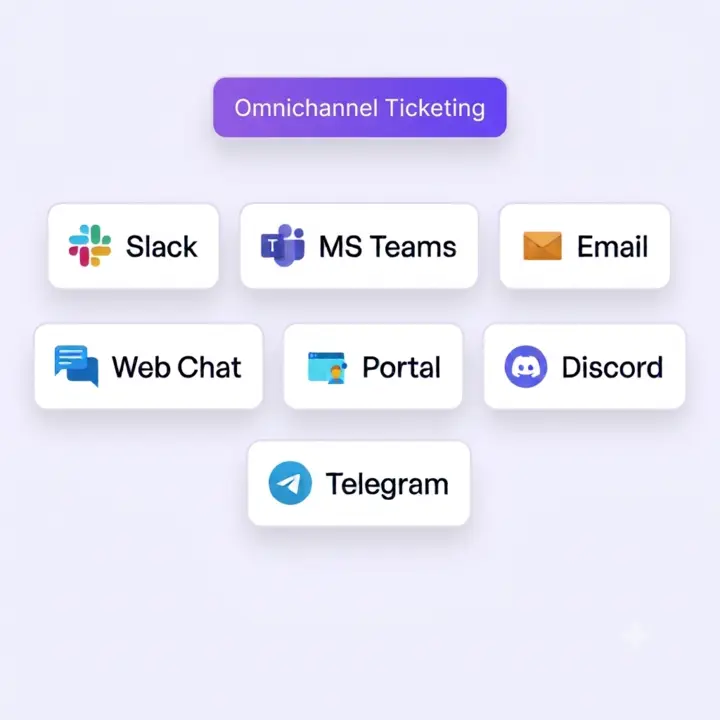
Unified Inbox for Slack, Teams Email ..
  • Omnichannel: connect Slack to Email, Chat, Teams
  • Consolidate all requests into a unified queue.
  • Slack-Native: Manage & resolve tickets directly from Slack.
  • Track in Linear: Convert Tickets to Issues in Linear
Support Customers Across Multiple Channels

Experience ClearFeed Firsthand, Try It for Free!

14-Day Free Trial
No Credit Card Required

Here's what our customers have to say

“Customer Support Experience Differentiator”

We reduced friction in supporting our customers and increased efficiencies within the support team by implementing ClearFeed.

Tom Walker
Head of Customer Support Engineering @Chronosphere
“ClearFeed transformed our support operations”

ClearFeed ties multiple communication channels together without disrupting our existing workflows.


Ritwik Manan
Head of Product & Experiences, @Scanpay
“Exactly what we needed”

Our customers simply view us as another team within their organization, and this wouldn't be possible to manage so many channels without ClearFeed. It is extremely easy to integrate with Slack and use in our daily operations, and we can keep track of support agent KPI as well.

Kevin C.
Support & Team Manager
“ClearFeed has helped us to meet customers where they are”

After implementing ClearFeed, the biggest benefit is the peace of mind of knowing customers are attended to, and we meet them where they are with real-time expert access.


Fritz Davenport
Lead Customer Success Engineer @ Astronomer
Book a Free Consultation with our Support experts
Learn how ClearFeed can work for your team
Set up the right Slack workflows
Build AI Agents tailored to your needs
Discuss Migration Strategy from your existing System

Why Choose ClearFeed Over Linear Asks?

Compare Features
Ticket Management in Slack
Ticket Creation
Supports auto/manual ticketing from Slack
Templates & Forms
Custom Forms & Fields
Linear Templates (ClearFeed does not yet integrate)
Triage Model
Slack-native Triage Channels
No Slack-native Triage model
Ticket Collaboration
Public/private comments in Slack
No direct Slack collaboration
Linking Customer Tickets to Tasks
Private Dev tasks linked to public tickets
No private task sync with tickets
Omni-Channel Support
Supports Slack, Email, MS Teams & Web Chat
Only supports Slack
AI-Powered Support
Automated Answers
GPT-Powered answers from Notion, Google Docs, Wikis, etc.
No built-in Automated Answers
AI-Powered Ticket Management
Uses AI for conversation tracking & replies
No AI automation
AI Conversation Demarcation
AI clusters related messages
No AI conversation grouping
Canned Responses (Macros)
Available
Not available
Service Level Management
SLA Tracking & Alerts
SLA on response & closure times
SLA only on closure time
Business Hours & OOO
Granular scheduling & OOO replies
Only business days, no hours
Bulk Channel Management
Bulk Messaging (Broadcasts)
Send messages to multiple channels
No built-in bulk messaging
Auto Channel Addition & Welcome Messages
Automates Slack Connect monitoring and welcome messages
Requires manual app addition to each channel. No welcome messages
Pricing
Pricing Model
Per-agent for internal
Upgrade required for all users

Secure from Day 1

ClearFeed was built by an experienced team with security, privacy & compliance prioritized from day one.
Learn More
right-arrow

Frequently Asked Questions