Table of Contents

Internal support requests don't start in a portal—they start where employees already work. With ClearFeed, employees can already create support tickets from Slack and email, while support teams manage them centrally through Slack triage channels or the ClearFeed web app. Employees on Slack can also see all of their tickets from the ClearFeed Slack App.
However, there has been one important gap: employees needed Slack access to view and track their requests. For organizations with frontline workers, contractors, external partners, or teams that don't primarily work in Slack, this made self-service ticket tracking difficult.
To address this, we’re excited to launch ClearFeed’s Employee Portal as part of ClearFeed’s comprehensive Internal helpdesk Solution. The portal is a web-based hub where employees can create, view, and manage internal support requests from one place. Support agents continue to manage all support tickets from ClearFeed managed Triage channels or Web App.
What this means for employees:
- Single Source of Truth: View all internal requests in one place - whether raised from Slack, Email or the portal.
- Real-Time Updates: Employees can track ticket status without sending follow-up pings.
- Web-Based Access: Give employees a structured way to raise and manage requests outside Slack.
- Admin Controls: Decide who can access the portal and what they can view.
Let's dive into how the Employee Portal works and how your team can start using it today.
How the Employee Portal Works
The ClearFeed Employee Portal is purpose-built for internal helpdesk teams - IT, HR, Finance, & Operations. Here's a closer look at what it offers:
1. Secure Login
Once enabled by an admin, employees can sign in to the portal through a secure, organization-specific link at https://<your-portal-name>.clearfeed.app. The portal supports three authentication methods out of the box:
- Google Sign-In
- Microsoft Sign-In
- Email magic link
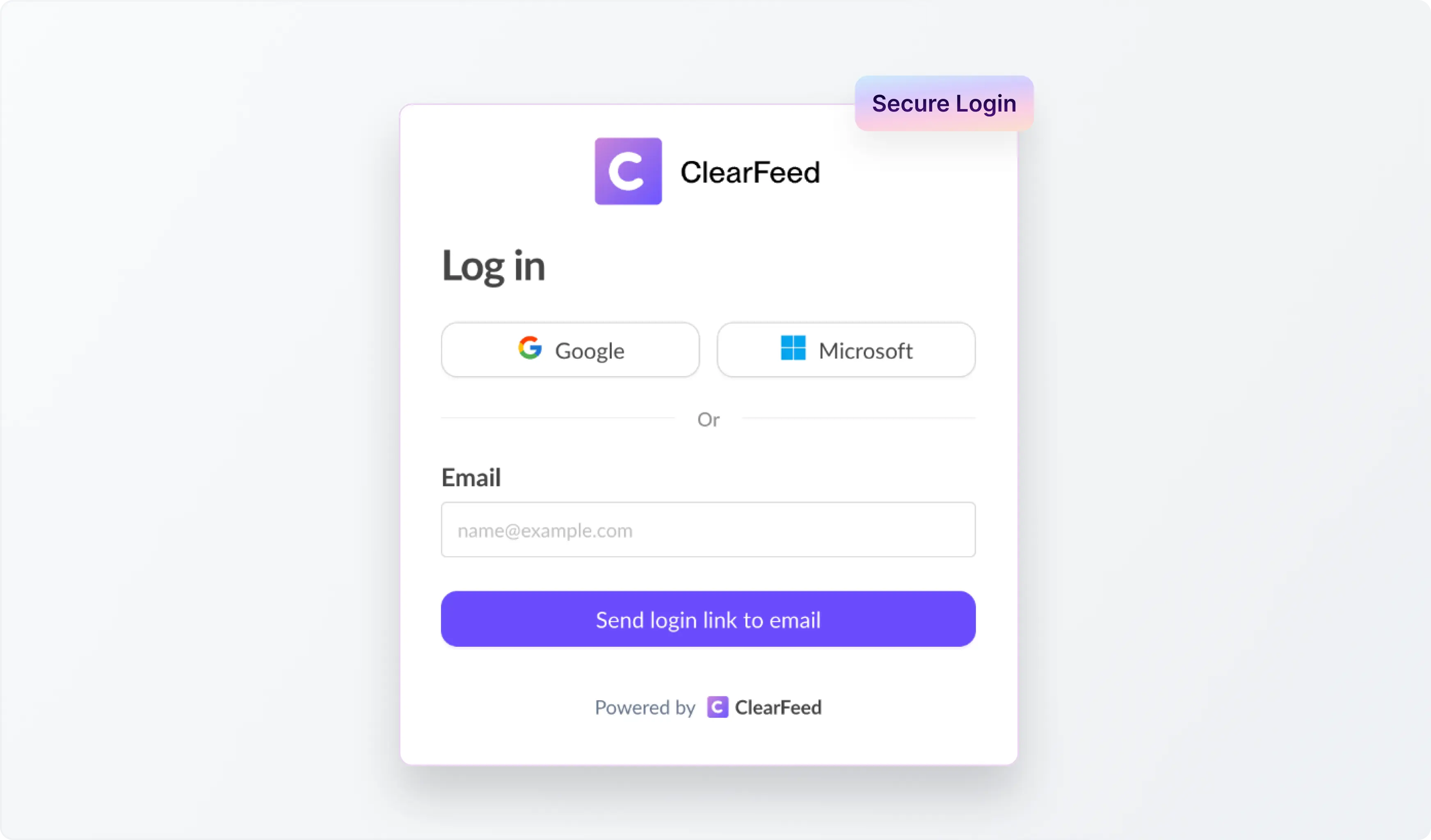
No new accounts to create. Employees use the credentials they already have.
2. Flexible Access Control
Admins have full control over who can access the portal, with two modes:
- Allow all users from account domains: Anyone with a verified company email address can sign in. Perfect for org-wide rollouts where every employee should have access.
- Allow only specific users: Restrict access to a defined list of email addresses. Ideal for phased rollouts or teams with stricter access policies.
This means you can start small with a pilot group and expand access incrementally — no risk of opening the floodgates before you're ready.
3. Viewing and Tracking Tickets
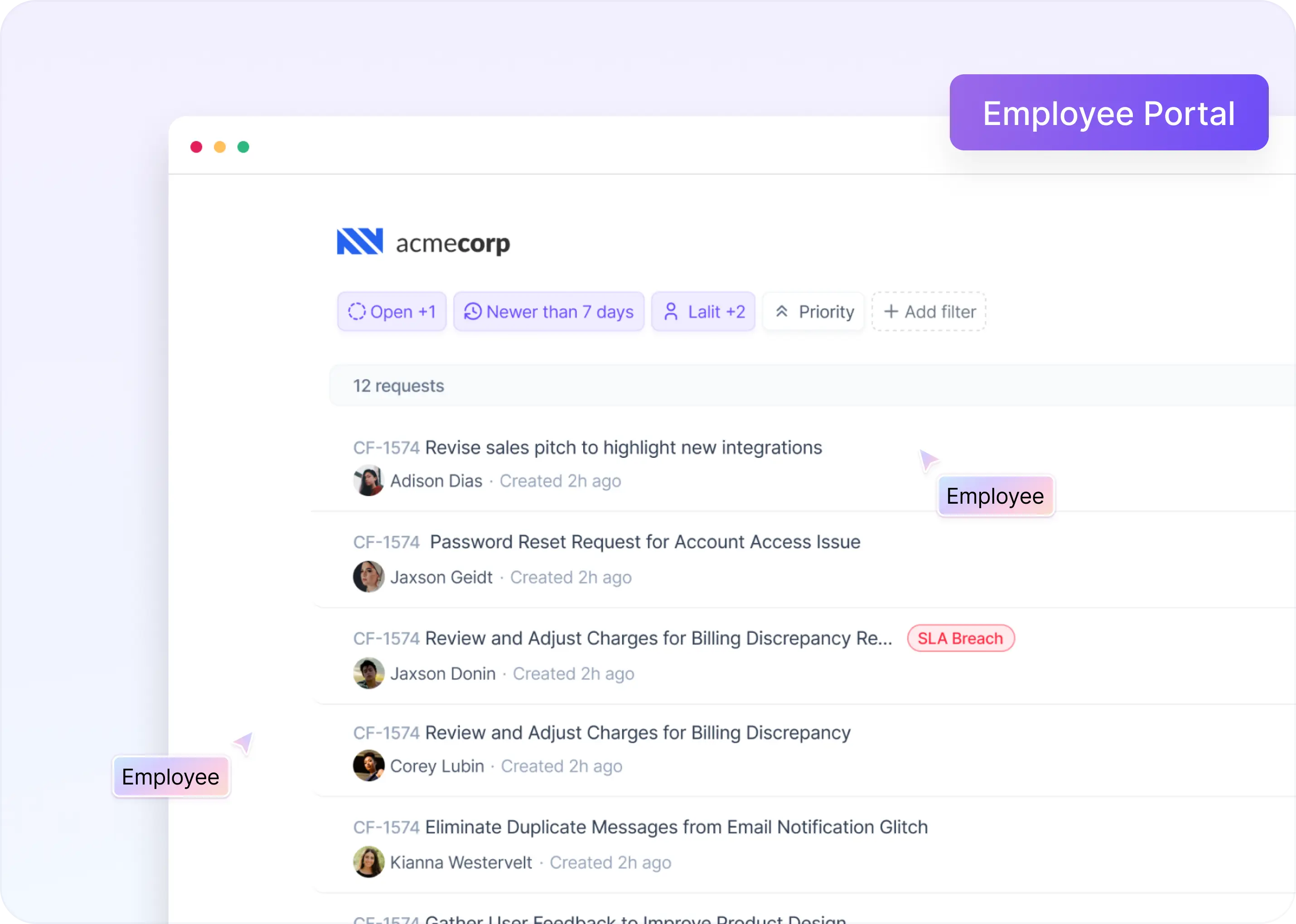
Once logged in, employees land on a dashboard that shows all their open and past requests at a glance.
- Ticket Status: Each ticket displays a real-time status - "Open," "In Progress," or "Resolved" - so employees know exactly where things stand.
- Detailed Ticket View: Clicking into a ticket surfaces the full conversation history, agent responses, and any attachments, giving employees complete context without needing to ask for updates.
4. Filing New Tickets
Employees can submit new requests directly from the portal using ClearFeed Forms. The experience is clean and guided:
- Smart Form Routing: If only one form is mapped to the portal, it opens immediately when an employee clicks File Ticket. If multiple forms are configured, say, one for IT and one for HR, employees see a dropdown to pick the right category.
- Custom Fields: Each form can include tailored fields that capture exactly the information your support team needs to triage and resolve requests faster. Only fields marked as editable by non-responders are shown, keeping the experience focused.
- Attachments and Context: Employees can include files, screenshots, or additional details right in the submission, so agents have everything they need from the start.
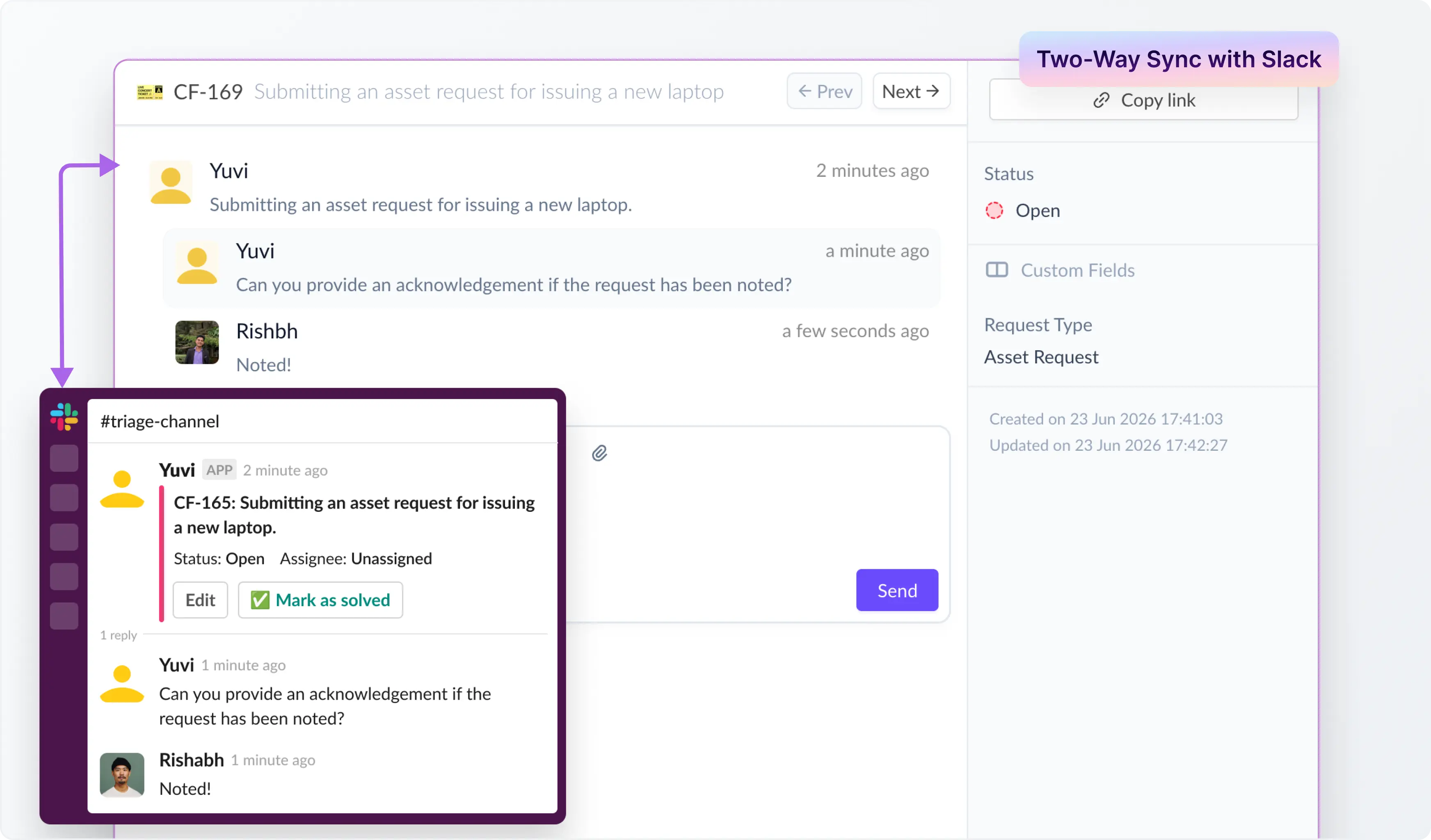
5. Real-Time Two-Way Sync with Slack
The Employee Portal doesn't exist in isolation, it plugs directly into your existing ClearFeed Slack workflows:
- Instant Routing: Tickets submitted through the portal are routed immediately to the appropriate Triage channels in Slack and Collections in ClearFeed, where your support agents are already working.
- Seamless Sync: Agent replies in Slack (or the ClearFeed webapp) are reflected in the portal in real time. Employees see updates without needing to monitor Slack or Email. Conversely, requests created in Slack show up in the portal too, giving employees a single view of everything, regardless of where it originated.
6. Customizing the Portal
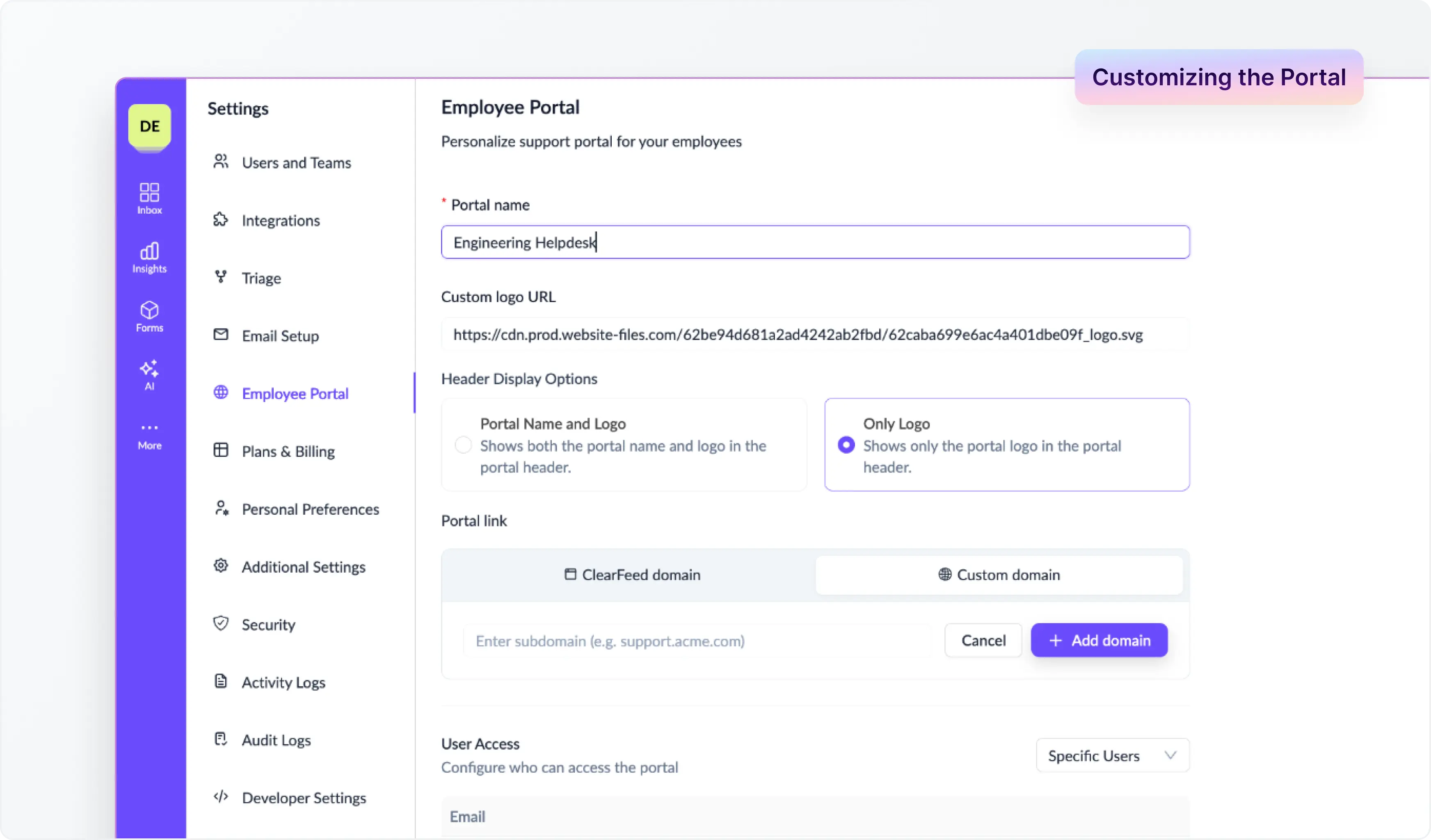
Admins can tailor the portal to match their organization's identity and workflows:
- Portal Name and URL: Set a name for the portal; it becomes accessible at https://<portal-name>.clearfeed.app.
- Company Logo: Add your logo to the portal header for consistent branding.
- Form Configuration: Map specific forms to the Portal Collection in ClearFeed so employees always see the right intake experience.
- Custom Domain (Enterprise): Host the portal on your own subdomain - for example, helpdesk.acme.com - so employees see your brand, not ClearFeed's. Your original clearfeed.app URL remains active as a fallback.
Getting Started
The Employee Portal is available to ClearFeed accounts on the Internal Helpdesk edition on Professional and Enterprise plans. Setting up the Employee Portal takes just a few minutes:
- Go to Account Settings → Portal Setup
- Set your Portal Name and upload your Company Logo
- Choose your Access Control mode — all domain users, or specific individuals
- Map your Forms in the relevant Collection settings
- Share the portal link with your team and you're live
For a detailed step-by-step guide, check out the Employee Portal documentation.
Wrapping Up
With a dedicated self-service portal, employees can create, track, and respond to support tickets from one place, while internal support teams continue managing requests through ClearFeed and Slack.
The Employee Portal is live now. If you’d like to set up the Employee Portal for your organization, you can reach out to us on Slack or book a product walkthrough with the ClearFeed team.