April 16, 2026

Best Wrangle Alternatives in 2026

WRITTEN BY
Happy Das
Best Wrangle Alternatives in 2026

Wrangle fits teams whose support work happens primarily in Slack. For smaller IT, HR, or RevOps teams, that can be enough: it helps manage requests in Slack without adding a heavy process or forcing users into a separate tool.

The limits appear as support operations become more complex. Reporting matters more; email becomes necessary, and the growing volume of Slack channels becomes harder to manage. At that point, Wrangle can feel constrained, especially for teams that need a fuller support operation rather than a lightweight Slack workflow.

User reviews reinforce that pattern. One G2 reviewer noted that Wrangle lacked a native email-to-ticket function and required an external tool, such as Zapier or an API. Another reviewer, managing support across about 75 client Slack channels, cited the lack of a centralized dashboard as a daily obstacle.

If your team has outgrown a Slack-only support model, the alternatives below are worth reviewing.

What Users Say About Wrangle

Wrangle's strengths are consistent: it is easy to roll out, feels native to Slack, and works especially well for approvals. The limitations of Wrangle tend to appear when support operations become more complex.

  1. Reporting is a clear example. Wrangle covers basic reporting, but offers little SLA tracking, limited visibility into team performance, and weak support for longer-term trend analysis.
  2. Email is another common gap. Because Wrangle is centered on Slack, email support typically requires an added tool such as Zapier. That may be acceptable for Slack-only teams, but it is a constraint for teams trying to consolidate support in one place.
  3. Scale introduces similar issues. Wrangle works well with a small number of channels, but once that grows into dozens, especially customer-facing channels, the lack of a centralized triage view becomes more limiting.
  4. Integrations can create the same kind of overhead. Reliable two-way sync with tools like Zendesk, Salesforce, HubSpot, or Jira often depends on Zapier, which adds cost, maintenance, and another dependency.
  5. Pricing can also be a constraint for smaller teams. Both paid plans require a minimum of 3 agents, and hands-on onboarding and a dedicated CSM are reserved for the Scale plan. Teams on Pro should expect a more self-serve experience.

These issues will not matter equally to every team, but they are common reasons teams feel they have outgrown Wrangle.

How To Evaluate the Best Wrangle Alternative?

  1. Start by separating internal support from customer support. Wrangle is built primarily for internal teams such as IT, HR, and RevOps. Once external customers are involved, requirements expand to include portals, CSAT, tiered SLAs, and CRM sync.
  2. Next, assess channel mix. If support will stay centered on Slack, a Slack-native tool may still be the right category. If your team also needs email, Microsoft Teams, web chat, or a customer portal, those channels should be native to the product, not added later through workarounds.
  3. AI also needs a clearer lens. Some tools help agents respond faster. Others are designed to resolve repetitive requests without human involvement. If deflection matters, choose a product that can measure and report it.
  4. Integrations should be evaluated for depth, not just breadth. If your team already relies on Zendesk, Salesforce, HubSpot, or Jira, native two-way sync is more valuable than buying separate integrations like Zapier.
  5. Finally, plan for scale. A tool that works well at 20 channels may feel very different at 200. If your team is growing, evaluate whether the product is built for that level of operational complexity.

Best Wrangle Alternatives at a Glance

Tool Support Type Enterprise Ticketing Integrations? Slack-Native? Unlimited Agents Option? Standout Feature Price
ClearFeed Internal support + customer support Yes (Zendesk, Salesforce, HubSpot, Jira, Intercom, Linear, ClickUp, plus APIs/webhooks) Yes (Agents can work from Slack) Yes (usage-based pricing; channel/ticket-based) Full support ops inside Slack with omnichannel, AI, and native integrations $24/agent/month or $40/month usage-based
Thena Customer support Yes (Zendesk, Salesforce, plus APIs/webhooks) Partial (Slack ticket creation only) No Built for B2B customer Slack support with SLA, CSAT, and multi-channel workflows $29/user/month
Pylon Customer support No (integrates with Pylon only) Partial (Slack ticket creation only) No (3-seat minimum) Enterprise-grade omnichannel support with strong AI and account intelligence $59/seat/month
Atlassian Assist Internal support No (Slack front-end for Jira Service Management only) Yes (Agents can work from Slack) No Native Slack-to-Jira request creation for internal IT workflows $53/agent/month - JSM
Zendesk Slack App Internal support No (integrates with Zendesk only) Partial (ticket creation, internal notes, side conversations) No Enterprise ticketing with Slack as a notification and action layer From $19/agent/month (Side Conversations require higher tiers)
Linear Asks Internal support Yes (Zendesk, Intercom; Salesforce on Enterprise) Partial (issue creation, thread sync, notifications) No Engineering-grade issue tracking with Slack request intake for dev and product teams Free / $16/member/month

The Best Wrangle Alternatives, Grouped by Use Case

Best Internal Support Alternatives for Wrangle

These tools are internal help desks built around Slack as the primary interface. They are most relevant for IT, HR, or RevOps teams that have outgrown Wrangle on reporting, scale, or workflow complexity.

1. ClearFeed

ClearFeed is a strong alternative to Wrangle for internal teams that need more operational depth without leaving Slack. Agents still work in Slack, which keeps adoption simple, but ClearFeed adds SLA tracking, employee-facing email intake, richer routing and triage, and stronger reporting for IT, HR, and RevOps workflows. It is a better fit when Wrangle starts to fall short on analytics, request volume, or coordination across many channels.

Key Features
  1. Slack triage channels: Agents can reply to employees and requesters, add private notes, reassign tickets, set priority, and close conversations directly in Slack. Thread-based collaboration keeps internal discussion tied to the ticket.
  2. Multi-channel intake, Forms and Routing: ClearFeed brings Slack and email into one triage view for centralized intake and follow-up. Users can create multiple forms and route different forms to different agents and queues.
  3. AI: Agent Assistant and Virtual Agent: Agent Assistant drafts automate replies for agents, while Virtual Agent handles qualifying questions automatically. Both can use content from Notion, Confluence, Google Drive, Slack history, and public URLs. Teams can also connect their own OpenAI, Anthropic, Gemini, or Groq model endpoints.
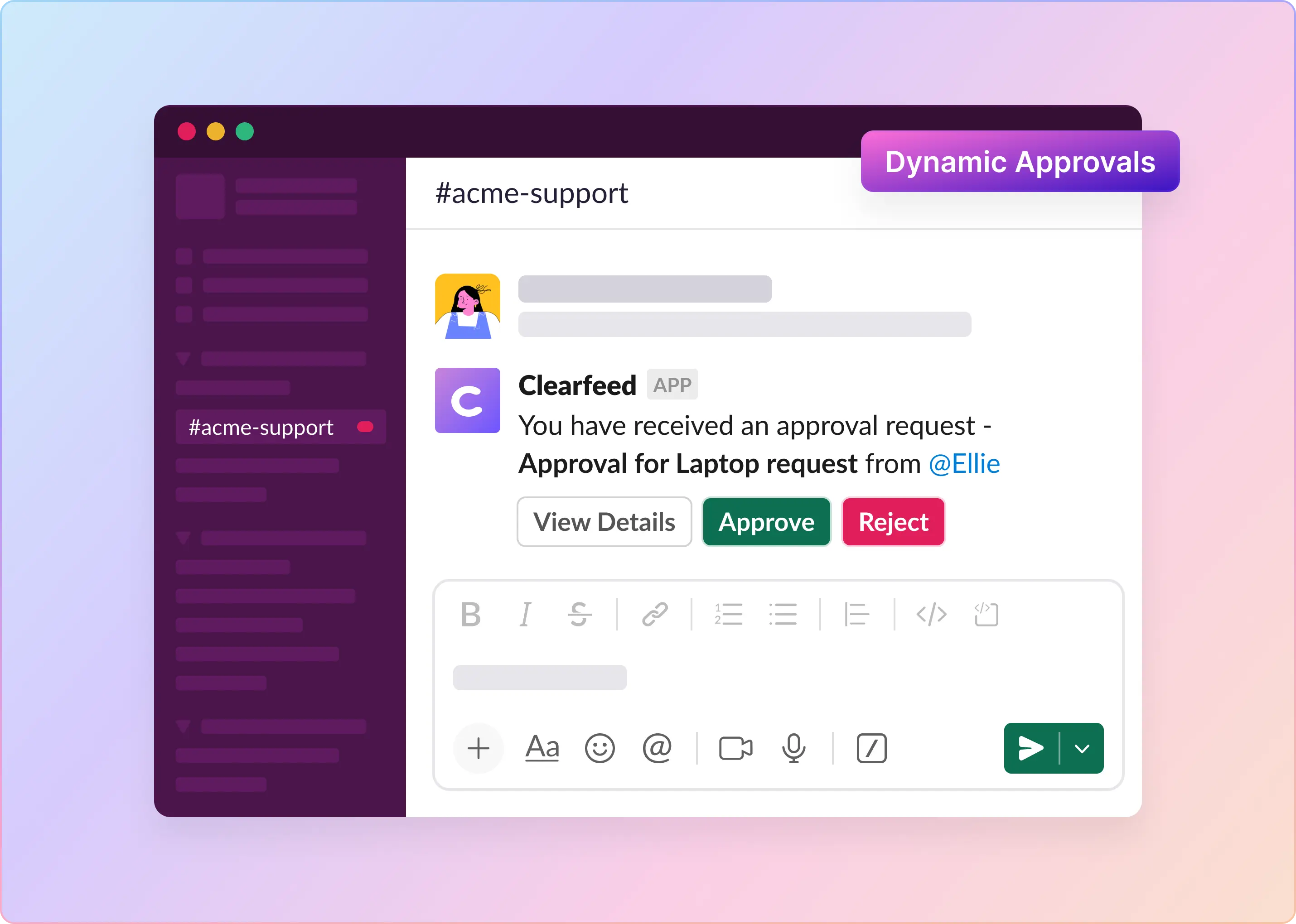
  4. Workflow automation and approvals: ClearFeed supports routing, prioritization, escalations, team assignment, automated reminders, and multi-step approval workflows for cases like access requests, onboarding, expense approvals, and policy-driven IT or HR flows.
  5. Analytics and Operations: Dashboards cover SLA status, breach alerts, response and resolution times, CSAT, AI deflection, and agent performance.
Pros
  • Support Agents can manage support directly in Slack without switching tools
  • Stronger routing, SLA controls, approvals, and reporting than Wrangle for growing internal teams
  • Includes AI agents with broad knowledge sources and tooling support
  • Flexible pricing, including usage-based options for collaborative support teams
  • No seat minimum and a 14-day free trial
Cons
  • Best suited to teams that use Slack as a primary support channel
  • Email workflows are less capable than in email-first platforms
  • Teams with simple internal ticketing needs may find the product more robust than necessary
Pricing

You can pick either:

  • Agent-based (pay per agent): Best when you have a defined support team and want a predictable "support seats" cost.
    • Starter: $24/agent/month or 
    • Professional: $49/agent/month (1-15 agents)
  • Usage-based (pay by usage slabs instead of seats): Pricing is based on channels and tickets, starting at $40/month (for 10 channels/100 tickets) and scales with usage. Best when support is collaborative or integration oriented without fixed agents.

2. Atlassian Assist

Atlassian Assist is a relevant Wrangle alternative for teams already standardized on Jira Service Management. As Atlassian's native Slack layer for JSM, it lets employees submit requests in Slack while tickets are created and tracked in JSM. Its strength lies in providing internal IT teams with a familiar Slack request flow while keeping the service desk within the Atlassian stack. Its limitation is fit: it is designed for internal IT service management, not external customer support, and its Slack workflow is less capable than that of dedicated Slack-native support tools.

Key Features
  1. Slack integration for submitting and tracking JSM requests without leaving Slack
  2. Automatic ticket creation in Jira Service Management from Slack messages
  3. Status updates and notifications delivered to employees in Slack
  4. Approval workflows and request forms accessible from Slack
  5. Full JSM feature set (SLAs, queues, automations) operating in the background
  6. Triage channels in Slack allow Agents to respond to tickets from Slack directly
Pros
  • No middleware needed if you're already on JSM; tight out-of-the-box integration
  • Employees can submit requests without leaving Slack
  • Backed by Atlassian's full IT service management platform
  • Works well for structured IT workflows like access requests and hardware provisioning
Cons
  • Only works with Jira Service Management; no standalone helpdesk capability
  • Slack experience is limited compared to purpose-built Slack-native tools
  • Not suited for customer-facing or external support use cases
  • Requires an existing JSM subscription
Pricing

Atlassian Assist requires JSM Premium tier and above:

  • Premium: $51.42/agent/month

3. Zendesk Slack App

Zendesk's native Slack integration is useful for teams already on Zendesk, but it is not a Slack-native agent workspace like ClearFeed or Wrangle. It supports basic Slack-side actions such as ticket notifications, status updates, and internal notes, and it works best for alert-driven workflows, such as creation, escalation, and SLA breach notifications. It is a weaker fit for teams that want Slack to be the primary interface for handling tickets.

Key Features
  1. Ticket creation from Slack using Shortcut commands
  2. Slack notifications for ticket creation, updates, SLA breaches, and custom escalation triggers
  3. Ability to post internal notes from Slack via menu action
  4. Side conversations in Slack for internal collaboration tied to tickets
Pros
  • No new platform to adopt for teams already using Zendesk
  • Works well for alert-driven workflows where agents operate primarily in Zendesk
  • Side conversations keep internal collaboration linked to tickets
  • Strong reporting, automation, and broader ticketing depth through Zendesk
Cons
  • Slack is a secondary notification and action layer, not a Slack-native agent workspace
  • Lack of seamless two-way sync means Slack conversations are not synced seamlessly to tickets
  • Lack of support for Forms in Slack and easy ticket creation triggers like Emojis
Pricing

Slack side conversations requires Growth Tier and above. Basic Slack integration is available on all plans.

  • Suite Team: $29/agent/month
  • Suite Growth: $59/agent/month
  • Suite Professional: $115/agent/month
  • Suite Enterprise: Custom pricing

4. Linear Asks

Linear is a strong fit when internal support is closely tied to engineering work. Teams can use its Slack integration to create and update issues directly from Slack, which works well for workflows like bug reports, feature requests, and internal tooling requests. It is less suited to traditional helpdesk operations that require SLA management, request routing, or employee-service workflows.

Key Features
  1. Slack integration for creating Linear issues and posting updates from Slack. Seamless two-way sync between Linear and Slack.
  2. Core work tracking across issues, sub-issues, cycles, and projects
  3. Native GitHub and GitLab integrations for development workflows
  4. Automations, templates, and custom workflows
  5. Views for triage, prioritization, and workload management in Linear App
Pros
  • Strong fit when internal support is closely tied to engineering or product work
  • Native code integrations connect requests directly to development workflows
Cons
  • Not built as a helpdesk, with no SLA tracking, CSAT, or support-specific reporting
  • Slack supports issue creation and updates, but Agents need to work from Linear App.
  • Better suited to engineering and product teams than IT, HR, or RevOps
Pricing

Linear Asks requires the Linear Business plan or above.

  • Business $16/member/month, Enterprise custom

Best Customer Support Platform Alternatives for Wrangle

These tools go beyond Slack ticketing. They're built for teams that want a full support operations layer, not just a way to track requests inside a messaging app.

1. ClearFeed

ClearFeed stands out on this list because it supports both internal helpdesk and external customer support on a single platform. Customer-facing teams can manage Slack Connect, email, and web chat from a single triage view, create tickets in ClearFeed - or optionally sync with systems such as Zendesk, Salesforce, and HubSpot.

Key Features
  1. Triage Channels for Slack-Native Experience: ClearFeed can centralize large volumes of Slack Connect conversations through a few configurable triage channels, where agents can assign threads, post private comments and respond from Slack directly
  2. Omnichannel intake: Slack, email, Microsoft Teams, web chat, customer portal, API-created requests, and web-app-created requests can all flow into the same support operation for triage and follow-up.
  3. Native and external ticketing: Teams can use ClearFeed's native ticketing or connect systems such as Zendesk, Freshdesk, Intercom, Salesforce, Jira Service Management, Jira, HubSpot, ClickUp, and Linear with bidirectional sync between Slack and the system of record.
  4. AI Agent Assistant and Virtual Agent: Agent Assistant suggests private drafts for agents, while Virtual Agent can answer customers directly in request channels. AI can use sources such as Notion, Confluence, Google Drive, Slack history, public websites, help-center content
  5. SLA tracking, CSAT, and reporting: Teams can define SLA policies by channel, account tier, or request type, surface breach alerts in Slack, send CSAT surveys on closure, and report on response time, resolution time, agent performance, and AI deflection.
  6. Broadcasts in Slack: Users can schedule broadcasts to hundreds of channels and track replies and reactions in ClearFeed.
Pros
  • Comprehensive solution for managing customer communication across large number of Slack channels.
  • Agents can work entirely from Slack; no separate support tool to open or manage
  • Strong CRM integrations make it practical for CS teams already using Salesforce or Zendesk
  • Usage-based pricing is cost-effective for teams with a collaborative support model.
  • Comprehensive AI with measurable deflection, not just assisted replies
Cons
  • Less suitable for teams where Slack is not the primary customer engagement channel
  • Email capabilities are more limited than in dedicated email-first support platforms

2. Thena

Thena is a strong alternative to Wrangle for support teams that have outgrown lightweight, Slack-only workflows and need a more structured customer support platform. While Wrangle works well for internal approvals and simple request flows inside Slack, Thena is built more directly for B2B customer support across Slack, email, chat, and Microsoft Teams.

Key Features
  1. Slack-native ticketing for customer issues
  2. Multi-channel support across Slack, email, web chat, and Microsoft Teams
  3. SLA tracking, CSAT, routing, custom fields, and team boards
  4. AI for ticket detection, summaries, tagging, agent assistance, and automated responses
  5. Broadcasts across Slack, Teams, and email for customer updates
  6. APIs, webhooks, and MCP support

Note: Some AI and developer features may be limited to higher-tier plans.

Pros
  • Strong Slack experience without limiting teams to Slack-only workflows
  • Better suited than Wrangle for external customer support and account-based B2B support
  • Includes core support operations capabilities such as SLA tracking, CSAT, routing, and multi-channel intake
Cons
  • May feel heavier than Wrangle for lightweight approvals or simple internal requests
  • Seat-based pricing can become expensive as teams grow
Pricing
  • Starter: $29/user/month, with Slack and email support
  • Standard: $79/user/month billed annually, adds AI web chat, AI Agent Studio, MCP, and APIs
  • Enterprise: $119/user/month, adds Microsoft Teams, enterprise APIs, and advanced security

3. Pylon

Pylon is a relevant Wrangle alternative for teams that need a full B2B support platform rather than lightweight internal workflows in Slack. It supports customer conversations across Slack, email, chat, Microsoft Teams, forms, and Discord, while adding structured ticketing, knowledge management, and AI assistance. Wrangle is better suited to simpler internal approvals and request flows, while Pylon is better suited to teams that need broader omnichannel support.

Key Features
  • Omnichannel support across Slack, email, chat, Microsoft Teams, forms, Discord, customer portal, and API
  • Slack Connect support for tracking and managing customer conversations
  • AI agents and assistants for triage, categorization, and workflow automation
  • Knowledge management tools for building and improving documentation
  • Account intelligence that surfaces support, success, and sales context
  • Broadcasts, automations, analytics, and API access

Note: Some features, including broadcasts, integrations, analytics, and certain connectors, are limited to higher-tier plans.

Pros
  • Strong fit for external B2B customer support
  • Broad omnichannel coverage beyond Slack-only workflows
  • More developed AI, documentation, and account-context features than lightweight workflow tools
  • Good fit for teams managing many Slack Connect channels
Cons
  • Less suited to simple internal approvals or lightweight process automation
  • Agents work primarily in Pylon rather than entirely in Slack
  • Pricing and seat minimums can be harder for smaller teams and several advanced features - including AI - are gated to expensive tiers
  • Does not integrate with other Enterprise Ticketing platforms.
Pricing

Annual billing. 3-seat minimum for Starter and Professional; 7-seat minimum for Enterprise.

  • Starter: $59/seat/month
  • Professional: $89/seat/month; adds Slack, Telegram, WhatsApp, broadcasts, integrations, automations, analytics, API access, and view-only seats
  • Enterprise: $139/seat/month; adds Microsoft Teams, customer portal, custom reporting, data warehouse support, and RBAC

Best Wrangle Alternative for Slack-First Support Teams

If your team uses Slack as the primary workspace and Wrangle no longer covers your needs, start with a simple question: Are you supporting internal employees, external customers, or both?

  1. Internal employees only: ClearFeed is the clearest upgrade if the main gaps are reporting, SLA tracking, or email alongside Slack. Atlassian Assist is relevant for teams already using Jira Service Management and wanting a more native Slack experience for internal requests. Linear Asks  fits engineering and product teams whose internal support work is closely tied to development workflows.
  2. External customers: ClearFeed, Thena, and Pylon are built for customer-facing support in Slack. ClearFeed offers the broadest mix of omnichannel support and enterprise integrations. Thena fits mid-market teams with a more focused external Slack use case. Pylon is better suited to high-volume teams with more complex requirements.
  3. Both internal and external: ClearFeed is the strongest fit if you need a single platform for both internal helpdesk workflows and external customer support.

Wrangle remains a solid option for internal Slack-based ticketing. Teams usually move on when they need better analytics, email in the same workflow, support beyond Slack, or native CRM sync without Zapier.

Wrangle fits teams whose support work happens primarily in Slack. For smaller IT, HR, or RevOps teams, that can be enough: it helps manage requests in Slack without adding a heavy process or forcing users into a separate tool.

The limits appear as support operations become more complex. Reporting matters more; email becomes necessary, and the growing volume of Slack channels becomes harder to manage. At that point, Wrangle can feel constrained, especially for teams that need a fuller support operation rather than a lightweight Slack workflow.

User reviews reinforce that pattern. One G2 reviewer noted that Wrangle lacked a native email-to-ticket function and required an external tool, such as Zapier or an API. Another reviewer, managing support across about 75 client Slack channels, cited the lack of a centralized dashboard as a daily obstacle.

If your team has outgrown a Slack-only support model, the alternatives below are worth reviewing.

What Users Say About Wrangle

Wrangle's strengths are consistent: it is easy to roll out, feels native to Slack, and works especially well for approvals. The limitations of Wrangle tend to appear when support operations become more complex.

  1. Reporting is a clear example. Wrangle covers basic reporting, but offers little SLA tracking, limited visibility into team performance, and weak support for longer-term trend analysis.
  2. Email is another common gap. Because Wrangle is centered on Slack, email support typically requires an added tool such as Zapier. That may be acceptable for Slack-only teams, but it is a constraint for teams trying to consolidate support in one place.
  3. Scale introduces similar issues. Wrangle works well with a small number of channels, but once that grows into dozens, especially customer-facing channels, the lack of a centralized triage view becomes more limiting.
  4. Integrations can create the same kind of overhead. Reliable two-way sync with tools like Zendesk, Salesforce, HubSpot, or Jira often depends on Zapier, which adds cost, maintenance, and another dependency.
  5. Pricing can also be a constraint for smaller teams. Both paid plans require a minimum of 3 agents, and hands-on onboarding and a dedicated CSM are reserved for the Scale plan. Teams on Pro should expect a more self-serve experience.

These issues will not matter equally to every team, but they are common reasons teams feel they have outgrown Wrangle.

How To Evaluate the Best Wrangle Alternative?

  1. Start by separating internal support from customer support. Wrangle is built primarily for internal teams such as IT, HR, and RevOps. Once external customers are involved, requirements expand to include portals, CSAT, tiered SLAs, and CRM sync.
  2. Next, assess channel mix. If support will stay centered on Slack, a Slack-native tool may still be the right category. If your team also needs email, Microsoft Teams, web chat, or a customer portal, those channels should be native to the product, not added later through workarounds.
  3. AI also needs a clearer lens. Some tools help agents respond faster. Others are designed to resolve repetitive requests without human involvement. If deflection matters, choose a product that can measure and report it.
  4. Integrations should be evaluated for depth, not just breadth. If your team already relies on Zendesk, Salesforce, HubSpot, or Jira, native two-way sync is more valuable than buying separate integrations like Zapier.
  5. Finally, plan for scale. A tool that works well at 20 channels may feel very different at 200. If your team is growing, evaluate whether the product is built for that level of operational complexity.

Best Wrangle Alternatives at a Glance

Tool Support Type Enterprise Ticketing Integrations? Slack-Native? Unlimited Agents Option? Standout Feature Price
ClearFeed Internal support + customer support Yes (Zendesk, Salesforce, HubSpot, Jira, Intercom, Linear, ClickUp, plus APIs/webhooks) Yes (Agents can work from Slack) Yes (usage-based pricing; channel/ticket-based) Full support ops inside Slack with omnichannel, AI, and native integrations $24/agent/month or $40/month usage-based
Thena Customer support Yes (Zendesk, Salesforce, plus APIs/webhooks) Partial (Slack ticket creation only) No Built for B2B customer Slack support with SLA, CSAT, and multi-channel workflows $29/user/month
Pylon Customer support No (integrates with Pylon only) Partial (Slack ticket creation only) No (3-seat minimum) Enterprise-grade omnichannel support with strong AI and account intelligence $59/seat/month
Atlassian Assist Internal support No (Slack front-end for Jira Service Management only) Yes (Agents can work from Slack) No Native Slack-to-Jira request creation for internal IT workflows $53/agent/month - JSM
Zendesk Slack App Internal support No (integrates with Zendesk only) Partial (ticket creation, internal notes, side conversations) No Enterprise ticketing with Slack as a notification and action layer From $19/agent/month (Side Conversations require higher tiers)
Linear Asks Internal support Yes (Zendesk, Intercom; Salesforce on Enterprise) Partial (issue creation, thread sync, notifications) No Engineering-grade issue tracking with Slack request intake for dev and product teams Free / $16/member/month

The Best Wrangle Alternatives, Grouped by Use Case

Best Internal Support Alternatives for Wrangle

These tools are internal help desks built around Slack as the primary interface. They are most relevant for IT, HR, or RevOps teams that have outgrown Wrangle on reporting, scale, or workflow complexity.

1. ClearFeed

ClearFeed is a strong alternative to Wrangle for internal teams that need more operational depth without leaving Slack. Agents still work in Slack, which keeps adoption simple, but ClearFeed adds SLA tracking, employee-facing email intake, richer routing and triage, and stronger reporting for IT, HR, and RevOps workflows. It is a better fit when Wrangle starts to fall short on analytics, request volume, or coordination across many channels.

Key Features
  1. Slack triage channels: Agents can reply to employees and requesters, add private notes, reassign tickets, set priority, and close conversations directly in Slack. Thread-based collaboration keeps internal discussion tied to the ticket.
  2. Multi-channel intake, Forms and Routing: ClearFeed brings Slack and email into one triage view for centralized intake and follow-up. Users can create multiple forms and route different forms to different agents and queues.
  3. AI: Agent Assistant and Virtual Agent: Agent Assistant drafts automate replies for agents, while Virtual Agent handles qualifying questions automatically. Both can use content from Notion, Confluence, Google Drive, Slack history, and public URLs. Teams can also connect their own OpenAI, Anthropic, Gemini, or Groq model endpoints.
  4. Workflow automation and approvals: ClearFeed supports routing, prioritization, escalations, team assignment, automated reminders, and multi-step approval workflows for cases like access requests, onboarding, expense approvals, and policy-driven IT or HR flows.
  5. Analytics and Operations: Dashboards cover SLA status, breach alerts, response and resolution times, CSAT, AI deflection, and agent performance.
Pros
  • Support Agents can manage support directly in Slack without switching tools
  • Stronger routing, SLA controls, approvals, and reporting than Wrangle for growing internal teams
  • Includes AI agents with broad knowledge sources and tooling support
  • Flexible pricing, including usage-based options for collaborative support teams
  • No seat minimum and a 14-day free trial
Cons
  • Best suited to teams that use Slack as a primary support channel
  • Email workflows are less capable than in email-first platforms
  • Teams with simple internal ticketing needs may find the product more robust than necessary
Pricing

You can pick either:

  • Agent-based (pay per agent): Best when you have a defined support team and want a predictable "support seats" cost.
    • Starter: $24/agent/month or 
    • Professional: $49/agent/month (1-15 agents)
  • Usage-based (pay by usage slabs instead of seats): Pricing is based on channels and tickets, starting at $40/month (for 10 channels/100 tickets) and scales with usage. Best when support is collaborative or integration oriented without fixed agents.

2. Atlassian Assist

Atlassian Assist is a relevant Wrangle alternative for teams already standardized on Jira Service Management. As Atlassian's native Slack layer for JSM, it lets employees submit requests in Slack while tickets are created and tracked in JSM. Its strength lies in providing internal IT teams with a familiar Slack request flow while keeping the service desk within the Atlassian stack. Its limitation is fit: it is designed for internal IT service management, not external customer support, and its Slack workflow is less capable than that of dedicated Slack-native support tools.

Key Features
  1. Slack integration for submitting and tracking JSM requests without leaving Slack
  2. Automatic ticket creation in Jira Service Management from Slack messages
  3. Status updates and notifications delivered to employees in Slack
  4. Approval workflows and request forms accessible from Slack
  5. Full JSM feature set (SLAs, queues, automations) operating in the background
  6. Triage channels in Slack allow Agents to respond to tickets from Slack directly
Pros
  • No middleware needed if you're already on JSM; tight out-of-the-box integration
  • Employees can submit requests without leaving Slack
  • Backed by Atlassian's full IT service management platform
  • Works well for structured IT workflows like access requests and hardware provisioning
Cons
  • Only works with Jira Service Management; no standalone helpdesk capability
  • Slack experience is limited compared to purpose-built Slack-native tools
  • Not suited for customer-facing or external support use cases
  • Requires an existing JSM subscription
Pricing

Atlassian Assist requires JSM Premium tier and above:

  • Premium: $51.42/agent/month

3. Zendesk Slack App

Zendesk's native Slack integration is useful for teams already on Zendesk, but it is not a Slack-native agent workspace like ClearFeed or Wrangle. It supports basic Slack-side actions such as ticket notifications, status updates, and internal notes, and it works best for alert-driven workflows, such as creation, escalation, and SLA breach notifications. It is a weaker fit for teams that want Slack to be the primary interface for handling tickets.

Key Features
  1. Ticket creation from Slack using Shortcut commands
  2. Slack notifications for ticket creation, updates, SLA breaches, and custom escalation triggers
  3. Ability to post internal notes from Slack via menu action
  4. Side conversations in Slack for internal collaboration tied to tickets
Pros
  • No new platform to adopt for teams already using Zendesk
  • Works well for alert-driven workflows where agents operate primarily in Zendesk
  • Side conversations keep internal collaboration linked to tickets
  • Strong reporting, automation, and broader ticketing depth through Zendesk
Cons
  • Slack is a secondary notification and action layer, not a Slack-native agent workspace
  • Lack of seamless two-way sync means Slack conversations are not synced seamlessly to tickets
  • Lack of support for Forms in Slack and easy ticket creation triggers like Emojis
Pricing

Slack side conversations requires Growth Tier and above. Basic Slack integration is available on all plans.

  • Suite Team: $29/agent/month
  • Suite Growth: $59/agent/month
  • Suite Professional: $115/agent/month
  • Suite Enterprise: Custom pricing

4. Linear Asks

Linear is a strong fit when internal support is closely tied to engineering work. Teams can use its Slack integration to create and update issues directly from Slack, which works well for workflows like bug reports, feature requests, and internal tooling requests. It is less suited to traditional helpdesk operations that require SLA management, request routing, or employee-service workflows.

Key Features
  1. Slack integration for creating Linear issues and posting updates from Slack. Seamless two-way sync between Linear and Slack.
  2. Core work tracking across issues, sub-issues, cycles, and projects
  3. Native GitHub and GitLab integrations for development workflows
  4. Automations, templates, and custom workflows
  5. Views for triage, prioritization, and workload management in Linear App
Pros
  • Strong fit when internal support is closely tied to engineering or product work
  • Native code integrations connect requests directly to development workflows
Cons
  • Not built as a helpdesk, with no SLA tracking, CSAT, or support-specific reporting
  • Slack supports issue creation and updates, but Agents need to work from Linear App.
  • Better suited to engineering and product teams than IT, HR, or RevOps
Pricing

Linear Asks requires the Linear Business plan or above.

  • Business $16/member/month, Enterprise custom

Best Customer Support Platform Alternatives for Wrangle

These tools go beyond Slack ticketing. They're built for teams that want a full support operations layer, not just a way to track requests inside a messaging app.

1. ClearFeed

ClearFeed stands out on this list because it supports both internal helpdesk and external customer support on a single platform. Customer-facing teams can manage Slack Connect, email, and web chat from a single triage view, create tickets in ClearFeed - or optionally sync with systems such as Zendesk, Salesforce, and HubSpot.

Key Features
  1. Triage Channels for Slack-Native Experience: ClearFeed can centralize large volumes of Slack Connect conversations through a few configurable triage channels, where agents can assign threads, post private comments and respond from Slack directly
  2. Omnichannel intake: Slack, email, Microsoft Teams, web chat, customer portal, API-created requests, and web-app-created requests can all flow into the same support operation for triage and follow-up.
  3. Native and external ticketing: Teams can use ClearFeed's native ticketing or connect systems such as Zendesk, Freshdesk, Intercom, Salesforce, Jira Service Management, Jira, HubSpot, ClickUp, and Linear with bidirectional sync between Slack and the system of record.
  4. AI Agent Assistant and Virtual Agent: Agent Assistant suggests private drafts for agents, while Virtual Agent can answer customers directly in request channels. AI can use sources such as Notion, Confluence, Google Drive, Slack history, public websites, help-center content
  5. SLA tracking, CSAT, and reporting: Teams can define SLA policies by channel, account tier, or request type, surface breach alerts in Slack, send CSAT surveys on closure, and report on response time, resolution time, agent performance, and AI deflection.
  6. Broadcasts in Slack: Users can schedule broadcasts to hundreds of channels and track replies and reactions in ClearFeed.
Pros
  • Comprehensive solution for managing customer communication across large number of Slack channels.
  • Agents can work entirely from Slack; no separate support tool to open or manage
  • Strong CRM integrations make it practical for CS teams already using Salesforce or Zendesk
  • Usage-based pricing is cost-effective for teams with a collaborative support model.
  • Comprehensive AI with measurable deflection, not just assisted replies
Cons
  • Less suitable for teams where Slack is not the primary customer engagement channel
  • Email capabilities are more limited than in dedicated email-first support platforms

2. Thena

Thena is a strong alternative to Wrangle for support teams that have outgrown lightweight, Slack-only workflows and need a more structured customer support platform. While Wrangle works well for internal approvals and simple request flows inside Slack, Thena is built more directly for B2B customer support across Slack, email, chat, and Microsoft Teams.

Key Features
  1. Slack-native ticketing for customer issues
  2. Multi-channel support across Slack, email, web chat, and Microsoft Teams
  3. SLA tracking, CSAT, routing, custom fields, and team boards
  4. AI for ticket detection, summaries, tagging, agent assistance, and automated responses
  5. Broadcasts across Slack, Teams, and email for customer updates
  6. APIs, webhooks, and MCP support

Note: Some AI and developer features may be limited to higher-tier plans.

Pros
  • Strong Slack experience without limiting teams to Slack-only workflows
  • Better suited than Wrangle for external customer support and account-based B2B support
  • Includes core support operations capabilities such as SLA tracking, CSAT, routing, and multi-channel intake
Cons
  • May feel heavier than Wrangle for lightweight approvals or simple internal requests
  • Seat-based pricing can become expensive as teams grow
Pricing
  • Starter: $29/user/month, with Slack and email support
  • Standard: $79/user/month billed annually, adds AI web chat, AI Agent Studio, MCP, and APIs
  • Enterprise: $119/user/month, adds Microsoft Teams, enterprise APIs, and advanced security

3. Pylon

Pylon is a relevant Wrangle alternative for teams that need a full B2B support platform rather than lightweight internal workflows in Slack. It supports customer conversations across Slack, email, chat, Microsoft Teams, forms, and Discord, while adding structured ticketing, knowledge management, and AI assistance. Wrangle is better suited to simpler internal approvals and request flows, while Pylon is better suited to teams that need broader omnichannel support.

Key Features
  • Omnichannel support across Slack, email, chat, Microsoft Teams, forms, Discord, customer portal, and API
  • Slack Connect support for tracking and managing customer conversations
  • AI agents and assistants for triage, categorization, and workflow automation
  • Knowledge management tools for building and improving documentation
  • Account intelligence that surfaces support, success, and sales context
  • Broadcasts, automations, analytics, and API access

Note: Some features, including broadcasts, integrations, analytics, and certain connectors, are limited to higher-tier plans.

Pros
  • Strong fit for external B2B customer support
  • Broad omnichannel coverage beyond Slack-only workflows
  • More developed AI, documentation, and account-context features than lightweight workflow tools
  • Good fit for teams managing many Slack Connect channels
Cons
  • Less suited to simple internal approvals or lightweight process automation
  • Agents work primarily in Pylon rather than entirely in Slack
  • Pricing and seat minimums can be harder for smaller teams and several advanced features - including AI - are gated to expensive tiers
  • Does not integrate with other Enterprise Ticketing platforms.
Pricing

Annual billing. 3-seat minimum for Starter and Professional; 7-seat minimum for Enterprise.

  • Starter: $59/seat/month
  • Professional: $89/seat/month; adds Slack, Telegram, WhatsApp, broadcasts, integrations, automations, analytics, API access, and view-only seats
  • Enterprise: $139/seat/month; adds Microsoft Teams, customer portal, custom reporting, data warehouse support, and RBAC

Best Wrangle Alternative for Slack-First Support Teams

If your team uses Slack as the primary workspace and Wrangle no longer covers your needs, start with a simple question: Are you supporting internal employees, external customers, or both?

  1. Internal employees only: ClearFeed is the clearest upgrade if the main gaps are reporting, SLA tracking, or email alongside Slack. Atlassian Assist is relevant for teams already using Jira Service Management and wanting a more native Slack experience for internal requests. Linear Asks  fits engineering and product teams whose internal support work is closely tied to development workflows.
  2. External customers: ClearFeed, Thena, and Pylon are built for customer-facing support in Slack. ClearFeed offers the broadest mix of omnichannel support and enterprise integrations. Thena fits mid-market teams with a more focused external Slack use case. Pylon is better suited to high-volume teams with more complex requirements.
  3. Both internal and external: ClearFeed is the strongest fit if you need a single platform for both internal helpdesk workflows and external customer support.

Wrangle remains a solid option for internal Slack-based ticketing. Teams usually move on when they need better analytics, email in the same workflow, support beyond Slack, or native CRM sync without Zapier.

Related Blogs

See all Blog Posts
TOC heading
Text LinkText Link Active
Get a Free consultation with a Support Expert
Learn how fast growing companies like Teleport, Chronosphere and Acryl Data have scaled Support processes with ClearFeed
Thank you for contacting us. Our team will reach out to you shortly.
Oops! Something went wrong while submitting the form.