Slack + Web Chat Integration

Support Customers on Live Chat from Slack

Chat with Website users from Slack. Resolve queries with AI. Manage Email, Chat, Slack & Teams tickets - all in one queue.

Support your Customers on Web Chat from Slack
Add To Slack
Request Demo

Key Benefits

Collaborate on tickets from Slack
Resolve queries with AI
Chat with customers from Slack
Support Web users from Slack
Unify Email, Chat and Slack Connect
Unify Email, Chat, MS Teams, Discord & Slack

Here's how the integration works

Press M on your keyboard to unmute

Here's what customers say

“Customer Support Experience Differentiator”

We reduced friction in supporting our customers and increased efficiencies within the support team by implementing ClearFeed.

Tom Walker
Head of Customer Support Engineering @Chronosphere
“ClearFeed transformed our support operations”

ClearFeed ties multiple communication channels together without disrupting our existing workflows.


Ritwik Manan
Head of Product & Experiences, @Scanpay

Features to work on Live Chat requests from Slack

01
Reply to Web Chat requests from Slack
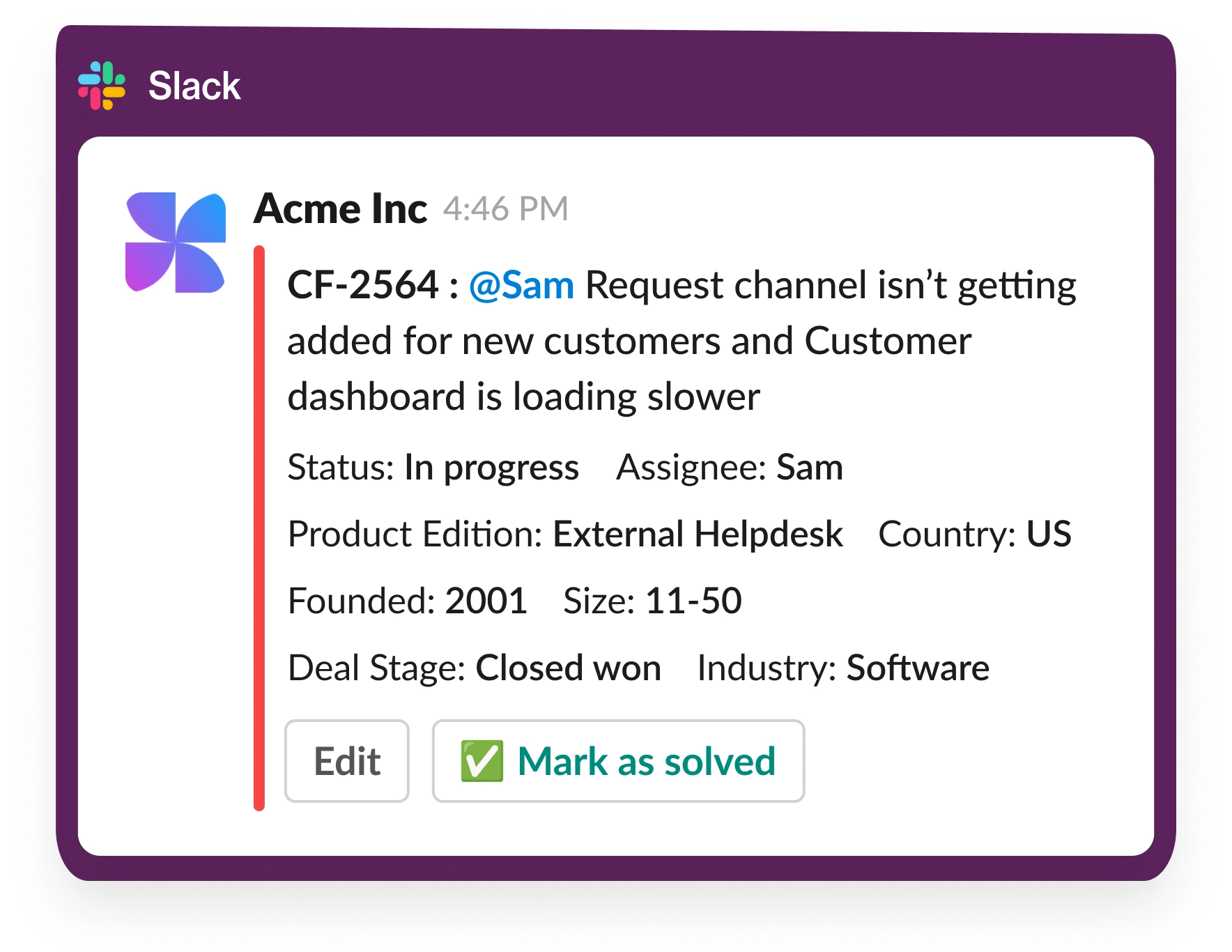
  • Incoming Web Chat requests land in Slack Triage channel
  • View, Reply, Close Web Chat Tickets from Slack
  • Customers continue to reply via Web Chat
  • Seamless hand-off to Email for offline customers
Reply to Web Chat requests from Slack
Slack + Web Chat - Feature | Collaborate on Emails from Triage Channels
02
Collaborate on Web Chat requests from Slack
  • Post internal comments with đź”’emoji
  • Loop in your team easily to collaborate
  • Manage status and ownership from Triage Channels
03
GPT-Powered Virtual Agent to answer common questions
  • Index Confluence, Notion, GDrive, Docs & more
  • Generates Answers to user queries using GPT
  • Asks Follow-Up questions and responds interactively
Slack + Web Chat - Feature | GPT-Powered Virtual Agent to answer common questions
Slack + Web Chat - Feature | Stay Ahead with AI-Powered SLA Alerts
04

Stay Ahead with AI-Powered SLA Alerts

  • Set custom SLAs based on schedules and needs.
  • Receive proactive alerts before SLA breaches occur.
  • Track key metrics like response time and closure rates.
05
Multi-Channel Customer Support
  • Create tickets via Email, Web Chat, Slack & MS Teams.
  • Respond to all Tickets from Slack
  • Portal for Customers to View & Create Tickets
Slack + Web Chat - Feature | Omnichannel Support Across Multiple Channels
Sync Slack to your CRM
06
Sync Tickets with your CRM
  • View customer context like ARR on each request
  • Filter & organize requests using CRM-backed fields
  • Power routing & automations based on CRM fields
  • Log tickets to Notes in CRM easily.
07
Powerful Web Console
  • Review Requests across Chat, Email and Portal.
  • Reply to tickets directly from the browser.
  • Find relevant requests using pre-created views.
  • Semantic Search over older Tickets & Requests
Create Tickets from Slack
Slack + Web Chat - Feature | Escalate Requests to Engineering Easily
08
Escalate Requests to Engineering Easily
  • 1-click file Development Tasks from Slack.
  • Integrate with GitHub, Jira, ClickUp & Linear.
  • Receive status updates directly in Slack.
  • Keep customers updated on progress.
Experience ClearFeed Firsthand – Try It for Free!

14-Day Free Trial

No Credit Card Required

Works With

Project Management
Jira logo
Jira
ClickUp logo
ClickUp
Linear logo
Linear
Asana logo
Asana
Asana logo
Github
CRM
Okta logo
SalesForce
Jump Cloud logo
HubSpot
Knowledge Bases
Google Drive logo
Google Drive
Coda logo
Coda
Confluence logo
Confluence
Notion logo
Notion
Notion logo
Web
Simple, transparent pricing with a 14-day free trial
ClearFeed Customers
.....you'll be in great company!

Secure from Day 1

ClearFeed was built by an experienced team with security, privacy & compliance prioritized from day one.
Learn More
right-arrow

Frequently Asked Questions