Table of Contents

SaaS (i.e., Software-as-a-Service) customer support now extends far beyond a helpdesk queue.
Customers ask for help in Slack, Microsoft Teams, email, in-app chat, portals, and from AI assistants. Internally, the answer may depend on support, engineering, customer success, product, or RevOps. The hard part is keeping every request visible, owned, and moving as work passes across those teams and tools.
In 2026, AI adds another layer. It can automate more of the support workflow, but it also makes trust, escalation quality, and resolution quality harder to measure. CSAT, NPS, first-response time, and ticket volume still matter, but they need stronger counterweights.
This guide breaks down what SaaS customer support looks like now: the channels that matter, the workflow stages that prevent requests from dropping, the metrics worth tracking, where AI helps, where humans need to stay close, and the practices B2B SaaS teams can use to build a support operation customers trust.
What Is SaaS Customer Support?
SaaS customer support helps subscribers/users of Software (provided as a service) get value from a changing software product, from troubleshooting issues to guiding implementation. SaaS customer support can range from consumer software (e.g., Windows or TurboTax) to enterprise software (e.g., ServiceNow and Oracle ERP).
It differs from generic customer service in two ways.
First, the product is continuously evolving, so support becomes the front line for customer feedback and the fastest bridge to product and engineering. Second, the customer is tied to a recurring contract, so every support interaction can affect retention, expansion, and renewal.
That makes SaaS support part of customer retention and growth infrastructure, not just a help desk cost.
Why SaaS Customer Support Is Different From Traditional Support
While traditional Software or Hardware Support involves supporting a fixed SKU, SaaS support requires support of a continually evolving product. SaaS is also subscription-based, with recurring revenue, unlike traditional products, which are sold upfront and have a fixed cost. SaaS users are also continuously connected to the Internet and can use the product itself to communicate with the vendor.
Differences between SaaS and Traditional Customer Support
Here are some of the key differences between support for SaaS and traditional hardware or software products:
- Differences in Support channels: SaaS Customers expect support online, preferably within the software product itself. They expect support in Slack, Discord groups, in-app chat, AI assistants, and other shared collaboration spaces with their vendor. If the support system pushes them back into a portal, it adds friction instead of removing it. Compared to traditional support, where Digital and Email support suffice.
- Expectation of higher response speed: SaaS software users also tend to expect much faster responses. Given the nature of the product and the channel, there is an expectation that problems can be resolved quickly. The expectation is not limited to the speed of response, but also to the speed of resolution.
- Cross-Departmental coordination around Support: A SaaS offering combines software with operations, billing, security, and many other aspects. Customer tickets frequently involve other teams, and work spans internal Slack and Teams channels and project management tools such as Jira and ClickUp. A big challenge of SaaS support is bringing all these discussions and teams together to resolve customer issues.
- Support as a means of gathering Product Feedback: SaaS customers bring bugs, edge cases, workflow questions, documentation gaps, UX confusion, and feature requests into support. Customer Support then blends into a channel for product feedback that must be fed back to product, engineering, and other teams.
- Onboarding and Implementation beyond Support: SaaS products require time to adapt to customer workflows and needs. Customers may need help with customization and configuration. SaaS Support - particularly Enterprise SaaS - can end up with a heavy mix of Solutioning and Implementation work - and not just traditional reactive troubleshooting.
- Channel for Revenue Expansion: SaaS customer support is an integral part of revenue expansion, whereas traditional Support is seen purely as a cost center. SaaS revenues are typically usage-based, and SaaS firms rely on the expansion of existing accounts for growth. Customer Support plays a key role in expanding usage by solving customer issues, suggesting new use cases, adapting the product to customer needs, and more. This is unlike traditional support, which focuses only on minimally resolving product issues.
What Are the Key SaaS Customer Support Channels?
For B2B SaaS support, you do not need to treat every channel the same. Start with the channels your customers use, then connect them internally so requests do not get lost between tools or teams.
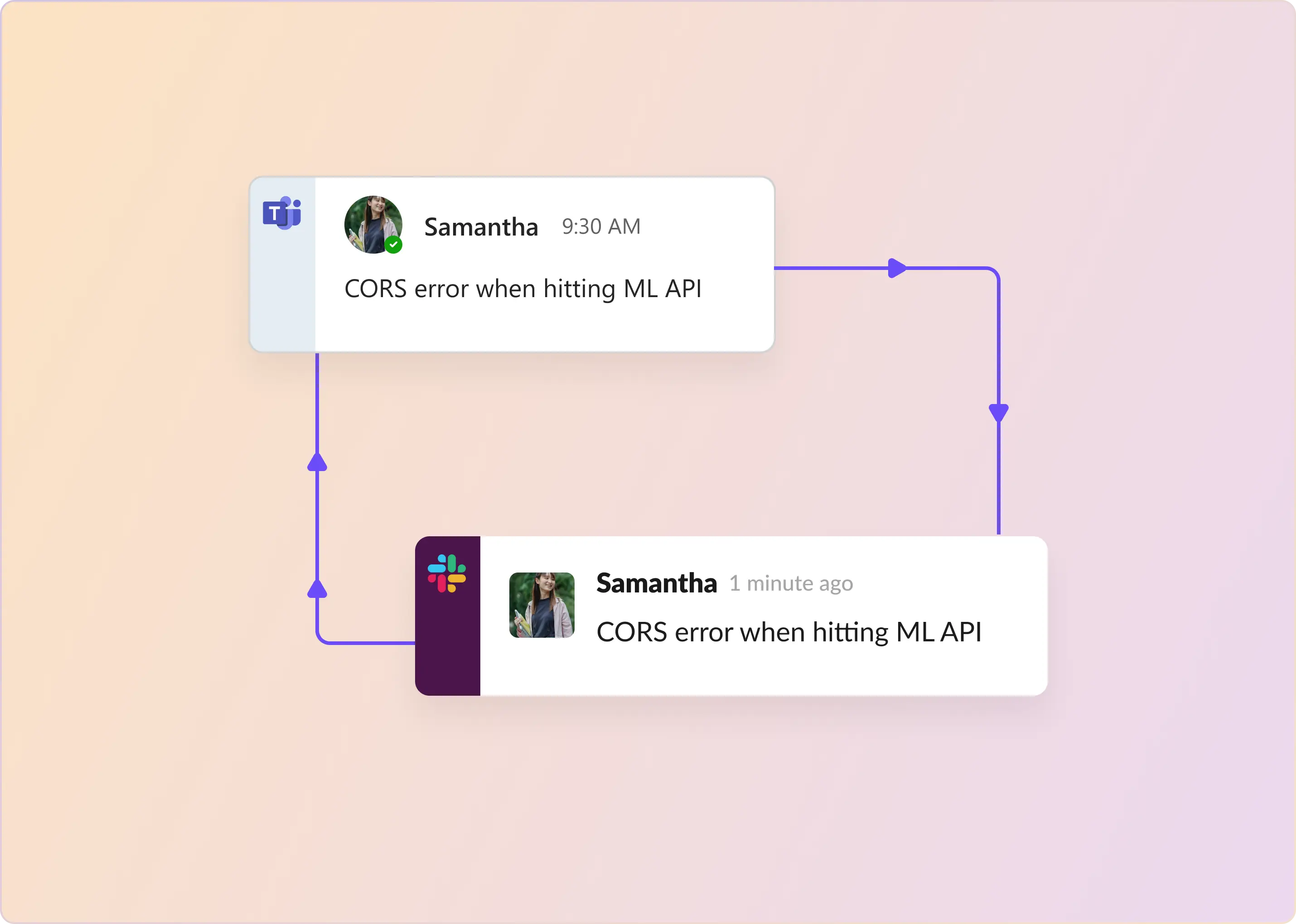
- The main intake channels are Slack or Microsoft Teams, email, in-app chat, customer portals, and phone. Slack and Teams matter most for high-touch B2B accounts because customers can ask for help inside the workspace they already use. The support system needs to convert those messages into tracked requests without forcing agents or customers to use a separate portal.
- Email remains the universal fallback for asynchronous support and long-running threads. In-app chat works best for self-serve products with many end users, especially when paired with AI deflection. Customer portals are less useful as the first place customers ask for help, but they are valuable for ticket history, SLA visibility, and account-level reference.
- The phone should stay selective. Most B2B SaaS teams do not need it as the primary channel, but it matters for tier-1 accounts, urgent escalations, and outages. In such cases — a human must be reachable — not a bot.
A knowledge base should sit underneath every support channel. AI agents, help centers, in-app answers, and support reps all need the same source of truth, whether that lives in Confluence, Notion, Google Drive, Zendesk, or an internal docs site.
Teams get into trouble when each channel becomes its own queue. Customers do not care where they ask the question. They care that someone owns it and is moving it forward. The cleaner model is one queue, one triage view, and one SLA across every channel.
How Does the Modern SaaS Customer Support Workflow Look?
The B2B SaaS support loop has six stages. If any stage is missing, work leaks between messages, tickets, teammates, and tools.
- Intake turns a customer message into a tracked request with an ID. The request can start in Slack, Microsoft Teams, email, web chat, a portal, or an API, but it cannot remain just a message in a chat room.
- Routing adds the operating context: customer, source, request type, priority, ownership, and applicable rules. AI classification can handle much of this, while assignment rules route work by team, rotation, capacity, availability, and out-of-office status.
- SLA tracking starts the clock. First response time should follow business hours and holidays. Resolution time should exclude periods when the team is waiting on the customer.
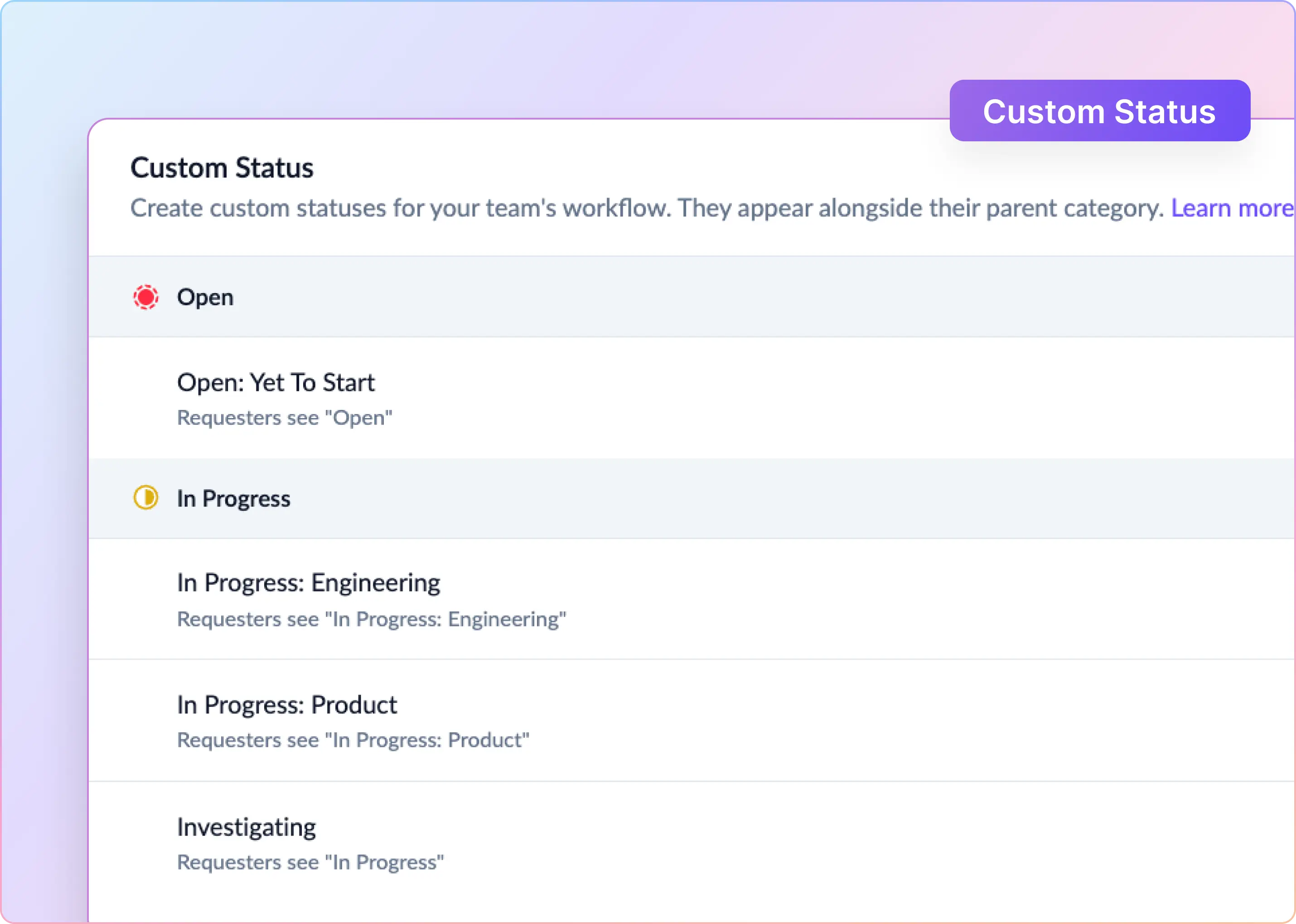
- Internal collaboration happens behind the scenes. The team can triage privately, discuss context, and escalate bugs or product issues to Jira, Linear, GitHub, or ClickUp without exposing internal comments to the customer.
- The responder replies in the original customer channel. The customer should not need to know whether the work happened in Slack, a helpdesk, an engineering tracker, or a DevOps channel.
- The loop closes with resolution, CSAT, and product feedback. The request is marked as solved; the customer can rate the experience; and tags roll up into trend reviews with product managers.
A single tool does not need to run the entire support workflow. The team just needs one place where they can follow the work: the queue, the triage view, the customer thread, and the source of truth.
How To Build a SaaS Support Strategy by Company Stage?
The right support setup depends on the growth stage. The goal is to add structure only when the team has enough volume, complexity, or customer commitment to justify it.
- Founder-led, 0-20 customers: Support can stay personal. Founders and key employees usually handle requests through Slack, email, or direct customer conversations. The only required investment is a simple knowledge base, so repeated answers do not live only in someone’s head.
- First support hire, 20-100 customers: Support becomes a dedicated function. The team needs one queue, clear ownership, basic assignment rules, and an SLA target it can actually meet.
- Growth stage (100 to 500 customers): Support becomes an operating system. With 3 to 8 people handling requests, metrics start to matter. Triage channels, SLA policies, CSAT surveys, product tags, and Jira sync help the team understand what is coming in, how fast it is being handled, and which issues need engineering or product attention.
- Enterprise stage, 500+ customers, or high-touch contracts: Support becomes part of the contractual infrastructure. Teams need leads, cross-time-zone coverage, segment-based SLAs, custom fields, forms, approvals, and executive visibility. At this stage, Zendesk, Freshdesk, Salesforce Service Cloud, or Jira Service Management can become the system of record.
The mistake is buying too much structure too early or waiting too long and forcing customers to expose the gaps. Match the tool to the stage, then upgrade when the operating model breaks.
What Are the Metrics That Matter for SaaS Customer Support?
A generation of support leaders built their dashboards around CSAT, NPS, first-response time, and ticket volume. Those numbers still matter. They just need more context now.
- First-response time needs a quality check: A fast reply is useful only if it helps. Teams can make first-response time look good by sending a quick “we’re looking into it” message. Stronger teams track time to first meaningful response, which asks whether the first reply actually moved the issue forward.
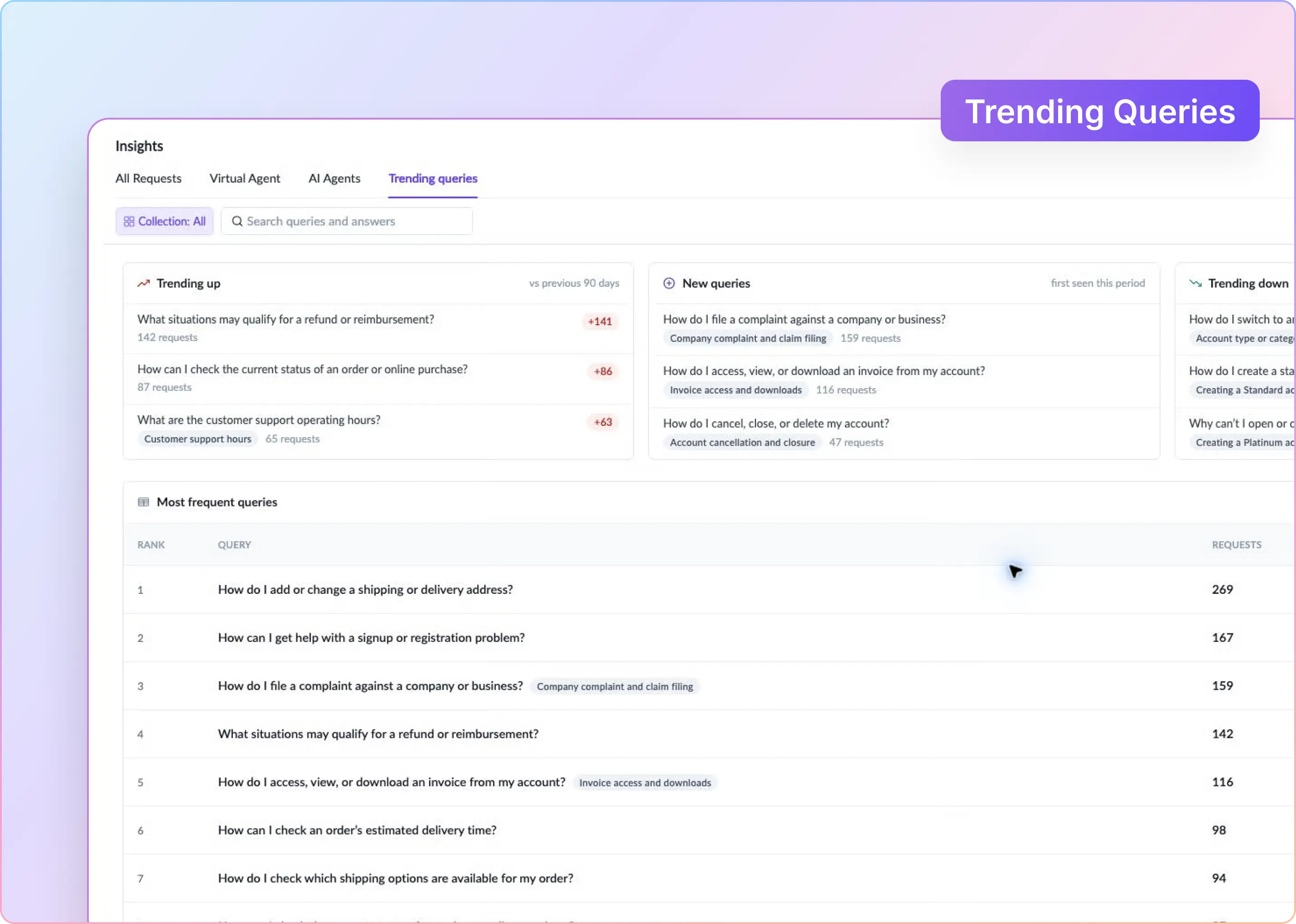
- Ticket volume is also a product signal: Ticket volume used to mean workload. Now it can also point to product friction. If customers keep asking the same question, the issue might be unclear documentation, confusing UX, a broken flow, or a missing feature.
- CSAT is helpful but too easy to overtrust: It still belongs on the dashboard, but it should not tell the whole story. Post-interaction surveys are biased. Happy customers may not respond. Frustrated customers may respond only when the experience is especially bad. Over time, CSAT can flatten into a score that looks healthy even when important problems are hidden beneath the surface.
- Resolution rate should be the anchor metric: The simplest question is still the most important one: Did the customer’s problem actually get solved? Resolution rate keeps the team focused on outcomes, not activity.
- AI deflection needs a quality measure: AI deflection can look great on paper. But closing a conversation is not the same as resolving it. Track whether AI actually solved the issue or whether it simply delayed a human handoff. Escalation rate, reopen rate, and customer effort all help keep this honest.
- Customer Effort Score reflects how painful the support experience feels: Customers remember how much work they had to do. Did they repeat themselves? Search across channels? Wait for internal teams to align? Customer Effort Score measures the friction within the support experience.
- SLA breach rate should be tracked by segment: An overall SLA number can hide serious problems. Break breach rates down by customer segment, plan, region, or priority tier. The real question is whether the team is protecting the customers that matter most to the business.
- Support-influenced retention links support to revenue: Support history often surfaces later in renewals, expansions, and churn. A customer with repeated escalations, slow resolutions, and high-effort conversations may be quietly losing trust long before renewal. Support-influenced retention helps connect those dots.
- Every metric needs a counterweight: No support metric should be read alone. Pair speed with resolution rate. Pair resolution time with reopen rate. Pair AI deflection with escalation rate and customer effort. Pair CSAT with backlog age and SLA breaches. Pair ticket volume with product tags.
How AI Is Reshaping SaaS Customer Support (and Where Humans Still Win)
AI is now part of the SaaS support stack. The market signal is clear: Salesforce reported more than $2.9 billion in Agentforce and Data 360 ARR by Q4 FY26, Sierra raised $950 million at a valuation above $15 billion, and Decagon reached a $4.5 billion valuation after its January 2026 Series D.
Customer trust is the constraint. Gartner found that 64% of customers would prefer companies not to use AI in customer service, with the biggest concern being that AI will make it harder to reach a person.
That is the real operating question. Not “Do you have AI?” but “Where does AI reduce customer effort, and where do humans still need to stay close?”
Where AI Belongs on the Front Line
- Private chatbots. Give users chatbots connected to product documentation and other systems (such as billing) so they can easily get help in private.
- FAQ deflection. Any question with a documented answer — password resets, plan comparisons, integration setup. Ground an AI Agent in a knowledge base and let it answer.
- First-draft suggestions for agents. The AI writes a suggested reply that a responder edits and sends.
- Classification and routing. Auto-tagging requests by category, priority, and sentiment. AI Fields extracts structured data from unstructured Slack messages.
- Summarization. After a long thread, the AI produces a summary that engineering can read in 30 seconds instead of scrolling through 40 messages.
Where Humans Have To Stay in the Loop
- Commercial impact. Refunds, contract disputes, renewal conversations, escalations from a champion about to churn. AI drafts; humans decide.
- Bug confirmation. AI can't reliably confirm whether a customer report is a real bug or a misconfiguration. That's an engineering call.
- Emotional situations. Angry customers, security incidents, data loss reports. Judgment and empathy, not pattern matching.
- Write actions to other systems. An AI that can create a Jira ticket, update a HubSpot record, or provision a user in Okta needs guardrails. Explicit scopes for what it can do without approval, human review for the rest.
Measure AI support by customer outcomes, not automation volume.
A bot that “handles” a ticket has not necessarily resolved it. The real question is whether the customer got unstuck, avoided escalation, and did not return days later with the same problem.
Intercom’s Fin is a useful example. Its outcome-based pricing charges $0.99 for certain resolved outcomes, and Intercom cites customer examples with resolution rates from 42% to 50%. Those numbers are meaningful, but they should be read as vendor case studies rather than universal benchmarks.
The operating standard is simple: track verified resolution, escalation rate, reopen rate, repeat contact, and customer effort. AI works only when it reduces customer effort without hiding unresolved problems.
Where SaaS Customer Support Goes Next
Three trajectories worth watching through the back half of 2026 and into 2027:
- Outcome-based pricing meets enterprise procurement. Fixed budgets and usage-based pricing can work at odds with each other. McKinsey estimates an AI-resolved contact at $0.62, compared with $7.40 for a human agent. But when vendors charge based on deflected volume, they also capture some of the savings. The buyer still saves money, just not as much as the pitch deck suggests.
- Support platforms becoming AI hubs, not just endpoints. Zendesk's acquisition of Forethought in March 2026 signals that incumbents plan to orchestrate AI rather than be orchestrated by it. Salesforce disclosed that its internal Agentforce deployment inside Slack has handled 2.8 million interactions and saved 500,000 employee hours.
- The Slack-native cohort keeps punching above its weight. Slack-first support already works like a conversation, which makes AI easier to apply in a useful way. That is why B2B mid-market teams are moving toward platforms that treat customer Slack channels as real support inboxes, with SLAs, triage, and AI agents built into the workflow.
Bringing the B2B SaaS Customer Support workflow together
By 2026, most SaaS support teams have moved past the old AI-or-human debate. AI is now part of the support stack, but it has made the human side of support more visible, not less.
The tools have changed. Customers reach teams across more channels, and support economics are tighter than they used to be. But the craft is still the same. You understand a customer’s problem, respond with patience, and help them get unstuck.
If your team works in Slack and your customers reach you there too, the operating loop in this guide will feel familiar. It is also how ClearFeed is built: a Slack-first helpdesk with intake from Microsoft Teams, email, web chat, portal, and API.
ClearFeed gives teams a single triage channel across all sources, bidirectional sync with Zendesk, Freshdesk, Jira, Linear, HubSpot, and Salesforce, and AI Agents for both customer-facing support and agent assistance.
We run our own external support across 500+ Slack Connect channels, so most of this comes from day-to-day practice rather than theory.
Start a free trial or book a demo, and we'll set up a triage channel in your Slack workspace for your actual requests.