Table of Contents

Customer support no longer happens in one place. Customers move between live chat, email, and Slack or Teams, while internal teams often coordinate in Slack. Without a clear operating model, this leads to duplicate conversations, unclear ownership, and updates that never make it back into the support system.
That is why support across Slack, email, and live chat is appearing in 2026 ops plans. Customer expectations have shifted toward speed and consistency. Teams need collaboration without chaos. Leaders need end-to-end visibility.
This guide covers what breaks as you scale, and two operating models that keep support fast, controlled, and scalable:
- Integration-first: Existing Helpdesk like Zendesk (or similar) stays the system of record; Slack or Teams is tightly integrated for collaboration.
- Slack-first: Slack or Teams becomes the primary support workspace; email and live chat feed into the same workflow.
TL;DR
When support spans Slack, email, and live chat, the problem isn't the channels — it's coordination. Two operating models fix it: integration-first (existing helpdesk stays the system of record, Slack connects to it) or Slack-first (Slack becomes the primary workspace, other channels feed in).
The gist
- Five failure modes of unstructured omnichannel support: duplicate conversations, context loss when rewriting threads into tickets, unclear ownership, collaboration that never links back to the system of record, and messy cross-team handoffs.
- Integration-first fits teams where email and web chat are primary, legacy helpdesk controls are non-negotiable, and Slack is mainly used for internal coordination. ClearFeed's role here: convert Slack threads into Zendesk (or Intercom, Freshdesk, HubSpot, Salesforce) tickets, track all Slack threads centrally, and escalate tickets to Slack with two-way sync.
- Slack-first fits teams where requests start and live in Slack, cross-functional collaboration is a bottleneck, and context switching between a helpdesk UI, email, and chat tooling is slowing response. Agents reply to all channels (including email and live chat) from Slack, while customers receive normal-looking responses.
- Many teams start with integration-first and shift toward Slack-first as Slack becomes where customer collaboration actually happens.
What Are the Biggest Challenges of Managing Omnichannel Support in Slack?
Once support spans Slack, email, and live chat, scaling issues are mostly coordination issues. The core failure is that work occurs outside the system of record (your help desk or ticketing tool), resulting in ownership and context drift.
- Duplicate conversations: The same customer issue appears in multiple channels (chat, email, Slack). Teams reply in parallel, or assume someone else is handling it. Customers receive inconsistent answers, and you pay for the same issue twice.
- Context loss (the translation tax): Slack threads and chat transcripts get rewritten into tickets. Key details and decisions drop off, and resolution slows because people reconstruct history rather than solving the problem.
- Unclear ownership: In Slack, “someone will respond” becomes the default. Threads get missed, follow-ups stall, and leaders cannot trust coverage for high-priority issues.
- Invisible collaboration: Engineering pings, internal threads, and decisions happen in Slack or Teams, but never link back to the system of record. The official history becomes incomplete, which hurts reporting, learning, and escalation.
- Messy cross-team handoffs: Support, engineering, and success operate in different tools (helpdesk, Jira, Linear, Slack). Without a single handoff path, status fragments across channels, engineers get pulled into multiple threads, and customers wait longer.
How Can Support Teams Route Tickets Effectively Across Slack, Email, and Live Chat?
Support across Slack or Teams, email, and live chat typically consolidates into one of two operating models:
- Integration-first: A traditional helpdesk stays the system of record. Slack or Teams is connected for collaboration, escalations, and internal coordination.
- Slack-first: Support runs in Slack or Microsoft Teams through a chat-native ticketing system. Email and live chat feed into the same workflow.
The right model depends on where support work happens day-to-day, and how much structure you need as volume grows. No matter which model you choose, the best practices for routing tickets across Slack, email, and live chat come down to clear ownership, consistent handoffs, and keeping updates connected to the system of record.
Approach 1: Integration-First (Using Existing Helpdesk)
If you already run support in a helpdesk and it’s working, you do not want a “new system.” You want Slack, email, and live chat to stop behaving like three separate queues. The integration-first model solves that by making one thing true: every real support request becomes a ticket with an owner. Slack (or Teams) stays where collaboration happens, but it does not become an unmanaged inbox.
What You Are Really Solving in This Model
You are trying to avoid these two failure modes:
- A customer request starts in Slack and never becomes a ticket, so it has no owner, no SLA, and no reliable follow-up.
- A ticket is escalated to Slack for internal support, but the Slack discussion never gets back to the ticket, leaving the customer record incomplete and updates drifting.
A good integration-first setup fixes both. It gives you structure without forcing the team to stop collaborating in chat.
How Routing Works When It Is Done Well
Think of routing as a simple promise: “No matter where a request starts, it ends up in the same operational flow.” Here is the flow buyers usually want:
- Email and live chat feed into the helpdesk as tickets (directly or through the helpdesk’s chat/messaging capability).
- Slack and Teams are used to turn chat-originated requests into tickets when they are real support work, and to escalate tickets to internal channels when you need engineering or another team.
That means Slack is not the place you “manage tickets.” It is the place you collaborate on tickets, without losing the ticket record.
Where ClearFeed Fits
Say Zendesk is your system of record, and you also support customers or partners in Slack. ClearFeed is the layer that makes Slack behave like a proper intake and escalation channel without breaking your helpdesk discipline. It does three high-value things.
- File Zendesk tickets from Slack without rewriting context: When a request starts in a Slack thread (including shared channels and Slack Connect), ClearFeed lets your team convert that conversation into a Zendesk ticket while keeping the thread linked.
- (Optionally) Keeps track of every thread in Slack: All Slack threads (whether or not they are tickets) can be tracked and responded to centrally, with private comments and pending-response alerts. Solutions and Services teams can easily manage conversations on Slack; Customer Success can make announcements across 100s of channels; and the Support team works within the existing helpdesk system.
- Escalate Zendesk tickets into internal Slack channels with two-way syncing: When a ticket requires engineering, the discussion should happen in the appropriate internal Slack channel, but the ticket should not become stale. ClearFeed escalates Zendesk tickets to Slack as dedicated threads and keeps updates synchronized, so progress in Slack is linked back to the Zendesk ticket.
If your internal collaboration is in Microsoft Teams, the same pattern applies there. Teams can be connected with Zendesk in the same way, so the “escalate and keep updates in sync” motion works even if you are not a Slack-first org.
This Approach Is Not Zendesk-Specific
Zendesk is just an easy example to visualize. The same helpdesk-first recipe works if your helpdesk is Intercom, Freshdesk, HubSpot Service Hub, or Salesforce Service Cloud. The operating idea remains the same: the helpdesk remains the system of record for email and live chat, and Slack or Teams becomes a tightly integrated collaboration layer for ticket creation from chat and for escalations, with synced updates.
Examples of Companies using an Integration approach for combining Slack, Email & LiveChat
At ClearFeed, we help a lot of companies manage customer Slack channels at scale. We see many companies, particularly those with an existing Helpdesk deployment, integrate customer Slack channels into their helpdesk (while also taking advantage of some of the native abilities of Slack like Channel Broadcasts, Huddles and shared Canvas). Some examples:
- Chronosphere: Famous Cloud Observability company, combines Zendesk & Slack to offer premium support to large customers.
- AfterSell: Shopify App firm uses Slack and Intercom to support enterprise customers.
- Pathway Global: Insurtech firm has more than 350 customer Slack channels - being used in conjunction with Hubspot for Ticketing.
Approach 2: Slack-First (Slack or MS Teams As the Primary Support Medium)
SaaS and B2B companies often adopt a Slack/Teams-first model when collaboration happens in Slack or Microsoft Teams, with support tracking built in. In this model, chat is not just an intake channel that gets converted into tickets. Slack or Microsoft Teams becomes the system for managing requests end-to-end, with ownership, priority, and accountability built into the workflow.
A Slack-native ticketing system supports this by treating Slack and Microsoft Teams as the front door, providing a shared queue in chat, and bringing email and live chat into the same workflow so teams are not juggling separate inboxes. A few operational differences typically stand out:
- Less context switching because the work happens where the team already collaborates.
- Cleaner handoffs because collaboration is tied to the tracked request rather than split across tools.
- Fewer misses because ownership and status are managed inside the same workspace, not in side channels.
A new generation of Support platforms, like ClearFeed, takes this approach to unifying conversations across all media seamlessly.
How does a Slack-First Helpdesk work?
In a Slack-first helpdesk, Slack, MS Teams, email, and live chat are managed within a single operational flow. Messages from all platforms are captured in the helpdesk (and optionally routed to Slack for easy Triage). Apps like ClearFeed bring together messages from these channels so teams can triage, respond, and collaborate without switching tools or losing context.
Slack as the primary Customer Communication Hub
Slack is often where customers first engage, primarily through shared channels and Slack Connect (or occasionally as guests). ClearFeed makes those conversations operational by turning them into trackable requests with clear ownership and follow-through. This means:
- Messages in Slack channels, including shared channels, can be tracked so important requests do not get lost in busy conversations.
- Threads can be treated like structured tickets with ownership, status, and history.
- Internal notes can remain private, allowing support and engineering to coordinate without risking that internal discussions become customer-facing.
MS Teams, Email & Live Chat, without Separate Inboxes
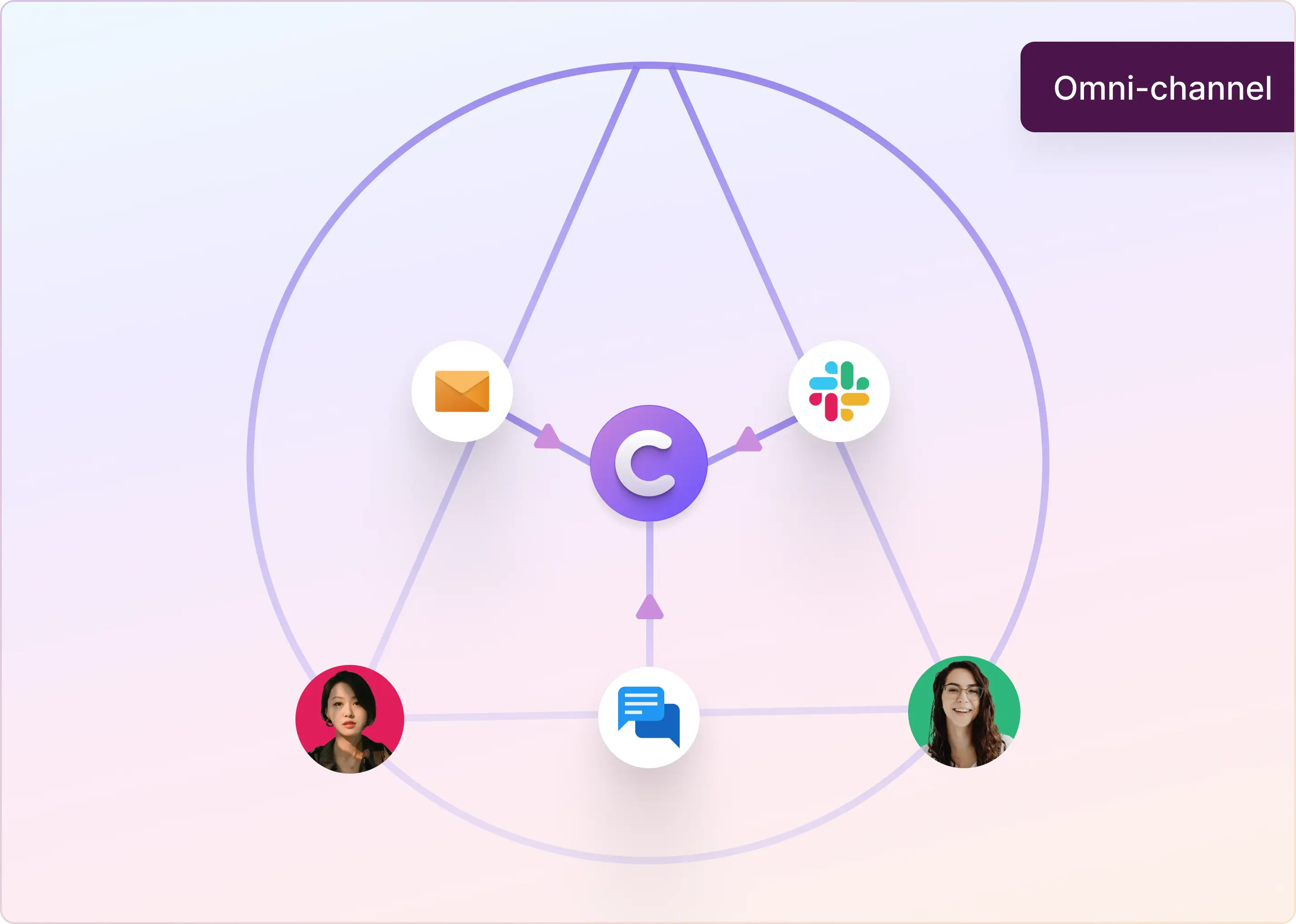
Teams rarely struggle because they lack channels. They struggle because they have too many monitoring points. ClearFeed integrates MS Teams, email and web chat into a single triage flow alongside Slack tickets, giving teams a single place to work even when customers use multiple channels.
A few practical outcomes of that setup:
- Agents can reply from Slack to all conversations (including email and live chat) without bouncing between a shared inbox, a chat widget dashboard, and a ticketing UI.
- Customers still receive clean, normal email responses or chat replies. They do not need to know that the team handled it within Slack.
- Routing and follow-ups stay consistent because everything moves through the same queue and operational rhythm.
Of course, for teams that prefer a traditional browser dashboard, ClearFeed also offers a powerful web application for searching and managing tickets across all supported channels (Slack/Teams/Live-Chat/Email).
Examples of Companies using a Slack-First approach to Omnichannel ticketing
A new modern generation of companies is adopting Slack and Teams first helpdesks like ClearFeed. Some of the companies we have worked with closely in this space:
- Zenskar: SaaS Billing and Invoice Management Company uses ClearFeed External Helpdesk to manage support across Slack, Email & a Customer Portal.
- DezignStack Global: A Development and Digital Marketing Agency uses ClearFeed to manage requests in Customer Slack channels and integrate with ClickUp for project management.
Younger firms are increasingly looking at alternative set of Slack and Teams first Support solutions.
How To Keep Routing, Tags, SLAs, and Replies Consistent Across Slack, Email, and Live Chat
Omnichannel support breaks when every channel has its own queue, tags, owners, and reporting. The fix is not just centralizing messages. The fix is centralizing the operating rules behind those messages.
Set up the workflow like this:
- Map each intake source to a collection. Slack Connect channels, email addresses, web chat, portal, Teams, and API-created tickets should land in known queues.
- Use a shared triage layer. Agents should be able to reply from Slack triage or the web app while messages sync back to the original source.
- Normalize fields. Use forms, custom fields, AI field extraction, and automation variables to capture category, priority, product area, customer, and escalation reason across channels.
- Apply SLA policies by queue and field. First response and resolution targets should reflect customer tier, priority, and business hours, not just the channel where the request started.
- Keep replies consistent. Use quick replies, approved knowledge sources, and AI assistance so agents do not rewrite the same answer differently across Slack, email, and chat.
- Report across the full support motion. Track volume, response time, resolution time, SLA breaches, CSAT, customer trends, and AI answer performance across channels.
For voice-of-customer analysis, do not rely on Slack message counts alone. Use structured fields, customer records, categories, AI classifications, and granular exports to understand what customers are actually asking for.
What Factors Should You Consider When Choosing a Support Model Across Slack, Email, and Live Chat?
There is no universally best setup for Slack, email, and live chat. If you are trying to compare solutions for merging email and Slack support channels, the simplest way is to compare operating models first, then tools. Let's take a look at where an integration model makes sense vs. a Slack-First Model:
1. Where an Integration-First Model Is Usually a Better Fit
- Email and web chat are the primary customer channels. Your existing helpdesk is already the front door and system of record.
- You depend on mature ticket controls. SLAs, queues, macros, role-based permissions, and auditability are core requirements. A legacy helpdesk platform will likely offer powerful capabilities in these areas.
- Support runs like an operations function. You need predictable reporting, strict ownership, and consistent processes across shifts and teams.
- Slack is mainly for internal coordination. Slack or Teams supports internal collaboration, but the Support tickets are the primary mode for Customer communication.
We have written a blog capturing in more detail where Slack-First model is not a good fit and an Integration approach suffices.
2. Where a Slack-First Model Is Usually a Better Fit
- Requests start and live in Slack. Slack or Teams is where the team monitors work and handles escalations.
- Cross-functional collaboration is the bottleneck. Engineering, product, and success need to engage frequently, and you want that work tied to the request inside Slack.
- Context switching is slowing response. Moving between a helpdesk UI, email, web chat tooling, and Slack or Teams is creating delays.
- You need chat speed with structure. Ownership, prioritization, follow-ups, and history must be enforced inside the workspace.
- You work closely with a small number of stakeholders in your customer organizations. A chat-room model and group communication works much better in such a context.
Many teams start with an integration-first approach, adding a Slack bridge to their existing helpdesk. Some eventually shift further toward Slack-first when Slack and Teams becomes the primary place where support and collaboration with customers is managed.
Connect Slack, Email, and Live Chat Into One Support Workflow
Support is now available in more places. What matters is having a single, consistent way to handle every request. If your helpdesk is where you track everything and report on performance, a helpdesk-first model will work best. Slack or Teams can still support teamwork and escalations, but the ticket remains the primary record.
If your team already handles most support in Slack or Teams, a chat-first model will fit better. It keeps work in the place your team uses every day, while still giving you ownership, tracking, and visibility.
Both models aim for the same result. Fewer missed requests. Clear owners. Better updates. Smoother handoffs between support, engineering, and success.
Choose the model that matches how your team works today. Then add simple rules to keep things organized as you grow. If you want to see how this works in practice, you can try ClearFeed for free for 14 days or Book a Demo with us!