Table of Contents

Support requests don’t always arrive during fixed business hours. Teams often manage requests across time zones, shifts, and overlapping schedules, where availability changes throughout the day. Last year - we released Round-Robin assignment to users in a Slack group. Users could use apps like Rotation-App to manage shifts and map available users to a Slack Group. Today, we are announcing availability of Native Rotation Management capabilities in ClearFeed, removing the need to use Slack groups or to manage them manually or via external apps.
Teams can configure rotations that reflect their working hours and use them with assignment rules (like Round Robin assignment), so incoming requests are automatically assigned to someone who is currently active and available.
Let’s take a closer look at how it works.
How Rotation-Based Assignment Works
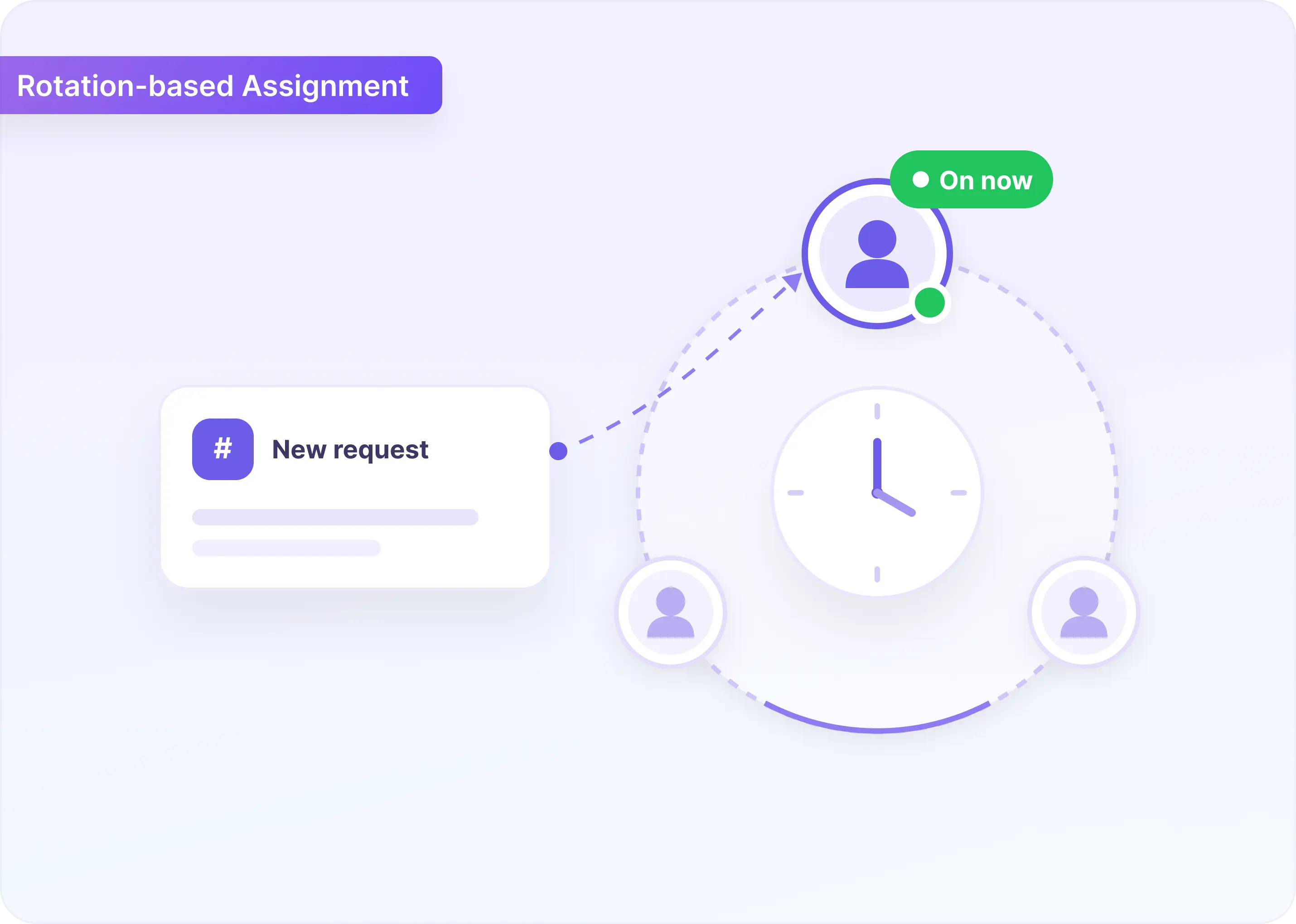
Rotation-based request routing brings native Rotations into ClearFeed’s existing assignment rules.
- A Rotation defines who should be considered for assignment during a specific coverage window.
- Assignment rules define how incoming requests should be routed.
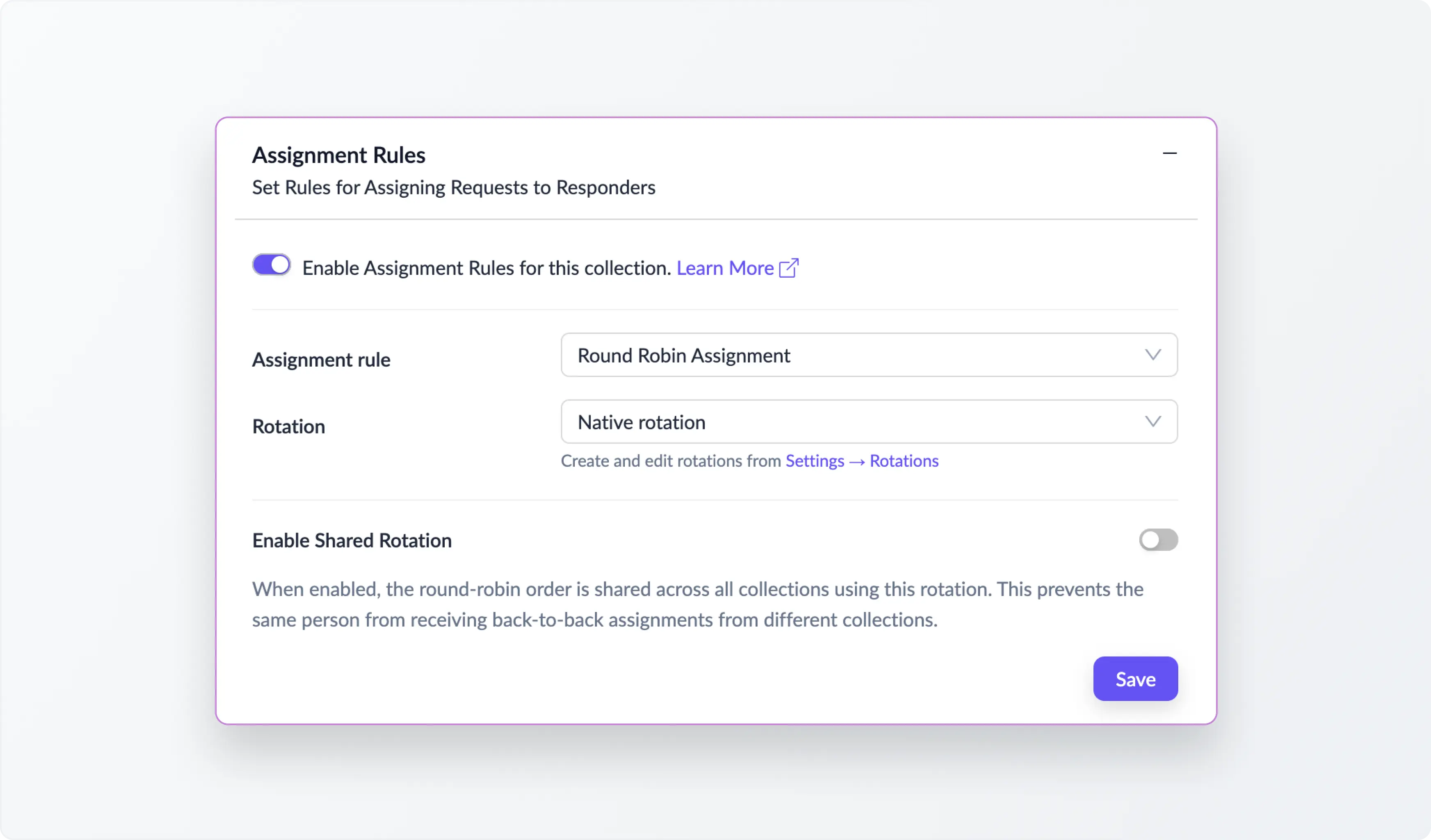
When used together, ClearFeed can automatically assign requests to the right available teammate without manual intervention. Here are the key capabilities:
1. Create Rotations That Match Your Team's Coverage
A Rotation is a reusable definition of who's on-call. You create it once. There are two types to choose from:
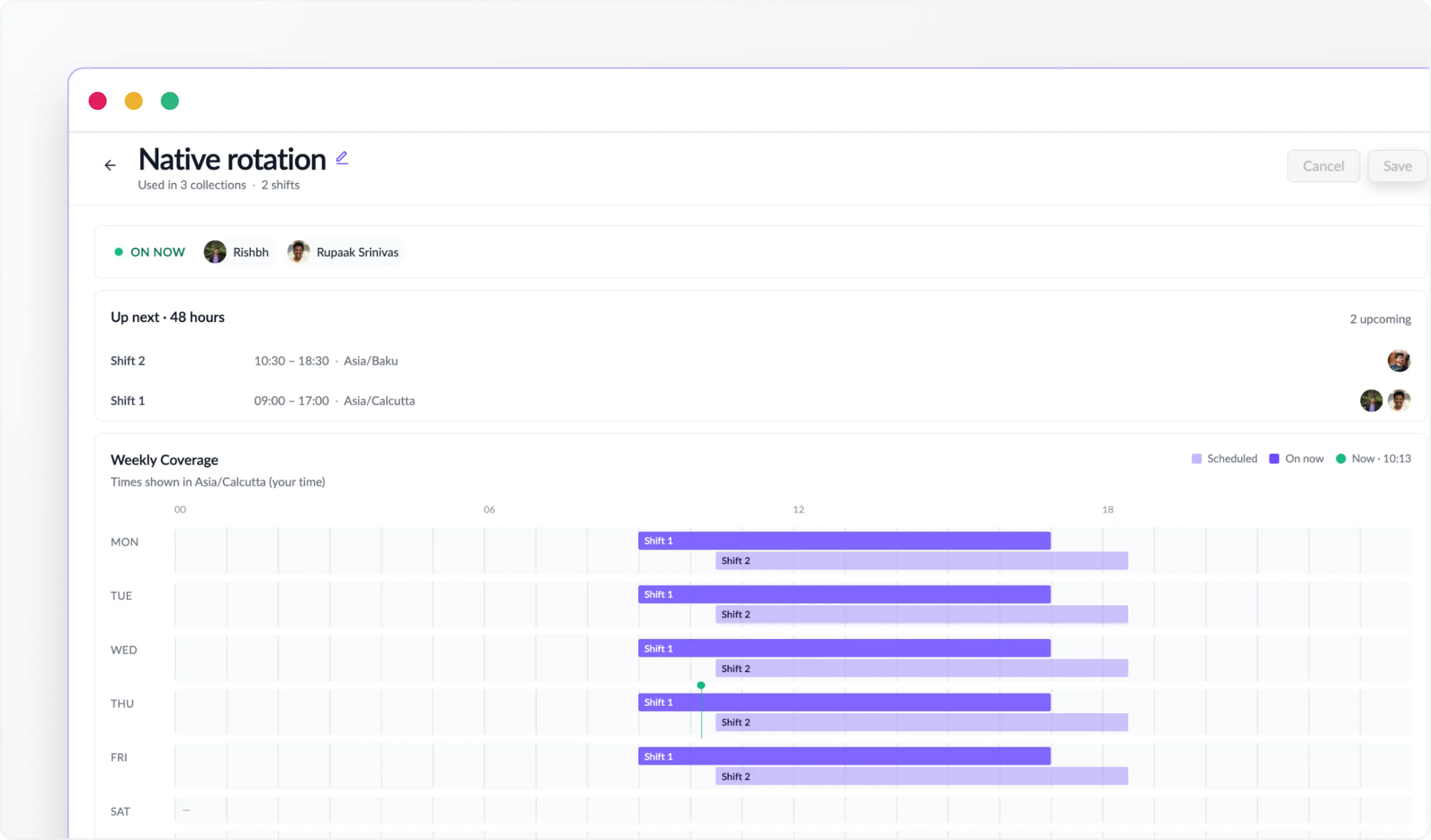
- Native Rotations let you define shifts directly in ClearFeed. For each shift, you configure the days it runs, a start and end time, a timezone, and the agents active during that window. A shift is "active" when the current time falls inside it, only members of active shifts are eligible for assignment.
For example, a team with global coverage might set up
- an APAC shift (9am–6pm IST, Mon–Fri),
- an EMEA shift (8am–5pm GMT, Mon–Fri),
- and a weekend on-call shift with a smaller group.
Each shift operates independently, and ClearFeed always uses whichever one is active at the time a request comes in.
- Slack Group Rotations are backed by an existing Slack user group. ClearFeed pulls the live membership of that group at the time of each assignment. So any changes to the group are automatically reflected, with no extra configuration needed.
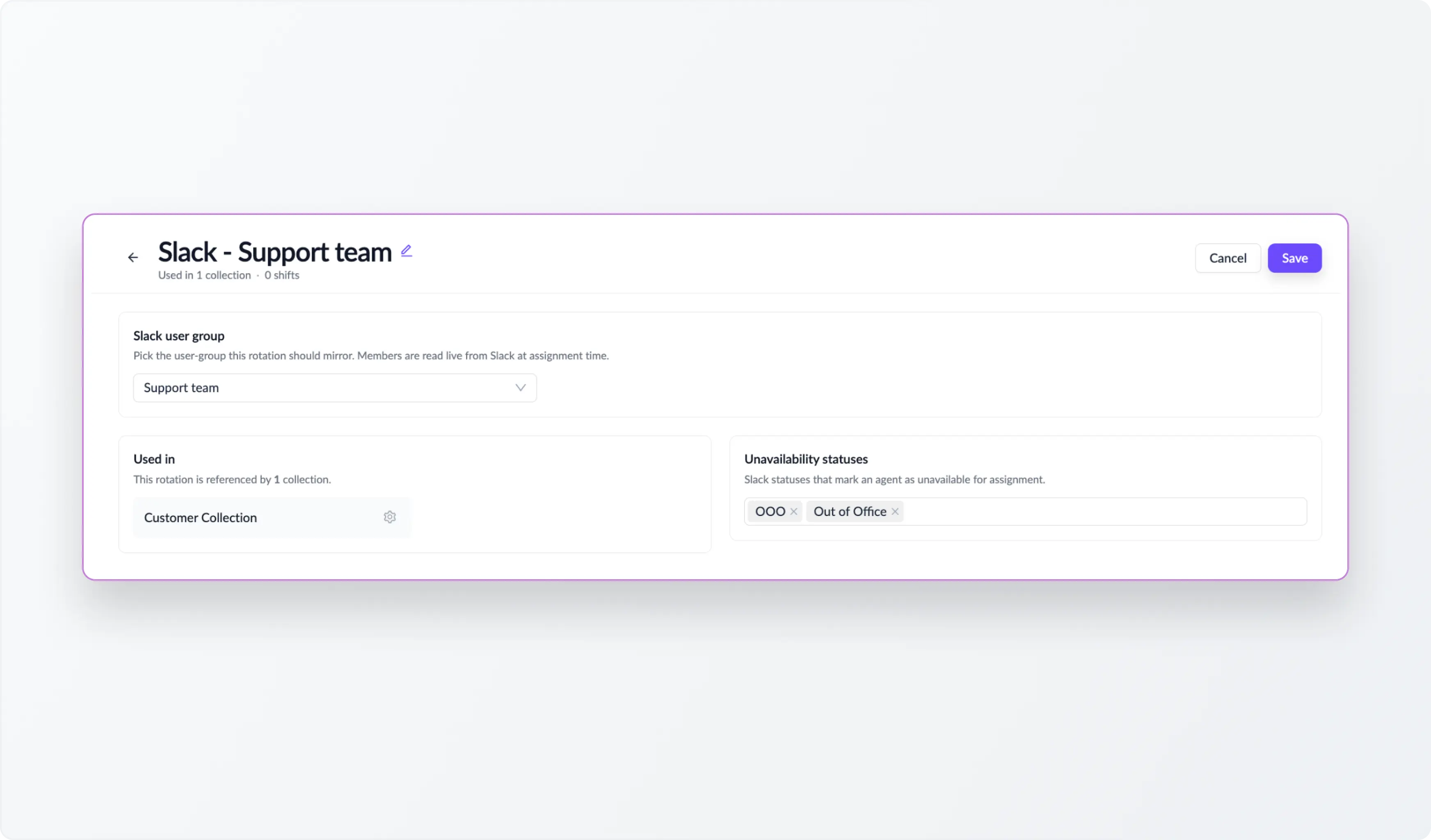
Once a rotation is live, the Rotations page shows which Collections are using it and which members are On Now, making it easy to verify your setup at a glance.
2. Assign Requests with Round Robin Assignment
The easiest way to get started is to use Round Robin Assignment with a rotation. When a new request comes in, ClearFeed checks who's currently active in the rotation, filters out anyone unavailable, and assigns the request to the next eligible teammate in sequence.
Two things worth knowing:
- In an Internal Helpdesk Collection, only users designated as agents in ClearFeed are included in Round Robin, even if the rotation contains other members.
- If the person who created the request is up next in the sequence, ClearFeed skips them and moves to the next eligible teammate.
If multiple Collections share the same rotation, you can enable Shared Rotation to keep the round-robin order consistent across them. This prevents the same person from receiving back-to-back assignments from different queues, keeping workload distribution balanced.
3. Publish Agent OOO Status to Slack
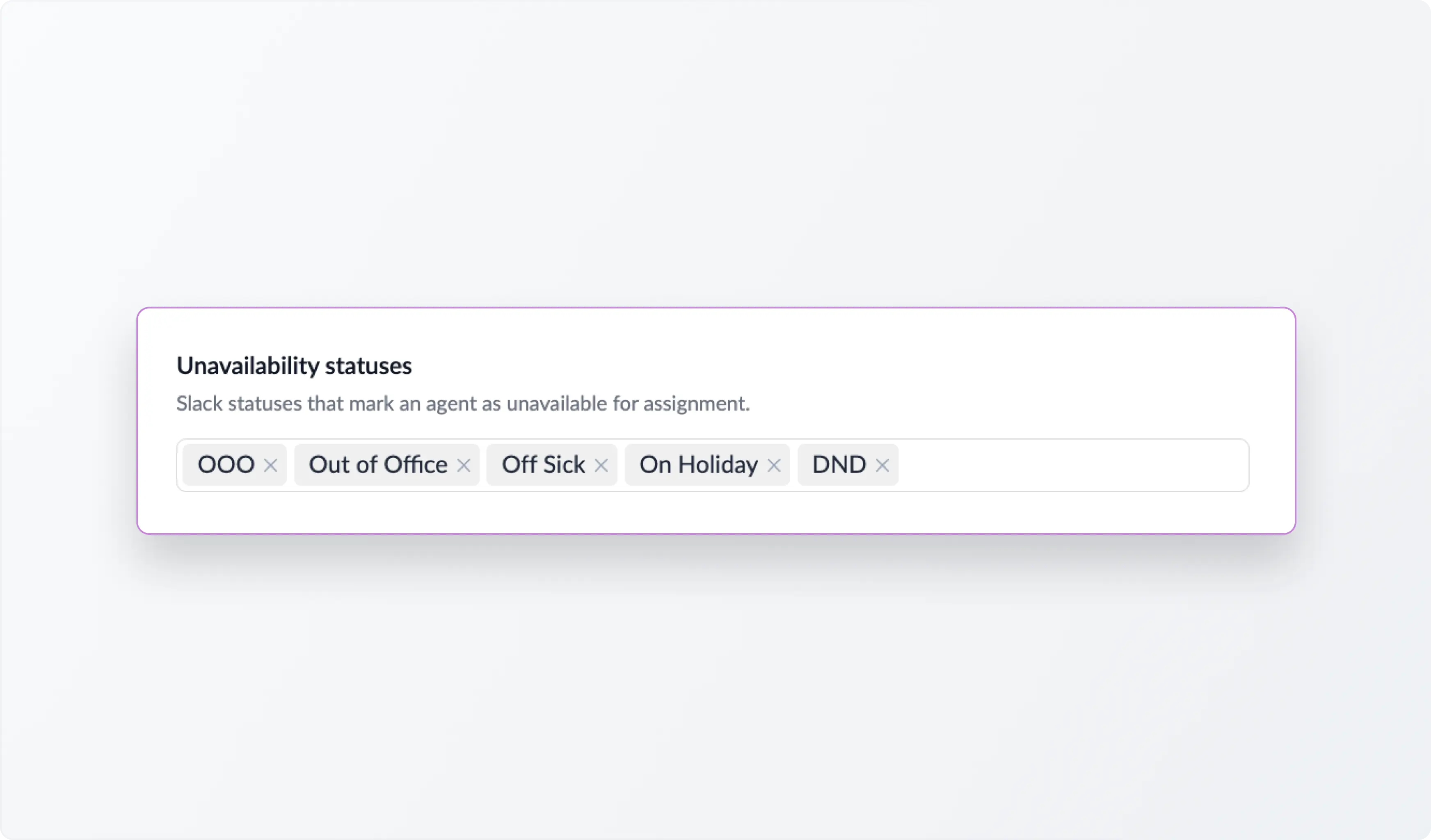
Shifts are planned, but people aren't always available within them. Someone might be sick, traveling, or in back-to-back meetings right when a request arrives. ClearFeed checks a user's Slack status before assigning, and skips anyone marked unavailable, even if their shift is technically active.
Out of the box, ClearFeed treats these statuses as unavailable:
- Out of Office
- Off Sick
- On Holiday
- DND
- OOO
These are matched case-insensitively, so variations are handled automatically. Teams can also define custom unavailability statuses - In a Meeting, Traveling, or anything specific to how your team signals coverage gaps. Manage users sync status from Google Calendar to Slack and manage their status in one place.
4. Globally Shared or Local Rotation Assignment
Teams managing multiple collections can use Shared Rotation to maintain the round-robin order across collections that use the same group. This helps prevent the same teammate from receiving back-to-back requests from different collections and keeps workload distribution more balanced across support queues. Or they can do round-robin assignments independently within every Collection.
5. Assignment to Customer Owners
For customer-facing teams using the External Helpdesk Product Edition, requests may be best handled by the person who already owns that customer relationship. ClearFeed allows you to set an Owner for each Customer - and automatically assign any new requests or tickets from that Customer to them.
If the Customer Owner is unavailable based on their Slack status, ClearFeed can fall back to round-robin assignment from a configured fallback rotation, if configured. Customer ownership stays intact, while requests don't stall because the owner is OOO.
6. First-Responder as Assignee for linked external tickets
For teams using ClearFeed with external ticketing systems like Zendesk, Salesforce, or HubSpot, assignment can also be synced to the linked external ticket.
When enabled, the first teammate who responds in Slack can be assigned both the ClearFeed request and the linked external ticket, provided the external ticket is not already assigned. However - Round Robin assignment and Rotations in ClearFeed cannot be used with an external ticketing system. Any advanced workload management should use the native capabilities of the external ticketing system.
Wrapping Up
Routing requests to the right teammate should not depend on manual checks or constant reassignment. With rotation-based assignment rules, ClearFeed helps teams automatically route incoming requests based on who is currently active and available. Teams can use rotations with Round Robin Assignment to distribute work fairly, account for availability, and keep ownership aligned with real support coverage.
Whether you’re managing customer support across time zones, internal helpdesk queues, or escalation workflows, rotation-based routing gives your team a more reliable way to assign requests and keep work moving.
To learn more about the functionality, reach out to us at support@clearfeed.ai or book a walkthrough here.