September 8, 2026

How To Scale B2B Customer Support With AI

WRITTEN BY
Happy Das
How To Scale B2B Customer Support With AI

AI can make a support dashboard look healthier without actually improving support. First-response time falls when a bot replies, and deflection rises when a conversation never reaches an agent. Neither proves that the customer received a working answer.

Scaling customer support with AI means increasing verified resolutions without proportionally increasing headcount or customer effort. B2B support teams tell us the same problems get in the way: requests arrive across Slack, email, and other channels; ownership becomes unclear; agents repeat answers; and technical cases move between disconnected systems.

The safer approach is to automate one narrow, measurable workflow first and expand only when the results hold up in real conversations.

This guide lays out a seven-step operating model for reducing support work without handing an entire queue to AI on day one.

‍

Step 1: Choose Support Work AI Can Finish Safely

Start with a sample of recent requests. Group them by intent, then screen each intent with four questions:

  1. Does a current, approved answer exist?
  2. Does the answer vary by plan, contract, region, product version, or account state?
  3. What is the customer impact if AI is wrong?
  4. Can a person inspect and reverse the result?

High volume is not enough. A common billing question may still be a poor candidate for automation if the answer depends on an account-specific contract.

Product setup questions, feature availability checks, conversation summaries, classification, and non-sensitive ticket updates are often good candidates for pilots. Refund exceptions, security concerns, and strategic-account escalations usually require more context or judgment.

Also define the job narrowly. “How do I configure SSO?” may include documented setup guidance, troubleshooting for failed logins, or changing administrator access. Those tasks have different contexts and permission requirements. Automate only the specific job AI can complete safely.

Before building, write an automation contract for the use case.

Contract field Example
Eligible request Product setup question from an authenticated customer
Required context Product version and enabled integration
Approved sources Current setup guide and known-issues page
Allowed output Answer with a source or ask one clarifying question
Prohibited output Promise a fixed date or infer an account setting
Handoff trigger Conflicting sources, missing context, or two failed attempts
Success evidence Customer confirms the fix, or the connected system verifies it

Then test the workflow on recent requests before exposing it to live customers. Give AI only the information that would have been available at the time the response was generated, and keep the eventual human resolution separate as the reference answer.

Include both straightforward cases and exceptions, such as outdated documentation, missing product context, and requests that should be handed to a person. Check whether AI selected the right source, requested missing information, stayed within the contract, and escalated when required.

‍

Step 2: Create One Request Record Before Adding AI

Customers can contact support through Slack, email, Microsoft Teams, or web chat. Behind those channels, the support operation still needs a single authoritative record of status, priority, customer identity, ownership, and outcome.

For every request, the system should be able to answer:

  • Is it open, waiting, escalated, or resolved?
  • Who owns the next action?
  • What has already been tried or promised?
  • Where is the final outcome recorded?

A Slack thread, email, and engineering ticket may all refer to the same customer problem. Treating them as separate conversations can produce duplicate replies, missed updates, and inflated request counts.

Put AI inside the workflow that tracks the authoritative record and its linked work. AI cannot reliably coordinate a request if it cannot see its current state, ownership, and related activity.

For example, if a customer reports a failed data export in Slack, emails a screenshot, and engineering investigates in Jira, keep the customer-facing request responsible for the next customer update. Link the Jira issue to that request and make relevant troubleshooting and engineering progress available to support. When engineering closes the issue, support should verify the customer's outcome before marking the request as resolved.

‍

Step 3: Give AI Approved and Current Knowledge

Connect only sources that have been reviewed for customer-facing use. A billing workflow might use the current pricing page, billing guide, and escalation policy, while a technical workflow might use product documentation, known issues, and troubleshooting guides.

Assign an owner to each important source and define precedence when sources conflict. Also, make applicability explicit. If guidance varies by plan, product version, account agreement, or incident state, record those conditions with the source rather than expecting AI to infer them.

Apply customer-level permissions directly to the knowledge. Restricted setup guides or playbooks should be available only to the customer segments entitled to use them.

Then test retrieval using the language customers actually use. A customer may ask, “Why is the Salesforce sync broken again?” while the relevant article is titled “CRM data synchronization.”

Build a small evaluation set from real requests that includes paraphrases, incomplete descriptions, account-specific exceptions, and questions AI should not answer. For each case, record the expected source, answer or action, and escalation behavior. Re-run the set whenever a source, prompt, model, or integration changes.

If the workflow cannot determine which source applies, AI should ask for missing context or escalate rather than combine conflicting guidance.

Finally, use resolved conversations to identify documentation gaps. Agents often surface prerequisites, clarifications, or workarounds missing from the official guide. AI can propose documentation updates, but the source owner should decide whether the new guidance is reusable, temporary, or customer-specific before publishing.

‍

Step 4: Increase Autonomy One Use Case at a Time

Do not move an entire support queue from manual handling to autonomous AI. Release each automation contract through controlled stages:

  1. Offline evaluation: Run historical requests through AI without exposing the output.
  2. Shadow mode: Compare AI decisions with the actions agents actually took.
  3. Agent assistance: Show private drafts, classifications, or suggested actions.
  4. Public answers: Let AI respond directly only for approved request types.
  5. Autonomous actions: Permit bounded, reversible actions only after earlier stages meet their targets.

Public answers may involve several conversational turns. For example, AI might ask for the customer's integration type and error message before suggesting a troubleshooting step. Set limits on failed attempts and clarification loops, then hand the request to a person.

Evaluate conversation quality separately from action permissions. An AI agent may be ready to ask follow-up questions and retrieve information before it is ready to change a connected system. Write separate approval criteria for read access, recommendations, and actions.

During agent-assistance stages, track whether agents send, edit, or discard AI suggestions. The pattern matters: stylistic edits may call for prompt changes, while repeated corrections to eligibility, policy, or commitments indicate that human review should remain in place.

Define promotion criteria before the pilot starts. Advance a request type only when accuracy, escalation behavior, customer outcomes, and agent-review data meet those thresholds.

Different request types can remain at different stages. AI might answer routine setup questions directly, draft responses for technical cases, and route security issues immediately to a person.

This staged approach also reflects current adoption patterns. G2's 2025 AI Agents report found that 47% of verified buyers used autonomy with guardrails, compared with 8% reporting total autonomy.

‍

Step 5: Limit What AI Can Decide and Change

AI can extract fields such as product area, urgency, and request type from a conversation. Deterministic workflow rules should decide how those fields affect assignment, priority, and SLAs.

Do not use model confidence as a safety control. Apply fixed rules first for known high-risk signals such as security issues, legal threats, and payment disputes. Use AI where language is too variable for simple rules, then pass the extracted fields into the workflow.

For example, AI might classify a request as an integration issue and identify the affected product. A configured rule can route it to the integration team, while the customer's support agreement determines the SLA. Send missing or uncertain classifications to a fallback queue, and keep a manual override available.

Action permissions should expand separately:

Permission level What AI can do Example
Read Retrieve context without changing a system Check ticket status or retrieve an account field
Prepare Create a draft that requires approval Draft a Jira issue, refund response, or account update
Execute Perform an approved, bounded action Add a ticket field or send a documented instruction

Start with actions that are inspectable and reversible. Before execution, verify customer identity, required inputs, current system state, and the expected success condition.

After execution, verify the resulting state in the connected system. A successful API response does not prove that the requested outcome occurred.

Retries also need safeguards. If AI attempts to create an engineering issue and the connection times out, check whether the issue already exists before trying again. Record the resulting issue ID and link it to the support request; escalate if the outcome cannot be established.

‍

Step 6: Design the Human Handoff Before Launch

Set escalation triggers before launch. Common triggers include missing context, conflicting sources, failed actions, customer rejection, sensitive requests, and direct requests for a person.

The receiving agent should see:

  • Why AI escalated
  • What the customer is trying to achieve
  • Which details are verified and which are missing
  • Which sources AI used
  • What AI told the customer
  • Which actions succeeded or failed
  • The recommended next step
  • The destination team and owner of the next update

The customer should be able to continue without repeating the history.

A useful handoff might read: “Customer cannot complete the export on version 3.2. Required permission confirmed; retry failed with the same error. No account changes were made. Engineering investigation needed; screenshot and troubleshooting steps attached.”

Tell the customer who is taking over, what will happen next, and when they can expect an update. Give only a commitment the team can meet.

Finally, record every AI path as resolved, clarification needed, escalated, or failed. Replies and handoffs alone do not prove that the customer's problem was resolved.

‍

Step 7: Measure Verified Resolution Before Expanding

A fast AI reply can improve first-response time even when the answer is later corrected, and deflection can rise when a customer simply gives up. Measure AI as a resolution system instead.

Metric What it tells you
Attempt rate How often AI tried to help with eligible requests
Verified resolution rate Requests completed without agent work or repeat contact
Assisted resolution rate Requests where AI reduced agent work
Correction and discard rate AI output that agents repaired or rejected
False-resolution rate Requests reopened or repeated elsewhere
Escalation rate and reason Gaps in knowledge, permissions, routing, or judgment
SLA breach rate Whether the workflow still meets commitments
Cost per resolution Whether automation created useful capacity

Define the denominator and follow-up window before reporting resolution rates. If AI attempts 100 eligible requests, 60 customers confirm resolution, and 10 return with the same issue within the chosen window, the verified resolution rate is 50% of attempted requests. Report attempt rate separately so coverage is not confused with success.

Treat requests without confirmation as unknown unless another reliable signal verifies the outcome. Choose a follow-up window appropriate to the workflow: some problems recur immediately, while others may take days to reappear.

Compare equivalent request types before and after the pilot. Include agent review time, repeat or reopened work, AI usage, human handling, and ongoing maintenance when calculating operational impact and cost per resolution.

Set thresholds separately for each automation contract. Strong performance in one workflow should not hide weak performance in another.

Define rollback criteria before launch. If wrong answers recur, correction work rises, or customer outcomes deteriorate, return that workflow to agent assistance, fix the underlying source or process, and retest it before restoring public automation.

‍

What Usually Goes Wrong As AI Support Grows

Most failures are small workflow errors repeated across many requests.

Failure What the dashboard shows What is happening What to change
Fast, incomplete answers Better first-response time Customers return because the next step was missing Measure repeat contacts and verified resolution
High deflection Fewer agent touches Customers abandon the bot or open another request Link conversations by customer and intent
Accepted drafts with no time saved High answer acceptance Agents still research every response Measure review time and unchanged sends
Knowledge drift Gradual quality decline Product changes do not reach approved sources Assign source owners and run regression tests
Broken escalation Normal handoff rate Agents receive incomplete context and redo the work Enforce the handoff contract
Assumed tool success Successful action logs The connected system rejected part of the change Read back and verify the final state

Review failures by root cause. Twenty wrong answers caused by one outdated article require a different fix from twenty unrelated reasoning errors.

For each failure, inspect the original request, the context AI received, its response or action, and the final outcome. Classify the cause, assign an owner, and define a specific fix. Missing prerequisites may require a documentation update, while repeated assignment errors may require a routing change.

Add each recurring failure to the evaluation set and rerun it after the fix. This verifies whether the underlying cause was addressed and helps prevent the same failure from returning.

‍

Is Your Support Operation Ready for AI?

AI is easier to scale when repeat requests have maintained answers, every request has an owner, sources and permissions are controlled, handoffs preserve customer context, and reporting captures corrections and repeat contacts.

Fix the support foundation first when:

  • Policies regularly contradict one another
  • Requests are spread across untracked channels
  • Nobody owns documentation updates
  • Recurring product defects generate much of the queue
  • Success is measured only through reply speed or deflection

AI cannot compensate for unclear policies, broken ownership, or recurring product problems. In those cases, the better intervention may be a product fix, clearer onboarding, or stronger incident communication.

Readiness can also vary by workflow. If onboarding questions have maintained guides and a clear escalation path, start there even if another queue still needs cleanup.

Before launch, assign an owner for the pilot, an owner for the documentation, and a team for escalations. Keep the initial scope small enough to review failures and pause the workflow when necessary.

‍

How We Support This Operating Model in ClearFeed

ClearFeed brings requests from Slack, Microsoft Teams, Discord, email, web chat, a support portal, and Telegram into one support workflow. Agents can work from a Slack Triage Channel or the ClearFeed Web App while the request retains its owner, status, history, and linked tickets.

ClearFeed maps to the operating model in these ways:

Operating requirement How ClearFeed supports it
Approved and segmented knowledge Knowledge Sources let teams choose approved documentation and prioritize primary sources. Customer conditions can restrict tagged sources by customer segment, while resolved requests can also inform answers when Request Search is enabled.
Pre-launch testing Answer Agents and Doc Updater Agents can be tested against historical tickets or requests before launch. Answer Agents also support simulated chats that expose the planned tools, steps, and references.
Assisted and public AI Agent Assistant drafts private replies for agent review, while Virtual Agent can reply directly to customers. Teams can use different modes across Collections. Microsoft Teams supports more limited automatic Virtual Agent behavior and does not support Agent Assistant or Interactive Agent Mode.
Interactive conversations Interactive Agent Mode can ask clarifying questions, retrieve connected context, and take supported actions. It stops when a human responder joins.
Classification and workflow control AI Fields can extract attributes such as request type, product area, urgency, and sentiment. Automations can then use those fields in routing, escalation, ticket updates, messages, webhooks, and AI-triggered workflows.
Scoped permissions and actions Integration permissions control which actions an Answer Agent can perform in each connected system. For supported integrations such as BambooHR and Okta, Restricted Mode limits those actions to the requester’s own data.
Human handoff and ownership In Virtual Agent flows, rejected or unanswered requests can create tickets for human follow-up. In triage, ClearBot Assist can summarize the conversation and surface previous customer requests. Commitment and pending-response workflows can also remind responders when follow-up is due.
Continuous knowledge improvement DocAssist compares resolved conversations against selected documentation and proposes updates for documentation owners to review.
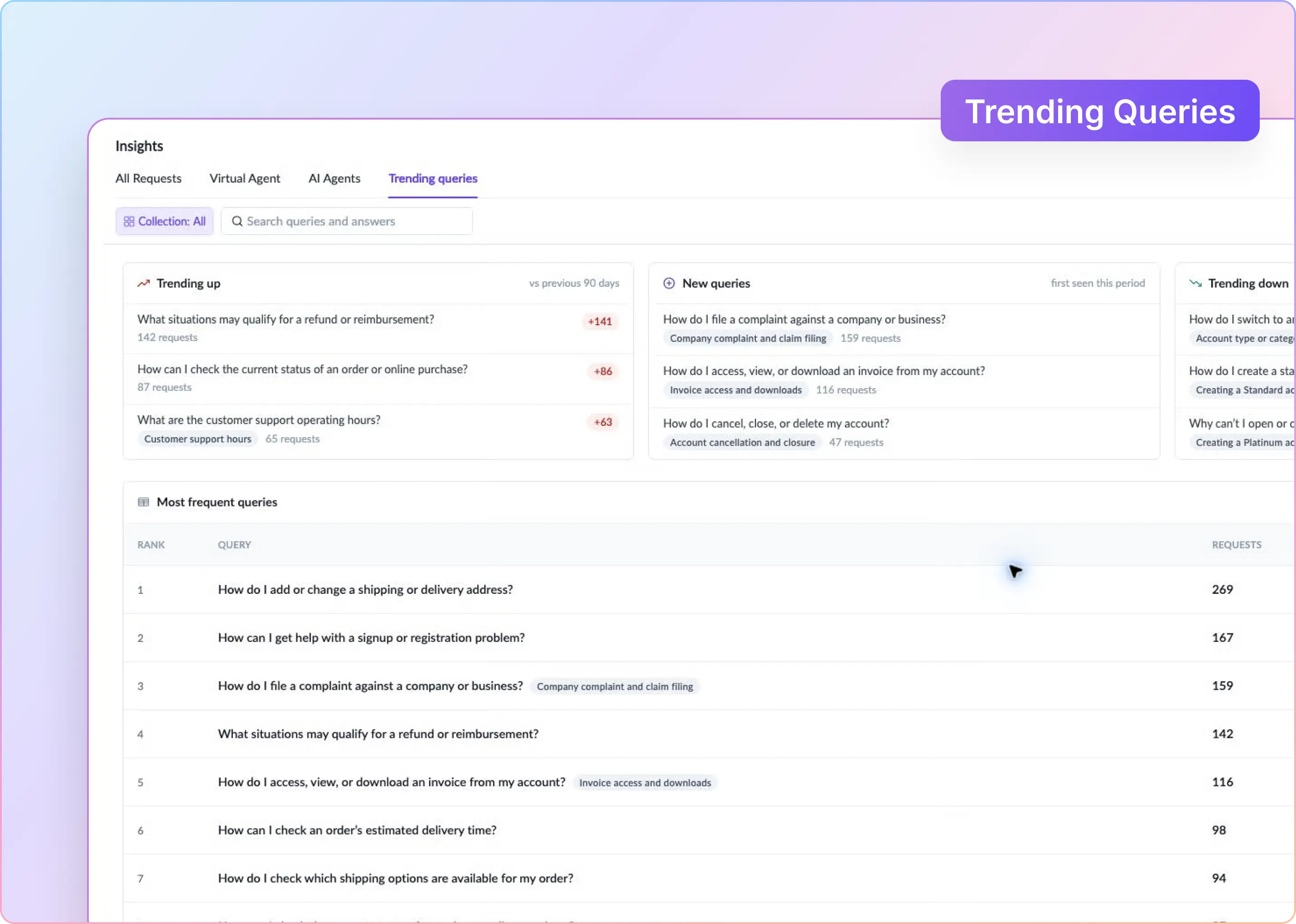
Measurement and failure review Session Logs expose AI activity for individual sessions, while Insights reports on requests, response and resolution times, SLAs, AI feedback, deflection, and escalation. Insights Agent can analyze request and queue data using natural-language questions.

Teams still need to define which request types are safe for AI, when escalation is required, and what success thresholds must be met before increasing autonomy.

‍

Scale Customer Resolutions, Not AI Replies

A scalable AI customer support system does seven things well. It starts with narrow work, uses an approved context, keeps a single request record, adds autonomy in stages, limits permissions, hands off cleanly, and verifies the outcome.

The work is operational before it is technical. Clear ownership and fresh documentation matter as much as the model. Book a ClearFeed demo to see how we apply this operating model across your support channels and ticketing tools.
AI can make a support dashboard look healthier without actually improving support. First-response time falls when a bot replies, and deflection rises when a conversation never reaches an agent. Neither proves that the customer received a working answer.

Scaling customer support with AI means increasing verified resolutions without proportionally increasing headcount or customer effort. B2B support teams tell us the same problems get in the way: requests arrive across Slack, email, and other channels; ownership becomes unclear; agents repeat answers; and technical cases move between disconnected systems.

The safer approach is to automate one narrow, measurable workflow first and expand only when the results hold up in real conversations.

This guide lays out a seven-step operating model for reducing support work without handing an entire queue to AI on day one.

‍

Step 1: Choose Support Work AI Can Finish Safely

Start with a sample of recent requests. Group them by intent, then screen each intent with four questions:

  1. Does a current, approved answer exist?
  2. Does the answer vary by plan, contract, region, product version, or account state?
  3. What is the customer impact if AI is wrong?
  4. Can a person inspect and reverse the result?

High volume is not enough. A common billing question may still be a poor candidate for automation if the answer depends on an account-specific contract.

Product setup questions, feature availability checks, conversation summaries, classification, and non-sensitive ticket updates are often good candidates for pilots. Refund exceptions, security concerns, and strategic-account escalations usually require more context or judgment.

Also define the job narrowly. “How do I configure SSO?” may include documented setup guidance, troubleshooting for failed logins, or changing administrator access. Those tasks have different contexts and permission requirements. Automate only the specific job AI can complete safely.

Before building, write an automation contract for the use case.

Contract field Example
Eligible request Product setup question from an authenticated customer
Required context Product version and enabled integration
Approved sources Current setup guide and known-issues page
Allowed output Answer with a source or ask one clarifying question
Prohibited output Promise a fixed date or infer an account setting
Handoff trigger Conflicting sources, missing context, or two failed attempts
Success evidence Customer confirms the fix, or the connected system verifies it

Then test the workflow on recent requests before exposing it to live customers. Give AI only the information that would have been available at the time the response was generated, and keep the eventual human resolution separate as the reference answer.

Include both straightforward cases and exceptions, such as outdated documentation, missing product context, and requests that should be handed to a person. Check whether AI selected the right source, requested missing information, stayed within the contract, and escalated when required.

‍

Step 2: Create One Request Record Before Adding AI

Customers can contact support through Slack, email, Microsoft Teams, or web chat. Behind those channels, the support operation still needs a single authoritative record of status, priority, customer identity, ownership, and outcome.

For every request, the system should be able to answer:

  • Is it open, waiting, escalated, or resolved?
  • Who owns the next action?
  • What has already been tried or promised?
  • Where is the final outcome recorded?

A Slack thread, email, and engineering ticket may all refer to the same customer problem. Treating them as separate conversations can produce duplicate replies, missed updates, and inflated request counts.

Put AI inside the workflow that tracks the authoritative record and its linked work. AI cannot reliably coordinate a request if it cannot see its current state, ownership, and related activity.

For example, if a customer reports a failed data export in Slack, emails a screenshot, and engineering investigates in Jira, keep the customer-facing request responsible for the next customer update. Link the Jira issue to that request and make relevant troubleshooting and engineering progress available to support. When engineering closes the issue, support should verify the customer's outcome before marking the request as resolved.

‍

Step 3: Give AI Approved and Current Knowledge

Connect only sources that have been reviewed for customer-facing use. A billing workflow might use the current pricing page, billing guide, and escalation policy, while a technical workflow might use product documentation, known issues, and troubleshooting guides.

Assign an owner to each important source and define precedence when sources conflict. Also, make applicability explicit. If guidance varies by plan, product version, account agreement, or incident state, record those conditions with the source rather than expecting AI to infer them.

Apply customer-level permissions directly to the knowledge. Restricted setup guides or playbooks should be available only to the customer segments entitled to use them.

Then test retrieval using the language customers actually use. A customer may ask, “Why is the Salesforce sync broken again?” while the relevant article is titled “CRM data synchronization.”

Build a small evaluation set from real requests that includes paraphrases, incomplete descriptions, account-specific exceptions, and questions AI should not answer. For each case, record the expected source, answer or action, and escalation behavior. Re-run the set whenever a source, prompt, model, or integration changes.

If the workflow cannot determine which source applies, AI should ask for missing context or escalate rather than combine conflicting guidance.

Finally, use resolved conversations to identify documentation gaps. Agents often surface prerequisites, clarifications, or workarounds missing from the official guide. AI can propose documentation updates, but the source owner should decide whether the new guidance is reusable, temporary, or customer-specific before publishing.

‍

Step 4: Increase Autonomy One Use Case at a Time

Do not move an entire support queue from manual handling to autonomous AI. Release each automation contract through controlled stages:

  1. Offline evaluation: Run historical requests through AI without exposing the output.
  2. Shadow mode: Compare AI decisions with the actions agents actually took.
  3. Agent assistance: Show private drafts, classifications, or suggested actions.
  4. Public answers: Let AI respond directly only for approved request types.
  5. Autonomous actions: Permit bounded, reversible actions only after earlier stages meet their targets.

Public answers may involve several conversational turns. For example, AI might ask for the customer's integration type and error message before suggesting a troubleshooting step. Set limits on failed attempts and clarification loops, then hand the request to a person.

Evaluate conversation quality separately from action permissions. An AI agent may be ready to ask follow-up questions and retrieve information before it is ready to change a connected system. Write separate approval criteria for read access, recommendations, and actions.

During agent-assistance stages, track whether agents send, edit, or discard AI suggestions. The pattern matters: stylistic edits may call for prompt changes, while repeated corrections to eligibility, policy, or commitments indicate that human review should remain in place.

Define promotion criteria before the pilot starts. Advance a request type only when accuracy, escalation behavior, customer outcomes, and agent-review data meet those thresholds.

Different request types can remain at different stages. AI might answer routine setup questions directly, draft responses for technical cases, and route security issues immediately to a person.

This staged approach also reflects current adoption patterns. G2's 2025 AI Agents report found that 47% of verified buyers used autonomy with guardrails, compared with 8% reporting total autonomy.

‍

Step 5: Limit What AI Can Decide and Change

AI can extract fields such as product area, urgency, and request type from a conversation. Deterministic workflow rules should decide how those fields affect assignment, priority, and SLAs.

Do not use model confidence as a safety control. Apply fixed rules first for known high-risk signals such as security issues, legal threats, and payment disputes. Use AI where language is too variable for simple rules, then pass the extracted fields into the workflow.

For example, AI might classify a request as an integration issue and identify the affected product. A configured rule can route it to the integration team, while the customer's support agreement determines the SLA. Send missing or uncertain classifications to a fallback queue, and keep a manual override available.

Action permissions should expand separately:

Permission level What AI can do Example
Read Retrieve context without changing a system Check ticket status or retrieve an account field
Prepare Create a draft that requires approval Draft a Jira issue, refund response, or account update
Execute Perform an approved, bounded action Add a ticket field or send a documented instruction

Start with actions that are inspectable and reversible. Before execution, verify customer identity, required inputs, current system state, and the expected success condition.

After execution, verify the resulting state in the connected system. A successful API response does not prove that the requested outcome occurred.

Retries also need safeguards. If AI attempts to create an engineering issue and the connection times out, check whether the issue already exists before trying again. Record the resulting issue ID and link it to the support request; escalate if the outcome cannot be established.

‍

Step 6: Design the Human Handoff Before Launch

Set escalation triggers before launch. Common triggers include missing context, conflicting sources, failed actions, customer rejection, sensitive requests, and direct requests for a person.

The receiving agent should see:

  • Why AI escalated
  • What the customer is trying to achieve
  • Which details are verified and which are missing
  • Which sources AI used
  • What AI told the customer
  • Which actions succeeded or failed
  • The recommended next step
  • The destination team and owner of the next update

The customer should be able to continue without repeating the history.

A useful handoff might read: “Customer cannot complete the export on version 3.2. Required permission confirmed; retry failed with the same error. No account changes were made. Engineering investigation needed; screenshot and troubleshooting steps attached.”

Tell the customer who is taking over, what will happen next, and when they can expect an update. Give only a commitment the team can meet.

Finally, record every AI path as resolved, clarification needed, escalated, or failed. Replies and handoffs alone do not prove that the customer's problem was resolved.

‍

Step 7: Measure Verified Resolution Before Expanding

A fast AI reply can improve first-response time even when the answer is later corrected, and deflection can rise when a customer simply gives up. Measure AI as a resolution system instead.

Metric What it tells you
Attempt rate How often AI tried to help with eligible requests
Verified resolution rate Requests completed without agent work or repeat contact
Assisted resolution rate Requests where AI reduced agent work
Correction and discard rate AI output that agents repaired or rejected
False-resolution rate Requests reopened or repeated elsewhere
Escalation rate and reason Gaps in knowledge, permissions, routing, or judgment
SLA breach rate Whether the workflow still meets commitments
Cost per resolution Whether automation created useful capacity

Define the denominator and follow-up window before reporting resolution rates. If AI attempts 100 eligible requests, 60 customers confirm resolution, and 10 return with the same issue within the chosen window, the verified resolution rate is 50% of attempted requests. Report attempt rate separately so coverage is not confused with success.

Treat requests without confirmation as unknown unless another reliable signal verifies the outcome. Choose a follow-up window appropriate to the workflow: some problems recur immediately, while others may take days to reappear.

Compare equivalent request types before and after the pilot. Include agent review time, repeat or reopened work, AI usage, human handling, and ongoing maintenance when calculating operational impact and cost per resolution.

Set thresholds separately for each automation contract. Strong performance in one workflow should not hide weak performance in another.

Define rollback criteria before launch. If wrong answers recur, correction work rises, or customer outcomes deteriorate, return that workflow to agent assistance, fix the underlying source or process, and retest it before restoring public automation.

‍

What Usually Goes Wrong As AI Support Grows

Most failures are small workflow errors repeated across many requests.

Failure What the dashboard shows What is happening What to change
Fast, incomplete answers Better first-response time Customers return because the next step was missing Measure repeat contacts and verified resolution
High deflection Fewer agent touches Customers abandon the bot or open another request Link conversations by customer and intent
Accepted drafts with no time saved High answer acceptance Agents still research every response Measure review time and unchanged sends
Knowledge drift Gradual quality decline Product changes do not reach approved sources Assign source owners and run regression tests
Broken escalation Normal handoff rate Agents receive incomplete context and redo the work Enforce the handoff contract
Assumed tool success Successful action logs The connected system rejected part of the change Read back and verify the final state

Review failures by root cause. Twenty wrong answers caused by one outdated article require a different fix from twenty unrelated reasoning errors.

For each failure, inspect the original request, the context AI received, its response or action, and the final outcome. Classify the cause, assign an owner, and define a specific fix. Missing prerequisites may require a documentation update, while repeated assignment errors may require a routing change.

Add each recurring failure to the evaluation set and rerun it after the fix. This verifies whether the underlying cause was addressed and helps prevent the same failure from returning.

‍

Is Your Support Operation Ready for AI?

AI is easier to scale when repeat requests have maintained answers, every request has an owner, sources and permissions are controlled, handoffs preserve customer context, and reporting captures corrections and repeat contacts.

Fix the support foundation first when:

  • Policies regularly contradict one another
  • Requests are spread across untracked channels
  • Nobody owns documentation updates
  • Recurring product defects generate much of the queue
  • Success is measured only through reply speed or deflection

AI cannot compensate for unclear policies, broken ownership, or recurring product problems. In those cases, the better intervention may be a product fix, clearer onboarding, or stronger incident communication.

Readiness can also vary by workflow. If onboarding questions have maintained guides and a clear escalation path, start there even if another queue still needs cleanup.

Before launch, assign an owner for the pilot, an owner for the documentation, and a team for escalations. Keep the initial scope small enough to review failures and pause the workflow when necessary.

‍

How We Support This Operating Model in ClearFeed

ClearFeed brings requests from Slack, Microsoft Teams, Discord, email, web chat, a support portal, and Telegram into one support workflow. Agents can work from a Slack Triage Channel or the ClearFeed Web App while the request retains its owner, status, history, and linked tickets.

ClearFeed maps to the operating model in these ways:

Operating requirement How ClearFeed supports it
Approved and segmented knowledge Knowledge Sources let teams choose approved documentation and prioritize primary sources. Customer conditions can restrict tagged sources by customer segment, while resolved requests can also inform answers when Request Search is enabled.
Pre-launch testing Answer Agents and Doc Updater Agents can be tested against historical tickets or requests before launch. Answer Agents also support simulated chats that expose the planned tools, steps, and references.
Assisted and public AI Agent Assistant drafts private replies for agent review, while Virtual Agent can reply directly to customers. Teams can use different modes across Collections. Microsoft Teams supports more limited automatic Virtual Agent behavior and does not support Agent Assistant or Interactive Agent Mode.
Interactive conversations Interactive Agent Mode can ask clarifying questions, retrieve connected context, and take supported actions. It stops when a human responder joins.
Classification and workflow control AI Fields can extract attributes such as request type, product area, urgency, and sentiment. Automations can then use those fields in routing, escalation, ticket updates, messages, webhooks, and AI-triggered workflows.
Scoped permissions and actions Integration permissions control which actions an Answer Agent can perform in each connected system. For supported integrations such as BambooHR and Okta, Restricted Mode limits those actions to the requester’s own data.
Human handoff and ownership In Virtual Agent flows, rejected or unanswered requests can create tickets for human follow-up. In triage, ClearBot Assist can summarize the conversation and surface previous customer requests. Commitment and pending-response workflows can also remind responders when follow-up is due.
Continuous knowledge improvement DocAssist compares resolved conversations against selected documentation and proposes updates for documentation owners to review.
Measurement and failure review Session Logs expose AI activity for individual sessions, while Insights reports on requests, response and resolution times, SLAs, AI feedback, deflection, and escalation. Insights Agent can analyze request and queue data using natural-language questions.

Teams still need to define which request types are safe for AI, when escalation is required, and what success thresholds must be met before increasing autonomy.

‍

Scale Customer Resolutions, Not AI Replies

A scalable AI customer support system does seven things well. It starts with narrow work, uses an approved context, keeps a single request record, adds autonomy in stages, limits permissions, hands off cleanly, and verifies the outcome.

The work is operational before it is technical. Clear ownership and fresh documentation matter as much as the model. Book a ClearFeed demo to see how we apply this operating model across your support channels and ticketing tools.
Related Blogs

See all Blog Posts
TOC heading
Text LinkText Link Active
Get a Free consultation with a Support Expert
Learn how fast growing companies like Teleport, Chronosphere and Acryl Data have scaled Support processes with ClearFeed
Thank you for contacting us. Our team will reach out to you shortly.
Oops! Something went wrong while submitting the form.