October 28, 2026

5 Best Slack–Jira Integrations for ITSM Teams in 2026

WRITTEN BY
Happy Das
5 Best Slack–Jira Integrations for ITSM Teams in 2026

Slack–Jira integrations have moved beyond basic notifications. Atlassian retired Halp as a standalone product in June 2024, moving conversational ticketing into Jira Service Management through Atlassian Assist. Rovo is also included in paid Jira Cloud plans, with charges for usage beyond the included credit allowance scheduled to begin on December 3, 2026.

For IT teams, the priority is how requests move between Slack and Jira. Employees need to ask for help and receive updates in Slack, while technicians need clear ownership, conversation context, and a way to track requests across both platforms. Managers need visibility into pending requests and delays.

This guide compares five Slack–Jira integrations, including ClearFeed, across intake, two-way sync, privacy, approvals, AI support, pricing, and limitations. It covers teams using Jira Service Management as their service desk and those managing support in Slack while using Jira for follow-up work.

‍

Best Slack-Jira Integrations for ITSM Teams at a Glance

Tool Key Slack–Jira Capabilities ITSM Features Starting Price
ClearFeed Ticket creation, two-way sync, centralized triage, AI summaries SLAs, approvals, routing, analytics, AI agents $49/month for integrations; $24/agent/month for helpdesk
Atlassian Assist Slack request creation, two-way updates, agent channels JSM workflows, SLAs, approvals, reporting, virtual agent Included with JSM; paid plans from $20/agent/month
Jira Cloud for Slack Issue creation, thread sync, status updates, filtered notifications Basic issue collaboration; no native ITSM workflow Free app; Jira subscription separate
Suptask Slack ticketing, Jira issue creation, managed integration setup Forms, approvals, SLAs, automation $15/agent/month, billed annually
Enjo AI answers, automatic Jira ticket creation, Slack approvals AI agents, knowledge-based answers, SLA-risk alerts Free tier; paid plans from $95/month

‍

How We Evaluated These Slack-Jira Integrations for ITSM Teams

We reviewed product documentation and pricing pages, using ClearFeed’s internal discovery-call insights to identify common IT requirements. We assessed how each integration supports a request from initial intake through assignment, resolution, and reporting. The comparison covers seven areas:

  1. Employee intake: Can employees submit requests easily in Slack—through messages, emoji, forms, or private messages—and can IT see who asked, what they need, and relevant context?
  2. Slack–Jira synchronization: If someone replies, changes status, assigns the ticket, adds an attachment, adds an internal note, or reopens a request in one tool, does that update correctly in the other?
  3. Agent workflow and routing: Can IT agents claim, assign, escalate, and route tickets without copying and pasting between Slack and Jira? Does the request go to the right team or queue?
  4. SLAs, approvals, and reporting: Where do approvals happen? When do SLA timers start? Can managers see ticket volume, workload, and resolution performance?
  5. Automation and AI: Does the tool merely follow rules, or can AI answer questions, gather context, and take actions? The authors were careful not to count marketing claims such as “AI summaries” or “deflection rates” as proof that AI truly resolves tickets.
  6. Privacy and administration: Are private requests, internal comments, attachments, and notifications protected? Can admins control permissions, access, audits, and data handling?
  7. Deployment fit and total cost: How hard is setup? Are there workspace/project limits? Does it support Microsoft Teams? What is the real cost, including required plans, agent seats, integration charges, and AI usage fees?

‍

Best Slack-Jira Integrations for ITSM Teams in 2026

1. ClearFeed

Best for: IT teams that want configurable Slack intake and triage around Jira, with the option to run a separate internal helpdesk.

ClearFeed connects employee conversations with a service workflow in Slack. Its fit depends on whether you want Jira/JSM to remain the ticketing system or want ClearFeed to manage the employee request.

Key Features

  • Converts Slack channel messages, DMs, threads, or emoji actions into tickets.
  • Central triage channels aggregate requests from many Slack channels.
  • Native ticketing with statuses, assignees, forms, fields, workload management, and reporting.
  • SLA policies, business hours, and breach alerts.
  • Custom forms, conditional fields, and form-based routing.
  • Private triage collaboration and internal comments using a lock emoji.
  • Two-way sync with Jira/JSM, Zendesk, Freshdesk, Salesforce, Intercom, ClickUp, Linear, and others.
  • AI thread summaries and GPT-powered answers from company documentation.
  • AI agents that can take actions in tools such as Jira and Okta.
  • CSAT, automations, broadcasts, and service metrics.

Pros

  • Employees can raise requests in Slack, while IT gets a trackable ticket rather than an unmanaged chat message.
  • Support teams can manage multiple request channels in one place, improving visibility and consistent responses.
  • IT can run a real service desk with ownership, prioritization, and performance measurement.
  • Teams can enforce response/resolution expectations and detect service risks early.
  • Requests can be categorized and routed correctly on first contact, reducing rework.
  • Agents can coordinate internally without exposing internal notes to requesters.
  • Slack remains the collaboration layer while your existing ITSM system remains the system of record.
  • Long Slack threads become usable ticket context, and agents can answer repetitive questions before escalation.
  • Enables practical self-service and automation, not just knowledge search.
  • IT can measure satisfaction, automate routine steps, and report on service performance.

Cons

  • The Internal Helpdesk includes native tickets, SLAs, forms, and analytics; the Integration Edition creates/syncs tickets in an external system but does not include ClearFeed SLAs, analytics, or native ticketing.
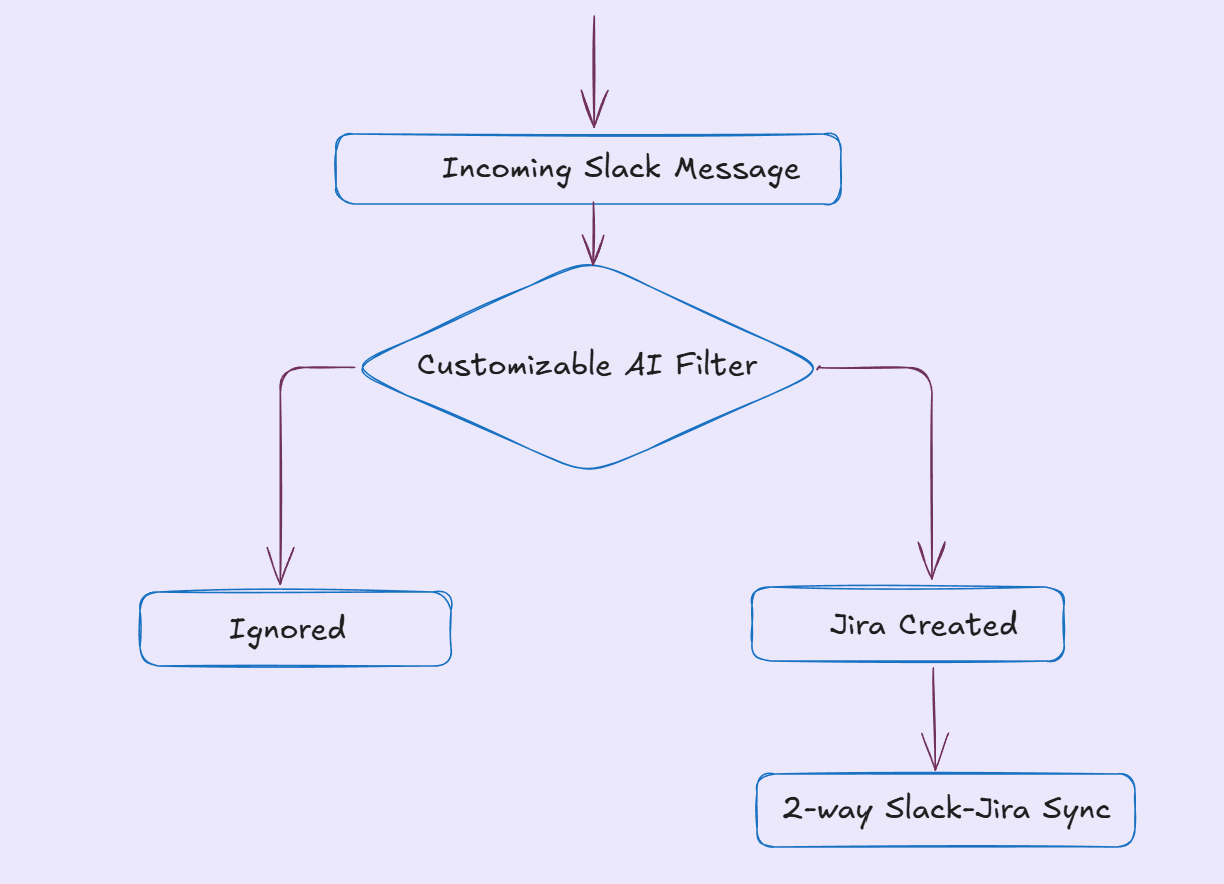
  • Not all Slack messages become tickets. Ticket creation depends on user type, AI filtering, and Collection settings, so teams must configure intake rules carefully to avoid missed requests or excessive ticket creation.
  • AI requires configuration and governance. AI answers and agents depend on knowledge sources, permissions, and connected tools; they need ongoing maintenance to avoid stale or inappropriate answers.
  • Advanced features are tiered. SLAs, portal, assignment rules, GPT-powered answers, knowledge-source sync, and unlimited forms are associated with higher plans, while the AI Pack is separate.

Pricing

Integrations Starter begins at $49/month for 250 tickets. Integrations Professional starts at $89/month for 250 tickets and adds features including triage and handling tickets that originated outside Slack. Internal Helpdesk starts at $24/agent/month, with Professional at $49/agent/month, including features such as SLA configuration, advanced assignment, and approval workflows. Professional Helpdesk includes an AI allowance; additional usage can cost extra. Jira/JSM subscriptions remain separate.

Choose ClearFeed when the configurable Slack workflow fits your intake and team structure. If private requests must become JSM tickets directly, evaluate that requirement against the documented intake restriction first.

‍

2. Atlassian Assist

Best for: IT teams already running their service desk in Jira Service Management.

Assist is Atlassian’s chat integration for JSM. It brings service requests into Slack while keeping their workflows in JSM.

An employee asks for help in a connected request channel. The request can be created there and appears in a separate agent channel, where technicians handle it. Comments and supported actions synchronize with the JSM record. That is a useful starting point when you already have request types, SLAs, and approval rules configured.

Key Features

  • Turn Slack messages into JSM work items using a ticket emoji, /assist, or the app home.
  • Two-way sync between Slack comments/actions and the JSM work item.
  • Agent channel where agents assign, edit, and respond to requests.
  • Custom JSM request types and workflows.
  • Slack approvals for work items.
  • Reporting on volume, resolution time, and SLAs.
  • JSM’s virtual service agent / AI support for knowledge answers and configured conversation flows in Slack.

Pros

  • Employees can request help without leaving Slack, so intake is faster, and requests are less likely to be lost in chat.
  • Requesters and agents see the same updates, reducing duplicate questions and the need for manual status updates.
  • Support teams can triage and resolve work in Slack while retaining a structured queue in JSM.
  • Approvals happen faster because approvers can act directly in the tool they already use.
  • Requests are consistently categorized, correctly routed, and handled through controlled ITSM processes.
  • IT leaders can measure demand, agent workload, service quality, and resource needs.
  • It can deflect repetitive requests and reduce agent workload—but only if knowledge and configuration are strong.

Cons

  • Assist is an extension of JSM, not a standalone Slack help desk. You need JSM and must license agents who work on requests.
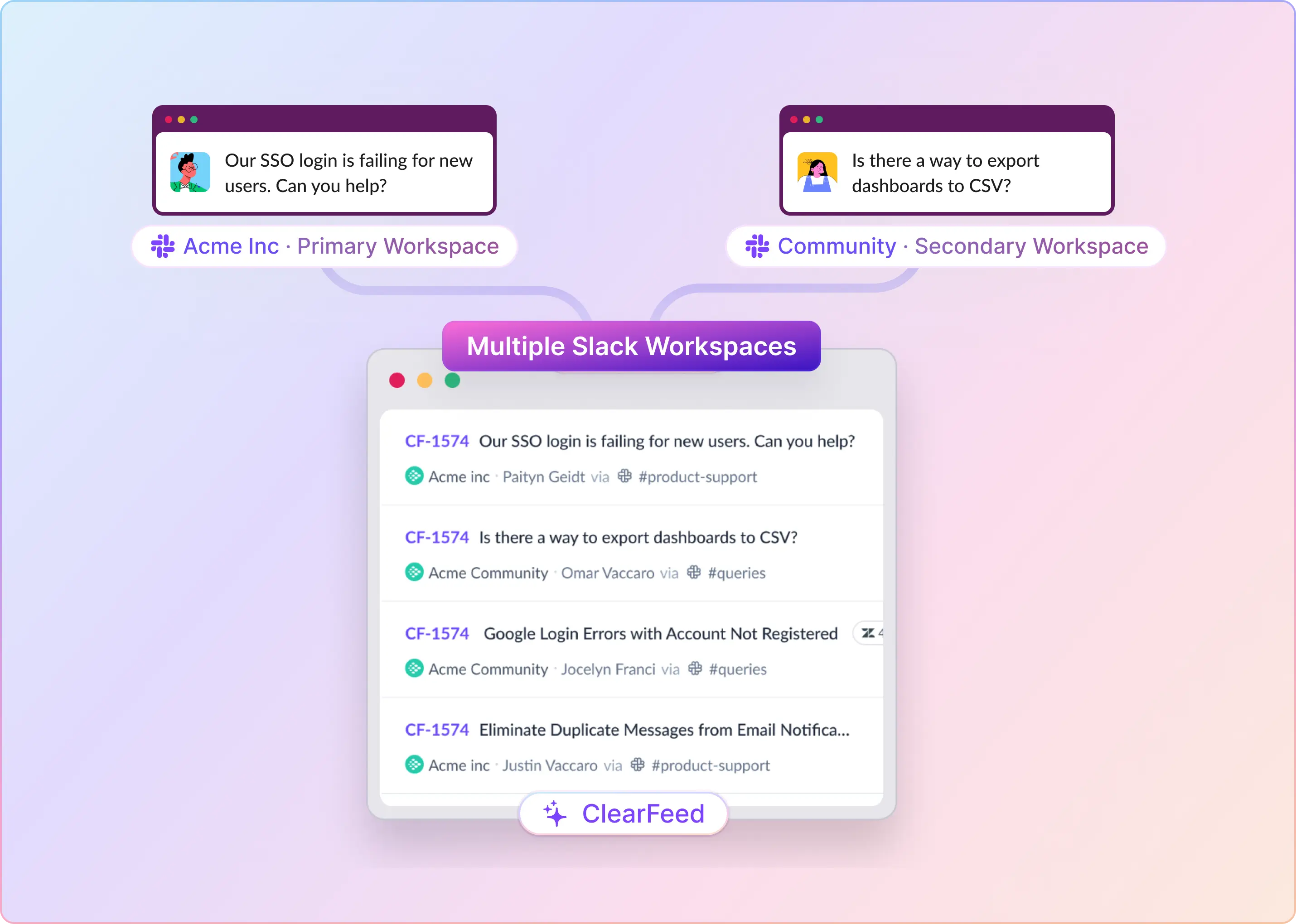
  • A Jira site can connect to only one Slack workspace at a time, which is problematic for companies with multiple Slack workspaces
  • Certain JSM fields do not appear on the Slack request form. If a required field is unsupported, you cannot use that request type through chat.
  • Assist uses the JSM request form, not Jira Forms, so teams relying on advanced forms may find Slack intake limited.
  • Agents can comment, assign, change status, and approve in Slack, but queues, workflow configuration, SLAs, reporting, and deeper administration remain in JSM.
  • AI/virtual-agent and advanced ITSM capabilities may depend on higher JSM tiers, so the Slack integration itself is not necessarily the whole cost picture.

Pricing

Assist is part of JSM rather than a separate subscription. Atlassian’s current Service Collection pricing lists Free for up to three agents and Standard at $20/agent/month at the displayed starting configuration. The virtual service agent requires a Premium or Enterprise plan, which includes an allowance and charges for additional assisted conversations. Check pricing for your agent count.

Choose Assist first when JSM is established, and its workspace and field support fit your rollout. A third-party layer should solve a specific gap you have identified.

‍

3. Jira Cloud for Slack

Best for: Technical teams that need Jira issue actions and notifications in Slack.

Jira Cloud for Slack is Atlassian’s free official app. It lets teams create issues from Slack and subscribe channels to Jira events. Notifications can be filtered by project, issue type, priority, and event

For an infrastructure team coordinating known work in Jira, this may cover the immediate need. A discussion can become an issue, and teammates can see updates in the relevant channel.

Key Features

  • Create Jira issues from Slack via /jira create, @Jira create, or a message action.
  • Turn a Slack message into a Jira work item.
  • Automatic issue previews when someone posts a Jira link or issue key.
  • Personal Jira notifications through a DM with @Jira.
  • Channel notifications for created, updated, transitioned, or commented issues.
  • Filter notifications by issue type, priority, and event.
  • Natural-language/AI actions for creating, updating, and assigning work items.
  • Slack thread synchronization with Jira work items.
  • Assign, transition, comment, and watch issues from Slack.

Pros

  • Useful context—such as an error report or user complaint—can become a tracked item instead of being lost in chat.
  • Everyone in the channel gets shared context without opening Jira, improving coordination during incidents or follow-ups.
  • Assignees and watchers can respond faster to assigned or relevant work.
  • Incident channels and support teams can stay up to date on progress without repeatedly checking Jira.
  • Reduces notification noise so teams see relevant tickets rather than every project update.
  • Light triage and status updates can happen in the channel, reducing context switching for simple actions.
  • Can speed up ticket creation and routine updates—but depends on Rovo being enabled by an admin.
  • Discussion context can be preserved alongside the tracked work item.

Cons

  • It creates and updates Jira issues, but it does not provide the requester-facing portal, request catalog, SLAs, approvals, or conversational ticketing model that JSM/Atlassian Assist is designed around.
  • It is strongest when engineers or IT staff convert a Slack discussion into a Jira issue; it is weaker as an end-user self-service channel.
  • Broad project-to-channel notifications can flood channels unless you carefully configure filters by issue type, priority, and event.
  • AI-generated actions require Rovo to be enabled by the Jira admin, so the feature may not be available in every environment.
  • Because it isn’t tied to JSM request types and service workflows, it can encourage ad hoc issue creation instead of consistent categorization, routing, and SLA tracking.

Pricing

The app is free. Jira subscription and access costs are separate. Choose it for Jira collaboration and targeted notifications. For employee-facing IT support, compare it with Assist or a helpdesk integration that handles the full request workflow.

‍

4. Suptask

Best for: Teams choosing a Slack-based service desk and a managed Jira integration.

Suptask manages tickets inside Slack. Its Jira integration connects that support workflow to Jira issues, making it relevant when IT wants to handle requests in Suptask and send selected work to another team.

Suptask describes Jira use cases, including creating issues for development work and synchronizing ticket updates. Its public Jira page focuses on Jira Software, so verify the exact JSM workflow if that is your intended destination. 

Key Features

  • Turns Slack channel messages and DMs into tickets.
  • Forms and fields, team inboxes, and unlimited requesters.
  • Higher-tier capabilities including approvals, workflow automation, and SLAs.
  • Jira issue creation and a connection configured with Suptask’s integration team.
  • AI categorization, routing, agent assistance, and knowledge-based answers.

Pros

  • Provides a service-desk workflow in Slack before a request needs Jira work.
  • Offers different plans for a single team and broader service operations.
  • Managed integration setup may help teams with specific mapping and automation requirements.

Cons

  • It is built around Slack conversations and tickets, so mature ITSM processes such as complex change management, CMDB-driven workflows, or deep ITIL governance may still need another platform.
  • The free plan is very limited. It allows only 10 tickets per month and retains tickets for three months; continued overage may block ticket creation or affect access to historical tickets.
  • AI quality depends on content and setup. AI routing and resolution require good forms, routing rules, and approved knowledge sources.

Pricing

Annual billing prices are $15/agent/month for Starter, $24 for Professional, and $38 for Growth. Monthly billing is $18, $29, and $45, respectively. Growth includes SLA management and automated approvals. Get the Jira integration service and any required Custom-plan costs included in your quote.

Choose Suptask when you want Suptask to run the service desk and the proposed Jira bridge covers your follow-up workflow. Confirm JSM-specific requirements separately.

‍

5. Enjo

Best for: IT teams prioritizing AI answers and actions alongside Jira ticketing.

Enjo approaches employee support through AI agents that operate in channels such as Slack and Teams. Its integrations include Jira and JSM.

Its Jira Cloud documentation describes creating tickets from Slack requests, mapping custom fields, synchronizing data, and running approval workflows through Slack. Setup requires administrative access and configuration of the ticketing project and issue type.

Key Features

  • AI agent answers employee questions in Slack, Teams, web chat, and help center.
  • Answers grounded in knowledge sources with citations.
  • Connects to JSM, ServiceNow, Zendesk, or Freshservice while retaining the existing system of record.
  • Creates a Jira ticket automatically when AI cannot resolve a request.
  • Slack slash commands, emoji actions, approvals, and “swarm rooms.”
  • SLA-risk and automation-failure alerts.
  • Unlimited human-agent seats, with pricing based on AI replies.

Pros

  • Common IT questions—passwords, access, policies, software—can be resolved before a ticket is created.
  • Employees can verify an answer’s source, improving trust and auditability.
  • You can add AI self-service without replacing your ITSM platform.
  • Unresolved requests are captured and escalated rather than disappearing in chat.
  • Agents can collaborate on complex incidents and manage approvals directly in Slack.
  • Can be cost-effective if many agents need access but only a portion of requests require AI resolution.

Cons

  • Not a ticketing platform. Enjo is an AI layer, not the help desk or system of record; you still need JSM, ServiceNow, Zendesk, or Freshservice underneath.
  • Depends heavily on knowledge quality. AI resolution is only as good as the indexed knowledge across Confluence, SharePoint, Google Drive, Notion, Guru, and historical tickets.
  • Connecting knowledge sources and action systems, such as Okta, Entra ID, Google Workspace, Jira, and ServiceNow, requires configuration and a security review.
  • AI cost can scale with usage. Pricing is per AI reply, so high self-service volume can create variable costs that need monitoring.

Pricing

The Free plan includes 200 AI replies. Starter is $95/month for 1,000 replies, and Standard is $295/month for 3,000 replies, with unlimited seats. Paid plans list additional replies at 0.05 each. Standard adds controls such as AI testing, audit trails, and agent assistance. 

Choose Enjo when reducing repetitive support work through AI is the main buying priority. Include difficult and unresolved requests in your pilot, so you can assess how technicians take over.

‍

Which Slack–Jira Integration Should Your ITSM Team Choose?

Choose based on the service workflow you want to keep:

  • Choose Atlassian Assist if JSM already owns your service requests and its chat capabilities meet your workspace, field, and privacy requirements.
  • Choose ClearFeed Integrations if Jira/JSM should remain the ticketing system and you need a configurable Slack connection. Confirm that channel-based Jira/JSM intake fits your team.
  • Choose ClearFeed Internal Helpdesk if you want native employee tickets, private intake, approvals, and service reporting in ClearFeed, with Jira for linked follow-up work.
  • Choose Jira Cloud for Slack if your main need is technical issue collaboration and notifications.
  • Choose Suptask if you want a Slack-based service desk and a managed Jira bridge that has been demonstrated for your workflow.
  • Choose Enjo if AI answers and ticketing actions are your main priority and the pilot shows a reliable handoff to people.

If employees already ask for help in Slack, make that conversation a dependable entry point into your service process. They should be able to ask once, get updates in the same place, and know when the request is resolved.

Book a ClearFeed demo to test your Jira or JSM workflow, including intake, synchronization, and the right product edition for your IT team, or start a 14-day free trial to see how it works for your workflows.
Slack–Jira integrations have moved beyond basic notifications. Atlassian retired Halp as a standalone product in June 2024, moving conversational ticketing into Jira Service Management through Atlassian Assist. Rovo is also included in paid Jira Cloud plans, with charges for usage beyond the included credit allowance scheduled to begin on December 3, 2026.

For IT teams, the priority is how requests move between Slack and Jira. Employees need to ask for help and receive updates in Slack, while technicians need clear ownership, conversation context, and a way to track requests across both platforms. Managers need visibility into pending requests and delays.

This guide compares five Slack–Jira integrations, including ClearFeed, across intake, two-way sync, privacy, approvals, AI support, pricing, and limitations. It covers teams using Jira Service Management as their service desk and those managing support in Slack while using Jira for follow-up work.

‍

Best Slack-Jira Integrations for ITSM Teams at a Glance

Tool Key Slack–Jira Capabilities ITSM Features Starting Price
ClearFeed Ticket creation, two-way sync, centralized triage, AI summaries SLAs, approvals, routing, analytics, AI agents $49/month for integrations; $24/agent/month for helpdesk
Atlassian Assist Slack request creation, two-way updates, agent channels JSM workflows, SLAs, approvals, reporting, virtual agent Included with JSM; paid plans from $20/agent/month
Jira Cloud for Slack Issue creation, thread sync, status updates, filtered notifications Basic issue collaboration; no native ITSM workflow Free app; Jira subscription separate
Suptask Slack ticketing, Jira issue creation, managed integration setup Forms, approvals, SLAs, automation $15/agent/month, billed annually
Enjo AI answers, automatic Jira ticket creation, Slack approvals AI agents, knowledge-based answers, SLA-risk alerts Free tier; paid plans from $95/month

‍

How We Evaluated These Slack-Jira Integrations for ITSM Teams

We reviewed product documentation and pricing pages, using ClearFeed’s internal discovery-call insights to identify common IT requirements. We assessed how each integration supports a request from initial intake through assignment, resolution, and reporting. The comparison covers seven areas:

  1. Employee intake: Can employees submit requests easily in Slack—through messages, emoji, forms, or private messages—and can IT see who asked, what they need, and relevant context?
  2. Slack–Jira synchronization: If someone replies, changes status, assigns the ticket, adds an attachment, adds an internal note, or reopens a request in one tool, does that update correctly in the other?
  3. Agent workflow and routing: Can IT agents claim, assign, escalate, and route tickets without copying and pasting between Slack and Jira? Does the request go to the right team or queue?
  4. SLAs, approvals, and reporting: Where do approvals happen? When do SLA timers start? Can managers see ticket volume, workload, and resolution performance?
  5. Automation and AI: Does the tool merely follow rules, or can AI answer questions, gather context, and take actions? The authors were careful not to count marketing claims such as “AI summaries” or “deflection rates” as proof that AI truly resolves tickets.
  6. Privacy and administration: Are private requests, internal comments, attachments, and notifications protected? Can admins control permissions, access, audits, and data handling?
  7. Deployment fit and total cost: How hard is setup? Are there workspace/project limits? Does it support Microsoft Teams? What is the real cost, including required plans, agent seats, integration charges, and AI usage fees?

‍

Best Slack-Jira Integrations for ITSM Teams in 2026

1. ClearFeed

Best for: IT teams that want configurable Slack intake and triage around Jira, with the option to run a separate internal helpdesk.

ClearFeed connects employee conversations with a service workflow in Slack. Its fit depends on whether you want Jira/JSM to remain the ticketing system or want ClearFeed to manage the employee request.

Key Features

  • Converts Slack channel messages, DMs, threads, or emoji actions into tickets.
  • Central triage channels aggregate requests from many Slack channels.
  • Native ticketing with statuses, assignees, forms, fields, workload management, and reporting.
  • SLA policies, business hours, and breach alerts.
  • Custom forms, conditional fields, and form-based routing.
  • Private triage collaboration and internal comments using a lock emoji.
  • Two-way sync with Jira/JSM, Zendesk, Freshdesk, Salesforce, Intercom, ClickUp, Linear, and others.
  • AI thread summaries and GPT-powered answers from company documentation.
  • AI agents that can take actions in tools such as Jira and Okta.
  • CSAT, automations, broadcasts, and service metrics.

Pros

  • Employees can raise requests in Slack, while IT gets a trackable ticket rather than an unmanaged chat message.
  • Support teams can manage multiple request channels in one place, improving visibility and consistent responses.
  • IT can run a real service desk with ownership, prioritization, and performance measurement.
  • Teams can enforce response/resolution expectations and detect service risks early.
  • Requests can be categorized and routed correctly on first contact, reducing rework.
  • Agents can coordinate internally without exposing internal notes to requesters.
  • Slack remains the collaboration layer while your existing ITSM system remains the system of record.
  • Long Slack threads become usable ticket context, and agents can answer repetitive questions before escalation.
  • Enables practical self-service and automation, not just knowledge search.
  • IT can measure satisfaction, automate routine steps, and report on service performance.

Cons

  • The Internal Helpdesk includes native tickets, SLAs, forms, and analytics; the Integration Edition creates/syncs tickets in an external system but does not include ClearFeed SLAs, analytics, or native ticketing.
  • Not all Slack messages become tickets. Ticket creation depends on user type, AI filtering, and Collection settings, so teams must configure intake rules carefully to avoid missed requests or excessive ticket creation.
  • AI requires configuration and governance. AI answers and agents depend on knowledge sources, permissions, and connected tools; they need ongoing maintenance to avoid stale or inappropriate answers.
  • Advanced features are tiered. SLAs, portal, assignment rules, GPT-powered answers, knowledge-source sync, and unlimited forms are associated with higher plans, while the AI Pack is separate.

Pricing

Integrations Starter begins at $49/month for 250 tickets. Integrations Professional starts at $89/month for 250 tickets and adds features including triage and handling tickets that originated outside Slack. Internal Helpdesk starts at $24/agent/month, with Professional at $49/agent/month, including features such as SLA configuration, advanced assignment, and approval workflows. Professional Helpdesk includes an AI allowance; additional usage can cost extra. Jira/JSM subscriptions remain separate.

Choose ClearFeed when the configurable Slack workflow fits your intake and team structure. If private requests must become JSM tickets directly, evaluate that requirement against the documented intake restriction first.

‍

2. Atlassian Assist

Best for: IT teams already running their service desk in Jira Service Management.

Assist is Atlassian’s chat integration for JSM. It brings service requests into Slack while keeping their workflows in JSM.

An employee asks for help in a connected request channel. The request can be created there and appears in a separate agent channel, where technicians handle it. Comments and supported actions synchronize with the JSM record. That is a useful starting point when you already have request types, SLAs, and approval rules configured.

Key Features

  • Turn Slack messages into JSM work items using a ticket emoji, /assist, or the app home.
  • Two-way sync between Slack comments/actions and the JSM work item.
  • Agent channel where agents assign, edit, and respond to requests.
  • Custom JSM request types and workflows.
  • Slack approvals for work items.
  • Reporting on volume, resolution time, and SLAs.
  • JSM’s virtual service agent / AI support for knowledge answers and configured conversation flows in Slack.

Pros

  • Employees can request help without leaving Slack, so intake is faster, and requests are less likely to be lost in chat.
  • Requesters and agents see the same updates, reducing duplicate questions and the need for manual status updates.
  • Support teams can triage and resolve work in Slack while retaining a structured queue in JSM.
  • Approvals happen faster because approvers can act directly in the tool they already use.
  • Requests are consistently categorized, correctly routed, and handled through controlled ITSM processes.
  • IT leaders can measure demand, agent workload, service quality, and resource needs.
  • It can deflect repetitive requests and reduce agent workload—but only if knowledge and configuration are strong.

Cons

  • Assist is an extension of JSM, not a standalone Slack help desk. You need JSM and must license agents who work on requests.
  • A Jira site can connect to only one Slack workspace at a time, which is problematic for companies with multiple Slack workspaces
  • Certain JSM fields do not appear on the Slack request form. If a required field is unsupported, you cannot use that request type through chat.
  • Assist uses the JSM request form, not Jira Forms, so teams relying on advanced forms may find Slack intake limited.
  • Agents can comment, assign, change status, and approve in Slack, but queues, workflow configuration, SLAs, reporting, and deeper administration remain in JSM.
  • AI/virtual-agent and advanced ITSM capabilities may depend on higher JSM tiers, so the Slack integration itself is not necessarily the whole cost picture.

Pricing

Assist is part of JSM rather than a separate subscription. Atlassian’s current Service Collection pricing lists Free for up to three agents and Standard at $20/agent/month at the displayed starting configuration. The virtual service agent requires a Premium or Enterprise plan, which includes an allowance and charges for additional assisted conversations. Check pricing for your agent count.

Choose Assist first when JSM is established, and its workspace and field support fit your rollout. A third-party layer should solve a specific gap you have identified.

‍

3. Jira Cloud for Slack

Best for: Technical teams that need Jira issue actions and notifications in Slack.

Jira Cloud for Slack is Atlassian’s free official app. It lets teams create issues from Slack and subscribe channels to Jira events. Notifications can be filtered by project, issue type, priority, and event

For an infrastructure team coordinating known work in Jira, this may cover the immediate need. A discussion can become an issue, and teammates can see updates in the relevant channel.

Key Features

  • Create Jira issues from Slack via /jira create, @Jira create, or a message action.
  • Turn a Slack message into a Jira work item.
  • Automatic issue previews when someone posts a Jira link or issue key.
  • Personal Jira notifications through a DM with @Jira.
  • Channel notifications for created, updated, transitioned, or commented issues.
  • Filter notifications by issue type, priority, and event.
  • Natural-language/AI actions for creating, updating, and assigning work items.
  • Slack thread synchronization with Jira work items.
  • Assign, transition, comment, and watch issues from Slack.

Pros

  • Useful context—such as an error report or user complaint—can become a tracked item instead of being lost in chat.
  • Everyone in the channel gets shared context without opening Jira, improving coordination during incidents or follow-ups.
  • Assignees and watchers can respond faster to assigned or relevant work.
  • Incident channels and support teams can stay up to date on progress without repeatedly checking Jira.
  • Reduces notification noise so teams see relevant tickets rather than every project update.
  • Light triage and status updates can happen in the channel, reducing context switching for simple actions.
  • Can speed up ticket creation and routine updates—but depends on Rovo being enabled by an admin.
  • Discussion context can be preserved alongside the tracked work item.

Cons

  • It creates and updates Jira issues, but it does not provide the requester-facing portal, request catalog, SLAs, approvals, or conversational ticketing model that JSM/Atlassian Assist is designed around.
  • It is strongest when engineers or IT staff convert a Slack discussion into a Jira issue; it is weaker as an end-user self-service channel.
  • Broad project-to-channel notifications can flood channels unless you carefully configure filters by issue type, priority, and event.
  • AI-generated actions require Rovo to be enabled by the Jira admin, so the feature may not be available in every environment.
  • Because it isn’t tied to JSM request types and service workflows, it can encourage ad hoc issue creation instead of consistent categorization, routing, and SLA tracking.

Pricing

The app is free. Jira subscription and access costs are separate. Choose it for Jira collaboration and targeted notifications. For employee-facing IT support, compare it with Assist or a helpdesk integration that handles the full request workflow.

‍

4. Suptask

Best for: Teams choosing a Slack-based service desk and a managed Jira integration.

Suptask manages tickets inside Slack. Its Jira integration connects that support workflow to Jira issues, making it relevant when IT wants to handle requests in Suptask and send selected work to another team.

Suptask describes Jira use cases, including creating issues for development work and synchronizing ticket updates. Its public Jira page focuses on Jira Software, so verify the exact JSM workflow if that is your intended destination. 

Key Features

  • Turns Slack channel messages and DMs into tickets.
  • Forms and fields, team inboxes, and unlimited requesters.
  • Higher-tier capabilities including approvals, workflow automation, and SLAs.
  • Jira issue creation and a connection configured with Suptask’s integration team.
  • AI categorization, routing, agent assistance, and knowledge-based answers.

Pros

  • Provides a service-desk workflow in Slack before a request needs Jira work.
  • Offers different plans for a single team and broader service operations.
  • Managed integration setup may help teams with specific mapping and automation requirements.

Cons

  • It is built around Slack conversations and tickets, so mature ITSM processes such as complex change management, CMDB-driven workflows, or deep ITIL governance may still need another platform.
  • The free plan is very limited. It allows only 10 tickets per month and retains tickets for three months; continued overage may block ticket creation or affect access to historical tickets.
  • AI quality depends on content and setup. AI routing and resolution require good forms, routing rules, and approved knowledge sources.

Pricing

Annual billing prices are $15/agent/month for Starter, $24 for Professional, and $38 for Growth. Monthly billing is $18, $29, and $45, respectively. Growth includes SLA management and automated approvals. Get the Jira integration service and any required Custom-plan costs included in your quote.

Choose Suptask when you want Suptask to run the service desk and the proposed Jira bridge covers your follow-up workflow. Confirm JSM-specific requirements separately.

‍

5. Enjo

Best for: IT teams prioritizing AI answers and actions alongside Jira ticketing.

Enjo approaches employee support through AI agents that operate in channels such as Slack and Teams. Its integrations include Jira and JSM.

Its Jira Cloud documentation describes creating tickets from Slack requests, mapping custom fields, synchronizing data, and running approval workflows through Slack. Setup requires administrative access and configuration of the ticketing project and issue type.

Key Features

  • AI agent answers employee questions in Slack, Teams, web chat, and help center.
  • Answers grounded in knowledge sources with citations.
  • Connects to JSM, ServiceNow, Zendesk, or Freshservice while retaining the existing system of record.
  • Creates a Jira ticket automatically when AI cannot resolve a request.
  • Slack slash commands, emoji actions, approvals, and “swarm rooms.”
  • SLA-risk and automation-failure alerts.
  • Unlimited human-agent seats, with pricing based on AI replies.

Pros

  • Common IT questions—passwords, access, policies, software—can be resolved before a ticket is created.
  • Employees can verify an answer’s source, improving trust and auditability.
  • You can add AI self-service without replacing your ITSM platform.
  • Unresolved requests are captured and escalated rather than disappearing in chat.
  • Agents can collaborate on complex incidents and manage approvals directly in Slack.
  • Can be cost-effective if many agents need access but only a portion of requests require AI resolution.

Cons

  • Not a ticketing platform. Enjo is an AI layer, not the help desk or system of record; you still need JSM, ServiceNow, Zendesk, or Freshservice underneath.
  • Depends heavily on knowledge quality. AI resolution is only as good as the indexed knowledge across Confluence, SharePoint, Google Drive, Notion, Guru, and historical tickets.
  • Connecting knowledge sources and action systems, such as Okta, Entra ID, Google Workspace, Jira, and ServiceNow, requires configuration and a security review.
  • AI cost can scale with usage. Pricing is per AI reply, so high self-service volume can create variable costs that need monitoring.

Pricing

The Free plan includes 200 AI replies. Starter is $95/month for 1,000 replies, and Standard is $295/month for 3,000 replies, with unlimited seats. Paid plans list additional replies at 0.05 each. Standard adds controls such as AI testing, audit trails, and agent assistance. 

Choose Enjo when reducing repetitive support work through AI is the main buying priority. Include difficult and unresolved requests in your pilot, so you can assess how technicians take over.

‍

Which Slack–Jira Integration Should Your ITSM Team Choose?

Choose based on the service workflow you want to keep:

  • Choose Atlassian Assist if JSM already owns your service requests and its chat capabilities meet your workspace, field, and privacy requirements.
  • Choose ClearFeed Integrations if Jira/JSM should remain the ticketing system and you need a configurable Slack connection. Confirm that channel-based Jira/JSM intake fits your team.
  • Choose ClearFeed Internal Helpdesk if you want native employee tickets, private intake, approvals, and service reporting in ClearFeed, with Jira for linked follow-up work.
  • Choose Jira Cloud for Slack if your main need is technical issue collaboration and notifications.
  • Choose Suptask if you want a Slack-based service desk and a managed Jira bridge that has been demonstrated for your workflow.
  • Choose Enjo if AI answers and ticketing actions are your main priority and the pilot shows a reliable handoff to people.

If employees already ask for help in Slack, make that conversation a dependable entry point into your service process. They should be able to ask once, get updates in the same place, and know when the request is resolved.

Book a ClearFeed demo to test your Jira or JSM workflow, including intake, synchronization, and the right product edition for your IT team, or start a 14-day free trial to see how it works for your workflows.
Related Blogs

See all Blog Posts
TOC heading
Text LinkText Link Active
Get a Free consultation with a Support Expert
Learn how fast growing companies like Teleport, Chronosphere and Acryl Data have scaled Support processes with ClearFeed
Thank you for contacting us. Our team will reach out to you shortly.
Oops! Something went wrong while submitting the form.