Table of Contents

Picture this common Slack moment: an issue surfaces in a channel and, within one thread, context, screenshots, task assignments, and fixes flow. That end-to-end workflow is conversational ticketing.
Rather than pushing people to external forms or portals, the ticket is raised, triaged, and resolved in the same conversation. As Slack becomes the hub for work decisions, this method is fast becoming the default for requesting and delivering support.
This guide covers:
- What conversational ticketing is
- Why it is accelerating in Slack
- Scaling challenges
- Proven operational patterns
- How to set your team up for success
TL;DR
Conversational ticketing turns a Slack thread into the ticket itself — no portal, no form, just a message that gets triaged and resolved in the same conversation. It works well until volume grows, at which point structure becomes non-negotiable.
The gist
- The core difference from traditional ticketing: no required fields upfront, context captured in the thread, real-time collaboration in chat, and AI handling routing and status behind the scenes.
- Three forces making it inevitable in Slack: Slack is already where issues get reported, Slack Connect brings customers directly into support conversations, and conversational AI makes chat the natural support interface.
- Eight scaling failure modes: no ownership means requests disappear, low friction creates noise and duplicates, unenforced fields break routing and metrics, Slack has no role awareness, no native SLA tracking, private DMs bypass support tools, managing 50-200 shared channels becomes untrackable, and Slack messages aren't a reliable audit trail since they can be edited or deleted.
- Nine operational patterns to make it work: defined intake channels, agents replying conversationally in Slack (not just a separate app), thread-first policy, minimal field capture without interrupting the chat, true two-way sync with external tools, AI-powered alerts and automations, answer bots for repetitive questions, real performance dashboards, and knowing when to hand off to project/task tools for long-term issues.
- Top tools: Atlassian Assist (JSM-only), Linear Asks (Linear-only), and ClearFeed for teams that need multi-system support, multi-channel intake (Slack, MS Teams, Discord, Telegram, Email, Web Chat, Portal), or a fully Slack-native experience.
What Is Conversational Ticketing?
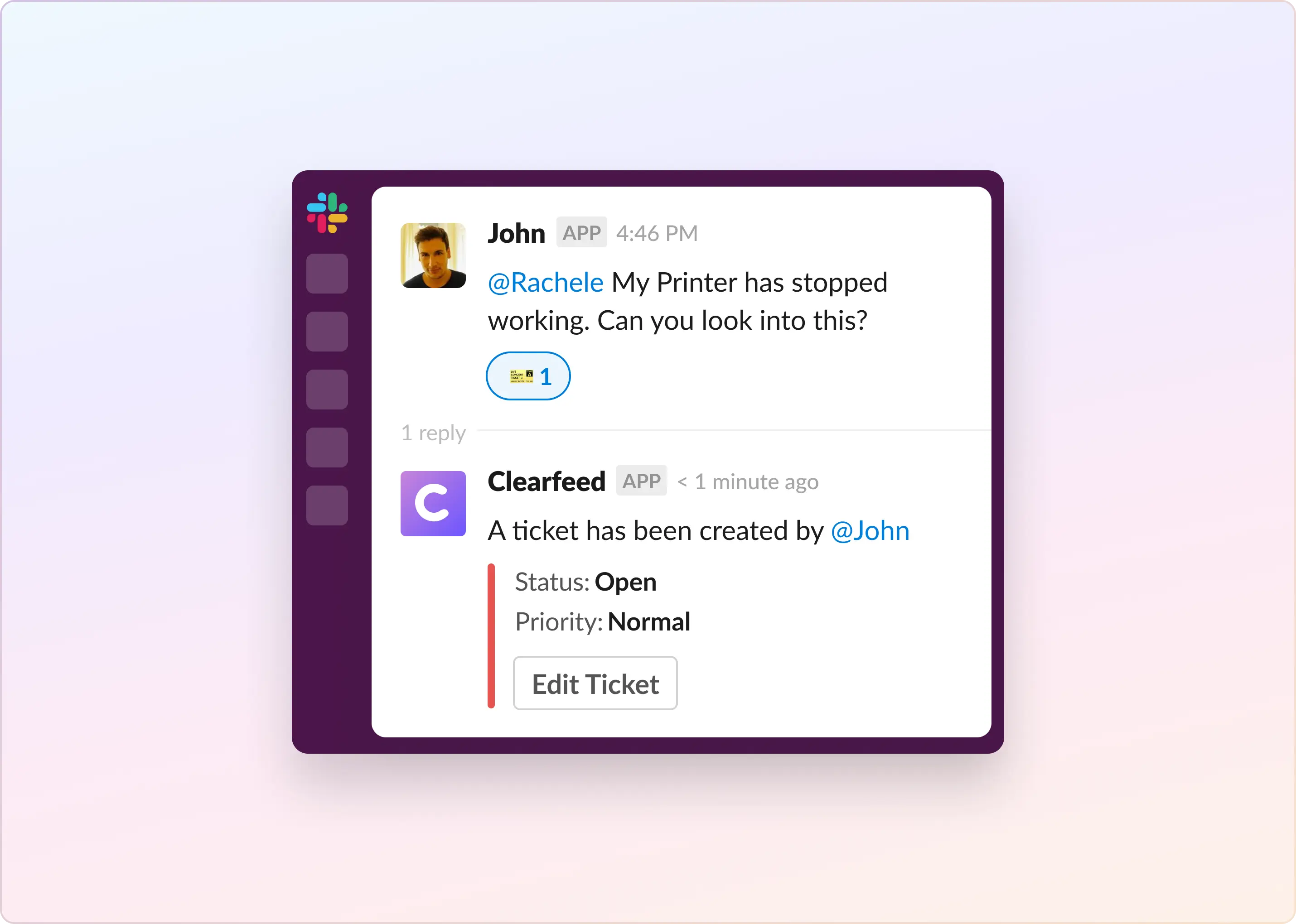
Conversational ticketing turns a Slack thread into the ticket itself: a user posts a message, and every question, update, and fix remains in the same place.
Core attributes in Slack:
- One message opens the ticket
- All clarifications and status updates stay in the thread
- Users and agents converse in familiar chat
- Automations add status, routing, SLA timers, and metadata, so nothing is lost
Traditional ticketing centers on a database; conversational ticketing centers on the message, making the thread the single source of truth.
How Is Conversational Ticketing Different From Regular Ticketing?
Traditional ticketing prioritizes structure: users complete required fields, receive a ticket ID, and progress through queues and statuses, typically via email.
Conversational ticketing begins with the Slack message:
- No or minimal form entry
- Context captured in the thread
- Real-time collaboration in chat that is directly synced to a Ticket
- AI assists with routing, updating status and assignee automatically, and actions
Less friction improves speed but risks losing the structure that keeps support scalable, so successful systems automate guardrails behind the conversation.
Why Slack Has Become the Home of Conversational Ticketing
Slack is now the default channel for reporting issues. As shared channels grow via Slack Connect, three converging shifts make conversational ticketing inevitable:
- Slack is already where work happens. Users do not open a help desk portal when something breaks. They type a quick message in a channel. Since Slack is already the work hub, it becomes the natural starting point for support requests.
- Slack Connect brings customers directly into support conversations. When customers message in shared channels instead of emailing, the support lifecycle automatically unfolds within the same conversation. Tickets begin as messages. Ownership and context stay together.
- Conversational AI makes chat the primary support interface. Users want fast answers, clear next steps, and instant summaries. AI tools integrate seamlessly with Slack and help agents respond with full context. This encourages ticketing to remain within the chat flow rather than being moved to a separate portal.
Conversational ticketing complements AI-driven support by keeping the human exchange in Slack, turning problem-solving into a real-time conversation rather than a handoff to a system.
The Challenges of Conversational Ticketing in Slack
Conversational ticketing is effortless upfront, but scaling across teams or customer channels introduces challenges. Support leaders most often face:
- Without clear ticket ownership, messages disappear in Slack’s fast-moving channels, leading to missed requests and declining support quality.
- Low-friction ticket creation floods channels with duplicates, low-effort follow-ups, and misrouted questions, a pain felt most by internal IT.
- Without enforced fields, routing, automation, and metrics falter because templates are seldom followed.
- Slack lacks role awareness, so it cannot distinguish requesters, first-line agents, or escalation engineers. Ownership blurs and alerts fail unless an external system supplies role intelligence.
- Slack lacks native SLA tracking, leaving first-response and resolution times unmeasured—manageable for small teams, untenable at enterprise scale.
- Private DMs bypass support tools unless a slash command is used, leaving sensitive HR, finance, or security requests untracked and risking compliance gaps.
- Managing 50–200 shared customer channels overwhelms B2B support teams; without tooling for status and ownership, work quickly becomes untrackable.
- Because Slack messages can be edited or deleted, they are not a dependable system of record; enterprise teams need an external layer to capture history for audits and accountability.
How To Make Conversational Ticketing Work in Slack?
Successful conversational-ticketing teams rely on repeatable operational patterns that keep the user experience smooth and support scalability.
- Create well defined ways of creating Tickets conversationally: This is the starting point. We see companies adopting conversational ticketing setup well named and defined request channels in Slack (example: #it-requests) or other ticket creation interfaces (example - shortcuts in conversational ticketing tools like ClearFeed) to kick start tickets.
- Adopt tools and processes that allow Agents to respond conversationally: The key to true conversational ticketing is to enable Agents to also reply via Slack, on the request thread - in a natural conversational manner. Only this can create fast free flowing conversations that characterize conversational ticketing.
- Enforce a Thread-First Policy: All replies stay in the thread. No side conversations in the channel. This keeps context clean, organized, and searchable. Make this a written rule that everyone follows.
- Capture Key Fields Without Interrupting the Chat: Your system can ask one or two clarifying questions, such as priority or category, then handle the rest automatically. Keep the prompts minimal so the conversation feels natural rather than like paperwork.
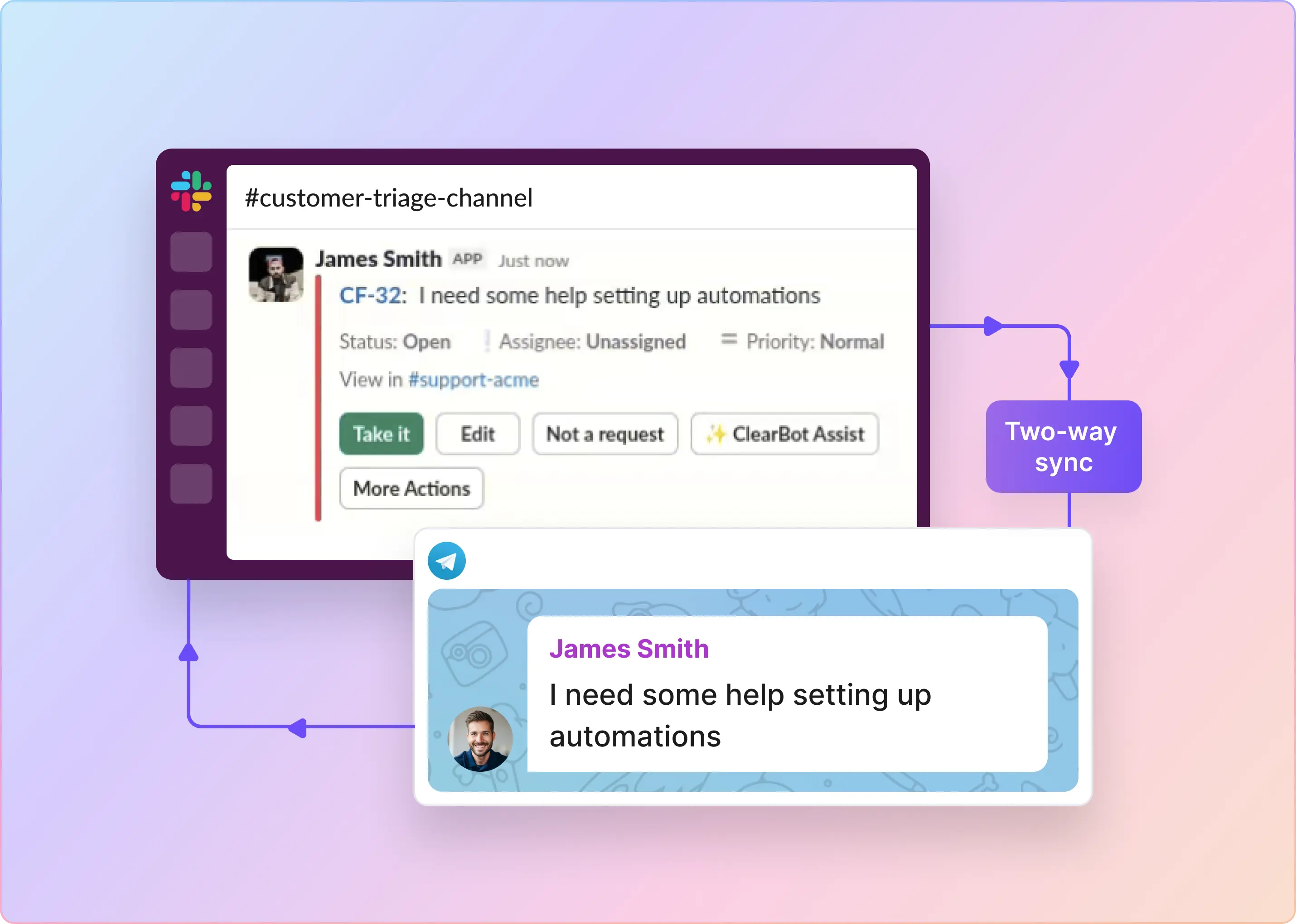
- Connect Slack to your external tools: Effective Slack conversational ticketing depends on true two-way sync with tools like Jira, Zendesk, Freshdesk, Intercom, Salesforce Service Cloud, HubSpot, Linear, Asana, or ClickUp. While users and agents stay in Slack, longer-term tasks live in the tools engineering, ops, and finance already use, and nothing gets lost between platforms.
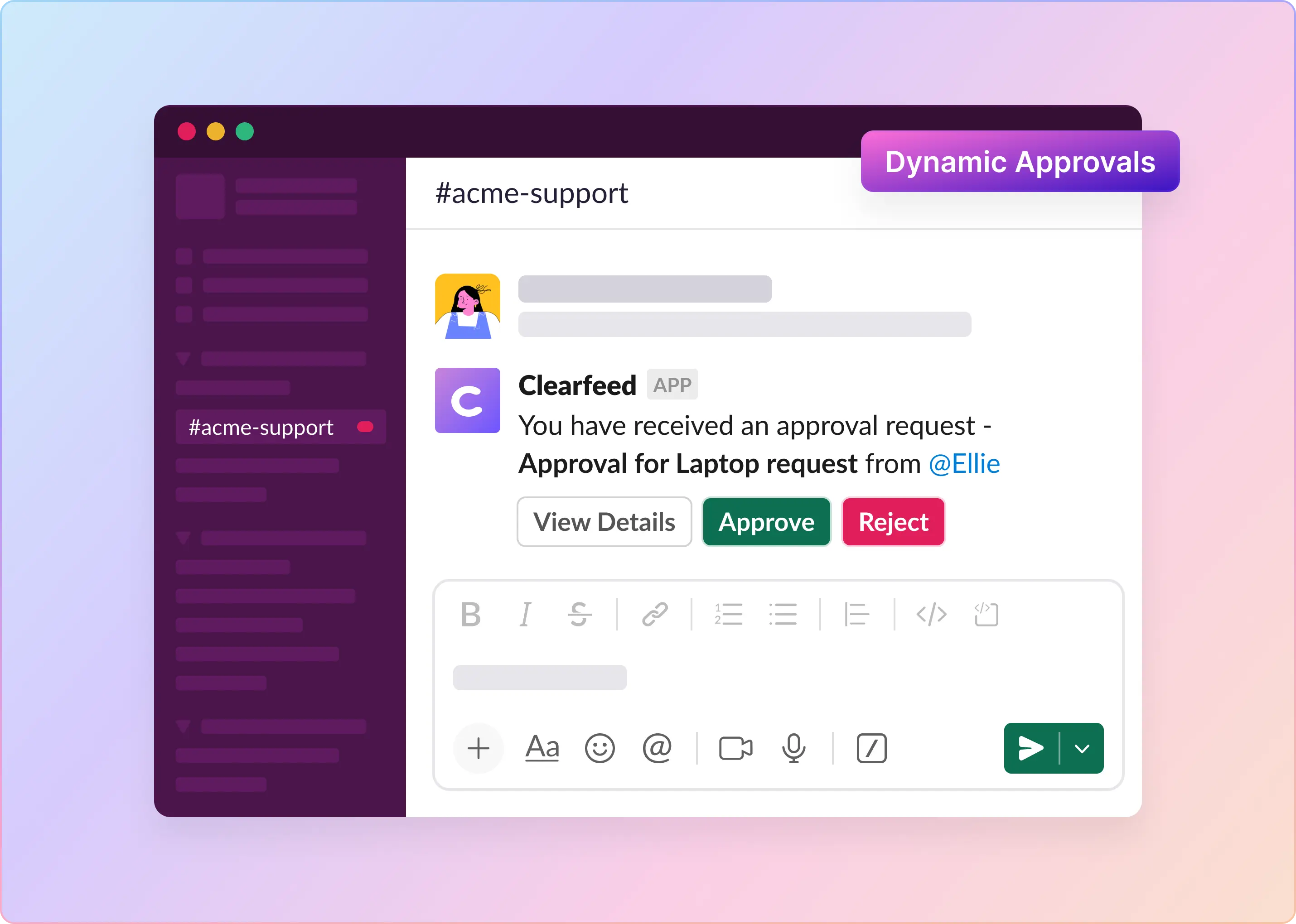
- Setup alerts and automations: While messages are fast flowing - humans cannot keep track of everything. While alerts and automations are important in all ticketing systems, AI-powered alerts become even more important in Conversational ticketing. Platforms like ClearFeed use AI to automatically perform ticket state transitions, generates reminders on pending responses. Users can further add automations to flag issues that need final closure. Slack alone cannot manage these workflows, so an external intelligent layer is essential.
- Deploy Slack Answer Bots: When companies make it easy to raise issues - more issues are raised! Deploying effective answer bots for tackling repetitive questions or performing simple actions (like resetting passwords) that can be completely automated is a must have for conversational ticketing.
- Track Performance With Real Dashboards: Monitor volume, SLA compliance, satisfaction scores, common topics, team load, and backlog trends. You can only improve what you can measure.
- Know When Conversational Ticketing Is Not the Right Fit: Not all issues can be resolved over Slack. Some issues require long term planning and take time to resolve. Teams that succeed with conversational ticketing - pair it with project or task managemnent tools for capturing and planning long term tasks.
What Are Some of the Top Apps for Conversational Ticketing in Slack?
The Slack ecosystem has many tools that support conversational ticketing. Each has its own strengths and limitations, and many are tightly integrated with a single helpdesk or engineering system. The most commonly compared options are:
- Atlassian Assist integrated with Jira Service Management (JSM)
- Linear Asks integrated with Linear
- ClearFeed, which works with native ClearFeed ticketing or two-way sync with Zendesk, Freshdesk, Intercom, Salesforce Service Cloud, HubSpot, Jira, Jira Service Management, ClickUp, Linear, Asana, or GitHub.
Atlassian Assist and Linear Asks work well if your organization operates entirely inside a single ecosystem (Jira or Linear). Teams that want a Slack-native conversational ticketing experience, or need to work across multiple back-end systems, often outgrow single-stack solutions and pick something like ClearFeed.
What ClearFeed Adds
- A Slack-first conversational ticketing system that works directly inside Slack, with equivalent intake from MS Teams, Discord (native ClearFeed ticketing), Telegram (beta, Professional and Enterprise plans), Email, Web Chat, and an Employee Portal — all routed to the same Slack Triage Channel and web inbox.
- Employees and customers create tickets conversationally, while agents work from Triage Channels in Slack or a Kanban / List view in the ClearFeed web app, and can sync tickets to Slack Lists for a board-style view of queues without leaving Slack.
- Two-way sync with Zendesk, Freshdesk, Intercom, Salesforce Service Cloud, HubSpot, Jira, Jira Service Management, ClickUp, Linear, Asana, and GitHub, so long-term tasks live in the tools other teams already use.
- AI Agents that answer from your knowledge sources and take actions in connected tools (Jira, Zendesk, HubSpot, Okta, JumpCloud, Asset Panda, BambooHR, Kandji), plus a Remote MCP Server for wiring ClearFeed data into your own AI workflows.
- Automations, SLA policies, business schedules, CSAT surveys, and an Insights Agent that answers natural-language questions about your ticket data.
This combination lets you keep conversations in Slack while maintaining structure, reporting, and accountability across your broader support stack.
Which Companies Use Conversational Ticketing in Slack?
Conversational ticketing has become the default support model across many industries, both for internal teams and for customer-facing operations. Fast-growing companies adopt it because Slack is already where conversations happen, and support flows naturally from those conversations. Here are some well known firms using it:
- Conversational Ticketing for Internal Support: Used widely across Tech, SaaS, and operations-heavy organizations. Teams at companies such as PlumHQ, Mercury Bank, Headout and internal Salesforce groups run IT, HR, and engineering support directly in Slack channels. E-commerce and logistics businesses such as Wayfair and Deliveroo also depend on Slack workflows to handle high volumes of internal requests and operational escalations.
- Conversational Ticketing for External Support: Common among B2B SaaS and technology companies. Teams at Pathway, Astronomer, Airmeet, testRigor, and Zenskar support customers inside shared Slack Connect channels, often scaling from a handful of shared channels to hundreds. Many of them also use software like Clearfeed that brings customer requests from Email, Webchat, MS Teams et al also into Slack. Cloud and infrastructure players like Fastly embed support engineers directly into customer channels to speed up response times.
Adoption Patterns by Industry
Different industries adopt Slack conversational ticketing for other reasons:
- E-commerce and marketplaces (Wayfair, Rokt) use Slack to manage rapid operational escalations that matter minutes.
- Product-led SaaS companies (Pathway, Snowplow, Glean) use Slack Connect to support enterprise customers and power users in real time.
- Fintech and payments companies (ScanPay, Zenskar) rely on Slack for rapid turnaround on high-stakes customer issues.
- Events and collaboration platforms (Airmeet) use Slack to coordinate live operations across time zones.
- Software Consulting firms (DezignStack)use Slack for customer support and coordination in conjunction with project management tools like ClickUp.
The common theme here is that Slack becomes the natural place for issues to be raised and conversations to unfold. Conversational ticketing, supported by tools like ClearFeed or Slack’s native workflows, turns those conversations into structured, trackable, and measurable support processes.
Conversational Ticketing in Slack Is the Future if It Is Done Right
Slack has become the default place where problems surface. Users no longer want to open portals, fill out forms, or write long descriptions. They want to reach support the same way they reach coworkers, simply by sending a message.
This is why conversational ticketing in Slack feels so natural. It meets people where they already work. Conversations turn into tickets, replies happen instantly, and context stays in one place.
However, conversational ticketing only works at scale when the right underlying structure is in place. Without clear SLAs, triage workflows, ownership rules, and integration with a true system of record, the entire model collapses under growing volume. Messages get lost, priorities become unclear, and teams struggle to stay aligned.
The future of Slack-based support belongs to teams that combine the speed of conversation with the discipline of real workflows. When conversational ticketing is implemented correctly, it becomes one of the fastest and most user-friendly support channels.
Frequently Asked Questions
1. What Is Conversational Ticketing in Slack?
Conversational ticketing in Slack is a support workflow where teams create, manage, and resolve requests directly within Slack threads. It replaces traditional ticket portals with real-time messaging, keeping all support interactions in one place to improve speed and collaboration.
2. Why Are More Companies Adopting Conversational Ticketing?
More companies adopt conversational ticketing because it streamlines support by using Slack as a single workspace. It reduces context switching, speeds up response times, and fits how modern teams already communicate—making support more efficient and collaborative.
3. How Does Conversational Ticketing Work Inside Slack?
Conversational ticketing in Slack captures support requests from messages, routes them to the right team, and resolves them in threads. Automation or manual tools sync the thread with a ticketing system, ensuring visibility and keeping the entire process within Slack.
4. What Are the Main Benefits of Conversational Ticketing in Slack?
The main benefits of conversational ticketing in Slack include faster response times, centralized communication, improved cross-team collaboration, and higher user satisfaction. Keeping context in threads also simplifies troubleshooting and reduces workflow friction across support teams.
5. What Challenges Come With Scaling Conversational Ticketing?
Scaling conversational ticketing introduces challenges such as missed messages, unclear ownership, the absence of SLAs, and lost context across channels. Without proper tools or structure, support work becomes fragmented and more complex to track, causing issues to fall through the cracks.
6. Is Conversational Ticketing a Replacement for Traditional Helpdesks?
Conversational ticketing is not a full replacement for traditional helpdesks. While Slack simplifies request capture and collaboration, teams still need a backend system for reporting, SLA enforcement, audits, and record-keeping. The most effective setups combine Slack with a helpdesk platform.
7. Can Conversational Ticketing Work for External Customer Support?
Conversational ticketing can be used for external customer support via Slack Connect. B2B SaaS and enterprise teams use it for fast technical support, onboarding, and success workflows. To scale effectively, teams must add structure, SLAs, and helpdesk integration for compliance and visibility.
8. How Do I Choose the Right Conversational Ticketing Tool for Slack?
Choose the right Slack-based conversational ticketing tool by prioritizing features such as auto-triage, message-based ticket creation, SLA tracking, and analytics. Look for deep integrations with Zendesk, Jira, Intercom, or HubSpot, and ensure it supports escalations and multiple customer channels.
9. How Do Automation and AI Improve Conversational Ticketing in Slack?
Automation and AI improve conversational ticketing in Slack by classifying messages, prioritizing requests, assigning ownership, and suggesting replies. They reduce manual work, automatically update helpdesks, and keep high-volume channels organized for faster, more efficient support.
10. Is Conversational Ticketing Secure and Compliant?
Conversational ticketing can be secure and compliant when combined with the right tools. Slack offers enterprise-grade security, but for reliable audits and compliance, teams must sync conversations with a system of record to handle retention, edits, and accountability.
Ready to streamline support inside Slack?
If you’re exploring conversational ticketing or want to build a scalable Slack-based support workflow, check out ClearFeed — or reach out for more details. Happy to help you design the right setup!