Table of Contents

AI tools inside Slack are everywhere now. Tasks that used to require multiple tools — or manual follow-up — now happen right in the chat window: summarizing long threads, answering common questions, drafting responses, routing requests, creating tickets, and updating records. An AI assistant can handle most of it.
A new "AI for Slack" tool launches constantly. Some focus on search and summaries. Others automate support workflows. A few claim to be full agents that take actions across your tools. Which ones actually help your team is not obvious.
AI changes how teams work in Slack — if you pick the right tool. Here are the best Slack AI integration tools in 2026, based on how real teams use them, what they're good at, and how to match one to your team.
TL;DR
Slack AI tools fall into two camps: productivity and knowledge search tools, and support-grade agents that answer, route, ticket, and update systems from Slack.
The gist
- Slack AI, ChatGPT, and Atlassian Rovo fit search, summaries, writing help, and knowledge-heavy workflows.
- ClearFeed, Intercom Fin, Zendesk AI, and Salesforce Agentforce fit support, ticketing, CRM, and agent-assist workflows.
- Strong tools understand full Slack threads, stay inside Slack, take action across systems, and log what AI does.
- ClearFeed is best for Slack-first support teams, with AI agents, ticketing, triage, SLA workflows, and knowledge-base answers.
- Pricing ranges from bundled Slack/Atlassian plans to per-agent, usage-credit, and per-resolution models.
- Enjo works well for IT, HR, and customer requests inside Slack and Microsoft Teams.
Worth knowing: Pick based on where work actually happens: if Slack is just a notification channel, a broader helpdesk may work; if support lives in Slack, choose a Slack-native tool.
Does Slack Have Built-In AI?
Yes—Slack has native AI features on paid plans (Business+ at $15/user/month and above). Slack's built-in AI is limited to thread summaries, channel recaps, and AI search. However, it cannot autonomously answer support questions, route requests, or integrate with external tools without third-party solutions.
For autonomous agents, customer support automation, sales workflows, or knowledge base integration, you'll need external tools like ClearFeed, Intercom Fin, or Salesforce Agentforce.
This guide compares Slack's native AI with third-party tools to help you pick the right solution for your team.
How Did We Test the Best Slack Integration Tool?
Good Slack AI tools have a few things in common. When you know what to look for, picking the right integration gets easier. A few factors we consider:
- They understand conversations, not just individual messages. Slack moves quickly. Context spans threads, channels, and past discussions. Tools that help can interpret the full conversation, summarize long threads, and pull knowledge from earlier messages or connected docs.
- They fit naturally into Slack workflows. Integrations that work well stay inside channels, threads, and DMs. Teams keep using Slack the way they already do. The tool answers questions, summarizes discussions, or kicks off workflows. Nobody has to open another app.
- They take action, not just generate text. AI apps can draft responses in Slack. The more useful ones create tickets, route requests to the right people, update records in Jira or Salesforce, and kick off workflows that span multiple tools.
- They help structure requests that would otherwise get lost. Slack works for quick conversations. Support requests, IT issues, and internal questions get lost in the message flow. Good AI tools can identify these requests and organize them for answering.
- They give teams visibility into what’s happening. When AI starts handling support or operational work, teams need visibility into what it's doing. Good tools log AI actions, offer escalation paths, and let humans take over when the AI can't handle something or makes a mistake.
- They connect to the rest of your stack. Slack sits in a stack with other tools. The AI integrations that get used connect to support platforms, incident management tools, CRMs, and internal documentation. A conversation in Slack can create a ticket, update a record, or pull context from a doc
The 8 Best Slack AI Integration Tools at a Glance
Best Slack AI Integration Tools
1) Slack AI/Slack’s Native AI
Slack AI is a productivity feature built into Slack. It answers questions using your company's conversation history. You use it inside Slack instead of switching tools or writing prompts. The underlying tech is a new Slackbot that reads your workspace's messages, picks up on your writing style, and adjusts accordingly.
Key Features
- Channel and thread catch-up summaries
- Meeting notes with transcripts, takeaways, and action items
- Daily digests across teams and projects
- AI search with answers from conversations and files
- Document summaries in Slack
- Prompt-based workflow generation
- Acronym, jargon, and project context explanations
- AI writing help in Slack Canvas
- Inline message translation
- Enterprise search across connected apps and systems
Pros
- Uses your organization’s conversation history to generate more relevant responses than standalone AI tools.
- Works directly in Slack, so teams can use AI right from the app.
- Customer data stays within Slack, and model providers do not train on it.
- Helps reduce manual work with features like thread summaries, recaps, and faster search.
- On higher plans, search can extend beyond Slack into tools like Google Drive, Salesforce, and support platforms.
Cons
- Many of the most valuable AI capabilities are only available on Business+ and above.
- Free users get little to no meaningful access to Slack’s core AI features.
- Per-user pricing adds up quickly for larger teams, especially on top of Slack’s base subscription.
- Some AI features, including Slackbot’s personal AI capabilities, come with plan-based limits.
Pricing
AI features are bundled into paid Slack plans — no separate add-on required. As of June 2025, Business+ pricing increased to reflect the expanded AI suite.
- Pro at $7.25/user/month (annual): Core AI — thread summaries, huddle notes, AI assistant apps.
- Business+ at $15/user/month (annual): Full AI suite — daily recaps, file summaries, AI search, Slackbot, workflow generation, translations.
- Enterprise+: Custom pricing. Adds enterprise search across connected apps.
2) ClearFeed
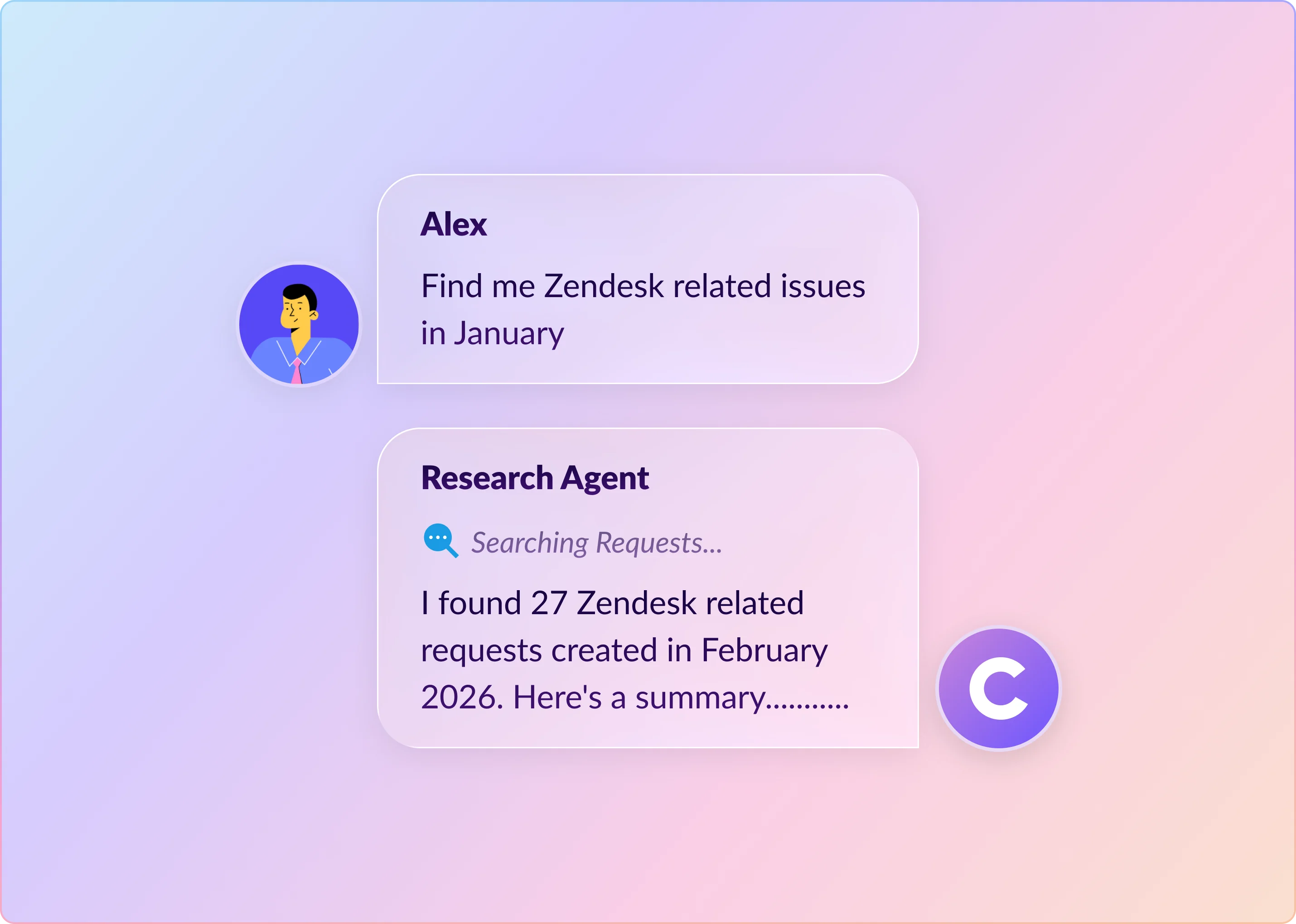
ClearFeed is a Slack-native support platform built for teams that run customer or employee support directly inside Slack. Unlike tools that treat Slack as a notification layer, ClearFeed makes it the operating layer: messages become tickets, requests get routed and assigned, AI suggests replies before agents send them, and common questions get answered automatically from connected knowledge sources. It works both as a standalone helpdesk and as a Slack-facing layer on top of existing systems like Zendesk, Freshdesk, or Jira Service Management.
Key Features
- Agent Assistant (private mode): Drafts replies for agent review in triage channels before anything is sent — no autonomous customer-facing responses.
- Virtual Agent (public mode): Autonomous first-response bot that resolves routine queries from connected knowledge sources in Slack request channels, Microsoft Teams Collections, and Web Chat.
- Interactive Agent Mode: Multi-turn conversations with tool calls in Slack Collections and Web Chat, with clean handoff to a human when needed.
- Multi-provider model selection: Choose per Answer Agent from six models across OpenAI, Groq, and Gemini — from fast open-weights models to higher-accuracy reasoning models. Bring Your Own Model is supported for teams that want to route requests through their own API key.
- Knowledge Sources: Indexes Confluence, Notion, Google Drive, Coda, Zendesk, Freshdesk, Intercom, ReadMe, Salesforce, GitHub, Site Search, File Store, and past ClearFeed requests, plus ClearFeed's own Atlas knowledge base. Answer Agents can also read images posted in Slack.
- DocAssist: Analyzes support conversations and flags documentation gaps.
- AI Fields: Auto-populates custom ticket fields (category, sentiment, priority, Auto-CSAT, Auto-Emotion) from conversation context.
- Customizable prompts & guardrails: Control AI tone, behavior, restricted queries, and response format.
- Bi-directional integrations: Zendesk, Freshdesk, HubSpot, Intercom, Salesforce, Jira, Linear, ClickUp, GitHub, and more.
- Session Logs and Virtual Agent filters: Full execution history for every AI Agent run, plus request-level filters for Response (answered / unanswered), Outcome (deflected / escalated), and Feedback (positive / negative).
Pros
- Built specifically for Slack support workflows
- Scales across hundreds of monitored channels
- AI draft-and-review keeps humans in control
- Supports both external and internal helpdesks
- Competitive AI pricing compared to Fin
Cons
- AI requires a paid add-on on lower tiers
- Setup is more involved than lighter tools
- Best fit for Slack-first teams
- Some advanced settings need support help
Pricing
ClearFeed offers Starter, Professional, and Enterprise tiers on both agent-based and usage-based (channel/ticket volume) pricing. AI capabilities are gated by the AI Pack:
- Starter plan & Integrations Edition: AI Pack is an add-on starting at $20/month for 100 GPT requests, with additional usage billed at $2 per 10 GPT requests. Includes connected knowledge sources, GPT-powered answers, custom AI agents, AI deflection reports, and DocAssist.
- Professional Helpdesk plan: AI Pack is included — 50 GPT requests per agent per month on agent-based pricing, or 10 GPT requests per channel per month on usage-based pricing, with $2 per 10 GPT requests thereafter. Adds SLA reports, advanced assignment rules, multiple custom forms, Portal, Atlas knowledge base, HubSpot CRM sync, and more.
- Enterprise / Custom: Tailored pricing for larger teams. Adds SSO with SAML, custom DPA and security review, custom MSA, Bring Your Own AI Model, custom Slack app, sensitive-data redaction, and volume discounts.
15% discount on annual billing. See Helpdesk pricing and Integrations pricing for current base-plan tiers, and start a free trial without a credit card.
3) ChatGPT App in Slack
The ChatGPT app for Slack is OpenAI's official integration, bringing ChatGPT into your Slack workspace. After you connect it, ChatGPT appears in a sidebar where you can ask questions, draft content, or figure something out. It's separate from Slack's built-in AI — this is an external integration that runs on OpenAI's models. The assistant can read your Slack conversations.
Key Features
- Thread summaries with action items, owners, and next steps
- AI writing help for posts, updates, and replies in Slack
- Slack search across messages and files
- Slack conversations synced into ChatGPT
- Slack search inside ChatGPT for grounded answers
- General AI help without leaving Slack
Pros
- Fast in-context access from Slack
- Natural-language search across messages and files
- Full ChatGPT capability inside Slack
- Workspace data is not used for training
- Strong for writing, brainstorming, and drafting
Cons
- Requires paid plans for both ChatGPT and Slack
- Semantic search needs higher-tier Slack plans
- Limited native workspace context
- Not built for support or ops workflows
Pricing
No standalone pricing — requires both a paid ChatGPT plan and a paid Slack plan.
- Plus at $20/user/month: Access to ChatGPT in Slack sidebar.
- Business at $25/user/month (annual) or $30/month: Team workspace, admin controls, data not used for training.
- Enterprise: Custom pricing. Full security, SCIM, compliance.
4) Enjo
Enjo is an AI Support Agent that resolves IT, HR, and customer requests inside Slack and Microsoft Teams, on top of the helpdesk a team already runs. Rather than replacing Zendesk, Jira, ServiceNow, or Salesforce, it connects to them: Enjo answers from indexed knowledge, runs multi-step actions across connected systems, and escalates to a human with full context. One knowledge layer grounds the AI Agent, Agent Assist, and a requester-facing Help Center.
Key Features
- AI Agent in Slack and Teams: Resolves IT, HR, and customer requests in channels, DMs, and Slack Connect shared channels, before a ticket is created.
- Unified knowledge layer: Indexes Confluence, Notion, Google Drive, Help Center articles, websites, and past tickets once, then grounds every surface in it.
- Studio, AI Actions, and AI Flows: Build multi-step actions like access requests, resets, and provisioning, so Enjo runs the task rather than surfacing a link.
- Works inside existing helpdesks: Connects to Zendesk, Jira, ServiceNow, and Salesforce, resolving requests in the workflow the team already runs, with no migration.
- Agent Assist: Suggests replies and case summaries for human agents, inside Enjo Inbox or the connected helpdesk.
- Guardrails and audit logs: Scope controls, restricted topics, and grounded-answer enforcement, with a full log of every AI action.
- Insights: Deflection, resolution, and automation-coverage reporting across channels.
Pros
- Deploys on top of an existing helpdesk, so no migration is required
- One knowledge layer covers IT, HR, and customer support
- Runs the task itself across connected systems: access requests, resets, provisioning
- Unlimited human agent seats; pricing scales with AI usage, not headcount
- Permanent free tier, no credit card
Cons
- Enjo is an AI layer, not a ticketing platform. It does not replace the helpdesk as the system of record, which is the point rather than a limit.
Pricing
Enjo prices per AI reply, with unlimited human agent seats on every plan.
- Free at $0/month: 200 AI replies, unlimited human agent seats, unlimited AI agents, no credit card. Help Center and Inbox stay live after the AI cap is hit.
- Starter at $95/month: 1,000 AI replies, plus AI Actions and core Guardrails.
- Standard at $295/month: 3,000 AI replies, with natural language workflows and advanced Guardrails. Additional replies $0.05 each on Starter and Standard. Enterprise is custom.
5) Atlassian Rovo for Slack
Atlassian Rovo is an AI assistant that works inside Slack. It searches your workspace, summarizes threads, and automates support responses. You don't have to leave the chat. The idea: team decisions end up spread across Jira tickets, Confluence docs, and old Slack messages. Rovo tries to make it all searchable in one place.
Key Features
- Rovo answers in Slack using Jira, Confluence, and Bitbucket
- Private chats and in-channel help with saved Slack history
- Persistent sidebar AI with channel-aware context
- Slack search inside Atlassian
- Agent triggers for channels and workflows
- Slack messages searchable in Rovo Chat and Search
- Natural-language actions for tickets, messages, and meetings
Pros
- Cross-app search from a single interface
- Slack search runs without message indexing
- Reported time savings and efficiency gains
- No-code agent triggers in Slack
Cons
- Only available on Atlassian Premium and Enterprise
- Usage is limited by monthly credits
- Per-user pricing can get expensive at scale
- Setup requires an org admin
- Slack search excludes files, canvases, and descriptions
- Best fit for teams already using Atlassian
Pricing
Rovo comes with all paid Atlassian Cloud plans for Jira, Confluence, and Jira Service Management. You can't buy it separately. Standard, Premium, and Enterprise plans all include it. Usage limits depend on your user count.
6) Salesforce Agentforce for Slack
Agentforce for Slack puts AI agents from Salesforce's Agentforce platform into Slack channels as team members. They answer product questions, run the IT help desk, or coach sales reps. Salesforce thinks Slack can become the interface for its entire platform—agents working in the channels where teams already talk and decide things.
Key Features
- Agentforce agents in Slack channels
- CRM-triggered workflows, alerts, and huddles
- Advanced Salesforce workflows in Slack
- Enterprise search across connected apps
- Free Slack access for Salesforce customers
Pros
- Native Slack integration across Salesforce
- Configurable agents with prebuilt templates
- Sales and support workflows inside Slack
- AI and analytics bundled with Agentforce plans
Cons
- No separate Slack fee, but Agentforce is sold separately
- Agentforce pricing is firmly enterprise-level
- Business+ costs rose with Salesforce-focused features
- Best fit for teams already using Salesforce CRM
Pricing
Agentforce is sold separately and requires an existing Salesforce Enterprise or Unlimited plan. You pick one of three pricing models per org. Flex Credits start at $500 for 100,000 credits — about $0.10 per action. This one makes sense if your usage varies.
The per-user add-on is $125/user/month for unlimited employee-facing agent usage across Sales, Service, and Field Service. The industry add-on is $150/user/month for regulated sectors like Financial Services and Healthcare. Agentforce 1 Edition costs $550/user/month and includes the add-on, 1 million Flex Credits per year, the full Salesforce AI suite, and Slack Enterprise+.
Salesforce Foundations includes 200,000 Flex Credits for testing, free.
7) Intercom Fin and Slack
Intercom's Fin AI agent now works directly in Slack. Support teams can answer customer questions from their Slack workspace without jumping to another tool. When a team member needs help from someone else, they're already in the same place.
Fin is Intercom's AI agent. It has high resolution rates and uses outcome-based pricing — you only pay when it actually resolves something.
Key Features
- Fin works natively inside Slack
- Slack-based collaboration for support across channels
- Knowledge synced from Notion, Guru, and Confluence
- AI Copilot for reply drafts and context summaries
- Voice, image, and real-time data support
Pros
- Pay only for resolved conversations
- Standalone pricing with no Intercom requirement
- Proven support at high volume
- Multi-channel support with Slack collaboration
Cons
- 50-resolution monthly minimum with no volume discounts
- Seat-based pricing and add-ons raise the total cost
- Slack is for internal collaboration, not direct customer replies
- Response quality depends on documentation quality
Pricing
Intercom's Fin charges based on outcomes. You pay when a conversation gets resolved. To use Fin inside Intercom, you'll need a seat plan. Essential starts at $29 per seat per month, Advanced at $85 per seat per month, and Expert at $132 per seat per month. Higher tiers add automation, SLA management, compliance, and multi-brand support.
Fin AI Agent is $0.99 per resolution across all plans. Copilot includes 10 conversations per seat per month. Unlimited access costs $35 per seat per month. Fin Voice pricing is custom. Proactive Support Plus costs $99 per month.
Intercom also sells Fin standalone for Zendesk and Salesforce. Same $0.99 per resolution, $49.50 monthly minimum.
8) Zendesk AI for Slack
Zendesk's AI for Slack has two pieces. AI agents (previously called Answer Bot) surface relevant knowledge base articles when someone asks a question, aiming to resolve the issue before anyone creates a ticket. Copilot sits alongside the support team and surfaces context, suggests responses, and flags what to do next. Both connect Slack to Zendesk's ticketing, triage, and reporting backend.
Key Features
- AI agent autoreplies in Slack
- Copilot-assisted responses with full ticket context
- Internal notes and side conversations from Slack
- Slack alerts for VIP and escalated tickets
- Intelligent triage, routing, and analytics
- Private ticket collaboration in Slack
Pros
- Generative AI trained on your knowledge base
- Autonomous AI agents that reason and act independently
- Deep Slack–Zendesk ticket sync
- Copilot boosts agent productivity with suggested replies and tone controls
- Enterprise-grade support platform
Cons
- AI agents require a separate monthly subscription (billed per resolution)
- Confusing packaging: Suite vs. Copilot add-on pricing
- Higher per-resolution costs than alternatives like Fin
- Expensive for smaller support teams
Pricing
All prices are per agent/month, billed annually. Zendesk’s Suite plans include basic AI agents across all tiers. Team starts at $55, Growth at $89, Professional at $115, and Enterprise at $169. Higher tiers add features like SLAs, self-service, advanced routing, analytics, compliance, and larger help center limits.
AI add-ons cost extra. Copilot is $50 per agent/month, Quality Assurance is $35, and Workforce Management is $25. Zendesk also offers bundled plans, with Suite + Copilot Professional at $155 and Suite + Copilot Enterprise at $209 per agent/month.
Best Slack AI Tools by Use Case
Choosing the right tool depends on what you want AI to do. Here's how to match tools to your team's primary need:
Best for Customer Support Teams
If your support team handles tickets directly in Slack:
- Intercom Fin — Auto-resolves routine questions, pay-per-resolution pricing
- ClearFeed — Routes requests, drafts replies for agent review, and integrates with Zendesk/Jira
- Zendesk AI for Slack — Copilot suggests replies; requires existing Zendesk setup
Pick Intercom Fin if you want to pay only for resolved conversations. Pick ClearFeed if you need draft-and-review workflows with knowledge base integration.
Best for Sales & GTM Teams
If you need AI to help salespeople close deals:
- Salesforce Agentforce — CRM-integrated agents for sales workflows and coaching
- Slack AI — Summarizes customer conversations and meeting notes
- ChatGPT for Slack — General AI for drafting proposals and brainstorming
Pick Salesforce Agentforce if you already use Salesforce CRM and need autonomous agents. Pick ChatGPT if you just need better writing and research help.
Best for IT Helpdesk & Internal Support
If your IT team or HR uses Slack for internal support:
- ClearFeed — Handles both external and internal helpdesk workflows
- Slack AI — Summarizes issues and surfaces relevant documentation
- Salesforce Agentforce — Autonomous agents for policy Q&A and IT troubleshooting
- Enjo: AI Agent for IT and HR requests in Slack and Teams, resolving inside the helpdesk the team already runs.
Pick ClearFeed for straightforward ticketing. Pick Agentforce if you need AI coaching and autonomous workflows.
Best for Knowledge & Documentation Teams
If your team needs AI to surface docs and knowledge bases in Slack:
- Notion AI for Slack — Searches both Slack messages and Notion docs in one query
- Atlassian Rovo — Cross-app search across Slack, Jira, Confluence, Bitbucket
- Slack AI — Built-in search across conversations and connected apps (Business+ and above)
Pick Notion AI if your team lives in Notion. Pick Rovo if you're all-in on Atlassian tools. Pick Slack AI for simplicity without third-party tools.
Slack AI Tools That Work with Microsoft Teams Too
If your organization uses both Slack and Teams:
- Salesforce Agentforce — Native Teams support and Slack agents
- ChatGPT for Slack — Slack only (but OpenAI supports Teams natively)
- Intercom Fin — Slack-focused, but can be deployed to Teams via Intercom's own interface
- ClearFeed — Native support for both Slack and Microsoft Teams Collections (including shared channels), Web Chat, Email, Employee/Customer Portal, and Discord
- Notion AI — Works with Slack; Notion has a separate Teams integration
Best multi-platform choice: If you want one platform to serve support the same way across Slack and Microsoft Teams (plus Web Chat, Email, and Discord), ClearFeed applies the same collections, Virtual Agent, and SLA rules across all of them. Salesforce Agentforce is the stronger fit if the goal is to expose CRM workflows in both chat platforms. Otherwise, deploy separate tools to Slack and Teams
Which Slack AI Integration Tool Should You Use in 2026?
Picking the right Slack AI integration in 2026 mostly depends on what you want AI to actually do in your workflow. Some tools are better at search and pulling knowledge from conversations and docs. Others are built for customer support, internal IT or helpdesk use, or for giving agents AI help when they reply.
What makes sense for your team depends on a few practical things: where requests come in, how formal your support process is, and how central Slack really is to the way your team works.
If Slack is just one channel among several, a broader helpdesk or knowledge platform might make more sense. But if your team handles support directly in Slack, through shared channels, Slack Connect, or internal helpdesk requests, a tool designed around Slack usually feels a lot more natural.
If you want a concrete example, ClearFeed has a free trial. It’s made for teams that run support in Slack and brings AI help, ticketing, triage, and SLA workflows into the same conversations where the work is already happening.
Frequently Asked Questions
Is Slack AI Free?
No. Slack’s built-in AI features are only available on paid plans:
- Pro plan ($7.25/user/month): Basic AI — thread summaries and huddle notes
- Business+ plan ($15/user/month): Full AI suite — daily recaps, file summaries, AI search, Slackbot, workflow generation
- Enterprise+: Custom pricing
Free and Plus tier users have no access to AI features.
Can Third-Party Slack AI Tools Work Without Slack’s Native AI?
Yes. Tools like ClearFeed, Intercom Fin, and Zendesk AI work independently and don’t require Slack’s Business+ plan. They integrate with Slack via the App Marketplace and work on any paid Slack tier.
What’s the Difference Between Slack AI and Slack Agents?
- Slack AI = Slack’s native feature. Summarizes conversations, searches messages, and generates content. Cannot autonomously answer questions or take actions.
- Slack Agents = Third-party bots (from ClearFeed, Intercom, Agentforce, etc.) that live in Slack channels and autonomously answer questions, route requests, or perform actions like creating tickets.
Do Any of These Tools Integrate with Tools Beyond Slack?
Yes. Most third-party tools integrate with:
- ClearFeed, Zendesk, Freshdesk, Jira Service Management — ticketing and CRM systems
- Salesforce — Agentforce, Intercom Fin, Zendesk, ClearFeed
- Notion, Confluence, Google Drive — knowledge bases (ClearFeed, Notion AI, Rovo, Slack AI)
- Linear, GitHub, Jira — project management and code review
See each tool’s section for full integration lists.
Can I Use Multiple Slack AI Tools at the Same Time?
Yes. Teams often combine tools:
- Slack AI + ClearFeed (native summaries + support automation)
- ChatGPT for Slack + Intercom Fin (general AI writing + support resolution)
Just be aware of potential feature overlap to avoid confusion.
Which Tool Is Best for Teams Using Both Slack and Microsoft Teams?
For a single support layer that behaves consistently across both, ClearFeed is a strong fit — it natively supports Slack and Microsoft Teams (including shared channels), Web Chat, Email, Portal, and Discord. Salesforce Agentforce also has native support on both platforms and is the better choice if CRM-first workflows are the priority. Otherwise, you'll need to deploy separate tools to Slack and Teams, or use platform-agnostic tools like ChatGPT.