Table of Contents

A customer drops a quick question in a shared Slack channel. Thirty minutes later, there are sixty messages, scattered screenshots, and one key detail buried halfway up. Miss it, and you risk breaking an SLA, creating rework, or jeopardizing a renewal.
As Slack becomes the front door for support and success, teams are turning to the official ChatGPT app to tame the noise. They want three things from busy threads: a clean summary, a fast way to retrieve past fixes, and clear next steps.
This guide outlines where the ChatGPT Slack integration helps, where it falls short, and three workflows to prevent requests from slipping through.
TL;DR
The official ChatGPT Slack app is a solid reading and writing tool, but it breaks down the moment Slack becomes an actual support or ops intake channel — it helps you understand conversations, not run a queue.
The gist
- The app does three things well: thread and channel summarization, natural language search across messages and files you can already access, and inline drafting and rewriting. It respects Slack's existing permission model throughout.
- It fits teams where the goal is clearer communication, not structured execution: small teams with implicit ownership, orgs where Slack isn't the system of record, and environments where a missed message isn't business-critical.
- Four gaps emerge at support and ops scale: it's reactive (only responds when prompted, never monitors for stalled requests), has no ownership or SLA enforcement, can't convert messages into trackable tickets with structured metadata, and knowledge stays fragmented in chat rather than accumulating into a reusable base. Stale old conversations can also produce wrong AI answers over time.
- Installation is straightforward: search the Slack App Directory for the official ChatGPT listing, click Add to Slack, and complete OpenAI's auth flow (may need admin approval).
What Is the Official ChatGPT Slack App?
The ChatGPT app, available in the Slack App Directory, embeds OpenAI’s assistant inside your workspace so teams can brainstorm, draft, and clarify ideas without leaving a thread. A quick slash command summons the assistant, keeping every exchange in context and on pace.
The integration provides three core functions: it opens an inline ChatGPT panel to answer questions or polish messages, distills lengthy discussions into crisp summaries with clear next steps, and searches messages or files you’re allowed to view, then explains the findings in plain language.
How To Integrate ChatGPT With Slack?
- In Slack, open Apps and search ChatGPT in the Slack Marketplace. (This is the official listing.)
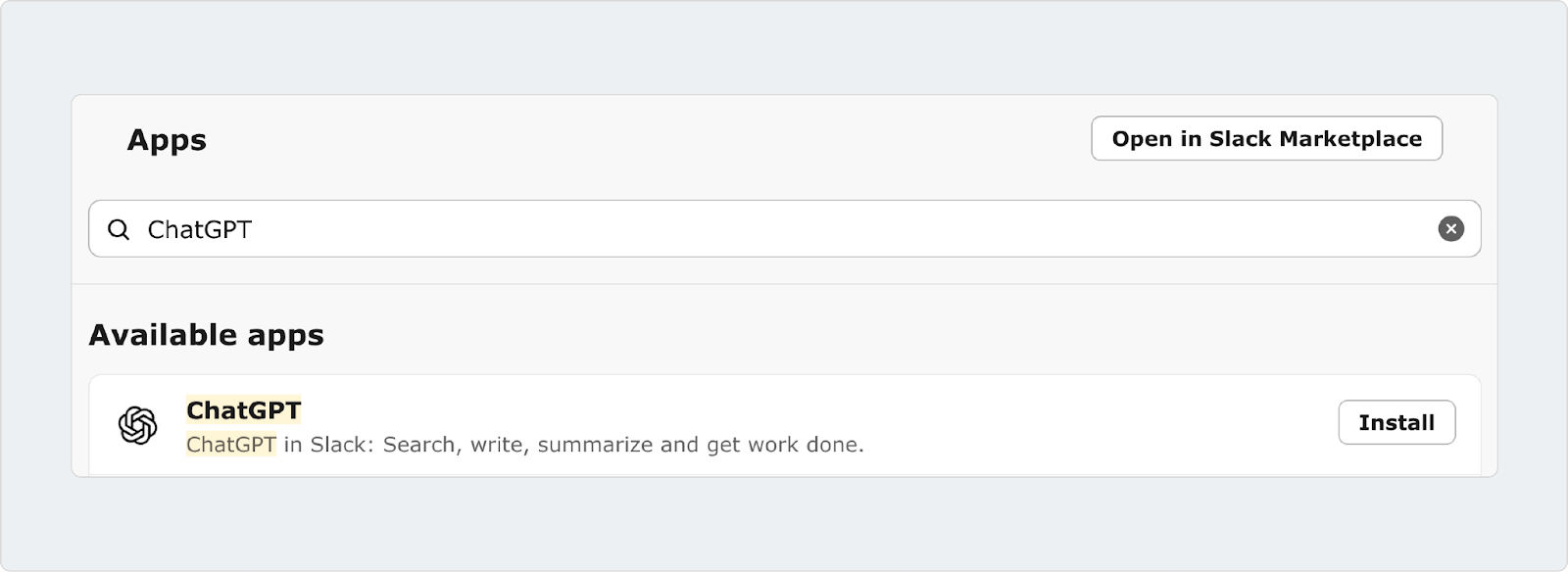
- Click Install. It will take you to the Slack Marketplace page where you need to click Add to Slack to add the app to your workspace. This opens an OpenAI page where you can manually start the installation process.
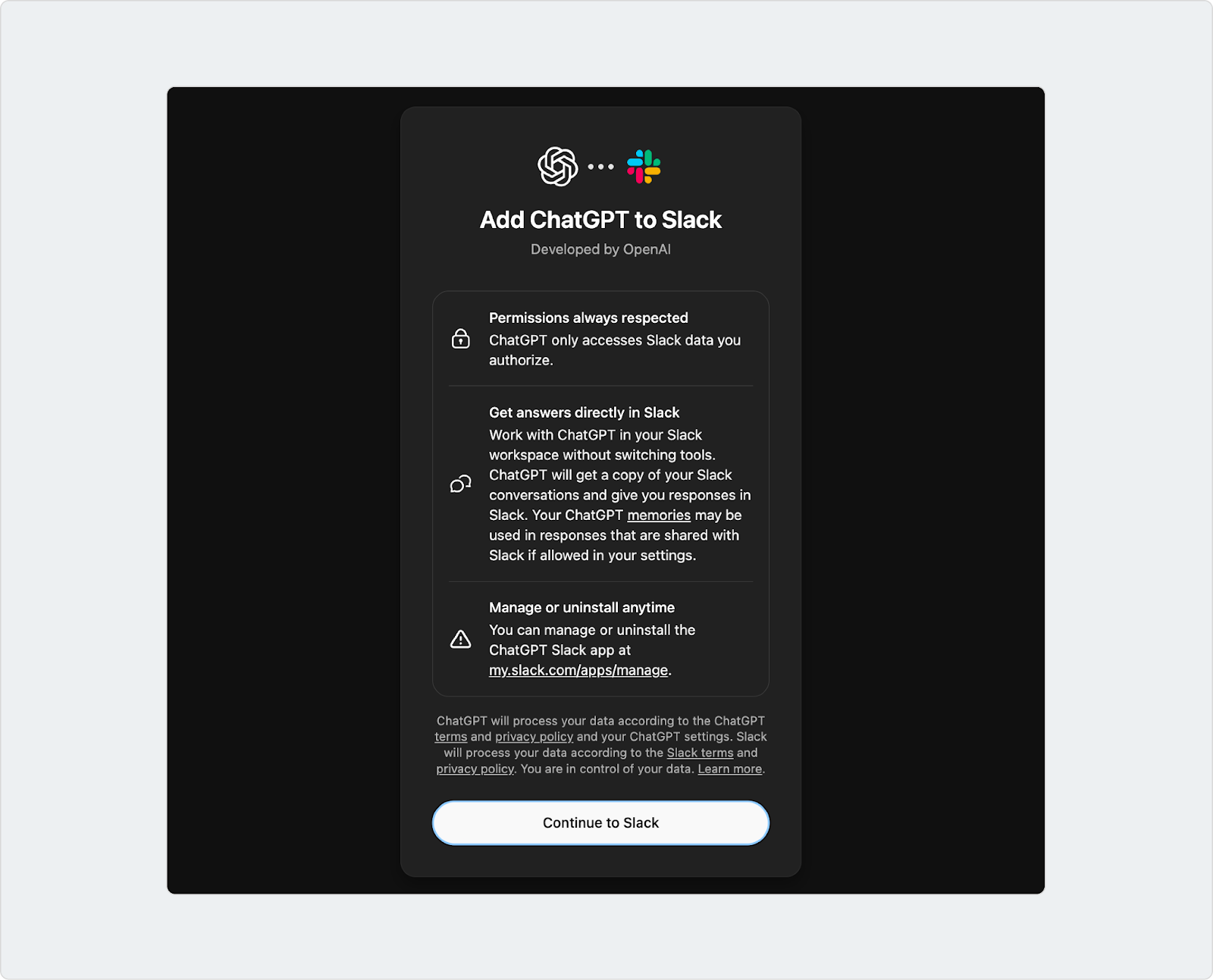
- Go through Slack’s permissions / authentication flow (may require admin approval depending on workspace settings).
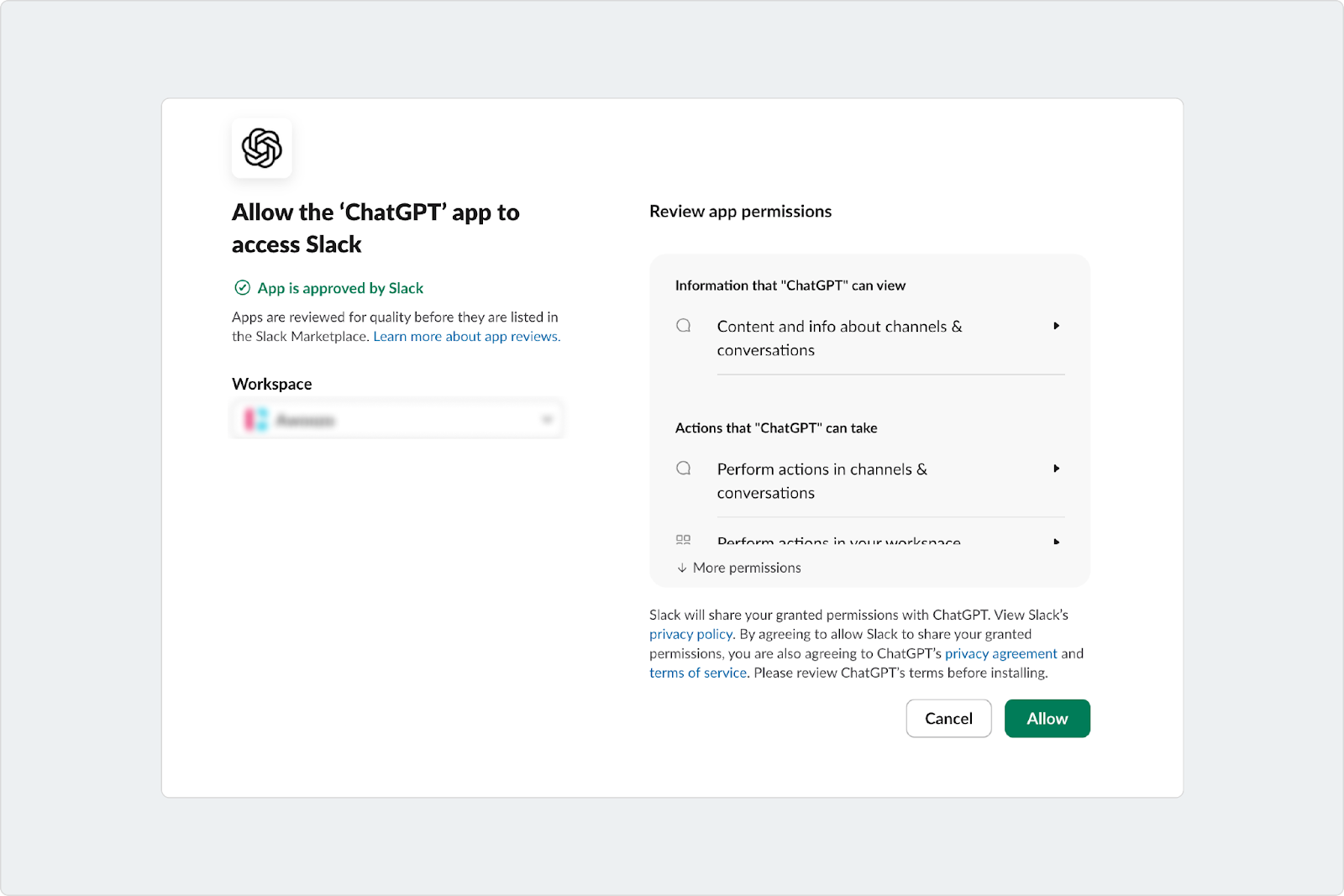
- Done. You can now use ChatGPT in Slack’s dedicated sidebar (summaries, drafting replies, searching messages you already have access to).
What the ChatGPT Slack Integration Does Really Well
Slack is where decisions happen, questions get answered, and work moves forward. The ChatGPT Slack integration is designed to support that reality by adding AI assistance directly inside Slack.
1. Fast Summaries for Long Slack Conversations
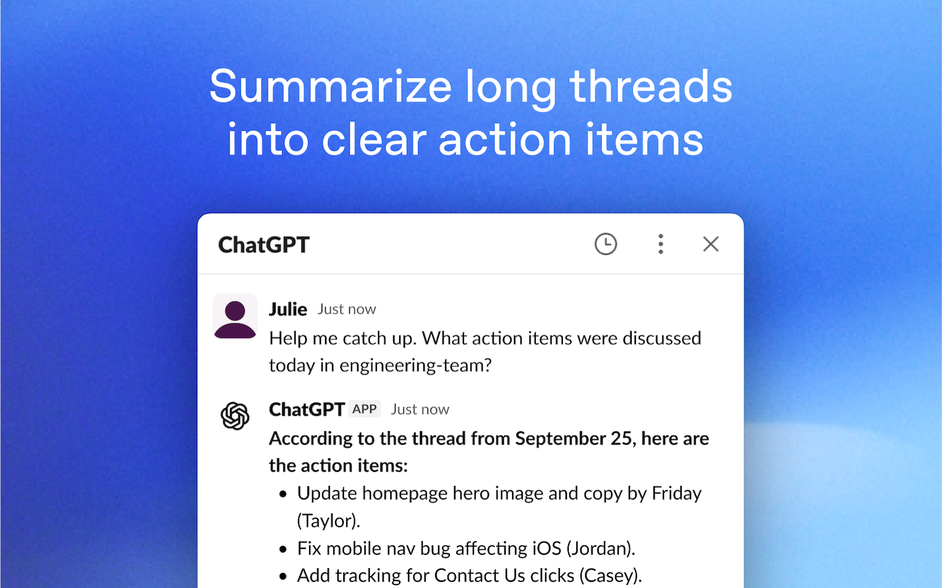
One of the strongest capabilities of ChatGPT's Slack integration is summarization. When a thread or channel becomes long and noisy, ChatGPT can generate a concise summary that captures the core issue, key points discussed, and remaining tasks.
This is especially helpful when someone joins a conversation late, returns from time off, or needs a quick understanding of what was already discussed without reading dozens of messages.
2. More Effective Search Across Slack Messages and Files
Slack search often depends on remembering the exact words used in a message. ChatGPT improves this experience by allowing users to ask questions in natural language and retrieve relevant messages and files they already have access to.
On supported Slack plans, this includes semantic search, which means results are based on meaning rather than exact phrasing. This makes it easier to find past decisions, solutions, or context, even when the original wording is unclear.
3. Writing and Rewriting Messages Inside Slack
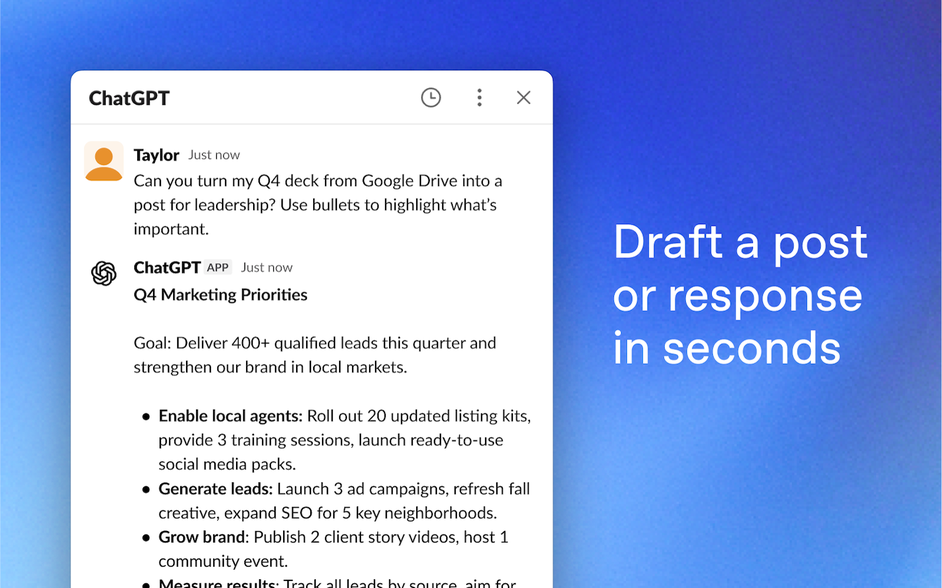
The integration also works well as a writing assistant. Users can draft messages, refine responses, and improve clarity directly inside Slack. This is useful for internal updates, customer replies, and sensitive messages that need careful wording. By handling drafting and rewriting in the same place where conversations happen, teams can respond faster without sacrificing quality or tone.
4. Answers Grounded in Real Slack Context
When properly connected, ChatGPT can use Slack context to inform its responses. Instead of giving generic answers, it can reference conversations, threads, and files the user has access to. This makes the assistant more relevant and practical for day-to-day work.
The result is an AI assistant that feels aware of ongoing discussions rather than disconnected from how the team actually works.
5. Slack Native Permissions and Security
The ChatGPT Slack app follows Slack’s existing permission model. It can only access messages and files the user is already authorized to view, and workspace administrators control how the app is installed and used. This alignment with Slack’s security model makes it easier for organizations to adopt without introducing new data access concerns.
When the ChatGPT Slack Integration Is the Right Fit
The ChatGPT Slack integration can deliver real value without additional tooling when the goal is more transparent communication rather than structured execution. In the right environment, it works well as a lightweight assistant that improves speed, understanding, and message quality. This section outlines the situations where the official ChatGPT app is usually sufficient on its own.
1. Your Main Goal Is Faster Understanding and Clearer Communication
If most Slack interactions revolve around understanding conversations, summarizing decisions, or drafting replies, the ChatGPT Slack app fits naturally into daily work. Inline summaries reduce scrolling, semantic search helps surface past context, and rewriting tools improve clarity in seconds.
In these cases, the problem is not managing work but making sense of conversations quickly. ChatGPT directly addresses that need.
2. Slack Is Not Your Primary System of Record
The integration works best when Slack is used primarily for discussion and alignment, with real work tracked elsewhere. Teams that rely on tools like Jira, Zendesk, Linear, or email as their source of truth can use ChatGPT in Slack as a productivity layer without needing additional structure inside channels.
Slack remains conversational, and ChatGPT enhances it without trying to turn it into a workflow engine.
3. Missing a Message Is Not Business Critical
Some teams operate without strict service level agreements or time-bound response requirements. In these environments, the occasional missed message does not create a serious risk.
ChatGPT improves comprehension and reduces friction, but it does not actively monitor conversations to determine when responses are needed. If that trade-off is acceptable, integration is often sufficient.
4. Your Team Is Small and Shares Context Easily
Smaller teams tend to rely on shared understanding rather than formal processes. With two to six people working closely together, ownership is often implicit and follow-ups happen naturally through conversation.
In this setting, ChatGPT streamlines workflow by accelerating summaries, improving responses, and reducing cognitive load without introducing unnecessary complexity.
Where the ChatGPT Slack App Starts To Fall Short for Support & Ops Teams
The ChatGPT Slack app makes conversations easier to understand. But when Slack becomes the primary intake channel for support, operations, or internal requests, clarity alone is not enough. This is where gaps start to appear. Below are the main areas where the ChatGPT Slack integration struggles once teams move from conversation to execution.
1. The App Is Reactive Rather Than Proactive
ChatGPT in Slack only responds when someone actively asks it a question. It does not continuously monitor channels, identify unanswered requests, or detect when a conversation has stalled. If no one prompts the app, nothing happens.
In support and operations environments, this creates risk. Requests can sit idle in busy channels, especially as volume increases or multiple teams become involved. Without proactive detection or timely nudges, important issues can still slip through unnoticed.
ClearFeed, by contrast, continuously monitors conversations and can trigger actions based on configurable rules. For example, it can automatically escalate a request that remains unanswered for two hours, reassign a stalled ticket when response targets are missed, or launch a workflow when specific keywords appear. This helps teams identify and act on issues before customers need to follow up.
2. No Built-In Ownership or Accountability
After ChatGPT summarizes a thread, the responsibility still ends there. The app cannot assign an owner, set a status, track response times, or enforce service-level agreements.
As a result, teams often revert to familiar questions such as who is handling this or when it is expected to be completed. The summary improves understanding but does not enable accountability or progress tracking.
3. Slack Messages Remain Just Messages
In many teams, especially support and ops, Slack messages are not just conversations. They are requests that need to be converted into tickets, tasks, or escalations with structured metadata.
The ChatGPT app cannot convert a clarified request into a managed item. It cannot enforce required fields, route requests to the correct queue, or maintain a centralized list of open work. Everything continues to live as messages scattered across channels and threads.
4. Knowledge Does Not Accumulate Over Time
While ChatGPT can answer questions and summarize threads, those answers remain within the Slack chat. Resolved discussions are not promoted into a shared knowledge base or indexed as repeatable solutions.
This means teams often revisit the same questions and ask whether something has been resolved, without an easy way to find the final answer. Knowledge remains fragmented across conversations instead of compounding into an operational memory.
As the knowledge evolves - and old conversations are no longer relevant (or worse - are wrong) - using old chats in Slack to answer new questions becomes risky.
In short, the ChatGPT app is great for understanding a messy thread. But it becomes challenging when Slack turns into an intake channel for support or ops. ChatGPT helps you read the conversation. It does not help your team run the queue. That is what ClearFeed is built for.
How ClearFeed’s AI Solves the Gaps (When Slack Is Your Help Desk)
ClearFeed is a conversational helpdesk built for teams that support customers and employees directly in Slack. Requests from Slack and other channels flow into a shared queue, so your team can track and respond without leaving Slack.
Here is how ClearFeed’s AI helps in practice:
- It turns “reactive” into “proactive” triage flow: ClearFeed can monitor request channels and private DMs in Slack and automatically suggest answers from your connected knowledge sources and IT tools, so requesters get help by default. It automatically triages issues before involving human agents.
- It helps your team respond faster with ClearBot Assist: In the triage channel, ClearBot Assist automatically summarizes long threads, gives agents one-click access to a customer’s last five requests with links, and lets them respond quickly using saved reply templates. It also integrates with AI Agents to provide context-aware suggestions based on your knowledge base and conversation history.
- It keeps answers consistent by grounding them in your docs: ClearFeed’s AI Agents answer questions using linked knowledge sources, so responses come from your actual documentation, not just Slack content. At the same time, it can also search old conversations as a fallback for generating answers.
- Can help you improve documentation continuously using DocAssist - thereby
- It supports multiple modes, based on your risk tolerance: You can run a Virtual Agent where answers are automatically posted to the requester, or an Agent Assistant where answers are only shown to responders for review before sending.
- It adds structure automatically with AI Fields: AI Fields extract details from the conversation and auto-fill fields such as category, urgency, sentiment, and more. This reduces manual tagging and simplifies routing and reporting.
- It can take actions, not just draft text: AI Agents can go beyond Q&A and trigger actions in connected tools, like creating a Jira ticket or updating a HubSpot ticket, based on the conversation context.
- It is configurable for tone, safety, and model choice: You can customize how the bot responds, set appropriate safety controls, and bring your own AI model when needed. Unlike ChatGPT, ClearFeed converts Slack conversations into trackable tickets with unique IDs, such as CF-1234, that are visible to customers. AI-powered fields automatically extract details such as issue type, sentiment, and predicted satisfaction from each conversation, reducing manual data entry and ensuring nothing falls through the cracks. Teams can also create tickets in external systems such as Zendesk, Jira, or Salesforce without leaving Slack.
If you are already using Slack for real support work, the fastest way to see whether ClearFeed is right for you is to test it in your own channels. Start a free 14-day trial and run a small pilot with one or two customer or help channels to see how the AI fits your workflow. If you prefer a guided walkthrough, book a personalized demo, and we’ll map ClearFeed to your exact setup, including your triage flow, routing rules, and existing tools. Beyond Slack, ClearFeed can monitor customer requests from email, web chat widgets, Microsoft Teams, Discord, Telegram, and customer portals—all funneled into a unified inbox so your team can maintain consistent SLAs and response quality across every channel.
Frequently Asked Questions
How do I connect ChatGPT to Slack? Is it different for different workspace types?
The process is the same for all workspace types—personal, team, or enterprise. You search for the official ChatGPT app in the Slack Marketplace, click Install, and follow the authentication flow. The only difference is that enterprise workspaces may require additional admin approval. Once connected, ChatGPT is immediately available in your sidebar.
Is the ChatGPT Slack app free? What are the costs?
The ChatGPT Slack app itself is free to install. However, to use ChatGPT features inside Slack, you’ll need an active OpenAI subscription (ChatGPT Plus, Team, or API credits). The cost depends on your OpenAI plan—not on Slack. Your Slack subscription does not change.
Does ChatGPT in Slack have access to all my messages and files?
No. ChatGPT only accesses messages and files you’re already authorized to view. If you’re in a private channel, ChatGPT can only see content in that channel. If you’re viewing a file, ChatGPT can analyze it, but it cannot see files you don’t have permission to access. This aligns with Slack’s existing permission model.
Can I use ChatGPT to automatically answer common Slack questions without my team’s input?
The official ChatGPT Slack integration is reactive—it responds only when someone explicitly asks a question in Slack. It cannot proactively monitor channels, detect unanswered requests, or automatically answer FAQs. If automated triage and proactive assistance are what you need, you’ll want a tool purpose-built for that (such as an AI agent or a conversational helpdesk).
Can ChatGPT in Slack create tickets or escalate issues to my helpdesk?
No. ChatGPT can summarize and clarify a discussion, but it cannot convert messages into tickets, escalate to external systems, or trigger workflows. Everything remains in Slack. For structured ticket creation and routing, you’ll need additional tooling.
Which Slack AI bot is best—ChatGPT, Slack AI, or third-party alternatives?
It depends on your use case. The official ChatGPT Slack app excels at summarizing threads and drafting messages. Slack’s built-in AI features (AI search and summaries) are lightweight and included in many plans. Third-party AI agents are better if you need automation, ticket creation, or multi-system integration. For pure conversation enhancement, ChatGPT is the strongest. For team support workflows, you may need more.