Table of Contents

Customer context is critical in support operations. Details like which channel a customer is active in or what issues they've previously raised determine how requests are handled, routed, and prioritized. When this information is scattered across channels like email, Slack, Web Chat and Portal, requests are handled in isolation, and teams lack a single view of everything happening for a customer.
To address this, we’re introducing a customer-centric inbox as part of ClearFeed's comprehensive Omnichannel Ticketing solution. You can now organize all customer conversations across different channels in one place, enabling consistent routing, automation, and reporting. This means you can:
- Find all conversations for any customer instantly from ClearFeed Webapp
- Route tickets automatically to customer-specific triage channels in Slack
- Maintain consistent ownership and SLAs per customer
- Work from a unified customer view, regardless of request source
Let’s take a closer look at how this works.
How it Works
Customer-centric inbox keeps your support workflows organized around customers through a clear, controlled flow. Here's how it works:
1. Automatic creation of customer objects
At the heart of Customer-Centric Inboxes are Customer objects. ClearFeed will automatically try to create a new customer record when it sees a domain for the very first time. For example:
- When a new Slack Connect channel is added to ClearFeed
- When a request arrives from a verified new company email domain (excluding free domains like gmail.com)
In the case of Slack Connect channels ClearFeed tries to automatically identify the domain from the user domains or any other info available in the Channel. On creation of the Customer object - it will also automatically fill in Fields like Industry, Size, Region, Founded-Date etc - from public company databases. You can also manually create and edit customers from the ClearFeed Webapp.
2. Automatically link incoming requests to customers
When a new request is created, ClearFeed identifies which customer it belongs to based on the email domains or the Slack Connect or MS Teams channel associated with the customer. For example, if you add "acmecorp.com" as a domain for Acme Corporation, any request from someone@acmecorp.com will automatically link to that customer.
Multiple domains can be associated with a single customer, which helps when companies use different domains for subsidiaries or regions. If there is no existing customer record when a new request arrives - ClearFeed will automatically try to create a new customer record first
3. View all customer activity in one place
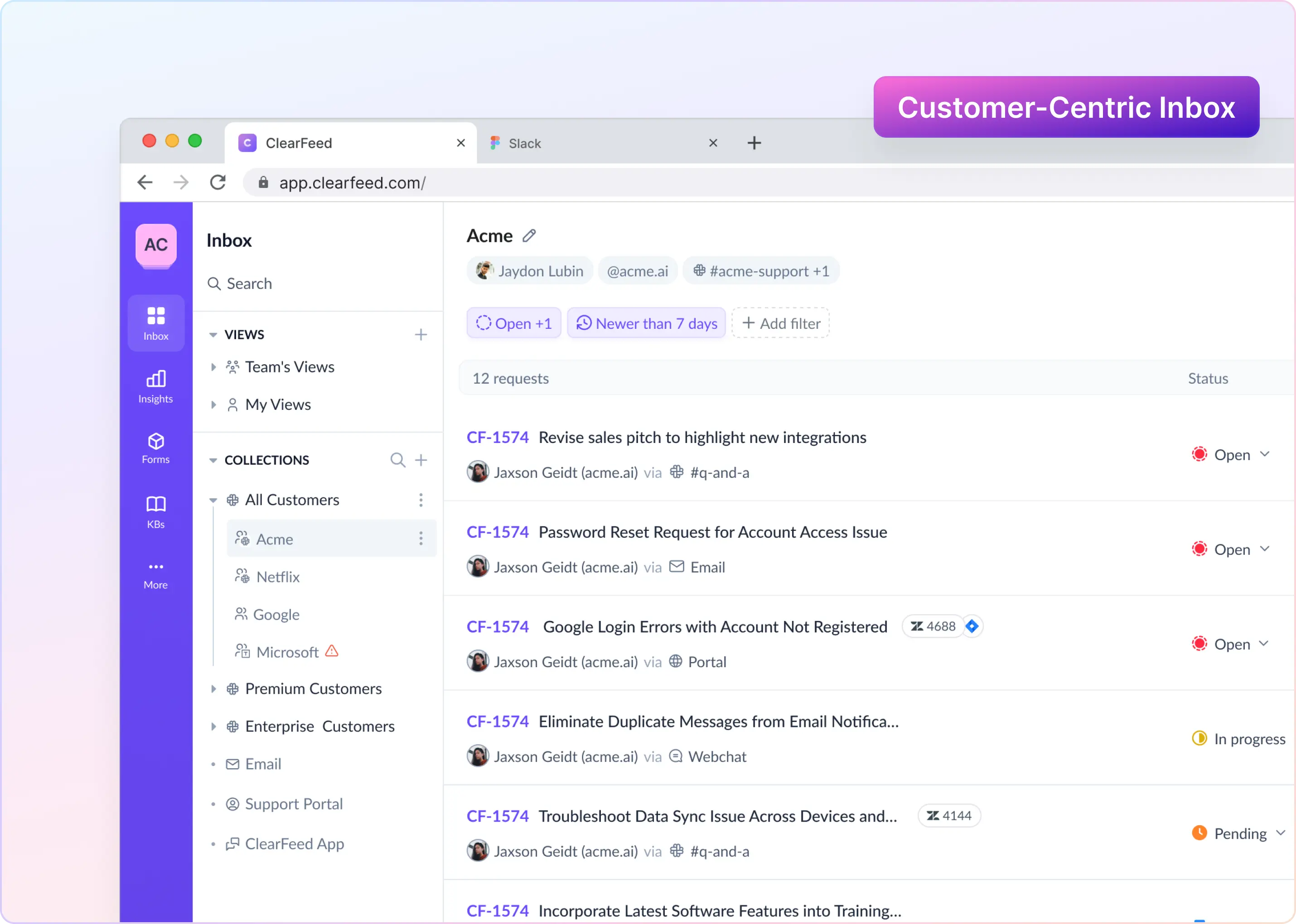
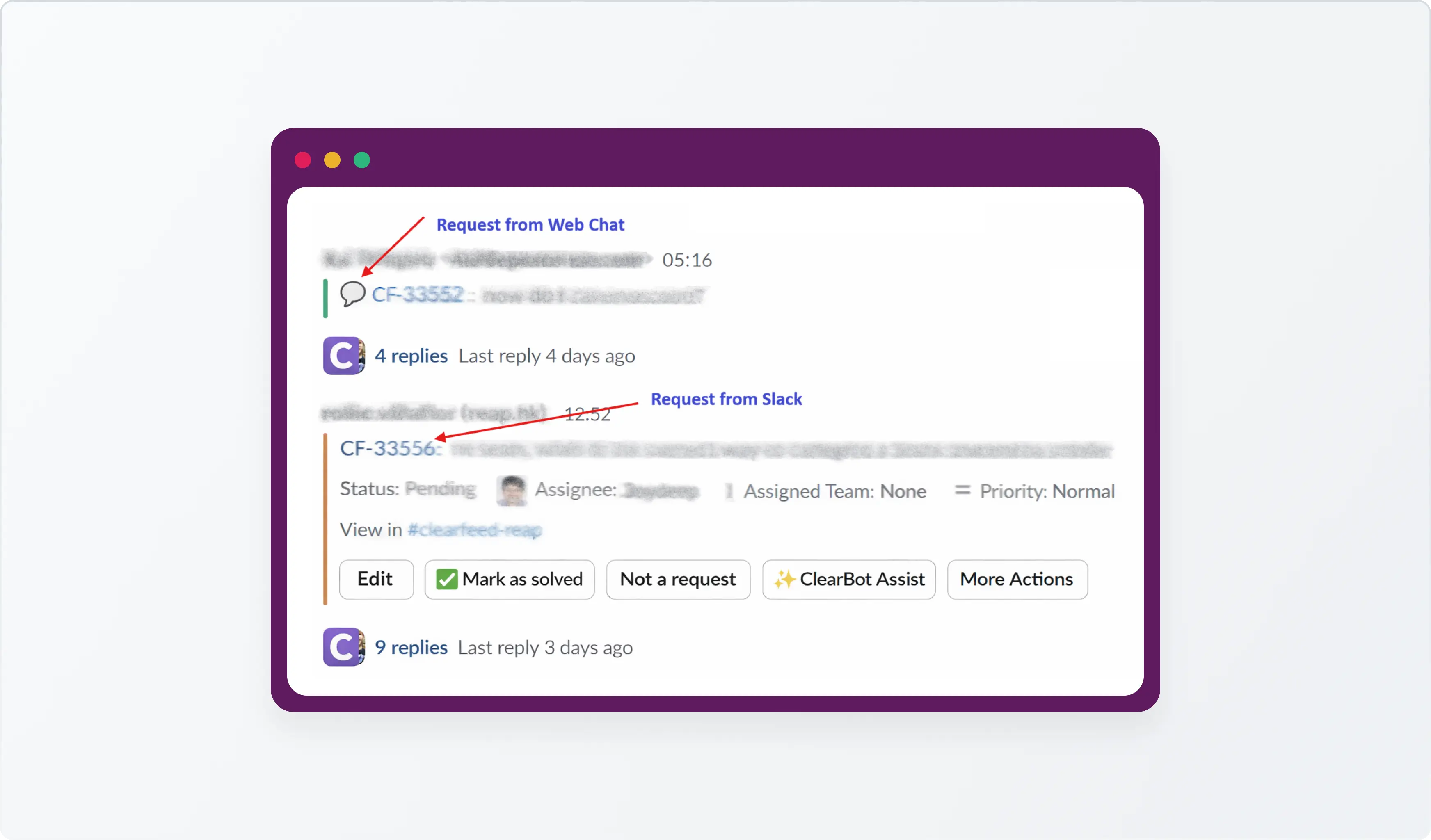
Once a request is linked to a customer, ClearFeed unifies it into one customer-centric inbox. This view brings together all of the customer’s conversations and tickets, from Slack, email, web chat, and the portal, without losing the original context of each request. Now, when you look at a customer’s activity, you see everything that customer has asked about across all channels in one place.
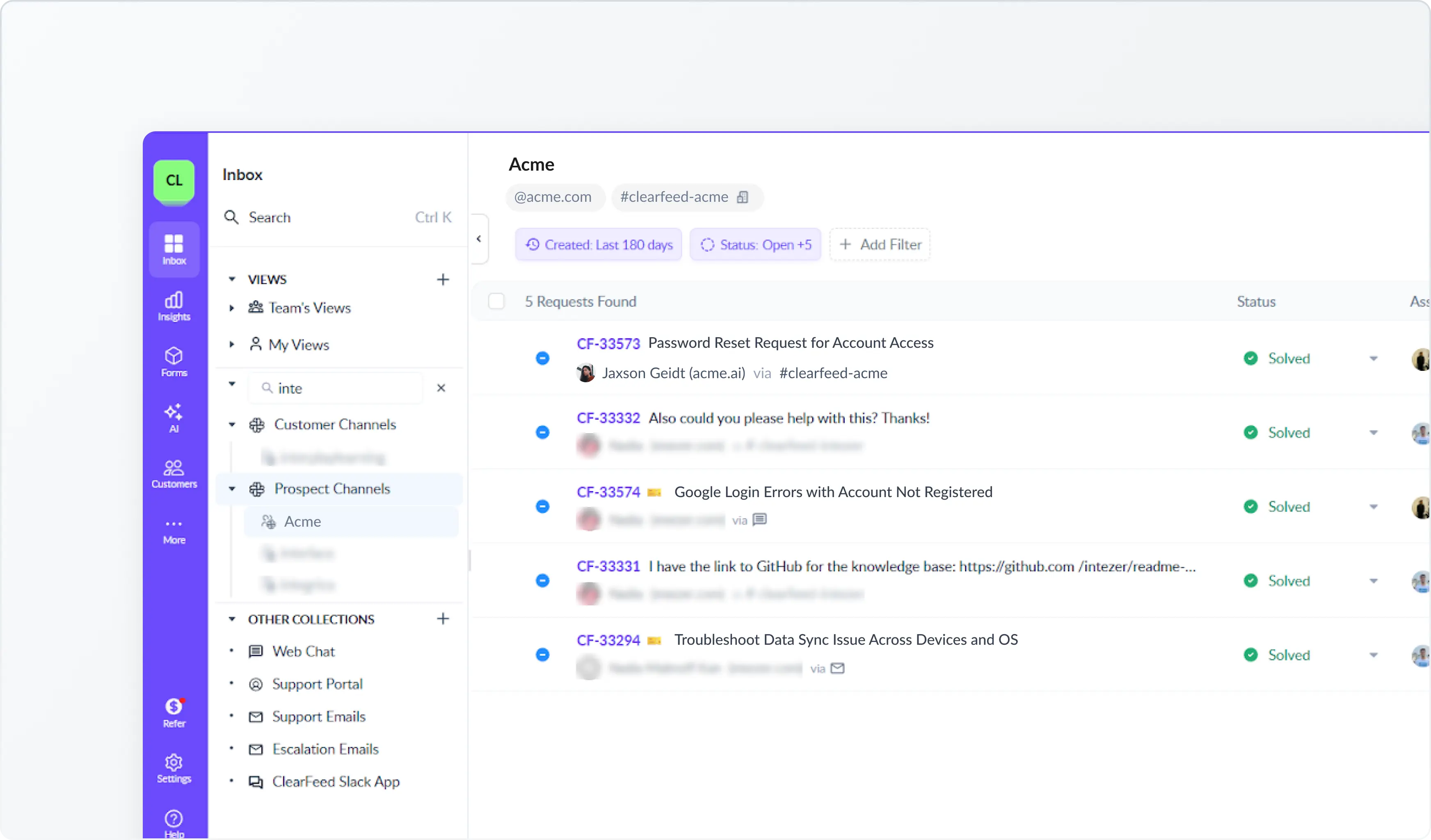
Users using Slack Triage channels to respond to customers can also have all customer chats across Emails, Slack, WebChat and Portal consistently landing in one Triage Channel. Example screenshot below:
4. See Customer Context in Slack Triage
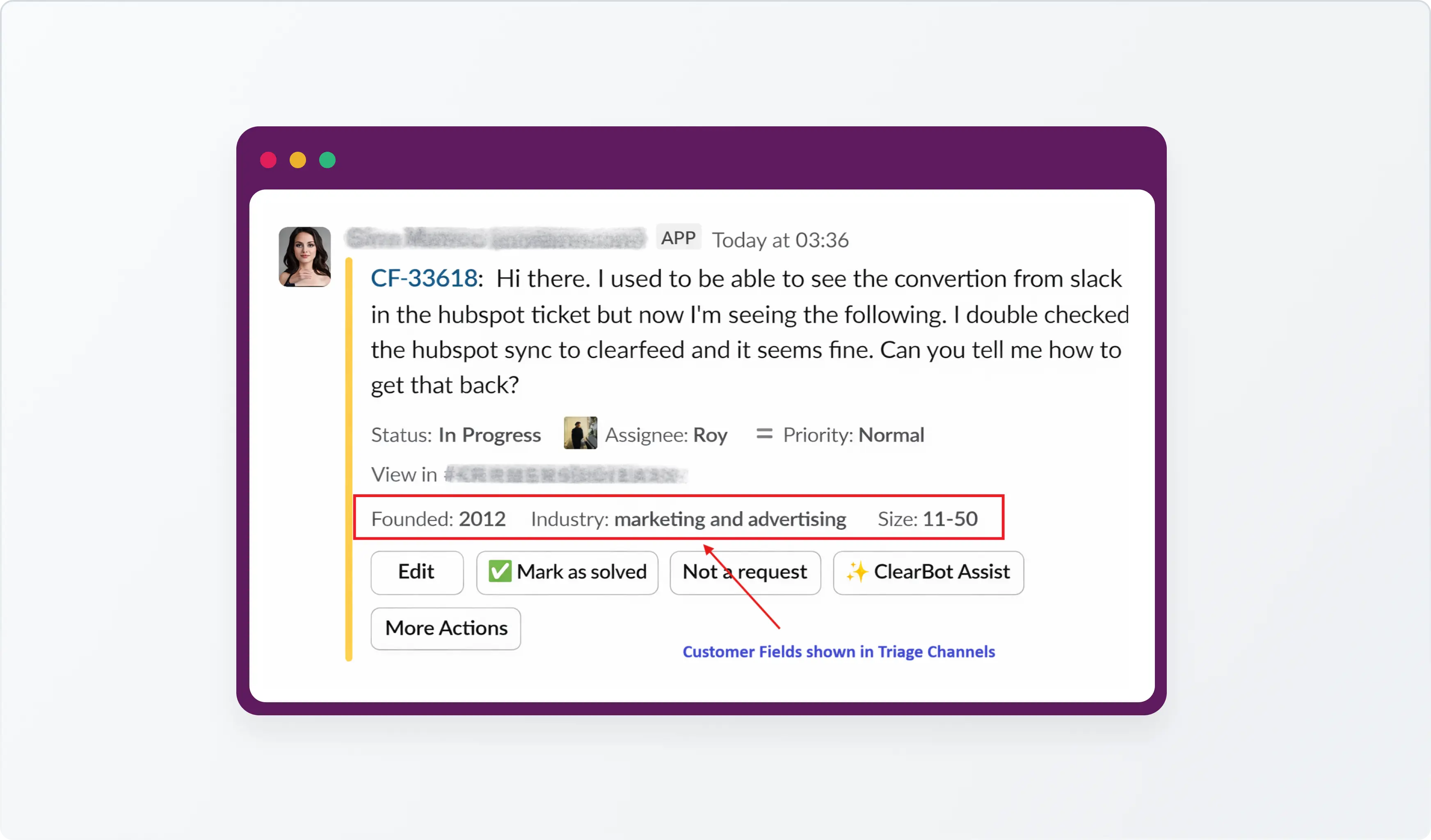
You can view key customer information like country, founding date, size, etc. in Slack Triage messages. This gives your team instant customer context without switching tools. The example below shows how some auto-populated customer attributes are available in the Triage channel
5. Apply Customer-Level Routing
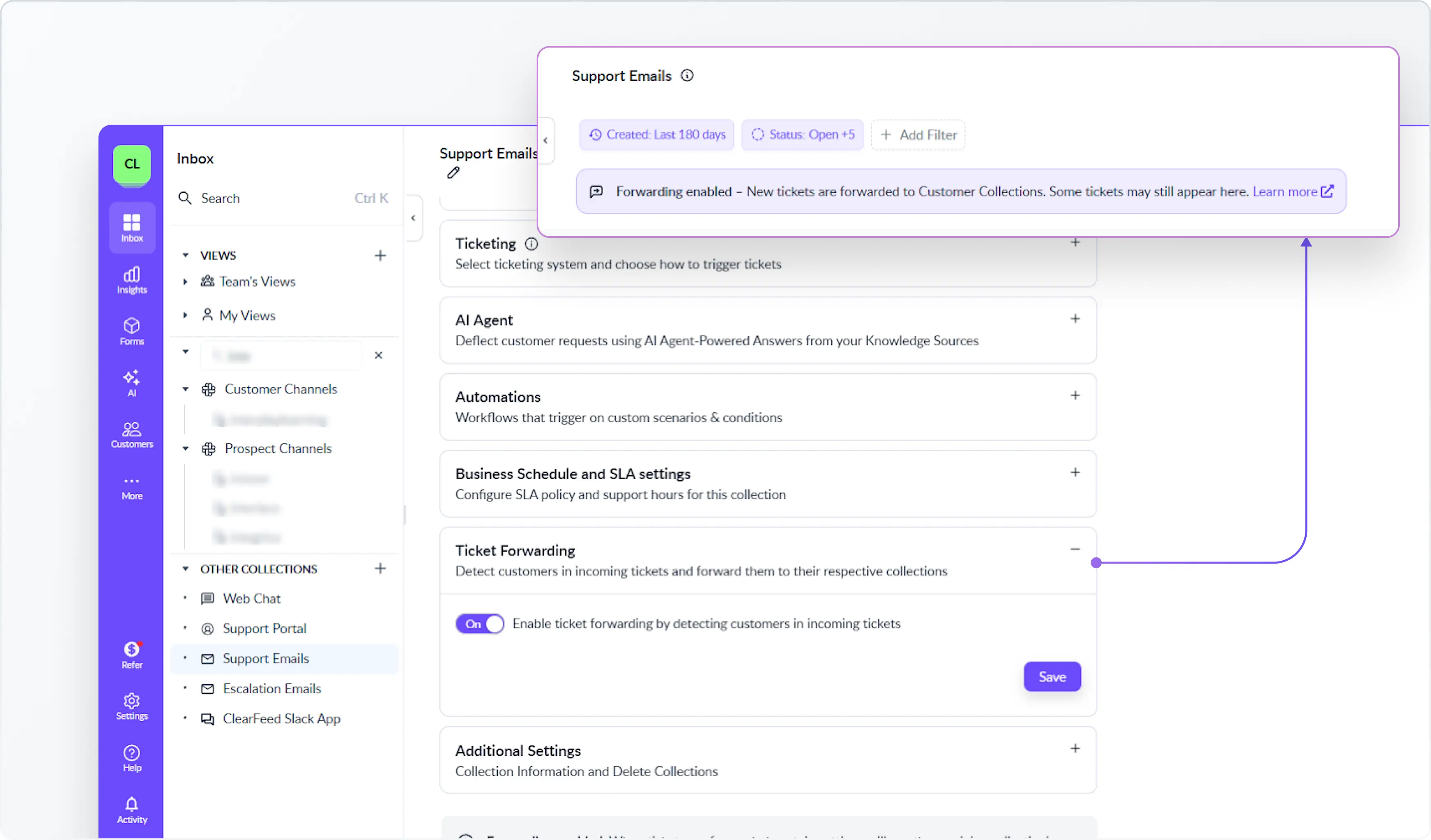
You can route requests based on the customer they belong to (instead of the source (Email, Web Chat, Portal, etc.)). This can be done by enabling Forwarding in ClearFeed - so that requests that are linked to a customer automatically go into that customer’s collection instead of staying in the original source inbox. This helps you organize work consistently around the customer rather than the sourcel it came from.
6. Maintain Consistent Ownership and SLAs
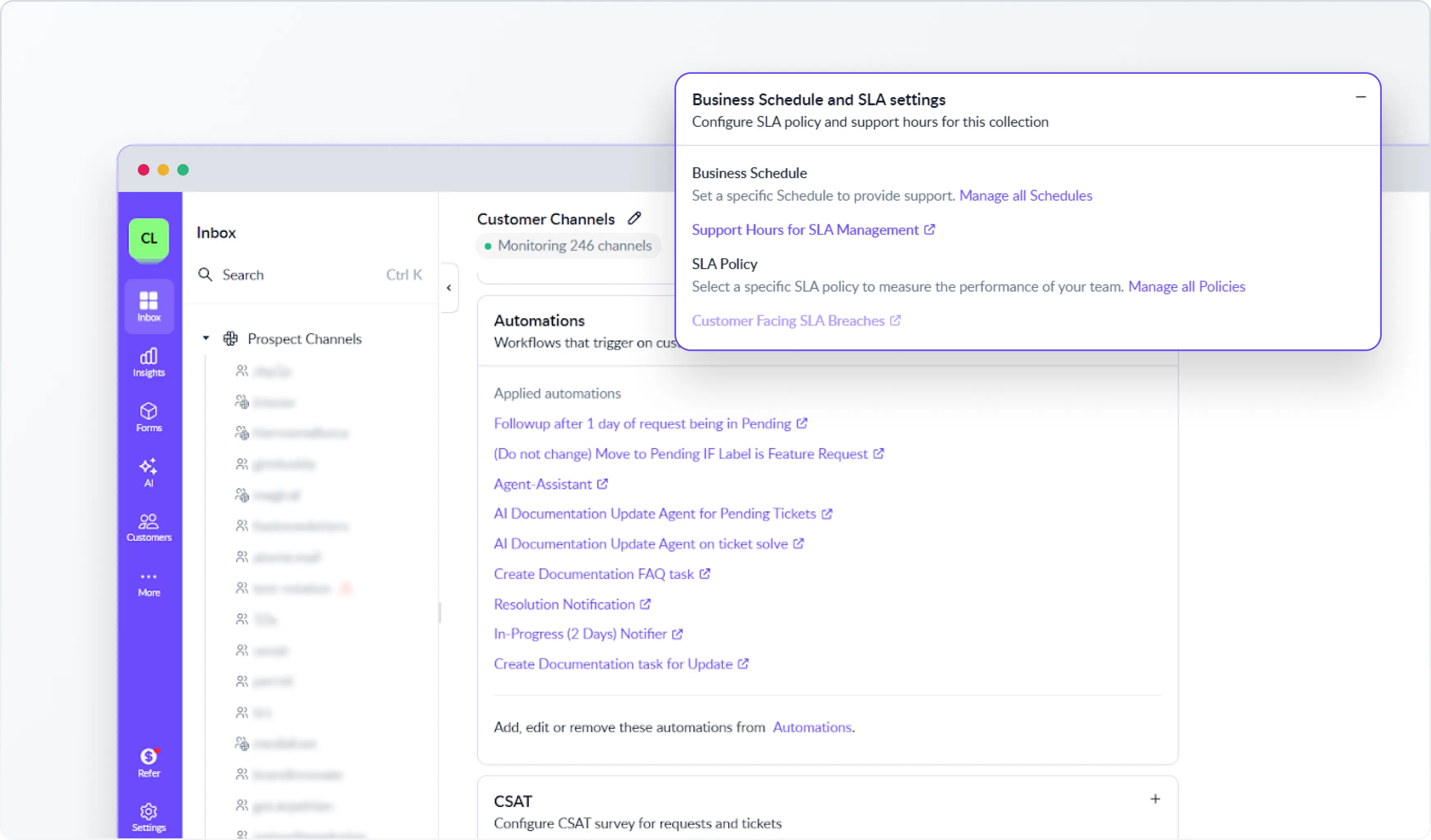
With customer-based routing, assignment rules, owner assignments, SLAs, and automations are applied at the customer collection level. This ensures requests from the same customer follow consistent policies regardless of which channel they arrived through.
For example, you can create separate collections for Enterprise Customers and Standard Customers and apply different SLA policies, assignment rules, and custom automations based on the customer segment.
Wrapping Up
Customer-centric inbox help support teams work with complete customer context by keeping all conversations visible and routing intelligently based on customer attributes. By bringing customer data directly into Slack and organizing requests by customer rather than channel, teams can make better decisions, run more reliable automations, and deliver support that reflects the true state of each customer relationship.
If you want to learn more about the new functionality, please reach out to us on Slack or email us at support@clearfeed.ai or book a personalized demo here.