
August 26, 2026

6 Best Slack-Zendesk Integrations in 2026

WRITTEN BY
Happy Das
6 Best Slack-Zendesk Integrations in 2026
Table of Contents

You can turn a Slack message into a Zendesk ticket with just a button. After that, the workflow can fall apart pretty fast.

The customer adds more context in Slack while an agent replies from Zendesk. An engineer leaves a private note. Someone closes the ticket, and the customer responds five minutes later.

Soon, the Slack thread and Zendesk ticket contain different information. The team has to work out which one is current.

A good Slack–Zendesk integration keeps those conversations connected. Some tools post ticket alerts in Slack. Others sync selected fields or link the original Slack thread to the Zendesk ticket throughout its lifecycle.

They may all carry the same “Slack integration” label, but they handle very different parts of the support workflow.

We compared six options by looking at what happens after ticket creation. That includes where replies appear, which ticket actions agents can take, how private notes work, whether Slack Connect is supported, how much setup your team has to manage, and what the workflow costs in practice.

‍

How We Evaluated a Slack-Zendesk Integration

The right Slack-Zendesk integration depends on how much of the support workflow you want to run from Slack. At a minimum, look for an option that can:

  • Keep Slack threads and Zendesk tickets linked across the full conversation.
  • Clearly separate public replies from private/internal notes.
  • Ability to use rich forms to create Zendesk tickets from Slack
  • Give agents and requesters the ability to update tickets in Slack.
  • Support the channel types you use, including private messages and Slack Connect
  • Ability to use Zendesk KBs to answer user queries in Slack
  • Reply to tickets originating outside Slack from within Slack
  • Use a pricing model that makes sense for your ticket volume and team structure.

These details can make a big difference once you move beyond basic ticket creation. For a deeper breakdown of what to evaluate, read our complete guide to choosing a Slack-Zendesk integration.

‍

TL;DR

Capability ClearFeed Zendesk for Slack Wrangle Unito Zapier Workato
Two-way Real-time sync between thread and ticket ✅ Yes ⚠️ Notification thread only ✅ Wrangle-first, syncs to Zendesk ⚠️ Configurable ❌ Must build ⚠️ Must build
Public replies and private/internal notes are separated ✅ Yes ⚠️ Internal notes only from Slack ✅ ⚠️ Field-map dependent ❌ Must build ⚠️ Must build
Edit ticket fields and close tickets from Slack ✅ In Slack itself) ❌ ✅ Via Wrangle portal ❌ ❌ ⚠️ Via Workbot (must build)
Slack Connect (external customer channels) supported ✅ Yes ⚠️ Limited — replies from multi-workspace Slack Connect don't return to the ticket ✅ ⚠️ Depends on Flow ⚠️ Depends on Zap ⚠️ Depends on recipe
Private channels and DMs supported ✅ Yes ✅ ✅ ⚠️ ✅ ✅
Reply from Slack to tickets originating outside Slack ✅ Reverse flow ⚠️ Side-Channels only for internal collaboration ⚠️ Wrangle-first ⚠️ Data sync only ⚠️ Via Zap ✅
Create Tickets with Forms from Slack ✅ Reverse flow ❌ ✅ ⚠️ Complex Setup ⚠️ Complex Setup ⚠️ Complex Setup
Answer questions in Slack from Zendesk KB ✅ ❌ ❌ ❌ ❌ ❌
Pricing shape Ticket or Channel volume, no per-agent seat Per-agent Zendesk seat Per-agent (min 3 on Scale) Items-in-sync (in-app) Per-task Credit-based

‍

6 Best Slack Zendesk Integrations in 2026

1. ClearFeed

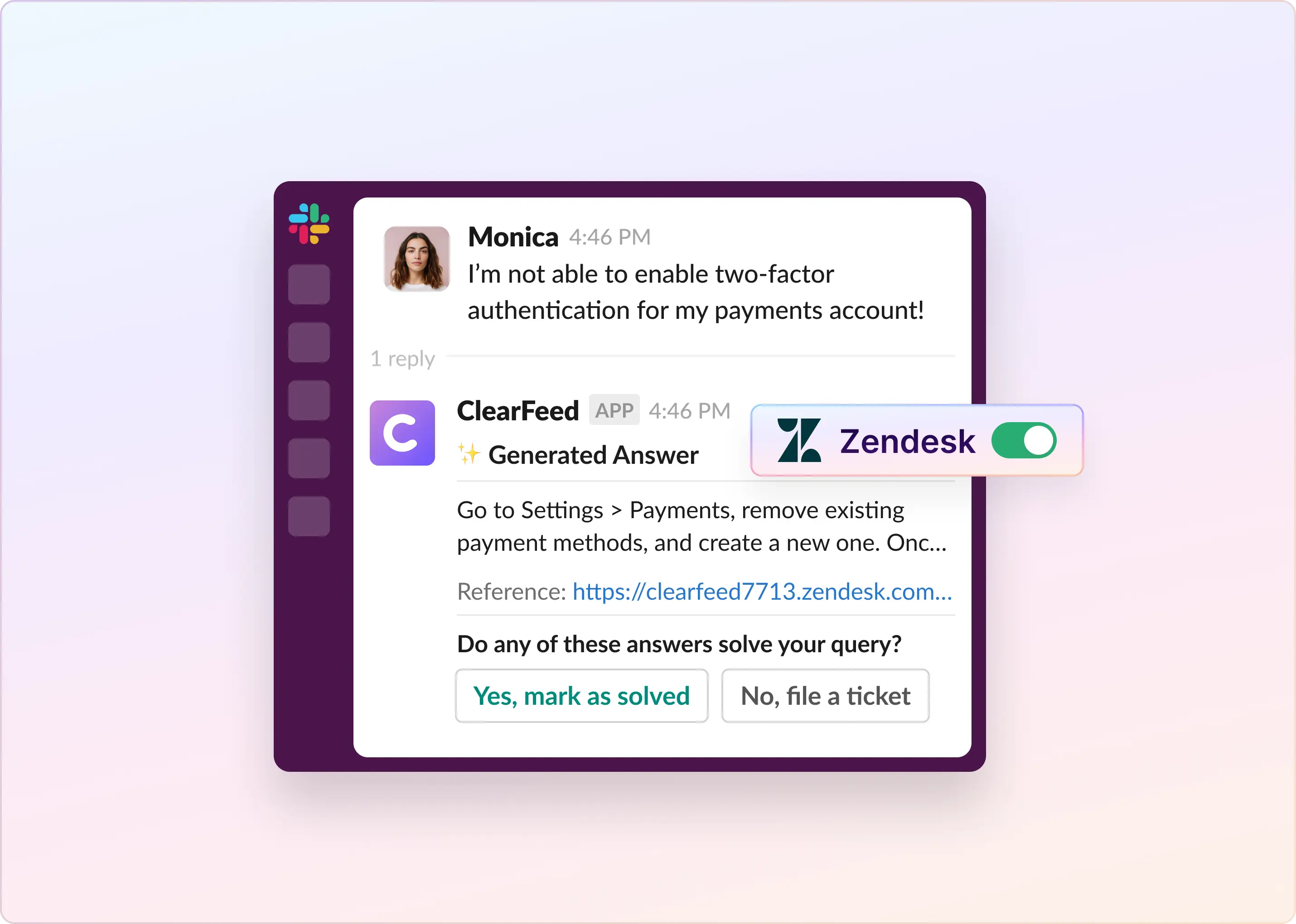
ClearFeed is built for support teams that serve customers in Slack while managing support operations in Zendesk. A request can start in a Slack thread, become a Zendesk ticket, and remain connected as agents reply, add internal notes, update fields, or resolve the issue. Customers stay in Slack while support teams keep Zendesk as the system of record for queues, SLAs, workflows, and reporting.

Chronosphere took a similar approach as it expanded support across its customer Slack channels. Rather than replace the Zendesk workflows and SLAs its team already relied on, it connected them to Slack through ClearFeed. Setup took about five minutes, and during the rollout, the share of tickets created through ClearFeed grew from 12% to 86%.

Key Features

  • Create Zendesk tickets automatically, by emoji reaction, or from a Triage Channel
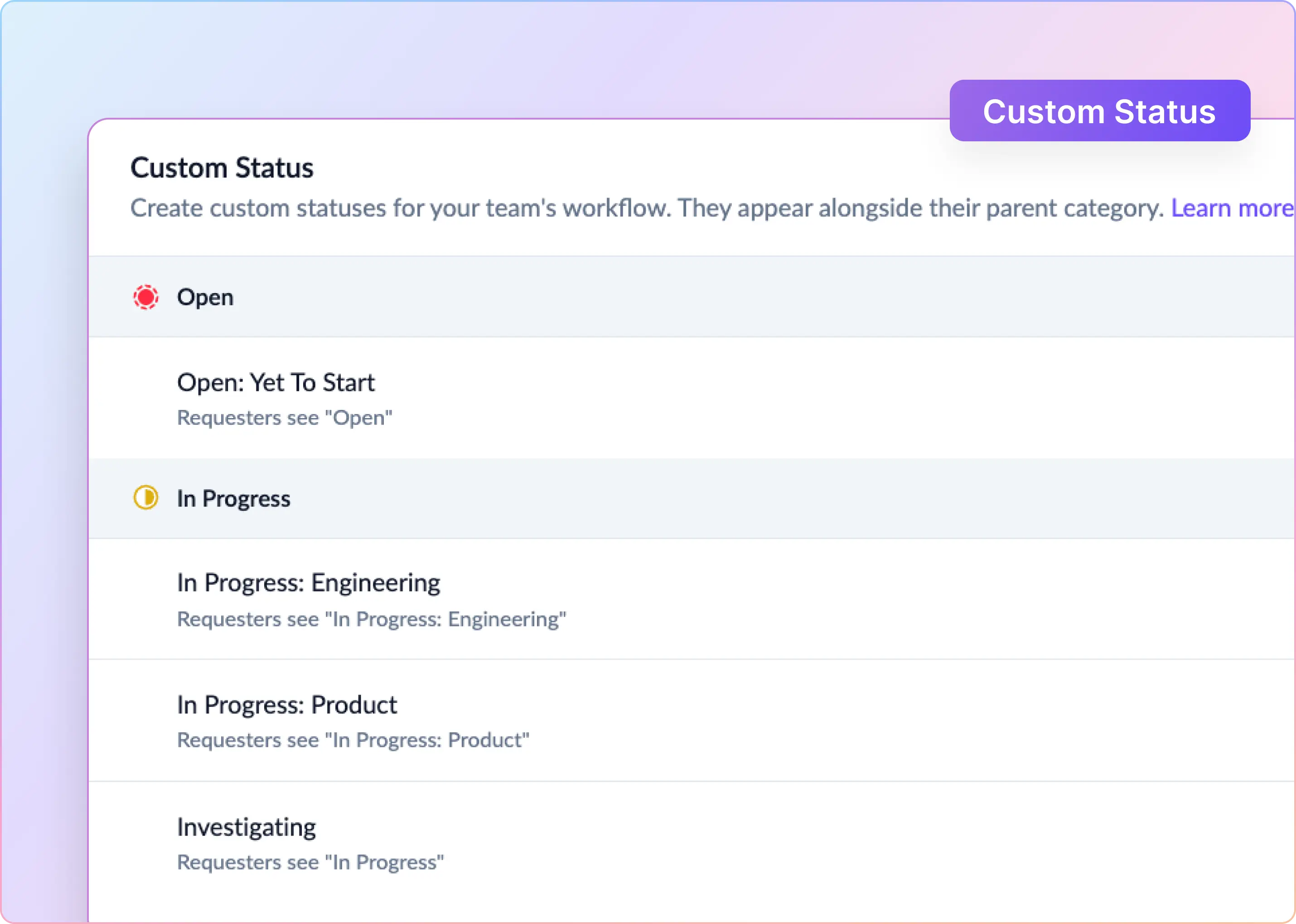
  • Sync public replies, internal notes, message edits, and ticket statuses, including custom statuses, between Slack and Zendesk
  • Control message sync globally or per ticket with two-way, Slack-to-Zendesk, Zendesk-to-Slack, or no-sync modes
  • Use Zendesk forms with supported conditional fields, defaults, hidden fields, and “required to solve” rules
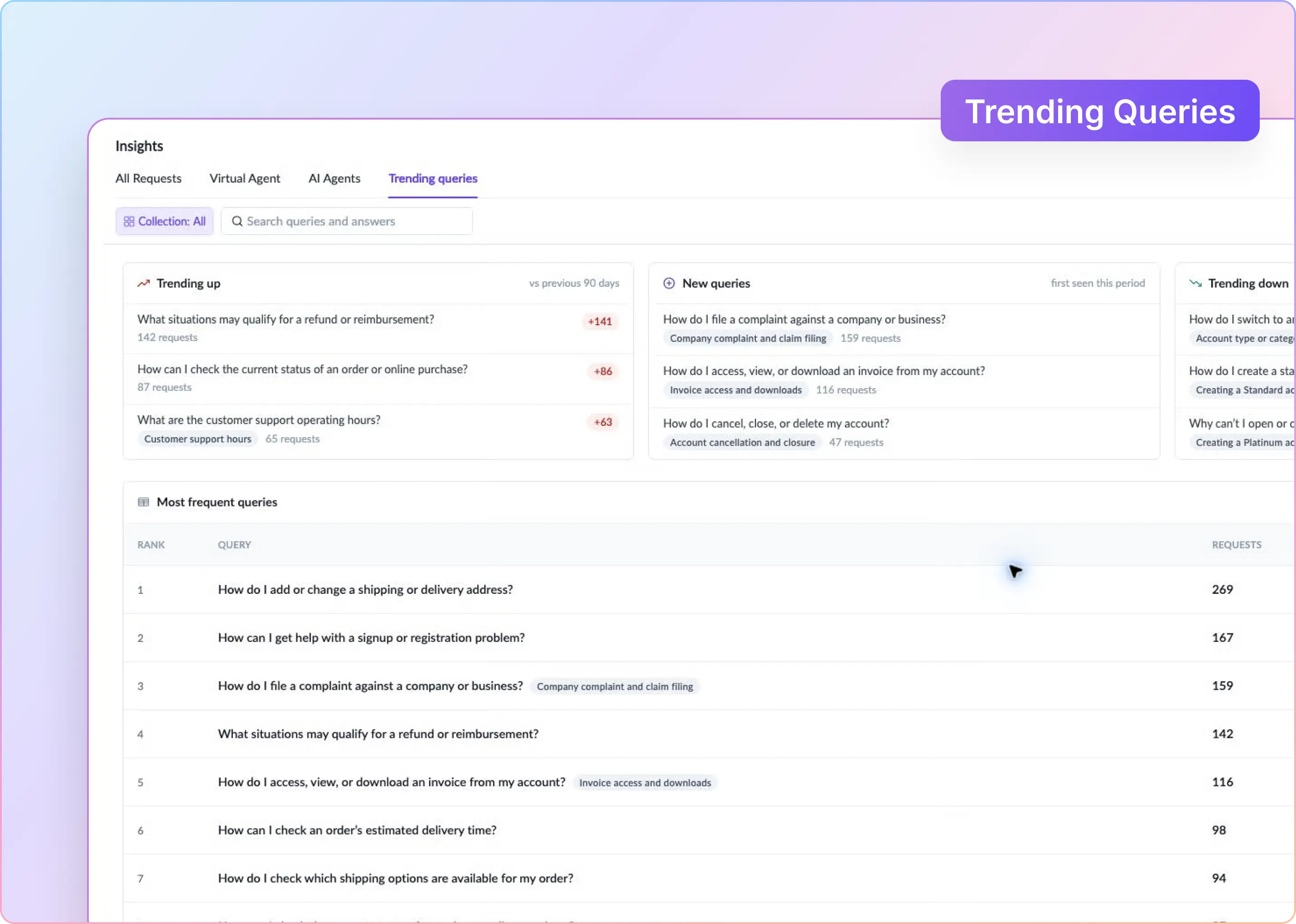
  • View and edit ticket details, reply publicly, add internal notes, assign tickets, and solve them from a Triage Channel
  • Bring selected emails and Help Center tickets into Slack for replying and management through Slack (reverse flow).
  • Create follow-up tickets when requesters send substantive replies after closure
  • Sync 2-point or 5-point CSAT responses to the linked Zendesk ticket
  • Automate supported status transitions and thread summarization with AI

The Zendesk integration guide is the source of truth for supported actions, fields, and configuration.

Pros

  • ClearFeed handles thread-ticket association, requester identity, author attribution, message direction, and post-closure replies.
  • Ticket- or channel-volume-based pricing avoids requiring every engineer, CSM, or operations teammate participating in Slack support to become a paid agent.
  • Existing Zendesk forms, routing, and resolution requirements can remain intact, avoiding the need to create a separate Slack intake model.
  • Zendesk remains the system of record for tickets, queues, SLAs, and reporting.
  • Includes Answer Bot to reply to questions in Slack from Zendesk KBs.

Pliancy’s experience is one example of how this can work in practice. After spending a month evaluating its options, it chose ClearFeed. Its Information Technology Operations Manager described it as a “comprehensive Slack and Zendesk integration.”

Cons

  • Initial setup may require Zendesk admin permissions, and the integrator’s email must exist in both Slack and Zendesk.
  • Ticket-message screen configuration applies globally to each Zendesk integration rather than varying by channel or form.
  • Some advanced configuration requires assistance from ClearFeed support.

Pricing

For internal Slack channels, we charge by the number of Zendesk tickets created or synchronized each month.

Monthly ticket allowance Starter Professional
250 $49/month $89/month
500 $79/month $129/month
1,000 $109/month $189/month
2,500 $169/month $289/month

We discount annual subscriptions by 15%. Usage above the allowance is rounded up to the next 50-ticket slab. Our AI add-on starts at $20 a month for 100 requests.

‍

2. Zendesk for Slack

Zendesk for Slack is a straightforward option for teams that want Slack alongside their existing Zendesk workflow. Employees can create tickets from Slack, add comments, and collaborate with internal teammates, while agents continue to manage the ticket lifecycle primarily in Zendesk. Slack acts as an intake and collaboration layer, not as a fully synchronized customer support channel.

Key Features

  • Post Zendesk ticket notifications to designated Slack channels, including messages triggered by Zendesk business rules
  • Unfurl Zendesk ticket links in Slack with requester, status, and assignee details
  • Create Zendesk tickets from Slack messages using the built-in message action
  • Add supported public replies or internal notes from Slack
  • Start Side Conversations from Zendesk tickets into Slack channels or DMs for internal collaboration, available on Zendesk Professional and higher
  • Search Zendesk tickets from Slack using the /zendesk command

Pros

  • Built and maintained by Zendesk, with no separate third-party subscription beyond the required Zendesk plan.
  • Setup is handled in the Zendesk Admin Center via OAuth and requires minimal configuration.
  • Side Conversations provide a native way to involve engineering, product, or operations while keeping Zendesk as the system of record.

Cons

  • Designed primarily for internal collaboration rather than customer support in Slack, particularly Slack Connect.
  • Slack ticket creation uses a basic modal and does not expose custom Zendesk forms, conditional fields, or “required to solve” rules.
  • Slack threads and Zendesk tickets do not remain continuously synchronized. Subsequent Slack replies, including replies to ticket notifications generated from email or Help Center tickets, do not automatically become ticket comments.
  • There is no automatic ticket creation for every new Slack thread, emoji-based ticketing or resolution, or AI-driven triage, status transitions, and summarization.
  • Requester identity handling is limited, with no configurable fallback chain for missing Slack profile emails, shared inboxes, or Slack Connect users.

Pricing

Zendesk does not have a separate fee for the Slack app. Your cost comes from the Zendesk plan and any upgrade needed for the collaboration feature.

  • Support Team: $19/agent/month on annual billing
  • Suite Team: $55/agent/month on annual billing
  • Suite Professional: $115/agent/month on annual billing

‍

3. Wrangle

Wrangle is designed for teams that want to run a structured service desk without leaving Slack. Requests enter via forms, move through Wrangle’s queues, SLAs, assignments, and approval workflows, and then sync with the relevant Zendesk group. Slack becomes the team’s working help desk, while Zendesk receives the ticket data—though you’ll need to decide which system owns routing, reporting, and workflow rules.

Key Features

  • Sync tickets bi-directionally between Wrangle and Zendesk, including new ticket creation from either side
  • Sync supported ticket fields: status, assignee, priority, tags (with automatic reformatting), and followers whose email exists in Zendesk
  • Sync comments and replies across Wrangle, Zendesk, and Slack
  • Mirror ticket deletion — deleting a ticket in Wrangle also deletes the linked Zendesk ticket
  • Automatically post new Zendesk tickets to designated Slack channels

Pros

  • Your team gets a bidirectional link between Wrangle tickets and Zendesk tickets, with no additional configuration required for the core fields.
  • Ticket lifecycle events — deletion, assignee changes, follower updates, and priority — are kept in sync across both systems.
  • New Zendesk tickets can be automatically routed to Slack, giving agents visibility without leaving the channel.
  • Zendesk continues to hold the ticket record for teams that need Zendesk-based reporting alongside Wrangle's Slack workflows.

Cons

  • The Zendesk integration is limited to Scale, which requires at least 3 agents.
  • Wrangle's has custom statuses and form fields as unsupported.
  • Teams may maintain duplicate routing, reporting, and SLA rules unless they decide which system owns each one.

Pricing

The Zendesk integration is available on Wrangle Scale. Scale costs $59/agent/month on annual billing or $70/agent/month on monthly billing.

  • Three agents: $177/month annually or $210 month to month
  • Ten agents: $590/month annually or $700 month to month
  • Five Slack Connect channels are included; each additional channel costs $5/month
  • Ten agents and 10 Slack Connect channels: $615/month on annual billing

Wrangle includes a 14-day trial. Slack and Zendesk subscriptions are separate.

‍

4. Unito

Unito is built for operations teams that want Slack and Zendesk records to stay aligned through configurable rules. A Zendesk ticket can be converted into a Slack message, with selected fields, updates, and replies synchronized between the two. You control what moves in each direction, but you’re building a data-sync workflow—not getting a ready-made support queue or customer experience.

Key Features

  • Build one-way or two-way Flows between Slack and Zendesk
  • Filter qualifying records through configurable rules
  • Map supported fields and choose the direction of each mapping
  • Sync current records and selected historical data
  • Monitor Flows and apply workspace permissions centrally
  • Reuse the same sync model across other work-management tools

Pros

  • Rules and mappings give operations teams control over which records move.
  • Historical sync can bring an existing backlog into the Flow.
  • Updates to an item do not create a new item charge every time a field changes.

Cons

  • Unito does not include a support queue, an SLA process, a service catalog, or a purpose-built agent workspace in Slack.
  • Your team must decide which messages become items and how replies map to them.
  • Slack cannot represent every Zendesk field in the same way, so complex forms may still require Zendesk.
  • Public pricing is incomplete.

Pricing

Unito prices by connector, feature requirements, and items in sync. Exact self-serve prices are shown in the app during a trial; enterprise plans require a quote.

‍

5. Zapier

Zapier connects the products through event-driven automations called Zaps. One Zap might create a ticket after a chosen emoji reaction. Another might post a Slack alert when Zendesk marks a ticket urgent. This works well when the workflow fits into a few trigger-action statements. 

Key Features

  • Use Slack messages, mentions, reactions, saved messages, channels, and DMs as triggers
  • Create or update Zendesk tickets, users, groups, tags, and comments
  • Add filters, paths, formatting, webhooks, and multi-step logic
  • Connect the workflow to other applications
  • Review run history and alerts according to plan

Pros

  • A simple alert or message-to-ticket rule does not require a dedicated Slack support product.
  • Teams can choose precise triggers instead of monitoring every message.
  • One workflow can enrich the Zendesk ticket or notify another system.

Cons

  • Zapier does not provide a ready-made record to link a Slack thread to a Zendesk ticket.
  • Two-way sync needs multiple Zaps, storage, filters, error handling, and loop prevention.
  • Zendesk is a premium Zapier app and requires Zendesk Team or higher, API access, and administrator permission.
  • Successful actions consume tasks, so a reply sync can quickly exhaust a low allowance.

Pricing

The Zendesk connector needs a paid plan. Zapier Professional starts at $19.99 a month on annual billing and includes 750 tasks. Team starts at $69 and includes 25 users, shared connections, shared folders, and SAML SSO.

‍

6. Workato

Workato is an integration and automation platform. Recipes can watch Zendesk events, apply business logic, enrich a ticket from another system, and send an interactive Slack message. Workbot adds buttons, menus, modals, commands, and app-home experiences. It gives integration teams the widest design scope in this list. It does not arrive as a finished Slack-Zendesk support product. You must define the interface, state model, permissions, retries, and monitoring.

Key Features

  • Use polling or real-time Zendesk triggers for tickets, users, and organizations
  • Create, update, search, solve, and retrieve Zendesk records
  • Post Slack messages and threads or build interactive Workbot interfaces
  • Combine Slack and Zendesk with APIs, databases, and other connectors
  • Add deployment, access, monitoring, and lifecycle controls on eligible editions

Pros

  • One recipe can coordinate a support event across several systems.
  • Workbot gives builders more control over the interface than a standard notification card.
  • An existing Workato customer can reuse its integration standards and team.

Cons

  • The support team needs an integration owner to build and maintain the workflow.
  • The self-service price is only the platform entry point; enterprise services and deployment terms may require a contract.
  • Only one standard Workbot connection is supported per Slack workspace. Enterprise Grid needs Enterprise Workbot and a custom OAuth profile.
  • Credit usage depends on recipe tasks and API calls, so the final cost depends on the design.

Pricing

Workato self-service Pro starts at $75/month for 2,500 credits. Listed tiers also include $100 for 3,500 credits and $275 for 10,000 credits. Unused monthly credits do not roll over.

‍

Which Slack-Zendesk Integration Should You Choose?

Choose Zendesk's native app when Slack is mainly for creating tickets, receiving notifications, or consulting colleagues.

Choose our ClearFeed integration when the requester should remain in Slack while Zendesk stays the system of record. We manage the connection between the Slack thread and the Zendesk ticket, so your team doesn't have to build it.

Choose Wrangle when you want another Slack-native service layer with its own queue, SLAs, forms, and approvals.

Choose Unito when field-aware data synchronization is the main requirement.

Choose Zapier when a few event-driven automations cover the workflow.

Choose Workato when the Slack-Zendesk workflow is part of a larger enterprise integration program.

If our approach matches your support model, start a 14-day ClearFeed trial or book a demo. Bring the proof-of-concept checklist and test it against your actual Zendesk account.
You can turn a Slack message into a Zendesk ticket with just a button. After that, the workflow can fall apart pretty fast.

The customer adds more context in Slack while an agent replies from Zendesk. An engineer leaves a private note. Someone closes the ticket, and the customer responds five minutes later.

Soon, the Slack thread and Zendesk ticket contain different information. The team has to work out which one is current.

A good Slack–Zendesk integration keeps those conversations connected. Some tools post ticket alerts in Slack. Others sync selected fields or link the original Slack thread to the Zendesk ticket throughout its lifecycle.

They may all carry the same “Slack integration” label, but they handle very different parts of the support workflow.

We compared six options by looking at what happens after ticket creation. That includes where replies appear, which ticket actions agents can take, how private notes work, whether Slack Connect is supported, how much setup your team has to manage, and what the workflow costs in practice.

‍

How We Evaluated a Slack-Zendesk Integration

The right Slack-Zendesk integration depends on how much of the support workflow you want to run from Slack. At a minimum, look for an option that can:

  • Keep Slack threads and Zendesk tickets linked across the full conversation.
  • Clearly separate public replies from private/internal notes.
  • Ability to use rich forms to create Zendesk tickets from Slack
  • Give agents and requesters the ability to update tickets in Slack.
  • Support the channel types you use, including private messages and Slack Connect
  • Ability to use Zendesk KBs to answer user queries in Slack
  • Reply to tickets originating outside Slack from within Slack
  • Use a pricing model that makes sense for your ticket volume and team structure.

These details can make a big difference once you move beyond basic ticket creation. For a deeper breakdown of what to evaluate, read our complete guide to choosing a Slack-Zendesk integration.

‍

TL;DR

Capability ClearFeed Zendesk for Slack Wrangle Unito Zapier Workato
Two-way Real-time sync between thread and ticket ✅ Yes ⚠️ Notification thread only ✅ Wrangle-first, syncs to Zendesk ⚠️ Configurable ❌ Must build ⚠️ Must build
Public replies and private/internal notes are separated ✅ Yes ⚠️ Internal notes only from Slack ✅ ⚠️ Field-map dependent ❌ Must build ⚠️ Must build
Edit ticket fields and close tickets from Slack ✅ In Slack itself) ❌ ✅ Via Wrangle portal ❌ ❌ ⚠️ Via Workbot (must build)
Slack Connect (external customer channels) supported ✅ Yes ⚠️ Limited — replies from multi-workspace Slack Connect don't return to the ticket ✅ ⚠️ Depends on Flow ⚠️ Depends on Zap ⚠️ Depends on recipe
Private channels and DMs supported ✅ Yes ✅ ✅ ⚠️ ✅ ✅
Reply from Slack to tickets originating outside Slack ✅ Reverse flow ⚠️ Side-Channels only for internal collaboration ⚠️ Wrangle-first ⚠️ Data sync only ⚠️ Via Zap ✅
Create Tickets with Forms from Slack ✅ Reverse flow ❌ ✅ ⚠️ Complex Setup ⚠️ Complex Setup ⚠️ Complex Setup
Answer questions in Slack from Zendesk KB ✅ ❌ ❌ ❌ ❌ ❌
Pricing shape Ticket or Channel volume, no per-agent seat Per-agent Zendesk seat Per-agent (min 3 on Scale) Items-in-sync (in-app) Per-task Credit-based

‍

6 Best Slack Zendesk Integrations in 2026

1. ClearFeed

ClearFeed is built for support teams that serve customers in Slack while managing support operations in Zendesk. A request can start in a Slack thread, become a Zendesk ticket, and remain connected as agents reply, add internal notes, update fields, or resolve the issue. Customers stay in Slack while support teams keep Zendesk as the system of record for queues, SLAs, workflows, and reporting.

Chronosphere took a similar approach as it expanded support across its customer Slack channels. Rather than replace the Zendesk workflows and SLAs its team already relied on, it connected them to Slack through ClearFeed. Setup took about five minutes, and during the rollout, the share of tickets created through ClearFeed grew from 12% to 86%.

Key Features

  • Create Zendesk tickets automatically, by emoji reaction, or from a Triage Channel
  • Sync public replies, internal notes, message edits, and ticket statuses, including custom statuses, between Slack and Zendesk
  • Control message sync globally or per ticket with two-way, Slack-to-Zendesk, Zendesk-to-Slack, or no-sync modes
  • Use Zendesk forms with supported conditional fields, defaults, hidden fields, and “required to solve” rules
  • View and edit ticket details, reply publicly, add internal notes, assign tickets, and solve them from a Triage Channel
  • Bring selected emails and Help Center tickets into Slack for replying and management through Slack (reverse flow).
  • Create follow-up tickets when requesters send substantive replies after closure
  • Sync 2-point or 5-point CSAT responses to the linked Zendesk ticket
  • Automate supported status transitions and thread summarization with AI

The Zendesk integration guide is the source of truth for supported actions, fields, and configuration.

Pros

  • ClearFeed handles thread-ticket association, requester identity, author attribution, message direction, and post-closure replies.
  • Ticket- or channel-volume-based pricing avoids requiring every engineer, CSM, or operations teammate participating in Slack support to become a paid agent.
  • Existing Zendesk forms, routing, and resolution requirements can remain intact, avoiding the need to create a separate Slack intake model.
  • Zendesk remains the system of record for tickets, queues, SLAs, and reporting.
  • Includes Answer Bot to reply to questions in Slack from Zendesk KBs.

Pliancy’s experience is one example of how this can work in practice. After spending a month evaluating its options, it chose ClearFeed. Its Information Technology Operations Manager described it as a “comprehensive Slack and Zendesk integration.”

Cons

  • Initial setup may require Zendesk admin permissions, and the integrator’s email must exist in both Slack and Zendesk.
  • Ticket-message screen configuration applies globally to each Zendesk integration rather than varying by channel or form.
  • Some advanced configuration requires assistance from ClearFeed support.

Pricing

For internal Slack channels, we charge by the number of Zendesk tickets created or synchronized each month.

Monthly ticket allowance Starter Professional
250 $49/month $89/month
500 $79/month $129/month
1,000 $109/month $189/month
2,500 $169/month $289/month

We discount annual subscriptions by 15%. Usage above the allowance is rounded up to the next 50-ticket slab. Our AI add-on starts at $20 a month for 100 requests.

‍

2. Zendesk for Slack

Zendesk for Slack is a straightforward option for teams that want Slack alongside their existing Zendesk workflow. Employees can create tickets from Slack, add comments, and collaborate with internal teammates, while agents continue to manage the ticket lifecycle primarily in Zendesk. Slack acts as an intake and collaboration layer, not as a fully synchronized customer support channel.

Key Features

  • Post Zendesk ticket notifications to designated Slack channels, including messages triggered by Zendesk business rules
  • Unfurl Zendesk ticket links in Slack with requester, status, and assignee details
  • Create Zendesk tickets from Slack messages using the built-in message action
  • Add supported public replies or internal notes from Slack
  • Start Side Conversations from Zendesk tickets into Slack channels or DMs for internal collaboration, available on Zendesk Professional and higher
  • Search Zendesk tickets from Slack using the /zendesk command

Pros

  • Built and maintained by Zendesk, with no separate third-party subscription beyond the required Zendesk plan.
  • Setup is handled in the Zendesk Admin Center via OAuth and requires minimal configuration.
  • Side Conversations provide a native way to involve engineering, product, or operations while keeping Zendesk as the system of record.

Cons

  • Designed primarily for internal collaboration rather than customer support in Slack, particularly Slack Connect.
  • Slack ticket creation uses a basic modal and does not expose custom Zendesk forms, conditional fields, or “required to solve” rules.
  • Slack threads and Zendesk tickets do not remain continuously synchronized. Subsequent Slack replies, including replies to ticket notifications generated from email or Help Center tickets, do not automatically become ticket comments.
  • There is no automatic ticket creation for every new Slack thread, emoji-based ticketing or resolution, or AI-driven triage, status transitions, and summarization.
  • Requester identity handling is limited, with no configurable fallback chain for missing Slack profile emails, shared inboxes, or Slack Connect users.

Pricing

Zendesk does not have a separate fee for the Slack app. Your cost comes from the Zendesk plan and any upgrade needed for the collaboration feature.

  • Support Team: $19/agent/month on annual billing
  • Suite Team: $55/agent/month on annual billing
  • Suite Professional: $115/agent/month on annual billing

‍

3. Wrangle

Wrangle is designed for teams that want to run a structured service desk without leaving Slack. Requests enter via forms, move through Wrangle’s queues, SLAs, assignments, and approval workflows, and then sync with the relevant Zendesk group. Slack becomes the team’s working help desk, while Zendesk receives the ticket data—though you’ll need to decide which system owns routing, reporting, and workflow rules.

Key Features

  • Sync tickets bi-directionally between Wrangle and Zendesk, including new ticket creation from either side
  • Sync supported ticket fields: status, assignee, priority, tags (with automatic reformatting), and followers whose email exists in Zendesk
  • Sync comments and replies across Wrangle, Zendesk, and Slack
  • Mirror ticket deletion — deleting a ticket in Wrangle also deletes the linked Zendesk ticket
  • Automatically post new Zendesk tickets to designated Slack channels

Pros

  • Your team gets a bidirectional link between Wrangle tickets and Zendesk tickets, with no additional configuration required for the core fields.
  • Ticket lifecycle events — deletion, assignee changes, follower updates, and priority — are kept in sync across both systems.
  • New Zendesk tickets can be automatically routed to Slack, giving agents visibility without leaving the channel.
  • Zendesk continues to hold the ticket record for teams that need Zendesk-based reporting alongside Wrangle's Slack workflows.

Cons

  • The Zendesk integration is limited to Scale, which requires at least 3 agents.
  • Wrangle's has custom statuses and form fields as unsupported.
  • Teams may maintain duplicate routing, reporting, and SLA rules unless they decide which system owns each one.

Pricing

The Zendesk integration is available on Wrangle Scale. Scale costs $59/agent/month on annual billing or $70/agent/month on monthly billing.

  • Three agents: $177/month annually or $210 month to month
  • Ten agents: $590/month annually or $700 month to month
  • Five Slack Connect channels are included; each additional channel costs $5/month
  • Ten agents and 10 Slack Connect channels: $615/month on annual billing

Wrangle includes a 14-day trial. Slack and Zendesk subscriptions are separate.

‍

4. Unito

Unito is built for operations teams that want Slack and Zendesk records to stay aligned through configurable rules. A Zendesk ticket can be converted into a Slack message, with selected fields, updates, and replies synchronized between the two. You control what moves in each direction, but you’re building a data-sync workflow—not getting a ready-made support queue or customer experience.

Key Features

  • Build one-way or two-way Flows between Slack and Zendesk
  • Filter qualifying records through configurable rules
  • Map supported fields and choose the direction of each mapping
  • Sync current records and selected historical data
  • Monitor Flows and apply workspace permissions centrally
  • Reuse the same sync model across other work-management tools

Pros

  • Rules and mappings give operations teams control over which records move.
  • Historical sync can bring an existing backlog into the Flow.
  • Updates to an item do not create a new item charge every time a field changes.

Cons

  • Unito does not include a support queue, an SLA process, a service catalog, or a purpose-built agent workspace in Slack.
  • Your team must decide which messages become items and how replies map to them.
  • Slack cannot represent every Zendesk field in the same way, so complex forms may still require Zendesk.
  • Public pricing is incomplete.

Pricing

Unito prices by connector, feature requirements, and items in sync. Exact self-serve prices are shown in the app during a trial; enterprise plans require a quote.

‍

5. Zapier

Zapier connects the products through event-driven automations called Zaps. One Zap might create a ticket after a chosen emoji reaction. Another might post a Slack alert when Zendesk marks a ticket urgent. This works well when the workflow fits into a few trigger-action statements. 

Key Features

  • Use Slack messages, mentions, reactions, saved messages, channels, and DMs as triggers
  • Create or update Zendesk tickets, users, groups, tags, and comments
  • Add filters, paths, formatting, webhooks, and multi-step logic
  • Connect the workflow to other applications
  • Review run history and alerts according to plan

Pros

  • A simple alert or message-to-ticket rule does not require a dedicated Slack support product.
  • Teams can choose precise triggers instead of monitoring every message.
  • One workflow can enrich the Zendesk ticket or notify another system.

Cons

  • Zapier does not provide a ready-made record to link a Slack thread to a Zendesk ticket.
  • Two-way sync needs multiple Zaps, storage, filters, error handling, and loop prevention.
  • Zendesk is a premium Zapier app and requires Zendesk Team or higher, API access, and administrator permission.
  • Successful actions consume tasks, so a reply sync can quickly exhaust a low allowance.

Pricing

The Zendesk connector needs a paid plan. Zapier Professional starts at $19.99 a month on annual billing and includes 750 tasks. Team starts at $69 and includes 25 users, shared connections, shared folders, and SAML SSO.

‍

6. Workato

Workato is an integration and automation platform. Recipes can watch Zendesk events, apply business logic, enrich a ticket from another system, and send an interactive Slack message. Workbot adds buttons, menus, modals, commands, and app-home experiences. It gives integration teams the widest design scope in this list. It does not arrive as a finished Slack-Zendesk support product. You must define the interface, state model, permissions, retries, and monitoring.

Key Features

  • Use polling or real-time Zendesk triggers for tickets, users, and organizations
  • Create, update, search, solve, and retrieve Zendesk records
  • Post Slack messages and threads or build interactive Workbot interfaces
  • Combine Slack and Zendesk with APIs, databases, and other connectors
  • Add deployment, access, monitoring, and lifecycle controls on eligible editions

Pros

  • One recipe can coordinate a support event across several systems.
  • Workbot gives builders more control over the interface than a standard notification card.
  • An existing Workato customer can reuse its integration standards and team.

Cons

  • The support team needs an integration owner to build and maintain the workflow.
  • The self-service price is only the platform entry point; enterprise services and deployment terms may require a contract.
  • Only one standard Workbot connection is supported per Slack workspace. Enterprise Grid needs Enterprise Workbot and a custom OAuth profile.
  • Credit usage depends on recipe tasks and API calls, so the final cost depends on the design.

Pricing

Workato self-service Pro starts at $75/month for 2,500 credits. Listed tiers also include $100 for 3,500 credits and $275 for 10,000 credits. Unused monthly credits do not roll over.

‍

Which Slack-Zendesk Integration Should You Choose?

Choose Zendesk's native app when Slack is mainly for creating tickets, receiving notifications, or consulting colleagues.

Choose our ClearFeed integration when the requester should remain in Slack while Zendesk stays the system of record. We manage the connection between the Slack thread and the Zendesk ticket, so your team doesn't have to build it.

Choose Wrangle when you want another Slack-native service layer with its own queue, SLAs, forms, and approvals.

Choose Unito when field-aware data synchronization is the main requirement.

Choose Zapier when a few event-driven automations cover the workflow.

Choose Workato when the Slack-Zendesk workflow is part of a larger enterprise integration program.

If our approach matches your support model, start a 14-day ClearFeed trial or book a demo. Bring the proof-of-concept checklist and test it against your actual Zendesk account.
Related Blogs

See all Blog Posts
TOC heading
Text LinkText Link Active
Get a Free consultation with a Support Expert
Learn how fast growing companies like Teleport, Chronosphere and Acryl Data have scaled Support processes with ClearFeed
Thank you for contacting us. Our team will reach out to you shortly.
Oops! Something went wrong while submitting the form.