Table of Contents

Support no longer lives in one inbox. Customer conversations now come through website chat, Slack Connect, email, Discord, CRMs, and internal helpdesks.
So a Slack live chat integration should do more than forward chat alerts into a Slack channel. It should help agents reply, assign ownership, keep context, sync tickets, and track what happens next.
This guide ranks tools by how well they turn live chat into structured support work in or around Slack, not by whether they simply have a Slack app.
How We Chose These Slack Live Chat Integrations
We evaluated each tool against one practical question: Does it help support teams work faster from Slack, or does it just add another notification?
For a Slack live chat integration to make this list, it had to prove value across these benchmarks:
Best Slack Live Chat Integrations at a Glance
6 Best Slack Live Chat Integrations for Support Teams in 2026
1. ClearFeed: Best for Slack-Native B2B Support Teams
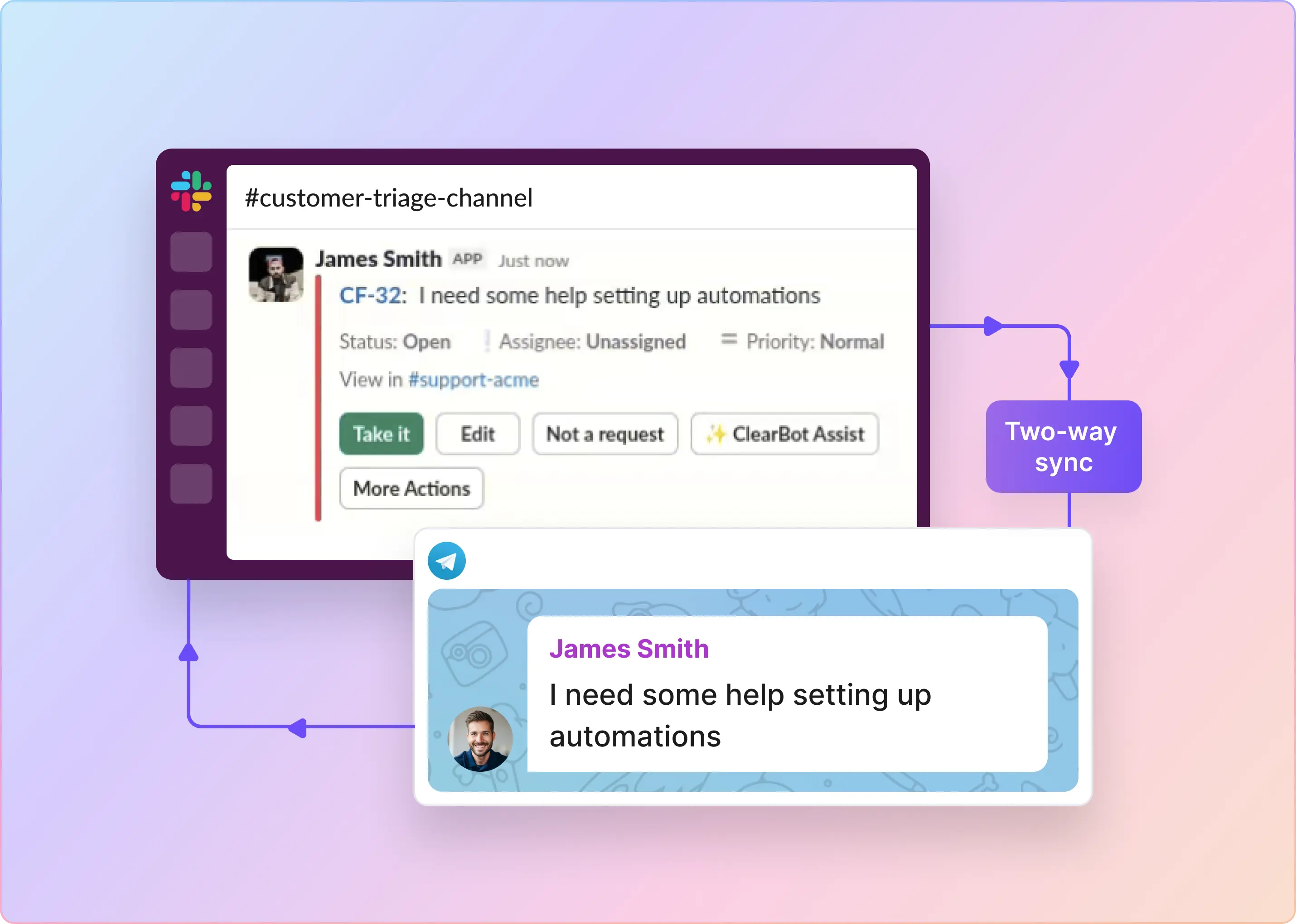
ClearFeed is built for teams that want to manage support from Slack, not just receive Slack notifications. Its Web Chat widget routes website conversations into Slack triage channels, where agents can reply, assign owners, update status, manage priority, and link tickets or tasks. The same triage model can also handle requests from Slack, email, customer portals, MS Teams, Discord, and API-created requests. That makes ClearFeed a strong fit for B2B support teams that already use Slack as their daily support workspace.
Key features
- Customizable chat widget with seamless handoff to Email
- Website chat conversations routed into Slack triage channels
- Agent replies from triage channels with bidirectional sync to ticket, including private comments
- Ticket management from Slack, including status, priority, assignee, and custom fields
- Tickets tagged with the customer with optional CRM fields integration shown in the triage workflow
- Convert Tickets to Tasks in tools like Jira, ClickUp, GitHub, Linear & Asana
- SLA alerts, CSAT, quick replies, automations, workload reports, and Google Sheets sync
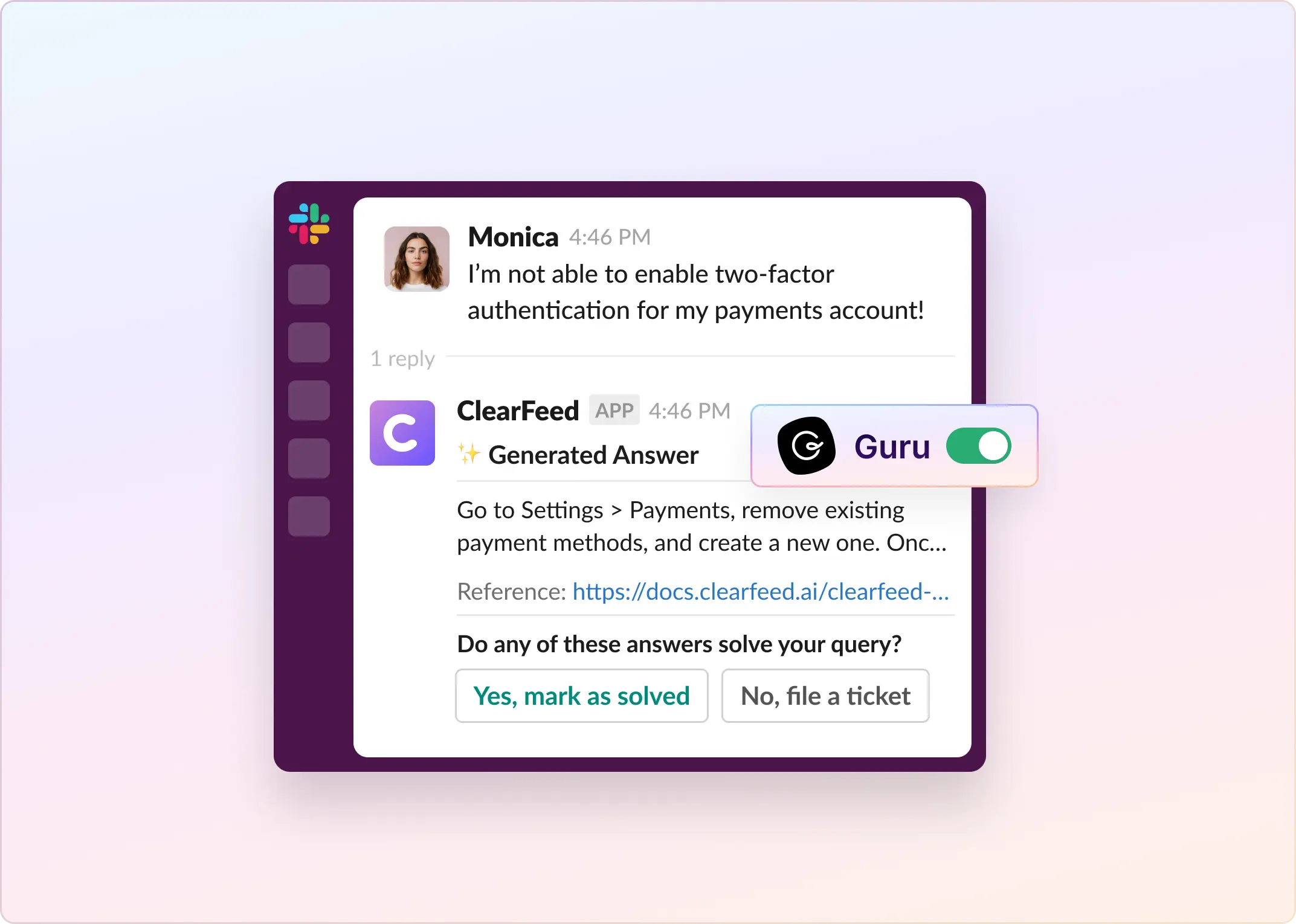
- AI Agents for replies from Documentation, Notion, Google Drive, etc. Free AI features include summaries, pending response alerts, rewrite-with-AI
Pros
- Strongest fit for teams that prefer to work from Slack
- Unified view of customer across multiple support channels beyond website chat
- Extensive integrations with project management systems
- Usage-Based AI plans available in the Starter Edition
Cons
- No mobile app, relies on Slack for mobile app support
- Routing and Workload management less mature compared to older helpdesks
- Limited widget customizability and KB integration
Pricing
ClearFeed Helpdesk pricing starts at $24 per agent/month on the Starter plan for 1-15 agents. Starter includes Web Chat, Email & Slack Connect support, triage channels, email tickets, two-way sync with project management tools, automations, custom fields, CSAT, quick replies, and basic AI features.
The Professional plan starts at $49 per agent/month and includes features such as multiple custom forms, SLA configuration and reports, advanced assignment rules, approval workflows, customer portal, knowledge base, HubSpot CRM sync, MS Teams channels, Discord channels, audit logs, and AI Pack credits.
ClearFeed also offers usage-based pricing for teams that prefer paying by channel or ticket volume rather than by agent.
2. Chatlio: Best Direct Website Chat-to-Slack Integration
Chatlio is built for teams that want to handle live website chat in Slack. A visitor's first message appears in a selected Slack channel, and an agent can pick it up in a dedicated Slack channel without opening a separate support inbox. Replies sent in Slack are delivered back to the visitor through the Chatlio widget, making it one of the clearest web-chat-to-Slack products on this list.
Key features
- Two-way website chat handled directly from Slack
- Dedicated Slack channel for each active visitor conversation
- Multiple teammates can help the same visitor
- Customer context, including location, local time, browser, operating system, and current page
- Customizable and white-label website chat widget
- Saved replies, triggers, automated messages, lead qualification, and pre-chat questions
- Support for links, emojis, images, code snippets, and uploaded files
Pros
- One of the most direct website-chat-to-Slack workflows available
- Agents do not need to monitor another live chat application
- Unlimited operators on the Basic plan and above
- Good fit for small teams that already coordinate support in Slack
Cons
- Focused on live chat rather than full helpdesk functions such as ticket queues, SLAs, and omnichannel case management
- Each plan has a monthly conversation limit
- Requires adding the Chatlio JavaScript widget to your website
- Less suitable if your team needs one workspace for email, portals, external helpdesks, and project-management escalations
Pricing
Chatlio's monthly pricing currently lists:
- Starter: $29/month for 2 operators, 1 widget, and 200 conversations
- Basic: $49/month for unlimited operators, 1 widget, and 1,000 conversations
- Pro: $99/month for unlimited operators, 2 widgets, and 3,000 conversations
- Business: $199/month for unlimited operators, 5 widgets, and 5,000 conversations
All plans include a 30-day free trial, with lower monthly rates when billed annually.
3. LiveChat: Best Classic Live Chat Tool With Slack Collaboration
LiveChat is a strong option if you want a dedicated live chat product and Slack-based collaboration. Its Slack app lets agents chat from either LiveChat or Slack, route LiveChat groups to Slack channels, and use slash commands for tags, tickets, and canned responses.
Key features
- Agents can reply from LiveChat or Slack
- LiveChat groups can route to Slack channels
- Chats can become public or private Slack channels
- Messages, files, images, and emojis are supported
- Chat history is stored in LiveChat and Slack
- Slash commands for /tag, /ticket, and /canned
- Offline messaging mode support
Pros
- Mature live chat product
- Stronger Slack workflow than basic notifications
- Good for teams that already use LiveChat groups
- Slack replies and chat history sync are supported
- Useful for bringing teammates into difficult cases
Cons
- Slack app costs extra
- Base LiveChat pricing is also per agent
- Not built as a full Slack-native helpdesk
- ChatBot, HelpDesk, and KnowledgeBase are separate Text products
- Works best when LiveChat remains the main support system
Pricing
LiveChat pricing currently lists:
- Starter: $19 per agent/month, billed annually
- Team: $49 per agent/month, billed annually
- Business: $79 per agent/month, billed annually
- Enterprise: custom pricing
The Slack for LiveChat app costs $5 per agent per month.
4. Intercom's Fin: Best AI-First Option for Slack-Originated Intercom Support
Intercom's native Slack channel supports customer conversations that begin in connected Slack communities, private channels, or Slack Connect channels. Fin and human agents respond from the Intercom Inbox, and those replies sync back to the customer's Slack thread. This is a two-way sync for Slack-initiated conversations; it does not allow agents to respond to website Messenger conversations or webchat tickets from Slack.
Key features
- Fin can be deployed in Slack as a native Intercom channel
- Replies stay threaded inside Slack conversations
- Admins can set triggers for when Fin should respond
- Supports customer-facing Slack communities and private Slack channels
- Slack-originated conversations can become Intercom tickets, but the ticket must be created from the Intercom Inbox or through a Workflow; Intercom does not provide a direct ticket-creation shortcut or form for agents in Slack
- Slack channels can be managed alongside other Intercom channels
- Human agents can take over through the Intercom Inbox
- Supports broadcasts and customer updates in Slack channels
Pros
- Strong fit for teams already using Intercom
- Good for repetitive support questions in Slack
- Keeps Fin replies inside Slack threads
- Supports human handoff through Intercom
- Useful for developer communities and high-touch customer Slack channels
- Outcome-based pricing means teams pay when Fin completes a defined result
Cons
- Does not allow agents to reply in Slack to conversations or tickets that originate on the website Messenger
- Agents handle human replies from the Intercom Inbox, even when the customer is communicating in Slack
- Not designed mainly for routing website live chat into Slack
- Works best if Intercom is already your support system
- Pricing can grow with Fin usage
- Requires strong help docs or knowledge sources for good AI answers
- Teams need to configure triggers carefully, so Fin does not jump into the wrong conversations
Pricing
Intercom prices Fin at $0.99 per outcome. An outcome is counted when Fin resolves an issue, completes a workflow, or performs a handoff. Intercom charges once per conversation, even if Fin answers multiple questions. Teams using Fin with Intercom Helpdesk should also account for Intercom plan and seat costs.
5. Zendesk Chat / Zendesk Messaging: Best for Zendesk-First Support Teams
Zendesk is a strong option if your team already runs support in Zendesk, but its hallmark Slack workflow is better suited to internal collaboration than to direct customer ticket handling. Slack Side Conversations let an agent start a separate Slack thread from a Zendesk ticket so engineering or another internal team can discuss the issue, with replies recorded back in the side conversation.
Key features
- Website messaging and live chat through Zendesk Suite
- Omnichannel support across chat, email, voice, social, and messaging channels
- Ticket creation and tracking in Zendesk
- AI agents included in Suite plans
- Omnichannel routing on Suite Team and above
- Skills-based routing on Suite Professional and above
- Slack ticket notifications through Zendesk triggers
- Ticket creation from Slack using /zendesk, Slack actions, the Zendesk app, or Slack Connect
- Internal notes added to Zendesk tickets from Slack
- Slack Side Conversations for starting a separate internal discussion from a Zendesk ticket and syncing that Slack thread back into the ticket's side-conversation record
- Approval requests can be reviewed from Slack
Pros
- Strong fit for teams already using Zendesk
- Mature ticketing, routing, reporting, and analytics
- Good for mid-market and enterprise support teams
- Live chat fits into a broader omnichannel support setup
- Slack integration supports ticket creation, notifications, Side conversations, and internal notes
- TrustRadius review data highlights chat reporting, web analytics, and chat transcripts as top-performing areas
Cons
- Slack is not the primary live chat workspace
- Agents will still spend most of their time in Zendesk
- Agents cannot send public customer replies from Slack to Zendesk web chat, messaging, or other customer tickets
- Side Conversations sync an internal Slack discussion, not the customer-facing ticket conversation
- For tickets created from Slack, agents cannot edit ticket fields or close the ticket in Slack
- More complex than needed for small Slack-first teams
- Advanced routing, AI, and add-ons can raise the total cost
- Slack-created tickets can be assigned to groups, not individual Zendesk users
- Reviewers mention friction around reminders, ticket history, image handling, capacity controls, and customization limits
Pricing
Zendesk’s annual pricing lists:
- Support Team: $19 per agent/month, paid yearly
- Suite Team: $55 per agent/month, paid yearly
- Suite Professional: $115 per agent/month, paid yearly
- Suite Enterprise: custom pricing
Messaging and live chat are included with the Suite Team. Skills-based routing starts on Suite Professional.
6. LiveAgent: Best Classic Live Chat Tool With Slack Collaboration
LiveAgent is better for Slack alerts than Slack-native live chat. Its Slack integration sends LiveAgent notifications into Slack, but LiveAgent’s own docs say it works one way: actions in LiveAgent can trigger Slack notifications, but Slack actions cannot update LiveAgent.
Key features
- Slack notifications for LiveAgent activity
- Custom Slack messages using LiveAgent rules
- Alerts for new tickets or ticket responses
- Live chat, ticketing, customer portal, and knowledge base
- Automation rules and contact forms
- AI chatbot and AI answer assistant listed in plans
Pros
- Affordable helpdesk/live chat platform
- Slack notifications are customizable
- Live chat is included in the Small plan
- 30-day free trial
- Useful if agents mainly work in LiveAgent
Cons
- Slack integration is one-way
- Agents cannot reply to live chat from Slack through the native integration
- Not a true Slack live chat integration
- Best used as a helpdesk with Slack alerts, not a Slack support workspace
Pricing
LiveAgent pricing currently lists annual plans at:
- Small business: $15 per agent/month
- Medium business: $29 per agent/month
- Large business: $49 per agent/month
- Enterprise: $69 per agent/month
Which Slack Live Chat Integration Should You Choose?
The right Slack live chat integration depends on where your support team already works.
Choose ClearFeed if you want omni-channel ticketing beyond just Live Chat and which gives an option for Slack to become your support command center. It brings website chat, email, portal requests, customer Slack/Teams/Discord channels, ticket creation and ownership, SLA tracking, AI assistance, and integrations with tools like Zendesk, Intercom, Freshdesk, and Jira into a single triage flow.
Choose Chatlio for a focused website-chat-to-Slack workflow without another agent inbox. Use Intercom Fin when AI support and Slack-originated conversation sync matter more than replying to website Messenger chats from Slack. Pick Zendesk, LiveChat, or LiveAgent when your team already relies on those platforms and mainly needs Slack for collaboration, notifications, or ticket updates.
If your goal is to keep Slack support from turning into scattered channels, DMs, and unresolved threads, ClearFeed is built for that. Start a 14-day free trial or book a personalized demo.