Table of Contents

Legal ticketing in 2026 needs to make intake easy across Slack, Teams, email, portals, and forms. The system should capture the information Legal needs, protect sensitive conversations, automate routing and approvals, and track turnaround times.
We evaluated six tools across different use cases. ClearFeed fits Slack-native teams that want lightweight internal ticketing. Checkbox and Streamline AI are better suited to legal teams that need purpose-built intake, automation, and matter management. ServiceNow is designed for large enterprises with complex workflows and governance requirements. Freshservice and ManageEngine are suitable for organizations using a shared service desk across Legal and other departments.
6 Best Legal Ticketing Systems at a Glance
What To Look For Before You Buy an Email Ticketing System
Start with the way people already contact Legal. If most requests begin in Slack, a portal-first system may look tidy in a demo and still struggle with adoption. If your company works across email and Teams, Slack-only intake will leave you with the same scattered process.
Then look at what happens after submission:
- Can you collect the right details? Your form may need the counterparty, contract value, jurisdiction, deadline, approver, and attachments. A blank text box will send your lawyers back to the requester for the basics.
- Can you route and approve work properly? Employment, commercial, privacy, and compliance requests should reach the right owner. Repeated work should follow a clear approval path.
- Can you control access? Check private intake, internal comments, roles, audit history, retention, and encryption. Also remember that a private ticket does not automatically make a conversation legally privileged.
- Do you need ticketing or matter management? A ticket is enough when you mainly need intake, ownership, status, and response-time reporting. You need more when the work includes long-running matters, contracts, investigations, documents, or legal spend.
- What will the system really cost? Add the price of implementation, integrations, AI, admin time, training, and extra users. A low license price can hide an expensive rollout.
The 6 Best Legal Ticketing Systems in 2026
1. ClearFeed
ClearFeed is a Slack-first internal helpdesk that legal teams can use to receive, organize, and respond to employee requests. It is best suited to teams that want a structured legal intake layer within their existing collaboration tools—not a dedicated platform for managing legal matters, contracts, investigations, or spend.
Key features
- Private ticket submission through the ClearFeed Slack app, a “File a Ticket” button, or a Slack shortcut
- Custom intake forms with required fields, permissions, default values, and attachments
- Multiple forms and conditional fields on eligible plans
- Slack-based triage and a web inbox with searchable list and Kanban views
- Two-way email ticketing
- Employee portal and Microsoft Teams intake on Professional and Enterprise plans
- First-responder, direct, and round-robin assignment
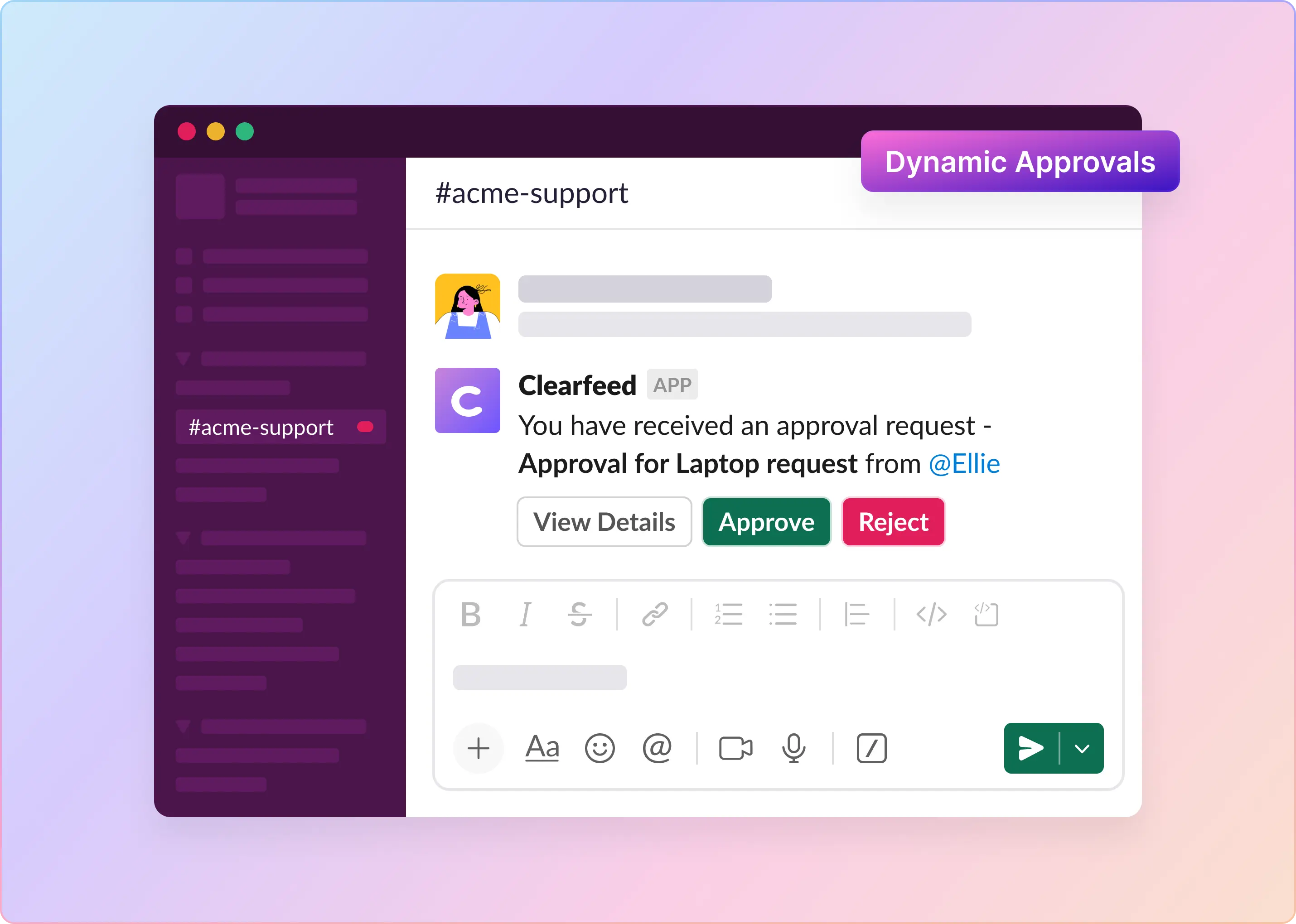
- Multi-level approval workflows with configurable approvers, notifications, comments, and decision timestamps
- First-response and resolution SLAs based on business hours, ticket properties, and priority
- Reports covering ticket volume, response times, resolution times, SLA performance, and related service metrics
- Configurable data retention, PII redaction, encryption in transit and at rest, and SOC 2 Type II compliance
- SAML SSO on the Enterprise plan
Pros
- Easy employee intake: Employees can contact Legal without leaving Slack.
- Private requests: Private tickets keep sensitive requests out of public channels.
- Better submissions: Structured forms reduce missing information and the need for follow-ups.
- Clear ownership: Shared queues, assignments, and SLAs make it easier to track requests.
- Built-in governance: Approval workflows document reviews and decisions.
Cons
- Not a complete legal suite: It lacks dedicated matter, contract, investigation, and spend management.
- Advanced features cost more: Approvals, SLAs, conditional forms, the portal, and Teams intake require higher-tier plans.
- Requires careful access controls: Private tickets do not automatically guarantee confidentiality or legal privilege.
- May add another system: Teams must decide whether ClearFeed or existing legal software holds the official record.
- Best suited to Slack users: It may be less useful for organizations that primarily work elsewhere.
Pricing
ClearFeed starts at $24 per agent per month for Starter and $49 per agent per month for Professional. Usage-based pricing starts at $40 per month for 100 tickets and 10 channels. A 14-day trial is available.
2. Freshservice
Freshservice helps legal teams manage contract reviews, compliance questions, policy requests, and other internal requests. It is particularly practical for companies that already use Freshservice and want to extend the platform to Legal without adopting a standalone legal operations tool.
Key features
- Configurable service catalog for contract, compliance, policy, and other legal requests
- Workflow automation for intake, routing, approvals, and notifications
- Secure document storage and version control
- SLA management and priority-based routing
- Dashboards and service reporting
- Multi-channel request submission and employee support
- Optional add-ons and usage-based capabilities, including Freddy AI Copilot, e-signatures, connector tasks, and orchestration packs
Pros
- Structured legal intake: Required fields reduce incomplete requests, back-and-forth, and manual triage.
- Platform consolidation: Legal can share Freshservice with other teams while keeping separate workflows and permissions.
- Centralized workflows: Requests, documents, and approvals stay in one place.
- Easier for existing customers: Freshservice users can extend their current setup to Legal with less implementation effort.
Cons
- Not legal-specific: Advanced matter management, CLM, investigations, or spend management may require other tools.
- Limited pricing options: Business Teams has one public Pro tier, which may not suit smaller legal teams.
- Add-ons raise costs: AI, e-signatures, connectors, and orchestration can add fees.
- Freshservice-centric agent experience: Teams that want Legal agents to work primarily in Slack may prefer alternatives like ClearFeed, Checkbox, or Streamline AI.
Pricing
Freshservice's Business Teams plan costs $49/agent/month when paid annually and starts with a 14-day free trial. If you are considering a purchase, you should confirm how add-ons and occasional agents are priced, tailored to their anticipated workflow volume.
3. ManageEngine ServiceDesk Plus
ManageEngine ServiceDesk Plus can be configured as a legal service desk for managing requests, documents, workflows, access, and reporting.
It is well-known for its flexibility and works best for legal teams that need to turn detailed processes into structured, repeatable workflows. However, teams looking for a simple, lightweight intake queue may find it more complex than they need.
Key features
- Centralized management of legal requests and supporting documents
- Contract-expiry notifications
- Dynamic request templates with conditional fields and form rules
- Visual builder for designing request lifecycles
- Automated assignment and notifications
- AI-assisted first-level support through Zia
- Role-based permissions, ticket histories, and encrypted template fields
- Change workflows with impact analysis, rollout and backout plans, approvals, and advisory-board reviews
- Built-in and custom reports, scheduled reporting, and dashboards
- Cloud and on-premises deployment options
Pros
- Standardized legal workflows: Turn playbooks into defined stages, approvals, and actions.
- Strong access controls: Protect sensitive information with granular permissions and audit trails.
- Cross-functional coordination: Manage approvals, tasks, checklists, and change plans across teams.
- Flexible deployment: On-premises hosting offers greater control over security and data location.
Cons
- Requires setup: Templates, roles, automation, and workflows need to be configured.
- Features vary by plan: Advanced automation, reporting, and governance may incur additional costs.
- Not chat-first: Slack- or Teams-heavy users should test the experience carefully.
- May be overkill for small teams: Basic legal intake may not justify its broader ITSM capabilities.
Pricing
ServiceDesk Plus Cloud pricing starts at $13 per technician per month for Standard, $27 for Professional, and $67 for Enterprise. A 30-day trial is available. On-premises plans and add-ons use different pricing.
4. ServiceNow Legal Service Delivery
ServiceNow Legal Service Delivery is an enterprise-focused option for managing legal requests and ongoing legal work. Employees can request legal support through the Employee Center, while legal teams manage requests and matters through the Legal Counsel Center.
Its main strength is the combination of legal-specific applications with the broader ServiceNow platform. It is especially relevant for enterprises that want Legal to work within the same service-delivery environment as other business functions.
Key features
- Legal Request Management and Legal Matter Management
- Configurable Legal Practice Apps and Legal Counsel Center
- Anonymous ethics and legal investigation intake
- Legal contract workflows
- Legal knowledge management and Virtual Agent self-service
- Real-time reporting, dashboards, and actionable insights
- Employee Center, Now Mobile, and Mobile Agent
- Integrations with OneDrive, Google Drive, Box, iManage, Adobe Sign, DocuSign, and Legal Tracker
Pros
- End-to-end legal workflows: Move requests from intake into ongoing matter management.
- Built for legal operations: Supports workflows for matters, contracts, investigations, and counsel without generic ticketing workarounds.
- Strong ServiceNow fit: Legal can share the same workflow, identity, data, and reporting environment.
- Less tool fragmentation: Integrations with iManage, Legal Tracker, e-signature, and document systems reduce manual handoffs.
Cons
- No public pricing: All cost details are provided through a personalized quote upon request.
- Heavy implementation: Workflow design, integrations, migration, and training can add cost and effort.
- May be overkill for smaller teams: Basic intake, approvals, and SLA tracking may not justify the platform's cost.
- Not Slack-first: Slack-centric teams should challenge themselves to see how much work can be done within chat, minimizing tool switching.
Pricing
ServiceNow uses custom pricing for Legal Service Delivery. Ask for the base platform cost, the legal package, AI usage, integrations, implementation, training, and admin support as separate line items. Otherwise, you will struggle to compare its quote to that of a lighter product.
5. Checkbox
Checkbox is a legal service-management platform that brings together multi-channel intake, AI-assisted triage, matter management, workflow automation, self-service, and reporting. Incoming requests can be routed to self-service resources, an automated workflow, the legal team, or a specific lawyer based on their details and predefined routing rules.
Key features
- Intake through Slack, Microsoft Teams, email, forms, and an AI legal front door
- Conversational AI for frequently asked questions and workflow guidance
- Automated classification, triage, and assignment based on factors such as matter type, specialization, capacity, and business unit
- Matter management for documents, approvals, conversations, tasks, deadlines, and status
- Visual, no-code workflow and application builder
- Prebuilt legal workflow and reporting templates
- Reporting on matter volume, type, status, workload, cycle time, and SLA performance
- Integrations with Salesforce, Ironclad, Ivo, Jira, Google Drive, SharePoint, Box, DocuSign, Brightflag, and other systems
Pros
- Unified legal operations: Intake, matters, approvals, workflows, and reporting live in one platform.
- No-code control: You can build and update workflows without developer support.
- Prebuilt workflows: Common legal processes reduce setup effort.
- Better resource planning: Reporting helps track demand, bottlenecks, SLAs, and capacity.
Cons
- No public pricing: You need to contact Checkbox for a quote.
- Requires governance: Flexible workflows need clear ownership, permissions, and testing.
- May be overkill for small teams: Basic legal intake may be easier with a lighter help desk.
- Test integrations carefully: Confirm supported fields, triggers, permissions, and sync behavior.
Pricing
Checkbox does not publish pricing for its plans on its legal ticketing page. You should request a quote covering user licensing, AI usage, workflow limits, integrations, implementation, and support.
6. Streamline AI
The Streamline AI platform supports legal operations with capabilities for intake, triage, workflow automation, matter management, approvals, and reporting. It creates a shared workspace where requests, discussions, documents, approvals, and status details are centralized and easily accessible.
Key features
- Structured forms, AI-assisted email intake, a shared inbox, and a workflow builder
- Automated classification, routing, reviews, approvals, escalations, and stakeholder updates
- Matter management for requests, comments, documents, approvals, tasks, and status
- Role-based access controls for confidential legal collaboration
- Reporting on response times, request volume, SLA performance, and workflow bottlenecks
- Slack and Microsoft Teams integrations
- SSO, SCIM, DocuSign, and Adobe Sign support
- Enterprise integrations with Google Drive, Box, OneDrive, SharePoint, Jira, Salesforce, Ironclad, and NetDocuments
- API access with the Enterprise package
- Optional Knowledgebot, Dynamic Docs, and regional data-hosting add-ons
Pros
- End-to-end continuity: Keep requests, approvals, documents, discussions, and matter status connected.
- Built for legal teams: Supports legal intake, routing, approvals, and matters without adapting generic ITSM.
- Chat-friendly intake: Employees can work with Legal through Slack or Microsoft Teams.
Cons
- No public pricing: You need to contact Streamline AI for a quote.
- More users may incur extra costs: Pro and Enterprise plans include 4 core users.
- Key integrations require Enterprise: Jira, Salesforce, Ironclad, and NetDocuments; API access is required, and some storage integrations are gated.
- Some tools cost separately: Knowledgebot and Dynamic Docs should be included in total-cost comparisons.
Pricing
Streamline AI keeps its plan pricing off the legal ticketing page. You need to request a tailored quote covering user licenses, AI consumption, workflow caps, integrations, deployment, and ongoing support.
Which Legal Ticketing System Should You Choose?
Choose ClearFeed if Slack is already Legal's main front door and you need to turn informal questions into private, structured, assigned, and measurable tickets. It is the most direct fit for chat-first intake, but it is not a full legal matter or contract-management platform.
Choose Freshservice if Legal should operate within the same employee-service platform as IT, HR, Finance, and other internal teams. It is especially attractive for organizations already using Freshservice.
Choose ManageEngine ServiceDesk Plus if configurability, governance, or on-premises deployment matters more than out-of-the-box legal specialization. It suits teams willing to design and administer detailed legal workflows.
Choose ServiceNow Legal Service Delivery if you need enterprise-scale legal request management, matters, contracts, investigations, knowledge, reporting, and integrations on one governed platform. It is best treated as a broader legal-operations implementation rather than a lightweight ticketing purchase.
Choose Checkbox if purpose-built legal workflows, no-code automation, self-service, and matter management are your priorities. It is a strong fit for legal operations teams that want to build and manage a portfolio of legal workflow applications.
Choose Streamline AI if you want a dedicated legal front door with matter workflows, Slack or Microsoft Teams intake, and more transparent entry pricing than most legal-specific platforms. Confirm user limits, add-ons, and Enterprise-only integrations before comparing total cost.
For a Slack-first legal team that does not yet need a full matter-management suite, ClearFeed is the most direct option in this group.
Try ClearFeed free for 14 days or book a demo to test it against your NDA, contract review, privacy, and policy request workflows.