August 21, 2026

B2B Customer Churn: What It Is, Possible Causes, and Prevention Strategies

WRITTEN BY
Happy Das
B2B Customer Churn: What It Is, Possible Causes, and Prevention Strategies

When a consumer cancels Netflix, they click a button. When a business quietly stops using its $80,000-a-year analytics platform, no one clicks anything.

The seats stay provisioned. The invoices keep clearing. And then, one Thursday ten months later, the renewal email arrives, and the customer is gone.

This is the strange physics of B2B customer churn. It is slower than B2C consumer churn, more expensive, and almost always visible in the data months before it appears in revenue. Yet a striking number of companies still find their most important departures too late.

‍

What Is B2B Customer Churn?

B2B customer churn is the loss of business customers during a given period, typically through cancellation or non-renewal. Revenue churn captures recurring revenue lost through cancellations and downgrades.

Measure churn in two ways:

  • Customer churn rate = customers lost during the period Ă· customers at the start of the period Ă— 100
  • Revenue churn rate = recurring revenue lost from cancellations and downgrades Ă· recurring revenue at the start of the period Ă— 100

For example, if you begin a quarter with 200 customers and lose eight, customer churn is 4%. If those customers represent 10% of recurring revenue, revenue churn reveals a much larger business impact.

In B2B SaaS, track both metrics and segment them by contract size, plan, tenure, product, and support model.

‍

How Slack Support Can Create B2B Customer Churn Risk

Support through Slack Connect can make ordinary service failures more damaging because problems are highly visible while ownership and internal progress may be unclear.

Delays feel more noticeable, and customers may not know who is responsible or what is happening behind the scenes. Because shared channels often include multiple stakeholders, repeated failures can influence how the broader account perceives your company.

1. Slack Creates a Response-Time Expectation Gap

A ticket portal signals that a request has entered a queue. A shared Slack Connect channel feels like a direct line to your team, which can create expectations of faster acknowledgment even when the SLA allows several hours.

This creates two response standards: the time promised in the SLA and the time the customer considers reasonable. When they repeatedly diverge, support can be technically on time and still feel slow or inattentive.

‍

2. Support Requests Blend Into Other Customer Conversations

A Slack Connect channel may combine support, product feedback, implementation updates, account questions, and customer success conversations. Without a clear intake process, actionable requests can get lost in ordinary discussion and never enter the support queue.

Shared visibility also does not create ownership. Even when several employees are in the channel, a request may lack an assignee, status, priority, or a clear owner.

To the customer, the channel appears to be direct access to your company. Internally, the request may still be untracked and unmanaged.

‍

3. Internal Handoffs Create Customer-Facing Silence

Many B2B support issues require help from product, engineering, security, or finance. When an issue is escalated, the investigation may move from the shared Slack Connect channel into private channels, direct messages, Jira, or other internal systems.

The customer cannot see that work. They only see that updates in the shared channel have stopped. At the same time, responsibility for communicating progress can become unclear as the issue passes between teams.

The result is a visibility gap: internal work continues while the customer experiences silence, which can become as frustrating as the original issue.

Keep the customer-facing thread connected to one internal workspace where teams can collaborate, document decisions, and assign responsibility for the next update.

‍

4. Support Failures Become Visible Across the Account

A traditional support ticket is usually visible to the requester and the agent handling it. A Slack Connect channel may include product users, administrators, customer champions, technical leaders, and even the economic buyer.

One delayed response may be treated as an exception. A pattern of unanswered questions, missed commitments, or recurring problems can shape how the broader account perceives your company.

Repeated support failures can therefore become evidence that your team is unreliable or that the relationship requires too much effort to maintain.

‍

Six Early Warning Signs You're About To Lose a Customer

Before a customer churns, your support team usually sees signals. Learning to recognize them separates customers you can save from those who have already decided to leave:

  1. Escalating tone in support requests. Questions shift from "how do I?" to "why doesn't this work?" or complaints about the product being difficult to use or incomplete
  2. Sudden drop in engagement from the champion. The main person advocating for your product goes quiet, or conversations shift to more defensive stakeholders (procurement, finance) asking about contract terms and exit clauses
  3. Repeated requests for the same feature or answers to the same question. This suggests your product hasn't solved a core need, or your documentation isn't accessible to their team
  4. Support requests go unanswered, then stop coming. Silence is often worse than complaints. If a customer stops asking for help, they may have stopped expecting it
  5. Visible frustration across multiple stakeholders in your shared channel. One frustrated user can be managed; when multiple people from the customer's team are expressing concerns, the relationship is destabilized
  6. Requests for usage reports or success metrics. Customers often pull this data before cancellation conversations to justify the decision internally

The goal of the support playbook below is to catch these signals early—when they first appear—and address them before the decision is final.

Treat customer silence as a measurable signal. Track when each customer last raised a request, whether the channel has had customer-initiated activity within a defined period, and how inactivity varies by segment, Collection, or CSM.

Assign inactive-channel reports to an owner with a clear next action. A CSM can investigate implementation blockers, check in with a quiet champion, assess whether adoption has stalled, or send a targeted update.

ClearFeed’s Slack engagement analytics workflow can classify customer channels as active or inactive within a configurable time window and post periodic reports to Slack.

‍

How To Reduce B2B Customer Churn in Slack: A 7-Step Playbook

If customers already use Slack, sending them to a separate support portal adds friction. You can preserve the convenience of Slack Connect while maintaining clear ownership, SLAs, and reporting by turning Slack conversations into trackable requests.

Here’s how to set it up.

1. Decide Which Messages Need To Be Tracked

Not every message in a customer channel needs to become a support request. Bugs, access issues, product questions, and requests for investigation usually require action. Meeting notes and general updates do not.

For each support request, capture its status, priority, owner, timestamps, and a link to the original Slack thread. This gives your team a trackable record while the customer continues the conversation in Slack.

With a small number of channels, someone can monitor conversations and log requests manually in a spreadsheet or ticketing system. As channel volume grows, that process becomes difficult to sustain.

ClearFeed can monitor Slack Connect channels and route conversations that need attention into a central triage channel. Issues that require investigation, cross-functional help, or a permanent record can then be converted into formal tickets.

‍

2. Give Every Request an Owner

A shared channel can create the illusion of ownership. Five people may see a message, yet each assumes someone else will handle it.

Choose an assignment model that fits your team:

  • First responder: The person who acknowledges the request owns it.
  • Round-robin: New requests are rotated among the support team.
  • Customer owner: Requests go to the person responsible for the account.
  • Customer owner with fallback: The account owner gets the request when available; otherwise, it moves to the support rotation.

Ownership does not mean solving every issue personally. It means one person is responsible for driving the next step and keeping the customer updated.

ClearFeed supports these models, including availability-aware fallback that reroutes requests when the customer owner is away.

‍

3. Set Service Levels That Reflect the Request

A production outage should not be subject to the same SLA as a feature question, and strategic accounts may require different targets than lower-touch customers.

Set first-response and resolution targets by priority, request type, customer segment, or ClearFeed Collection. Apply the business hours and calendars your team actually works.

Alerts should arrive before a breach. For a 60-minute first-response target, an alert at 45 minutes gives the team time to act.

ClearFeed lets teams apply different SLA policies and business schedules to each Collection, track first-response and resolution targets, flag overdue requests, and send pre-breach alerts to Slack.

‍

4. Track the Promises Made in Conversation

Ticket status tells you where the work stands. Customers tend to care just as much about the promise your team made in Slack.

“I’ll update you this afternoon” creates a deadline. So do “We’ll check with engineering” and “This should be fixed after the next deployment.” If the update never arrives, the customer has to chase your team even when the investigation continues internally.

ClearFeed’s commitment workflows detect replies like these and schedule reminders around them. The request can remain in progress while the team investigates, but someone is still reminded to send the promised update. That becomes especially useful when an issue runs for several days or weeks.

‍

5. Keep Slack connected to the internal work

The customer conversation may start in Slack while the work happens in Jira, Linear, Zendesk, Intercom, Salesforce, or another system. Problems arise when the Slack thread and the internal work item drift apart.

Link each customer request to the corresponding external task or ticket, so support can maintain the conversation while other teams work in their preferred systems. Relevant status changes and updates should flow back to the customer-facing thread.

Decide whether the external system is used for task management or ticketing. If ClearFeed remains the system for SLA and resolution reporting, keep the customer request there and create an external task only when another team needs to act.

ClearFeed can also create or link Slack conversations to HubSpot tickets and Salesforce Cases, with configured message and status synchronization between Slack and the CRM.

Whatever the setup, keep the customer-facing conversation tied to the work happening elsewhere.

‍

6. Look at Support Health Account by Account

Queue-wide averages can look healthy while an important customer waits too long, repeats the same questions, or carries unresolved issues into renewal.

Review support performance at the account level. Look at:

  • Open and aging requests
  • First-response and resolution times
  • SLA breaches
  • Repeated or related problems
  • Changes in request volume
  • Negative CSAT
  • Unanswered or escalated AI interactions
  • Issues blocking adoption or rollout

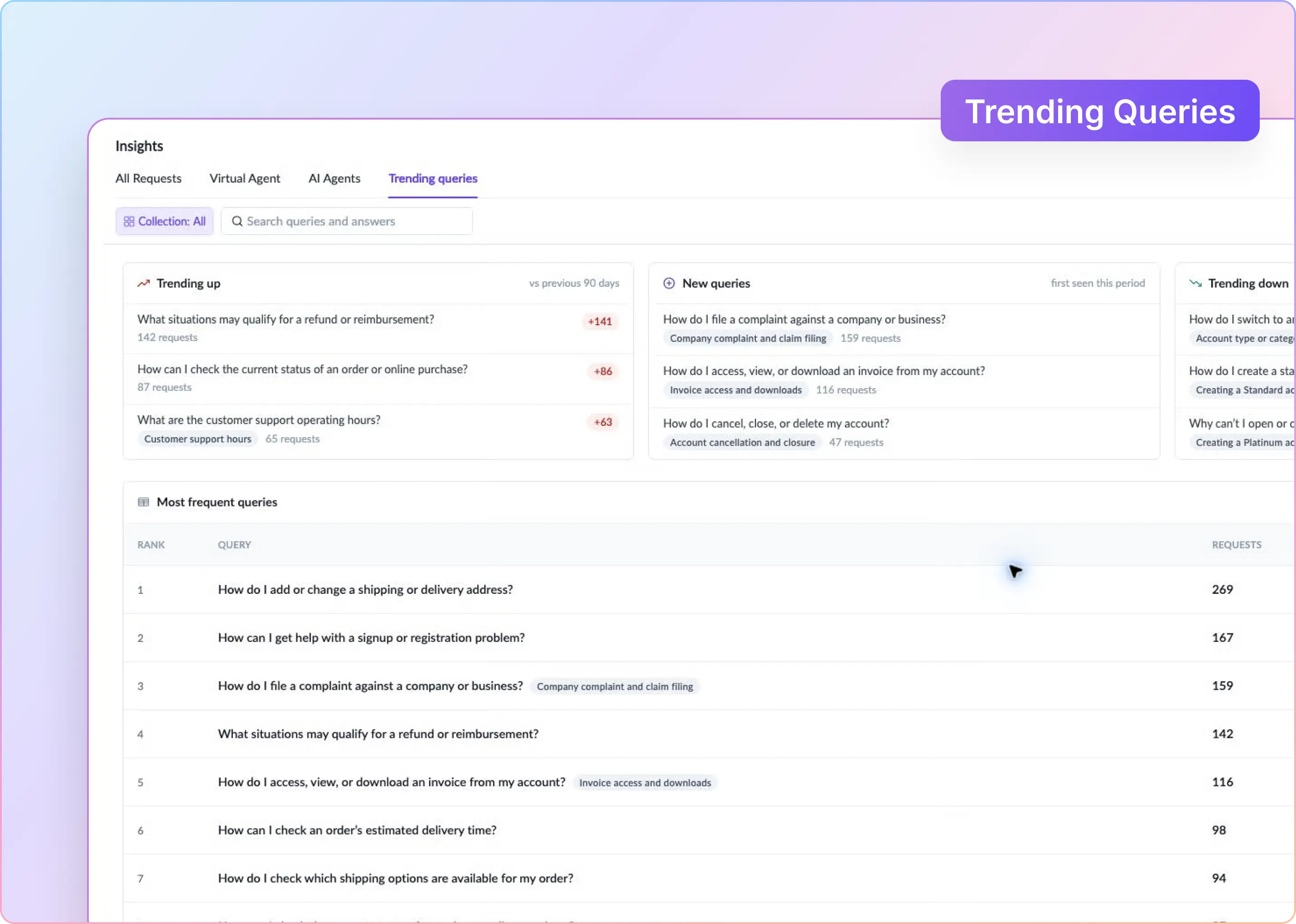
ClearFeed Insights can break these measures down by customer, owner, Collection, channel, assignee, and custom fields. Teams can surface unassigned, pending, overdue, or aging requests and send saved Views to Slack as lists or scheduled reports.

Use those signals in a weekly account-risk review between support and customer success to identify customers with recurring, unresolved, or renewal-sensitive issues.

ClearFeed’s Insights Agent, currently in beta, can also answer questions about customer activity, request trends, response times, resolution times, and SLA breaches in plain language.

‍

7. Use AI Where It Genuinely Reduces Waiting

AI can classify requests, draft replies, answer questions from your documentation, and identify recurring themes. Give it a defined role based on the risk of getting the answer wrong.

ClearFeed supports two response models:

  • Virtual Agent: Responds to customers using connected knowledge and escalates requests it cannot resolve.
  • Agent Assistant: Drafts a private reply for a support agent to review, edit, and send.

Agent Assistant is better suited to complex, sensitive, or account-specific conversations because a person remains responsible for the final response.

AI Fields can classify requests by category, urgency, product area, or sentiment. For real-time churn signals, use fields that evaluate requests during the active lifecycle. ClearFeed’s system-defined Auto-CSAT and Auto-Emotion fields are calculated later, making them more useful for retrospective analysis.

Test AI on real conversations and review edge cases, answer quality, and escalation behavior. Keep deterministic processes such as assignment and SLA tracking rule-based.

‍

Connect B2B Customer Support Performance to Revenue Risk

Support is rarely the only reason a customer leaves. Product gaps, pricing changes, and budget pressure may already be straining the relationship, while poor support adds friction and can accelerate churn.

Compare churned and retained accounts using signals such as SLA performance, CSAT, request volume, recurring issues, and sentiment. Measure how long it takes customers to move from the first warning sign to cancellation or non-renewal.

Bring the most useful signals into the customer dashboard your CSMs already use, such as HubSpot, Salesforce, or Gainsight, alongside contract value, renewal date, adoption, and account health. Focus on events that require action, including escalations, SLA breaches, negative feedback, unusually low activity, or inactive Slack channels.

Where a native integration is unavailable, ClearFeed can move support data into your reporting stack through exports, its REST API, or webhooks.

If you run B2B support in Slack and want systematic request tracking, ownership, SLA management, and account health visibility without moving customers to another channel, explore how ClearFeed works.
When a consumer cancels Netflix, they click a button. When a business quietly stops using its $80,000-a-year analytics platform, no one clicks anything.

The seats stay provisioned. The invoices keep clearing. And then, one Thursday ten months later, the renewal email arrives, and the customer is gone.

This is the strange physics of B2B customer churn. It is slower than B2C consumer churn, more expensive, and almost always visible in the data months before it appears in revenue. Yet a striking number of companies still find their most important departures too late.

‍

What Is B2B Customer Churn?

B2B customer churn is the loss of business customers during a given period, typically through cancellation or non-renewal. Revenue churn captures recurring revenue lost through cancellations and downgrades.

Measure churn in two ways:

  • Customer churn rate = customers lost during the period Ă· customers at the start of the period Ă— 100
  • Revenue churn rate = recurring revenue lost from cancellations and downgrades Ă· recurring revenue at the start of the period Ă— 100

For example, if you begin a quarter with 200 customers and lose eight, customer churn is 4%. If those customers represent 10% of recurring revenue, revenue churn reveals a much larger business impact.

In B2B SaaS, track both metrics and segment them by contract size, plan, tenure, product, and support model.

‍

How Slack Support Can Create B2B Customer Churn Risk

Support through Slack Connect can make ordinary service failures more damaging because problems are highly visible while ownership and internal progress may be unclear.

Delays feel more noticeable, and customers may not know who is responsible or what is happening behind the scenes. Because shared channels often include multiple stakeholders, repeated failures can influence how the broader account perceives your company.

1. Slack Creates a Response-Time Expectation Gap

A ticket portal signals that a request has entered a queue. A shared Slack Connect channel feels like a direct line to your team, which can create expectations of faster acknowledgment even when the SLA allows several hours.

This creates two response standards: the time promised in the SLA and the time the customer considers reasonable. When they repeatedly diverge, support can be technically on time and still feel slow or inattentive.

‍

2. Support Requests Blend Into Other Customer Conversations

A Slack Connect channel may combine support, product feedback, implementation updates, account questions, and customer success conversations. Without a clear intake process, actionable requests can get lost in ordinary discussion and never enter the support queue.

Shared visibility also does not create ownership. Even when several employees are in the channel, a request may lack an assignee, status, priority, or a clear owner.

To the customer, the channel appears to be direct access to your company. Internally, the request may still be untracked and unmanaged.

‍

3. Internal Handoffs Create Customer-Facing Silence

Many B2B support issues require help from product, engineering, security, or finance. When an issue is escalated, the investigation may move from the shared Slack Connect channel into private channels, direct messages, Jira, or other internal systems.

The customer cannot see that work. They only see that updates in the shared channel have stopped. At the same time, responsibility for communicating progress can become unclear as the issue passes between teams.

The result is a visibility gap: internal work continues while the customer experiences silence, which can become as frustrating as the original issue.

Keep the customer-facing thread connected to one internal workspace where teams can collaborate, document decisions, and assign responsibility for the next update.

‍

4. Support Failures Become Visible Across the Account

A traditional support ticket is usually visible to the requester and the agent handling it. A Slack Connect channel may include product users, administrators, customer champions, technical leaders, and even the economic buyer.

One delayed response may be treated as an exception. A pattern of unanswered questions, missed commitments, or recurring problems can shape how the broader account perceives your company.

Repeated support failures can therefore become evidence that your team is unreliable or that the relationship requires too much effort to maintain.

‍

Six Early Warning Signs You're About To Lose a Customer

Before a customer churns, your support team usually sees signals. Learning to recognize them separates customers you can save from those who have already decided to leave:

  1. Escalating tone in support requests. Questions shift from "how do I?" to "why doesn't this work?" or complaints about the product being difficult to use or incomplete
  2. Sudden drop in engagement from the champion. The main person advocating for your product goes quiet, or conversations shift to more defensive stakeholders (procurement, finance) asking about contract terms and exit clauses
  3. Repeated requests for the same feature or answers to the same question. This suggests your product hasn't solved a core need, or your documentation isn't accessible to their team
  4. Support requests go unanswered, then stop coming. Silence is often worse than complaints. If a customer stops asking for help, they may have stopped expecting it
  5. Visible frustration across multiple stakeholders in your shared channel. One frustrated user can be managed; when multiple people from the customer's team are expressing concerns, the relationship is destabilized
  6. Requests for usage reports or success metrics. Customers often pull this data before cancellation conversations to justify the decision internally

The goal of the support playbook below is to catch these signals early—when they first appear—and address them before the decision is final.

Treat customer silence as a measurable signal. Track when each customer last raised a request, whether the channel has had customer-initiated activity within a defined period, and how inactivity varies by segment, Collection, or CSM.

Assign inactive-channel reports to an owner with a clear next action. A CSM can investigate implementation blockers, check in with a quiet champion, assess whether adoption has stalled, or send a targeted update.

ClearFeed’s Slack engagement analytics workflow can classify customer channels as active or inactive within a configurable time window and post periodic reports to Slack.

‍

How To Reduce B2B Customer Churn in Slack: A 7-Step Playbook

If customers already use Slack, sending them to a separate support portal adds friction. You can preserve the convenience of Slack Connect while maintaining clear ownership, SLAs, and reporting by turning Slack conversations into trackable requests.

Here’s how to set it up.

1. Decide Which Messages Need To Be Tracked

Not every message in a customer channel needs to become a support request. Bugs, access issues, product questions, and requests for investigation usually require action. Meeting notes and general updates do not.

For each support request, capture its status, priority, owner, timestamps, and a link to the original Slack thread. This gives your team a trackable record while the customer continues the conversation in Slack.

With a small number of channels, someone can monitor conversations and log requests manually in a spreadsheet or ticketing system. As channel volume grows, that process becomes difficult to sustain.

ClearFeed can monitor Slack Connect channels and route conversations that need attention into a central triage channel. Issues that require investigation, cross-functional help, or a permanent record can then be converted into formal tickets.

‍

2. Give Every Request an Owner

A shared channel can create the illusion of ownership. Five people may see a message, yet each assumes someone else will handle it.

Choose an assignment model that fits your team:

  • First responder: The person who acknowledges the request owns it.
  • Round-robin: New requests are rotated among the support team.
  • Customer owner: Requests go to the person responsible for the account.
  • Customer owner with fallback: The account owner gets the request when available; otherwise, it moves to the support rotation.

Ownership does not mean solving every issue personally. It means one person is responsible for driving the next step and keeping the customer updated.

ClearFeed supports these models, including availability-aware fallback that reroutes requests when the customer owner is away.

‍

3. Set Service Levels That Reflect the Request

A production outage should not be subject to the same SLA as a feature question, and strategic accounts may require different targets than lower-touch customers.

Set first-response and resolution targets by priority, request type, customer segment, or ClearFeed Collection. Apply the business hours and calendars your team actually works.

Alerts should arrive before a breach. For a 60-minute first-response target, an alert at 45 minutes gives the team time to act.

ClearFeed lets teams apply different SLA policies and business schedules to each Collection, track first-response and resolution targets, flag overdue requests, and send pre-breach alerts to Slack.

‍

4. Track the Promises Made in Conversation

Ticket status tells you where the work stands. Customers tend to care just as much about the promise your team made in Slack.

“I’ll update you this afternoon” creates a deadline. So do “We’ll check with engineering” and “This should be fixed after the next deployment.” If the update never arrives, the customer has to chase your team even when the investigation continues internally.

ClearFeed’s commitment workflows detect replies like these and schedule reminders around them. The request can remain in progress while the team investigates, but someone is still reminded to send the promised update. That becomes especially useful when an issue runs for several days or weeks.

‍

5. Keep Slack connected to the internal work

The customer conversation may start in Slack while the work happens in Jira, Linear, Zendesk, Intercom, Salesforce, or another system. Problems arise when the Slack thread and the internal work item drift apart.

Link each customer request to the corresponding external task or ticket, so support can maintain the conversation while other teams work in their preferred systems. Relevant status changes and updates should flow back to the customer-facing thread.

Decide whether the external system is used for task management or ticketing. If ClearFeed remains the system for SLA and resolution reporting, keep the customer request there and create an external task only when another team needs to act.

ClearFeed can also create or link Slack conversations to HubSpot tickets and Salesforce Cases, with configured message and status synchronization between Slack and the CRM.

Whatever the setup, keep the customer-facing conversation tied to the work happening elsewhere.

‍

6. Look at Support Health Account by Account

Queue-wide averages can look healthy while an important customer waits too long, repeats the same questions, or carries unresolved issues into renewal.

Review support performance at the account level. Look at:

  • Open and aging requests
  • First-response and resolution times
  • SLA breaches
  • Repeated or related problems
  • Changes in request volume
  • Negative CSAT
  • Unanswered or escalated AI interactions
  • Issues blocking adoption or rollout

ClearFeed Insights can break these measures down by customer, owner, Collection, channel, assignee, and custom fields. Teams can surface unassigned, pending, overdue, or aging requests and send saved Views to Slack as lists or scheduled reports.

Use those signals in a weekly account-risk review between support and customer success to identify customers with recurring, unresolved, or renewal-sensitive issues.

ClearFeed’s Insights Agent, currently in beta, can also answer questions about customer activity, request trends, response times, resolution times, and SLA breaches in plain language.

‍

7. Use AI Where It Genuinely Reduces Waiting

AI can classify requests, draft replies, answer questions from your documentation, and identify recurring themes. Give it a defined role based on the risk of getting the answer wrong.

ClearFeed supports two response models:

  • Virtual Agent: Responds to customers using connected knowledge and escalates requests it cannot resolve.
  • Agent Assistant: Drafts a private reply for a support agent to review, edit, and send.

Agent Assistant is better suited to complex, sensitive, or account-specific conversations because a person remains responsible for the final response.

AI Fields can classify requests by category, urgency, product area, or sentiment. For real-time churn signals, use fields that evaluate requests during the active lifecycle. ClearFeed’s system-defined Auto-CSAT and Auto-Emotion fields are calculated later, making them more useful for retrospective analysis.

Test AI on real conversations and review edge cases, answer quality, and escalation behavior. Keep deterministic processes such as assignment and SLA tracking rule-based.

‍

Connect B2B Customer Support Performance to Revenue Risk

Support is rarely the only reason a customer leaves. Product gaps, pricing changes, and budget pressure may already be straining the relationship, while poor support adds friction and can accelerate churn.

Compare churned and retained accounts using signals such as SLA performance, CSAT, request volume, recurring issues, and sentiment. Measure how long it takes customers to move from the first warning sign to cancellation or non-renewal.

Bring the most useful signals into the customer dashboard your CSMs already use, such as HubSpot, Salesforce, or Gainsight, alongside contract value, renewal date, adoption, and account health. Focus on events that require action, including escalations, SLA breaches, negative feedback, unusually low activity, or inactive Slack channels.

Where a native integration is unavailable, ClearFeed can move support data into your reporting stack through exports, its REST API, or webhooks.

If you run B2B support in Slack and want systematic request tracking, ownership, SLA management, and account health visibility without moving customers to another channel, explore how ClearFeed works.
Related Blogs

See all Blog Posts
TOC heading
Text LinkText Link Active
Get a Free consultation with a Support Expert
Learn how fast growing companies like Teleport, Chronosphere and Acryl Data have scaled Support processes with ClearFeed
Thank you for contacting us. Our team will reach out to you shortly.
Oops! Something went wrong while submitting the form.