
May 25, 2026

Slack for Client Communication: A Complete Guide for Agencies in 2026

WRITTEN BY
Happy Das
Slack for Client Communication: A Complete Guide for Agencies in 2026
Table of Contents

Agencies use Slack with clients because it is fast and familiar. A client can ask a question, drop a file, check status, or add missing context without starting another email chain that takes two days to die.

That convenience is also the trap.

With 10 client channels, an account manager can usually keep things straight. Around 40, someone misses a ping. At 100+, “just check Slack” is not a process. It is a wish.

Slack itself is fine. The trouble starts when client conversations have no owner and no route out of the channel.

For Slack to work in an agency, the setup has to be deliberately boring: one place for each client, clear channel owners, agreed-upon response times, a private space for internal questions, and a clean handoff to the project management tool when a message becomes actual work. Add reporting and security rules before the channel list gets out of hand.

Used well, Slack is great for quick collaboration and day-to-day client visibility. Used carelessly, it becomes the place where approvals, support issues, tasks, and decisions go to disappear.

Here is how to keep client communication in Slack fast, visible, and accountable without letting it swallow the team's day.

‍

TL;DR

Slack works for agency-client communication only when you build a deliberate structure around it: clear channel ownership, written response rules, and a handoff to project management before the channel count becomes unmanageable.

The gist

  • One Slack Connect channel per client, with a named owner and backup, keeps accountability from diffusing across the team.
  • Written SOPs covering who responds, what gets escalated, and what moves into a PM tool are what separate “fast” from “chaotic.”
  • Slack handles the front-desk layer (questions, updates, acknowledgments); ClickUp, Asana, Jira, or a help desk handles the actual work tracking.
  • Response SLAs should be set during onboarding: 4 hours for standard clients, 1 hour for high-touch clients, and 30 minutes for VIPs or during launch periods.
  • At 50+ channels, you need automation (unanswered message alerts, SLA breach notifications, keyword escalation) and someone who owns the communication system itself, not just their individual accounts.

‍

Pros and cons of using Slack for client communication

Slack is useful for client communication when the relationship needs quick context, shared visibility, and frequent collaboration. It becomes risky when every client message is treated as equally urgent and no system tracks ownership.

Pros Cons
Faster back-and-forth than long email threads Clients may expect instant responses unless hours and SLAs are explicit
Shared files, links, decisions, and context in one channel Requests can get buried in threads, DMs, or busy channels
Easy access to account managers, specialists, and client stakeholders Ownership gets blurry when too many people are added to a channel
Better visibility into day-to-day blockers and approvals Reporting is weak unless messages are converted into trackable requests
Useful for launches, retainers, incident updates, and high-touch accounts Security and access reviews matter because external users may remain in channels after projects end

‍

Slack Connect vs guest accounts for client communication

For most agency-client relationships, Slack Connect is better when you are working with another company, while guest accounts are better when you are bringing an individual external person into your own workspace with limited access.

Option Best for Client uses their own Slack workspace? Billing and access notes Agency recommendation
Slack Connect channel Client companies, vendors, partners, and multi-stakeholder accounts Yes Shared channels are available on paid Slack plans; each organization keeps its own workspace context and channel record. Use this as the default for ongoing client communication.
Single-channel guest One external stakeholder who does not have their own Slack workspace No Single-channel guests are free on paid workspaces within Slack's stated guest limits. Use for one-person client access, short projects, or tightly scoped collaboration.
Multi-channel guest An external person who needs access to several internal client, project, or delivery channels No Multi-channel guests are billed like regular members. Use sparingly, especially if many client contacts need access.
Slack Connect DM Quick one-to-one external conversations Usually yes Useful for a direct conversation, but weaker than a shared channel for team visibility and handoffs. Use for quick coordination, not as the main client communication system.

If the client has a Slack workspace and more than one person will collaborate with your agency, choose Slack Connect. If the client does not use Slack and only one person needs access, use a single-channel guest account. If several external people need multi-channel access, revisit whether Slack Connect or a separate client workspace model would be cleaner.

‍

How to use Slack for client communication

Using Slack with clients is not the hard part. The hard part is making sure every message lands somewhere, gets owned by someone, and does not vanish inside a thread.

1. Give every client a clear Slack home

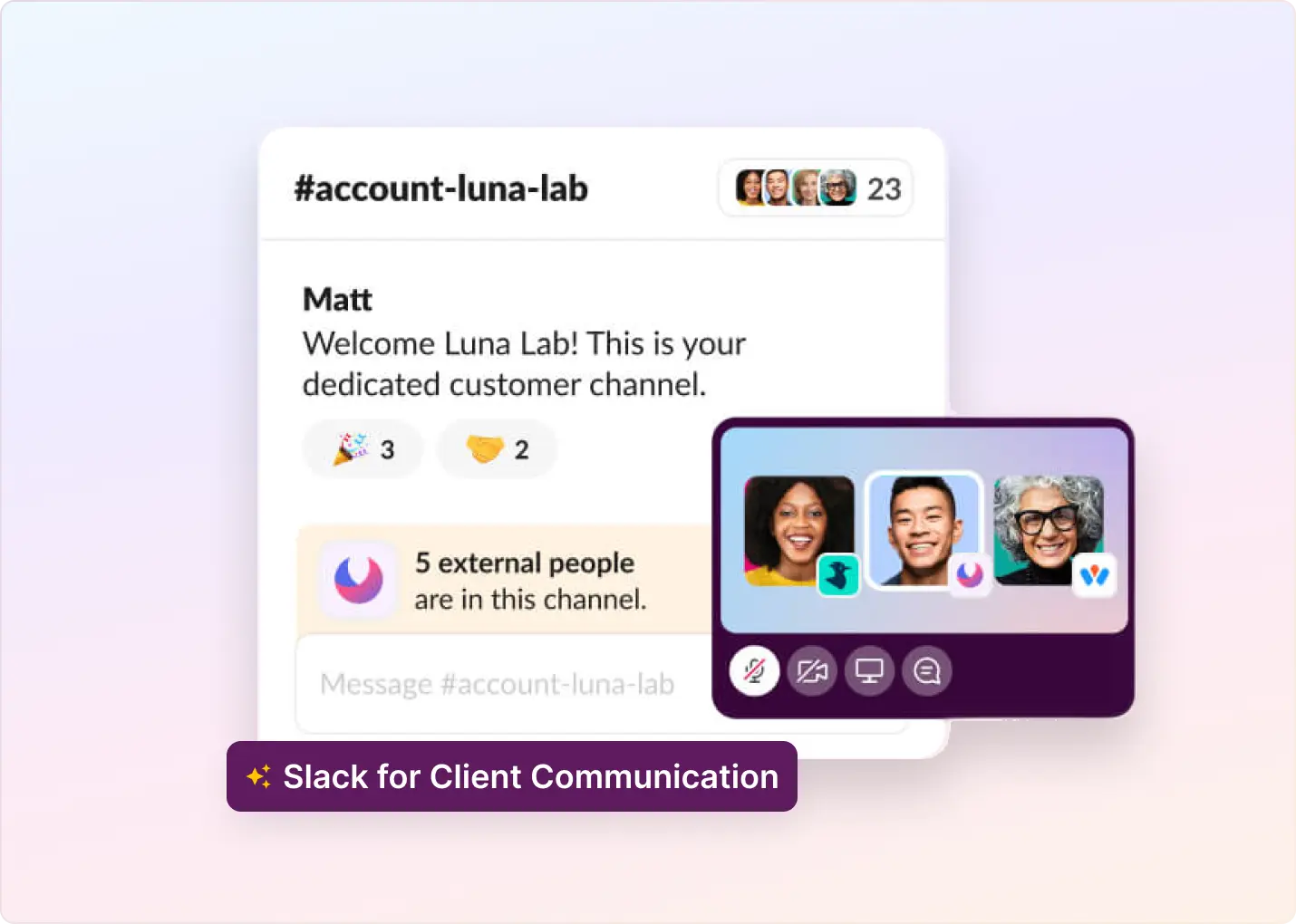
Start with one shared Slack Connect channel for each client or client account. Both teams can work in their own Slack workspaces, so your agency does not have to mix client-facing work with internal chatter.

Keep the channel small enough that someone feels responsible for it.

Include:

  • The client stakeholders who need access
  • The account manager or primary owner
  • A backup owner
  • The specialists who actually support the account, such as strategy, creative, technical support, or operations
  • A pinned welcome message with the basics

Do not add every internal person “just in case.” Bigger channels often make ownership worse. Everyone sees the message, everyone assumes someone else will answer, and the client waits.

The client should know where to ask for help. Your team should know who is responsible for the answer.

‍

2. Write down the rules before the channel gets busy

Most Slack problems start small. The channel is created during onboarding, everyone is friendly, and for a while, the work feels informal enough to manage by memory.

Then the client starts using Slack for everything.

Before that happens, decide how each channel should work:

  • Who owns the client channel?
  • Who covers it when the owner is away?
  • What types of requests belong in Slack?
  • Which messages need to be turned into tasks or tickets?
  • When does an issue need escalation?

Without these rules, account managers improvise. One person replies in five minutes, another checks in twice a day, and clients learn to label everything urgent because that is what gets attention.

Put the basics in a short internal SOP. Note down some details in a shared Canvas on the Slack channel. Keep it plain enough that people will actually use it.

Question Agency Rule
Who responds first? The assigned account owner or backup owner
What needs tracking? Any request that requires action, ownership, or follow-up
What needs escalation? Blockers, launch risks, outages, billing disputes, and VIP complaints
What happens after hours? Auto-acknowledge, then respond the next business day unless it is urgent
What moves to a PM tool? Work that needs assignment, due dates, or specialist execution

The goal is not to make Slack slower. It is to make fast responses less dependent on luck.

‍

3. Route client messages into triage and work tools

Once your agency has dozens of client channels, no one should have to open each one to figure out what needs attention.

Actionable client messages require a single operating view where the team can assign, prioritize, track, and close requests. That view should show the client name, the original Slack channel, the request summary, the owner, the status, the priority, the reply deadline, the last client response, and the internal notes.

For a smaller agency, one shared triage channel may be enough. Larger agencies usually need separate queues by account manager, pod, service line, region, client tier, or request type. Be careful with one giant queue. It can start as a control center and slowly turn into another place where work disappears.

Slack is often where client requests appear. It should not be where complex work gets managed. Campaign blockers, technical bugs, billing disputes, and multi-step production requests need formal tracking in a task or ticketing system.

Define what gets escalated, who handles it, what context is required, and where the client will be updated. At a minimum, every escalated request should carry the original thread link, client name, request type, owner, priority, due date, screenshots or files, client impact, and current status.

Slack becomes much easier to manage when it integrates with the tools your agency already uses, such as ClickUp, Asana, Jira, Zendesk, HubSpot, your CRM, or your help desk. Without integration, account managers spend too much time copying messages, rewriting context, linking screenshots, and chasing internal updates.

Job Best Place
Client asks a question Slack
Team acknowledges the request Slack
Work needs an assignment ClickUp, Asana, Jira, or a ticketing tool
Internal execution happens Project management system
Client gets progress updates Slack
Leadership reviews performance Reporting dashboard

Think of Slack as the front desk. It can receive the request and keep the client informed. The project management, help desk, or CRM system is where the work gets tracked.

If your team has to copy Slack messages into project tools by hand, the workflow will decay. Keep the handoff as close as possible to one or two clicks.

‍

4. Set response times and after-hours rules

Slack creates an expectation of speed. If your agency invites clients into Slack and then treats it like email, the channel starts to feel broken.

That does not mean every message needs an instant answer. It means important messages need a timely first response and a clear next step.

A practical agency SLA might look like this:

Client Type First Response Update Cadence Notes
Standard client 4 business hours Daily if open Works for normal account communication
High-touch client 1 business hour Every 4 business hours Better for active retainers or complex work
VIP or launch period 30 minutes Every 2–4 business hours Use only if staffing can support it
After-hours non-urgent Next business day N/A Make this explicit during onboarding
After-hours urgent Auto-acknowledge and escalate Based on severity Define what “urgent” means

To ensure SLAs are met:

  • Alert owners when a client message goes unanswered for more than 50% of the response time
  • Escalate to a manager if the owner does not respond by the SLA deadline
  • Respect business hours so people are not punished for true off-hours requests
  • Track breaches by client, owner, and request type

‍

5. Onboard clients to the channel

Creating the channel is not enough. Clients need to know how to use it.

During onboarding, explain:

  • What the channel is for and who monitors it
  • Business hours, expected response times, and how to flag urgent requests
  • What should not be shared, such as passwords or sensitive personal data
  • Where project plans, docs, and dashboards live
  • When email or another channel makes more sense

Pin a welcome message so expectations aren’t stuck in someone’s memory from kickoff.

For urgent requests, ask clients to include the business impact and deadline. “Urgent” means very little on its own. “Urgent because the checkout page is down before a paid campaign launch” is something your team can act on.

This makes the agency look organized before anything goes wrong, which is exactly when process matters most.

‍

6. Use threads, internal notes, AI, and knowledge bases intentionally

Once the basics are in place, the next job is keeping Slack usable as client volume grows.

Threads are useful for keeping follow-up questions, clarifications, and updates attached to the original message. They are terrible as a task system. If a thread needs ownership, a deadline, or client follow-up, turn it into a request, task, or ticket.

Agencies also need private space to prepare answers. Use internal notes, private comments, or linked internal channels to draft sensitive replies, ask specialists for input, review scope, flag risk, and coordinate ownership. The client-facing channel should feel calm and clear, even when the work behind it is complicated.

AI can help with client communication in Slack by summarizing long threads, drafting replies for review, classifying urgency, spotting unanswered requests, creating digests, suggesting help articles, and reminding the team about promised follow-ups. It should not fully answer complex strategy questions, auto-send replies without review, close requests based only on wording, or replace the person responsible for the relationship.

For repeated questions, build a lightweight knowledge base around onboarding, reporting dashboards, campaign launches, approvals, billing, troubleshooting, and common requests. Pin the most useful resources in Slack, link them in the welcome message, and use AI suggestions only when they are accurate enough to trust.

Some clients will still prefer email. Do not force them into Slack if it creates friction. Slack can be the collaboration layer, email can remain available for clients who require it, and a help desk or shared inbox can handle formal support. The important part is that your team still has one internal view for managing the work.

‍

7. Measure, audit, and improve the system

Track metrics that show whether clients are getting useful responses on time:

  • First response time
  • Resolution time
  • SLA breach rate
  • Unanswered messages
  • Open requests by the owner
  • Requests by the client
  • Requests by category
  • Reopened requests
  • After-hours request volume

Use those metrics to answer operational questions:

  • Which client channels need more coverage?
  • Which account managers are overloaded?
  • Which clients send the most urgent requests?
  • Which workflows create the most back-and-forth?
  • Are response times slower during certain hours?
  • Are tasks getting stuck after they move from Slack into project management?

Metrics should improve the system, not scare people. If one account manager is consistently late, they may need coaching. Maybe they have too many accounts. Maybe launch week has wrecked the normal rhythm. The handoff into project management may be messy. The data is the start of the conversation, not the verdict.

Review your Slack workflow monthly or quarterly. Watch for signs that the workflow needs attention:

  • Clients ask the same questions repeatedly
  • Messages go unanswered for longer than expected
  • Account managers have to check too many channels manually
  • Slack threads start acting like task lists
  • Internal discussion moves into DMs
  • Leadership cannot see open client issues
  • Clients complain that they do not know who owns what

Ask the team what feels heavy, then look for noisy, slow, or unclear channels. Use that review to archive inactive channels, remove old users, consolidate duplicates, confirm owners, update pinned messages, review naming conventions, remove unnecessary members, and verify that docs and dashboard links still work.

Good client communication systems are not built once. They are maintained.

‍

Best practices for scaling Slack client communication without losing quality

At 50+ client channels, the setup that worked with five clients will not hold. More clients means more time zones, more account managers, more specialists, and more unanswered messages hiding in places nobody checks.

  1. Assign ownership for the Slack communication system: As Slack becomes a serious client channel, someone needs to own the process. In a smaller agency, that might be an operations lead, client success lead, or senior account manager. In a larger agency, it may become a dedicated client communication role. That person should review triage workflows, audit channel setup, monitor SLA performance, improve onboarding and offboarding, coordinate with delivery teams, and spot risk before clients complain.
  2. Group queues by how your agency works: Organize triage views around the way work actually moves: account manager, client pod, region or time zone, service line, client tier, lifecycle stage, or request type. This helps with staffing, escalation, reporting, and prioritization without forcing every client into the same operating model.
  3. Match Slack access to the service model: Slack gives clients direct access to your team. That access has a cost. Decide whether Slack should be available to every client, reserved for retainer clients, offered to premium accounts, included during onboarding or launch periods, sold as part of a higher service tier, or limited to specific hours or request types. If every client gets real-time access, the agency needs real-time operations.
  4. Use automation carefully: Automation should make it harder to miss important work. Useful automations include alerting owners when messages go unanswered, escalating urgent keywords, creating tasks or tickets from Slack messages, routing requests to the right owner or pod, posting daily digests of unresolved requests, and notifying managers when an SLA is at risk. Keep automation focused. Too many pings can lead people to ignore them.
  5. Report patterns, not just numbers: When volume gets high, leaders need visibility without opening every client channel. Look for clients whose volume suddenly spikes, channels with repeated SLA breaches, owners with too many open requests, categories that always need escalation, and project management handoffs that keep breaking. Use those patterns to improve staffing, process, onboarding, automation, and client expectations.

‍

Want faster, more accountable client communication in Slack?

Slack can work well as a client communication channel for agencies, but only when the work behind each message is visible.

ClearFeed helps agencies turn Slack client messages into a managed workflow with triage, assignment, SLA alerts, internal notes, AI assistance, reporting, and integrations with the tools the team already uses. Explore a 14-day free trial of ClearFeed for Slack client communication or book a demo.

‍

Frequently Asked Questions

Is Slack good for client communication?

Slack is good for client communication when clients need fast updates, shared files, approvals, and access to the right people. It is not enough on its own when requests need ownership, SLAs, escalation, reporting, or project tracking.

‍

What are the best practices for managing client Slack channels?

The most important best practices are assigning a channel owner, setting response expectations, pinning channel rules, using threads carefully, routing action items into a task or ticketing system, and reviewing access regularly.

‍

Should agencies use Slack Connect or guest accounts with clients?

Agencies should usually use Slack Connect when the client has their own Slack workspace and multiple people need to collaborate. Guest accounts are better suited to individual external users who need limited access within the agency’s workspace.

‍

How much does Slack cost for external client collaboration?

Slack's Free plan supports limited external messaging, while Slack Connect channels are included on paid plans. Single-channel guests are free on paid workspaces within Slack's limits, but multi-channel guests are billed like regular members. Check Slack's current pricing page before quoting costs to clients because plan packaging and regional pricing can change.

‍

What are the downsides of using Slack with clients?

The biggest downsides are expectation creep, missed messages, unclear ownership, poor reporting, channel noise, and security risk when external access is not reviewed.

‍

When should a Slack message be converted into a task or ticket?

A Slack message should become a task or ticket when it needs an owner, a due date, specialist input, escalation, client follow-up, or status reporting.

Agencies use Slack with clients because it is fast and familiar. A client can ask a question, drop a file, check status, or add missing context without starting another email chain that takes two days to die.

That convenience is also the trap.

With 10 client channels, an account manager can usually keep things straight. Around 40, someone misses a ping. At 100+, “just check Slack” is not a process. It is a wish.

Slack itself is fine. The trouble starts when client conversations have no owner and no route out of the channel.

For Slack to work in an agency, the setup has to be deliberately boring: one place for each client, clear channel owners, agreed-upon response times, a private space for internal questions, and a clean handoff to the project management tool when a message becomes actual work. Add reporting and security rules before the channel list gets out of hand.

Used well, Slack is great for quick collaboration and day-to-day client visibility. Used carelessly, it becomes the place where approvals, support issues, tasks, and decisions go to disappear.

Here is how to keep client communication in Slack fast, visible, and accountable without letting it swallow the team's day.

‍

TL;DR

Slack works for agency-client communication only when you build a deliberate structure around it: clear channel ownership, written response rules, and a handoff to project management before the channel count becomes unmanageable.

The gist

  • One Slack Connect channel per client, with a named owner and backup, keeps accountability from diffusing across the team.
  • Written SOPs covering who responds, what gets escalated, and what moves into a PM tool are what separate “fast” from “chaotic.”
  • Slack handles the front-desk layer (questions, updates, acknowledgments); ClickUp, Asana, Jira, or a help desk handles the actual work tracking.
  • Response SLAs should be set during onboarding: 4 hours for standard clients, 1 hour for high-touch clients, and 30 minutes for VIPs or during launch periods.
  • At 50+ channels, you need automation (unanswered message alerts, SLA breach notifications, keyword escalation) and someone who owns the communication system itself, not just their individual accounts.

‍

Pros and cons of using Slack for client communication

Slack is useful for client communication when the relationship needs quick context, shared visibility, and frequent collaboration. It becomes risky when every client message is treated as equally urgent and no system tracks ownership.

Pros Cons
Faster back-and-forth than long email threads Clients may expect instant responses unless hours and SLAs are explicit
Shared files, links, decisions, and context in one channel Requests can get buried in threads, DMs, or busy channels
Easy access to account managers, specialists, and client stakeholders Ownership gets blurry when too many people are added to a channel
Better visibility into day-to-day blockers and approvals Reporting is weak unless messages are converted into trackable requests
Useful for launches, retainers, incident updates, and high-touch accounts Security and access reviews matter because external users may remain in channels after projects end

‍

Slack Connect vs guest accounts for client communication

For most agency-client relationships, Slack Connect is better when you are working with another company, while guest accounts are better when you are bringing an individual external person into your own workspace with limited access.

Option Best for Client uses their own Slack workspace? Billing and access notes Agency recommendation
Slack Connect channel Client companies, vendors, partners, and multi-stakeholder accounts Yes Shared channels are available on paid Slack plans; each organization keeps its own workspace context and channel record. Use this as the default for ongoing client communication.
Single-channel guest One external stakeholder who does not have their own Slack workspace No Single-channel guests are free on paid workspaces within Slack's stated guest limits. Use for one-person client access, short projects, or tightly scoped collaboration.
Multi-channel guest An external person who needs access to several internal client, project, or delivery channels No Multi-channel guests are billed like regular members. Use sparingly, especially if many client contacts need access.
Slack Connect DM Quick one-to-one external conversations Usually yes Useful for a direct conversation, but weaker than a shared channel for team visibility and handoffs. Use for quick coordination, not as the main client communication system.

If the client has a Slack workspace and more than one person will collaborate with your agency, choose Slack Connect. If the client does not use Slack and only one person needs access, use a single-channel guest account. If several external people need multi-channel access, revisit whether Slack Connect or a separate client workspace model would be cleaner.

‍

How to use Slack for client communication

Using Slack with clients is not the hard part. The hard part is making sure every message lands somewhere, gets owned by someone, and does not vanish inside a thread.

1. Give every client a clear Slack home

Start with one shared Slack Connect channel for each client or client account. Both teams can work in their own Slack workspaces, so your agency does not have to mix client-facing work with internal chatter.

Keep the channel small enough that someone feels responsible for it.

Include:

  • The client stakeholders who need access
  • The account manager or primary owner
  • A backup owner
  • The specialists who actually support the account, such as strategy, creative, technical support, or operations
  • A pinned welcome message with the basics

Do not add every internal person “just in case.” Bigger channels often make ownership worse. Everyone sees the message, everyone assumes someone else will answer, and the client waits.

The client should know where to ask for help. Your team should know who is responsible for the answer.

‍

2. Write down the rules before the channel gets busy

Most Slack problems start small. The channel is created during onboarding, everyone is friendly, and for a while, the work feels informal enough to manage by memory.

Then the client starts using Slack for everything.

Before that happens, decide how each channel should work:

  • Who owns the client channel?
  • Who covers it when the owner is away?
  • What types of requests belong in Slack?
  • Which messages need to be turned into tasks or tickets?
  • When does an issue need escalation?

Without these rules, account managers improvise. One person replies in five minutes, another checks in twice a day, and clients learn to label everything urgent because that is what gets attention.

Put the basics in a short internal SOP. Note down some details in a shared Canvas on the Slack channel. Keep it plain enough that people will actually use it.

Question Agency Rule
Who responds first? The assigned account owner or backup owner
What needs tracking? Any request that requires action, ownership, or follow-up
What needs escalation? Blockers, launch risks, outages, billing disputes, and VIP complaints
What happens after hours? Auto-acknowledge, then respond the next business day unless it is urgent
What moves to a PM tool? Work that needs assignment, due dates, or specialist execution

The goal is not to make Slack slower. It is to make fast responses less dependent on luck.

‍

3. Route client messages into triage and work tools

Once your agency has dozens of client channels, no one should have to open each one to figure out what needs attention.

Actionable client messages require a single operating view where the team can assign, prioritize, track, and close requests. That view should show the client name, the original Slack channel, the request summary, the owner, the status, the priority, the reply deadline, the last client response, and the internal notes.

For a smaller agency, one shared triage channel may be enough. Larger agencies usually need separate queues by account manager, pod, service line, region, client tier, or request type. Be careful with one giant queue. It can start as a control center and slowly turn into another place where work disappears.

Slack is often where client requests appear. It should not be where complex work gets managed. Campaign blockers, technical bugs, billing disputes, and multi-step production requests need formal tracking in a task or ticketing system.

Define what gets escalated, who handles it, what context is required, and where the client will be updated. At a minimum, every escalated request should carry the original thread link, client name, request type, owner, priority, due date, screenshots or files, client impact, and current status.

Slack becomes much easier to manage when it integrates with the tools your agency already uses, such as ClickUp, Asana, Jira, Zendesk, HubSpot, your CRM, or your help desk. Without integration, account managers spend too much time copying messages, rewriting context, linking screenshots, and chasing internal updates.

Job Best Place
Client asks a question Slack
Team acknowledges the request Slack
Work needs an assignment ClickUp, Asana, Jira, or a ticketing tool
Internal execution happens Project management system
Client gets progress updates Slack
Leadership reviews performance Reporting dashboard

Think of Slack as the front desk. It can receive the request and keep the client informed. The project management, help desk, or CRM system is where the work gets tracked.

If your team has to copy Slack messages into project tools by hand, the workflow will decay. Keep the handoff as close as possible to one or two clicks.

‍

4. Set response times and after-hours rules

Slack creates an expectation of speed. If your agency invites clients into Slack and then treats it like email, the channel starts to feel broken.

That does not mean every message needs an instant answer. It means important messages need a timely first response and a clear next step.

A practical agency SLA might look like this:

Client Type First Response Update Cadence Notes
Standard client 4 business hours Daily if open Works for normal account communication
High-touch client 1 business hour Every 4 business hours Better for active retainers or complex work
VIP or launch period 30 minutes Every 2–4 business hours Use only if staffing can support it
After-hours non-urgent Next business day N/A Make this explicit during onboarding
After-hours urgent Auto-acknowledge and escalate Based on severity Define what “urgent” means

To ensure SLAs are met:

  • Alert owners when a client message goes unanswered for more than 50% of the response time
  • Escalate to a manager if the owner does not respond by the SLA deadline
  • Respect business hours so people are not punished for true off-hours requests
  • Track breaches by client, owner, and request type

‍

5. Onboard clients to the channel

Creating the channel is not enough. Clients need to know how to use it.

During onboarding, explain:

  • What the channel is for and who monitors it
  • Business hours, expected response times, and how to flag urgent requests
  • What should not be shared, such as passwords or sensitive personal data
  • Where project plans, docs, and dashboards live
  • When email or another channel makes more sense

Pin a welcome message so expectations aren’t stuck in someone’s memory from kickoff.

For urgent requests, ask clients to include the business impact and deadline. “Urgent” means very little on its own. “Urgent because the checkout page is down before a paid campaign launch” is something your team can act on.

This makes the agency look organized before anything goes wrong, which is exactly when process matters most.

‍

6. Use threads, internal notes, AI, and knowledge bases intentionally

Once the basics are in place, the next job is keeping Slack usable as client volume grows.

Threads are useful for keeping follow-up questions, clarifications, and updates attached to the original message. They are terrible as a task system. If a thread needs ownership, a deadline, or client follow-up, turn it into a request, task, or ticket.

Agencies also need private space to prepare answers. Use internal notes, private comments, or linked internal channels to draft sensitive replies, ask specialists for input, review scope, flag risk, and coordinate ownership. The client-facing channel should feel calm and clear, even when the work behind it is complicated.

AI can help with client communication in Slack by summarizing long threads, drafting replies for review, classifying urgency, spotting unanswered requests, creating digests, suggesting help articles, and reminding the team about promised follow-ups. It should not fully answer complex strategy questions, auto-send replies without review, close requests based only on wording, or replace the person responsible for the relationship.

For repeated questions, build a lightweight knowledge base around onboarding, reporting dashboards, campaign launches, approvals, billing, troubleshooting, and common requests. Pin the most useful resources in Slack, link them in the welcome message, and use AI suggestions only when they are accurate enough to trust.

Some clients will still prefer email. Do not force them into Slack if it creates friction. Slack can be the collaboration layer, email can remain available for clients who require it, and a help desk or shared inbox can handle formal support. The important part is that your team still has one internal view for managing the work.

‍

7. Measure, audit, and improve the system

Track metrics that show whether clients are getting useful responses on time:

  • First response time
  • Resolution time
  • SLA breach rate
  • Unanswered messages
  • Open requests by the owner
  • Requests by the client
  • Requests by category
  • Reopened requests
  • After-hours request volume

Use those metrics to answer operational questions:

  • Which client channels need more coverage?
  • Which account managers are overloaded?
  • Which clients send the most urgent requests?
  • Which workflows create the most back-and-forth?
  • Are response times slower during certain hours?
  • Are tasks getting stuck after they move from Slack into project management?

Metrics should improve the system, not scare people. If one account manager is consistently late, they may need coaching. Maybe they have too many accounts. Maybe launch week has wrecked the normal rhythm. The handoff into project management may be messy. The data is the start of the conversation, not the verdict.

Review your Slack workflow monthly or quarterly. Watch for signs that the workflow needs attention:

  • Clients ask the same questions repeatedly
  • Messages go unanswered for longer than expected
  • Account managers have to check too many channels manually
  • Slack threads start acting like task lists
  • Internal discussion moves into DMs
  • Leadership cannot see open client issues
  • Clients complain that they do not know who owns what

Ask the team what feels heavy, then look for noisy, slow, or unclear channels. Use that review to archive inactive channels, remove old users, consolidate duplicates, confirm owners, update pinned messages, review naming conventions, remove unnecessary members, and verify that docs and dashboard links still work.

Good client communication systems are not built once. They are maintained.

‍

Best practices for scaling Slack client communication without losing quality

At 50+ client channels, the setup that worked with five clients will not hold. More clients means more time zones, more account managers, more specialists, and more unanswered messages hiding in places nobody checks.

  1. Assign ownership for the Slack communication system: As Slack becomes a serious client channel, someone needs to own the process. In a smaller agency, that might be an operations lead, client success lead, or senior account manager. In a larger agency, it may become a dedicated client communication role. That person should review triage workflows, audit channel setup, monitor SLA performance, improve onboarding and offboarding, coordinate with delivery teams, and spot risk before clients complain.
  2. Group queues by how your agency works: Organize triage views around the way work actually moves: account manager, client pod, region or time zone, service line, client tier, lifecycle stage, or request type. This helps with staffing, escalation, reporting, and prioritization without forcing every client into the same operating model.
  3. Match Slack access to the service model: Slack gives clients direct access to your team. That access has a cost. Decide whether Slack should be available to every client, reserved for retainer clients, offered to premium accounts, included during onboarding or launch periods, sold as part of a higher service tier, or limited to specific hours or request types. If every client gets real-time access, the agency needs real-time operations.
  4. Use automation carefully: Automation should make it harder to miss important work. Useful automations include alerting owners when messages go unanswered, escalating urgent keywords, creating tasks or tickets from Slack messages, routing requests to the right owner or pod, posting daily digests of unresolved requests, and notifying managers when an SLA is at risk. Keep automation focused. Too many pings can lead people to ignore them.
  5. Report patterns, not just numbers: When volume gets high, leaders need visibility without opening every client channel. Look for clients whose volume suddenly spikes, channels with repeated SLA breaches, owners with too many open requests, categories that always need escalation, and project management handoffs that keep breaking. Use those patterns to improve staffing, process, onboarding, automation, and client expectations.

‍

Want faster, more accountable client communication in Slack?

Slack can work well as a client communication channel for agencies, but only when the work behind each message is visible.

ClearFeed helps agencies turn Slack client messages into a managed workflow with triage, assignment, SLA alerts, internal notes, AI assistance, reporting, and integrations with the tools the team already uses. Explore a 14-day free trial of ClearFeed for Slack client communication or book a demo.

‍

Frequently Asked Questions

Is Slack good for client communication?

Slack is good for client communication when clients need fast updates, shared files, approvals, and access to the right people. It is not enough on its own when requests need ownership, SLAs, escalation, reporting, or project tracking.

‍

What are the best practices for managing client Slack channels?

The most important best practices are assigning a channel owner, setting response expectations, pinning channel rules, using threads carefully, routing action items into a task or ticketing system, and reviewing access regularly.

‍

Should agencies use Slack Connect or guest accounts with clients?

Agencies should usually use Slack Connect when the client has their own Slack workspace and multiple people need to collaborate. Guest accounts are better suited to individual external users who need limited access within the agency’s workspace.

‍

How much does Slack cost for external client collaboration?

Slack's Free plan supports limited external messaging, while Slack Connect channels are included on paid plans. Single-channel guests are free on paid workspaces within Slack's limits, but multi-channel guests are billed like regular members. Check Slack's current pricing page before quoting costs to clients because plan packaging and regional pricing can change.

‍

What are the downsides of using Slack with clients?

The biggest downsides are expectation creep, missed messages, unclear ownership, poor reporting, channel noise, and security risk when external access is not reviewed.

‍

When should a Slack message be converted into a task or ticket?

A Slack message should become a task or ticket when it needs an owner, a due date, specialist input, escalation, client follow-up, or status reporting.
Related Blogs

See all Blog Posts
TOC heading
Text LinkText Link Active
Get a Free consultation with a Support Expert
Learn how fast growing companies like Teleport, Chronosphere and Acryl Data have scaled Support processes with ClearFeed
Thank you for contacting us. Our team will reach out to you shortly.
Oops! Something went wrong while submitting the form.