Table of Contents

Pylon is a stronger starting point for B2B teams whose support work centers on shared customer channels and account relationships. Zendesk is the stronger starting point when you need to run email, messaging, phone, and social support with formal processes across the operation.
The overlap is substantial. Both offer ticketing, AI, knowledge bases, reporting, and integrations with engineering tools. The difference becomes clearer when you follow a request through the day.
Suppose a customer reports a broken integration in Slack. Support needs the account history. An engineer needs the logs. The customer success manager needs to know whether this is the third escalation before renewal. Once the fix ships, someone still needs to tell the customer.
That sequence is a useful way to compare Pylon and Zendesk: how much of the work stays connected, and how much does your team have to coordinate?
Below, we compare the two through those everyday decisions, including what a ten-agent setup could cost.
Pylon vs. Zendesk at a Glance
How We Compared the Two
This is a documentation-based comparison, using official product guides and published pricing reviewed on November 3rd, 2026. It does not report hands-on testing, measured setup times, or independently verified AI performance.
For a B2B support manager, six questions deserve more attention than a long feature checklist:
- Can customers stay in their preferred channel? Follow the replies after ticket creation.
- Can agents understand the account? Check what they can see without asking a colleague or opening the CRM.
- Do handoffs preserve ownership? Follow an escalation through engineering completion and the customer update.
- Do SLAs measure the promise you made? Inspect what starts, pauses, and satisfies each timer.
- Can AI and knowledge tools handle your actual questions? Include exceptions, missing information, and human escalation.
- What will that configuration cost? Include the required tier, collaborators, usage, add-ons, and administration.
Start with the first question. It determines where the rest of the work happens.
1. Slack and Teams: Follow the Conversation After the Ticket Is Created
“Integrates with Slack” leaves a lot unanswered. Your customer may send the error message, logs, and follow-up question in three separate replies. The important part is whether the agent receives all three and can answer in the same conversation.
Pylon Makes Shared Customer Conversations Part of the Queue
In enabled Slack channels, Pylon tracks customer conversations as issues, with settings controlling which become tickets. Customer-thread replies appear on the issue, and replies sent from Pylon return to the Slack thread. Agents can work from either side without manually copying each customer update.
Microsoft Teams support also brings customer messages into Pylon. Agents can respond there, or mirror supported Teams channels into Slack. There are two limits to examine:
- Teams group chats allow one open ticket per chat at a time
- Slack mirroring supports channels rather than group chats.
Those details matter if several unrelated requests arrive in the same chat.
Pylon’s current pricing grid puts Microsoft Teams support on Advanced and Enterprise. Budget for the appropriate tier if Teams is essential.
Zendesk’s Official Integration Brings Ticket Activity Into Slack
Zendesk’s native Slack integration lets teams create tickets from messages, receive ticket notifications, and add internal notes. In Slack Connect channels, users can start ticket creation by mentioning @zendesk. These features help teams bring support issues and colleagues into the same workflow.
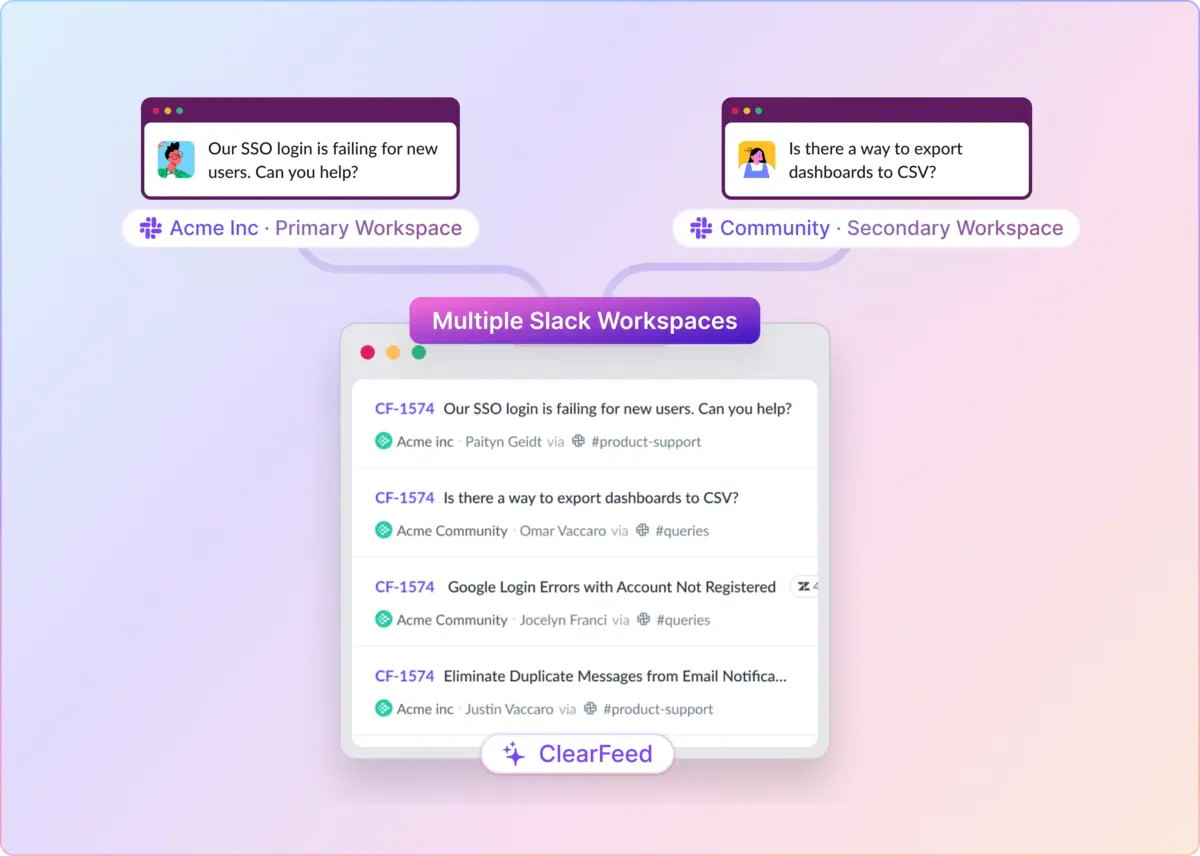
For ongoing two-way sync between customer Slack threads and Zendesk tickets, teams can use ClearFeed. It can automatically turn new Slack conversations into Zendesk tickets, sync replies in both directions, and show ticket status changes in Slack. Agents can respond from either platform.
When comparing Pylon and Zendesk, consider how your team uses Slack. If it mainly supports internal collaboration, Zendesk’s native integration may be enough. If customers expect support in shared Slack channels, evaluate Zendesk with an integration such as ClearFeed alongside Pylon.
2. Account Context: Can the Next Agent Understand Why This Request Matters?
A ticket history tells you what happened. An account view should help explain what needs attention now.
Pylon Brings Support and Account Work Closer Together
Pylon organizes work around customer accounts and offers account notebooks, tasks, and related account workflows. Its optional Account Intelligence add-on adds capabilities such as health scores and a customer success view.
One concrete example is AI-generated call follow-ups. With a connected call recorder, Pylon can create account-associated tasks and try to fill in an owner and due date. Your team still needs to review those assignments, but the commitment can become visible alongside account work.
The buying question is whether you need those account-management capabilities in your support platform. Account Intelligence is separately priced at $10 per customer account per month, so include the account count in your quote.
Zendesk Uses Organizations and Rules To Organize Account Support
Zendesk groups customers into organizations, which can represent the companies you support. Organizations can inform routing, reporting, and service-level workflows. Zendesk therefore has a meaningful model for B2B support; it is worth evaluating before assuming you need to migrate for account visibility.
Ask both vendors to show the same customer account: open requests, previous escalations, ownership, and any promised follow-up. Then count the information your agent still has to find elsewhere. That will tell you more than the presence of an “account context” feature.
3. Engineering Handoffs: Keep Track of Everyone Waiting for the Fix
Creating an engineering ticket is only the first step. Support also needs to know when the work is finished and which customers still need an update.
Pylon Connects the Engineering Update Back To Support
Pylon supports linked workflows with Jira, Linear, and GitHub Issues. Its Jira integration offers a useful example: Jira comments sync as internal notes, and comments in Pylon’s Jira internal thread sync back to Jira. When the linked Jira ticket is completed, the Pylon issue receives a notification and, by default, moves to Waiting On You.
That last step matters. An engineering status change can bring the request back to support’s attention while leaving someone responsible for replying to the customer. Check each connector separately; Jira’s behavior does not establish what every integration will do.
Pylon also supports issue groups, with parent-child relationships, bulk replies, and the option to close child issues together. It can therefore handle several customers affected by the same incident.
Zendesk Gives Related Incidents a Shared Problem Ticket
In Zendesk, agents can link incident tickets to one problem ticket. Solving the problem also solves linked incidents and copies the closing comment to incidents that are still open. The caveat is delivery. Customers are not notified through the messaging channel by that bulk update.
For either product, run the demonstration all the way through. Three customer reports, one engineering fix, and three customer updates. Watch what the system does automatically and what still needs a person. An empty queue is only reassuring if the customers know what happened.
4. SLAs: Decide What the Clock Should Measure
A request can wait on the customer, support, or engineering. Those waits may count differently under your service agreement.
Pylon Ties Timers To Support Hours and Issue Statuses
Pylon measures first response, next reply, follow-up, and resolution, and support hours and configured statuses affect the time counted. Its first-response target requires a qualifying customer-visible reply from a teammate or AI Agent. Internal notes and trigger-generated automatic messages do not satisfy it.
That is useful context when evaluating a reassuring first-response dashboard: an internal acknowledgment and a customer reply are different events. Pylon’s pricing grid also distinguishes basic SLAs from the configurable timer capabilities on higher plans.
Zendesk Offers Separate Metrics and Configurable Fulfillment Rules
Zendesk separates reply, update, and resolution measurements, and Enterprise plans add group SLAs for internal ownership time. Policies can use business or calendar hours.
Advanced settings can also let internal notes count toward certain reply or update targets. That can support internal tracking, but you need to know when a reported achievement means the customer actually heard from someone.
Before choosing, give both vendors an example from your contract: a request arrives before a holiday, moves to engineering, then waits for customer confirmation. Have them show the timers at each stage. A policy that matches your promise is more valuable than a longer list of metrics.
5. AI: Separate Helping an Agent From Handling a Customer
Drafting a reply, investigating an account, and resolving a customer request are different jobs. Evaluate them separately so a good demonstration of one does not stand in for evidence of all three.
Pylon Separates Assist Agent and Support Agent
Assist Agent helps teammates investigate issues, draft replies, and take actions using available context and connectors. Support Agent handles customer-facing work, including collecting information and attempting resolution.
Pylon also lets you test Support Agent against past issues and select account, contact, and channel context for simulated conversations. That creates a practical evaluation opportunity, as you can use requests whose correct answers your team already knows.
Zendesk Combines Copilot With Customer-Facing AI Agents
Zendesk Copilot assists human agents with suggested next steps, drafts, and approved actions. Its customer-facing AI agents work across messaging, email, and voice, with capabilities and access depending on your configuration.
For both products, include a straightforward documentation question, an account-specific exception, and a problem that needs an engineer. Inspect the source behind the answer, the permissions applied, and the context passed to a human.
Count the review work, too. If agents must check several systems before trusting a suggested response, include those steps when deciding what to automate.
6. Knowledge Management: Turn Solved Requests Into Answers People Can Reuse
Once the integration issue is fixed, the next customer should be able to solve it without repeating the conversation. The knowledge workflow needs to get that answer from the ticket into a maintained article.
Pylon Links Documentation Gaps To Support Work
Pylon’s Missing Content page collects issues marked as needing a new article or an update. It can also suggest common unanswered topics, subject to eligibility and a documented threshold of 300 logged issues. That gives support a queue of documentation work grounded in actual questions.
Its editor supports code blocks and reusable synced content, which are useful for technical instructions repeated across articles. Teams can also request article reviews and require approval before non-reviewers publish, with permission-based exceptions.
Zendesk Makes Publishing Stages Explicit
Zendesk Team Publishing supports article assignment and workflows for review, approval, and publication. Teams can stage changes without changing the live article. Available workflow stages depend on the plan.
If your documentation requires an engineering review followed by an editorial approval, demonstrate that exact sequence in both products. Check who can publish, how reviewers find pending work, and what customers see while changes are under review. The useful distinction is whether the controls fit your process.
7. Reporting and QA: Find the Work Behind the Averages
A healthy average response time can coexist with one customer waiting far too long. Start with the questions you need the report to answer: which accounts are waiting, where handoffs stall, and whether the replies are useful.
Pylon Combines Custom Dashboards With Issue-Level Inspection
Pylon’s custom dashboards support filters, custom charts, formulas, and drilldowns. Its AI chart builder can help turn a plain-language request into a graph. Custom reporting is listed on Advanced and Enterprise. One documented limit deserves attention. Drilldowns and their CSV exports include at most the 10,000 most recently created matching issues. That is a drilldown limit, not a claim that the chart itself stops at 10,000.
Pylon also offers AI grading of closed issues against your rubrics, including issue-level and teammate-level evaluation, on eligible plans.
Zendesk Offers Reporting Alongside a Dedicated QA Product
Zendesk Suite Professional includes custom reporting, while its separate QA product adds conversation evaluation and coaching workflows. QA covers human and AI interactions and supports custom evaluation categories.
Both products therefore deserve a look for quality reviews. If coaching is central to your operation, compare how a flagged conversation becomes agent feedback, and whether your managers can track follow-up. Include QA entitlements and usage in the commercial comparison.
8. Integrations: Inspect What Moves Between the Systems
An integration logo establishes that a connection exists. You still need to know whether it carries the fields, comments, permissions, and status changes your team depends on.
Use the Jira example as your standard for specificity. For CRM connections, check field mapping and ownership. For engineering tools, check private comments and completion events. For reporting, check how you export the underlying records.
Pylon also exposes data and actions to compatible external assistants through its MCP server. MCP is a standard for connecting AI tools to other systems; here, it lets an assistant work with permitted Pylon records on behalf of an authenticated user. That differs from giving Pylon’s own agents a connector to another system.
Bring a short list of required workflows to each demonstration. “Can an engineer’s private comment reach support, and what happens when the bug is closed?” is a much more useful question than “Do you integrate with our issue tracker?”
9. Pricing: Compare the Setup You Would Buy
The lowest advertised prices cover different needs. Zendesk Support Team starts with core email and ticketing; its Suite plans add a broader channel offering. Pylon’s entry plan has a different scope again.
Published Seat Prices
A Ten-Agent Example
For a team requiring custom reporting, Pylon Advanced and Zendesk Suite Professional provide a more useful starting comparison than the entry plans. They still are not feature-for-feature equivalents.
The seat-only difference is $240/month. Adding Account Intelligence for 100 accounts adds $1,000/month to Pylon. These calculations are based on published rates and exclude AI consumption, other add-ons, taxes, and implementation.
The account add-on deserves special attention if you prefer Pylon to manage accounts. Specify which accounts need it and confirm how billable accounts are counted.
Add AI and Operational Costs to the Quote
Pylon meters agentic work through credits. Zendesk measures customer-facing AI agent usage through automated resolutions. These units describe different work, so a credit price and a resolution price do not make a meaningful direct comparison.
Ask each vendor to price the same workload: your expected ticket volume, human-assisted investigations, automated conversations, collaborator access, phone usage, and required security controls. Include implementation and ongoing administration.
Which Should You Choose?
Start with Pylon if shared customer channels and account coordination dominate your support work. Its Slack conversation tracking, account workflows, and engineering handoffs make it a relevant choice for that operating model. Confirm the tier for Teams, the account add-on cost, and access to the AI features you intend to deploy.
Start with Zendesk if you need to run a broader channel operation with formal support processes. Its channel offering, publishing workflows, incident model, and dedicated QA product deserve attention when those are core requirements. If customer Slack channels are also essential, assess the complete synchronization workflow and any additional tools it needs.
If you already use Zendesk, define the gap before planning a migration. A missing Slack workflow may call for an integration. A wider change in how support and customer success manage accounts may justify replacing the platform.
For the final evaluation, take one difficult request from your own history. Follow it from the original message through account lookup, escalation, resolution, and customer follow-up. Then price that setup. The better fit is the one that requires fewer manual steps for your team to remember.
Where ClearFeed Fits for Teams Working From Slack
If Zendesk already handles your core support operation and Slack is the missing piece, ClearFeed is another option to evaluate. It supports built-in ticketing and integrates with an existing helpdesk.
ClearFeed brings requests into Slack triage channels, where agents can reply, assign ownership, change request properties, and create or link engineering tasks. Comment-visibility settings control which replies stay private and which sync to the requester.
With the Zendesk integration, agents can work on synchronized tickets from Slack or Zendesk while keeping ticket data in Zendesk. That is worth testing if the customer conversation needs to stay in Slack and the support record needs to stay in your existing helpdesk.
ClearFeed’s AI Agents can answer from connected knowledge, suggest responses privately, and perform configured actions. Availability depends on the plan and configuration.
Evaluate it against the same customer request used for Pylon and Zendesk. Check reply synchronization, private collaboration, ownership, and the final customer update. If that closes the gap, you have a concrete basis for deciding whether to extend your current helpdesk or move to another platform.
Try ClearFeed free for 14 days and see how your team can manage Slack conversations, coordinate privately, and keep Zendesk tickets in sync.