Table of Contents

Approval workflows are a core part of internal operations in Slack, used for access requests, procurement, finance approvals, and more. We introduced support for Approval Workflows in Slack as part of ClearFeed's Internal Helpdesk offering in 2025. But when approvers are hardcoded, workflows that depend on organizational hierarchy and relationships become impossible. Approvers vary by person - and having static approvers can overload those personnel (and send requests to the wrong person).
To solve this, we are introducing Dynamic Approvers as part of ClearFeed. You can now build approval workflows where approvers are resolved dynamically based on request context, without manually maintaining rigid approval chains. Let's take a look at how Dynamic Approvers work.
How it Works
1. The approval workflow uses a form field as the approver
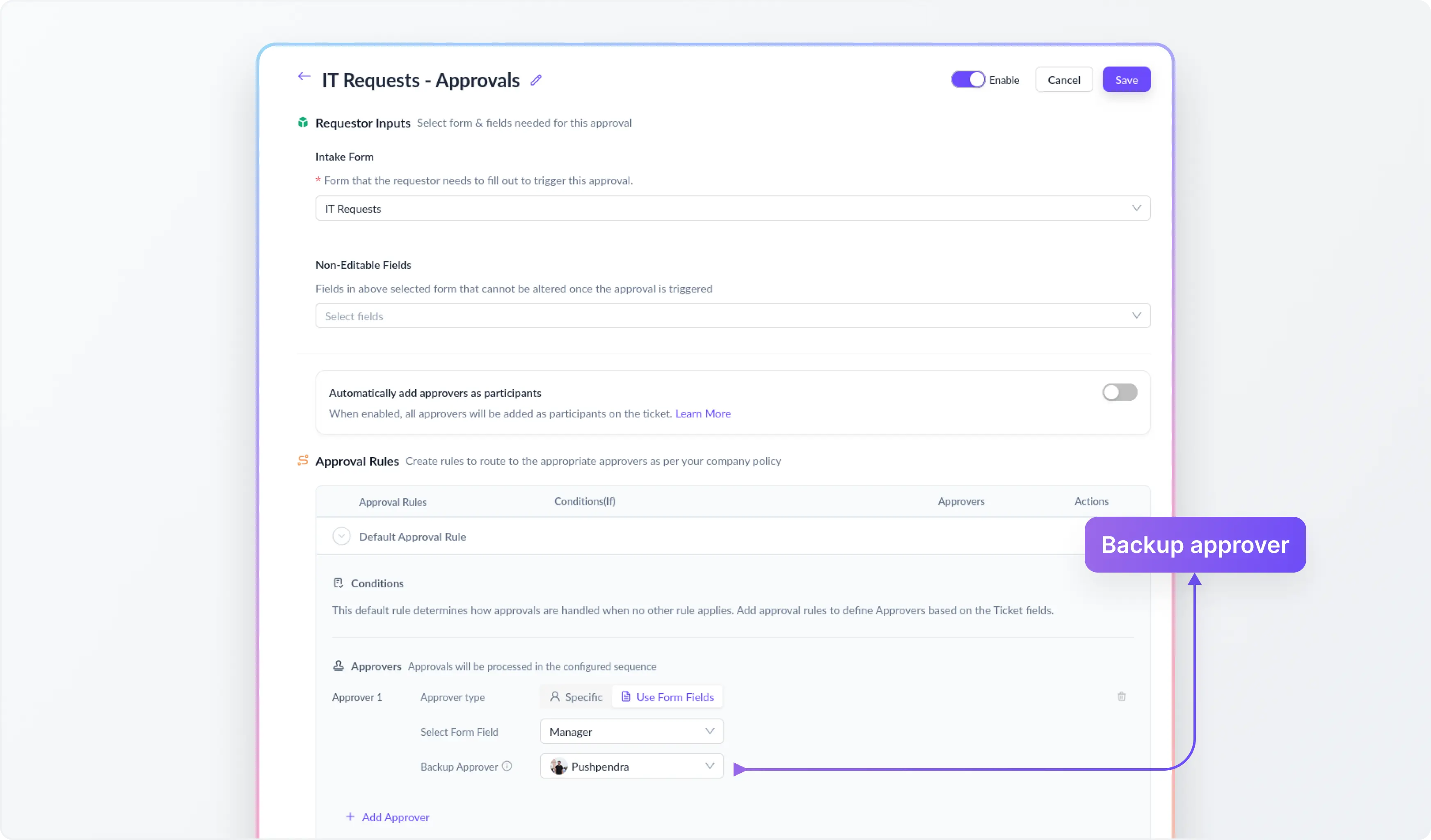
Instead of assigning a fixed approver in the workflow, ClearFeed lets you configure the approval step to use a User Select field from the intake form. The value in that field becomes the approver for that request. This gives you a flexible way to power approval routing using request-level data, without hardcoding a specific person into the workflow.

2. ClearFeed populates Approver fields automatically
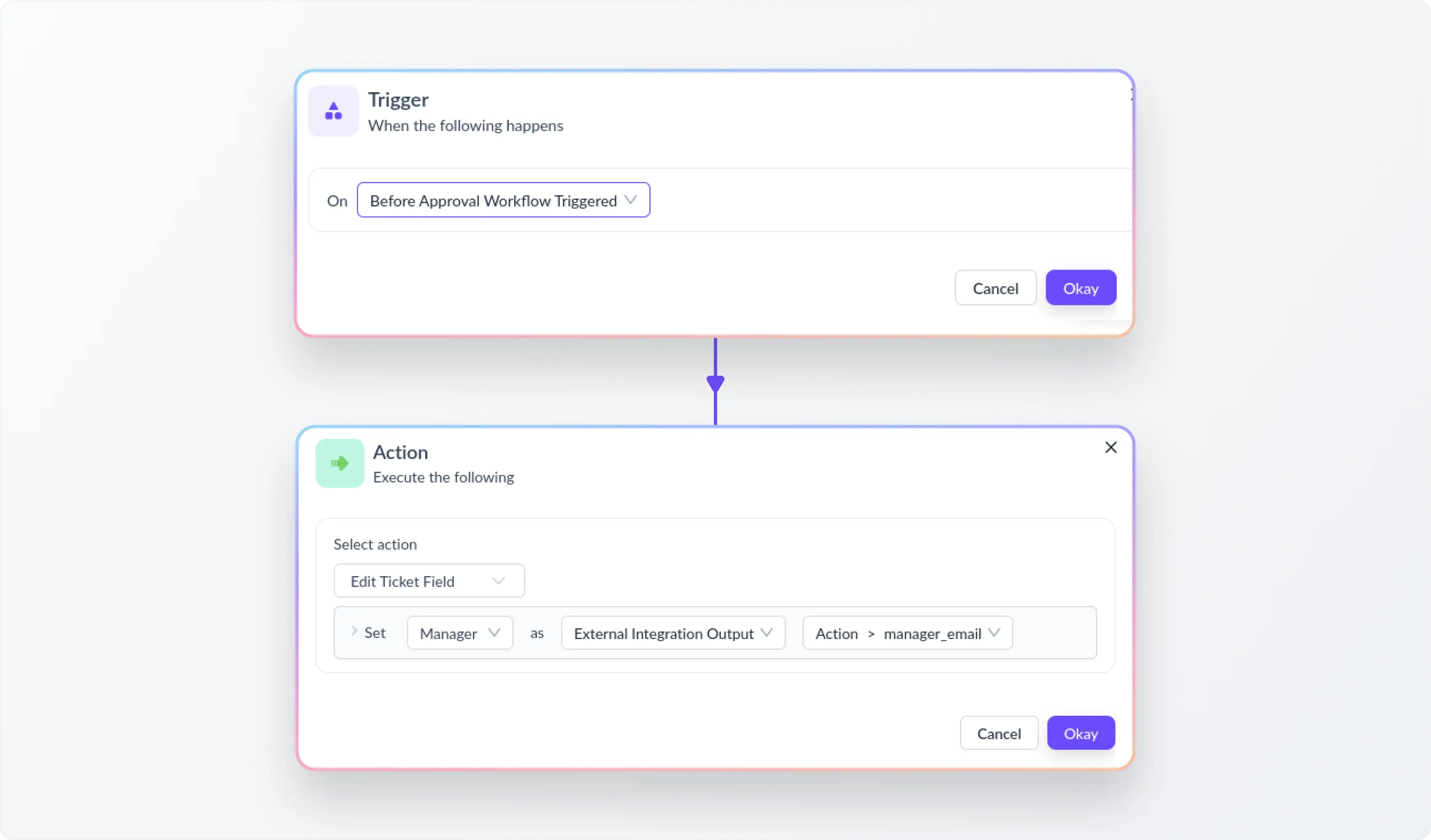
To make this work without manual input, ClearFeed uses a pre-approval Automation that runs before the approval workflow is triggered. In our Okta integration - the Automation queries Okta using the requester’s email, fetches their manager, maps the manager's email with the user in Slack and assigns that user to the relevant user select field in the ticket form. By the time the approval workflow runs, the field is already populated and ready to be used for routing.
This means employees do not need to select their manager manually, and admins do not need to keep updating approval chains every time reporting lines change.
3. A backup approver keeps the workflow reliable
Dynamic routing needs a fallback in case external data is missing or incomplete. ClearFeed handles this by requiring a backup approver for every dynamic approver step. If the Okta lookup fails or no manager value is returned, the workflow automatically routes the request to the backup approver instead. This ensures approvals continue smoothly even if there is a mismatch or gap in directory data.
4. The approver receives and acts on the request in Slack
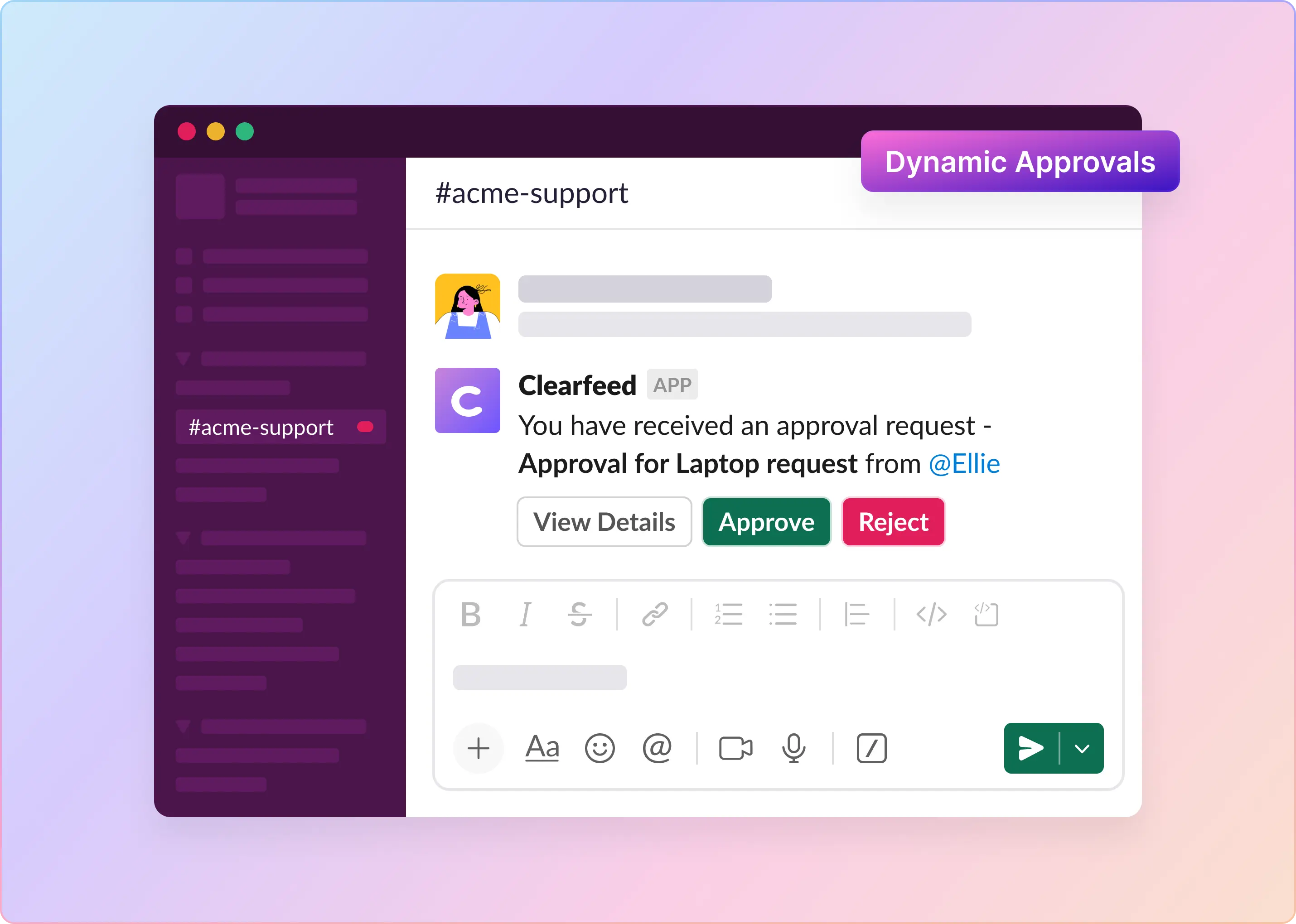
Once the field has been populated and the workflow is triggered, the approval request is sent to the resolved approver in Slack. They can review the request and approve or reject it directly from Slack. The requester is then notified of the outcome, and the ticket is updated in ClearFeed automatically.

Check out the detailed step-by-step guide on how to set up Dynamic Approvers in ClearFeed.
Wrapping Up
Dynamic Approvers brings fully automated approval routing to ClearFeed's Internal Helpdesk. Instead of asking employees to select their manager or hard-coding approvers that go stale with org changes, ClearFeed resolves the right approver in real time from Okta, before the approval workflow even triggers.
Note: You'll need the Okta integration set up in ClearFeed, and the requester's email in ClearFeed must match their email in Okta exactly. If you'd like help configuring this for your team's workflows, or are interested in integrating dynamic approvers from other systems like Slack or HRIS systems - reach out to us on Slack, email us at support@clearfeed.ai, or book a free demo here.