Table of Contents

AI coding assistants and agents have gotten remarkably good at reasoning, planning, and taking action, but only when they have access to the right context. For support and ops teams using ClearFeed, that context lives inside your helpdesk: open requests, customer history, SLA data, & ticket queues. Until now, getting an AI agent to act on that data meant writing custom API calls, wiring up HTTP requests, and dealing with authentication on every integration.
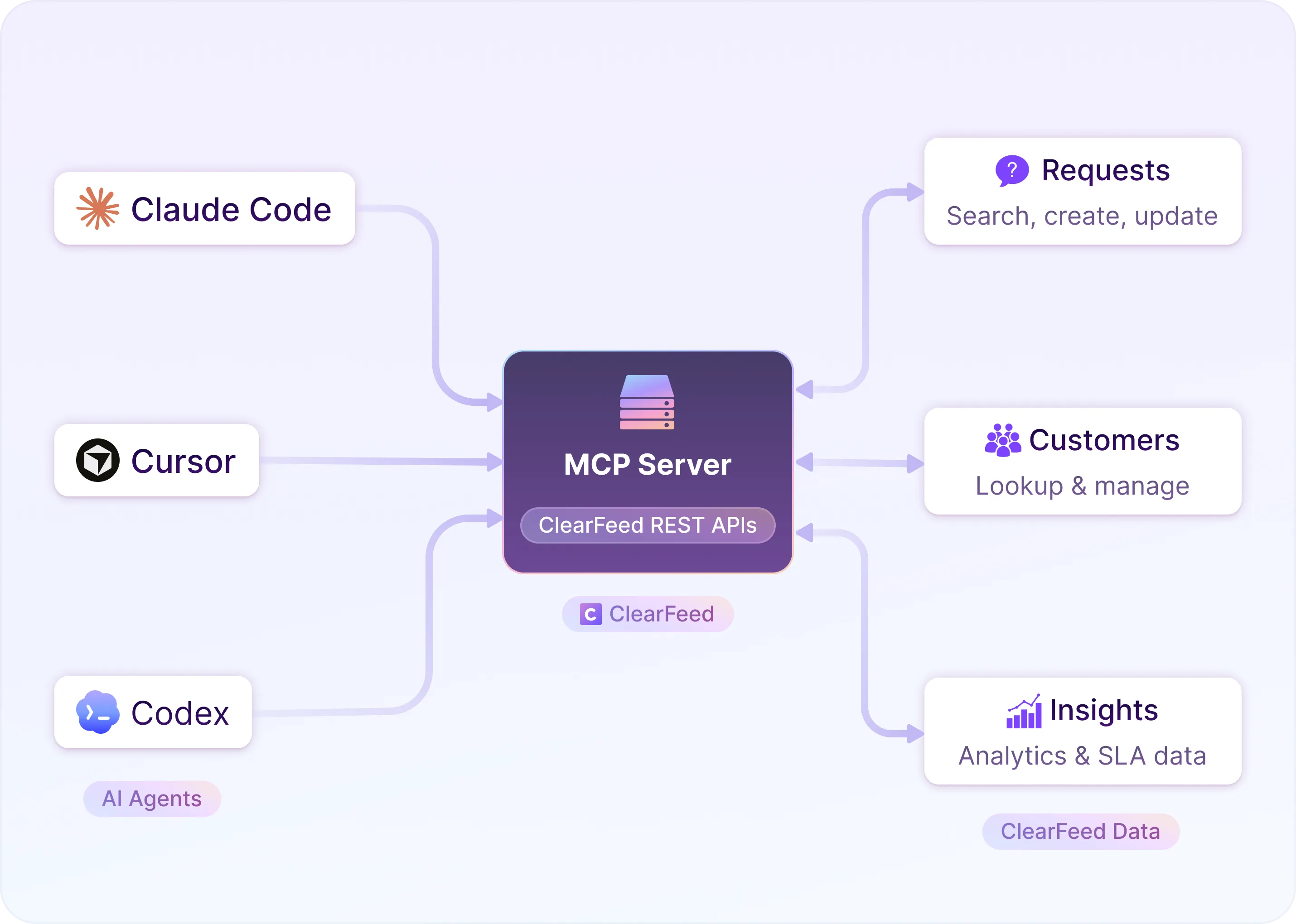
Today, we're releasing the ClearFeed MCP Server: a local server that exposes ClearFeed's External APIs as tools that any MCP-compatible AI agent can use directly. If you're working with Claude Code, Cursor, Codex, or another MCP-compatible client, your agent can now perform multi-step agentic workflows like search requests, update tickets, pull analytics, and more. What this means for you:
- Bring ClearFeed into MCP-compatible AI environments
- Let AI systems work with live support context
- Reduce custom integration work when connecting ClearFeed to agent workflows
Let’s look at how this works and where it becomes useful.
Update: ClearFeed MCP now supports two connection options. Teams can use the local MCP server with clients like Claude Code, Cursor, and Codex, or connect Claude directly through the new cloud MCP server with no local setup required. For Claude Team or Enterprise, ClearFeed can be added once as a connector and made available across the team.
How ClearFeed’s MCP Server Works
ClearFeed’s MCP Server runs locally and connects ClearFeed’s External REST APIs to MCP-compatible AI clients. Instead of working with raw HTTP requests, agents can use ClearFeed through structured MCP tools. This makes it easier to bring ClearFeed into agent workflows in a way that feels much more natural and useful.
1. Connect ClearFeed to your MCP-compatible client
The server is designed to run locally and connect to ClearFeed using your Personal Access Token and API base URL. Once configured, AI clients such as Codex, Claude Code, or Claude Desktop can use the ClearFeed MCP Server over standard MCP transports and access ClearFeed through tool calls.
That means your AI client is no longer limited to generic prompting. It can now work with ClearFeed as a connected system.
2. Give agents access to ClearFeed’s core support actions
Once connected, the AI client can use ClearFeed through a set of MCP tools that map to common support workflows. These tools cover the core areas teams already work with in ClearFeed - including requests, customers, collections, channels, custom fields, teams, tickets, and insights.
So instead of treating ClearFeed as a separate system that needs raw API calls, agents can directly use the right tool for the job, whether that is searching requests, updating request details, linking tickets, looking up customer context, or running support analytics.
3. Enable AI agents to take useful support actions
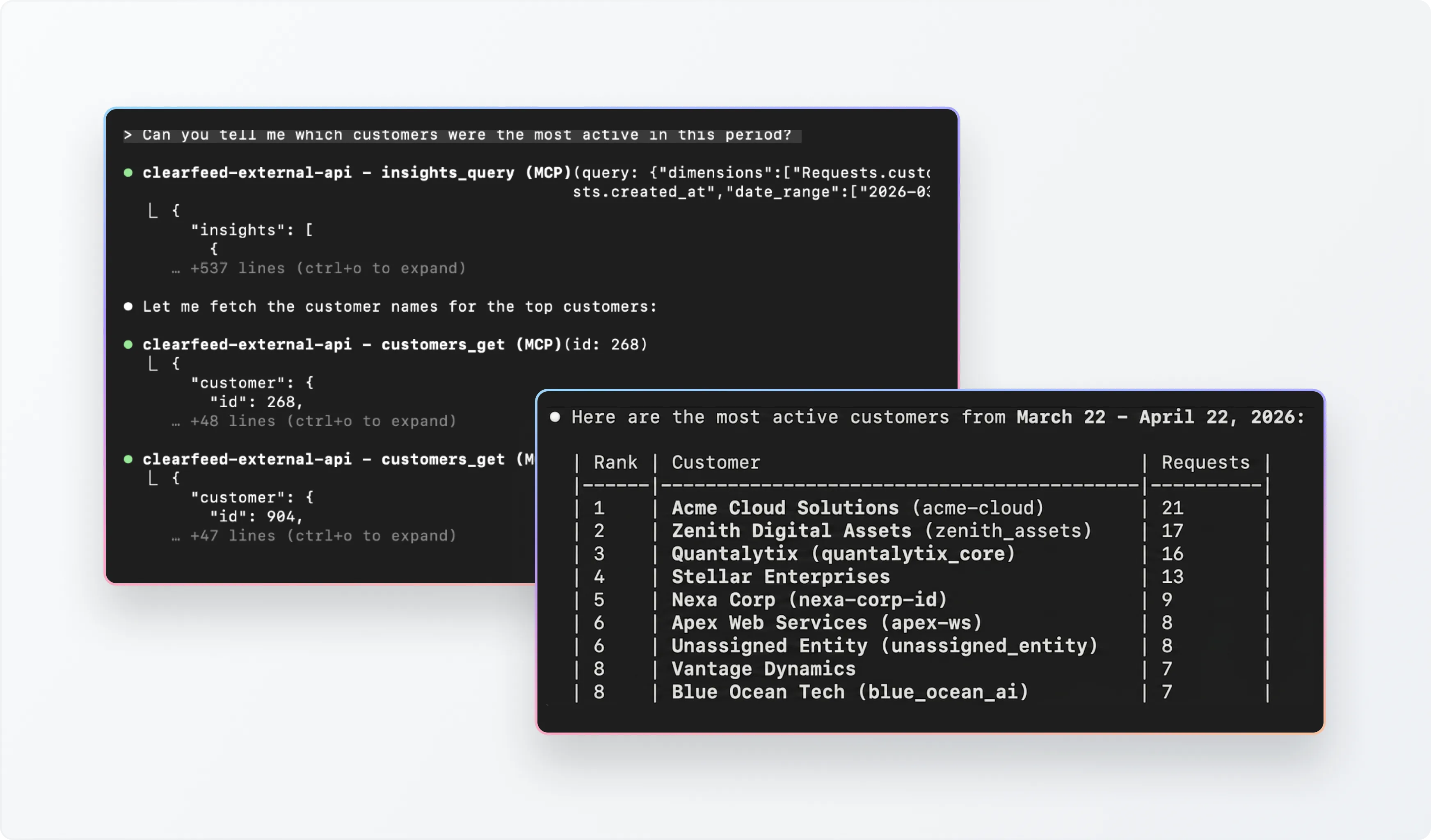
With those tools in place, agents can start doing useful work inside ClearFeed. They can search and summarize requests, inspect request details, post messages, update fields, link external tickets, or query support analytics through Insights.
That shifts AI from being a layer that only observes support work to one that can actively participate in it.
What you can do with it
ClearFeed’s MCP Server is useful anywhere you want AI agents to work with ClearFeed as part of real support workflows. Here are a few key use cases:
1. Search and summarize requests
An agent can use requests_search or requests_list to find recent support conversations and summarize the key issues for a responder or manager. This makes it easier to get a quick view of what is happening across support without manually reviewing every request.
2. Update a request
An agent can use requests_get to inspect a request, requests_post_message to add a message, and requests_update to change fields such as state, assignee, priority, or custom field values.
3. Generate Custom Reports
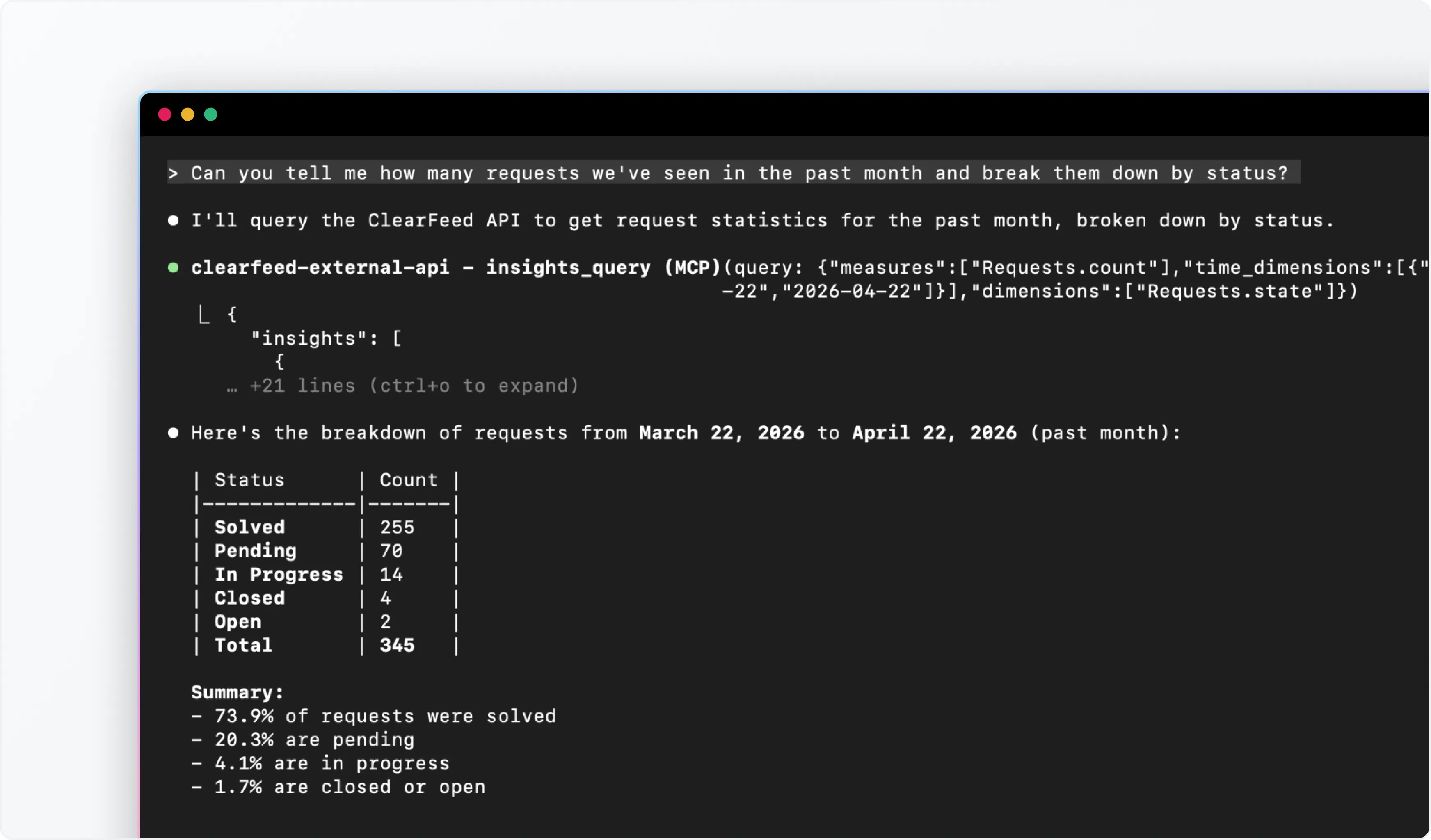
An agent can use insights_query to generate custom reports from ClearFeed data — from weekly support summaries to deeper operational reviews across response times, SLA breaches, assignees, customers, priorities, channels, or collections.
Teams can also use ClearFeed’s generate-clearfeed-reports skill from the clearfeed-skills repository to turn this into a more repeatable workflow. The skill is built to create weekly, monthly, quarterly, or custom support reports, compute derived metrics, and export the final output in Markdown, PDF, or DOCX.
Wrapping Up
ClearFeed’s MCP Server helps teams bring AI agents closer to actual support work. Instead of limiting AI to generic summarization or disconnected assistance, teams can now let MCP-compatible clients interact with ClearFeed through structured tools for requests, customers, collections, tickets, and insights.
If your team is already exploring AI agents for operational workflows, the ClearFeed MCP Server gives you a much cleaner way to connect those agents to your support system. To learn more about the functionality, you can reach out to us at support@clearfeed.ai or book a personalized walkthrough here.