Table of Contents

Many invoice approval tools claim to integrate with Slack, but the experience varies. With some, Slack is little more than a notification channel, and approvers still have to open an AP portal. Others support the full review and approval in Slack. Some collect requests there while your existing systems handle invoice capture, accounting, and payment.
This guide compares six options, examining how approvals work, how each tool fits into the finance stack, and which teams they suit. That should help you narrow the list before booking demos.
TL;DR
Choose a Slack invoice approval tool based on whether you need simpler approvals, unified spend management, or full accounts payable automation.
The gist
- ClearFeed and Approveit suit teams that want approvals inside Slack while keeping their existing accounting systems.
- Stampli combines invoice capture, coding, approvals, and payments with a strong Slack approval experience.
- BILL suits QuickBooks-heavy teams, though approvers may still need its web app for invoice context.
- Ramp fits teams already using its cards and expenses who want invoice approvals in the same platform.
- Tipalti targets complex international payments, tax requirements, and multi-entity operations; Slack plays a supporting role.
Worth knowing: “Slack integration” can mean anything from notifications to complete approvals. ClearFeed handles the approval layer but doesn’t provide OCR, payments, or native ERP write-back.
The Four Types of Slack-Based Invoice Approval Tools
The solutions in this market are easier to compare once you stop treating them as variations of the same tool. Most fall into one of four groups:
1. AP Platforms With Slack Added
These solutions begin with invoice capture, coding, ERP sync, and payments. Slack is an additional approval channel. They are strongest when finance wants to replace or modernize the full AP workflow, not just improve approver response times.
Typical fit: Teams that need OCR, accounting controls, vendor management, and payment execution in one system.
2. Spend Management Platforms
These tools handle invoice approvals alongside corporate cards, expenses, budgets, and reimbursements. They make the most sense for companies that already use the rest of the platform or plan to move more of their spending into it.
Typical fit: Teams that want a single policy and a consistent approval experience across multiple types of company spend.
3. Workflow-First Approval Tools
These products focus on forms, routing, conditional steps, and chat-based decisions. They are lighter than a full AP suite and usually depend on another system for accounting and payment.
Typical fit: Teams whose current accounting stack works, but whose approval process is inconsistent or too dependent on manual follow-up.
4. Slack- and Teams-Native Request Layers
These platforms treat invoice approval as a request type within a broader internal operations queue. Finance requests, purchase requests, vendor onboarding, IT help, and other workflows can share the same intake, routing, and service-management layer.
Typical fit: Companies that want employees and approvers to use one conversational front door while specialist systems remain the source of record behind it.
How Invoice Approval Needs Change as a Company Grows
Invoice workflows rarely become complex all at once. They tend to move through a few recognizable stages, and the right tool depends on which problem has begun to break down.
Stage 1: Informal approval. A founder or department head approves the occasional invoice via DM or a channel. The volume is manageable, but the record is scattered, and the process depends on people remembering what to do.
Stage 2: Repeatable routing. More teams are buying software and services. Finance needs structured intake, clear owners, dollar-based thresholds, reminders, and a reliable approval history. A workflow-first tool or request layer can be enough if invoice capture and payment already work elsewhere.
Stage 3: Finance operations at scale. Invoice volume rises, exceptions become common, and finance needs OCR, coding, purchase-order matching, ERP sync, stronger controls, and reporting. At this point, an AP platform may need to become the core system, with Slack acting as its approval surface—or with a separate conversational layer in front of it.
Stage 4: Multi-entity or global AP. The workflow now has to accommodate entities, currencies, tax requirements, supplier onboarding, and stricter segregation of duties. Slack convenience still matters, but it becomes secondary to the underlying controls and payment infrastructure.
How We Evaluated These Tools
Not every "Slack integration" is created equal. They may all carry the same label, but they handle very different parts of the approval workflow. Before your team picks a tool, it's worth assessing:
- Where the approval is finalized. Is the Approve button a shortcut back to the vendor's web app, or does the approval close within Slack?
- Approver adoption. Will your engineering VP click through in ten seconds, or will they ignore it?
- Audit trail quality. Does the tool produce SOX-ready, system-generated logs — or does your controller end up screenshotting Slack threads?
- ERP integration depth. Does approved data flow into NetSuite, QuickBooks, or Sage Intacct as structured records or as free-text notes?
- Multi-channel support. Slack-only, or does it also handle Microsoft Teams (including shared channels)?
- Routing flexibility. Can you route by dollar threshold, department, vendor category, or requester attributes?
- Exception handling. What happens when a line item is disputed, a PO doesn't match, or an approver is out of office?
- Dynamic approver resolution. Can the tool identify the right approver using data from Okta, another identity provider, or the requester’s details? Or does someone have to choose an approver for each request?
- Total cost. Per-approver seats vs flat pricing, plus the real implementation lift.
Comparison Table
6 Best Slack-Based Invoice Approval Solutions
1. ClearFeed
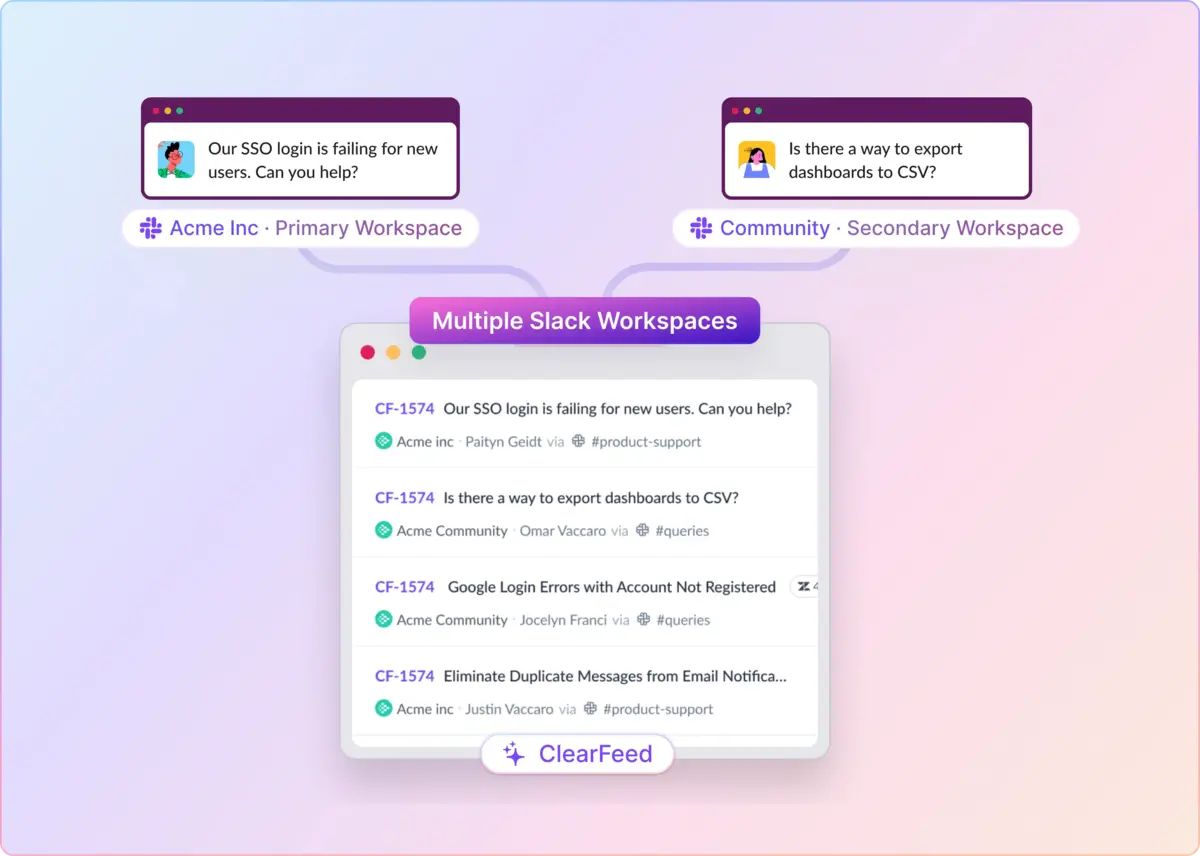
ClearFeed is a request and approval layer for Slack and Microsoft Teams. Finance teams can continue using BILL, NetSuite, or QuickBooks to record and pay invoices, while budget owners review and approve them in the chat tools they already use.
It can also serve as the finance team’s request queue. Approval discussions, routing, SLA tracking, and audit trails stay in Slack or Teams, while the existing AP or accounting platform remains the system of record.
The same setup can handle vendor requests, expense pre-approvals, purchase order requests, budget questions, and other finance queries. This gives teams one place to manage multiple finance workflows, rather than running a separate process for each.
Key Features
- Flexible approval workflows: Build multi-level approval chains with static or dynamic approvers and conditional routing based on amount, department, vendor, or custom fields.
- Dynamic approver assignment: Use Okta data to identify the requester’s manager, department head, regional owner, or another approver before the workflow begins.
- Approve or reject in Slack: Approvers can review and act directly from Slack DMs, with comments captured on the ticket.
- Structured, adaptive intake: Collect invoices, amounts, vendors, GL codes, cost centers, PO numbers, and other required fields through forms that change based on request type or value. Slack profile attributes can pre-fill known requester data.
- Multi-channel intake and approvals: Support Slack, Microsoft Teams (including shared channels), and email, routing requests through the same underlying workflow.
- Privacy and audit controls: Restrict sensitive requests to named participants while maintaining a timestamped audit trail of approvals, comments, skips, and backup actions.
- SLA and cycle-time tracking: Measure approval latency by requester, approver, amount tier, or other workflow attributes.
- Broader finance workflows: Run invoice, expense, vendor onboarding, purchase order, and budget requests in the same workspace.
Pros
- Approvers never leave Slack or Teams — a real fix for the adoption problem, not a wrapper
- Dynamic approvers via Okta eliminate the "who should I route this to?" question — approver resolution is automated, not manual
- Handles the broader "finance request queue," not just invoices
- Strong MS Teams support, including shared channels (a gap for most AP tools)
- Sits alongside your existing AP platform without replacing it
Cons
- Deliberately not an AP platform. No OCR, no invoice capture, no vendor master, no GL coding, no payment execution, no native ERP write-back. ClearFeed is the approval layer that sits on top of one — not a replacement.
- Not designed to be the sole system for high-volume AP shops running 500+ invoices per month
- Approval Workflows require the Internal Helpdesk edition. The entry-level Integrations tier doesn't include the module
Pricing
The Integrations edition starts at approximately $24/user/month; the Helpdesk edition is higher. Volume- and edition-specific pricing is available on request. Free trial and demo available.
2. Stampli
Stampli is one of the strongest AP-native tools with a real Slack story. It handles the full invoice lifecycle — capture, coding, approval, and payment — with AI helping with GL coding and vendor matching. The Slack integration is more than a notification: approvers can see line-item context and approve without having to bounce to the web app for most straightforward invoices.
It's the closest thing in the AP-platform category to a genuinely usable Slack experience. But it's also a full-platform commitment — you're not adopting Stampli as a light layer; you're adopting it as your AP system.
Key Features
- AI-powered invoice capture, coding, and vendor matching
- Slack and Teams approvals with line-item visibility
- Deep integrations with NetSuite, Sage Intacct, QuickBooks, and Microsoft Dynamics
- "Interact" two-way vendor communication threaded to each invoice
- Full role-based audit trail
- Payments via Stampli Direct Pay
Pros
- Best-in-class Slack approval experience among AP-native platforms
- Strong AI-driven coding meaningfully reduces manual work
- Broad ERP coverage suits mid-market and enterprise finance teams
Cons
- Full-platform commitment — not a lightweight layer on top of an existing AP tool
- Pricing is enterprise-first and not publicly listed
- Complex exceptions still funnel approvers back to Stampli's web UI
Pricing
Custom pricing based on invoice volume and users. Typically enterprise-tier; not published publicly. Demo required.
3. Bill.com
Bill.com is the category incumbent. It powers AP for hundreds of thousands of SMB and mid-market companies, particularly QuickBooks-heavy shops. Its Slack integration exists, but it's more of a notification bridge than a true Slack-native approval surface — approvers still often have to jump into the Bill.com web app to review context for anything beyond the simplest invoice.
If your finance team is already deep in Bill, adding the Slack app is easy and worth doing. If you're picking a tool primarily for its Slack experience, this isn't the strongest fit.
Key Features
- Invoice capture, coding, approval routing, and payment execution
- Broad ERP integrations (QuickBooks, NetSuite, Sage Intacct, Xero)
- Slack app for approval notifications with one-click approval
- Vendor network with payment automation
- Two-way sync with accounting systems
- SOX-ready audit logs
Pros
- Category incumbent — safe, well-known, extensively documented
- Deep QuickBooks integration is hard to beat
- Handles the full AP lifecycle end-to-end
Cons
- Slack integration is thin — approvers routinely still log into Bill for context
- UI feels dated relative to Ramp, Stampli, and newer entrants
- Per-user pricing adds up quickly if you have many occasional approvers
Pricing
Essentials plan starts at $49/user/month; Team at $65/user/month; Corporate at $89/user/month. Custom Enterprise pricing is available on request.
4. Ramp
Ramp began as a corporate card and expense-management platform, then expanded into Bill Pay. Its Slack integration is one of the best-designed in the category — Ramp Bill Pay approvals show up in Slack as rich messages with line items and vendor context, and the mobile experience is genuinely strong. For companies already running cards and expenses through Ramp, adding Bill Pay is the path of least resistance.
The trade-off is that Ramp's approval engine is opinionated. If your routing policy is "amount > X goes to CFO, otherwise dept head," you're fine. If it's five conditional tiers with vendor-category exceptions and OOO rerouting, you may hit the edges.
Key Features
- Slack app for real-time approvals of invoices, cards, and reimbursements
- OCR-driven invoice capture
- Policy engine with dollar thresholds and department routing
- Native integrations with NetSuite, QuickBooks, Sage Intacct, and Xero
- Unified card + expense + bill approvals in one workflow
- Free tier for core Ramp; Bill Pay included on higher plans
Pros
- Excellent mobile and Slack UX
- Unified spend view across cards + invoices in one product
- Aggressive pricing — Bill Pay is included at the core tier for many customers
Cons
- Approval routing is opinionated; complex multi-tier policies are a stretch
- Microsoft Teams support is limited
- ERP sync can lag on edge-case invoice states
Pricing
Ramp core plan is free. Ramp Plus is around $15/user/month. Enterprise pricing is custom. Bill Pay is included in the core tier for baseline functionality. There is a platform fee for paid plans and it varies with team size.
5. Approveit
Approveit is one of the newer, purpose-built Slack-first approval tools. Its whole design bet is that approvers should never open a web app. Invoice approvals, PO approvals, purchase requests, and vendor approvals all live inside Slack (or Teams) as native messages with conditional multi-step flows. It's not a full AP platform — it's a routing and approval layer that connects to your accounting system for the record of truth.
For small-to-mid teams that want fast, real Slack-first approvals and don't need heavyweight AP features, it's a credible option. For anyone running high-volume AP with complex ERP requirements, it will feel thin.
Key Features
- Slack- and Teams-native approvals as first-class UX
- Custom multi-step approval flows with conditional logic
- Integrations with QuickBooks, Xero, and Zapier for broader connections
- Templates for common finance request types
- Audit log per request
- OCR is available on higher pricing tiers
Pros
- Truly Slack-first design — approvers rarely need to leave chat
- Simple to set up for common invoice and PO workflows
- Fit-for-purpose pricing at the small end
Cons
- Smaller vendor with less enterprise traction and case-study depth
- ERP integration depth is shallower than that of incumbents
- OCR and advanced features are gated to higher tiers
Pricing
Starter plan: around $400/month for 2 workflows and 100 requests/month; Pro: around $850/month. A free plan is available, and it includes 1 workflow and 20 requests/month.
6. Tipalti
Tipalti is an enterprise-tier global AP automation platform, popular with companies paying international vendors, marketplaces, affiliate networks, and creator payouts. It handles tax compliance, multi-currency, and global payment rails at a scale most competitors don't attempt. The Slack integration exists — but you don't buy Tipalti for Slack. You buy Tipalti to solve international AP at scale, and Slack notifications are a supporting feature.
If your invoice approval problem is domestic and low-volume, this is overkill. If your problem is "we pay 4,000 creators in 47 countries every month and finance is drowning in tax forms," Tipalti is the answer, and Slack is a bonus.
Key Features
- End-to-end global AP with payments in 196 countries and 120 currencies
- Tax form collection (W-9, W-8, VAT) with automated validation
- Deep ERP integration (NetSuite, Sage Intacct, Oracle, SAP)
- Approval workflow engine with Slack notifications
- Fraud and compliance controls
- Supplier portal for self-service onboarding
Pros
- Unmatched global payment and tax compliance coverage
- Enterprise-grade audit and controls
- Handles complex multi-entity, multi-currency scenarios out of the box
Cons
- Entry pricing excludes transaction costs — Tipalti Accounts Payable plans start at $99/month, with additional per-invoice and payment fees.
- Slack experience is basic compared to Stampli or Ramp
- Overkill for domestic-only, low-volume AP teams
Pricing
Tipalti Accounts Payable plans start at $99/month and include unlimited users, a self-service supplier portal, and core automation features. Per-invoice and payment transaction fees apply; advanced modules and complex implementations can add to the cost.
Which Solution Should Your Team Choose?
- Choose ClearFeed if approver adoption is your biggest problem and you want a Slack- and Teams-native request layer that handles invoices and the rest of your internal finance queue. Best when paired with an existing AP platform, not as a replacement.
- Choose Stampli if you want the strongest all-in-one AP platform with a genuinely usable Slack experience, and you're ready for a full-platform commitment.
- Choose Bill.com if you're QuickBooks-heavy and want the safest, most established AP incumbent, with Slack as a supporting channel.
- Choose Ramp if you already run cards and expenses through Ramp and want to consolidate invoice approvals into the same low-cost, well-designed workflow.
- Choose Approveit if you're a small-to-mid team, want approvals to genuinely live in Slack, and don't need heavyweight AP features.
- Choose Tipalti if you're paying international vendors at scale and need enterprise-grade global AP compliance.
See ClearFeed in Action
If your team lives in Slack or Teams and your CFO is tired of chasing approvals across DMs, spreadsheets, and portals, ClearFeed is worth a look. It won't replace Bill.com or NetSuite — but it will finally make the approval step something budget owners complete on the same day.