
October 7, 2026

6 Best Microsoft Teams–Zendesk Integrations for Customer Support Teams in 2026

WRITTEN BY
Happy Das
6 Best Microsoft Teams–Zendesk Integrations for Customer Support Teams in 2026

Many B2B support teams use Microsoft Teams and Zendesk every day. When the tools don’t connect, agents spend time switching between them, copying updates, and piecing together context whenever a ticket moves.

The right integration can turn Teams conversations into Zendesk tickets and keep replies flowing both ways. This helps agents respond faster and spend less time on manual triage and copy-paste.

This guide compares six of the best Microsoft Teams–Zendesk integrations for 2026, including their key features, use cases, pricing, and trade-offs to help B2B support managers choose.

‍

How We Evaluated Microsoft Teams–Zendesk Integrations

An alert in Teams and a synchronized support conversation solve very different problems. We used the following criteria to separate them:

  • Ticket intake: Can a Teams message automatically become a Zendesk ticket — always, selectively, or via a form?
  • Two-way communication: Do Teams replies and Zendesk comments stay connected throughout the life of the request?
  • Thread handling: Does the integration preserve the difference between a new request and a follow-up reply in the same conversation?
  • Ticket controls: Can users view and update status, priority, assignee, forms, and custom fields from Teams?
  • Internal collaboration: Can teammates add private comments or internal notes without exposing them to the requester?
  • Requester identity: Does Zendesk receive a useful requester identity rather than a generic integration user?
  • Customer-channel support: Can the workflow support external customers in Teams, or is it designed mainly for employees and internal agents?
  • Knowledge access: Can users find Zendesk Help Center answers before creating a ticket?
  • Operations: How much work is involved in building, monitoring, and repairing the integration?
  • Pricing: Does cost scale by agent, channel, ticket, task, credit, or automation owner?

‍

Best Microsoft Teams–Zendesk Integrations at a Glance

Product Best for Integration depth Pricing model
ClearFeed Customer support delivered through Teams channels while Zendesk remains the ticketing system Purpose-built ticket creation, two-way message and attachment sync, fields, forms, private collaboration, and Zendesk tracking ClearFeed Professional; channel-based or agent-based pricing
Zendesk for Microsoft Teams Employee self-service, agent ticket work, notifications, and ticket views inside Teams Native ticket creation and updates, replies, internal notes, article suggestions, notifications, and views Free app; Zendesk subscription required
Zapier Simple ticket creation, alerts, and narrow trigger-action automations Templates and actions in both directions Task-based; Zendesk is a premium app
Make Visual, multi-step workflows with more branching and data handling Broad Teams and Zendesk modules — messages, replies, tickets, comments, and attachments Credit-based
Microsoft Power Automate Microsoft-centric organizations with Power Platform skills and governance Teams workflows plus a premium Zendesk connector for create, read, update, and trigger operations Per-user or per-process Power Automate licensing
Workato Enterprise orchestration across Zendesk, Teams, identity, engineering, CRM, and data systems Rich recipes, real-time Zendesk triggers, Teams actions, Workbot, APIs, and governance Credit/usage-based, plus enterprise platform terms where applicable

‍

1. ClearFeed

ClearFeed is built for one specific model: customers ask for help in Microsoft Teams, agents work in Zendesk, and both sides stay synchronized without anyone having to relay updates by hand. It's a natural fit for B2B support teams whose customers prefer Teams, while Zendesk remains the system of record.

Key Features

  • Create Zendesk tickets from Teams support requests automatically for each new thread, with a 🎫 reaction from a responder, or through a structured Zendesk form. The 🎫 reaction works in both standard and shared Teams channels.
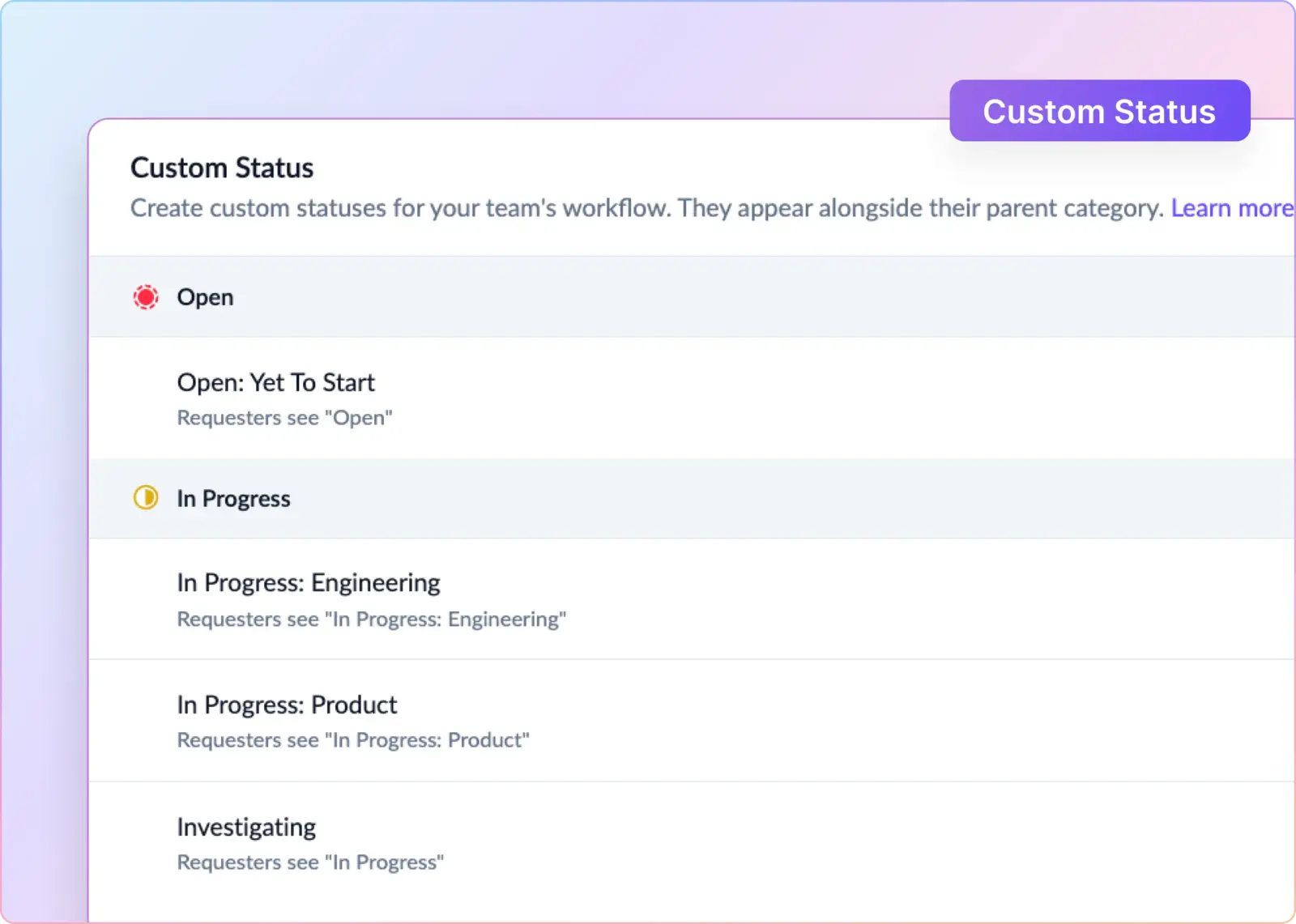
  • Sync replies, comments, and attachments both ways between Teams and Zendesk. Reflect Zendesk custom statuses in the Teams thread.
  • Sync Zendesk internal notes with private comments in triage, so engineers can collaborate without a Zendesk agent seat and keep internal discussions private from customers.
  • Import Zendesk ticket forms and edit supported fields, including title, priority, assignee, and custom fields, from Teams or the ClearFeed triage view.
  • Assign the ClearFeed request and its linked Zendesk ticket to the first responder in one step, or route on-call work using Round Robin with a Rotation.
  • Update Zendesk ticket status based on the conversation. Mark tickets Pending when a responder replies and reopen them when a customer sends a genuine follow-up. AI filters out simple thanks and acknowledgments.
  • Deflect common questions with a Virtual Agent that can post one automatic answer per new Teams request, using the Knowledge Sources connected to that Collection.
  • Sync Slack-native or ClearFeed CSAT responses, on a 2-point or up to 5-point scale, back to the Zendesk ticket for consolidated reporting.
  • Automatically create a follow-up Zendesk ticket when a customer sends a fresh reply in a closed thread.
  • Route Teams requests to a consolidated Slack Triage Channel when the support team works in Slack. You can also skip triage and handle requests entirely in Teams and Zendesk.

Pros

  • Purpose-built for persistent customer support conversations, not one-off alerts or brittle automations.
  • Customers stay in Teams, and agents work in Zendesk, so neither has to switch tools.
  • Preserves Zendesk ticket rules, SLAs, reporting, and audit history as the source of truth.
  • Lets internal experts collaborate on a ticket without every participant needing a paid Zendesk agent seat.
  • Strong fit for B2B support teams serving customers through dedicated Teams channels.

Cons

  • Supports standard and shared Microsoft Teams channels, including Teams Connect shared channels with external tenants. The Microsoft Teams bot platform limits support for private channels and 1:1 personal chats, so ClearFeed doesn’t support either.
  • Requires the Team to be in the support organization's Microsoft 365 tenant, with customer users invited as guests or added via a shared channel. ClearFeed cannot operate inside a Team owned by the customer's tenant.
  • The Slack Triage Channel option is powerful for Slack-first teams but introduces an extra system for organizations that want the workflow to remain entirely within Teams and Zendesk.

Pricing

ClearFeed Helpdesk pricing offers agent-based and usage-based models. Microsoft Teams channels are available on the Professional plan:

  • Professional (agent-based): $49 per agent per month, for teams with up to 15 agents.
  • Professional (usage-based): starts at $80 per month for a package covering 10 channels or 100 tracked requests, with billing based on the applicable usage slab.
  • Enterprise: custom pricing for larger deployments and requirements such as SSO, custom agreements, security reviews, or custom app development.

Annual subscriptions include a 15% discount. Zendesk and Microsoft 365 subscriptions are billed separately.

‍

2. Zendesk for Microsoft Teams

Zendesk for Microsoft Teams is the native starting point. It handles ticket creation, ticket management, notifications, Help Center recommendations, and agent workflows inside Teams without needing a separate integration platform.

Key Features

  • Create, view, and update Zendesk Support tickets from Teams.
  • Add public replies, internal notes, and attachments to a ticket.
  • View a user's open and closed requests.
  • Pin Zendesk ticket views as tabs inside a Teams channel for agents.
  • Send filtered notifications to channels or individuals based on ticket status, priority, type, assignment, or updates.
  • Recommend Zendesk Help Center articles for common questions.
  • Start Microsoft Teams side conversations from Zendesk tickets for internal collaboration.

Pros

  • Native Zendesk integration keeps Teams workflows close to the system of record.
  • Strong fit for employee service desks that need self-service, ticket submission, and status tracking inside Teams.
  • Agents can manage queues and ticket details without building custom workflows.

Cons

  • The experience is ticket-centric. Normal Teams channel threads aren't automatically treated as managed support requests.
  • Teams side conversations bring internal collaborators into a Zendesk ticket but don't turn the original Teams conversation into a fully managed support channel.
  • Available features and configuration can differ between Zendesk Customer Service Suite and Employee Service Suite accounts.
  • Organizations should validate support for required channel types, DMs, guests, tenant boundaries, and Microsoft cloud environments during a proof of concept.

Pricing

The Zendesk Teams app is free to install. Costs come from the underlying Zendesk plan, required agent seats, Microsoft 365 licensing, and any optional Zendesk AI or Microsoft Copilot products used in the workflow.

‍

3. Zapier

Zapier is a practical choice when the Teams–Zendesk workflow can be expressed as a small number of rules. It's a good option for notifications, ticket creation, and simple event-driven updates — but it doesn't provide a native, durable two-way support thread.

Key Features

  • Create Zendesk tickets from messages in Teams channels.
  • Post to Teams channels or chat messages when Zendesk tickets are created or enter selected views.
  • Update Zendesk tickets or add comments in response to Teams events.
  • Layer in Filters, Paths, Formatter, Delay, Storage, Tables, webhooks, and code steps for more complex automation.
  • Connect the same workflow to thousands of other applications.

Pros

  • Fast to configure for notifications and narrowly scoped automations.
  • Non-technical operations teams can build and maintain simple Zaps.
  • Broad app support is useful when CRM, spreadsheet, on-call, or project-management tools also need the data.

Cons

  • The common new-ticket-in-view trigger is polled rather than instant, and polling frequency depends on the Zapier plan.
  • A durable two-way workflow requires multiple Zaps plus reliable storage of Zendesk ticket IDs and Teams message or thread IDs, loop prevention, and exception handling.
  • Complexity climbs quickly once the workflow has to sync replies, comments, status changes, and closure behavior across both systems.

Pricing

Zendesk is a premium Zapier app, so this integration requires a paid Zapier plan. Professional starts at $19.99 per month with annual billing; Team starts at $69 per month. Pricing scales with task volume.

Each successful action consumes task usage, so estimate cost based on the number of automation actions per support request, not just the number of tickets.

‍

4. Make

Make connects Microsoft Teams and Zendesk through visual workflows called scenarios. It's a strong fit when the integration needs branching, data transformation, error handling, or multi-step logic beyond simple trigger-action automation — without requiring a full enterprise integration platform.

Key Features

  • Watch Teams channel messages and replies.
  • Create and update Zendesk tickets and related records.
  • Add ticket comments and upload attachments.
  • Create, reply to, and update Zendesk side conversations where supported.
  • Branch workflows with routers and filters.
  • Use webhooks, schedules, data stores, and error handlers.
  • Call Zendesk or Microsoft APIs directly when standard modules don't cover a requirement.

Pros

  • Visual builder makes complex support logic easier to inspect and maintain.
  • More control over branching, transformation, and exception handling than simpler automation tools.
  • Suitable for workflows that touch multiple systems or need custom processing.
  • Free plan is useful for prototyping.

Cons

  • Make provides integration building blocks, not a ready-made Teams support or ticketing experience.
  • The team must design thread correlation, requester mapping, comment visibility, duplicate prevention, status synchronization, and retry behavior themselves.
  • Teams reply watching isn't available for personal accounts.
  • Implementation complexity can rise quickly as two-way synchronization requirements expand.

Pricing

Make currently lists Free at 1,000 credits per month, Core at $12 per month, Pro at $21 per month, and Teams at $38 per month for 10,000 credits. Enterprise pricing is custom.

Most module executions consume credits, so cost depends on scenario complexity and workflow volume. The free plan also has a 15-minute minimum interval for scheduled scenarios — likely too slow for support workflows that need near-real-time updates.

‍

5. Microsoft Power Automate

Microsoft Power Automate is a strong fit for organizations already standardized on Microsoft 365 and the Power Platform. It supports structured Teams-to-Zendesk workflows with adaptive cards, Microsoft 365 actions, and centralized Power Platform governance.

Key Features

  • Trigger flows from selected Teams messages.
  • Post messages and adaptive cards to Teams channels and chats.
  • Create and update Zendesk tickets and other supported items.
  • Trigger workflows when Zendesk items are created or modified.
  • Add conditions, approvals, Dataverse records, HTTP requests, and other Microsoft 365 actions.
  • Manage workflows through Power Platform environments, policies, and admin controls.

Pros

  • Strong fit for Microsoft-centered IT and operations teams.
  • Adaptive cards can capture structured ticket information inside Teams.
  • Power Platform governance, security, and environment controls may already be in place.
  • Custom connectors and Azure Logic Apps offer an extensibility path for more technical requirements.

Cons

  • Power Automate ships workflow components, not a ready-made Teams support experience.
  • Two-way synchronization still requires correlation data, permission handling, duplicate prevention, error handling, and careful treatment of public versus internal comments.
  • Some Teams messaging and adaptive-card scenarios have limitations in private channels.
  • Zendesk connector behavior and API constraints may require workarounds for more complex implementations.

Pricing

Zendesk is a premium Power Automate connector, so it requires appropriate Power Automate licensing beyond basic Microsoft 365 usage rights.

Power Automate Premium is priced at $15 per user per month billed annually. The Process plan costs $150 per bot per month, and the Hosted Process plan costs $215 per bot per month.

‍

6. Workato

Workato is best suited to organizations that treat the Teams–Zendesk workflow as part of a broader enterprise integration program rather than as a plug-and-play support app. It combines deep orchestration, extensibility, and governance with the ability to connect the same workflow across multiple business systems.

Key Features

  • Trigger workflows from new or updated Zendesk tickets, including supported real-time events.
  • Create, update, search, bulk-update, and solve Zendesk tickets.
  • Retrieve comments and upload attachments.
  • Send Teams messages and reply to existing threads in channels.
  • Use Workbot commands, buttons, and interactive responses to build tailored Teams experiences.
  • Layer in reusable recipes, API calls, lookup tables, transformations, monitoring, and enterprise governance.

Pros

  • Broad orchestration capability for complex, multi-system workflows.
  • Strong fit when Teams and Zendesk must connect with CRM, engineering, identity, finance, or data platforms.
  • Workbot supports a more tailored Teams experience than basic notifications.
  • Well suited to organizations with an established central integration team.

Cons

  • Requires dedicated ownership for designing, testing, monitoring, and maintaining integrations.
  • The Microsoft Teams connector is distributed through Workato's community library, which may require additional review and governance.
  • Teams setup can require Azure application registration, permissions, and administrator consent.
  • Durable two-way synchronization still requires correlation data and careful thread management.
  • Some Zendesk triggers use polling, and real-time behavior depends on the selected trigger.

Pricing

Workato's self-service Pro offering starts at $75 per month for 2,500 recurring credits, with higher tiers at $100 for 3,500 credits and $275 for 10,000 credits.

Enterprise customers typically pay a platform edition fee plus usage-based charges under contract, so total cost depends on workflow volume, complexity, and the number of connected systems.

‍

Which Microsoft Teams–Zendesk Integration Should You Choose?

Choose ClearFeed when customers use Teams channels for ongoing support, and Zendesk needs to remain your ticketing system. It’s the best fit if you need automatic request capture, two-way replies with attachments, ticket fields and forms, and private collaboration with people outside Zendesk. CSAT and status data also flow back into Zendesk for reporting.

Choose Zendesk for Microsoft Teams when employees need to submit and track tickets and agents want to access Zendesk views inside Teams. It fits workflows covered by native notifications, replies, internal notes, and article recommendations.

Choose Zapier when you need a few simple automations and can accept polling. For example, you might post urgent tickets to a Teams channel or create a Zendesk ticket from a selected Teams event.

Choose Make when you want a visual builder with more branching, attachment handling, and data transformation than a simple Zap allows.

Choose Power Automate when your organization is already on Microsoft 365, has Power Platform governance in place, and has people comfortable maintaining flows and adaptive cards.

Choose Workato when Teams and Zendesk are two of many systems in a larger enterprise process and a central integration team will own the outcome.

Before you decide, run one real support request through every shortlisted option. Start it in the type of Teams channel you plan to use in production. Add replies and an attachment. Change the Zendesk status and priority. Post an internal note. Close the ticket, then have the requester reply again. Test what happens when the user is a guest, when the integration owner is unavailable, and when one automation step fails.

The best integration is the one that still preserves the conversation after those edge cases — not the one that creates the first ticket fastest.

If ClearFeed matches your support model, you can start a 14-day trial or book a demo.
Many B2B support teams use Microsoft Teams and Zendesk every day. When the tools don’t connect, agents spend time switching between them, copying updates, and piecing together context whenever a ticket moves.

The right integration can turn Teams conversations into Zendesk tickets and keep replies flowing both ways. This helps agents respond faster and spend less time on manual triage and copy-paste.

This guide compares six of the best Microsoft Teams–Zendesk integrations for 2026, including their key features, use cases, pricing, and trade-offs to help B2B support managers choose.

‍

How We Evaluated Microsoft Teams–Zendesk Integrations

An alert in Teams and a synchronized support conversation solve very different problems. We used the following criteria to separate them:

  • Ticket intake: Can a Teams message automatically become a Zendesk ticket — always, selectively, or via a form?
  • Two-way communication: Do Teams replies and Zendesk comments stay connected throughout the life of the request?
  • Thread handling: Does the integration preserve the difference between a new request and a follow-up reply in the same conversation?
  • Ticket controls: Can users view and update status, priority, assignee, forms, and custom fields from Teams?
  • Internal collaboration: Can teammates add private comments or internal notes without exposing them to the requester?
  • Requester identity: Does Zendesk receive a useful requester identity rather than a generic integration user?
  • Customer-channel support: Can the workflow support external customers in Teams, or is it designed mainly for employees and internal agents?
  • Knowledge access: Can users find Zendesk Help Center answers before creating a ticket?
  • Operations: How much work is involved in building, monitoring, and repairing the integration?
  • Pricing: Does cost scale by agent, channel, ticket, task, credit, or automation owner?

‍

Best Microsoft Teams–Zendesk Integrations at a Glance

Product Best for Integration depth Pricing model
ClearFeed Customer support delivered through Teams channels while Zendesk remains the ticketing system Purpose-built ticket creation, two-way message and attachment sync, fields, forms, private collaboration, and Zendesk tracking ClearFeed Professional; channel-based or agent-based pricing
Zendesk for Microsoft Teams Employee self-service, agent ticket work, notifications, and ticket views inside Teams Native ticket creation and updates, replies, internal notes, article suggestions, notifications, and views Free app; Zendesk subscription required
Zapier Simple ticket creation, alerts, and narrow trigger-action automations Templates and actions in both directions Task-based; Zendesk is a premium app
Make Visual, multi-step workflows with more branching and data handling Broad Teams and Zendesk modules — messages, replies, tickets, comments, and attachments Credit-based
Microsoft Power Automate Microsoft-centric organizations with Power Platform skills and governance Teams workflows plus a premium Zendesk connector for create, read, update, and trigger operations Per-user or per-process Power Automate licensing
Workato Enterprise orchestration across Zendesk, Teams, identity, engineering, CRM, and data systems Rich recipes, real-time Zendesk triggers, Teams actions, Workbot, APIs, and governance Credit/usage-based, plus enterprise platform terms where applicable

‍

1. ClearFeed

ClearFeed is built for one specific model: customers ask for help in Microsoft Teams, agents work in Zendesk, and both sides stay synchronized without anyone having to relay updates by hand. It's a natural fit for B2B support teams whose customers prefer Teams, while Zendesk remains the system of record.

Key Features

  • Create Zendesk tickets from Teams support requests automatically for each new thread, with a 🎫 reaction from a responder, or through a structured Zendesk form. The 🎫 reaction works in both standard and shared Teams channels.
  • Sync replies, comments, and attachments both ways between Teams and Zendesk. Reflect Zendesk custom statuses in the Teams thread.
  • Sync Zendesk internal notes with private comments in triage, so engineers can collaborate without a Zendesk agent seat and keep internal discussions private from customers.
  • Import Zendesk ticket forms and edit supported fields, including title, priority, assignee, and custom fields, from Teams or the ClearFeed triage view.
  • Assign the ClearFeed request and its linked Zendesk ticket to the first responder in one step, or route on-call work using Round Robin with a Rotation.
  • Update Zendesk ticket status based on the conversation. Mark tickets Pending when a responder replies and reopen them when a customer sends a genuine follow-up. AI filters out simple thanks and acknowledgments.
  • Deflect common questions with a Virtual Agent that can post one automatic answer per new Teams request, using the Knowledge Sources connected to that Collection.
  • Sync Slack-native or ClearFeed CSAT responses, on a 2-point or up to 5-point scale, back to the Zendesk ticket for consolidated reporting.
  • Automatically create a follow-up Zendesk ticket when a customer sends a fresh reply in a closed thread.
  • Route Teams requests to a consolidated Slack Triage Channel when the support team works in Slack. You can also skip triage and handle requests entirely in Teams and Zendesk.

Pros

  • Purpose-built for persistent customer support conversations, not one-off alerts or brittle automations.
  • Customers stay in Teams, and agents work in Zendesk, so neither has to switch tools.
  • Preserves Zendesk ticket rules, SLAs, reporting, and audit history as the source of truth.
  • Lets internal experts collaborate on a ticket without every participant needing a paid Zendesk agent seat.
  • Strong fit for B2B support teams serving customers through dedicated Teams channels.

Cons

  • Supports standard and shared Microsoft Teams channels, including Teams Connect shared channels with external tenants. The Microsoft Teams bot platform limits support for private channels and 1:1 personal chats, so ClearFeed doesn’t support either.
  • Requires the Team to be in the support organization's Microsoft 365 tenant, with customer users invited as guests or added via a shared channel. ClearFeed cannot operate inside a Team owned by the customer's tenant.
  • The Slack Triage Channel option is powerful for Slack-first teams but introduces an extra system for organizations that want the workflow to remain entirely within Teams and Zendesk.

Pricing

ClearFeed Helpdesk pricing offers agent-based and usage-based models. Microsoft Teams channels are available on the Professional plan:

  • Professional (agent-based): $49 per agent per month, for teams with up to 15 agents.
  • Professional (usage-based): starts at $80 per month for a package covering 10 channels or 100 tracked requests, with billing based on the applicable usage slab.
  • Enterprise: custom pricing for larger deployments and requirements such as SSO, custom agreements, security reviews, or custom app development.

Annual subscriptions include a 15% discount. Zendesk and Microsoft 365 subscriptions are billed separately.

‍

2. Zendesk for Microsoft Teams

Zendesk for Microsoft Teams is the native starting point. It handles ticket creation, ticket management, notifications, Help Center recommendations, and agent workflows inside Teams without needing a separate integration platform.

Key Features

  • Create, view, and update Zendesk Support tickets from Teams.
  • Add public replies, internal notes, and attachments to a ticket.
  • View a user's open and closed requests.
  • Pin Zendesk ticket views as tabs inside a Teams channel for agents.
  • Send filtered notifications to channels or individuals based on ticket status, priority, type, assignment, or updates.
  • Recommend Zendesk Help Center articles for common questions.
  • Start Microsoft Teams side conversations from Zendesk tickets for internal collaboration.

Pros

  • Native Zendesk integration keeps Teams workflows close to the system of record.
  • Strong fit for employee service desks that need self-service, ticket submission, and status tracking inside Teams.
  • Agents can manage queues and ticket details without building custom workflows.

Cons

  • The experience is ticket-centric. Normal Teams channel threads aren't automatically treated as managed support requests.
  • Teams side conversations bring internal collaborators into a Zendesk ticket but don't turn the original Teams conversation into a fully managed support channel.
  • Available features and configuration can differ between Zendesk Customer Service Suite and Employee Service Suite accounts.
  • Organizations should validate support for required channel types, DMs, guests, tenant boundaries, and Microsoft cloud environments during a proof of concept.

Pricing

The Zendesk Teams app is free to install. Costs come from the underlying Zendesk plan, required agent seats, Microsoft 365 licensing, and any optional Zendesk AI or Microsoft Copilot products used in the workflow.

‍

3. Zapier

Zapier is a practical choice when the Teams–Zendesk workflow can be expressed as a small number of rules. It's a good option for notifications, ticket creation, and simple event-driven updates — but it doesn't provide a native, durable two-way support thread.

Key Features

  • Create Zendesk tickets from messages in Teams channels.
  • Post to Teams channels or chat messages when Zendesk tickets are created or enter selected views.
  • Update Zendesk tickets or add comments in response to Teams events.
  • Layer in Filters, Paths, Formatter, Delay, Storage, Tables, webhooks, and code steps for more complex automation.
  • Connect the same workflow to thousands of other applications.

Pros

  • Fast to configure for notifications and narrowly scoped automations.
  • Non-technical operations teams can build and maintain simple Zaps.
  • Broad app support is useful when CRM, spreadsheet, on-call, or project-management tools also need the data.

Cons

  • The common new-ticket-in-view trigger is polled rather than instant, and polling frequency depends on the Zapier plan.
  • A durable two-way workflow requires multiple Zaps plus reliable storage of Zendesk ticket IDs and Teams message or thread IDs, loop prevention, and exception handling.
  • Complexity climbs quickly once the workflow has to sync replies, comments, status changes, and closure behavior across both systems.

Pricing

Zendesk is a premium Zapier app, so this integration requires a paid Zapier plan. Professional starts at $19.99 per month with annual billing; Team starts at $69 per month. Pricing scales with task volume.

Each successful action consumes task usage, so estimate cost based on the number of automation actions per support request, not just the number of tickets.

‍

4. Make

Make connects Microsoft Teams and Zendesk through visual workflows called scenarios. It's a strong fit when the integration needs branching, data transformation, error handling, or multi-step logic beyond simple trigger-action automation — without requiring a full enterprise integration platform.

Key Features

  • Watch Teams channel messages and replies.
  • Create and update Zendesk tickets and related records.
  • Add ticket comments and upload attachments.
  • Create, reply to, and update Zendesk side conversations where supported.
  • Branch workflows with routers and filters.
  • Use webhooks, schedules, data stores, and error handlers.
  • Call Zendesk or Microsoft APIs directly when standard modules don't cover a requirement.

Pros

  • Visual builder makes complex support logic easier to inspect and maintain.
  • More control over branching, transformation, and exception handling than simpler automation tools.
  • Suitable for workflows that touch multiple systems or need custom processing.
  • Free plan is useful for prototyping.

Cons

  • Make provides integration building blocks, not a ready-made Teams support or ticketing experience.
  • The team must design thread correlation, requester mapping, comment visibility, duplicate prevention, status synchronization, and retry behavior themselves.
  • Teams reply watching isn't available for personal accounts.
  • Implementation complexity can rise quickly as two-way synchronization requirements expand.

Pricing

Make currently lists Free at 1,000 credits per month, Core at $12 per month, Pro at $21 per month, and Teams at $38 per month for 10,000 credits. Enterprise pricing is custom.

Most module executions consume credits, so cost depends on scenario complexity and workflow volume. The free plan also has a 15-minute minimum interval for scheduled scenarios — likely too slow for support workflows that need near-real-time updates.

‍

5. Microsoft Power Automate

Microsoft Power Automate is a strong fit for organizations already standardized on Microsoft 365 and the Power Platform. It supports structured Teams-to-Zendesk workflows with adaptive cards, Microsoft 365 actions, and centralized Power Platform governance.

Key Features

  • Trigger flows from selected Teams messages.
  • Post messages and adaptive cards to Teams channels and chats.
  • Create and update Zendesk tickets and other supported items.
  • Trigger workflows when Zendesk items are created or modified.
  • Add conditions, approvals, Dataverse records, HTTP requests, and other Microsoft 365 actions.
  • Manage workflows through Power Platform environments, policies, and admin controls.

Pros

  • Strong fit for Microsoft-centered IT and operations teams.
  • Adaptive cards can capture structured ticket information inside Teams.
  • Power Platform governance, security, and environment controls may already be in place.
  • Custom connectors and Azure Logic Apps offer an extensibility path for more technical requirements.

Cons

  • Power Automate ships workflow components, not a ready-made Teams support experience.
  • Two-way synchronization still requires correlation data, permission handling, duplicate prevention, error handling, and careful treatment of public versus internal comments.
  • Some Teams messaging and adaptive-card scenarios have limitations in private channels.
  • Zendesk connector behavior and API constraints may require workarounds for more complex implementations.

Pricing

Zendesk is a premium Power Automate connector, so it requires appropriate Power Automate licensing beyond basic Microsoft 365 usage rights.

Power Automate Premium is priced at $15 per user per month billed annually. The Process plan costs $150 per bot per month, and the Hosted Process plan costs $215 per bot per month.

‍

6. Workato

Workato is best suited to organizations that treat the Teams–Zendesk workflow as part of a broader enterprise integration program rather than as a plug-and-play support app. It combines deep orchestration, extensibility, and governance with the ability to connect the same workflow across multiple business systems.

Key Features

  • Trigger workflows from new or updated Zendesk tickets, including supported real-time events.
  • Create, update, search, bulk-update, and solve Zendesk tickets.
  • Retrieve comments and upload attachments.
  • Send Teams messages and reply to existing threads in channels.
  • Use Workbot commands, buttons, and interactive responses to build tailored Teams experiences.
  • Layer in reusable recipes, API calls, lookup tables, transformations, monitoring, and enterprise governance.

Pros

  • Broad orchestration capability for complex, multi-system workflows.
  • Strong fit when Teams and Zendesk must connect with CRM, engineering, identity, finance, or data platforms.
  • Workbot supports a more tailored Teams experience than basic notifications.
  • Well suited to organizations with an established central integration team.

Cons

  • Requires dedicated ownership for designing, testing, monitoring, and maintaining integrations.
  • The Microsoft Teams connector is distributed through Workato's community library, which may require additional review and governance.
  • Teams setup can require Azure application registration, permissions, and administrator consent.
  • Durable two-way synchronization still requires correlation data and careful thread management.
  • Some Zendesk triggers use polling, and real-time behavior depends on the selected trigger.

Pricing

Workato's self-service Pro offering starts at $75 per month for 2,500 recurring credits, with higher tiers at $100 for 3,500 credits and $275 for 10,000 credits.

Enterprise customers typically pay a platform edition fee plus usage-based charges under contract, so total cost depends on workflow volume, complexity, and the number of connected systems.

‍

Which Microsoft Teams–Zendesk Integration Should You Choose?

Choose ClearFeed when customers use Teams channels for ongoing support, and Zendesk needs to remain your ticketing system. It’s the best fit if you need automatic request capture, two-way replies with attachments, ticket fields and forms, and private collaboration with people outside Zendesk. CSAT and status data also flow back into Zendesk for reporting.

Choose Zendesk for Microsoft Teams when employees need to submit and track tickets and agents want to access Zendesk views inside Teams. It fits workflows covered by native notifications, replies, internal notes, and article recommendations.

Choose Zapier when you need a few simple automations and can accept polling. For example, you might post urgent tickets to a Teams channel or create a Zendesk ticket from a selected Teams event.

Choose Make when you want a visual builder with more branching, attachment handling, and data transformation than a simple Zap allows.

Choose Power Automate when your organization is already on Microsoft 365, has Power Platform governance in place, and has people comfortable maintaining flows and adaptive cards.

Choose Workato when Teams and Zendesk are two of many systems in a larger enterprise process and a central integration team will own the outcome.

Before you decide, run one real support request through every shortlisted option. Start it in the type of Teams channel you plan to use in production. Add replies and an attachment. Change the Zendesk status and priority. Post an internal note. Close the ticket, then have the requester reply again. Test what happens when the user is a guest, when the integration owner is unavailable, and when one automation step fails.

The best integration is the one that still preserves the conversation after those edge cases — not the one that creates the first ticket fastest.

If ClearFeed matches your support model, you can start a 14-day trial or book a demo.

Related Blogs

See all Blog Posts
TOC heading
Text LinkText Link Active
Get a Free consultation with a Support Expert
Learn how fast growing companies like Teleport, Chronosphere and Acryl Data have scaled Support processes with ClearFeed
Thank you for contacting us. Our team will reach out to you shortly.
Oops! Something went wrong while submitting the form.