
August 13, 2026

MCP Server for Customer Support: A Beginner’s Guide for B2B Teams

WRITTEN BY
Happy Das
MCP Server for Customer Support: A Beginner’s Guide for B2B Teams

Customer support used to follow a fairly simple path. A customer emailed, an agent replied, and the ticketing system kept the record.

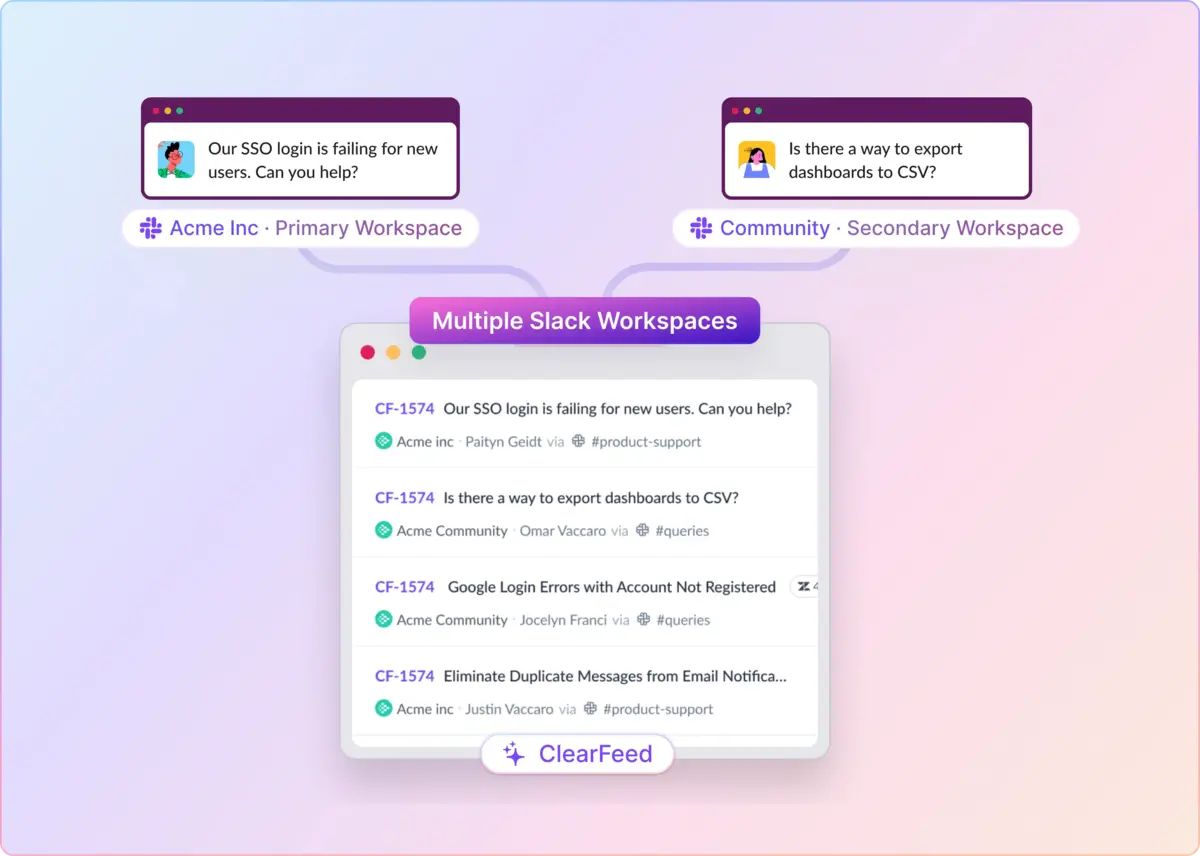
That path has broken apart. Requests now come through Slack, Microsoft Teams, web chat, shared inboxes, ticketing tools, Discord, and many other channels.

The issue is not that teams lack tools. The work is fragmented. A customer problem can move from an external thread to an internal discussion, then into engineering or an escalation channel, with agents carrying the context by hand at each step.

Support leaders feel this in practical ways through missed messages, Slack replies handled one by one, and basic operational questions that are harder to answer than they should be, such as each agent’s average response time.

MCP addresses that layer of the problem. It gives an AI assistant a way to find the right context, understand where the work sits, measure what is happening across systems, and take the next support action without making agents search, copy, paste, export, and re-enter the same information.

What Is an MCP Server?

MCP stands for Model Context Protocol.

At a technical level, it is a standardized communication protocol: an open standard originally developed by Anthropic that defines how an AI model requests information from external systems and receives structured data back.

Before MCP, each integration had to be built separately. If you wanted an AI assistant to work with HubSpot, you built a HubSpot connector. Zendesk needed its own connector. Salesforce needed another one. Each tool came with its own authentication, API logic, and data mapping.

MCP simplifies that pattern. Any tool with an MCP server can expose its capabilities in a common format. The AI assistant does not need to understand the details of HubSpot’s API. It makes a request through MCP, and the server handles the translation.

What Does an MCP Server Mean in Customer Support?

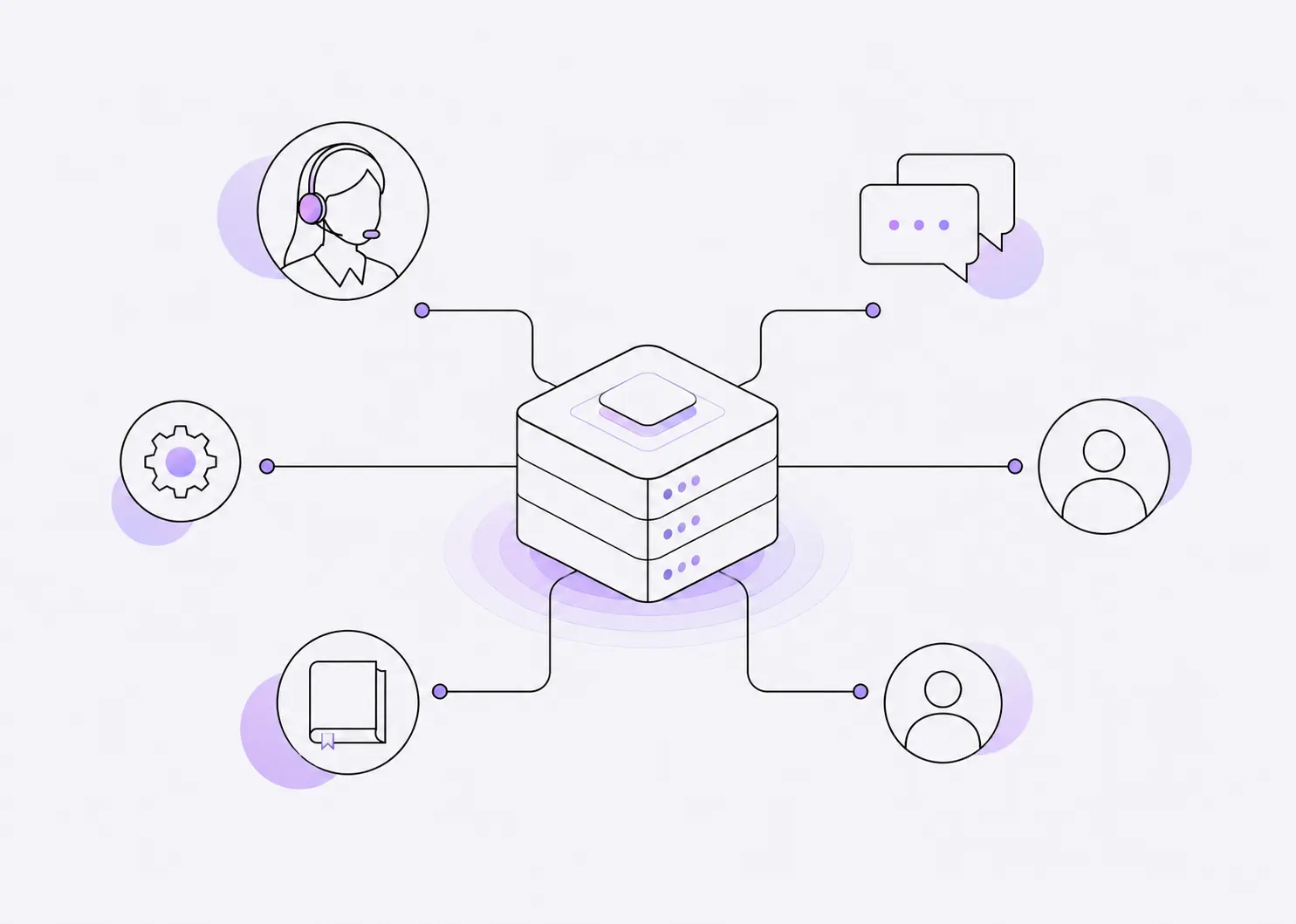
In B2B customer support, an MCP server can mean two things:

A. Connecting Tools to Your Support Platform Using MCP Servers

MCP connects an application to the support platform and associated AI Agents and Bots. These applications can range from CRM systems like Salesforce to project management systems like Jira or Documentation systems like GitBook. For example, AI Agents in a Support platform may:

  • Search open issues in Jira
  • Retrieve customer and account details from a CRM
  • Find relevant knowledge-base articles from Zendesk KB
  • Add articles to GitBook on resolved tickets automatically
  • Access internal apps and logs from systems like Datadog and CloudWatch for troubleshooting

Such capabilities become possible when applications expose MCP Servers that can be connected to AI Agents in your Support platform.

B. Connecting Your Support Platform to AI Agents Using MCP

MCP can also connect your Support system to AI Agents like Claude, Hermes, Copilot, and others. This allows users working with such AI Agents to:

  • Look up open and unresolved tickets in the Support system
  • Find issues assigned to themselves
  • Use other connected tools - like CloudWatch and databases to troubleshoot and diagnose problems

This requires the Support Platform to expose an MCP Server for such AI Agents. In short, MCP is the new interconnection protocol that connects systems of record and action — whether it’s CRM systems or Support Platforms, or Project Management systems — to AI Agents. Those AI Agents are sometimes standalone (like Claude) and sometimes embedded as part of other platforms (like Zendesk AI)

How Is an MCP Server Different From an API?

An API is a gateway to a specific system.

You have to use that door the way the system expects. HubSpot’s API works differently from Zendesk’s. Salesforce has its own authentication flow. Each one needs custom code, its own data mapping, and ongoing maintenance. When a vendor makes a change, that integration may need to be fixed.

MCP sits one level above APIs and adds a semantic layer to such APIs. It works more like a common interface across those doors.

It does not replace APIs. It sits on top of them. Instead of teaching an AI assistant the details of every separate system, you connect it through an MCP server that speaks a standard protocol. The server handles translation between the assistant and the underlying APIs, so the AI has a single, consistent way to request context, use tools, and take action across MCP-compatible systems.

The practical difference, at a glance:

Category API MCP
Primary interface HTTP endpoints called by application code Discoverable tools called by an MCP-compatible AI application
Integration work Developers handle authentication, endpoint calls, and response mapping The MCP server maps standardized tool calls to the underlying system
AI compatibility Usually requires integration code or an AI-specific wrapper Designed for clients that support MCP
Maintenance The API integration owner maintains the client code A managed server is maintained by its provider; a local or self-hosted server still needs maintenance
Data returned Structured responses defined by the API Tool results described through MCP schemas for the AI application

How Does an MCP Server Work in Customer Support?

Here’s a typical workflow:

  1. A customer asks, “Why hasn’t my refund arrived?”
  2. The AI assistant determines that it needs the customer’s account, order, and payment information.
  3. Its MCP client discovers the approved capabilities exposed by the MCP server. This MCP server could be an in-house application or an external application like Stripe.
  4. The assistant calls a tool such as get_customer, find_order, or check_refund_status.
  5. The MCP server validates the user’s identity and permissions, translates the request into the relevant platform’s API format, and calls that system.
  6. It returns structured results—not unrestricted access—to the assistant.
  7. The assistant uses those results to answer the customer or propose an action.
  8. If permitted, it might call another tool such as resend_confirmation, update_ticket, or escalate_case.

The MCP specification can support three main server capabilities, although an individual MCP server may expose only some of them:

  • Tools: Actions the assistant can perform, such as retrieving a ticket or issuing a refund.
  • Resources: Information it can read, such as help-center articles, account records, or product documentation.
  • Prompts: Reusable instructions for workflows such as summarizing a case or preparing an escalation.

The AI application first connects to the server and negotiates its capabilities. It can then list the available tools and invoke an appropriate one using MCP’s JSON-RPC-based protocol. 

The important distinction is that the MCP server usually does not contain the language model or replace the support platform. It provides a standardized, controlled interface through which the AI can access those platforms.

What Are the Benefits of an MCP Server in Customer Support?

MCP offers seven practical benefits for support teams:

  1. Your support queue becomes a live context layer. Instead of only working with the context someone types into the chat, the assistant can see what is happening across support: open tickets, escalations, account patterns, renewal risk, and recent customer history. That changes the quality of the answer. The model is no longer guessing from a prompt. It is working from the current support context.
  2. The workflow becomes outcome-first, not tool-first. Support teams do not really want another dashboard. They want the work to move: close this ticket, flag this account, find the risk, update the field, route the issue. MCP helps shift the focus from “What can this tool do?” to “What needs to happen next?”
  3. Support can investigate a signal and decide what happens next. When an assistant is invoked after a high-priority ticket, a repeated customer question, or an escalation, MCP can help it retrieve the relevant context and propose or perform an approved next action.

MCP is primarily a tool-access protocol, not an event-triggering system. An MCP-connected assistant can search for or act on a request when invoked, but the MCP server does not automatically watch every queue for new events. For “when something happens, react” workflows, teams need an automation, a scheduled host process, or an event subscription to start the workflow.

  1. Daily synthesis becomes realistic. Most teams know they should review open tickets, call transcripts, escalations, and recurring complaints more often. They just do not have the time. An MCP-connected assistant can summarize what changed today, flag patterns, and show what needs attention. The work was always valuable. MCP makes it easier to do consistently.
  2. Agents can close the loop without switching tools. A rep can review an issue, draft a response, post it to the right channel, and update the ticket, all from the same assistant interface. The human still approves the important step, but the assistant handles the lookup, context gathering, and system update around it.
  3. Support data becomes a product feedback signal. The support queue is full of roadmap clues: recurring bugs, confusing features, missing docs, pricing friction, onboarding gaps. MCP makes it easier to pull those signals regularly and feed them back into the product, instead of letting them sit in ticket histories.
  4. High-stakes actions can stay human-approved. For support, the safest MCP implementations should require approval before write actions such as posting replies, closing tickets, changing account fields, or triggering workflows. That human-in-the-loop design is what makes AI useful for support without unleashing it on customer-facing systems.

How To Get Started With an MCP Server for Customer Support?

As we have discussed, there are two ways to leverage MCP Servers in Customer Support: either to connect tools and applications to the Support platform, or vice versa, to connect the Support Platform to AI Agents. The first step in leveraging MCP Servers is to decide where the workflow lives and who it solves problems for:

  • Does your Support team want to use MCP to connect tools to their favorite AI Agent OR
  • Do they want MCP to connect tools to their Support platform
  • Does the team want to connect MCP Servers to reply to and resolve user questions directly, or use MCP to build assistants for Support personnel?

While these are not either/or, deciding which one is the primary goal is the first step in leveraging MCP Servers in Customer Support. Below, we provide recommendations for common scenarios that apply to Support Teams.

Scenario 1: Support Teams Working Out of External AI Agents

The Support team may have a subscription to Claude or Codex, or Copilot as part of the company subscription. It becomes natural to propose a workflow such as:

How can I troubleshoot tickets from Claude

Here’s a quick checklist of things to consider when implementing this workflow:

  • Does your Support Platform expose an MCP Server? Not all Support platforms do — for example, Zendesk does not support an MCP Server (as opposed to more open platforms like ClearFeed)
  • Without direct MCP connectivity to the Support Platform, team members have to copy and paste ticket context into the AI Agents, including attachments. This dramatically reduces the utility of working with AI Agents.
  • If the Support Platform provides an MCP Server, decide on the common problems that require troubleshooting. Examples can be things like:
    • Issues with Login
    • Explanation for Invoices
    • Errors in specific workflows
  • Depending on the workflow, decide which tools need to be connected (via MCP). For the above examples, we may decide on connecting to MCP servers from:
    • Auth system or the core Application
    • The billing system, whether Stripe or other systems like Metronome, etc.
    • Logging systems like CloudWatch or Datadog
  • Build Skills in the AI Agent corresponding to these workflows. These Skills are then available to the entire Support team and enable them to easily solve common problems using AI. As an example, troubleshooting a login issue may require the following steps:
    • Checking whether the user is registered in the system
    • Whether the user is using an authorized authentication system
    • Whether the user is allowed to log in to the system by admins
    • And so on.

Scenario 2: Support Teams Using AI Agents Embedded in Their Support Platform for Assistance

The considerations here are very similar to those in the previous section, except the Support Platform no longer needs to provide MCP Servers. The AI Agents live right within the Support Platform. For the sake of brevity, we will not repeat the instructions above.

Scenario 3: Solving User Issues Using AI Agents

This is by far the trickiest scenario. Errors and privacy violations while using AI Agents for internal assistance are not desirable, but they are not catastrophic. Whereas using AI Agents to reply directly to customers requires a very high bar of accuracy, security, and privacy.

Like before, Support teams are advised to:

  • Pick AI Agents that can connect to external tools using MCP
  • Can plug in to your favorite Support tool (whether it’s Zendesk or Salesforce, etc)
  • Identify a common user request that should be solved by AI Agents and the corresponding MCP Servers required to solve such requests
  • Make sure that the MCP Servers have hard guardrails that ensure they work only on behalf of the requesting user. This ensures that users cannot obtain information or perform actions with the AI Agent that they are not authorized to.

Finally, for all these scenarios, put in a place to measure success metrics. How often were the problems resolved using AI? This would be critical to continually refining the skills and tools needed to make AI successful.

What Are the Limitations of MCP Servers in B2B Customer Support?

MCP servers can give AI assistants access to live customer data and support tools, but the connection alone does not create a reliable support workflow. Teams should be aware of a few limitations before adopting them.

  1. Poor data leads to poor decisions: An MCP server may retrieve duplicate customer records, outdated documentation, missing ownership fields, or inconsistent ticket statuses. The AI can then act on that bad information at scale. Clean data and clear ownership rules need to come before automation.
  2. Integration is not workflow design: Connecting an AI assistant to Slack, Zendesk, Salesforce, or Jira does not determine which messages should become tickets, who owns them, or when they should be escalated. Those rules still need to be mapped and tested. Otherwise, the integration may work even if requests remain unassigned or are duplicated.
  3. MCP does not eliminate AI uncertainty: it gives AI access to tools and context, but it does not automatically make the model’s reasoning accurate. Straightforward tasks such as status checks and account lookups are easier to automate than sensitive or ambiguous issues, such as troubleshooting, billing disputes, or customer relationship management.
  4. Human approval is not automatic: MCP does not require human approval by default. The AI host and support workflow must be configured to request approval before consequential actions such as sending replies, closing tickets, issuing refunds, or changing account data.
  5. Underlying APIs can still break: Many MCP servers depend on the APIs of helpdesks, CRMs, and other business systems. If a vendor changes an endpoint, field, permission, or authentication method, the MCP integration may require maintenance. A standard protocol reduces integration inconsistency, but it does not eliminate API dependency.
  6. Security and accountability remain human responsibilities: Customer support systems contain sensitive account and conversation data. Teams still need appropriate access controls, audit logs, data-retention policies, and regional compliance. And when a serious issue affects an important customer, the customer may still expect a named person to take responsibility.

MCP Servers and ClearFeed

ClearFeed is an omnichannel support platform for teams that manage B2B customer and employee requests across Slack, Microsoft Teams, email, web chat, portals, Discord, Telegram, and ticketing tools. As a platform that embraces openness, it both exposes itself as an MCP server and connects to other tools using MCP.

A. ClearFeed MCP Server To Connect to AI Agents

ClearFeed’s MCP server gives AI assistants like Claude, Hermes, Cursor, CoPilot, and Codex governed access to ClearFeed’s live support layer, so they can work with real requests, customer, ticket, and reporting data instead of relying on pasted context.

Key Capabilities

  • Search, list, create, and update support requests
  • Post messages on existing requests
  • Search, create, and update customer records
  • Create, update, and delete custom fields
  • Retrieve tickets and analyze them using AI to produce intelligent insights
  • Query insights for SLA reporting and customer-level request analysis

Remote and Local Connection Options

  • Remote MCP server: Most teams can connect to ClearFeed’s managed endpoint at https://mcp.clearfeed.app/mcp. Each user signs in through OAuth with their own ClearFeed account, so teams do not need to distribute a shared API token. See how teams can use the ClearFeed Remote MCP Server with Claude.
  • Local stdio server: Teams that prefer to run the MCP process themselves can use npx -y @clearfeed-ai/mcp with a ClearFeed Personal Access Token. Every call then uses the permissions associated with that single token.

Example Prompts for Support Teams

  • “Summarize all open high-priority requests assigned to me.”
  • “Compare request volume, response time, resolution time, and SLA breaches for this quarter versus last quarter.”
  • “Show every request opened by this customer during the last 90 days and flag unresolved issues.”
  • “Compare request count and average resolution time by assignee.”
  • “Find recurring login-related requests and group them by theme.”
  • “Link Jira issue PROJ-123 to ClearFeed request CF-4567.”

Workflows that combine ClearFeed with HubSpot, Salesforce, Slack, Jira, or a documentation platform require the AI assistant to have separate authorized access to those systems. ClearFeed’s MCP server provides the ClearFeed portion of the workflow; it does not automatically grant access to every connected business system. For additional examples, see how ClearFeed’s MCP tools support request search, updates, and reporting.

B. Connecting Applications to ClearFeed AI Agents Using MCP

ClearFeed, in turn, provides AI Agents as part of its platform that help answer customer queries and provide AI Assistance to Support Agents working from ClearFeed. It provides standardized connectors to tools like Jira and HubSpot, and others via native connectors, while also connecting to other tools via MCP if they provide a remote MCP server.

For teams already managing support in ClearFeed, the remote MCP server offers a managed way to bring live request, customer, ticket, and Insights data into an AI assistant without hosting a separate ClearFeed MCP connection. Teams can start with a read-only reporting or lookup workflow, evaluate the results, and introduce approved write actions only when the process is reliable. Get started today or book a personalized demo to see how it fits into your workflow.

Customer support used to follow a fairly simple path. A customer emailed, an agent replied, and the ticketing system kept the record.

That path has broken apart. Requests now come through Slack, Microsoft Teams, web chat, shared inboxes, ticketing tools, Discord, and many other channels.

The issue is not that teams lack tools. The work is fragmented. A customer problem can move from an external thread to an internal discussion, then into engineering or an escalation channel, with agents carrying the context by hand at each step.

Support leaders feel this in practical ways through missed messages, Slack replies handled one by one, and basic operational questions that are harder to answer than they should be, such as each agent’s average response time.

MCP addresses that layer of the problem. It gives an AI assistant a way to find the right context, understand where the work sits, measure what is happening across systems, and take the next support action without making agents search, copy, paste, export, and re-enter the same information.

What Is an MCP Server?

MCP stands for Model Context Protocol.

At a technical level, it is a standardized communication protocol: an open standard originally developed by Anthropic that defines how an AI model requests information from external systems and receives structured data back.

Before MCP, each integration had to be built separately. If you wanted an AI assistant to work with HubSpot, you built a HubSpot connector. Zendesk needed its own connector. Salesforce needed another one. Each tool came with its own authentication, API logic, and data mapping.

MCP simplifies that pattern. Any tool with an MCP server can expose its capabilities in a common format. The AI assistant does not need to understand the details of HubSpot’s API. It makes a request through MCP, and the server handles the translation.

What Does an MCP Server Mean in Customer Support?

In B2B customer support, an MCP server can mean two things:

A. Connecting Tools to Your Support Platform Using MCP Servers

MCP connects an application to the support platform and associated AI Agents and Bots. These applications can range from CRM systems like Salesforce to project management systems like Jira or Documentation systems like GitBook. For example, AI Agents in a Support platform may:

  • Search open issues in Jira
  • Retrieve customer and account details from a CRM
  • Find relevant knowledge-base articles from Zendesk KB
  • Add articles to GitBook on resolved tickets automatically
  • Access internal apps and logs from systems like Datadog and CloudWatch for troubleshooting

Such capabilities become possible when applications expose MCP Servers that can be connected to AI Agents in your Support platform.

B. Connecting Your Support Platform to AI Agents Using MCP

MCP can also connect your Support system to AI Agents like Claude, Hermes, Copilot, and others. This allows users working with such AI Agents to:

  • Look up open and unresolved tickets in the Support system
  • Find issues assigned to themselves
  • Use other connected tools - like CloudWatch and databases to troubleshoot and diagnose problems

This requires the Support Platform to expose an MCP Server for such AI Agents. In short, MCP is the new interconnection protocol that connects systems of record and action — whether it’s CRM systems or Support Platforms, or Project Management systems — to AI Agents. Those AI Agents are sometimes standalone (like Claude) and sometimes embedded as part of other platforms (like Zendesk AI)

How Is an MCP Server Different From an API?

An API is a gateway to a specific system.

You have to use that door the way the system expects. HubSpot’s API works differently from Zendesk’s. Salesforce has its own authentication flow. Each one needs custom code, its own data mapping, and ongoing maintenance. When a vendor makes a change, that integration may need to be fixed.

MCP sits one level above APIs and adds a semantic layer to such APIs. It works more like a common interface across those doors.

It does not replace APIs. It sits on top of them. Instead of teaching an AI assistant the details of every separate system, you connect it through an MCP server that speaks a standard protocol. The server handles translation between the assistant and the underlying APIs, so the AI has a single, consistent way to request context, use tools, and take action across MCP-compatible systems.

The practical difference, at a glance:

Category API MCP
Primary interface HTTP endpoints called by application code Discoverable tools called by an MCP-compatible AI application
Integration work Developers handle authentication, endpoint calls, and response mapping The MCP server maps standardized tool calls to the underlying system
AI compatibility Usually requires integration code or an AI-specific wrapper Designed for clients that support MCP
Maintenance The API integration owner maintains the client code A managed server is maintained by its provider; a local or self-hosted server still needs maintenance
Data returned Structured responses defined by the API Tool results described through MCP schemas for the AI application

How Does an MCP Server Work in Customer Support?

Here’s a typical workflow:

  1. A customer asks, “Why hasn’t my refund arrived?”
  2. The AI assistant determines that it needs the customer’s account, order, and payment information.
  3. Its MCP client discovers the approved capabilities exposed by the MCP server. This MCP server could be an in-house application or an external application like Stripe.
  4. The assistant calls a tool such as get_customer, find_order, or check_refund_status.
  5. The MCP server validates the user’s identity and permissions, translates the request into the relevant platform’s API format, and calls that system.
  6. It returns structured results—not unrestricted access—to the assistant.
  7. The assistant uses those results to answer the customer or propose an action.
  8. If permitted, it might call another tool such as resend_confirmation, update_ticket, or escalate_case.

The MCP specification can support three main server capabilities, although an individual MCP server may expose only some of them:

  • Tools: Actions the assistant can perform, such as retrieving a ticket or issuing a refund.
  • Resources: Information it can read, such as help-center articles, account records, or product documentation.
  • Prompts: Reusable instructions for workflows such as summarizing a case or preparing an escalation.

The AI application first connects to the server and negotiates its capabilities. It can then list the available tools and invoke an appropriate one using MCP’s JSON-RPC-based protocol. 

The important distinction is that the MCP server usually does not contain the language model or replace the support platform. It provides a standardized, controlled interface through which the AI can access those platforms.

What Are the Benefits of an MCP Server in Customer Support?

MCP offers seven practical benefits for support teams:

  1. Your support queue becomes a live context layer. Instead of only working with the context someone types into the chat, the assistant can see what is happening across support: open tickets, escalations, account patterns, renewal risk, and recent customer history. That changes the quality of the answer. The model is no longer guessing from a prompt. It is working from the current support context.
  2. The workflow becomes outcome-first, not tool-first. Support teams do not really want another dashboard. They want the work to move: close this ticket, flag this account, find the risk, update the field, route the issue. MCP helps shift the focus from “What can this tool do?” to “What needs to happen next?”
  3. Support can investigate a signal and decide what happens next. When an assistant is invoked after a high-priority ticket, a repeated customer question, or an escalation, MCP can help it retrieve the relevant context and propose or perform an approved next action.

MCP is primarily a tool-access protocol, not an event-triggering system. An MCP-connected assistant can search for or act on a request when invoked, but the MCP server does not automatically watch every queue for new events. For “when something happens, react” workflows, teams need an automation, a scheduled host process, or an event subscription to start the workflow.

  1. Daily synthesis becomes realistic. Most teams know they should review open tickets, call transcripts, escalations, and recurring complaints more often. They just do not have the time. An MCP-connected assistant can summarize what changed today, flag patterns, and show what needs attention. The work was always valuable. MCP makes it easier to do consistently.
  2. Agents can close the loop without switching tools. A rep can review an issue, draft a response, post it to the right channel, and update the ticket, all from the same assistant interface. The human still approves the important step, but the assistant handles the lookup, context gathering, and system update around it.
  3. Support data becomes a product feedback signal. The support queue is full of roadmap clues: recurring bugs, confusing features, missing docs, pricing friction, onboarding gaps. MCP makes it easier to pull those signals regularly and feed them back into the product, instead of letting them sit in ticket histories.
  4. High-stakes actions can stay human-approved. For support, the safest MCP implementations should require approval before write actions such as posting replies, closing tickets, changing account fields, or triggering workflows. That human-in-the-loop design is what makes AI useful for support without unleashing it on customer-facing systems.

How To Get Started With an MCP Server for Customer Support?

As we have discussed, there are two ways to leverage MCP Servers in Customer Support: either to connect tools and applications to the Support platform, or vice versa, to connect the Support Platform to AI Agents. The first step in leveraging MCP Servers is to decide where the workflow lives and who it solves problems for:

  • Does your Support team want to use MCP to connect tools to their favorite AI Agent OR
  • Do they want MCP to connect tools to their Support platform
  • Does the team want to connect MCP Servers to reply to and resolve user questions directly, or use MCP to build assistants for Support personnel?

While these are not either/or, deciding which one is the primary goal is the first step in leveraging MCP Servers in Customer Support. Below, we provide recommendations for common scenarios that apply to Support Teams.

Scenario 1: Support Teams Working Out of External AI Agents

The Support team may have a subscription to Claude or Codex, or Copilot as part of the company subscription. It becomes natural to propose a workflow such as:

How can I troubleshoot tickets from Claude

Here’s a quick checklist of things to consider when implementing this workflow:

  • Does your Support Platform expose an MCP Server? Not all Support platforms do — for example, Zendesk does not support an MCP Server (as opposed to more open platforms like ClearFeed)
  • Without direct MCP connectivity to the Support Platform, team members have to copy and paste ticket context into the AI Agents, including attachments. This dramatically reduces the utility of working with AI Agents.
  • If the Support Platform provides an MCP Server, decide on the common problems that require troubleshooting. Examples can be things like:
    • Issues with Login
    • Explanation for Invoices
    • Errors in specific workflows
  • Depending on the workflow, decide which tools need to be connected (via MCP). For the above examples, we may decide on connecting to MCP servers from:
    • Auth system or the core Application
    • The billing system, whether Stripe or other systems like Metronome, etc.
    • Logging systems like CloudWatch or Datadog
  • Build Skills in the AI Agent corresponding to these workflows. These Skills are then available to the entire Support team and enable them to easily solve common problems using AI. As an example, troubleshooting a login issue may require the following steps:
    • Checking whether the user is registered in the system
    • Whether the user is using an authorized authentication system
    • Whether the user is allowed to log in to the system by admins
    • And so on.

Scenario 2: Support Teams Using AI Agents Embedded in Their Support Platform for Assistance

The considerations here are very similar to those in the previous section, except the Support Platform no longer needs to provide MCP Servers. The AI Agents live right within the Support Platform. For the sake of brevity, we will not repeat the instructions above.

Scenario 3: Solving User Issues Using AI Agents

This is by far the trickiest scenario. Errors and privacy violations while using AI Agents for internal assistance are not desirable, but they are not catastrophic. Whereas using AI Agents to reply directly to customers requires a very high bar of accuracy, security, and privacy.

Like before, Support teams are advised to:

  • Pick AI Agents that can connect to external tools using MCP
  • Can plug in to your favorite Support tool (whether it’s Zendesk or Salesforce, etc)
  • Identify a common user request that should be solved by AI Agents and the corresponding MCP Servers required to solve such requests
  • Make sure that the MCP Servers have hard guardrails that ensure they work only on behalf of the requesting user. This ensures that users cannot obtain information or perform actions with the AI Agent that they are not authorized to.

Finally, for all these scenarios, put in a place to measure success metrics. How often were the problems resolved using AI? This would be critical to continually refining the skills and tools needed to make AI successful.

What Are the Limitations of MCP Servers in B2B Customer Support?

MCP servers can give AI assistants access to live customer data and support tools, but the connection alone does not create a reliable support workflow. Teams should be aware of a few limitations before adopting them.

  1. Poor data leads to poor decisions: An MCP server may retrieve duplicate customer records, outdated documentation, missing ownership fields, or inconsistent ticket statuses. The AI can then act on that bad information at scale. Clean data and clear ownership rules need to come before automation.
  2. Integration is not workflow design: Connecting an AI assistant to Slack, Zendesk, Salesforce, or Jira does not determine which messages should become tickets, who owns them, or when they should be escalated. Those rules still need to be mapped and tested. Otherwise, the integration may work even if requests remain unassigned or are duplicated.
  3. MCP does not eliminate AI uncertainty: it gives AI access to tools and context, but it does not automatically make the model’s reasoning accurate. Straightforward tasks such as status checks and account lookups are easier to automate than sensitive or ambiguous issues, such as troubleshooting, billing disputes, or customer relationship management.
  4. Human approval is not automatic: MCP does not require human approval by default. The AI host and support workflow must be configured to request approval before consequential actions such as sending replies, closing tickets, issuing refunds, or changing account data.
  5. Underlying APIs can still break: Many MCP servers depend on the APIs of helpdesks, CRMs, and other business systems. If a vendor changes an endpoint, field, permission, or authentication method, the MCP integration may require maintenance. A standard protocol reduces integration inconsistency, but it does not eliminate API dependency.
  6. Security and accountability remain human responsibilities: Customer support systems contain sensitive account and conversation data. Teams still need appropriate access controls, audit logs, data-retention policies, and regional compliance. And when a serious issue affects an important customer, the customer may still expect a named person to take responsibility.

MCP Servers and ClearFeed

ClearFeed is an omnichannel support platform for teams that manage B2B customer and employee requests across Slack, Microsoft Teams, email, web chat, portals, Discord, Telegram, and ticketing tools. As a platform that embraces openness, it both exposes itself as an MCP server and connects to other tools using MCP.

A. ClearFeed MCP Server To Connect to AI Agents

ClearFeed’s MCP server gives AI assistants like Claude, Hermes, Cursor, CoPilot, and Codex governed access to ClearFeed’s live support layer, so they can work with real requests, customer, ticket, and reporting data instead of relying on pasted context.

Key Capabilities

  • Search, list, create, and update support requests
  • Post messages on existing requests
  • Search, create, and update customer records
  • Create, update, and delete custom fields
  • Retrieve tickets and analyze them using AI to produce intelligent insights
  • Query insights for SLA reporting and customer-level request analysis

Remote and Local Connection Options

  • Remote MCP server: Most teams can connect to ClearFeed’s managed endpoint at https://mcp.clearfeed.app/mcp. Each user signs in through OAuth with their own ClearFeed account, so teams do not need to distribute a shared API token. See how teams can use the ClearFeed Remote MCP Server with Claude.
  • Local stdio server: Teams that prefer to run the MCP process themselves can use npx -y @clearfeed-ai/mcp with a ClearFeed Personal Access Token. Every call then uses the permissions associated with that single token.

Example Prompts for Support Teams

  • “Summarize all open high-priority requests assigned to me.”
  • “Compare request volume, response time, resolution time, and SLA breaches for this quarter versus last quarter.”
  • “Show every request opened by this customer during the last 90 days and flag unresolved issues.”
  • “Compare request count and average resolution time by assignee.”
  • “Find recurring login-related requests and group them by theme.”
  • “Link Jira issue PROJ-123 to ClearFeed request CF-4567.”

Workflows that combine ClearFeed with HubSpot, Salesforce, Slack, Jira, or a documentation platform require the AI assistant to have separate authorized access to those systems. ClearFeed’s MCP server provides the ClearFeed portion of the workflow; it does not automatically grant access to every connected business system. For additional examples, see how ClearFeed’s MCP tools support request search, updates, and reporting.

B. Connecting Applications to ClearFeed AI Agents Using MCP

ClearFeed, in turn, provides AI Agents as part of its platform that help answer customer queries and provide AI Assistance to Support Agents working from ClearFeed. It provides standardized connectors to tools like Jira and HubSpot, and others via native connectors, while also connecting to other tools via MCP if they provide a remote MCP server.

For teams already managing support in ClearFeed, the remote MCP server offers a managed way to bring live request, customer, ticket, and Insights data into an AI assistant without hosting a separate ClearFeed MCP connection. Teams can start with a read-only reporting or lookup workflow, evaluate the results, and introduce approved write actions only when the process is reliable. Get started today or book a personalized demo to see how it fits into your workflow.
Related Blogs

See all Blog Posts
TOC heading
Text LinkText Link Active
Get a Free consultation with a Support Expert
Learn how fast growing companies like Teleport, Chronosphere and Acryl Data have scaled Support processes with ClearFeed
Thank you for contacting us. Our team will reach out to you shortly.
Oops! Something went wrong while submitting the form.