Table of Contents

Support leaders and ops teams spend a surprising amount of time on questions that should have fast answers: How many tickets are still pending on us? Which customers are raising the most issues this month? What was our median first response time last week? These questions matter, but getting answers typically means opening the Insights dashboard, applying filters, cross-referencing queues, and repeating the process every time the context changes.
Today, we're excited to introduce the Research Agent - the latest addition to ClearFeed's suite of AI Agents. Research Agent lets you ask questions about your ClearFeed data in plain English and get grounded, accurate answers, backed by live data from your ClearFeed account. Your team can use it to:
- Explore request volume and resolution trends across queues/channels
- Investigate pending or high-priority work in real time
- Search for requests by topic, keyword, or integration, and surface themes across them
- Check service levels like first response time, resolution time, and SLA breach rates
- Get a quick summary of what is happening across your ClearFeed account right now
Let's take a closer look at how it works and what it can do!
How the Research Agent Works
Research Agent uses AI to translate your natural language questions into structured queries against your ClearFeed data and return grounded, accurate answers. Here's how the Research Agent works.
1. Understands Your Question in Natural Language
When you ask the Research Agent a question, it does not answer from memory or general knowledge. Instead, it analyses your question to determine what data is needed and which tools to call to retrieve it.
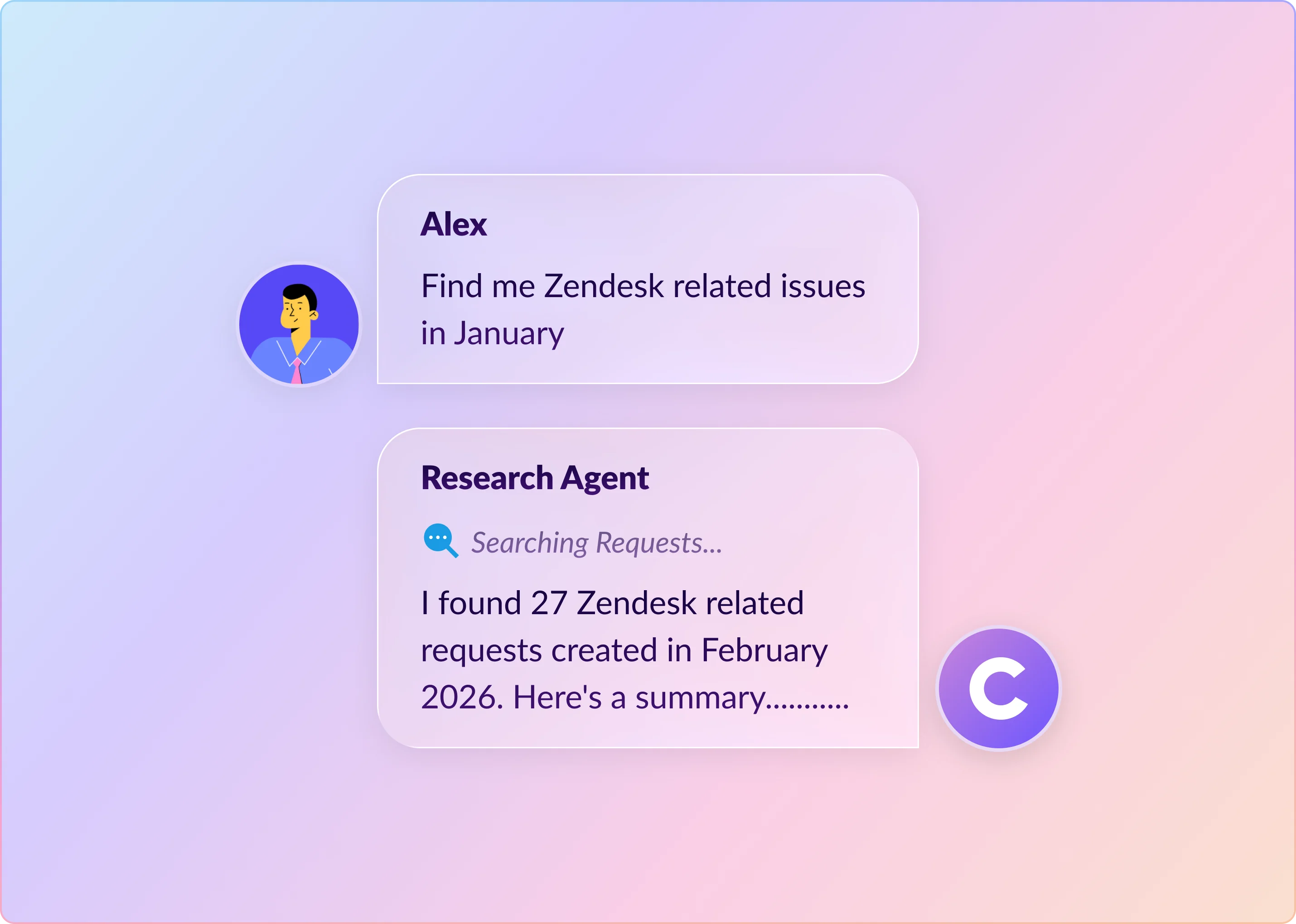
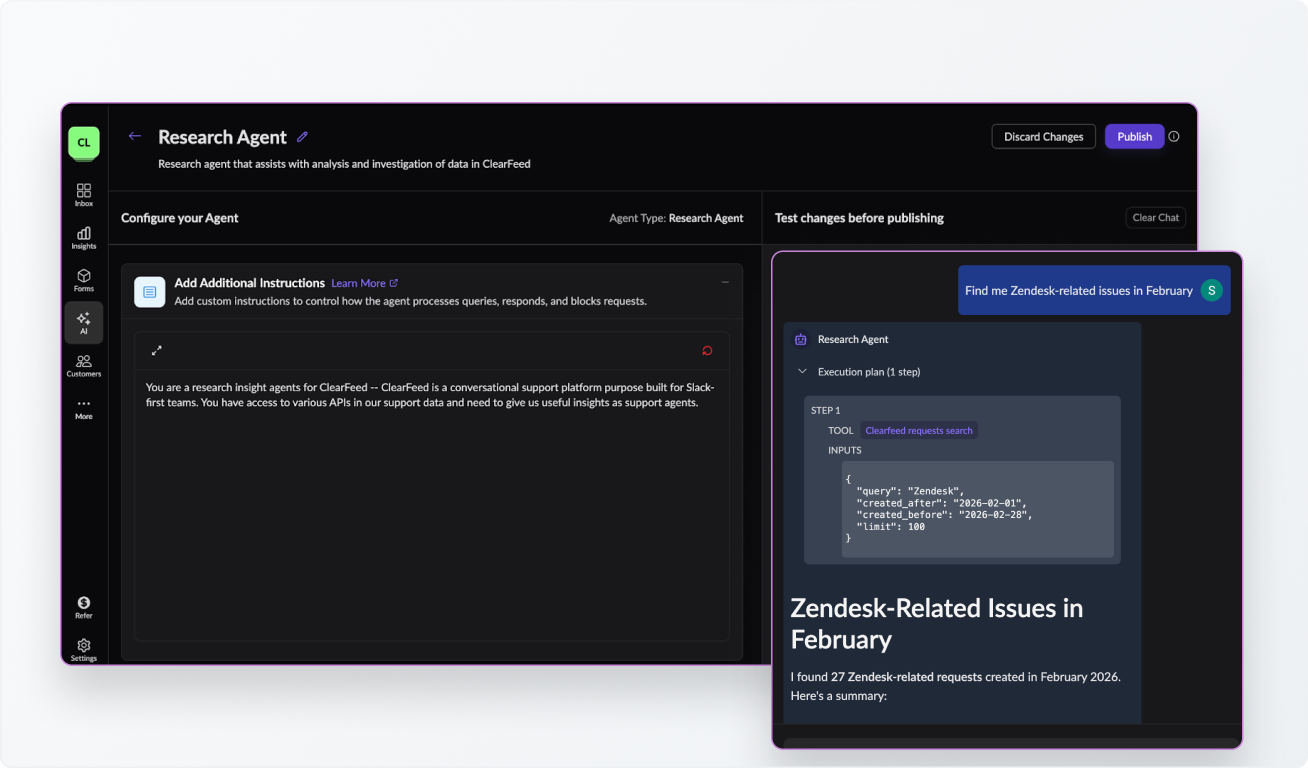
For example, a question like: “Find me Zendesk-related issues in February” gets translated into a structured search query with the right keyword and time filters applied behind the scenes. The agent decides the right tool, passes the right arguments, and retrieves live data from your account.
2. Queries Your ClearFeed Data
Once the agent knows what it needs, it calls one or more of its available tools to retrieve the relevant data. These tools cover the full breadth of your ClearFeed account:
- Requests and search - filter requests by status, time, channel, requester, and more; or run keyword and semantic search over request content
- Collections and channels - understand how queues and request sources are structured
- Teams and customers - look up team membership or analyse request patterns by customer
- Custom fields and ticket forms - inspect account-specific attributes configured for your requests
- Insights - run analytics across request counts, response times, resolution times, SLA metrics, CSAT scores, and more
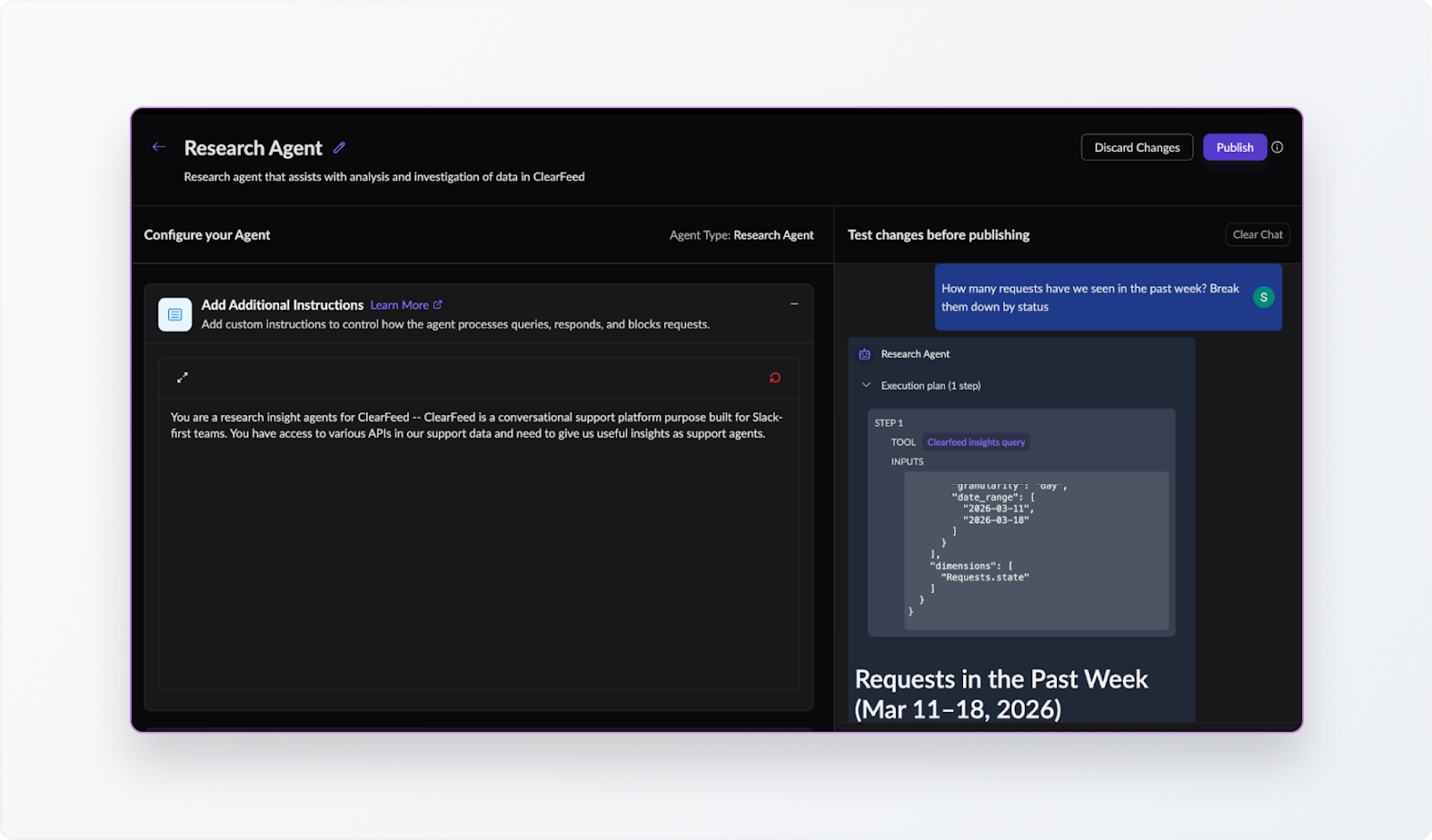
For more complex questions, the agent may chain multiple tool calls together, for example, first identifying the relevant customer records, then querying their associated requests, then running an insights query across those results.
3. Returns a Grounded Answer
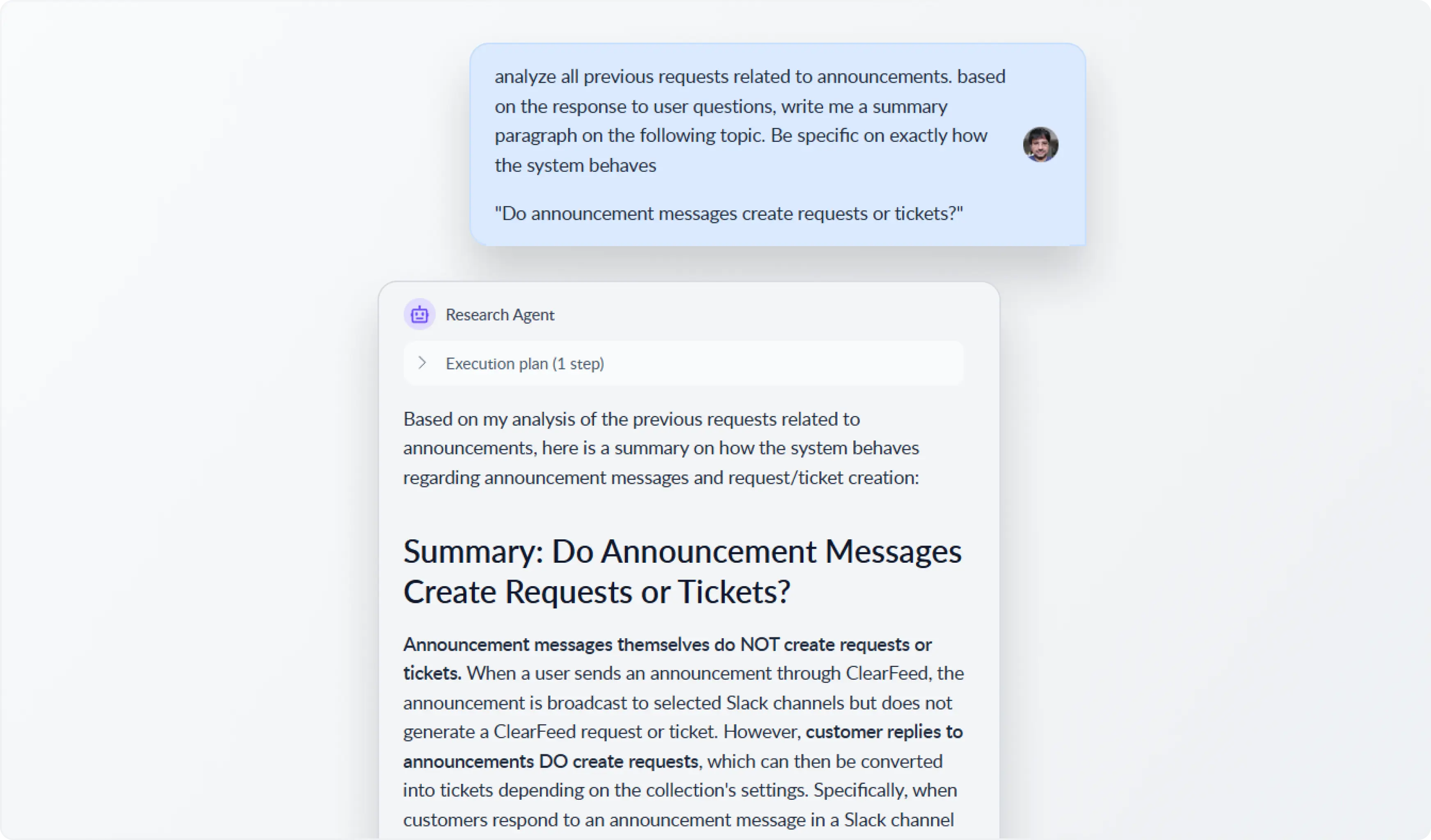
Once the agent has retrieved the relevant data, it synthesises the results and returns a clear, direct answer grounded in what was actually found in your account. That could be a straightforward response to an operational question, a summary of what matched your query, or even a more structured output based on past support activity. For example, instead of manually piecing together missing documentation from old requests, we asked Research Agent to review previous announcement-related requests and turn those responses into a clear article-style explanation of how announcement messages interact with request and ticket creation. See the image below.
Since Research Agent is a read-only agent, it can investigate, analyse, and report, but it does not update requests, post replies, modify ticket fields, or take any actions in external systems.
Getting Started With Research Agent
Research Agent is available as a dedicated AI Agent type inside ClearFeed. Teams can create a Research Agent and configure it with a base user prompt to give the agent more context about how their support setup works. This can include things like how queues are named, what business context matters most, or any guidance the agent should keep in mind while answering questions about account data.
Once the AI Agent is configured, teams can then use it to ask operational questions in natural language. Here are some queries that work well with Research Agent:
- Show me all high-priority requests created in the past week that are still pending on us.
- How many requests were solved in the last 30 days?
- Which customers created the most requests this month?
- Find requests mentioning SSO failures or login issues from the past month. What are the broad steps we are suggesting to users to resolve these queries?
Wrapping Up
Research Agent brings a conversational layer to the operational data that already lives in your ClearFeed account. Instead of navigating dashboards or applying filters, you can ask what you need to know and get an answer grounded in your live data, whether you're reviewing weekly trends, investigating a backlog, or digging into a specific customer.
Note: Research Agent is currently in beta and is not enabled for all accounts. If you'd like to try it, please reach out to us and our team will be happy to enable it. You can also contact us on Slack, email us at support@clearfeed.ai, or book a free demo here.