Table of Contents

If your customers keep Slack open all day, moving every support request into a traditional inbox can feel like adding a step for everyone. If most requests already arrive by email, building your support process around shared Slack channels creates the opposite problem.
That is the real choice behind Pylon vs. Front.
Pylon vs. Front at a Glance
How We Researched This Comparison
We researched this article in August 2026 and updated its pricing and product claims based on current vendor pages and documentation. We also reviewed feedback on G2, Reddit, and Capterra and spoke with former users about where each platform worked well and where it became limiting.
We used seven questions to keep the comparison focused on the buying decision:
- Where do customer requests begin?
- Can agents see and act on company-level context?
- How easily can support bring in product or engineering?
- Which automations are available on the plan that a team would actually buy?
- What does each AI product do, and what does it cost?
- Can reporting, governance, and security grow with the team?
- What will the implementation cost after seat minimums and add-ons?
Pylon and Front Pros and Cons
Where Pylon Feels Stronger
Pylon is built around a recognizably B2B support problem: a single customer account may have several contacts, several open requests, a shared Slack channel, and an engineering issue progressing in parallel.
Where Front Feels Stronger
Front starts with a more familiar object: the inbox. That makes it easier to picture teams where support, finance, operations, and account management all handle customer messages but don't want the same ticketing process.
Pylon vs. Front Pricing: Pylon Is Quote-Only, While Front Is Still Expensive
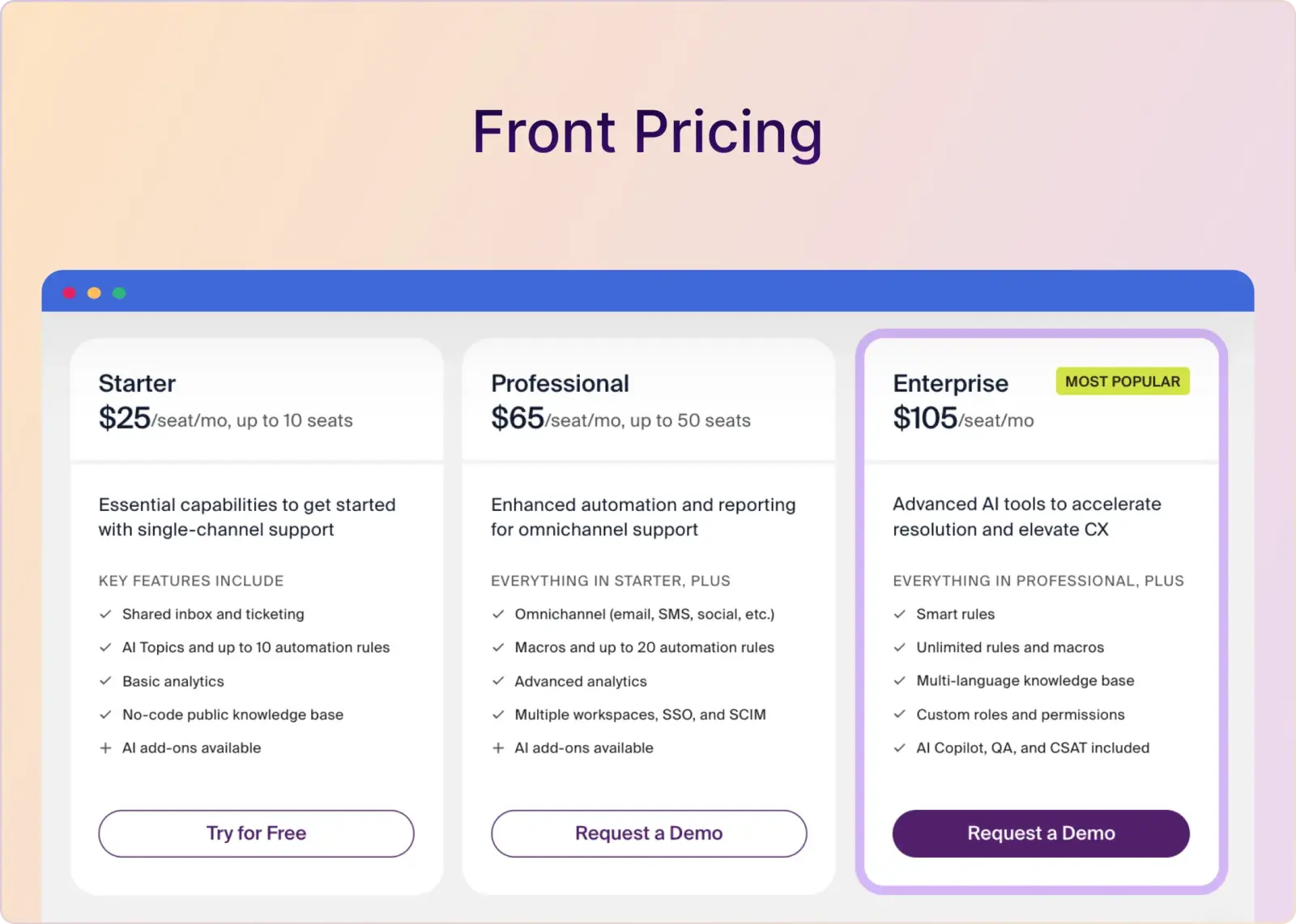
Pylon's former pricing URL now redirects to a sales-demo form. You therefore need a quote to learn the base subscription, pricing unit, minimum commitment, included products, and contract terms. Front publishes its platform rates, but Professional starts at $65/seat/month, and several AI, channel, API, and onboarding costs are on top of that.
What Pylon Costs in Practice
Pylon does not publish its current base price. The costs you can verify are $50/seat/month for AI Assistants, $35/seat/month for phone and SMS, and implementation packages priced at $1,000 or $5,000. AI Agents, Account Intelligence Plus, migration, and professional services require contract-specific pricing.
Those add-ons make the real total climb quickly. For a ten-agent team, AI Assistants plus phone and SMS alone would add $850/month before the core subscription or any other products and services.
Setup can add another layer. Pylon's paid implementation packages provide guidance rather than done-for-you configuration, while data migration is separately priced by volume and professional services require a custom quote.
The takeaway is simple: ask for an itemized quote covering the base platform, minimum commitment, licensed seats, AI usage, implementation, migration, and renewal terms. Without that, Pylon's total first-year cost cannot be calculated from public information.
What Front Costs in Practice
Front's pricing also has three annual plans:
Starter supports one channel type: email, Front Chat, SMS, or Slack. A team that needs email plus another channel must move to Professional or Enterprise.
Front's AI and channel products can change the final price:
- Autopilot: From $0.05/conversation on all plans
- Copilot: $20/seat/month on Starter and Professional; included in Enterprise
- Smart QA: $20/seat/month on Starter and Professional; included in Enterprise
- Smart CSAT: $10/seat/month on Starter and Professional; included in Enterprise
- Smart QA + Smart CSAT: $25/seat/month, bundled
- Native WhatsApp: Meta-billed WhatsApp costs plus a 20% administration fee on Professional and Enterprise
- Additional API capacity: $200/month for each extra 100 API requests per minute
Channel limits deserve a separate look if you manage hundreds of customer Slack channels. Front allows 10 shared and individual channels per license on Starter, 30 on Professional, and 50 on Enterprise.
Front also requires an onboarding package for contracts above $25,000. Professional Onboarding, Enterprise Onboarding, and Success Services are priced according to project hours and scope.
Feature Comparison: Pylon vs. Front
The two platforms overlap in ticketing, automation, accounts, AI, and reporting. Their differences become clearer when you follow a request from the customer's first message to its final resolution.
1. Account Context: Pylon Goes Deeper Into the B2B Account
A support ticket rarely tells the whole story in B2B. The person asking the question may be part of a strategic account with an open renewal, several unresolved issues, and a product team already investigating a related bug.
Pylon organizes support around that account. Agents can connect an issue to contacts, earlier conversations, product tickets, CRM records, and internal context. Integrations with Salesforce, HubSpot, Attio, and Pipedrive can bring in CRM data, while product usage and warehouse data can add another layer.
Pylon's optional Account Intelligence product goes further with playbooks, customer health, churn-risk analysis, formulas, account notebooks, internal Slack context, and account-level AI analysis.
Front also has native accounts. It can group contacts by company, store custom fields, display conversation history, route work by account, and provide account analytics on Professional and above. Agents can view or update more CRM data through integrations, plugins, APIs, and data syncs.
The difference is depth and packaging. Front gives the inbox team useful company context. Pylon can serve as a broader account support system, but the number of Account Intelligence Plus accounts depends on the contract—one more reason you should request a complete quote rather than compare the platform fee alone.
2. Slack and Microsoft Teams: Pylon Connects Slack, but Agents Still Work Around Pylon
Both products can turn Slack messages into trackable work, but neither makes Slack the complete agent workspace.
How Pylon Handles Slack
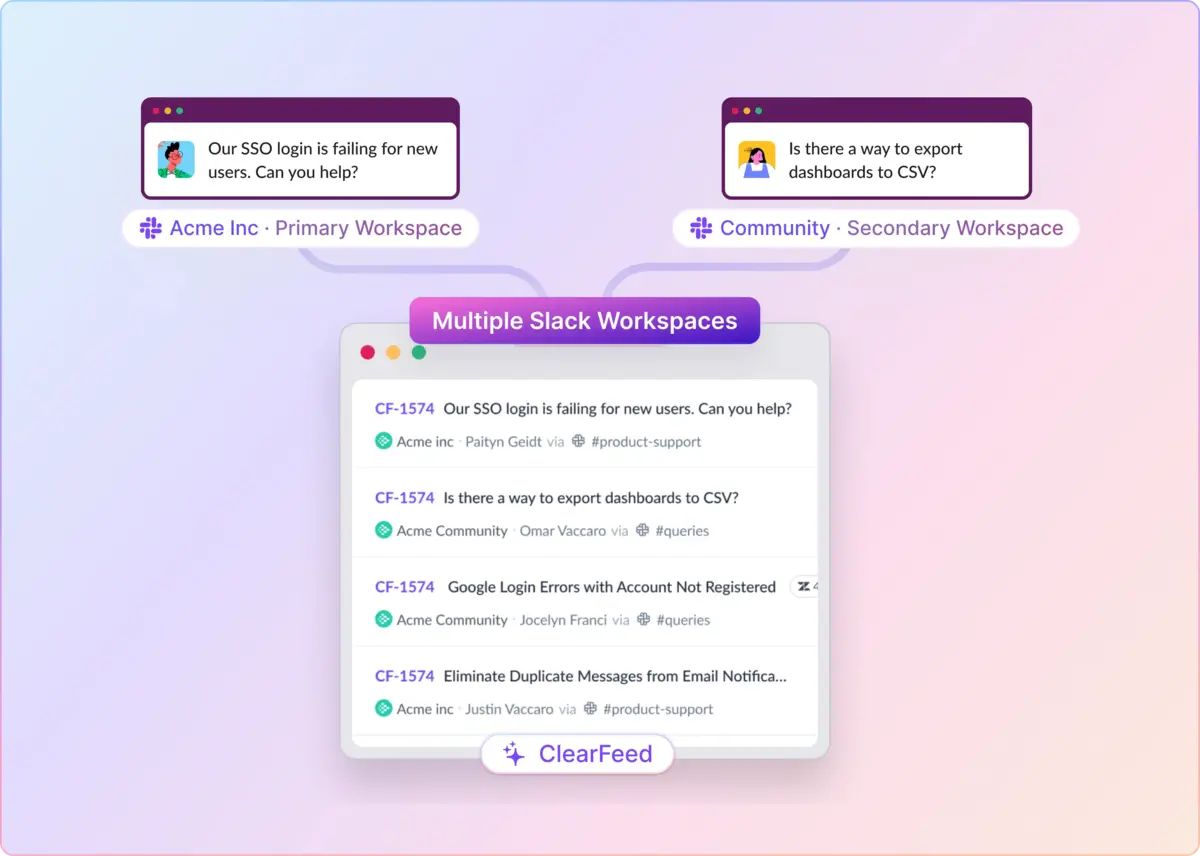
Pylon can monitor public, private, Slack Connect, community, and internal channels across multiple workspaces. According to its Slack documentation, relevant messages are converted into issues in Pylon views and internal threads.
Pylon does let agents reply directly in customer Slack threads, and Internal Threads expose quick actions such as assigning an issue, changing status, following it, or linking an engineering ticket. That is useful Slack connectivity, but it is not the same as giving agents a full triage queue in Slack where they can manage the complete support workflow without returning to the Pylon app.
Pylon also supports customer-channel bookmarks and forms, structured fields in Slack, community monitoring, account-based routing, and automatic product-ticket creation. Microsoft Teams is available as a customer channel, but Pylon no longer publishes the package or price required to use it.
How Front Handles Slack
Front can connect public, private, and Slack Connect channels, but its operating model remains unmistakably inbox-first: Slack messages become Front conversations, and agents manage and reply to them from Front. The integration handles messages, threads, edits, attachments, formatting, emojis, and reactions, yet Slack is still an input channel rather than the place where the support team works.
The setup may require workspace admin rights, and Front has no native Microsoft Teams customer-support channel. For B2B teams whose customers already expect support in Slack or Teams, that makes Front feel behind the curve of how modern customer conversations actually happen.
3. Email and Omnichannel Support: Front Provides a Stronger Shared Inbox
Front began as a shared inbox, and that history still shows. Agents become familiar with email behavior, including ownership, collision detection, internal comments, shared drafts, templates, rules, statuses, and analytics.
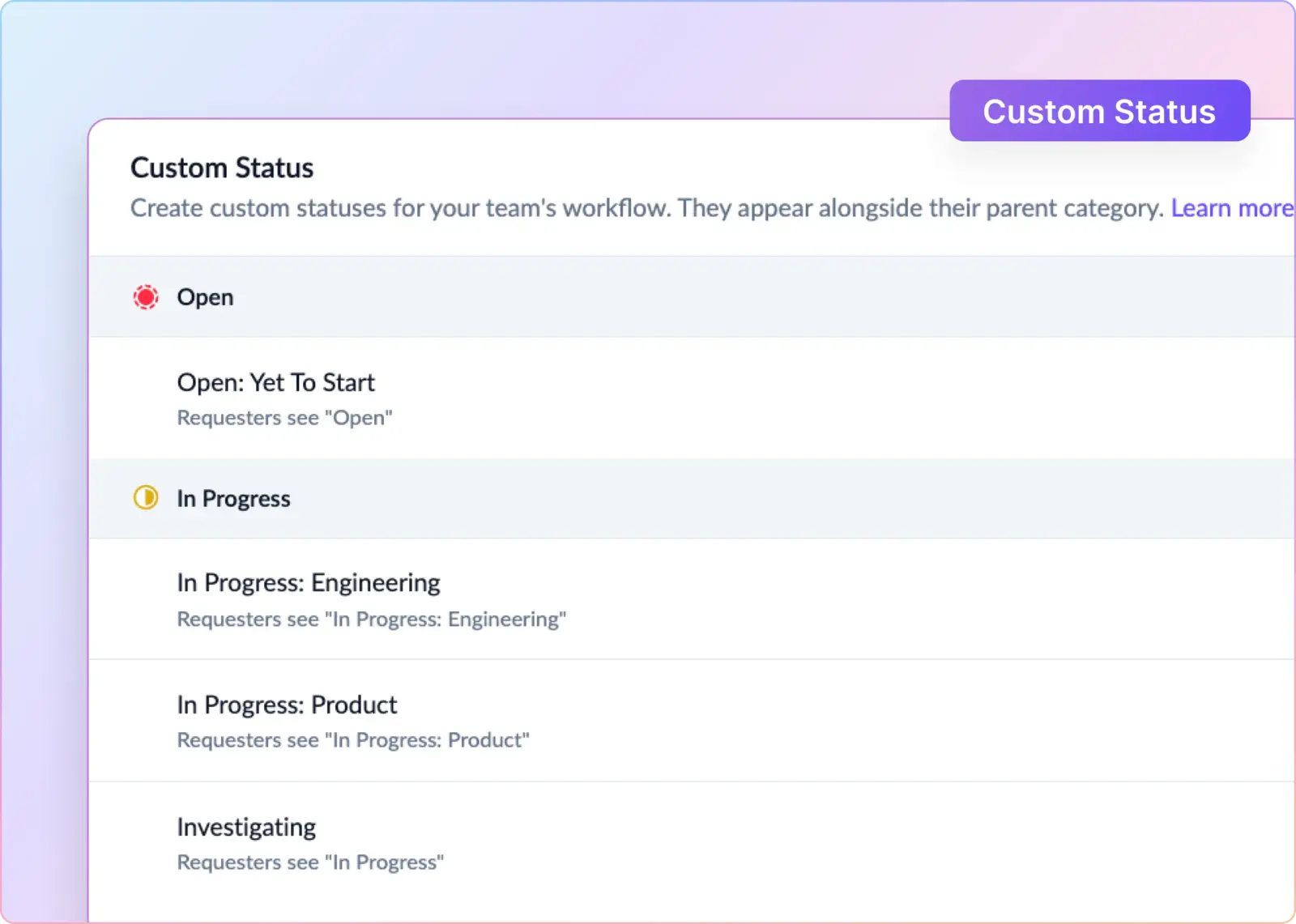
The same workspace can serve different departments without forcing them into a single rigid support process. Support might use Waiting and Resolved statuses, while finance works through assignments and archives.
Teams can add Front Chat, SMS, Slack, social channels, WhatsApp, customer portal forms, and third-party voice or chat. That range makes Front attractive when email is the anchor but not the only way customers get in touch.
The drawback is that Front has extended an email-era inbox to newer channels rather than rebuilding the agent workflow around them. It can technically ingest Slack, but agents still leave Slack to work in Front, and Microsoft Teams customer conversations are not supported as a native channel.
Pylon covers email, chat, forms, proactive tickets, API-created tickets, Slack, Discord, Telegram, WhatsApp, phone, SMS, Microsoft Teams, and a customer portal. Current channel and feature placement are not public, so you must confirm the required package in the quote. Phone and SMS remain publicly listed at $35/seat/month.
4. Ticketing and Engineering Escalation: Both Work, but Pylon Keeps Slack Closer
Pylon and Front can assign, route, prioritize, and track requests. Both support custom fields, statuses, automation, SLAs, and reporting. The practical difference is that each product involves support from people outside the organization.
Pylon can create or link work in Linear, Jira, Asana, and GitHub Issues. Its Linear integration, for example, syncs Linear comments into Pylon as internal notes and can notify support when engineering finishes the issue.
Internal threads add another path. Support can pull product, engineering, or sales into a Slack discussion without losing the link to the customer request.
Front collaborates through internal comments, shared drafts, linked conversations, workspaces, rules, and integrations. Guests can view recent context, comment, and edit shared drafts without taking a full paid seat, although guest access is limited.
Front can also escalate technical work. Its Jira integration creates or links Jira issues from a conversation and can reopen the Front conversation when Jira work is complete. The integration catalog includes Asana, Trello, GitHub, and other work-management tools.
Automation limits depend on the plan. Starter includes up to 10 rules; Professional adds macros and up to 20 rules; and Enterprise provides unlimited rules and macros, plus Smart Rules.
5. AI: Compare the Job Before Comparing the Label
Both vendors separate agent assistance from autonomous resolution. Their packaging is different enough that “which has better AI?” is too broad to be useful.
Pylon's AI Assistants help agents find answers, draft replies, summarize issues, translate messages, route work, and find knowledge gaps. AI Agents handle autonomous routing, pre-work, escalations, and resolution through runbooks. Pylon offers AI Assistants at $50/seat/month on Professional and higher tiers, but it does not currently disclose AI Agents pricing or its billing unit.
Front divides AI into more modules:
- AI Topics identifies common reasons customers contact you.
- Copilot helps agents find answers, choose next steps, and draft replies.
- Autopilot handles customer conversations from $0.05 per conversation.
- Smart QA reviews agent performance with AI scorecards.
- Smart CSAT infers satisfaction without waiting for survey responses.
Pylon gives you an agent-assistance bundle with a B2B and account-context focus. Front lets you assemble assistance, autonomous service, QA, and CSAT more selectively. Front's published prices support a direct calculation; Pylon requires an itemized quote covering eligible seats, AI Agents usage, and any overages.
6. Integrations and Developer Flexibility: Front Offers Breadth, Pylon Concentrates on the B2B Stack
Front has the larger general-purpose ecosystem. Its integration overview covers CRMs, messaging, task trackers, voice, e-commerce, automation tools, APIs, and custom inbox plugins.
Those plugins matter when an agent needs internal data besides a conversation. Custom channels can pull in another message source, and the REST API supports contact, message, and workflow operations.
Pylon's catalog is smaller but closely aligned with a modern B2B SaaS stack. It includes Salesforce, HubSpot, Attio, Pipedrive, Linear, Jira, Asana, GitHub Issues, PagerDuty, incident.io, Gong, Snowflake, BigQuery, and other tools.
The number of marketplace integrations tells you little about which product will work better for your team. Check whether the five integrations your team depends on support the exact fields, triggers, comments, and two-way sync you need.
7. Reporting, SLAs, Governance, and Security: Ask for a Workflow Demo
Pylon includes support hours, SLAs, priorities, default dashboards, CSAT, workforce reporting, and custom dashboards. It also documents enterprise capabilities such as custom reporting, warehouse access, role-based controls, audit logs, SCIM, and SSO, but you should confirm their package placement in the quote. Teams can connect issues and reporting to customer accounts, which helps when service levels differ by contract.
Front provides response-time goals, ticket analytics, account analytics, CSAT, workspaces, and governance controls. Starter has basic analytics. Professional adds advanced analytics, up to five workspaces, SSO, and SCIM. Enterprise adds custom reports, unlimited workspaces, and custom roles.
A polished dashboard screenshot will not tell you whether either product can answer your weekly support questions. Ask both vendors to show:
- First-response and resolution time by customer account
- SLA setup, pauses, and breach handling
- Backlog and workload by assignee
- Account and channel filters
- Custom metric creation and warehouse export
- Audit logs, roles, SSO, and SCIM
- Data residency, retention, deletion, and redaction controls
Security requirements may push you onto a higher plan. Confirm the exact tiers required for SSO, SCIM, RBAC, audit logs, HIPAA or BAA needs, and data retention terms.
So, Which One Should You Choose?
Choose Pylon if you want a standalone, account-centric B2B support suite and are comfortable with a sales-led quote, potential seat minimums and add-ons, optional paid implementation guidance, and an agent workflow that still centers on the Pylon application.
Choose Front if most customer communication still happens over email and several departments need a shared inbox. Its tradeoff is straightforward: it is an expensive evolution of an older inbox model, not a Slack- or Teams-native operating system for modern B2B support.
Or choose neither. Pylon understands B2B support, but its quote-only pricing, earlier minimum commitments, costly add-ons, paid implementation options, and app-centered agent workflow can make it expensive and heavy to adopt. Front is easier to understand, but it has not kept pace with teams that now run customer relationships in Slack and Microsoft Teams rather than an email-style inbox.
A Slack-Native Alternative to Pylon and Front: ClearFeed
ClearFeed is a standalone B2B customer support platform for teams that want structured ticketing and service operations without moving agents out of Slack. Its positioning in this comparison rests on three practical differences: transparent pricing, a Slack-native agent workflow, and a simpler path from setup to daily use.
- Agents can run support from Slack: ClearFeed triage channels act as the agent command center. Teams can reply, assign owners, change status and priority, edit fields, add private comments, and manage tickets in Slack, with the ClearFeed web app available when they want a browser-based view.
- Built for the channels modern B2B teams use: Requests from Slack Connect, supported Microsoft Teams channels, email, web chat, a customer portal, Discord, or APIs can flow into shared Slack triage channels. This gives agents one Slack-native workflow instead of treating Slack as another inbox connector.
- Transparent pricing: ClearFeed publishes its pricing structure and offers a 14-day trial without requiring a credit card. Pylon's pricing URL now leads to a demo form, leaving teams to discover current platform rates, minimums, and add-on costs during the sales process.
- Simple to start, powerful when needed: Teams can begin with customer channels, a triage queue, assignment, and ticketing, then add forms, SLAs, automations, reporting, and AI workflows as their operation matures. The product can be tried directly, while Pylon's own implementation documentation describes paid guidance packages and says customers still own the configuration work.
- Support automation without losing the human workflow: ClearFeed can turn unstructured channel conversations into tracked requests, automate ticket creation and state changes, and provide customer-facing or private agent assistance, all while agents continue working in Slack.
In practical terms, Front centers work in an email-like inbox, Pylon offers a capable but costly and increasingly opaque B2B suite, and ClearFeed provides a standalone support platform where agents can live in Slack. See how ClearFeed supports B2B customer operations, or book a tailored demo based on your team's workflow.