
April 9, 2026

ClearFeed’s Discord-Slack Integration: Manage Community Support directly from Slack

WRITTEN BY
Shipra Sharma
ClearFeed’s Discord-Slack Integration: Manage Community Support directly from Slack

Many modern tech companies run active user communities on Discord. It is where users ask product questions, report issues, and look for help in real time. For developer tools, open-source projects, and community-led products, Discord often becomes an important support touchpoint.

But managing Discord separately from internal support workflows can get messy. Teams may need to constantly switch between Discord and Slack, important requests can get buried in busy channels, and it becomes harder to ensure issues are tracked and followed through.

Today, we’re excited to add Discord to ClearFeed’s growing suite of support channels. Now, teams can manage support conversations from Discord directly within ClearFeed’s Slack-based workflows, helping them stay on top of community requests without switching tools.

Let’s take a look at how you can use ClearFeed’s Discord-Slack integration to streamline support workflows.

How It Works

ClearFeed streamlines the support workflow from the moment a user asks a question in Discord to its resolution. Here’s what the workflow looks like:

  1. Connect your Discord channel to ClearFeed
    Start by connecting  your Discord support channel into a ClearFeed collection.
  2. Route requests into ClearFeed
    Once configured, relevant conversations from Discord can be captured and brought into ClearFeed for tracking and follow-up.
  3. Requests flow into Slack
    Incoming Discord requests can flow into a Triage Channel in Slack, where internal teams can review, collaborate, and manage them. Alternatively, agents can also view and respond to requests directly from the ClearFeed Web App.
  4. Agents respond from Slack or Web App
    Support teams can manage requests from Slack or the ClearFeed Web App, depending on how they prefer to operate.
  5. Replies sync back to Discord
    Responses and updates are reflected back in Discord, so users can continue the conversation in the same channel where it started. 

Key Features of ClearFeed’s Discord-Slack Integration 

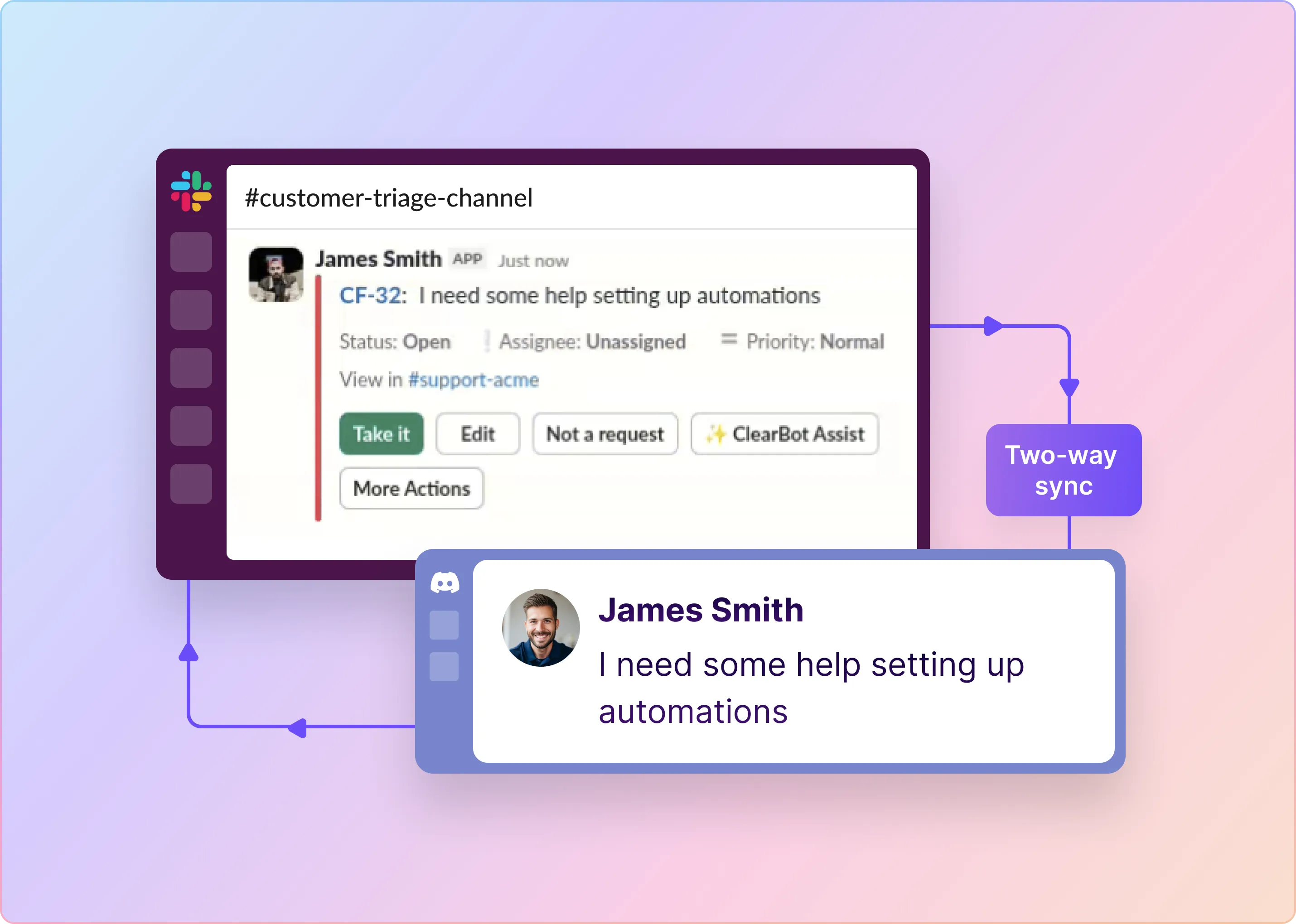
1. Synchronize Messages Between Slack and Discord

ClearFeed keeps conversations connected by synchronizing replies between Discord and ClearFeed’s internal support workflow. This helps teams manage community conversations from Slack or the Web App while ensuring users continue to receive responses in Discord.
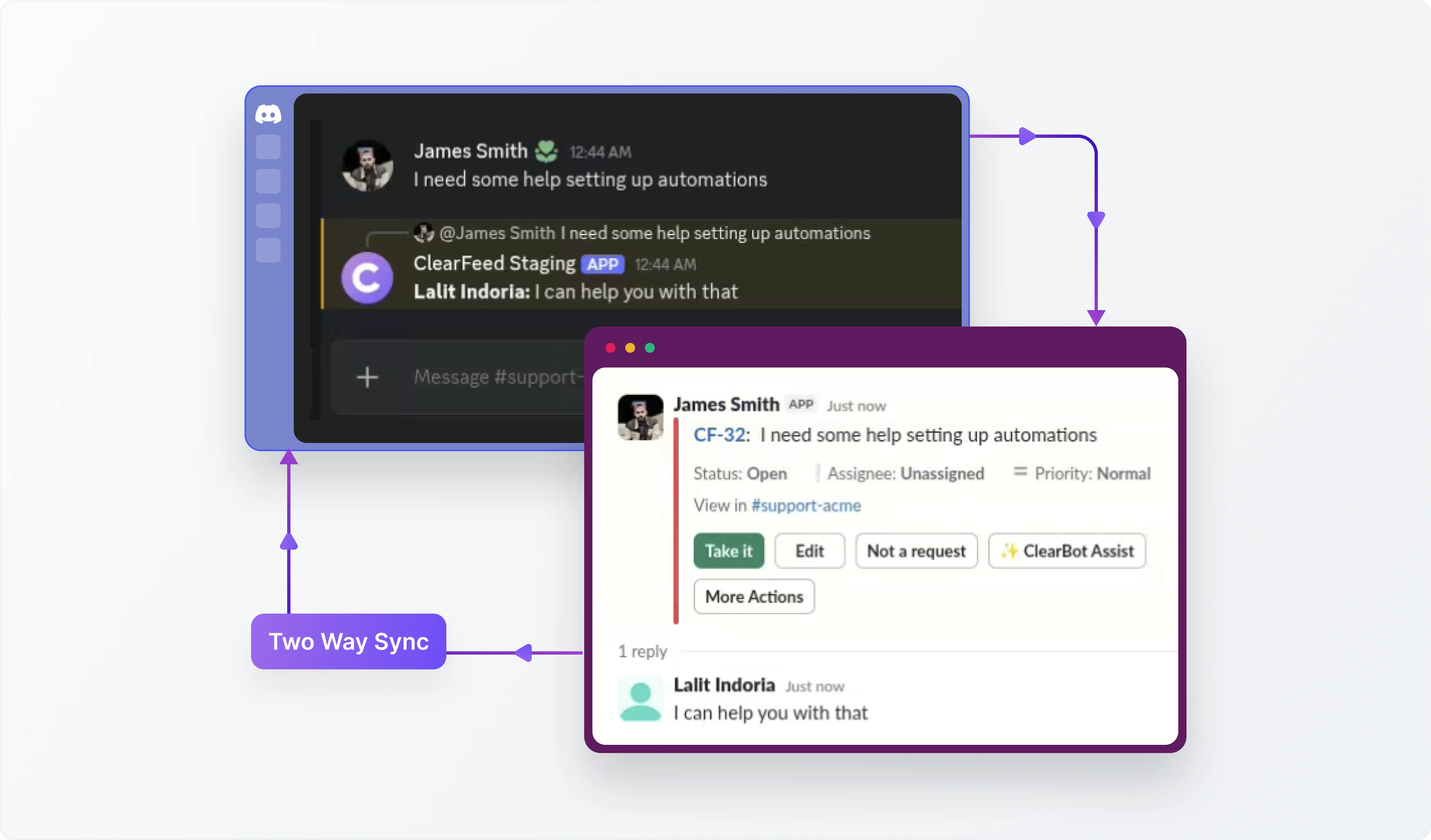
Synchronize Messages Between Slack and Discord

2. Collaborate on Community Issues from Triage Channels

Requests from Discord can flow directly into a Triage Channel in Slack, where internal teams can review the issue, discuss next steps, and coordinate privately when needed. Alternatively, agents can also respond to Discord requests from the ClearFeed Web App.
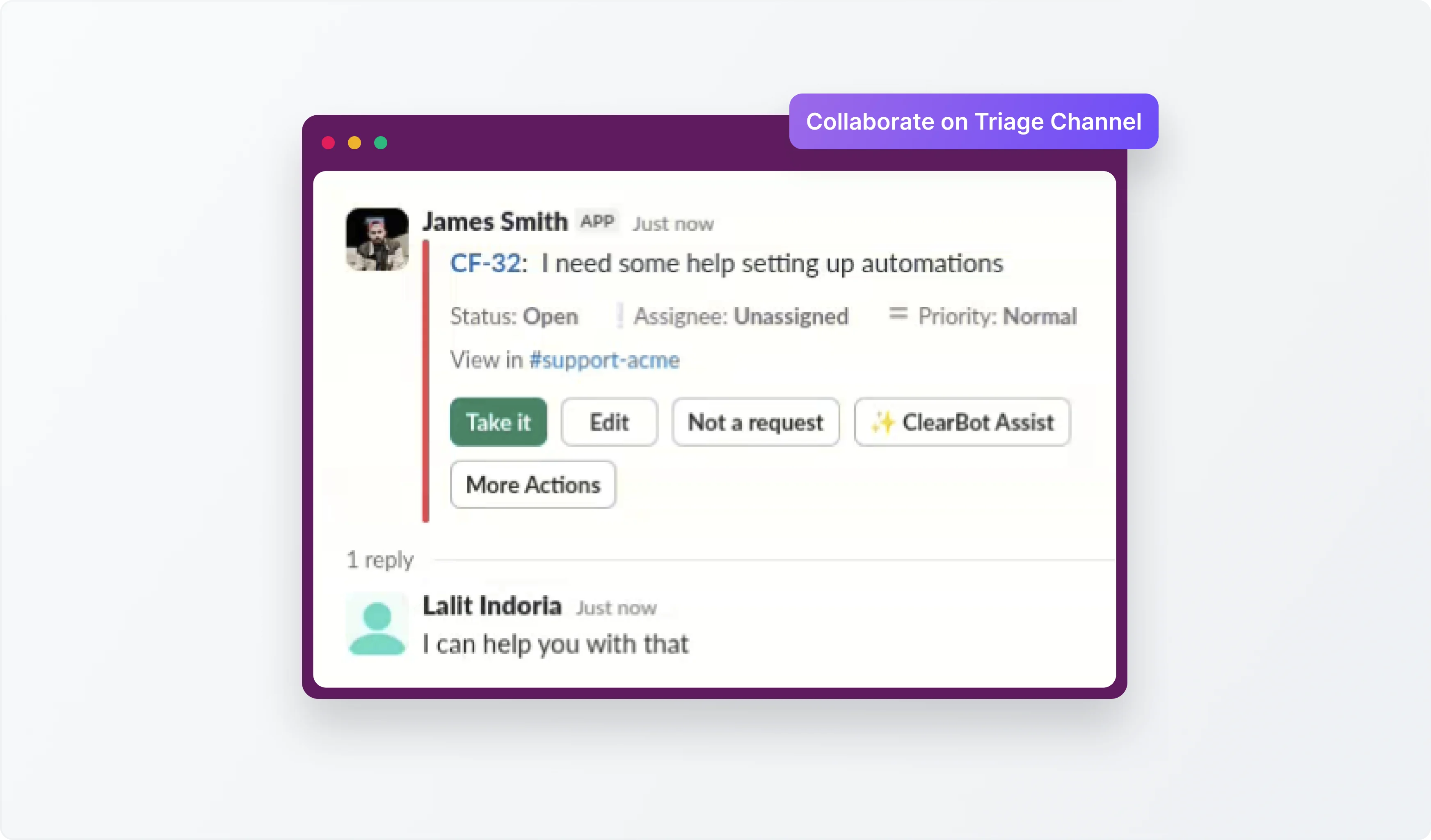
Collaborate on Community Issues from Triage Channels

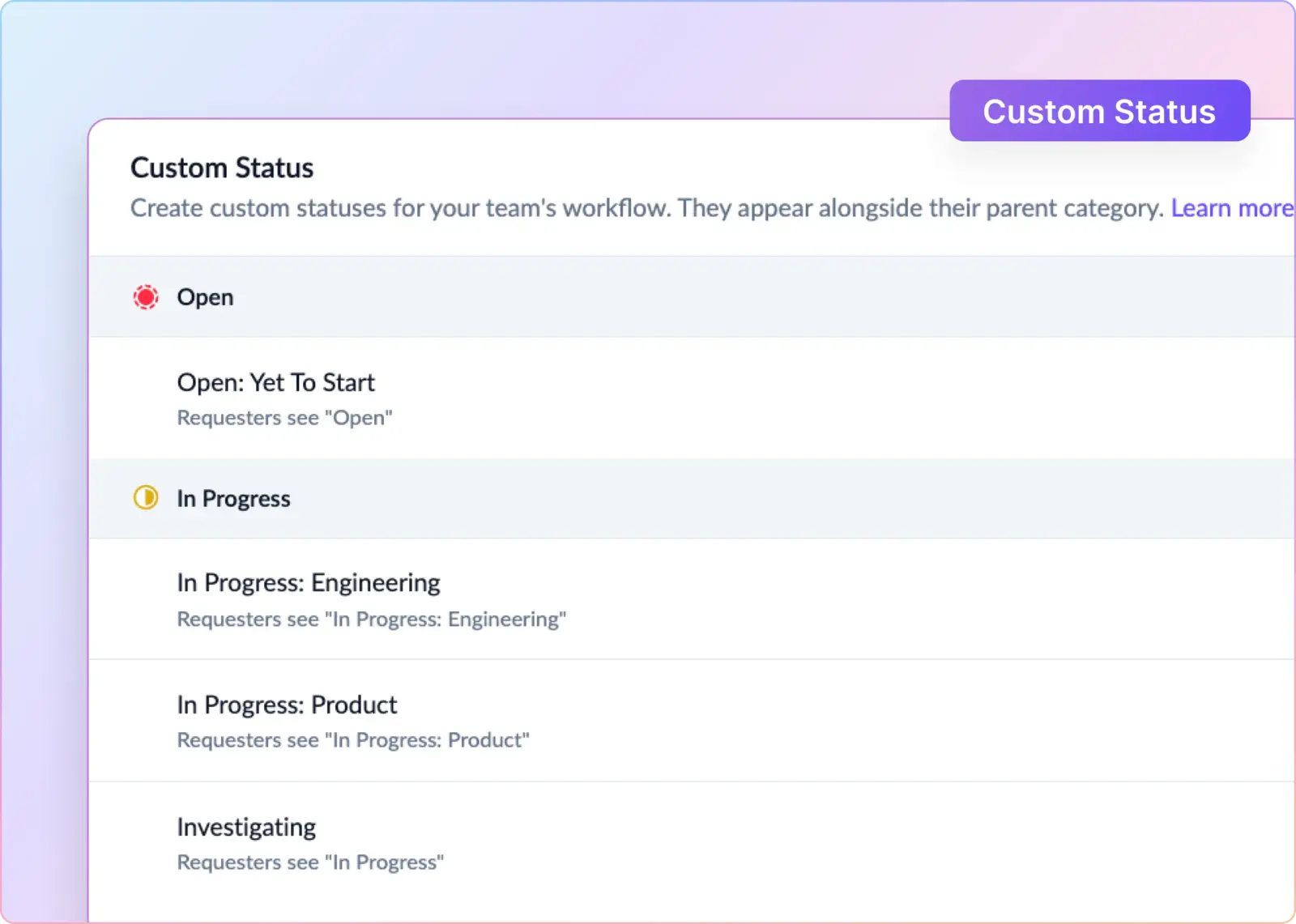
3. Manage Discord Ticket Lifecycle

ClearFeed turns support requests from Discord into trackable tickets, making it easier to manage ownership, status, and follow-up. Teams can work on Discord requests with the same structure they use for other support conversations and link them to downstream tools like Jira when further action is needed.
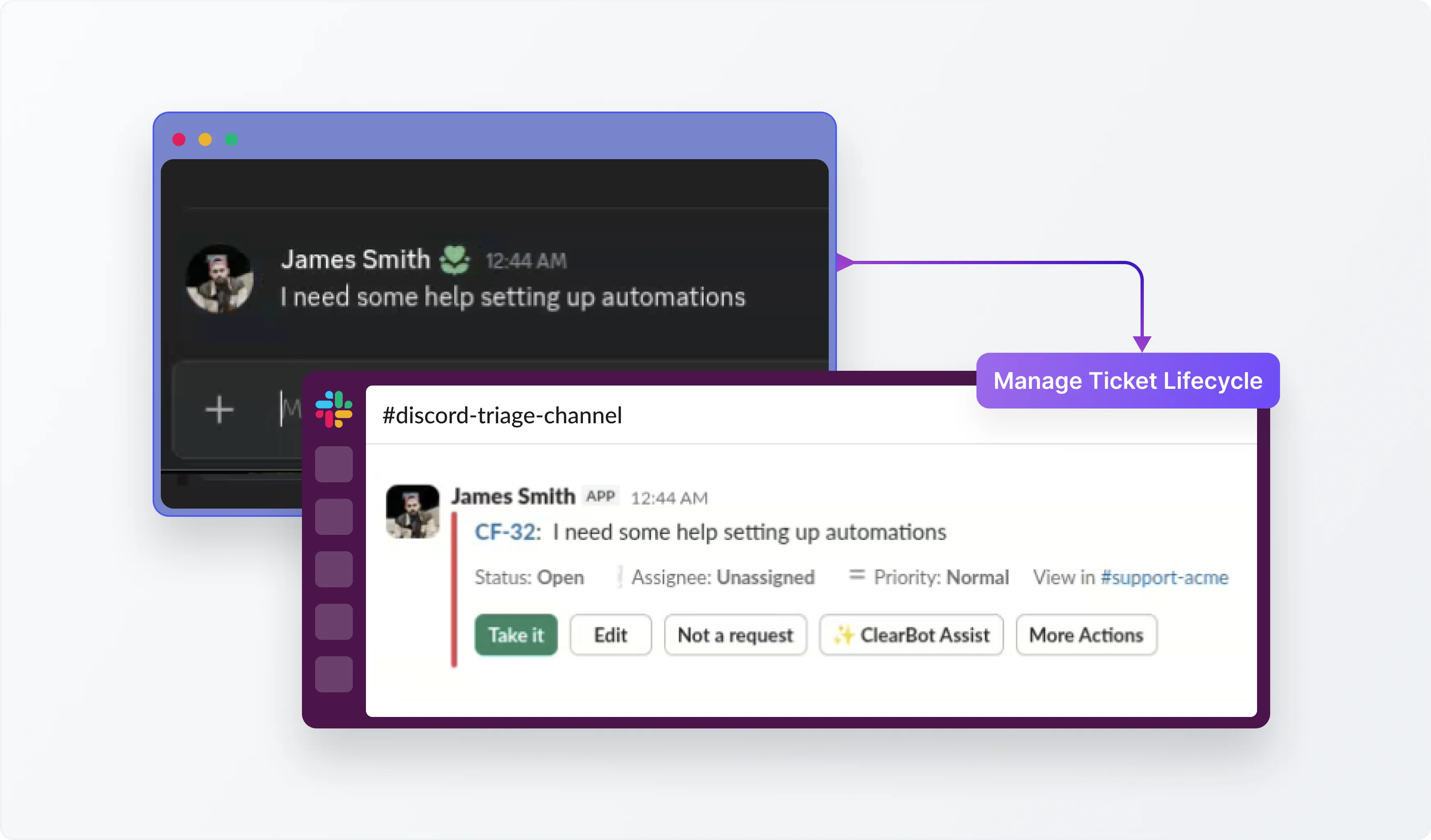
Manage Discord Ticket Lifecycle

4. Respond to Discord Requests from the ClearFeed Web App

Teams can use the ClearFeed Web App to review and respond to Discord requests, making it easier to stay on top of community conversations and follow through on unresolved issues.
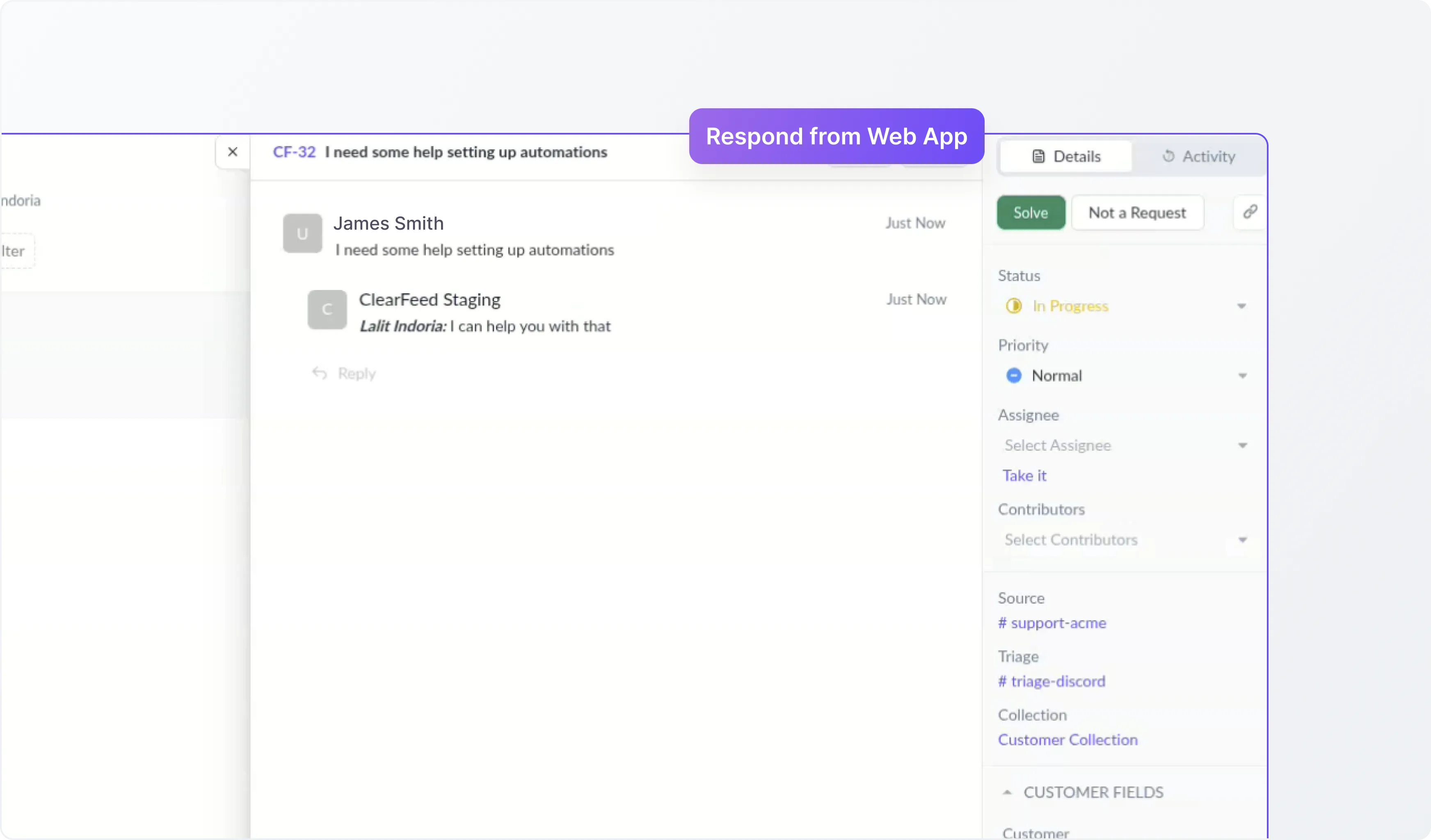
Respond to Discord Requests from the ClearFeed Web App

What’s Next

We’re continuously improving this experience with upcoming capabilities, including:

  • AI Agents for Discord support: Enable AI Agents to respond to Discord requests and help teams handle repetitive questions faster.
  • Deeper integrations with systems like Jira and Linear: Make it easier to escalate Discord conversations into downstream systems used by engineering and product teams.
  • SLA tracking for Discord tickets: Bring response and resolution tracking to requests originating from Discord.
  • Reporting and analytics for Discord support: Help teams understand ticket volume, response trends, and overall support performance for Discord conversations.

Wrapping Up 

ClearFeed’s Discord integration helps teams manage community support conversations with more structure and visibility. By bringing Discord requests into ClearFeed, teams can collaborate internally, keep track of important issues, and continue replying to users in Discord without breaking the conversation flow.

If you’d like to learn more about ClearFeed’s Discord integration, you can contact us at support@clearfeed.ai or book a free demo with a support specialist for a personalized walkthrough.
Many modern tech companies run active user communities on Discord. It is where users ask product questions, report issues, and look for help in real time. For developer tools, open-source projects, and community-led products, Discord often becomes an important support touchpoint.

But managing Discord separately from internal support workflows can get messy. Teams may need to constantly switch between Discord and Slack, important requests can get buried in busy channels, and it becomes harder to ensure issues are tracked and followed through.

Today, we’re excited to add Discord to ClearFeed’s growing suite of support channels. Now, teams can manage support conversations from Discord directly within ClearFeed’s Slack-based workflows, helping them stay on top of community requests without switching tools.

Let’s take a look at how you can use ClearFeed’s Discord-Slack integration to streamline support workflows.

How It Works

ClearFeed streamlines the support workflow from the moment a user asks a question in Discord to its resolution. Here’s what the workflow looks like:

  1. Connect your Discord channel to ClearFeed
    Start by connecting  your Discord support channel into a ClearFeed collection.
  2. Route requests into ClearFeed
    Once configured, relevant conversations from Discord can be captured and brought into ClearFeed for tracking and follow-up.
  3. Requests flow into Slack
    Incoming Discord requests can flow into a Triage Channel in Slack, where internal teams can review, collaborate, and manage them. Alternatively, agents can also view and respond to requests directly from the ClearFeed Web App.
  4. Agents respond from Slack or Web App
    Support teams can manage requests from Slack or the ClearFeed Web App, depending on how they prefer to operate.
  5. Replies sync back to Discord
    Responses and updates are reflected back in Discord, so users can continue the conversation in the same channel where it started. 

Key Features of ClearFeed’s Discord-Slack Integration 

1. Synchronize Messages Between Slack and Discord

ClearFeed keeps conversations connected by synchronizing replies between Discord and ClearFeed’s internal support workflow. This helps teams manage community conversations from Slack or the Web App while ensuring users continue to receive responses in Discord.

Synchronize Messages Between Slack and Discord

2. Collaborate on Community Issues from Triage Channels

Requests from Discord can flow directly into a Triage Channel in Slack, where internal teams can review the issue, discuss next steps, and coordinate privately when needed. Alternatively, agents can also respond to Discord requests from the ClearFeed Web App.

Collaborate on Community Issues from Triage Channels

3. Manage Discord Ticket Lifecycle

ClearFeed turns support requests from Discord into trackable tickets, making it easier to manage ownership, status, and follow-up. Teams can work on Discord requests with the same structure they use for other support conversations and link them to downstream tools like Jira when further action is needed.

Manage Discord Ticket Lifecycle

4. Respond to Discord Requests from the ClearFeed Web App

Teams can use the ClearFeed Web App to review and respond to Discord requests, making it easier to stay on top of community conversations and follow through on unresolved issues.

Respond to Discord Requests from the ClearFeed Web App

What’s Next

We’re continuously improving this experience with upcoming capabilities, including:

  • AI Agents for Discord support: Enable AI Agents to respond to Discord requests and help teams handle repetitive questions faster.
  • Deeper integrations with systems like Jira and Linear: Make it easier to escalate Discord conversations into downstream systems used by engineering and product teams.
  • SLA tracking for Discord tickets: Bring response and resolution tracking to requests originating from Discord.
  • Reporting and analytics for Discord support: Help teams understand ticket volume, response trends, and overall support performance for Discord conversations.

Wrapping Up 

ClearFeed’s Discord integration helps teams manage community support conversations with more structure and visibility. By bringing Discord requests into ClearFeed, teams can collaborate internally, keep track of important issues, and continue replying to users in Discord without breaking the conversation flow.

If you’d like to learn more about ClearFeed’s Discord integration, you can contact us at support@clearfeed.ai or book a free demo with a support specialist for a personalized walkthrough.

Related Blogs

See all Blog Posts
TOC heading
Text LinkText Link Active
Get a Free consultation with a Support Expert
Learn how fast growing companies like Teleport, Chronosphere and Acryl Data have scaled Support processes with ClearFeed
Thank you for contacting us. Our team will reach out to you shortly.
Oops! Something went wrong while submitting the form.