Table of Contents

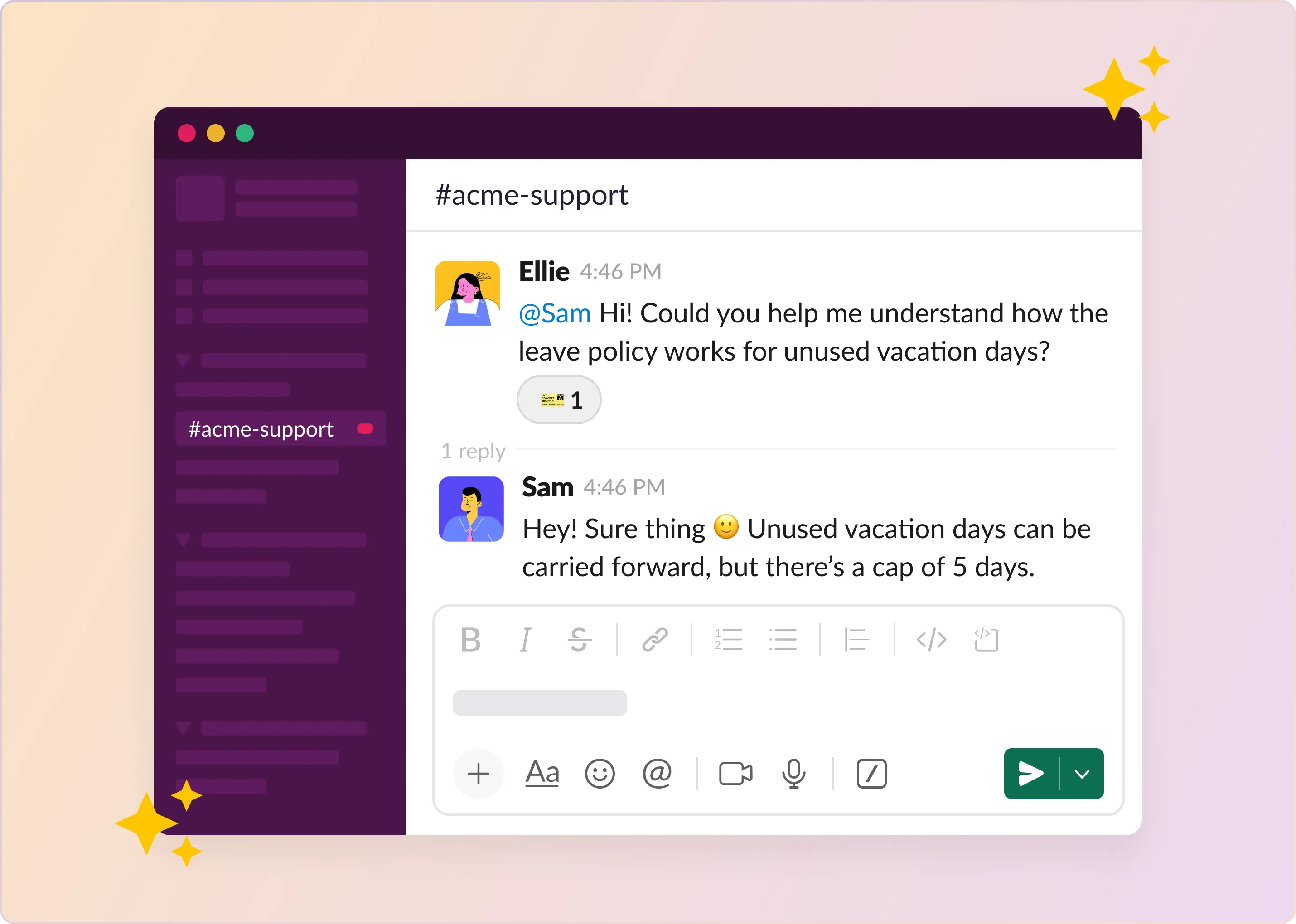
For many HR teams, Slack becomes the place employees go for help.
Questions about PTO, benefits, onboarding, policies, and equipment requests start appearing in channels and DMs. At first, it works. HR answers quickly, employees get help, and everything stays informal.
But as the company grows, the volume grows too. Questions get scattered across channels, the same answers get repeated, and you can't easily track requests or see what's still unresolved. Slack is great for quick conversations. It wasn't built to manage HR requests at scale.
Many teams already run HR support successfully in Slack. They just add the right structure: clear intake channels, simple workflows, and ways to track requests from Slack. This guide covers how to use Slack as an HR helpdesk, including the workflows, tools, and best practices teams use to make it work.
TL;DR
Slack works for HR support until about 50-200 employees. After that, DM-based workflows break down and teams need structure: tracked intake, smart routing, approval chains, AI deflection, and SLA visibility.
The gist
- Four failure modes of unstructured Slack HR support: requests lost in scroll, invisible workload, no audit trail for sensitive conversations, and inconsistent response times.
- Six fixes to turn Slack into a real HR helpdesk: standardized ticket creation (including private ticketing for sensitive requests), automatic routing to the right HR sub-team, employee context surfaced alongside the ticket, structured approval chains, AI handling repetitive policy questions, and reporting on volume and response times.
- Adoption lives or dies on two things: letting employees message naturally (convert to tickets behind the scenes) and solving privacy upfront — employees won't use a public channel for salary or medical questions.
- The recommended rollout is staged: week one for intake, week two for AI deflection, week three for SLA tracking. The metric that confirms it's working is DMs going down as tickets go up.
Where Does Slack Fall Short When Managing HR Support Workflows?
HR support workflows usually stay manageable until a company reaches about 50 to 200 employees. Up to that point, Slack DMs and email can get the job done. After that, they stop scaling well.
1. Requests get lost in the flow: Slack moves fast. HR requests show up mixed in with everything else. Someone messages on Friday afternoon about the leave policy or a payroll question. You think you'll get to it on Monday. Monday comes, more messages arrive, and the Friday thing is somewhere up in the scroll. Wednesday hits, and they're still waiting. You're behind now. No queue, no tracking system. You're just trying to remember. That stops working pretty fast.
2. Workload becomes invisible: When requests come through private DMs, HR leadership can't see them. They don't know how many requests are coming in or who's handling them. If a director asks for last month's query count, there's nothing to show them. And if one person on the HR team is flooded with messages, nobody else finds out until deadlines are already missed, or that person finally mentions it.
3. No audit trail for sensitive issues: HR conversations about compensation changes, terminations, policy questions, and ESOPs happen in scattered DMs. When a decision gets questioned months later, you're searching through individual Slack threads trying to piece together what was said. Most of the time, there's no clear record.
4. Response times become inconsistent: In a ticketing system, requests usually follow response time targets or service expectations. In DMs, those standards don't exist. Some employees receive answers within minutes, while others wait days. The difference often depends on who happened to see the message first or how busy the HR contact was at the time. Over time, that inconsistency leads to frustration and a perception that HR support is unreliable.
Slack itself is fine. It works well for communication. The trouble is when companies try to use DMs as a request management system. Once a company grows past a certain point, HR teams need a way to track these conversations rather than scrolling through hundreds of messages to find that one thing someone asked about two weeks ago.
How To Turn Slack Into an HR Helpdesk?
Most HR teams aren't dealing with complex problems. They're dealing with small things that add up.
A leave request that needed one manager's approval somehow took nine days. A benefits question that should've taken two minutes turned into a thread across three channels, a DM, and finally a calendar invite. An employee in Serbia needed a policy clarification, but the question landed with the US People Ops team, who forwarded it and then forwarded it again.
None of these are disasters on their own. Together, they define how HR work moves. This is what fixing that looks like.
1. Standardized ways to file HR Requests
The core reason for DM sprawl and for invisible, inauditable requests was the lack of standardized ways to create and track employee requests. The solution is to use a structured ticketing system (like ClearFeed) that is built for Slack.
- Employees create requests - either in public channels or via private messages (through an app).
- The request is routed to the appropriate people in the HR team and tracked as a ticket.
Private ticketing is critical. Employees DM a bot or use a slash command to file a request in private. Nothing posts publicly. The conversation opens in a thread that only the employee and the relevant HR members can see. It feels like Slack, because it is, but with structure and tracking underneath.
2. Questions That Reach the Right HR Person, Automatically
Even when a request lands in the correct place, it often lands with the wrong person first.
HR isn't one team. One person handles benefits. Another handles compliance. Global companies have country-specific teams. A question about parental leave in the UK shouldn't have to bounce through US People Ops before finding someone who knows the answer — but if routing doesn't exist, that's often what happens. One person reads the request, realizes it's not theirs, forwards it, and two days have already passed.
Routing rules fix this on their own. A request from an employee in Serbia goes to the Serbian HR team. A compensation question goes to the restricted group that handles compensation, not the full channel. The employee doesn't need to know any of this. They ask their question, and it ends up where it should.
3. Full Employee Context, All in One Place
An overlooked cost in HR work that rarely gets talked about: the time spent figuring out who is asking before you can figure out how to answer.
An HR team member opens a request, and before they can respond, they need to know the employee's manager, legal entity, employment type, and location. Each of those pieces lives somewhere else: BambooHR, Okta, and an internal spreadsheet. So they open tabs, piece things together, and then start writing a reply.
For a team handling dozens of requests a day, that context-gathering is a real cost. It's also the kind of cost that's invisible in reporting because it appears as response time rather than lookup time.
Ticketing systems that gather employee context before HR teams respond to them are therefore critical. When context surfaces alongside the request, the whole pace of the work changes. The HR team member opens the ticket, and the relevant details are already there.
4. Approval Chains That Don’t Depend on Anyone Remembering
Some requests are simple. Others move through several sets of hands before anything is finalized.
A leave request requires a manager's approval before HR can process it. An ESOP grant might need two reviewers in sequence. A role change might involve HR, Finance, and leadership, each approving in a specific order, each needing to act before the next person is notified.
Approvals within Slack are even harder to coordinate than emails. It's harder to forward messages. And much, much harder to track messages, given the volume of messages. Tickets must be submitted in a structured manner - so that approval chains can be reliably triggered. And this is far harder when users just send requests as messages.
HR (and IT) teams that conquer this chaos must:
- Create structured tickets with forms that capture the nature of the request
- Depend on the nature of the request - trigger the required approval workflows
- For Slack-native teams, make it easy for managers to approve requests directly in Slack.
- Capture the status of the approval workflow in the ticket so the HR team knows when they can proceed.
And every step is recorded. That matters for audit trails, but also for the more common situation where a manager asks "who approved this?" and there's an answer.
5. Policy Questions Answered by AI, Not a Person
A large share of what HR fields every week is the same handful of questions. How does parental leave work? How many PTO days are left? When does health insurance kick in after a new hire starts? A large enough pool of employees, and you have an HR team answering mundane questions all the time. Tools like Slack that make it very easy to ask questions make this problem much worse.
In this modern age of AI, many of these questions should be handled by AI Agents first. Policies already exist in writing somewhere in Notion, Google Drive, or Confluence. AI can find the appropriate answers and automatically resolve employee queries.
A common technique, therefore, to relieve HR teams of stress, is to have AI bots answer questions automatically, before escalating issues to humans. Such bots also need context about the employee - like location, manager info, department, level, etc. - that humans need. So that they can answer the question correctly using the right knowledge, and also only disclose as much information as is appropriate and authorized for a specific employee.
6. A Clear Picture of How HR Work Is Moving
At the end of a busy week, most HR teams couldn't tell you how many requests came in, how long they took to close, or whether anything was missed. The work lived in places that don't produce data.
When every request is a ticket, that changes. Teams can set response targets by request type: 24 hours for a benefits question, same-day for something urgent. When a ticket approaches its deadline, a reminder surfaces before it goes overdue. Managers can see volume, resolution times, and where delays tend to concentrate.
That visibility doesn't fix problems on its own. But it makes them visible, which is usually the harder part.
How To Handle Employee Adoption Without Disrupting Existing Workflows?
When HR teams set up a helpdesk in Slack, the first concern is usually "will anyone use it?"
That's reasonable. HR teams have rolled out ticketing portals before. Employees didn't use them. The helpdesk sat empty while actual requests came through direct messages, in random threads, or went completely untracked. If your company already uses Slack, you start with an advantage. But a poor setup will ruin adoption anyway.
1. Let Employees Message the Way They Already Do
The biggest adoption mistake is asking employees to learn something new. A slash command. A form. A separate portal. People are already in Slack. They'll type their request there, no matter what the helpdesk requires.
Better: let employees message into a dedicated HR channel or directly to the HR bot, then convert those messages into trackable tickets behind the scenes. Employee sends a message, gets a confirmation, and HR has a ticket in the queue. No learning curve.
2. Fix the Privacy Problem First
HR is different from IT. An employee asking about salary, a performance issue, or medical accommodation won't do that in a public channel. If your setup requires posting to a visible channel, you'll get zero sensitive requests. People will keep DMing the HR manager.
Solution: private ticket creation. Let employees submit through the ticketing app (like ClearFeed) without a channel post and without visibility to coworkers. Some HR teams create separate private collections for sensitive categories of tickets, such as payroll or legal, so even within HR, only certain HR personnel can see those tickets.
3. Use AI for Repetitive Questions
One way to reduce ticket volume: let the AI answer questions that come up every week. Parental leave policy, PTO calculation, and office closures. Connect your Notion pages or Google Drive docs, set the bot to auto-respond to those patterns, and your HR team stops answering the same questions repeatedly.
The mistake is automating too much at the start. Complex queries (employee-specific data, location-based policies, manager context) still need a person. AI handles clear-cut questions. Route the rest.
4. Make Triage Visible to the HR Team
The value goes beyond employee submission. The HR team also needs to see what's coming in, who's handling what, and what's been sitting too long. HR teams often configure the employee side well and forget the agent side.
Set up a private triage channel. Use auto-assignment so tickets don't sit unowned. Configure SLA alerts so the assigned person gets notified if a ticket is open past your response window.
5. Stage the Rollout
Teams with smooth adoption don't launch everything at once. Week one: get intake working. Week two: turn on AI deflection for easy categories. Week three: add SLA tracking. Trying to configure approvals, routing, assignments, and AI all at once creates a system nobody trusts.
Employees don't need to know what happens in the background. They message HR and get a response.
6. The Metric That Matters
Track tickets versus direct messages to your HR team. If the helpdesk works, DMs decrease, and tickets increase. If DMs stay flat or go up, there's friction, usually due to privacy concerns or an overly complicated form.
The goal is to make the system unobtrusive enough that employees use it by default.
Scaling Structured HR Support in Slack
Most HR teams don't fail because they lack empathy or expertise. They fail at operations — a question sent on Friday gets lost in someone's DM, or a leave approval stalls because no one follows up.
Slack helps here. Employees already use it, they know how it works, and they'll ask a question there before opening a separate portal.
What breaks down is how teams use Slack as an unstructured inbox where requests arrive and disappear in DMs.
You need a dedicated intake channel. A way to convert messages into tracked requests. Routing rules so the right person sees the right thing. AI for repetitive questions. SLA alerts before deadlines hit. You don't have to do it all at once — the rollout section covers how to phase it in.
ClearFeed runs inside Slack and handles this kind of setup. Most HR teams get it running in a day. There's a 14-day trial if you want to test it with real request volume, or you can book a demo to see how it fits your workflows.
HR support shouldn't rely on someone having to scroll back through messages to find what they missed.
Frequently Asked Questions
1. Can You Really Use Slack as an HR Helpdesk?
Yes. Many companies already rely on Slack for internal communication, so extending it to HR support is a natural step. By creating dedicated channels, workflows, and automation, HR teams can manage employee questions, requests, and approvals in a structured way. Instead of scattered DMs or emails, requests flow through a visible queue, allowing HR to track and respond more efficiently.
2. What Types of HR Requests Can Be Handled in Slack?
Slack works well for a wide range of HR interactions, including leave and PTO questions, payroll or reimbursement inquiries, benefits clarification, policy questions, onboarding assistance, and equipment or access requests. Structured intake forms and workflow automations help ensure every request is captured and routed to the appropriate person.
3. Is Slack Secure Enough for Sensitive HR Conversations?
Slack includes several security and privacy features such as private channels, restricted access, and enterprise-grade compliance options. HR teams can keep sensitive discussions within private channels or use direct request forms that route to a limited group of HR admins. For organizations with stricter privacy requirements, integrations with HR ticketing systems provide additional controls and audit trails.
4. What Are the Benefits of Using Slack for HR Support?
Employees already use Slack daily, which reduces friction. Response times tend to be faster compared to email. Request tracking through threads or tickets adds transparency. Workflows can automate common HR tasks. And recurring employee questions become visible, helping HR teams improve policies over time.
5. Do You Need a Separate Tool To Run an HR Helpdesk in Slack?
Not always. Slack's built-in workflows can handle simple intake forms and routing. However, larger teams often add a helpdesk integration to manage ticket tracking, reporting, and automation more effectively. Solutions built for Slack can convert HR messages into structured requests and maintain a proper queue.
6. Can Slack Automate HR Workflows?
Yes. Slack supports automation through workflows, integrations, and AI assistants. HR teams can automate routing requests to the correct HR specialist, sending acknowledgment messages to employees, triggering approvals for leave or reimbursements, and escalating unanswered requests after a time limit. Automation reduces manual work while keeping employees informed about the status of their requests.