Table of Contents

Slack keeps teams connected, but as teams grow, it also creates repetitive questions, duplicate requests, and fragmented context. Handling that volume manually becomes unmanageable fast. That is why more companies are adding chatbot integrations to Slack. The right chatbot can answer common questions, route users to resources, triage support requests, and speed up responses.
Not all Slack chatbots are built for the same job. Some are better for employee support, some for customer workflows, and some for no-code automation. This guide breaks down the top options so teams can choose the right fit.
TL;DR
A comparison of 8 chatbot integrations for Slack, evaluated across 7 criteria, with ClearFeed and Jira Service Management + Rovo as the top picks for teams that need real support workflows.
The gist
- The 7 evaluation criteria are: automated Slack responses, enterprise knowledge sources, agentic actions, ticketing and human handoff, deflection/ROI reporting, pricing model, and multi-agent support.
- Per-user pricing (Slack AI, ChatGPT, Glean) gets expensive at scale; usage-based or per-agent models are more sustainable for operational bots.
- ClearFeed leads for Slack-native support: a Virtual Agent for Slack request channels, Microsoft Teams Collections, and Web Chat; a private Agent Assistant for triage teams; and connections to knowledge sources like Confluence, Notion, Google Drive, Zendesk, Freshdesk, Intercom, GitHub, and Atlas. The AI Pack add-on starts at $20/month for 100 GPT requests.
- Jira Service Management + Rovo is the strongest fit for teams already on Atlassian; Moveworks and Glean are better for internal knowledge retrieval at enterprise scale.
- ChatGPT and Slack AI are useful personal productivity tools but lack ticketing, human handoff, and deflection reporting.
Worth knowing: Intercom + Fin's Slack support requires a custom integration build, so it's only practical for teams already committed to the Intercom stack.
How Did I Evaluate the Eight Best Chatbot Integrations With Slack?
I used seven criteria that matter most when a team is trying to turn Slack into a real support-and-service surface rather than just another notification channel.
- Automated responses inside Slack. Can the tool answer in channels, threads, or private conversations instead of forcing users into a separate portal?
- Enterprise knowledge sources. Can it pull from systems like Notion, Confluence, Google Drive, help centers, and past tickets to improve the quality of answers?
- Agentic actions across business tools. Can it go beyond Q&A and take actions in tools like Okta, Jira, or other systems, with appropriate security controls?
- Ticketing and human handoff. Can it escalate cleanly, preserve context, and route work to a human when the bot should stop?
- Deflection and ROI visibility. Can admins see answer quality, deflection, ticket interception, or other metrics that prove the bot is helping?
- Pricing model and scale. Is the product sold
- per User (in Slack workspace),
- per Support agent,
- per Outcome, or
- On an AI usage basis?
Per-user basis can be prohibitively expensive for large workspaces, while outcome-based pricing is unpredictable. Per Support Agent or simple Usage based pricing works best for most teams.
- Multiple AI agents by use case. Can teams create specialized agents for different channels, departments, or workflows instead of relying on one generic assistant?
Best Chatbot Integration With Slack at a Glance
Which Chatbot Solution Fits Your Slack Support Team?
The right chatbot integration depends on what your team needs to accomplish in Slack. Here’s how to think about your choice:
If your team is a customer support operation: You need a solution that can answer FAQs from your knowledge base, route complex issues to humans, and track how many questions the bot is deflecting. ClearFeed, Intercom + Fin, and Moveworks are the strongest fits because they all combine AI responses with ticketing and ROI reporting.
If your team is an IT or internal support team: You need a bot that can create tickets in your service management system, access internal knowledge bases (Confluence, Jira), and maybe trigger automated actions like password resets or access requests. Jira Service Management + Rovo and Moveworks are purpose-built for this. ClearFeed also works well for internal support.
If your team wants lightweight AI help without adding another platform: Slack AI and ChatGPT are easier to adopt with no separate rollout, but they lack ticketing, escalation workflows, and deflection tracking. They work best as personal productivity tools, not as operational support bots.
If knowledge retrieval is your main bottleneck: Glean and Unleash are stronger than general-purpose chatbots because they search across your entire company knowledge base and surface permissioned answers. They are less focused on ticketing and more focused on discovery.
8 Best Chatbot Integrations With Slack in 2026
1. ClearFeed
Best for: Support teams that want a true Slack-native AI support layer with ticketing, automation, and clean human handoff.
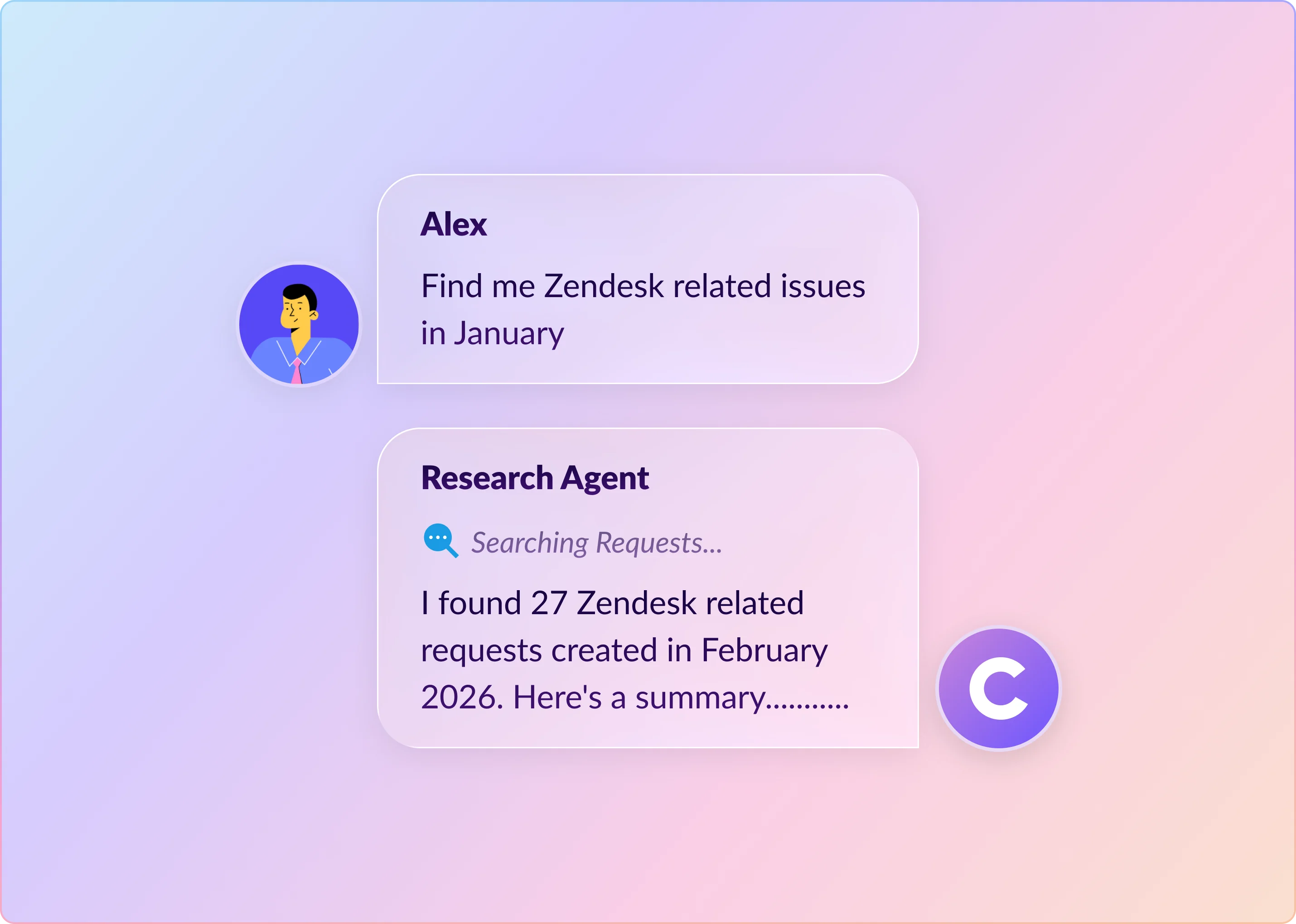
ClearFeed is built for teams that run support workflows in Slack. It offers a public Virtual Agent that replies in Slack request channels, Microsoft Teams Collections, and Web Chat; a private Agent Assistant that drafts replies for agents inside Slack triage channels; and ClearBot Assist for AI chat, thread summaries, previous-request lookup, and quick replies. Interactive Agent Mode adds two-way conversations with tool use in Slack and Web Chat before a human takes over. Agents can answer from your connected knowledge sources, take actions in external systems, and hand off cleanly when a human should step in.
Key Features
- Virtual Agent for public replies in Slack request channels, Microsoft Teams Collections, and Web Chat, plus Agent Assistant for private draft replies in Slack triage channels.
- Interactive Agent Mode for two-way conversations with tool calls, available for Slack Collections and Web Chat.
- Answers grounded in knowledge sources including Confluence, Notion, Google Drive, Coda, Zendesk, Freshdesk, Intercom, ReadMe, Salesforce, GitHub, Atlas, and past ClearFeed requests. Answer Agents can also read screenshots posted in Slack.
- AI can be triggered automatically on new requests, by emoji, by tagging the ClearFeed bot, through automations, from ClearBot Assist in the triage thread, or via the Ask AI action button in the Message Bar of Slack request channels.
- Agentic actions across Jira, Zendesk, HubSpot, Okta, JumpCloud, BambooHR, Kandji, and Asset Panda, with clean escalation to human responders.
- Doc Updater Agents flag missing or outdated content by analyzing support conversations in the background.
- Choice of six AI models across providers so teams can trade off speed and accuracy.
- Session Logs and Virtual Agent filters for Response (answered / unanswered), Outcome (deflected / escalated), and Feedback (positive / negative) for measurable ROI visibility.
Pros
- Strong balance of AI answers, ticketing, automation, and human handoff.
- Structured deflection and outcome reporting rather than just usage counts.
- Works with native ClearFeed ticketing or external systems like Jira, Zendesk, Freshdesk, Intercom, ClickUp, HubSpot, and Salesforce.
- Usage-based pricing scales without adding a per-user tax across the whole Slack workspace.
Cons
- Optimized for Slack, Microsoft Teams, Email, Web Chat, and Discord support workflows rather than general workspace chat.
- Interactive Agent Mode is not available for Microsoft Teams or Email Collections.
- The AI agent is not a general-purpose coding or research assistant.
- Opinionated offering that combines AI with helpdesk, rather than a lightweight personal assistant.
Pricing
The AI Pack, which unlocks AI Agents and Knowledge Sources, is included at no extra cost on ClearFeed's Professional and Enterprise Helpdesk plans. On the Starter plan and the Integrations Edition, the AI Pack is available as an add-on starting at $20/month for 100 GPT requests, with $2 per 10 GPT requests after that. See ClearFeed Helpdesk pricing and Integrations pricing for full plan details. Credit-based pricing is usually easier to justify than paying for AI seats across an entire Slack workspace, since costs track bot usage rather than headcount.
2. Jira Service Management + Rovo
Best for: IT service management and employee support teams already standardized on Atlassian
Jira Service Management with Rovo is one of the strongest fits for Slack-based internal support. Atlassian's virtual service agent works in Slack request channels, can answer common questions from a linked knowledge base, and can route or create work items. It now benefits from Rovo's broader search, chat, and agent capabilities. It is especially compelling for IT, ops, and workplace teams already running on Jira Service Management.
Key Features
- DMs, @mentions, right-sidebar chat, thread summaries, and channel triggers inside Slack
- Custom and out-of-the-box Rovo agents that can use tools and connected knowledge sources
- Slack-to-JSM work item creation with comment sync between Slack threads and Jira Service Management
- Service Request Helper and Service Triage for draft replies, summaries, assignee suggestions, priority suggestions, and automation use
Pros
- Strongest fit when Jira Service Management is already the system of record
- More configurable than a basic Slack bot because it supports custom agents, tools, and channel triggers
- Official docs support usage tracking for Rovo agents, which helps measure adoption
Cons
- Best service workflows still depend heavily on Jira Service Management context, not just Slack alone
- Once a JSM work item is created from Slack, the agent stops responding in Slack, and the thread becomes a sync surface
- Once installed, the Slack app is available to all workspace users, so governance matters
Pricing
Paid plans start at $20/agent/month for Standard and $51.42/agent/month for Premium, with included Rovo credits and higher tiers adding more AI capacity. That agent-based pricing is usually easier to justify at the team level than rolling out per-user AI across an entire Slack workspace.
3. Moveworks by ServiceNow
Best for: Large enterprises that want a Slack chatbot that can answer questions and complete employee service workflows
Moveworks is one of the clearest examples of a true enterprise Slack chatbot. Its Slack assistant can answer employee questions, connect to systems like Notion, create or manage tickets in service platforms, and trigger automated workflows through its built-in AI agents and plugins. It is especially strong when the goal is not just to answer questions but to actually resolve requests.
Key Features
- Purpose-built Slack chatbot deployment for employee support
- Strong knowledge-source integrations, including enterprise content like Notion
- Supports ticket creation and management across service systems
- Offers built-in AI agents and plugins for workflow automation
- Includes analytics around ticket interception, engagement, and deflection
Pros
- Strong at resolving employee requests, not just answering FAQs
- Good fit for enterprises that want AI plus workflow execution in Slack
- Mature reporting around interception and deflection
Cons
- Enterprise implementation is heavier than plug-and-play tools
- Pricing is custom and usually best suited to larger organizations
- More oriented to internal employee service than customer-facing community support
Pricing
Custom pricing.
4. Glean
Best for: Internal knowledge search and question-answering in Slack
Glean is strongest when the main job is finding and delivering answers from company knowledge. Gleanbot can respond in Slack channels, work with Slack workflow messages, and open as a Slack sidebar for private Q&A. Its breadth of connectors and growing agent library make it more capable than a basic search bot, even if it is still less service-desk-native than ClearFeed, Moveworks, or Jira Service Management.
Key Features
- Searches all Enterprise knowledge in Google Drive, Confluence, Jira, Slack messages, etc., as permissioned.
- Users can chat with Glean from Slack. Automated responses given as private responses to users - all responses are based only on documents available to the user.
- Not just Slack - Glean provides company search and agents via employee portals and plugins to popular tools like Zendesk.
- Provides private deployment options for large security-conscious enterprises.
Pros
- Very strong when the goal is surfacing knowledge trapped in Slack conversations
- Supports both retrieval and lightweight outbound Slack actions
- Lower setup friction than heavier service-desk platforms
Cons
- Better at knowledge discovery than at structured ticketing and human handoff
- Channel responses are private-first to respect user permissions and avoid creating a shared experience between users and support agents.
- Pricing is custom and aimed at large enterprise teams.
- Inadequate support for creating headless bots - all bots are tied to specific user permissions.
Pricing
Custom pricing.
5. Intercom + Fin
Best for: Customer support teams already using Intercom that want Slack to become a real support channel
Intercom is not a Slack-native platform, but it now has a stronger Slack story than many people realize. With Intercom's Slack channel support and the Channeled integration, teams can route Slack conversations into the Intercom Inbox, let Fin answer on Slack, trigger workflows, create tickets, and keep a human handoff path open. That makes it a valid inclusion, especially for support orgs that already live inside Intercom.
Key Features
- Custom Slack integration lets users message Fin from Slack and receive AI replies in the same thread
- Built with Intercom APIs, conversation webhooks, and a custom Slack app
- Can relay both Fin AI replies and admin replies back into Slack
- Webhook payloads expose whether a reply came from Fin AI or a human operator
Pros
- Flexible for teams already invested in Intercom and willing to build their own Slack bridge
- Keeps the Fin experience inside Slack threads instead of forcing users into a separate interface
- The official tutorial gives a concrete implementation path instead of just a high-level promise
Cons
- Slack is still an extension of the Intercom Inbox, not the primary operating model
- Fin pricing includes per-outcome charges, which can become expensive at scale
- Less compelling if you are not already committed to Intercom
Pricing
Platform plans start at $29 per seat, and Fin is priced at $0.99 per outcome.
6. Unleash
Best for: Teams that want customizable AI assistants in Slack backed by many enterprise connectors
Unleash positions itself as an enterprise AI platform rather than just a single chatbot. It lets teams create AI assistants in Slack, connect a broad set of business systems, and tailor the experience to different departments. That flexibility makes it appealing to companies that want multiple Slack-based assistants without locking themselves into a single LLM vendor.
Key Features
- Channel-specific assistant that monitors channel questions and answers automatically in Slack
- Source controls across integrated apps and Unleash wikis, with filters and knowledge prioritization
- Answers include sources plus a “Was this helpful?” prompt for feedback
- Can create knowledge cards from Slack messages and use `/recap` to summarize channels and threads
Pros
- Flexible if you want several department-specific assistants in Slack
- Broad connector story is useful for enterprise knowledge access
- Less tied to one narrow support use case than service-desk-first tools
Cons
- Public documentation is lighter on structured ticketing and human handoff than service-first products
- Best understood as a broader enterprise AI layer, not only a Slack support bot
- Pricing is custom
Pricing
Custom pricing.
7. Slack AI
Best for: Teams that want the lowest-friction native option for search, summaries, and lightweight AI help
Slack AI is best viewed as a workspace copilot, not as a full Slack support bot. It can summarize channels, DMs, and threads, generate AI search answers from Slack content, and on Enterprise+, it can search across connected apps like Notion, Confluence, Google Drive, and more. It is useful when the goal is fast internal productivity, but it still lacks the structured routing, ticketing, and human handoff most support teams need.
Key Features
- Lives directly inside Slack with very low adoption friction
- Good for AI search, thread summaries, channel summaries, and personal productivity
- Enterprise+ adds broader enterprise search across connected business apps
- No separate bot rollout is required for basic AI features
Pros
- Easiest option to roll out if your goal is lightweight AI help inside Slack
- Strong for summaries and search without adding another support platform
- Native experience reduces training and change-management overhead
Cons
- Core Slack AI is not a true support bot with ticket queues or escalation workflows
- Structured ROI, deflection, and handoff capabilities are limited
- Custom agents require Agentforce or third-party AI apps, not Slack AI alone
- Per-user pricing can get expensive as adoption widens
Pricing
Slack Business+ starts at $18/user/month, billed monthly or $15/user/month billed annually. Enterprise+ is custom-priced. That makes Slack AI easy to understand, but it can become expensive as adoption widens, since the cost scales with each additional user who needs access.
8. ChatGPT
Best for: Ad hoc Q&A, drafting, summarization, and reasoning inside Slack
ChatGPT in Slack is excellent when a teammate explicitly wants help with writing, analysis, or problem-solving in the flow of conversation. It is the strongest general-purpose reasoner in this list, but it is not a full Slack service bot. It does not natively handle ticketing, human handoff, queue management, or deflection reporting the way a support-focused platform does.
Key Features
- Best general reasoning quality for open-ended questions and drafting tasks
- Fast to adopt for teams that want a flexible assistant in Slack
- Business and Enterprise plans add apps and company knowledge inside ChatGPT
- Useful for technical Q&A, writing help, research, and summarization
Pros
- Strongest general-purpose assistant in this list for writing and reasoning tasks
- Very easy to understand and adopt for ad hoc help inside Slack
- Works well when teammates want an on-demand copilot rather than a service bot
Cons
- Better as an on-demand assistant than an auto-responding Slack support bot
- No built-in ticketing, human handoff, or deflection analytics
- Multiple specialized Slack agents are not the default operating model
- Per-user pricing scales linearly with adoption
Pricing
Paid plans start at $20/user/month, with Business plans starting at $25/user/month, billed monthly. Like Slack AI, this model scales linearly with adoption, which makes it less attractive as a broad operational bot pricing model.
Choose the Slack Chatbot That Fits Your Workflow
If you want a real Slack support bot that can answer, act, escalate, and prove ROI, ClearFeed and Jira Service Management + Rovo are the strongest options to start with. If your main problem is internal knowledge retrieval, Glean, Moveworks, and Unleash are more compelling than lightweight assistants. And if you only need personal productivity inside Slack, ChatGPT and Slack AI are still useful, just not complete service workflows.
The best choice depends on whether your team needs search, support automation, or full-service operations in Slack. For teams that want Slack-native ticketing, AI answers, human handoffs, and automation in one workflow — with the same support layer extended to Microsoft Teams and Web Chat — ClearFeed remains one of the strongest fits.
Frequently Asked Questions
What is the best chatbot for Slack support teams?
The "best" solution depends on your priorities. If you want AI-powered answers, ticketing, and structured deflection reporting in one tool, ClearFeed and Moveworks lead. If you're already on Atlassian, Jira Service Management + Rovo is a stronger fit. If you only need lightweight native search and summaries, Slack AI is the simplest.
Do all Slack chatbots work inside Slack channels, or do they force users into a separate portal?
Most modern solutions respond directly in Slack channels or threads. However, some like Glean prioritize private responses to respect user permissions. Check the comparison table above—tools marked "Yes" for "Slack channels + DMs" keep the experience fully inside Slack.
Which Slack chatbot integrations offer the best ROI and deflection reporting?
ClearFeed, Moveworks, Intercom + Fin, and Jira Service Management + Rovo all include metrics on answer quality, ticket interception, and deflection. Slack AI and ChatGPT do not track deflection or ROI. Glean and Unleash offer usage reporting but less structured deflection metrics.
What are the most important features to evaluate when comparing Slack chatbot solutions?
Focus on: (1) whether it can answer directly in Slack without forcing a portal, (2) which knowledge sources it can access, (3) whether it can escalate to humans cleanly, (4) whether it tracks deflection and ROI, and (5) how pricing scales with your team size. Review the seven criteria in the section above.
Do I need a separate AI chatbot tool, or is Slack's native AI enough?
Slack AI is useful for searching knowledge and summarizing threads, but it is not a service bot—it has no ticketing, no escalation workflow, and no deflection tracking. If you need support automation, you need a dedicated solution.