Table of Contents

Your customers or community may prefer Telegram, while your company works in Slack. A Slack-Telegram integration lets both groups stay in the tools they already use.
A reliable integration must do more than forward messages. It should preserve conversation context, route replies correctly, support file transfers, and alert the team when delivery fails.
There are four ways to connect Slack and Telegram: use dedicated software to bridge these tools, configure an iPaaS, build directly on the Slack and Telegram APIs, or use a Slack-Telegram integration (like ClearFeed) designed for Support teams.
This guide compares how each method works, where it fits, what it costs, and what to evaluate before rollout.
What Is a Slack-Telegram Integration?
A Slack-Telegram integration connects a Telegram bot, group, or channel with a Slack channel. It can send one-way alerts or support two-way conversations.
A typical support conversation follows four steps:
- A user sends a message through Telegram.
- The integration posts it to a Slack channel or thread.
- Another user replies in Slack.
- The integration delivers the reply to the original Telegram conversation.
Why Support Teams Connect Telegram To Slack
Telegram gives customers a familiar place to ask questions, while Slack is where support, engineering, and product teams already collaborate. Connecting them reduces manual copying and changes support in four ways:
- Customers stay in Telegram without joining Slack or logging into an old-fashioned support portal.
- Support Agents handle Telegram conversations from Slack instead of monitoring both tools.
- Specialists can join the relevant Slack thread with the full customer history. Depending on the integration, members can leave private comments in Slack.
- The team gains shared visibility, reducing dependence on individual monitoring.
Forwarding every Telegram message into Slack can create a noisy channel rather than a manageable queue. Teams that need ownership, status, priority, escalation, or response targets need a support layer, not just a message bridge.
Four Ways To Set Up a Slack-Telegram Integration
The different ways of connecting Slack and Telegram can be categorized into the following:
- A bridge (like Telebot) that syncs conversations from Telegram groups to Slack channels.
- An automation platform (like Zapier) that replicates specific messages or sends notifications across tools based on specific rules.
- A custom integration written using Slack and Telegram APIs that prioritizes full control.
- A Slack-native Support platform (like ClearFeed) that brings conversations from multiple Telegram groups into a single Inbox in Slack for triage and response.
These 4 methods are described in detail below:
1. Use a Dedicated Slack-Telegram Bridge
Dedicated bridges save you from having to build and maintain an integration yourself. Once the Slack workspace and a Telegram Bot are connected, the main decision is where each Telegram conversation should appear in Slack.
Telebot gives teams two ways to organize conversations. Telegram bot chats can appear in separate Slack channels, while group messages can flow into a shared Slack channel. It also supports media, sender avatars, private Slack comments, thread controls, and moderation. These details matter when agents need to discuss a request internally before replying to the customer.
Slagram keeps the setup simpler. One Telegram group connects to one Slack channel, and messages move in both directions. Its current plan includes unlimited members, messages, and files. This one-to-one structure is easy to follow, though teams managing several Telegram groups may need multiple connections.
How a Slack-Telegram Bridge Works
- Keeps conversations separate: Each Telegram conversation maps to a specific Slack channel or thread. Replies from Slack follow the same route.
- Supports more than text: Most bridge tools handle two-way messages and common files or media. Some also support private Slack comments, closing conversations, and reopening them when customers reply.
- Reduces maintenance: Your team doesn’t have to build or update the integration whenever Slack or Telegram changes. The bridge provider handles that work.
Before choosing a tool, test your customers’ most-used message types and confirm that its conversation structure and failure handling fit your support process.
When To Use a Slack-Telegram Bridge for Customer Support
A bridge works best when agents only need to view Telegram conversations and reply from Slack.
Before choosing one, assess how it maps conversations into Slack. Some bridges create a thread for each chat, while others sync an entire Telegram group to a single channel. Choose the structure agents can follow without manual sorting.
A bridge becomes less suitable when support requires ownership, conversation status, SLA tracking, custom routing, or customer data from other systems like Discord, Slack Connect, Email, Live Chat, etc.
Before rollout, test message edits, file types, old conversations, simultaneous replies, and delivery failures. Because the connection is vendor-managed, also review its security practices, outage procedures, and reliability.
Slack-Telegram Bridge Pricing
- Telebot: $7 per connected Slack channel per month.
- Slagram: $25 per month for one Slack channel-to-Telegram group connection, with unlimited members, messages, and files. It offers a seven-day free trial.
For 10 Telegram groups connected to 10 Slack channels, Telebot costs $70 per month, while Slagram costs $250 per month. Slagram provides custom quotes for enterprise, on-premise, unlimited-connection, and branded deployments.
2. Use an Automation Platform like Zapier, Make, or n8n
Automation platforms are useful when you want more control over which messages move between Telegram and Slack, where they go, and what happens along the way.
- Zapier provides Slack and Telegram triggers and actions for receiving bot messages, posting in Slack, sending replies, and forwarding selected content.
- Make offers a visual builder for filters and multistep workflows.
- n8n adds raw HTTP requests and self-hosting for teams that want more technical control.
This approach works especially well for selective workflows. For example, an automation could detect an urgent keyword, look up the customer in a CRM, attach account details, and route the message to the appropriate Slack channel.
How To Automate Slack-Telegram Workflows
Automation tools are useful when a Telegram message needs more than simple forwarding.
For example, when a customer reports a payment issue, the workflow could pull their plan and recent activity from your CRM and then route the enriched message to the billing-support channel in Slack. It could also create a ticket or alert the on-call team when it detects an urgent keyword. Once an agent responds, the workflow sends the reply through the Telegram bot. This gives the agent a useful request instead of a context-free message.
- Zapier works well for small, no-code workflows.
- Make is better for workflows with several routes or conditions that are easier to follow visually.
- n8n gives technical teams more control through custom code, HTTP requests, and self-hosting.
Choose based on the workflow’s complexity and who will maintain it. Flexible automation can become a burden if no one understands how it works six months later.
Limitations of Automation Platforms for Slack-Telegram Support
A one-way notification is easy to automate. A two-way conversation is harder because the workflow must keep track of where each message belongs. It needs to map Telegram chat and message IDs to the corresponding Slack channel and thread timestamps so replies reach the correct customer.
The workflow must also handle loops, retries, files, edits, and threaded replies. Forwarded messages need markers or exclusion rules to prevent them from triggering the automation again, while retries need safeguards against duplicates. Files may need to be downloaded and re-uploaded, and edits or replies require additional mapping.
Automation platforms also do not understand support status by default. They can move data, but you must separately build and store states such as assigned, pending, escalated, and resolved.
Zapier, Make, and n8n Pricing for Slack-Telegram Workflows
- Zapier includes 100 tasks per month on its free plan. Professional starts at $19.99 per month, while Team starts at $69 per month.
- Make includes 1,000 free credits per month. At 10,000 credits per month, Core costs $12, Pro costs $21, and Teams costs $38.
- n8n Cloud costs €20 per month for 2,500 workflow executions on Starter or €50 per month for 10,000 executions on Pro when billed annually. A self-hosted Community Edition is also available.
The counting model matters. Zapier bills by task, and Make generally consumes a credit for each module action. A single customer message may trigger several billable actions if the workflow also searches a CRM, transforms content, posts to Slack, and retries a failed step. n8n counts a complete workflow run as a single execution, regardless of the number of steps, which can make forecasting a multistep workflow easier.
Choose this method for filtered messages, enrichment, alerts, and workflows that extend into other business systems. A dedicated bridge is usually a better starting point when faithful two-way conversation sync matters more than conditional logic.
3. Build a Custom Slack-Telegram Integration With the Telegram Bot API and Slack APIs
A custom integration gives your team full control over routing, storage, identity mapping, and interface behavior. It also makes your team responsible for everything that keeps the connection reliable.
Your application receives an update from Telegram, applies your business logic, posts the result to Slack, and records which Telegram conversation belongs to which Slack thread. When an agent replies, the application uses that stored relationship to deliver the message to the correct Telegram chat.
Telegram accepts incoming updates through long polling or webhooks. Slack incoming webhooks can post messages, but threaded replies require the application to retrieve and retain the parent message timestamp. Incoming webhooks also cannot delete a message after posting it. Richer synchronization may therefore require Slack methods such as chat.postMessage and additional event subscriptions.
What a Custom Slack-Telegram Integration Can Control
A direct build lets your team define
- Routing and filtering rules
- Message formatting and sender identity
- Thread and reply relationships
- File handling and retention
- Connections to internal databases and services
- Hosting region, monitoring stack, and deployment process
That control is useful when the integration must use proprietary customer data, comply with strict residency requirements, or behave in ways that packaged tools cannot support. You also own the code instead of relying on a bridge vendor’s roadmap.
Custom Slack-Telegram Integration Cost
The implementation analysis estimates $2,000 to $8,000 for the initial build, $50 to $150 per month for hosting and monitoring, and an additional 5 to 10 engineering hours per month for maintenance. Using the labor rates from that analysis, the estimated first-year cost comes to $7,100 to $27,800.
Treat that as a scope estimate, not a vendor price. A simple one-way internal relay may cost less. A production-grade two-way sync with media support, identity mapping, audit controls, and high availability can be more expensive.
The server bill is only one part of the total. You also need to account for development, storage, logging, security reviews, API maintenance, and the time spent investigating delayed, lost, or duplicated messages.
A custom integration makes sense when your requirements or data-control needs justify long-term engineering ownership. It is usually the wrong choice when you need a standard connection quickly or do not have a team to operate it after launch.
4. Use a Slack-native support tool like ClearFeed
A bridge is mainly built to sync messages. ClearFeed’s Slack-Telegram integration is a better fit when each customer conversation also needs to become visible, trackable support work for a team that operates from Slack.
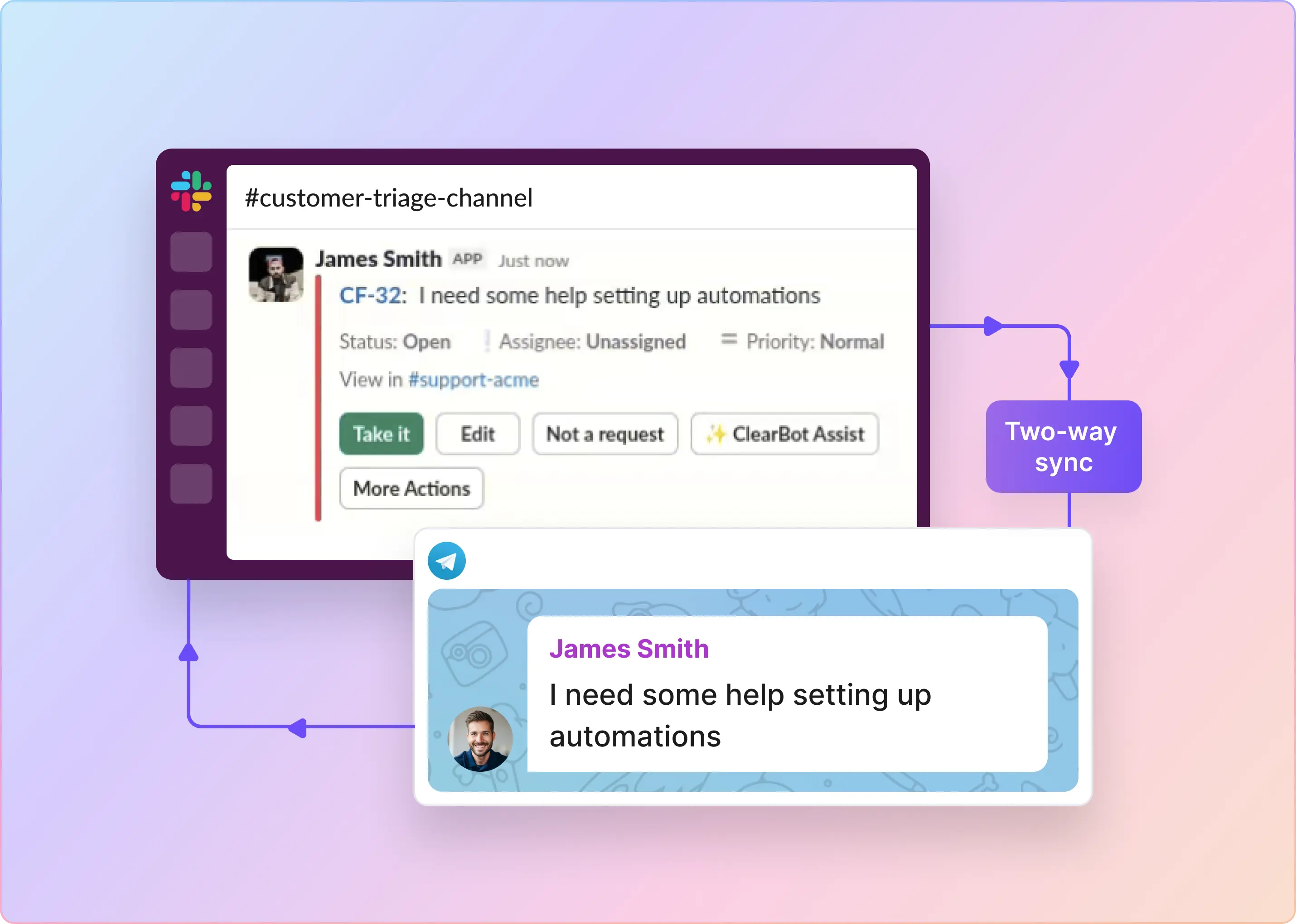
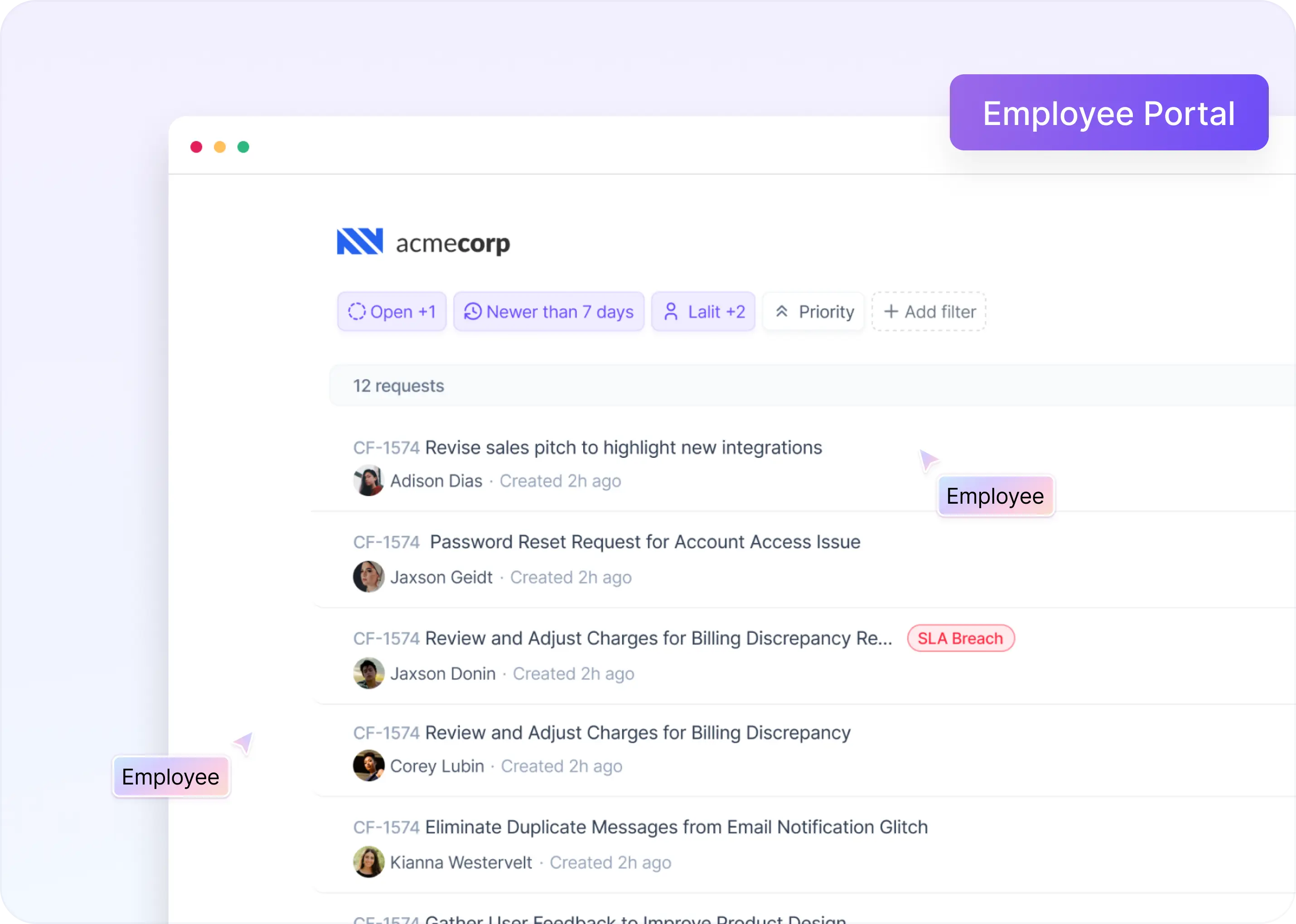
With the native Telegram integration, text messages and captions from a monitored Telegram group can create requests in ClearFeed - which are visible in a Web App and a Slack Triage Channel. Each request becomes a trackable record of the conversation. Responders can see it in a shared queue, manage its status, assign it, reply to it, and can even tag it with fields or link to issues in Jiras, ClickUp, Linear, etc internally.
The operating flow is:
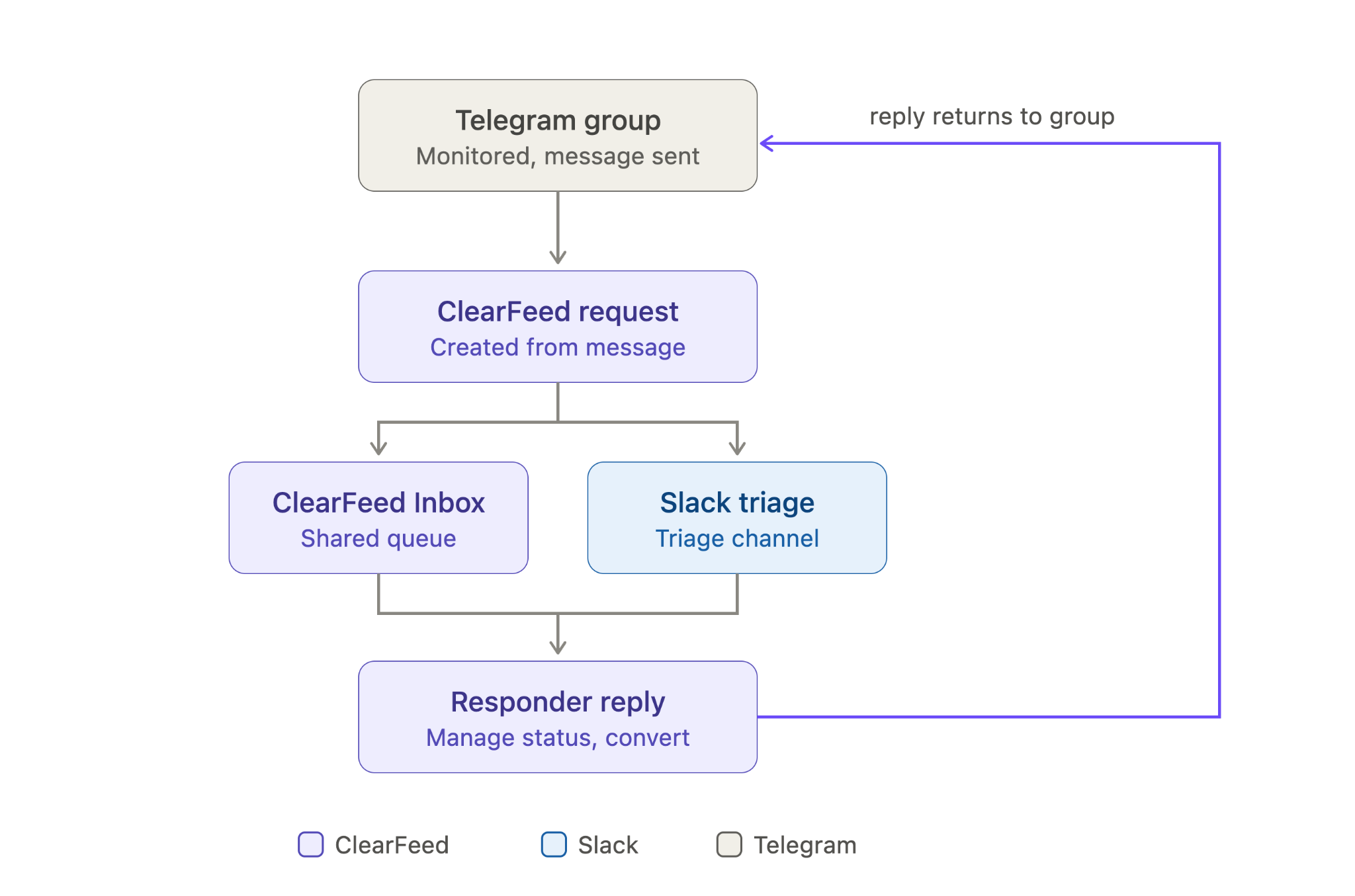
The customer stays on Telegram. The support team can respond from the ClearFeed Web App or Slack, and ClearFeed's managed Telegram bot posts the reply back to the Telegram group with the responder's name at the beginning.
Unlike traditional ticketing systems, by default ClearFeed does not post a ticket ID when it starts tracking a conversation. So the conversation in Telegram stays natural and free from Support tool artifacts.
How ClearFeed's Slack-Telegram Integration Works
- Supported conversations: ClearFeed works with Telegram groups, supergroups, and forum groups. It does not currently monitor channels or private chats, making it best suited to teams supporting customers in shared Telegram groups.
- Replies and edits: In standard groups, users should select Telegram’s Reply action to keep messages associated with the correct support conversation. In forum groups, replies remain within the same topic. ClearFeed also syncs edits to ingested text messages.
- Agent identity: Agents replying only from the ClearFeed Inbox or Slack Triage do not need to link their Telegram identity. Agents who also reply directly in Telegram should link it so ClearFeed can distinguish them from customers.
- Automated Merging: ClearFeed automatically groups related messages posted in succession into the same request - so Support teams don’t have to track every message.
- Configurable Telegram Group(s) -> Slack Channel Mapping: Users can configure conversations from multiple Telegram Groups to land in the same Slack (Triage) channel. Companies often divide groups by customer segment or owner and route to different Triage channels using ClearFeed.
ClearFeed’s Slack-Telegram Integration Pricing
The Telegram integration is available as ClearFeed's External Helpdesk offering. Pricing starts at $80/month for 10 Telegram groups (or equivalent like Slack Connect or MS Teams channels, Discord forums, etc), or $49/month per agent (for agent-based pricing).
Slack-Telegram Integration Methods Compared
Which Slack-Telegram Integration Method Should You Choose?
Moving a message from Telegram to Slack solves the visibility problem. It does not automatically solve ownership, delivery failures, prioritization, or response tracking.
A dedicated bridge is a practical choice for continuous two-way conversations. Automation platforms work well for selective routing and multistep rules. A custom integration makes sense when control is worth the engineering commitment.
For customer support, the conversation often needs a management layer as well. ClearFeed's native Telegram integration now lets customers remain in Telegram groups while agents turn their messages into requests, manage their status, create ClearFeed-native tickets, and reply from the ClearFeed Inbox or Slack.
The deciding question is straightforward: do you only need to connect two chat apps, or do you need a trackable support process for Telegram group conversations? If ClearFeed's Slack-Telegram integration aligns with your workflow, the native integration eliminates the need to build or maintain a separate bridge. Get started with a 14-day free trial today or connect with our team to request a personalized demo!