July 1, 2026

Best LiveChat Alternatives in 2026

WRITTEN BY
Happy Das
Best LiveChat Alternatives in 2026
Table of Contents

Searching for the best LiveChat alternative is less about finding options and more about finding the right fit for your team.

LiveChat is a popular tool for website chat, customer support, and sales conversations. But the right alternative depends on what LiveChat is missing for you, such as lower pricing, stronger AI automation, better mobile notifications, deeper CRM integrations, or support for channels like email, chat, WhatsApp, and social media.

To make the decision easier, we’ve compared the best LiveChat alternatives by use case, key features, pricing, automation, integrations, and scalability, so you can quickly choose the tool that makes the most sense for your team.

‍

Why Do Users Look for a LiveChat Alternative?

Most users start looking for a LiveChat alternative when their support needs outgrow their current setup. Common triggers include growing teams, higher costs, increased demand for automation, and conversations spreading across more channels.

Here are the main reasons users compare other options:

  1. Pricing gets expensive: A Reddit user said LiveChat worked well, but per-agent pricing, paid automation, and the lack of a free plan made it harder to justify as their ecommerce team scaled. Some G2 reviewers mention similar concerns around higher tiers, add-ons, and small-team affordability.
  2. AI and automation feel limited: Teams want AI to answer repetitive questions, qualify chats, and reduce manual work. Some users feel LiveChat is stronger for human-led support, while tools with deeper automation may be better for common questions around shipping, returns, or product details. One G2 reviewer also wanted AI to answer common ticket questions before human handoff.
  3. Add-ons make setup heavier: Some users want chat, ticketing, help desk workflows, and automation in one place. A few G2 reviewers felt that LiveChat may require separate products, extra setup, or additional costs to meet these needs.
  4. Mobile and notification issues matter: Some G2 users mention delayed notifications, a slow mobile app, getting logged out, or notification sounds stopping unexpectedly, which can hurt response times.
  5. Real-time chat creates pressure: One G2 reviewer noted that live chat requires constant monitoring and creates pressure to reply instantly, which can be difficult for lean teams or after-hours support.
  6. Workflows can become limiting: As teams grow, small gaps in CRM context, reporting, chat exports, migrations, or integrations can push them toward alternatives with stronger help desk, CRM, or omnichannel features.

‍

How Did We Evaluate the Best LiveChat Alternatives?

To shortlist the best LiveChat alternatives, we evaluated how well each tool supports modern customer conversations, including fast replies and automation, multi-channel support, pricing, ease of use, and scalability.

Here are the key factors we considered:

  • Ease of use: The tool should be easy to roll out, with a clean inbox, quick chat handling, and minimal training for support, sales, and marketing teams.
  • AI and automation: We gave more weight to platforms that can handle repetitive questions, route chats, suggest replies, qualify visitors, and smoothly hand conversations to human agents.
  • Pricing and scalability: We compared free plans, per-agent pricing, chatbot add-ons, feature limits, and how the total cost changes as your team grows.
  • Omnichannel support: A strong alternative should let teams manage conversations from website chat, email, WhatsApp, social messaging, and SMS in one place.
  • Integrations: We checked whether each platform connects well with the tools teams already use, including CRMs, ecommerce platforms, help desks, analytics tools, and automation apps.
  • Reporting and team management: We looked for useful visibility into chat volume, agent performance, conversation history, CSAT, and overall support trends.
  • Mobile experience and reliability: Because live chat depends on fast replies, we considered mobile app quality, notification reliability, uptime, and speed.

‍

Best LiveChat Alternatives at a Glance

Tool Best for Starting price Slack-live chat integration Main trade-off
ClearFeed B2B teams that want to manage customer support from Slack $24/agent/month Very strong Better suited to B2B support than high-volume retail support.
tawk.to Small businesses that want free live chat, ticketing, and a knowledge base $0/month Basic Slack support relies on Make and webhooks rather than native two-way replies.
Chatwoot Teams that want an open-source Intercom alternative with omnichannel support $0/agent/month Strong Advanced features and additional channels require paid plans.
Tidio Ecommerce and small teams that want lightweight live chat and AI chatbots $0/month Basic Limited Slack workflow support and less comprehensive reporting.
Chatlio Slack-first teams that want website chat managed inside Slack $29/month Strong Narrower channel coverage and lighter automation capabilities.
LiveAgent Teams that need live chat, email, phone, and ticketing in one platform $15/agent/month Not available The interface and Slack workflow can feel dated compared to newer tools.

‍

6 Best LiveChat Alternatives in 2026

1. ClearFeed

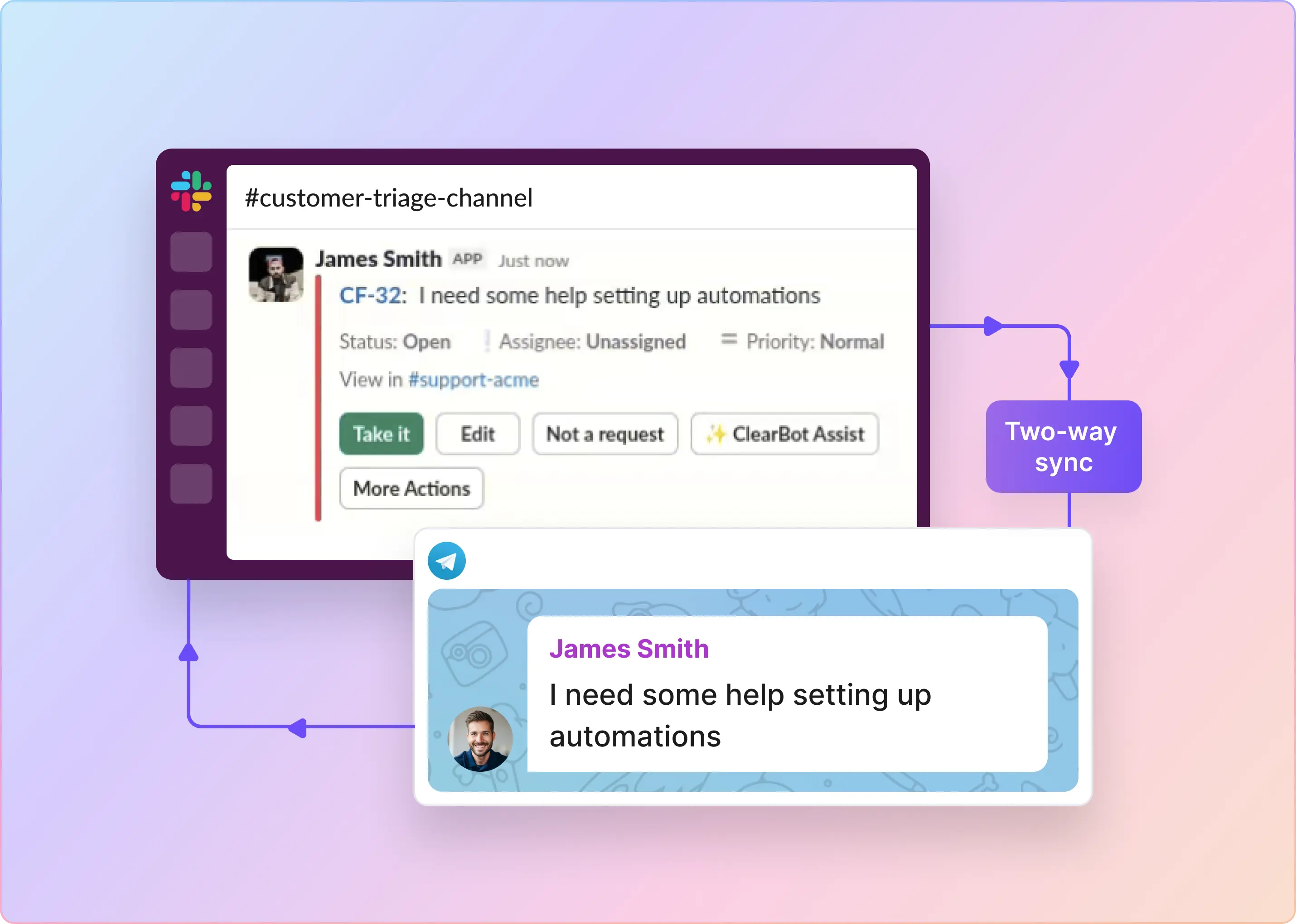
ClearFeed is a Slack-first conversational helpdesk for B2B teams. It brings customer requests from web chat, Slack Connect, email, Microsoft Teams, and customer portals into a shared Slack triage inbox, where support teams can respond, assign, and track work without leaving Slack.

Key features

  • Slack-based triage: Manage web chat, email, Slack Connect, portal, and Microsoft Teams requests from one Slack inbox.
  • Ticket management: Create, assign, update, and resolve tickets directly from Slack.
  • AI support: Use a Virtual Agent to answer customers and an Agent Assistant to help agents draft replies.
  • Private collaboration: Keep internal discussions private with locked comments.
  • SLA management: Set business hours, response and resolution targets, breach alerts, and reports.
  • Structured intake: Collect requests with conditional fields and automatic assignment.
  • Integrations: Sync with Zendesk, Jira, Linear, Freshdesk, Salesforce, HubSpot, GitHub, ClickUp, and Asana.
  • Customer reporting: Group requests by customer and track customer-level reporting.
  • Workflow automation: Build workflows for routing, escalation, field updates, and system actions.

Pros

  • Consolidates Slack, email, web chat, portal, and Microsoft Teams conversations in one place
  • Keeps Slack as the operating layer while connecting with Zendesk, Jira, Salesforce, HubSpot, and other tools
  • Supports customer context, Slack Connect grouping, and portal-based support
  • Offers AI for both customer-facing answers and internal agent assistance
  • Charges per support person, not per conversation
  • Fits customer support, IT, and HR help desk workflows

Cons

  • Setup may require triage channels, collection rules, email forwarding, and integrations
  • Better suited to B2B support than high-volume retail or marketplace support
  • Web chat forms are not available yet
  • Some integrations may have limited two-way sync behavior

Pricing

ClearFeed offers two Helpdesk pricing models: agent-based pricing for teams with dedicated support agents, and usage-based pricing for teams where many people collaborate on support.

Pricing model Price Notes
Agent-based Starter $24/agent/month Supports 1–15 agents and includes a single intake form, unlimited automations, web chat, email and Slack tickets, plus basic AI features.
Agent-based Professional $49/agent/month Supports 1–15 agents and adds multiple custom forms, SLAs, advanced assignment rules, customer or employee portals, Microsoft Teams channels, and the AI Pack.
Usage-based Starter $40–$600/month Pricing is based on 10–250 channels and 100–2,500 tickets or requests.
Usage-based Professional $80–$1,200/month Based on 10–250 channels and 100–2,500 tickets or requests, with Professional features and the AI Pack included.
Custom / Enterprise Custom Tailored pricing for organizations with more than 15 agents or high-volume channel, ticket, request, or AI usage.

How Strong Slack-Live Chat Integration Is

Rating: Very strong

  • Integration type: Native Slack-first platform
  • Bidirectional sync: Yes
  • Agent workflow: Manage support from Slack
  • Conversation visibility: Slack, email, web chat, portal, Teams
  • Setup complexity: Easy; configure triage channels and routing rules

‍

2. tawk.to

tawk.to is a free live chat and customer messaging platform for small businesses, ecommerce stores, and lean support teams. It brings live chat, ticketing, a knowledge base, CRM contacts, chat pages, visitor monitoring, and optional AI Assist into a single hosted tool, without per-agent software pricing.

Key features

  • Website live chat: Add a customizable live chat widget to your website or app.
  • Ticketing: Escalate and follow up on customer conversations through built-in ticketing.
  • Knowledge base: Create internal and public help articles for faster self-service.
  • CRM contacts: Keep visitor profiles, customer history, and conversation context in one place.
  • Visitor monitoring: See visitor activity, page views, and engagement in real time.
  • Automation: Use triggers, shortcuts, agent alerts, and optional AI Assist for repetitive questions.
  • Mobile support: Reply from browser, desktop, iOS, and Android apps.
  • Integrations: Connect with ecommerce tools, APIs, webhooks, Make, and other third-party apps.

Pros

  • Free core live chat software with no limits on agents, chat volume, or sites.
  • Includes live chat, ticketing, knowledge base, CRM contacts, reporting, and mobile apps.
  • Optional AI Assist can answer common questions using knowledge base content and shortcuts.
  • Hired chat agents are available for teams that want outsourced coverage.

Cons

  • Slack integration is notification-based and requires extra setup with Make, Slack, and a tawk.to webhook
  • Agents still manage conversations in the tawk.to the dashboard or apps
  • Help desk workflows, SLA management, and routing are lighter than enterprise platforms
  • AI Assist, branding removal, and hired agents are paid add-ons
  • No self-hosted option

Pricing

tawk.to’s core software is free, with optional paid add-ons for branding, AI, and managed chat coverage:

Plan / Add-on Price Notes
Core Live Chat Software $0/month Includes live chat, ticketing, knowledge base, CRM contacts, unlimited agents, unlimited chat volume, and mobile apps.
AI Assist Hobby Free Includes 100 monthly AI message credits and 1 AI chat agent.
AI Assist Growth $29/month Includes 1,000 monthly AI message credits, 3 AI chat agents, human-agent escalations, and API integrations.
AI Assist Business $99/month Includes 5,000 monthly AI message credits, 5 AI chat agents, assisted setup, and chat or ticket support.
AI Assist Enterprise $399/month Includes 20,000 monthly AI message credits, 10 AI chat agents, a dedicated account manager, training, and 24/7 support.

How Strong Their Slack-Live Chat Integration Is

Rating: Basic

  • Integration type: Make a workflow using a tawk.to the webhook and Slack connection
  • Bidirectional sync: Not supported
  • Agent workflow: Agents work in tawk.to, while Slack receives alerts when a visitor starts a chat
  • Conversation visibility: New chat starts can be posted to a chosen Slack channel, but full conversation handling remains in tawk.to
  • Setup complexity: Moderate; requires Make, Slack authorization, and a tawk.to webhook, and the Chat Starts event

‍

3. Chatwoot

Chatwoot is an open-source customer support platform for teams that want a flexible Intercom alternative. It combines live chat, shared inbox, email, WhatsApp, social messaging, help center, automation, reporting, customer profiles, and self-hosting options into a single support workspace.

Key Features

  • Live chat: Add a customizable website chat widget for real-time support.
  • Shared inbox: Manage website chat, email, WhatsApp, Facebook Messenger, Instagram DMs, Telegram, LINE, SMS, and voice conversations from one inbox.
  • Slack integration: Receive new conversation notifications and reply to customers directly from Slack.
  • Private notes: Create internal notes from Slack by prefixing messages with “note:”.
  • AI and automation: Use Captain AI, automation rules, macros, chatbots, SLAs, business hours, and auto-assignment.
  • Customer profiles: Track conversation history, contact notes, custom attributes, and segments.
  • Reporting: Monitor live dashboards, conversation reports, agent reports, team reports, inbox reports, label reports, CSAT, and exports.
  • Self-service: Build a help center, customize the widget, use pre-chat forms, and support multiple languages.
  • Developer options: Use REST APIs, webhooks, custom dashboard apps, and self-hosted deployment.

Pros

  • Open-source platform with both cloud and self-hosted options
  • Strong omnichannel coverage across live chat, email, WhatsApp, social, SMS, and voice
  • Native Slack integration lets agents reply to customers without leaving Slack
  • Private notes and real-time syncing make Slack collaboration more useful
  • Transparent per-agent pricing with a free plan for very small teams
  • Good fit for teams that want more control than a closed, product-led messaging platform

Cons

  • Advanced channels, automations, help center, teams, and longer data retention require paid plans
  • Self-hosting adds infrastructure and maintenance responsibility
  • Slack setup is easy, but teams still need to configure inboxes, channels, and routing thoughtfully
  • Some enterprise controls, such as SSO, audit logs, and longer retention, are limited to higher tiers

Pricing

Chatwoot Cloud is priced per agent, billed annually:

Plan Price Notes
Hacker $0/agent/month Supports up to 2 agents, 500 conversations per month, live chat, and 30-day data retention.
Startups $19/agent/month Includes unlimited conversations, all communication channels, 300 Captain AI credits, a help center, and 1-year data retention.
Business $39/agent/month Adds voice support, 500 Captain AI credits, teams, automation rules, and 2-year data retention.
Enterprise $99/agent/month Includes SSO/SAML, audit logs, 800 Captain AI credits, and 3-year data retention.

How Strong Their Slack-Live Chat Integration Is

Rating: Strong

  • Integration type: Native Slack integration
  • Bidirectional sync: Yes
  • Agent workflow: Agents can receive notifications, reply to customers, and add private notes from Slack
  • Conversation visibility: New conversations appear in the connected Slack channel and sync with Chatwoot in real time
  • Setup complexity: Easy; connect Slack from Chatwoot integrations, authorize access, and choose the Slack channel

‍

4. Tidio

Tidio is a lightweight live chat and chatbot platform built for small businesses, ecommerce stores, and growing SaaS teams. It combines website chat, basic ticketing, messaging channels, and simple automation in an easy-to-use interface.

Key features

  • Website chat: Add a live chat widget to your site.
  • AI and automation: Use an AI chatbot for FAQs, lead capture, and qualification.
  • Ticketing: Manage email tickets from chat, website, and email conversations.
  • Messaging channels: Support SMS, Messenger, and WhatsApp.
  • Customer context: View basic CRM records and customer history.
  • Workflow automation: Use conditional workflows, canned responses, and chat routing.
  • Reporting: Track response time, chat volume, and satisfaction.
  • Integrations: Connect with Zapier, Shopify, WooCommerce, Facebook, and Instagram.
  • Mobile support: Use the mobile app to manage support on the go.

Pros

  • Useful chatbot for FAQs and lead capture
  • Mobile app with push notifications
  • SMS, WhatsApp, and Messenger support
  • Strong ecommerce integrations

Cons

  • Lacks advanced routing, SLA management, and phone support
  • Reporting is basic
  • An AI chatbot may require manual setup and training
  • Limited help center functionality
  • UI can feel dated compared to newer tools
  • Not Slack-native, with limited Slack workflow support

Pricing

Tidio’s pricing is based on plan tier and customer conversation volume:

Plan Price Notes
Free $0/month Includes 50 billable conversations and supports up to 10 seats.
Starter $24.17/month Includes 100 billable conversations and supports up to 10 seats.
Growth Starts at $49.17/month Supports up to 2,000 billable conversations and up to 10 seats.
Plus Starts at $749/month Provides higher conversation quotas and custom usage limits.
Premium Contact sales Custom pricing and enterprise-grade features for larger teams.

How Strong Their Slack-Live Chat Integration Is

Rating: Basic

  • Integration type: Slack notifications and collaboration are supported
  • Bidirectional sync: Limited
  • Agent workflow: Agents primarily work in the Tidio interface, while Slack is used for alerts, coordination, and discussion
  • Conversation visibility: Conversations can be surfaced in Slack via notifications and summaries, but they still remain managed in Tidio
  • Setup complexity: Moderate

‍

5. Chatlio

Chatlio is a simple live chat tool for small teams that work from Slack. It adds a chat widget to your website and sends visitor messages directly into Slack, where agents can reply. It works best for teams that want Slack-based live chat, not a full customer support platform with advanced ticketing, reporting, or omnichannel workflows.

Key Features

  • Live chat widget: Clean, customizable chat widget for websites
  • Slack integration: Two-way sync with Slack channels (conversations appear in Slack)
  • Email support: Convert emails into chat conversations
  • Team chat: Internal team discussions on conversations
  • Automated workflows: Routing, canned responses, availability rules
  • Conversation history: Full search and replay of conversations
  • Reporting: Response times, conversation volume, satisfaction scores
  • Integrations: Slack, Zapier, webhooks, APIs
  • Mobile app: Agent and customer mobile apps

Pros

  • Two-way Slack sync lets agents respond from Slack.
  • Minimal bloat, fast page load, and no complex configuration.
  • Clean API, webhooks, and clear documentation.
  • Costs around $10-$50 per month for most small teams.
  • Supports teams from 1 to 20+ agents.
  • Converts email conversations into chat workflows.

Cons

  • Basic workflows, with no advanced business rules.
  • No generative AI or smart routing.
  • Supports chat, email, and Slack only, with no phone, SMS, or messaging app support.
  • Basic analytics with limited insights.
  • Smaller third-party integration ecosystem than competitors.
  • Limited ability to modify the chat widget or workflows.

Pricing

Chatlio uses flat monthly pricing rather than per-agent pricing on most plans:

Plan Monthly price Notes
Starter $29/month Includes 2 operators, 1 widget, and up to 200 conversations per month.
Basic $49/month Includes unlimited operators, 1 widget, and up to 1,000 conversations per month.
Pro $99/month Includes unlimited operators, 2 widgets, and up to 3,000 conversations per month.
Business $199/month Includes unlimited operators, 5 widgets, and up to 5,000 conversations per month.

How Strong Their Slack-Live Chat Integration Is

Rating: Strong

  • Integration type: Native Slack app
  • Bidirectional sync: Yes—agents can respond to customer chats directly from Slack
  • Agent workflow: Agents can manage entire conversations from Slack without leaving the app
  • Conversation visibility: Full conversation history visible in Slack channels
  • Setup complexity: Easy

‍

6. LiveAgent

Best For: Teams that want an all-in-one helpdesk platform with live chat, phone, email, and ticketing in one tool—especially mid-market companies looking for an affordable alternative to Zendesk. Good for teams that need phone support without the Zendesk price tag.

Key Features

  • Channels: Support customers through website chat, mobile chat, phone, and email.
  • Phone support: Use VoIP, call recording, and IVR for call center workflows.
  • Ticketing: Convert emails into tickets, keep full history, and manage tickets with custom workflows.
  • Self-service: Build a help center and FAQ knowledge base.
  • AI support: Use basic AI for automated responses.
  • Reporting: Track call analytics, chat metrics, and ticket reports.
  • Integrations: Connect with Salesforce, Shopify, WooCommerce, Zapier, and webhooks.
  • Mobile support: Use native iOS and Android apps.
  • Multi-language support: Support customers in 30+ languages.

Pros

  • Manage chat, phone, email, and tickets from one interface.
  • Use VoIP queues, call recording, voicemail, and IVR.
  • Costs around $25 to $115 per agent per month for the full feature set.
  • Build a help center for common customer questions.
  • Track call analytics, chat metrics, and ticket activity.

Cons

  • Interface can feel clunky and dated.
  • Basic chatbot only, with no generative AI.
  • Limited Slack integration and no native two-way sync.
  • VoIP call quality can depend on the customer’s internet connection.
  • May be less suitable for high-agent-count support teams.
  • Less flexible for complex workflows.
  • The mobile app may feel weaker than competing tools.
  • No customer portal for ticket tracking.

Pricing

LiveAgent is priced per agent, with lower rates on annual billing:

Plan Monthly price Notes
Small Business $19/agent/month Includes ticketing, live chat, knowledge base, customer portal, automation, and AI chatbot.
Medium Business $35/agent/month Adds call center, IVR, SLA management, reporting, proactive chat invitations, and agent ratings.
Large Business $59/agent/month Includes SSO, custom roles, time tracking, audit logs, and social media support channels.
Enterprise $85/agent/month Includes a dedicated account manager, priority support, assisted integrations, and custom billing options.

How Strong Their Slack-Live Chat Integration Is

Rating: Not available 

  • Integration type: No native Slack integration available
  • Bidirectional sync: Not supported
  • Agent workflow: Agents work entirely in the LiveAgent interface; no Slack presence
  • Conversation visibility: Conversations only in LiveAgent; no Slack sync
  • Setup complexity: Not applicable

‍

Pick a LiveChat Alternative Based on the Channels Your Customers Use

The best LiveChat alternative depends on the support workflow your team needs to improve.

For free live chat, tawk.to is a good place to start. For an open-source omnichannel inbox, Chatwoot is a strong option. Tidio fits ecommerce teams that want lightweight chat and automation, while Chatlio works well for small teams that want website chat inside Slack. LiveAgent makes sense for teams that need phone, email, chat, and ticketing in one traditional help desk.

For B2B teams that already work from Slack, ClearFeed is a strong fit. It supports Slack-first triage across web chat, Slack Connect, email, Microsoft Teams, and customer portal requests, with ticketing, SLAs, AI assistance, automation, and integrations.

Choose based on where your support work happens: a basic chat widget for simple live chat, an omnichannel inbox for multi-channel conversations, or a Slack-first helpdesk if your team wants support to happen where work already happens.

Searching for the best LiveChat alternative is less about finding options and more about finding the right fit for your team.

LiveChat is a popular tool for website chat, customer support, and sales conversations. But the right alternative depends on what LiveChat is missing for you, such as lower pricing, stronger AI automation, better mobile notifications, deeper CRM integrations, or support for channels like email, chat, WhatsApp, and social media.

To make the decision easier, we’ve compared the best LiveChat alternatives by use case, key features, pricing, automation, integrations, and scalability, so you can quickly choose the tool that makes the most sense for your team.

‍

Why Do Users Look for a LiveChat Alternative?

Most users start looking for a LiveChat alternative when their support needs outgrow their current setup. Common triggers include growing teams, higher costs, increased demand for automation, and conversations spreading across more channels.

Here are the main reasons users compare other options:

  1. Pricing gets expensive: A Reddit user said LiveChat worked well, but per-agent pricing, paid automation, and the lack of a free plan made it harder to justify as their ecommerce team scaled. Some G2 reviewers mention similar concerns around higher tiers, add-ons, and small-team affordability.
  2. AI and automation feel limited: Teams want AI to answer repetitive questions, qualify chats, and reduce manual work. Some users feel LiveChat is stronger for human-led support, while tools with deeper automation may be better for common questions around shipping, returns, or product details. One G2 reviewer also wanted AI to answer common ticket questions before human handoff.
  3. Add-ons make setup heavier: Some users want chat, ticketing, help desk workflows, and automation in one place. A few G2 reviewers felt that LiveChat may require separate products, extra setup, or additional costs to meet these needs.
  4. Mobile and notification issues matter: Some G2 users mention delayed notifications, a slow mobile app, getting logged out, or notification sounds stopping unexpectedly, which can hurt response times.
  5. Real-time chat creates pressure: One G2 reviewer noted that live chat requires constant monitoring and creates pressure to reply instantly, which can be difficult for lean teams or after-hours support.
  6. Workflows can become limiting: As teams grow, small gaps in CRM context, reporting, chat exports, migrations, or integrations can push them toward alternatives with stronger help desk, CRM, or omnichannel features.

‍

How Did We Evaluate the Best LiveChat Alternatives?

To shortlist the best LiveChat alternatives, we evaluated how well each tool supports modern customer conversations, including fast replies and automation, multi-channel support, pricing, ease of use, and scalability.

Here are the key factors we considered:

  • Ease of use: The tool should be easy to roll out, with a clean inbox, quick chat handling, and minimal training for support, sales, and marketing teams.
  • AI and automation: We gave more weight to platforms that can handle repetitive questions, route chats, suggest replies, qualify visitors, and smoothly hand conversations to human agents.
  • Pricing and scalability: We compared free plans, per-agent pricing, chatbot add-ons, feature limits, and how the total cost changes as your team grows.
  • Omnichannel support: A strong alternative should let teams manage conversations from website chat, email, WhatsApp, social messaging, and SMS in one place.
  • Integrations: We checked whether each platform connects well with the tools teams already use, including CRMs, ecommerce platforms, help desks, analytics tools, and automation apps.
  • Reporting and team management: We looked for useful visibility into chat volume, agent performance, conversation history, CSAT, and overall support trends.
  • Mobile experience and reliability: Because live chat depends on fast replies, we considered mobile app quality, notification reliability, uptime, and speed.

‍

Best LiveChat Alternatives at a Glance

Tool Best for Starting price Slack-live chat integration Main trade-off
ClearFeed B2B teams that want to manage customer support from Slack $24/agent/month Very strong Better suited to B2B support than high-volume retail support.
tawk.to Small businesses that want free live chat, ticketing, and a knowledge base $0/month Basic Slack support relies on Make and webhooks rather than native two-way replies.
Chatwoot Teams that want an open-source Intercom alternative with omnichannel support $0/agent/month Strong Advanced features and additional channels require paid plans.
Tidio Ecommerce and small teams that want lightweight live chat and AI chatbots $0/month Basic Limited Slack workflow support and less comprehensive reporting.
Chatlio Slack-first teams that want website chat managed inside Slack $29/month Strong Narrower channel coverage and lighter automation capabilities.
LiveAgent Teams that need live chat, email, phone, and ticketing in one platform $15/agent/month Not available The interface and Slack workflow can feel dated compared to newer tools.

‍

6 Best LiveChat Alternatives in 2026

1. ClearFeed

ClearFeed is a Slack-first conversational helpdesk for B2B teams. It brings customer requests from web chat, Slack Connect, email, Microsoft Teams, and customer portals into a shared Slack triage inbox, where support teams can respond, assign, and track work without leaving Slack.

Key features

  • Slack-based triage: Manage web chat, email, Slack Connect, portal, and Microsoft Teams requests from one Slack inbox.
  • Ticket management: Create, assign, update, and resolve tickets directly from Slack.
  • AI support: Use a Virtual Agent to answer customers and an Agent Assistant to help agents draft replies.
  • Private collaboration: Keep internal discussions private with locked comments.
  • SLA management: Set business hours, response and resolution targets, breach alerts, and reports.
  • Structured intake: Collect requests with conditional fields and automatic assignment.
  • Integrations: Sync with Zendesk, Jira, Linear, Freshdesk, Salesforce, HubSpot, GitHub, ClickUp, and Asana.
  • Customer reporting: Group requests by customer and track customer-level reporting.
  • Workflow automation: Build workflows for routing, escalation, field updates, and system actions.

Pros

  • Consolidates Slack, email, web chat, portal, and Microsoft Teams conversations in one place
  • Keeps Slack as the operating layer while connecting with Zendesk, Jira, Salesforce, HubSpot, and other tools
  • Supports customer context, Slack Connect grouping, and portal-based support
  • Offers AI for both customer-facing answers and internal agent assistance
  • Charges per support person, not per conversation
  • Fits customer support, IT, and HR help desk workflows

Cons

  • Setup may require triage channels, collection rules, email forwarding, and integrations
  • Better suited to B2B support than high-volume retail or marketplace support
  • Web chat forms are not available yet
  • Some integrations may have limited two-way sync behavior

Pricing

ClearFeed offers two Helpdesk pricing models: agent-based pricing for teams with dedicated support agents, and usage-based pricing for teams where many people collaborate on support.

Pricing model Price Notes
Agent-based Starter $24/agent/month Supports 1–15 agents and includes a single intake form, unlimited automations, web chat, email and Slack tickets, plus basic AI features.
Agent-based Professional $49/agent/month Supports 1–15 agents and adds multiple custom forms, SLAs, advanced assignment rules, customer or employee portals, Microsoft Teams channels, and the AI Pack.
Usage-based Starter $40–$600/month Pricing is based on 10–250 channels and 100–2,500 tickets or requests.
Usage-based Professional $80–$1,200/month Based on 10–250 channels and 100–2,500 tickets or requests, with Professional features and the AI Pack included.
Custom / Enterprise Custom Tailored pricing for organizations with more than 15 agents or high-volume channel, ticket, request, or AI usage.

How Strong Slack-Live Chat Integration Is

Rating: Very strong

  • Integration type: Native Slack-first platform
  • Bidirectional sync: Yes
  • Agent workflow: Manage support from Slack
  • Conversation visibility: Slack, email, web chat, portal, Teams
  • Setup complexity: Easy; configure triage channels and routing rules

‍

2. tawk.to

tawk.to is a free live chat and customer messaging platform for small businesses, ecommerce stores, and lean support teams. It brings live chat, ticketing, a knowledge base, CRM contacts, chat pages, visitor monitoring, and optional AI Assist into a single hosted tool, without per-agent software pricing.

Key features

  • Website live chat: Add a customizable live chat widget to your website or app.
  • Ticketing: Escalate and follow up on customer conversations through built-in ticketing.
  • Knowledge base: Create internal and public help articles for faster self-service.
  • CRM contacts: Keep visitor profiles, customer history, and conversation context in one place.
  • Visitor monitoring: See visitor activity, page views, and engagement in real time.
  • Automation: Use triggers, shortcuts, agent alerts, and optional AI Assist for repetitive questions.
  • Mobile support: Reply from browser, desktop, iOS, and Android apps.
  • Integrations: Connect with ecommerce tools, APIs, webhooks, Make, and other third-party apps.

Pros

  • Free core live chat software with no limits on agents, chat volume, or sites.
  • Includes live chat, ticketing, knowledge base, CRM contacts, reporting, and mobile apps.
  • Optional AI Assist can answer common questions using knowledge base content and shortcuts.
  • Hired chat agents are available for teams that want outsourced coverage.

Cons

  • Slack integration is notification-based and requires extra setup with Make, Slack, and a tawk.to webhook
  • Agents still manage conversations in the tawk.to the dashboard or apps
  • Help desk workflows, SLA management, and routing are lighter than enterprise platforms
  • AI Assist, branding removal, and hired agents are paid add-ons
  • No self-hosted option

Pricing

tawk.to’s core software is free, with optional paid add-ons for branding, AI, and managed chat coverage:

Plan / Add-on Price Notes
Core Live Chat Software $0/month Includes live chat, ticketing, knowledge base, CRM contacts, unlimited agents, unlimited chat volume, and mobile apps.
AI Assist Hobby Free Includes 100 monthly AI message credits and 1 AI chat agent.
AI Assist Growth $29/month Includes 1,000 monthly AI message credits, 3 AI chat agents, human-agent escalations, and API integrations.
AI Assist Business $99/month Includes 5,000 monthly AI message credits, 5 AI chat agents, assisted setup, and chat or ticket support.
AI Assist Enterprise $399/month Includes 20,000 monthly AI message credits, 10 AI chat agents, a dedicated account manager, training, and 24/7 support.

How Strong Their Slack-Live Chat Integration Is

Rating: Basic

  • Integration type: Make a workflow using a tawk.to the webhook and Slack connection
  • Bidirectional sync: Not supported
  • Agent workflow: Agents work in tawk.to, while Slack receives alerts when a visitor starts a chat
  • Conversation visibility: New chat starts can be posted to a chosen Slack channel, but full conversation handling remains in tawk.to
  • Setup complexity: Moderate; requires Make, Slack authorization, and a tawk.to webhook, and the Chat Starts event

‍

3. Chatwoot

Chatwoot is an open-source customer support platform for teams that want a flexible Intercom alternative. It combines live chat, shared inbox, email, WhatsApp, social messaging, help center, automation, reporting, customer profiles, and self-hosting options into a single support workspace.

Key Features

  • Live chat: Add a customizable website chat widget for real-time support.
  • Shared inbox: Manage website chat, email, WhatsApp, Facebook Messenger, Instagram DMs, Telegram, LINE, SMS, and voice conversations from one inbox.
  • Slack integration: Receive new conversation notifications and reply to customers directly from Slack.
  • Private notes: Create internal notes from Slack by prefixing messages with “note:”.
  • AI and automation: Use Captain AI, automation rules, macros, chatbots, SLAs, business hours, and auto-assignment.
  • Customer profiles: Track conversation history, contact notes, custom attributes, and segments.
  • Reporting: Monitor live dashboards, conversation reports, agent reports, team reports, inbox reports, label reports, CSAT, and exports.
  • Self-service: Build a help center, customize the widget, use pre-chat forms, and support multiple languages.
  • Developer options: Use REST APIs, webhooks, custom dashboard apps, and self-hosted deployment.

Pros

  • Open-source platform with both cloud and self-hosted options
  • Strong omnichannel coverage across live chat, email, WhatsApp, social, SMS, and voice
  • Native Slack integration lets agents reply to customers without leaving Slack
  • Private notes and real-time syncing make Slack collaboration more useful
  • Transparent per-agent pricing with a free plan for very small teams
  • Good fit for teams that want more control than a closed, product-led messaging platform

Cons

  • Advanced channels, automations, help center, teams, and longer data retention require paid plans
  • Self-hosting adds infrastructure and maintenance responsibility
  • Slack setup is easy, but teams still need to configure inboxes, channels, and routing thoughtfully
  • Some enterprise controls, such as SSO, audit logs, and longer retention, are limited to higher tiers

Pricing

Chatwoot Cloud is priced per agent, billed annually:

Plan Price Notes
Hacker $0/agent/month Supports up to 2 agents, 500 conversations per month, live chat, and 30-day data retention.
Startups $19/agent/month Includes unlimited conversations, all communication channels, 300 Captain AI credits, a help center, and 1-year data retention.
Business $39/agent/month Adds voice support, 500 Captain AI credits, teams, automation rules, and 2-year data retention.
Enterprise $99/agent/month Includes SSO/SAML, audit logs, 800 Captain AI credits, and 3-year data retention.

How Strong Their Slack-Live Chat Integration Is

Rating: Strong

  • Integration type: Native Slack integration
  • Bidirectional sync: Yes
  • Agent workflow: Agents can receive notifications, reply to customers, and add private notes from Slack
  • Conversation visibility: New conversations appear in the connected Slack channel and sync with Chatwoot in real time
  • Setup complexity: Easy; connect Slack from Chatwoot integrations, authorize access, and choose the Slack channel

‍

4. Tidio

Tidio is a lightweight live chat and chatbot platform built for small businesses, ecommerce stores, and growing SaaS teams. It combines website chat, basic ticketing, messaging channels, and simple automation in an easy-to-use interface.

Key features

  • Website chat: Add a live chat widget to your site.
  • AI and automation: Use an AI chatbot for FAQs, lead capture, and qualification.
  • Ticketing: Manage email tickets from chat, website, and email conversations.
  • Messaging channels: Support SMS, Messenger, and WhatsApp.
  • Customer context: View basic CRM records and customer history.
  • Workflow automation: Use conditional workflows, canned responses, and chat routing.
  • Reporting: Track response time, chat volume, and satisfaction.
  • Integrations: Connect with Zapier, Shopify, WooCommerce, Facebook, and Instagram.
  • Mobile support: Use the mobile app to manage support on the go.

Pros

  • Useful chatbot for FAQs and lead capture
  • Mobile app with push notifications
  • SMS, WhatsApp, and Messenger support
  • Strong ecommerce integrations

Cons

  • Lacks advanced routing, SLA management, and phone support
  • Reporting is basic
  • An AI chatbot may require manual setup and training
  • Limited help center functionality
  • UI can feel dated compared to newer tools
  • Not Slack-native, with limited Slack workflow support

Pricing

Tidio’s pricing is based on plan tier and customer conversation volume:

Plan Price Notes
Free $0/month Includes 50 billable conversations and supports up to 10 seats.
Starter $24.17/month Includes 100 billable conversations and supports up to 10 seats.
Growth Starts at $49.17/month Supports up to 2,000 billable conversations and up to 10 seats.
Plus Starts at $749/month Provides higher conversation quotas and custom usage limits.
Premium Contact sales Custom pricing and enterprise-grade features for larger teams.

How Strong Their Slack-Live Chat Integration Is

Rating: Basic

  • Integration type: Slack notifications and collaboration are supported
  • Bidirectional sync: Limited
  • Agent workflow: Agents primarily work in the Tidio interface, while Slack is used for alerts, coordination, and discussion
  • Conversation visibility: Conversations can be surfaced in Slack via notifications and summaries, but they still remain managed in Tidio
  • Setup complexity: Moderate

‍

5. Chatlio

Chatlio is a simple live chat tool for small teams that work from Slack. It adds a chat widget to your website and sends visitor messages directly into Slack, where agents can reply. It works best for teams that want Slack-based live chat, not a full customer support platform with advanced ticketing, reporting, or omnichannel workflows.

Key Features

  • Live chat widget: Clean, customizable chat widget for websites
  • Slack integration: Two-way sync with Slack channels (conversations appear in Slack)
  • Email support: Convert emails into chat conversations
  • Team chat: Internal team discussions on conversations
  • Automated workflows: Routing, canned responses, availability rules
  • Conversation history: Full search and replay of conversations
  • Reporting: Response times, conversation volume, satisfaction scores
  • Integrations: Slack, Zapier, webhooks, APIs
  • Mobile app: Agent and customer mobile apps

Pros

  • Two-way Slack sync lets agents respond from Slack.
  • Minimal bloat, fast page load, and no complex configuration.
  • Clean API, webhooks, and clear documentation.
  • Costs around $10-$50 per month for most small teams.
  • Supports teams from 1 to 20+ agents.
  • Converts email conversations into chat workflows.

Cons

  • Basic workflows, with no advanced business rules.
  • No generative AI or smart routing.
  • Supports chat, email, and Slack only, with no phone, SMS, or messaging app support.
  • Basic analytics with limited insights.
  • Smaller third-party integration ecosystem than competitors.
  • Limited ability to modify the chat widget or workflows.

Pricing

Chatlio uses flat monthly pricing rather than per-agent pricing on most plans:

Plan Monthly price Notes
Starter $29/month Includes 2 operators, 1 widget, and up to 200 conversations per month.
Basic $49/month Includes unlimited operators, 1 widget, and up to 1,000 conversations per month.
Pro $99/month Includes unlimited operators, 2 widgets, and up to 3,000 conversations per month.
Business $199/month Includes unlimited operators, 5 widgets, and up to 5,000 conversations per month.

How Strong Their Slack-Live Chat Integration Is

Rating: Strong

  • Integration type: Native Slack app
  • Bidirectional sync: Yes—agents can respond to customer chats directly from Slack
  • Agent workflow: Agents can manage entire conversations from Slack without leaving the app
  • Conversation visibility: Full conversation history visible in Slack channels
  • Setup complexity: Easy

‍

6. LiveAgent

Best For: Teams that want an all-in-one helpdesk platform with live chat, phone, email, and ticketing in one tool—especially mid-market companies looking for an affordable alternative to Zendesk. Good for teams that need phone support without the Zendesk price tag.

Key Features

  • Channels: Support customers through website chat, mobile chat, phone, and email.
  • Phone support: Use VoIP, call recording, and IVR for call center workflows.
  • Ticketing: Convert emails into tickets, keep full history, and manage tickets with custom workflows.
  • Self-service: Build a help center and FAQ knowledge base.
  • AI support: Use basic AI for automated responses.
  • Reporting: Track call analytics, chat metrics, and ticket reports.
  • Integrations: Connect with Salesforce, Shopify, WooCommerce, Zapier, and webhooks.
  • Mobile support: Use native iOS and Android apps.
  • Multi-language support: Support customers in 30+ languages.

Pros

  • Manage chat, phone, email, and tickets from one interface.
  • Use VoIP queues, call recording, voicemail, and IVR.
  • Costs around $25 to $115 per agent per month for the full feature set.
  • Build a help center for common customer questions.
  • Track call analytics, chat metrics, and ticket activity.

Cons

  • Interface can feel clunky and dated.
  • Basic chatbot only, with no generative AI.
  • Limited Slack integration and no native two-way sync.
  • VoIP call quality can depend on the customer’s internet connection.
  • May be less suitable for high-agent-count support teams.
  • Less flexible for complex workflows.
  • The mobile app may feel weaker than competing tools.
  • No customer portal for ticket tracking.

Pricing

LiveAgent is priced per agent, with lower rates on annual billing:

Plan Monthly price Notes
Small Business $19/agent/month Includes ticketing, live chat, knowledge base, customer portal, automation, and AI chatbot.
Medium Business $35/agent/month Adds call center, IVR, SLA management, reporting, proactive chat invitations, and agent ratings.
Large Business $59/agent/month Includes SSO, custom roles, time tracking, audit logs, and social media support channels.
Enterprise $85/agent/month Includes a dedicated account manager, priority support, assisted integrations, and custom billing options.

How Strong Their Slack-Live Chat Integration Is

Rating: Not available 

  • Integration type: No native Slack integration available
  • Bidirectional sync: Not supported
  • Agent workflow: Agents work entirely in the LiveAgent interface; no Slack presence
  • Conversation visibility: Conversations only in LiveAgent; no Slack sync
  • Setup complexity: Not applicable

‍

Pick a LiveChat Alternative Based on the Channels Your Customers Use

The best LiveChat alternative depends on the support workflow your team needs to improve.

For free live chat, tawk.to is a good place to start. For an open-source omnichannel inbox, Chatwoot is a strong option. Tidio fits ecommerce teams that want lightweight chat and automation, while Chatlio works well for small teams that want website chat inside Slack. LiveAgent makes sense for teams that need phone, email, chat, and ticketing in one traditional help desk.

For B2B teams that already work from Slack, ClearFeed is a strong fit. It supports Slack-first triage across web chat, Slack Connect, email, Microsoft Teams, and customer portal requests, with ticketing, SLAs, AI assistance, automation, and integrations.

Choose based on where your support work happens: a basic chat widget for simple live chat, an omnichannel inbox for multi-channel conversations, or a Slack-first helpdesk if your team wants support to happen where work already happens.

Related Blogs

See all Blog Posts
TOC heading
Text LinkText Link Active
Get a Free consultation with a Support Expert
Learn how fast growing companies like Teleport, Chronosphere and Acryl Data have scaled Support processes with ClearFeed
Thank you for contacting us. Our team will reach out to you shortly.
Oops! Something went wrong while submitting the form.