Table of Contents

If there’s one matchup that comes up often when teams talk about tools, it’s Slack vs. Notion. Two platforms that help teams work better, but in very different ways.
Slack is built for instant communication. It’s where quick questions get answered, urgent issues get escalated, and conversations flow in channels and direct messages. Notion, on the other hand, is designed for structured knowledge sharing. It houses documentation, maps out processes, and keeps information organized over the long term.
I’ve worked with both in different setups, sometimes standalone, sometimes side by side, and each shines in its own way. The tricky part is knowing when to use Slack, when to lean on Notion, and when to make them work together.
This guide walks through how they compare support workflows, where each tool stands out, and how to pair them so your team stays quick, informed, and in sync.
TL;DR
Slack and Notion aren't really competitors — they solve different problems, and support teams that treat them as a pair get more out of both.
The gist
- Slack handles real-time communication, urgent escalations, and ticketing via integrations (Zendesk, Jira, Freshdesk). Notion handles documentation, SOPs, onboarding guides, and long-term knowledge management.
- Slack's 2,600+ app integrations make it the better "alert hub." Notion's 100+ integrations are focused on enriching docs, not real-time notifications.
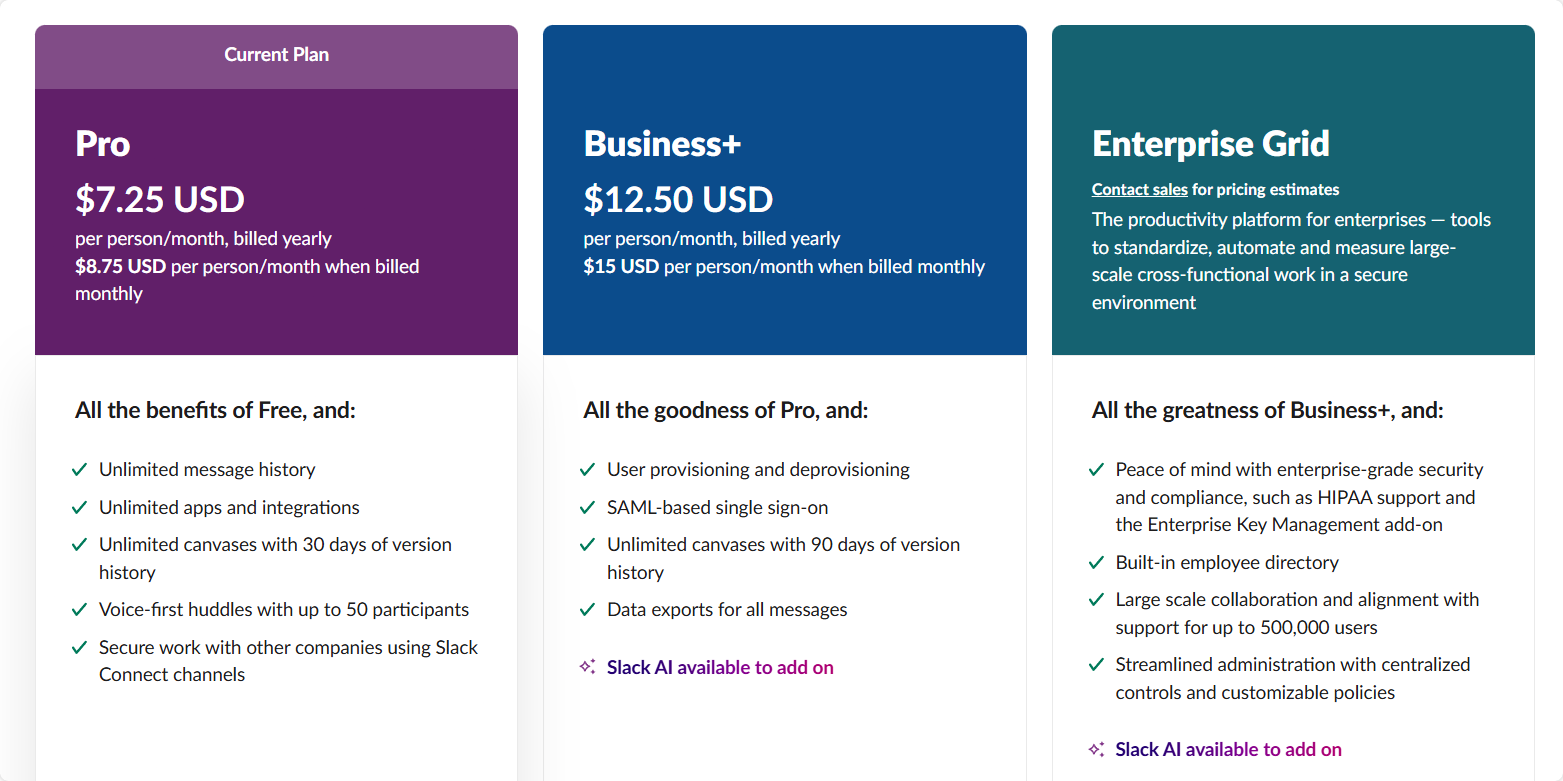
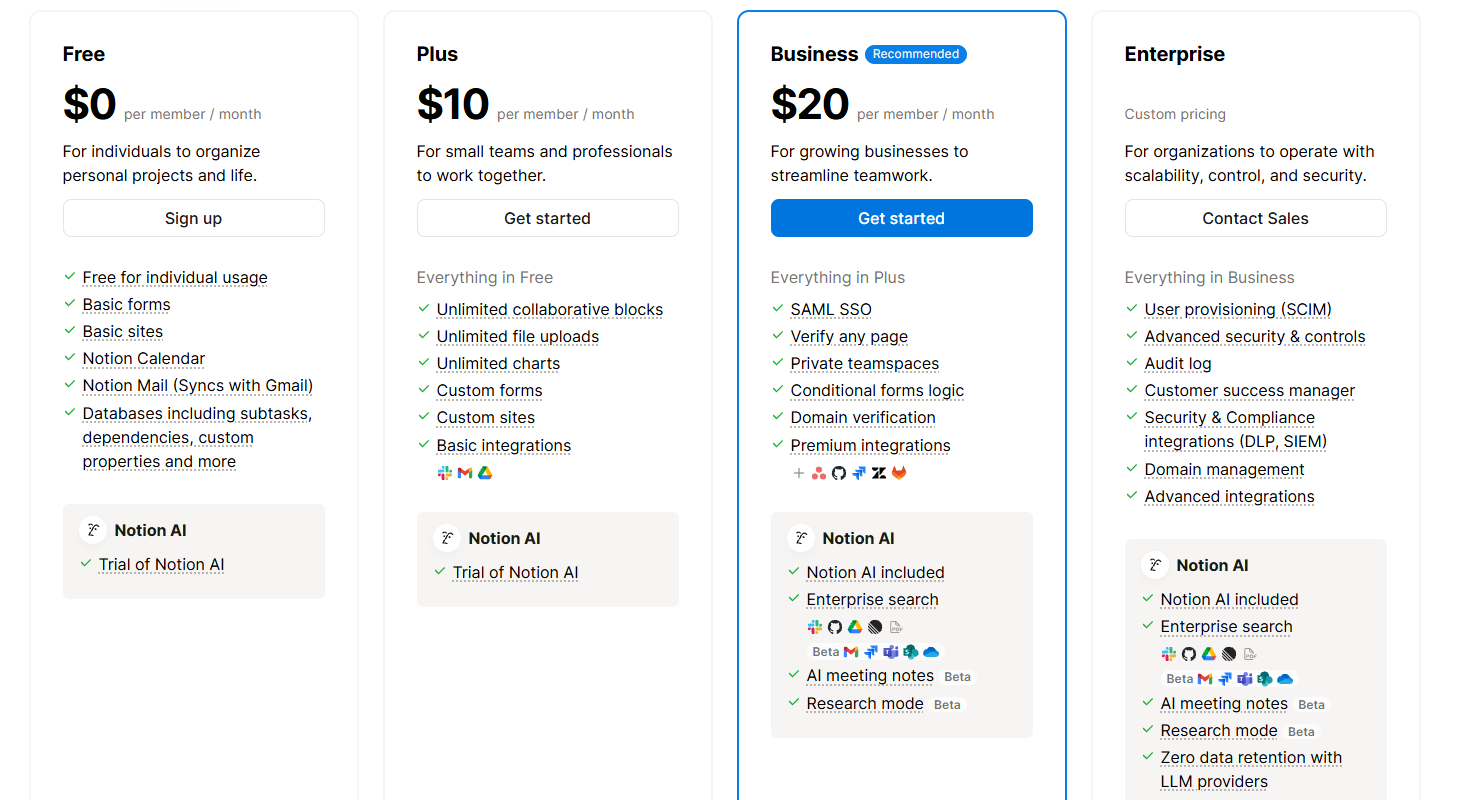
- Pricing is comparable: Slack paid plans start at $7.25/user/month; Notion's Team plan runs ~$10/user/month.
- Notion can track tasks with Kanban boards, but it lacks SLA management, automated routing, and live queue handling — things Slack integrations cover natively.
- ClearFeed act as a layer: it indexes Notion pages as a knowledge source and surfaces answers inside Slack, while also converting Slack conversations into tracked tickets.
Slack vs. Notion: At a Glance
Below is a quick snapshot of Slack and Notion, highlighting their key features and how they support different needs within support teams:
Slack Excels at Real-Time Collaboration; Notion Excels in Knowledge Management
Slack focuses on real-time communication. With channels, threads, and direct messages, it’s easy to quickly share updates, ask questions, and coordinate, making it perfect for urgent issues or support tickets.
Features like @mentions, reactions, and file sharing keep problem-solving fast and efficient. While it has basic task lists and reminders, full project tracking usually relies on integrations like Zendesk, Jira, or Trello.
Notion serves as a centralized hub for documents, wikis, databases, and task boards. You can create Kanban boards for feature rollouts, lists for bug tracking, or calendars for content deadlines, all in one place. No need to switch between tools to plan, track, and document.
Slack Powers Ticket Tracking With Integrations; Notion Handles Task Tracking
Slack doesn’t have native ticketing or workflow automation, but integrates closely with tools like Zendesk, Jira Service Desk, and Freshdesk. These integrations deliver real-time ticket updates into Slack channels, letting teams discuss, assign, and update tickets instantly without switching apps.
For example, with Zendesk’s Slack app, agents can create tickets, get alerts, and add comments all inside Slack. Jira Freshdesk offer similar features to keep everyone updated quickly.
Notion lets teams log and track tickets using customizable databases and Kanban boards. However, it lacks features like SLA tracking, automated routing, and built-in workflow automation, making it better for internal task tracking or “known issues” databases rather than live support queues.
You can add some automation to Notion using tools like Zapier, but it takes extra setup and isn’t as smooth as Slack’s integrations.
Slack Supports Quick Response Templates; Notion Excels at Onboarding and Documentation
In Slack, support agents can share auto replies or helpful links mid-conversation. You might have a bot that drops in a troubleshooting checklist when someone types "wifi-issue," saving time and keeping answers consistent.
Notion goes deeper. You can store and version-control entire onboarding playbooks, escalation flows, or post-mortems. A new hire can search “refund process” and find a step-by-step guide instantly, without pinging a teammate.
Over time, it becomes your single source of truth for everything from training to workflow updates.
Slack Makes Quick File Sharing Easy; Notion Organizes Files Within Context
Slack lets users drag and drop files directly into conversations or channels for quick sharing and feedback. Say you’re on a huddle in Slack and someone says, “Can you send me that report?” You can drag and drop the file into the chat, get a quick thumbs-up, and move on.
It’s great for speed, but unless you pin it or remember the correct search term, that file will be buried under weeks of messages.
Notion handles files differently. You embed them directly into the relevant project page or SOP, so they live exactly where they’re needed. A product launch doc can have all mockups, reports, and assets right there in context; no digging through old conversations.
Both Offer Integrations, but Slack’s Ecosystem Is Larger
Slack connects with 2,000+ apps, covering ticketing (Zendesk, Jira), CRMs (Salesforce), developer tools (GitHub), and more. It acts as a central hub for live alerts from your entire support stack.
A ticket escalates, a build fails, a deal closes, it all shows up in Slack, instantly.
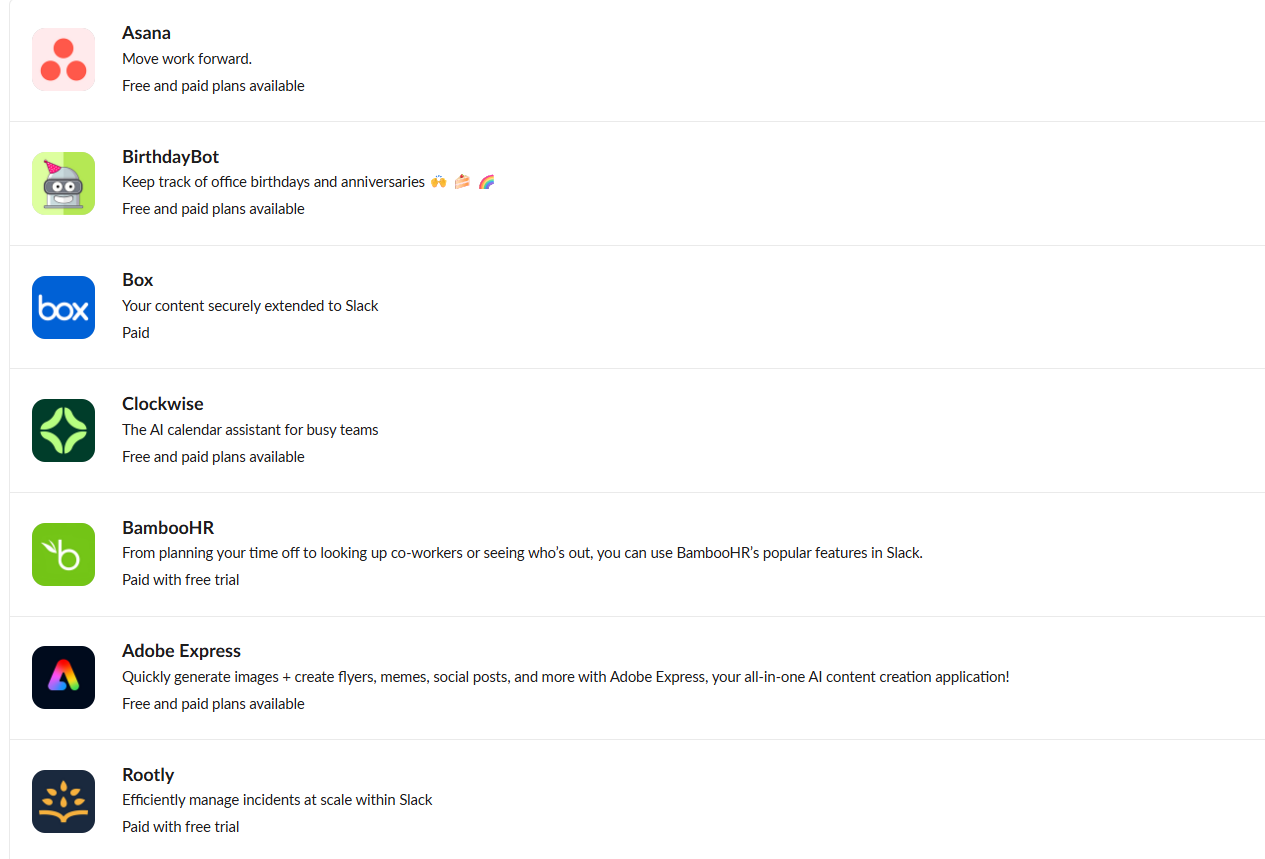
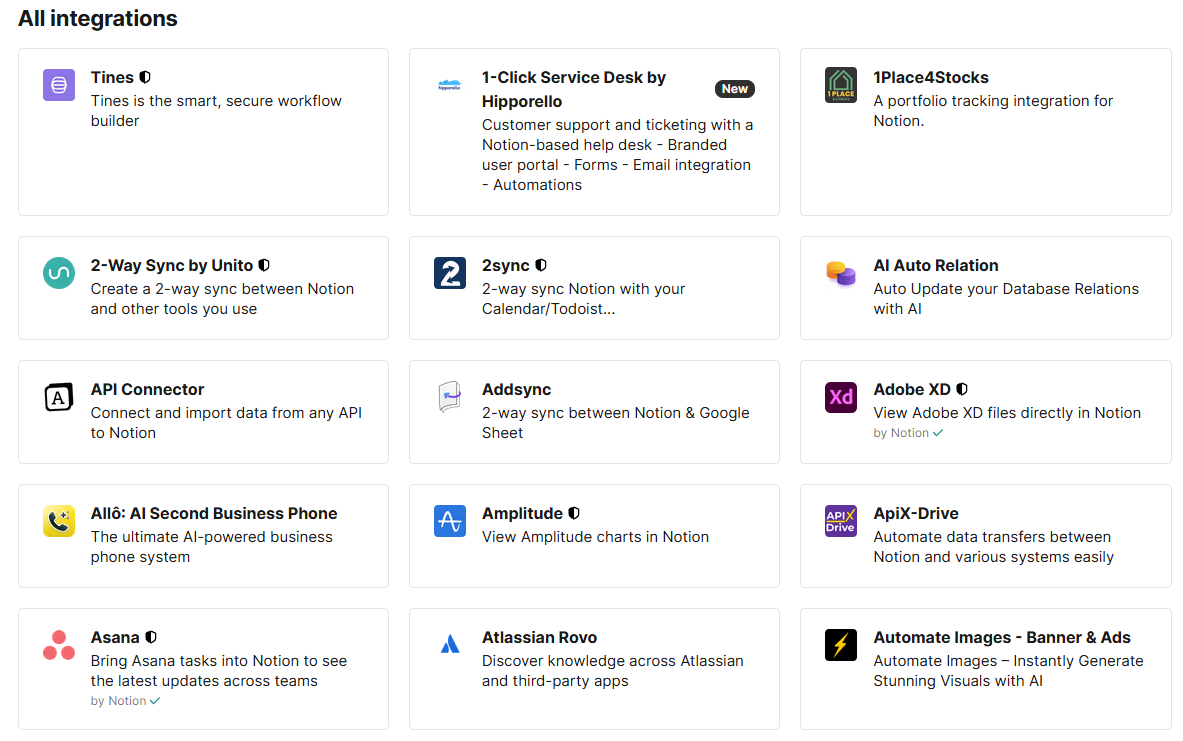
Notion’s 100+ integrations are more about enriching what’s inside your workspace than flooding you with live alerts. You can embed a Figma file, sync a Google Doc, or connect Zapier to automate page creation. It’s more about making your documentation richer than replacing your alert system.
Slack’s AI Speeds Up Support; Notion’s AI Organizes Content
Slack AI can summarize long threads, search past conversations, and pull answers directly from your workspace.
Need a 200-message recap? Done. Want the latest update from a ticket in Zendesk or Jira? Just ask: Slack AI brings live data into your channels instantly.
Notion’s AI features are still evolving. It can polish meeting notes, summarize documents, and suggest improvements to workflow pages. It’s built for keeping your knowledge base organized and accurate, not for managing urgent, real-time support.
Slack’s Pricing Scales Well; Notion’s Free Plan Is Great for Documentation
Slack’s free plan offers 90 days of message history and up to 10 app integrations, which work for small teams. Paid plans start at $7.25 per user per month, providing unlimited message history and advanced features. Slack scales easily as your team grows.
Notion’s free plan gives you unlimited pages and blocks, great for documentation-focused teams. Collaboration features are limited, so most teams upgrade to the $10 per user per month Team plan, which includes version history, admin controls, and better multi-user workflows. Larger teams may need more setup time before they see full benefits.
Slack vs. Notion: Which One Should Your Team Use?
When comparing Slack against Notion, the real question isn’t which is better overall, but which fits your team’s needs. They’re built for different strengths. You might use Notion to document your processes and Slack to discuss them. Both do their jobs well, just in various ways.
- Choose Slack if you need instant communication, quick decisions, and real-time collaboration. It’s ideal for support teams that must respond fast and integrate tools like Jira, Zendesk, or Google Drive directly into their workflow.
- Go for Notion if you need structured documentation, transparent processes, and an accessible knowledge base. It’s excellent for wikis, SOPs, and preventing key information from getting lost in chats.
Sure, picking one can be tough, especially when your team needs to work fast and stay organized. That’s why many teams use Slack for fast conversations and Notion for organizing details, creating an effective workflow loop.
ClearFeed makes this connection seamless by indexing your Notion docs and delivering GPT-powered answers directly inside Slack or Microsoft Teams.
Bridging the Gap Between Slack & Notion: 3 Reasons You Need a Support Layer
1. Slack + Notion alone leaves a critical support gap
- Slack keeps conversations moving, and Notion stores the answers those conversations depend on.
- But this combo fails to turn chats into tracked work, route requests to the right owner, measure SLAs, or make documentation gaps visible.
2. ClearFeed adds the missing support layer
- It indexes selected Notion pages as a knowledge source (with optional 24-hour reindexing), so responders can use documented answers directly inside Slack.
- It can also index selected Slack channels as knowledge sources, while other channels continue as request intake.
- Key distinction: Notion stays the knowledge base—ClearFeed doesn’t turn Notion into a ticketing backend.
3. Turn Slack conversations into accountable, trackable tickets
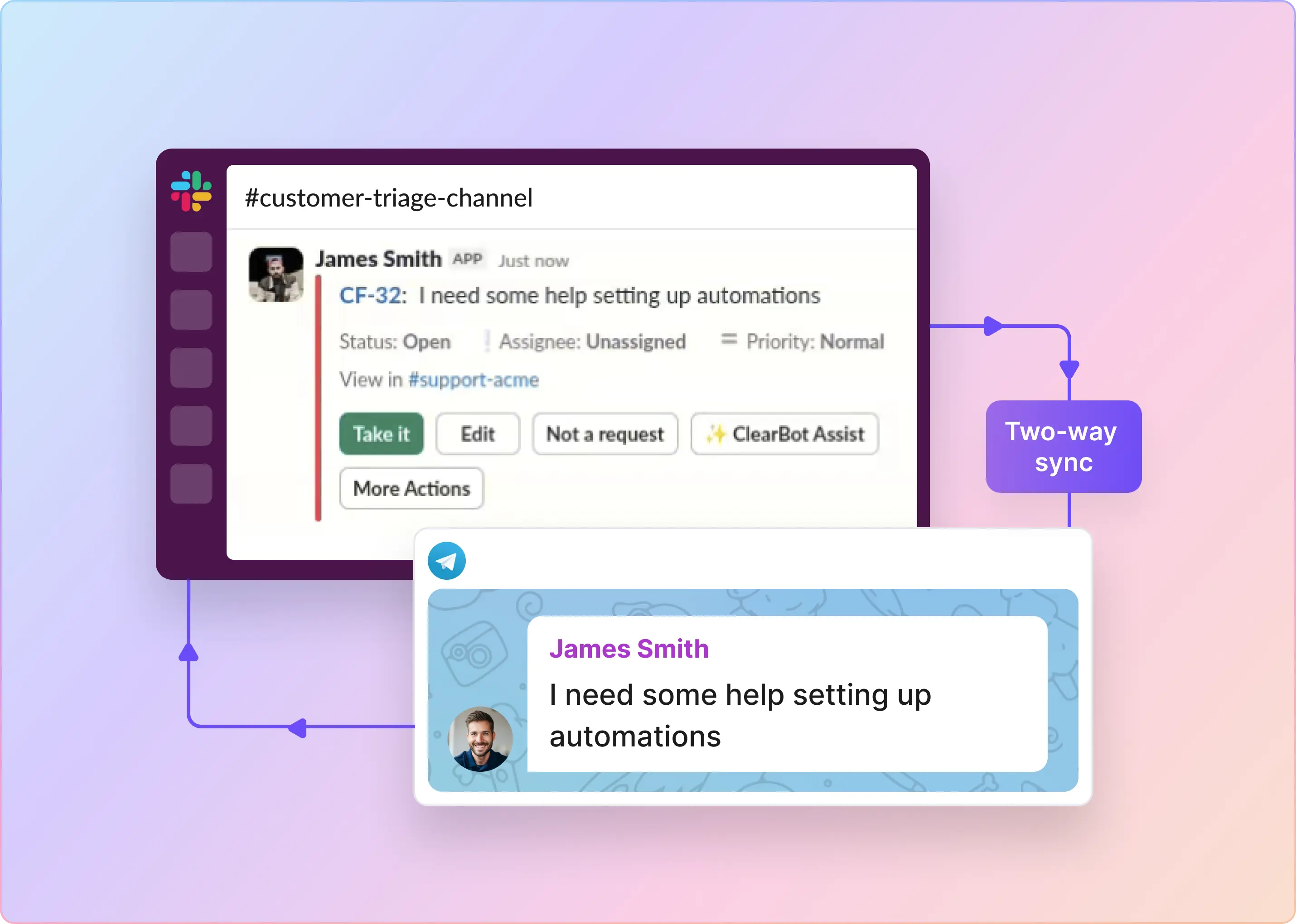
- Convert chats into tracked requests manually or automatically via emoji or forms.
- Manage requests from a dedicated Slack triage channel where agents can:
- Reply and assign owners
- Update status, priority, and add internal notes
- Link tickets/tasks to Zendesk, Jira, Freshdesk, Intercom, Salesforce, HubSpot, Linear, GitHub, ClickUp, or Asana
What Slack and Notion can’t cover (but ClearFeed can)
- SLA policies and business schedules
- Automated reminders and escalations
- Custom fields and assignment rules
- Customer-level context
- Support reporting
The bottom line: Use Notion for durable docs, Slack for real-time collaboration, and ClearFeed for the queue, accountability, and handoffs. Book a personalized demo to see how ClearFeed brings together chat, AI help, and knowledge in one platform.
FAQs
1. Can I run Slack and Notion side-by-side?
Yes. Slack is for real-time chat, and Notion is for organizing documents and knowledge. Using both gives you fast communication and organized information.
2. Does Slack integrate with Notion?
Yes, Slack and Notion integrate via native connectors and third-party tools like Zapier or ClearFeed. This lets you link Slack conversations to Notion pages, sync updates, and automate workflows between the two platforms.
3. Which is better, Notion or Slack?
It depends. Slack is great for instant messaging and quick teamwork. Notion is better for detailed docs and project management. Many teams use both.
4. How do I add Slack to Notion?
You can add Slack to Notion using integrations like ClearFeed or by embedding Slack messages and channels directly in Notion pages. This helps connect conversations with documentation seamlessly.
5. Is Notion suitable for real-time support communication?
No. Notion is for organized, slow collaboration. It doesn’t do real-time chat like Slack.
6. Can Notion manage support tickets like Slack integrations?
Not fully. Notion can track tickets with databases and Kanban boards, but Slack paired with Zendesk or Jira handles live ticket management better.
7. How Do I View Slack Messages in Notion?
Notion doesn’t have a built-in way to show Slack messages inside its app. The integration mostly lets you send notifications from Notion to Slack, share Notion page links in Slack, and use third-party tools to create or update Notion pages based on Slack activity.