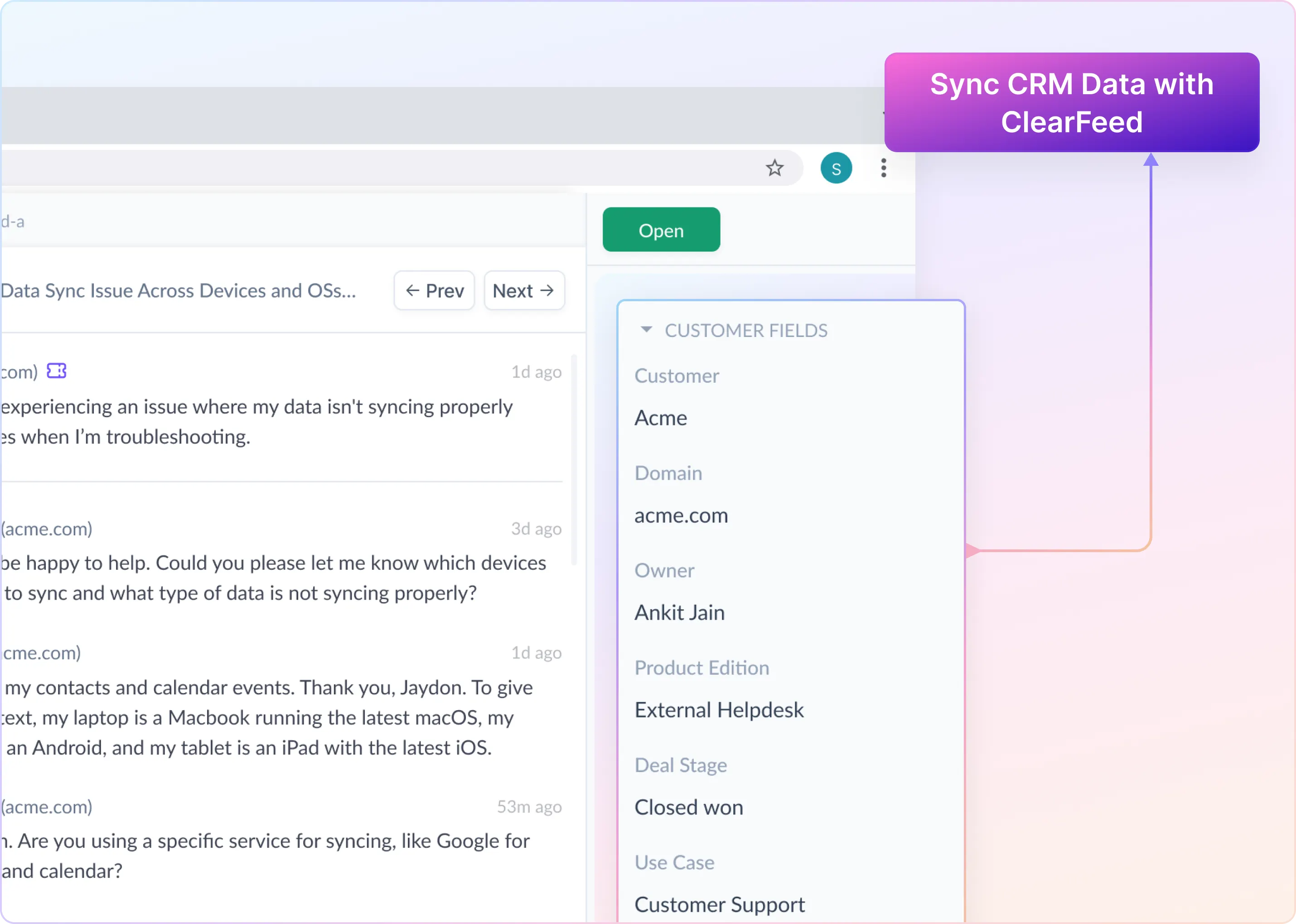
Table of Contents

Customer context plays a critical role in support operations. Details like account size, lifecycle stage, deal status, or industry often determine how requests are handled, routed, and prioritized. When this information lives only in a CRM, it’s easy for customer support workflows to drift out of sync.
To bridge this gap, we’re introducing CRM Sync for HubSpot as part of ClearFeed’s comprehensive Slack Ticketing solution. CRM Sync brings customer data from your CRM directly into your support workspace, keeping customer information in ClearFeed aligned with your HubSpot records. This ensures your support team always works with accurate, up-to-date customer context without manual updates or bulk edits. What this means for you:
- CRM and support workflows stay in sync
- Reliable routing, SLAs, and reporting
- No manual updates or bulk edits
Let’s take a look at how the CRM sync works and what it enables for Support teams.
How CRM Sync Works
CRM Sync keeps customer data in ClearFeed aligned with HubSpot through a clear, controlled flow. Here’s how it works:
1. Define Which CRM Fields to Sync
Each account has a predefined CRM Sync configuration set up by ClearFeed. This configuration defines:
- Which HubSpot fields to read (Company and, optionally, Deal)
- Which ClearFeed customer custom fields they should update
Only fields included in this mapping are synced. ClearFeed maintains this configuration for you.
2. Fetch Updated CRM Records
Once enabled, ClearFeed keeps customer profiles in sync by regularly pulling updates from HubSpot. On the first run, ClearFeed fetches all relevant HubSpot companies and on subsequent runs, only companies updated since the last sync are fetched. This ensures your support team always works with current customer context without needing manual updates, imports, or checks across tools.
3. Match CRM Records to the Right Customer
ClearFeed matches each HubSpot Company to the correct customer in ClearFeed using verified email domains. If a safe match isn’t found, the record is skipped and no changes are made. This protects your workspace from incorrect data changes.
4. Apply Deal Data Only When Unambiguous
When deal-level fields are part of your setup, ClearFeed looks at associated deals and applies deal data only when there’s a single, clear match. If there’s ambiguity, such as multiple active deals, ClearFeed syncs company-level data only. This keeps customer profiles accurate without risking incorrect overwrites.
5. Update Only the Fields You’ve Chosen
For each matched customer, ClearFeed updates only the custom fields defined in your CRM Sync configuration. For each matched customer, ClearFeed:
- Reads the configured CRM field values
- Applies option mappings where required
- Updates the corresponding ClearFeed customer custom fields
ClearFeed also stores CRM references on the customer profile, including CRM system, Company ID, and Deal ID (when applicable), to support future syncs.
6. Keep Customer Data in Sync Over Time
CRM Sync runs on a scheduled cadence and keeps track of what’s already been synced. This allows ClearFeed to stay efficient as your customer base grows, while ensuring updates remain timely and reliable over time.
How Support teams can use CRM fields in ClearFeed
Once CRM Sync is enabled, customer data from HubSpot becomes part of your day-to-day support workflows in ClearFeed.
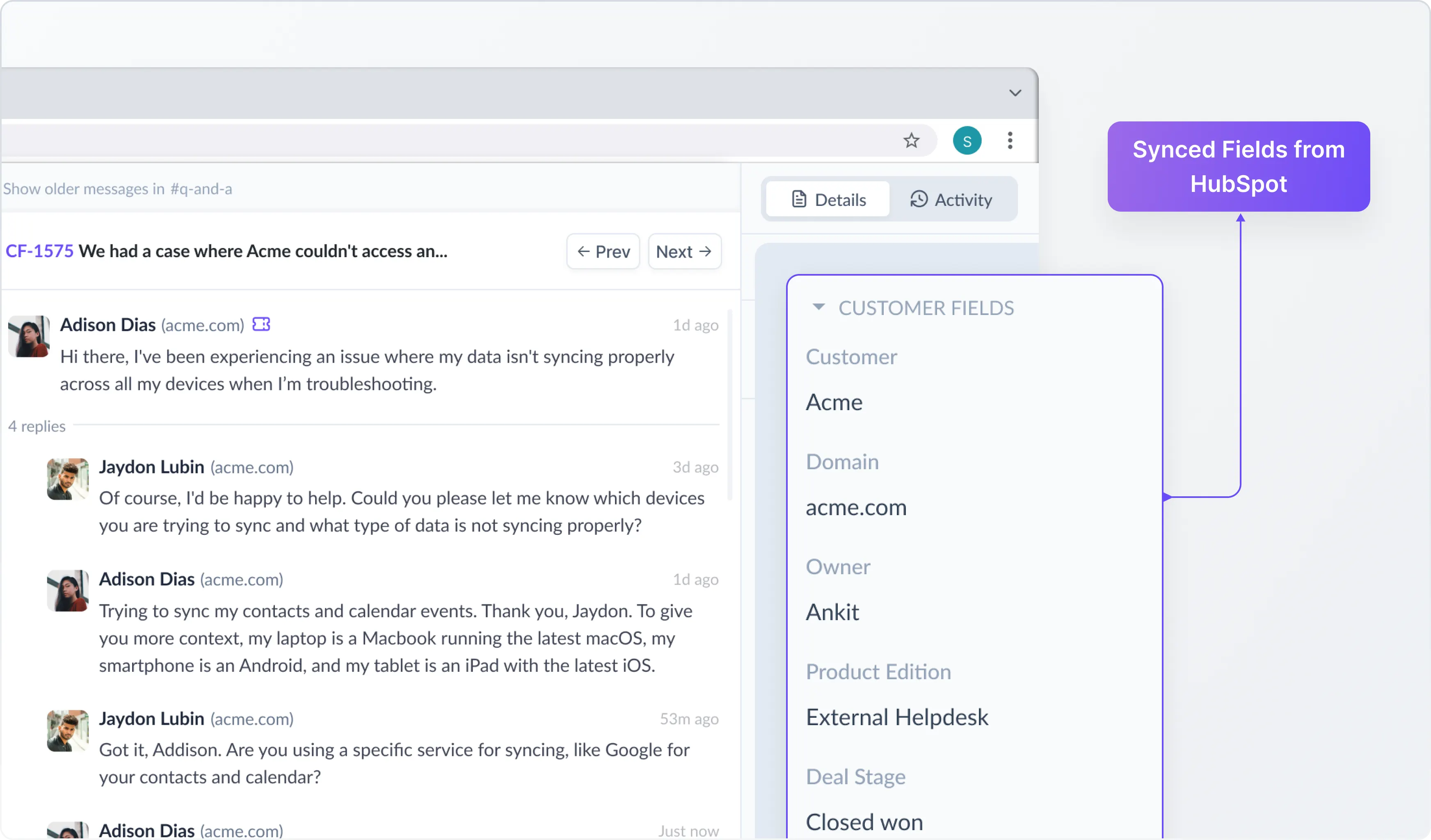
1. See Customer Context on Every Request
Customer fields synced from HubSpot such as ARR, industry, lifecycle stage, or deal status are visible directly on requests. This gives your team immediate context about who the customer is and where they are in their journey, without switching tools.
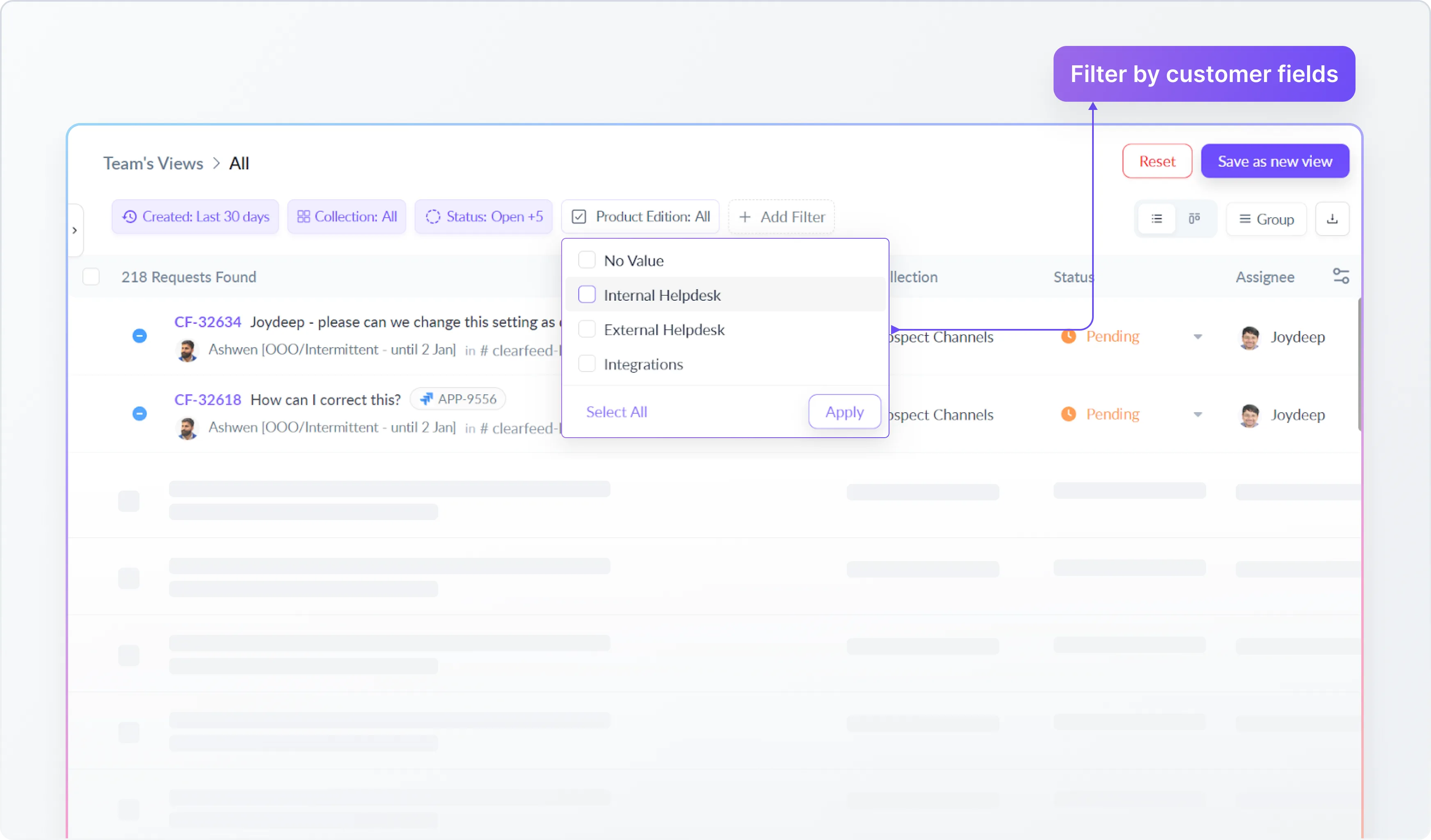
2. Filter and Organize Requests by Customer Attributes
CRM-backed customer fields can be used to filter requests in ClearFeed. Teams can create focused views based on customer properties, and save these views for ongoing use.
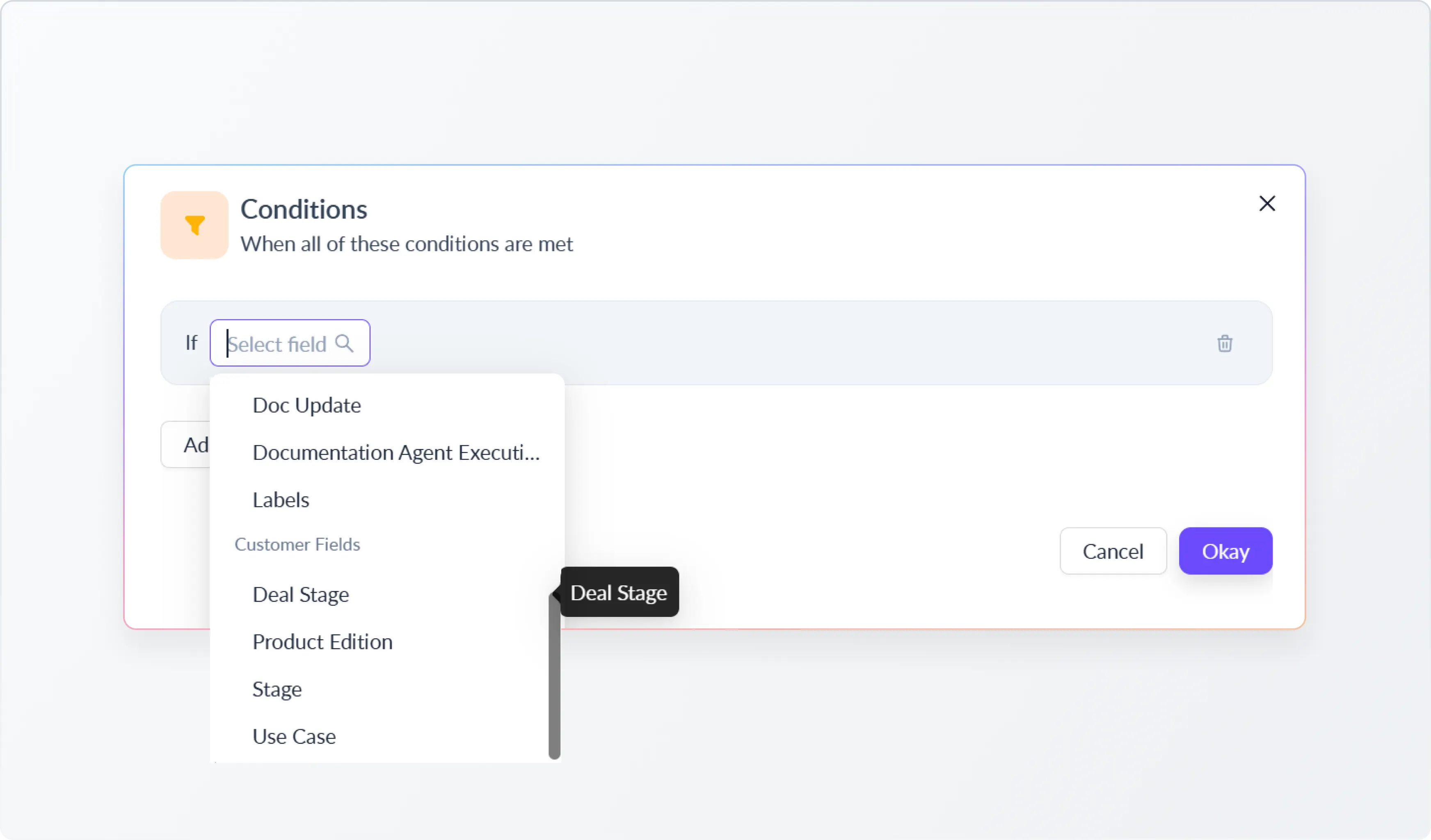
3. Power Automations with CRM Data
Customer fields synced from HubSpot can be used as conditions in ClearFeed automations. This allows teams to route, tag, or handle requests differently based on customer context.
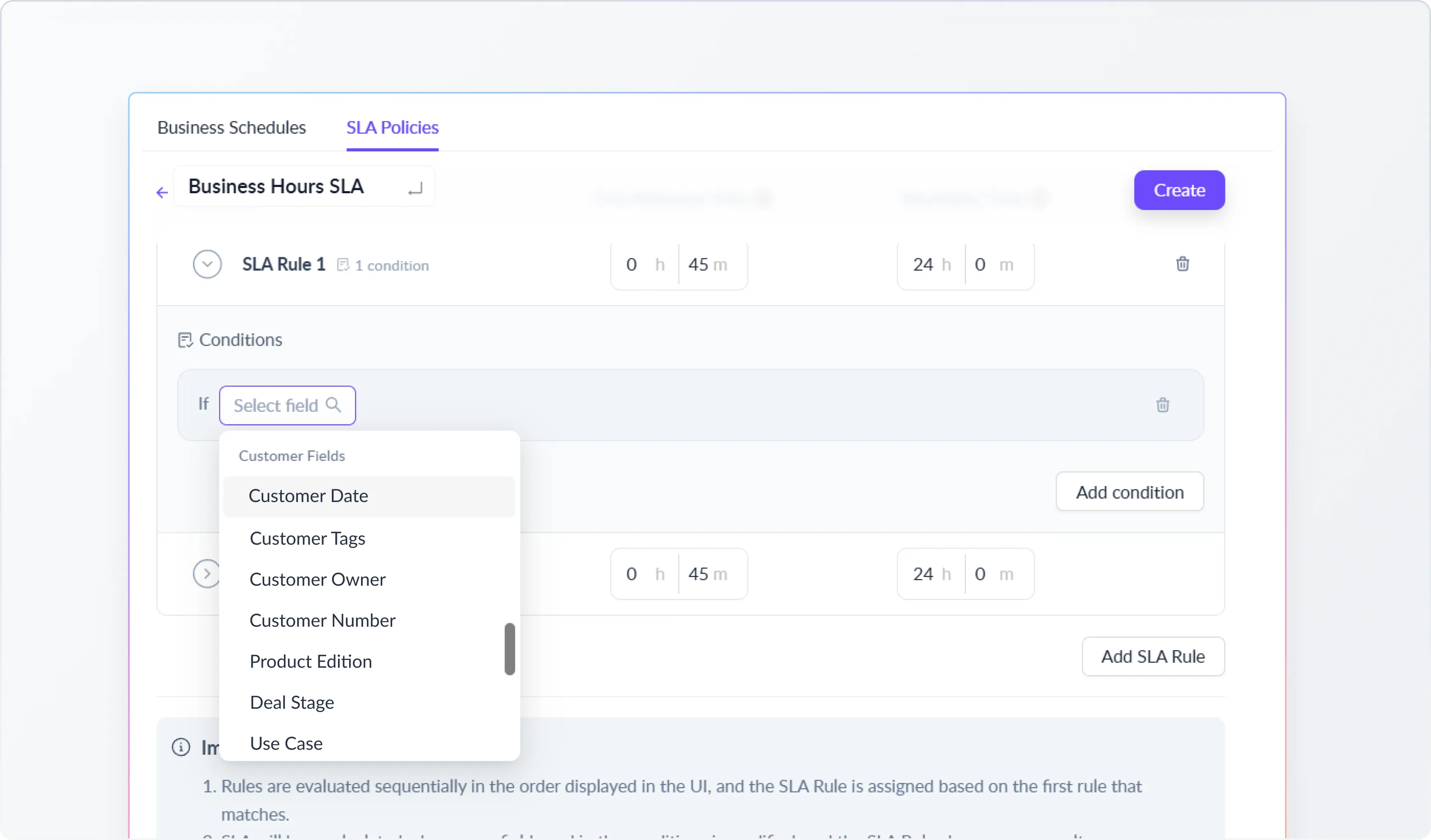
4. Define SLAs Using Customer Information
Teams can set different response or resolution expectations based on customer attributes, ensuring that SLAs reflect real customer priorities.
What’s Next
We’re continuously improving this experience with upcoming capabilities, including:
- Support for additional CRMs
Expanding CRM Sync beyond HubSpot to support systems like Salesforce, including Account and Opportunity–level data. - Bring CRM context into Slack
Surfacing CRM data directly in ClearFeed’s Slack triage channels, so teams can view key customer details from HubSpot while triaging and responding to requests without leaving Slack. - Two-way sync
Enabling updates from ClearFeed to flow back into your CRM, so support actions can influence CRM records where appropriate. - Deals and opportunities as first-class entities
Making Deal or Opportunity objects more central inside ClearFeed, instead of treating them only as supporting data for customers. - More control over sync behavior
Adding per-field rules such as conditional updates, override logic, or selective syncing based on customer state. - UI-based configuration
Moving CRM field mapping and configuration into a self-serve UI, so teams can manage mappings directly without manual setup.
Wrapping Up
CRM Sync helps support teams work with accurate customer context by keeping ClearFeed aligned with HubSpot automatically. By bringing CRM data directly into the support workflow, teams can make better decisions, run more reliable automations, and deliver support that reflects the true state of each customer relationship.
If you want to learn more about the new functionality, please reach out to us on Slack or email us at support@clearfeed.ai.