Table of Contents

Zendesk reviews tend to tell a mixed story: powerful features, but also complexity and rising costs. If you’re a B2B support manager short on time, this quick review covers the key strengths, common trade-offs, and pricing to help you decide whether Zendesk is worth a closer look.
Why This Zendesk Review Is Worth Your Time
Zendesk is one of those tools where everyone has an opinion, and most of them are extreme. Either it's the gold standard every support team should run on, or it's bloated, overpriced, and ready to be replaced. The truth is messier than that, and harder to find if you're deep in a buying decision.
We wrote this review to give you the version you need: grounded, specific, and free of the usual agenda.
At ClearFeed, support workflows are what we think about all day. We've watched teams succeed on Zendesk, outgrow it, switch to it, switch away from it, and everything in between. That perspective shapes what we pay attention to.
A few things we do differently:
- We prioritize what breaks support teams. Response times, agent fatigue, visibility into SLAs, the cost of scaling headcount, and the tool's escalation handling. These are the things that quietly decide whether a platform works for you in a year.
- We're specific about fit, not quality. Zendesk is good at many things and less good at others. We'll name both, but the framing isn't "pros and cons", it's "here's who this is built for, and here's who should keep looking".
- We read the unfiltered reviews. The ones on G2 and Capterra are useful. The ones buried in Reddit threads, Slack communities, and LinkedIn replies are often more honest. We weigh all of them.
You should finish this review knowing whether Zendesk deserves a spot on your shortlist, not just whether it sounds impressive.
Zendesk Pricing
Okay, let's talk money. Zendesk's pricing looks simple on the surface, but it's one of the trickiest pricing models to budget against in the entire support tooling space. The sticker price is not the price you pay.
Pricing is per agent, per month, billed annually. Monthly billing adds roughly 20-25% on top. And Zendesk splits its catalog into two lines: Support (ticketing only) and Suite (everything else, including messaging, voice, help center, and AI).
Here's the breakdown as of April 2026:
Zendesk also offers a 14-day free trial for Suite plans and a six-month free trial for qualified startups through the Zendesk for Startups program.
Heads-up: The base price is only where the meter starts. Add-ons are where the real cost lives, and most support teams end up needing at least one:
- Copilot (AI assistant for agents): $50/agent/month
- Advanced AI (smarter bots, intent detection, macro suggestions): $50/agent/month
- Workforce Management: $25 to $50/agent/month
- Quality Assurance: $25 to $35/agent/month
- Advanced Data Privacy and Protection: $50/agent/month
- AI Agent resolutions: charged per automated resolution on top of the platform fee (typically $1 to $2 per resolution, negotiated into contracts)
Zendesk has also started bundling Copilot into the higher tiers. Suite Professional and Copilot lands at $155/agent/month, and Suite Enterprise + Copilot at $209/agent/month. Better unit economics than buying Copilot standalone, but it pushes the entry point well past what most buyers plan for.
What Real Users Are Saying About Zendesk
To understand how Zendesk performs in real teams, we reviewed the latest available signals from Gartner Peer Insights, G2, and Capterra. These platforms have different review pools and moderation systems, so the numbers are not perfectly apples-to-apples, but the themes are strikingly consistent.
Overall Gartner Peer Insights Rating: 4.4 out of 5 (934 ratings)
Overall G2 Rating: 4.3 out of 5 (6,804 reviews)
Overall Capterra Rating: 4.4 out of 5 (4,065 reviews)
Zendesk Pros: What Users Love
1. Omnichannel support and centralized ticketing
This is the clearest strength in the review set. Gartner reviewers repeatedly praise Zendesk for bringing email, chat, phone, and social conversations into a single workspace and for making it easier to merge, route, and manage customer issues in a single-ticket view.
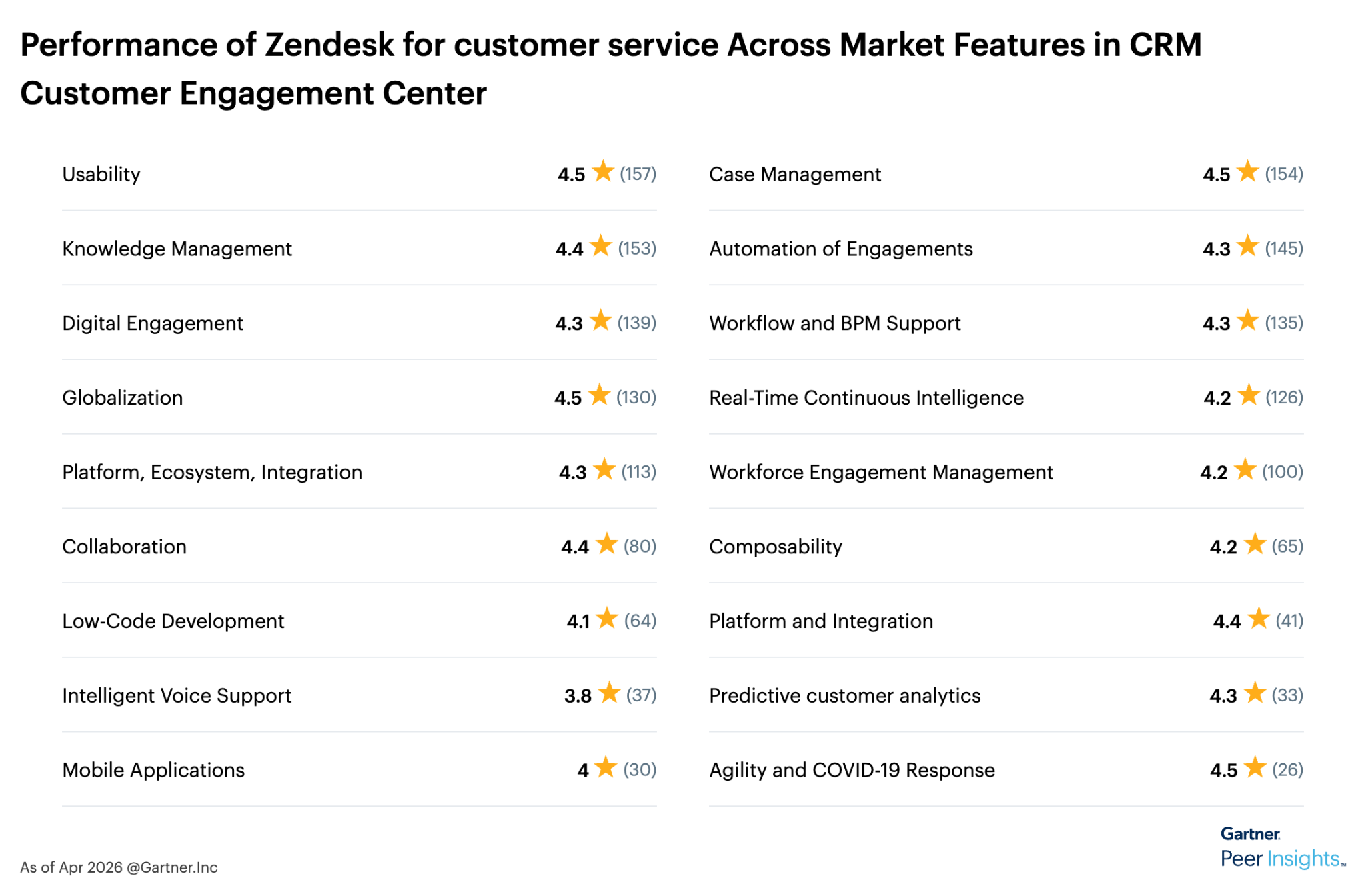
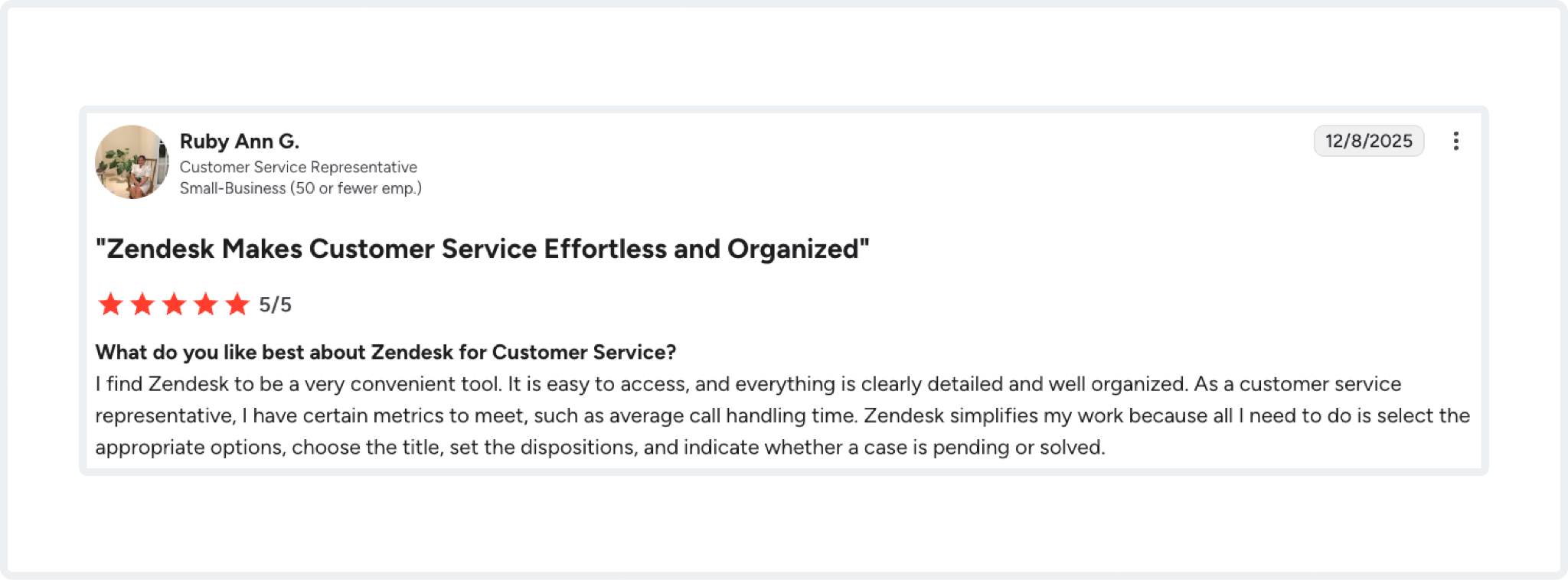
That theme also appears on G2 and Capterra. Users like Ruby Ann G. shared strong positive signals for centralized query and ticket management.
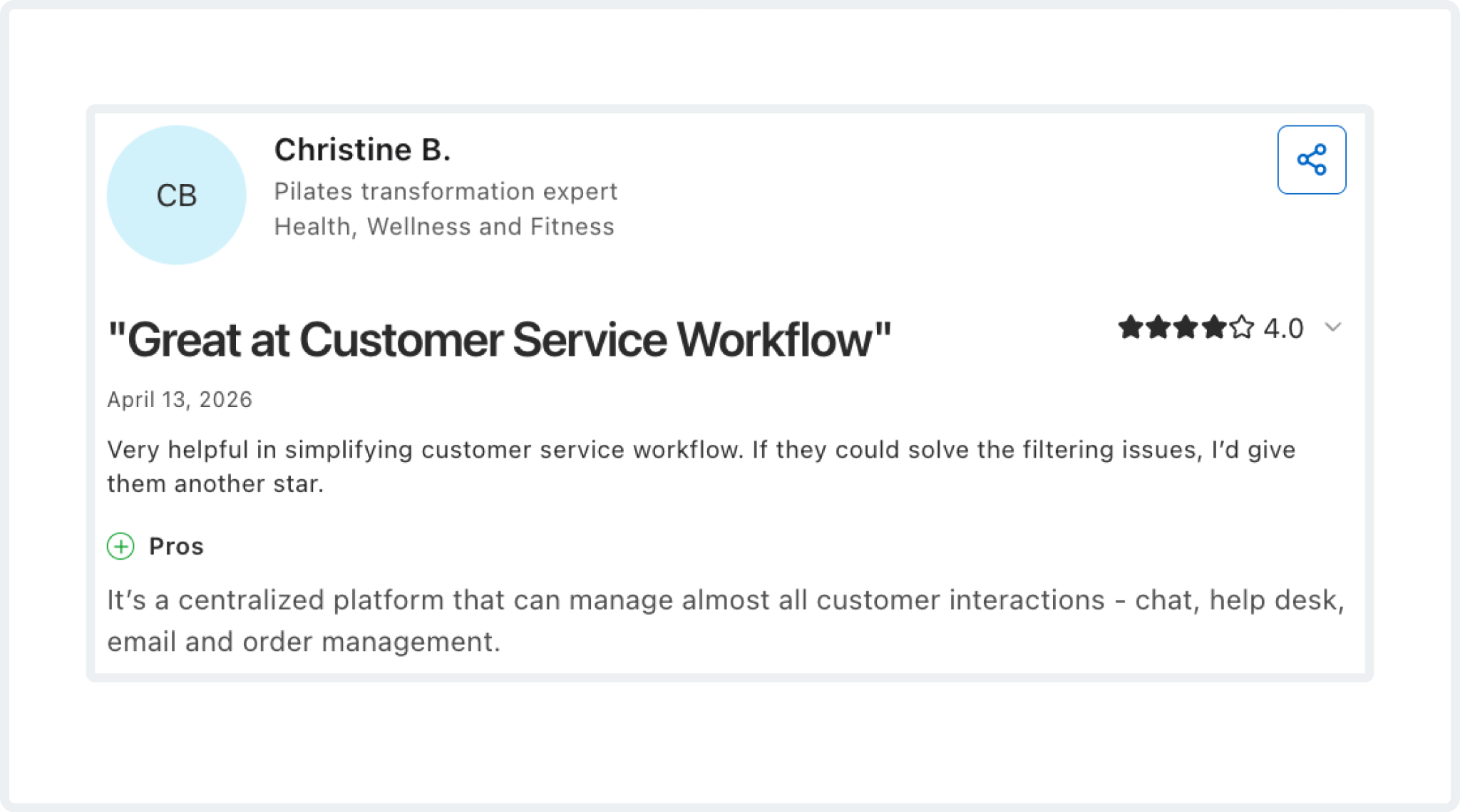
While Capterra reviewers describe Zendesk as a unified support layer across email, chat, social, phone, and messaging apps. Christine B. said, “It’s a centralized platform that can manage almost all customer interactions - chat, help desk, email, and order management.”
If your team handles high volume across multiple channels, this is the part of Zendesk that seems to earn the most consistent praise.
2. Automation, routing, macros, and newer AI features
Zendesk's second big advantage is operational leverage. Gartner reviewers call out triggers, macros, and omnichannel routing as meaningful time-savers, with one reviewer noting that these workflows helped their team automate a substantial share of interactions.
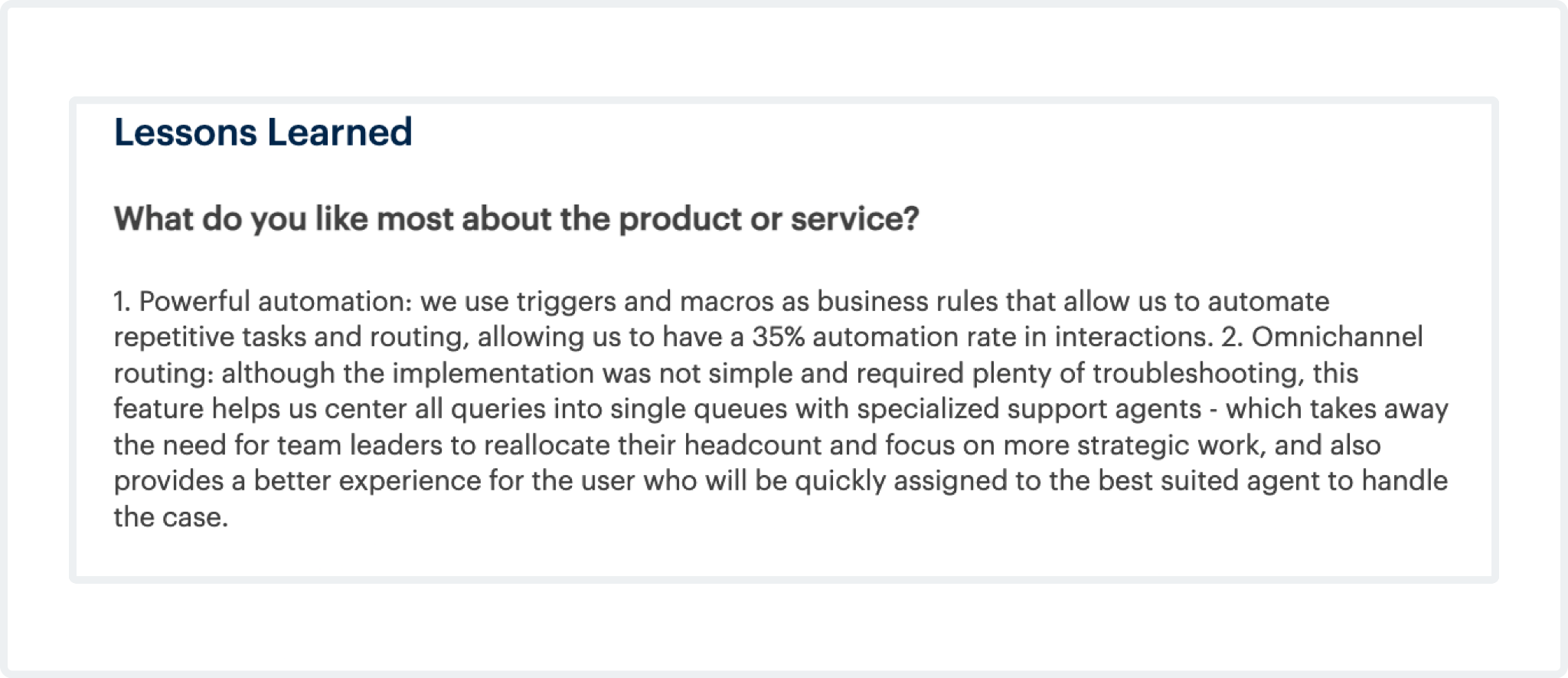
G2 reviewers also point to workflow automation, AI-powered ticket summarization, and intelligent triage as useful improvements, while Capterra reviewers highlight AI-powered routing, workflow triggers, macros, analytics, and self-service as reasons Zendesk helps them scale support work. Here’s what a Zendesk user has shared about Zendesk’s automation feature:
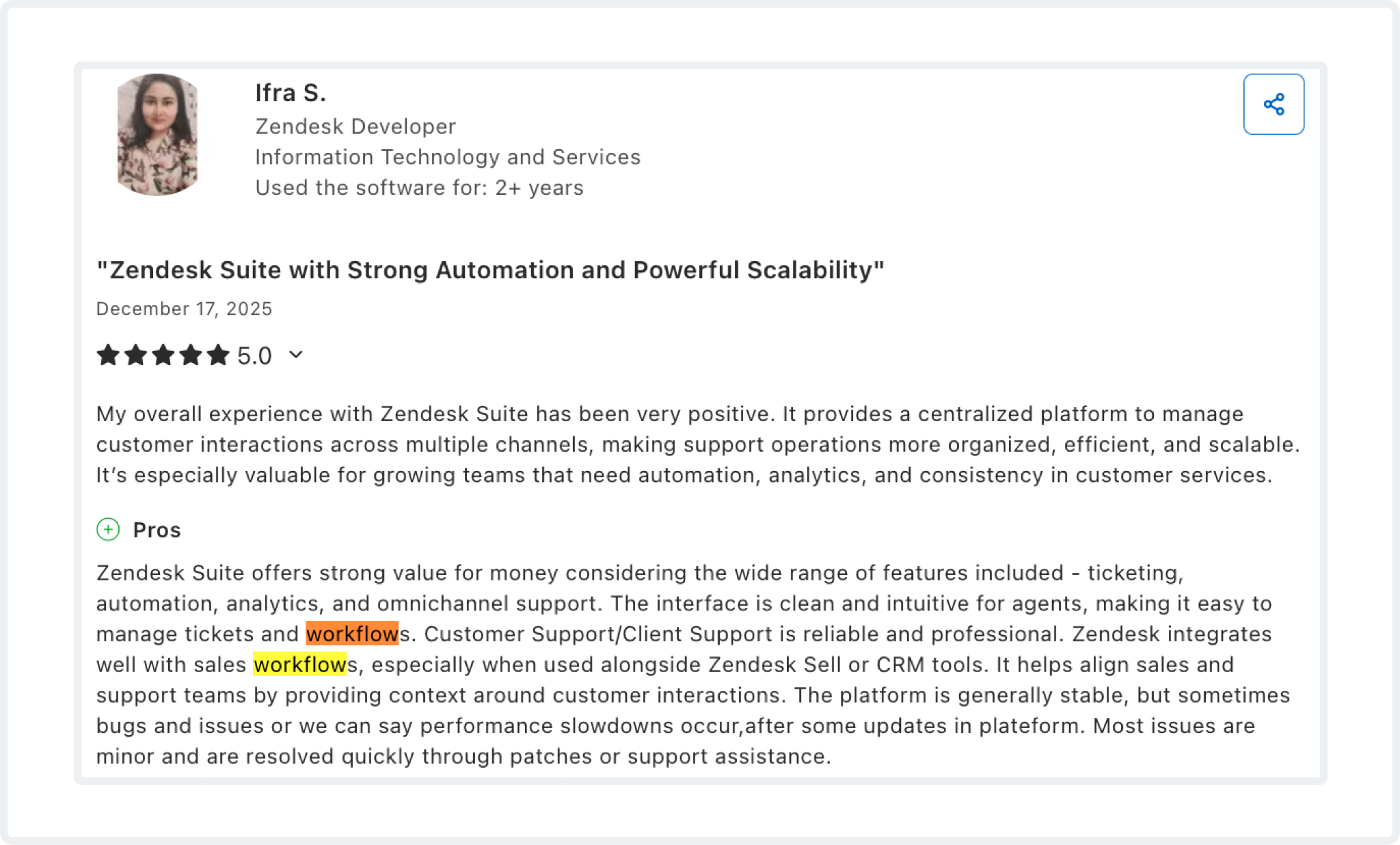
This does not mean every team finds the setup simple, but it does suggest Zendesk's automation stack is a real reason many companies stay on the platform once it is fully implemented.
3. Daily agent workflows are usually rated better than admin workflows
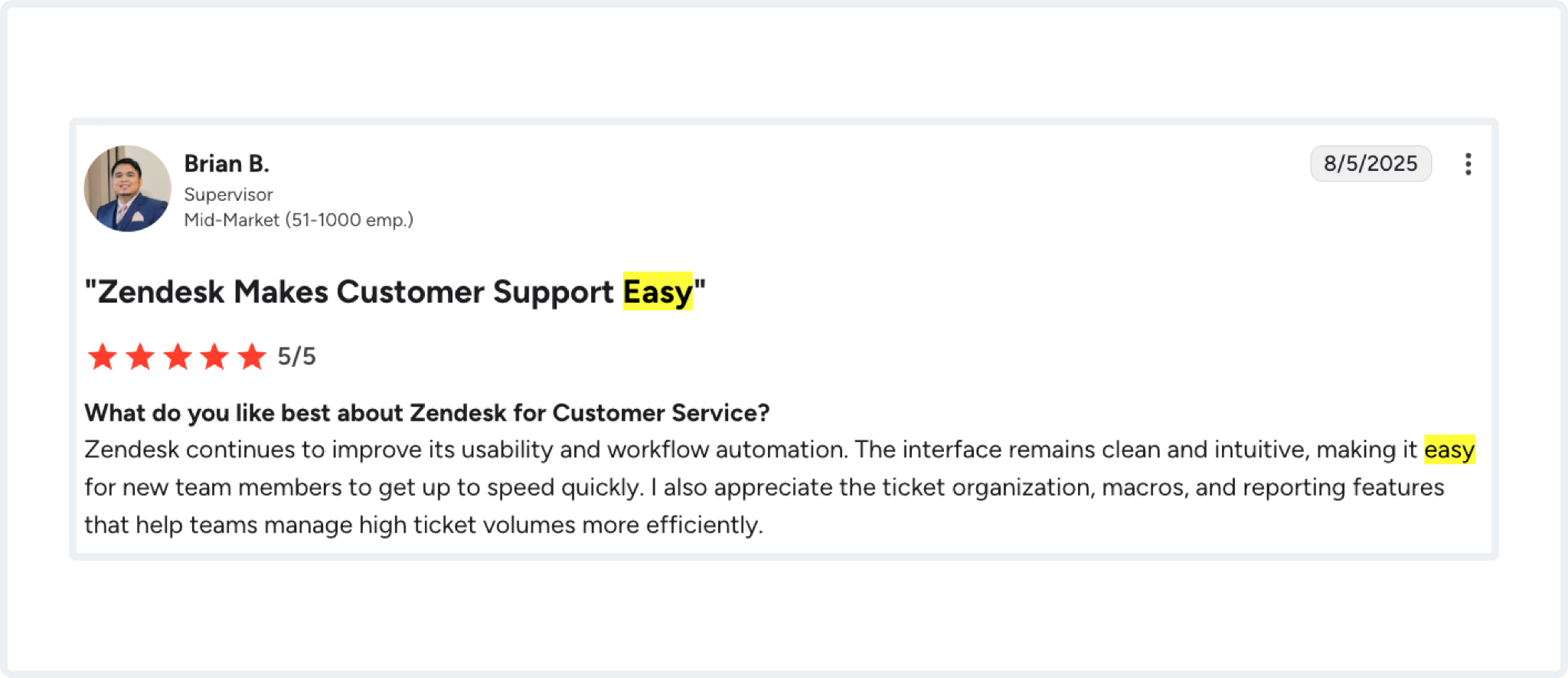
There is an important nuance in the reviews: agent-side usability is often rated more positively than admin-side setup. G2's reviews highlight ease of use as its most-mentioned advantage, and multiple Gartner and Capterra reviewers describe the ticket workspace as reliable, intuitive, and productive for day-to-day support work.
That matters because "easy to use" in Zendesk reviews means agents can work tickets efficiently once the system is in place. It does not always mean that configuration, governance, permissions, and advanced workflows are equally lightweight.
Zendesk Cons: What Users Dislike
1. Pricing becomes a recurring pain point
Zendesk's price complaints are not just about the starting plan. They are about what happens after rollout. A Gartner reviewer mentioned poor pricing flexibility, storage surprises, and add-on costs.
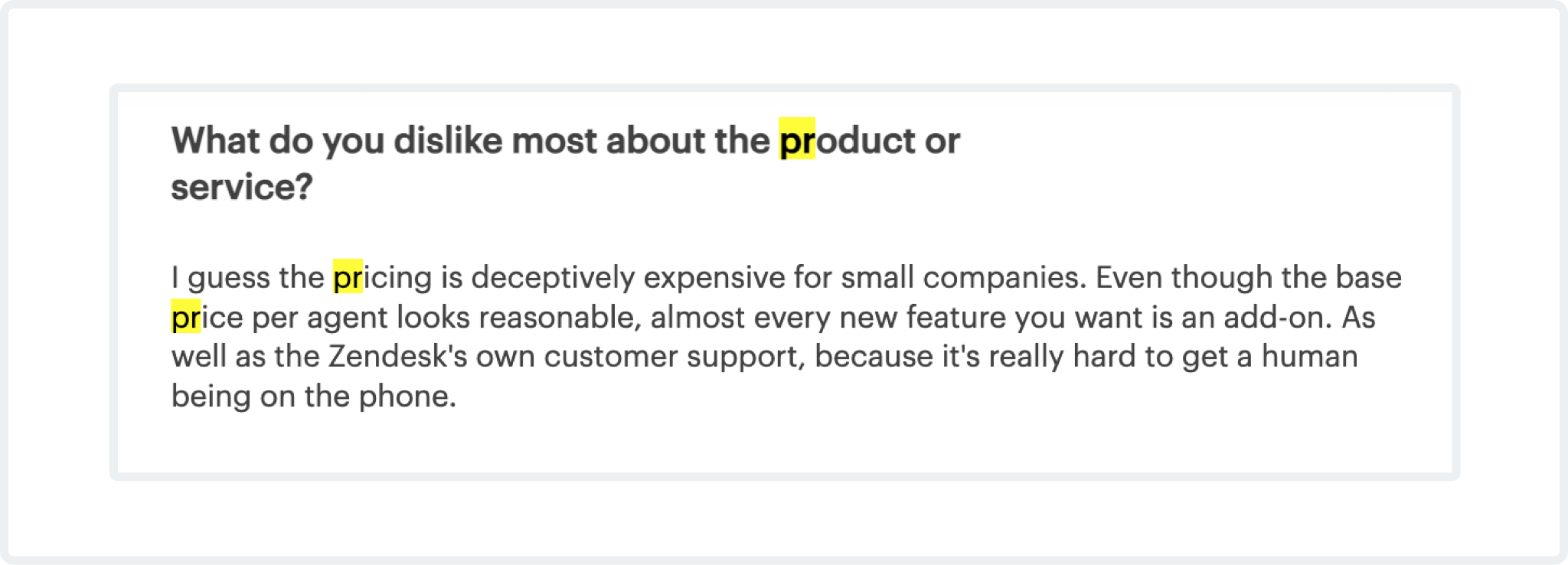
G2 reviewers complain that some capabilities sit behind higher tiers.
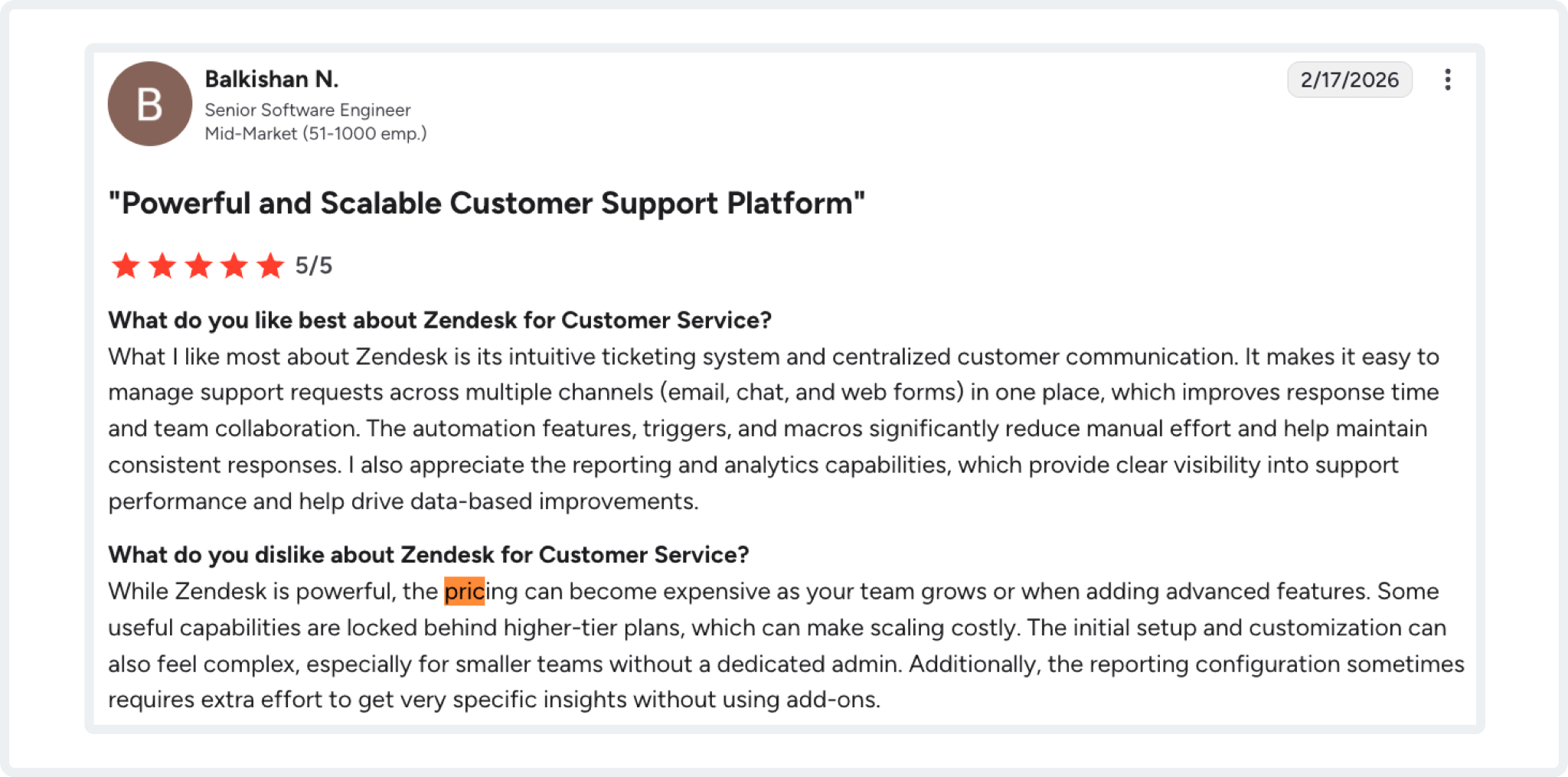
Capterra reviewers repeatedly say the product can become expensive for startups or smaller teams.
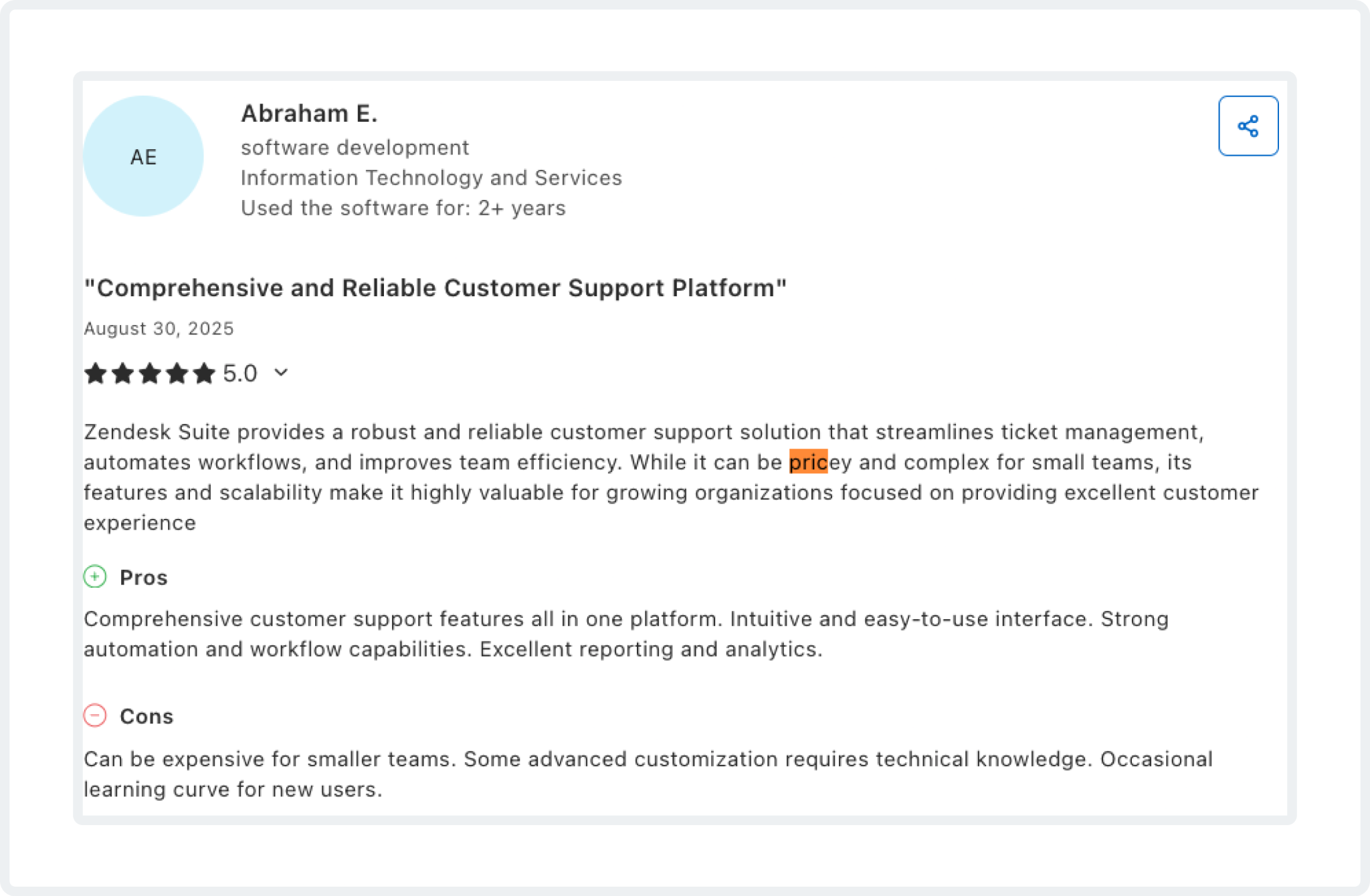
In other words, the issue is less "Zendesk is always expensive" and more "Zendesk can become expensive once your real-world needs show up."
2. It is not always plug-and-play
This is the second recurring criticism. Gartner has a reviewer explicitly describe Zendesk as "not so much of a plug-and-play tool.”
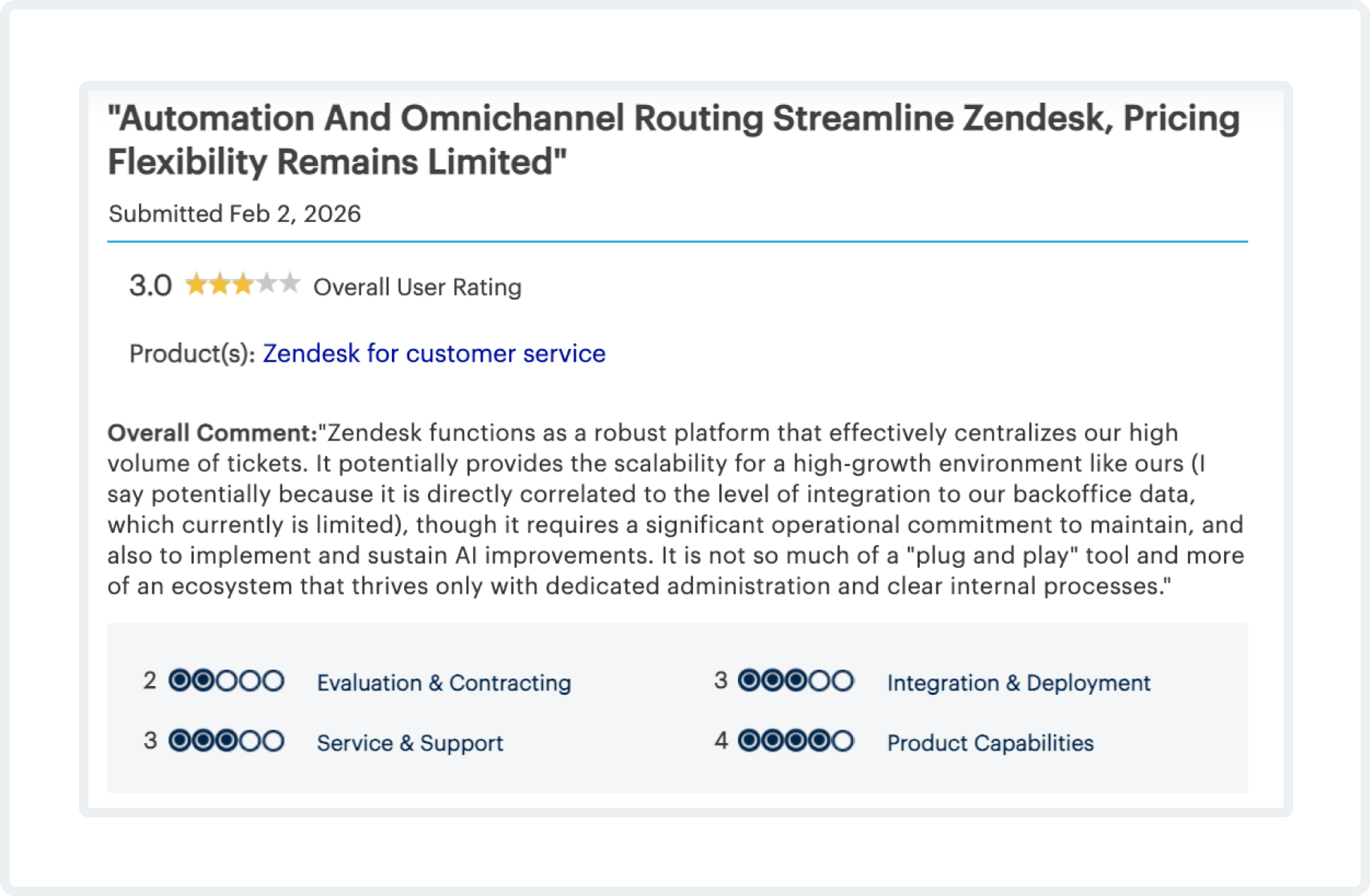
G2 reviewers have also flagged the learning curve and complexity as among the most frequently repeated negatives.
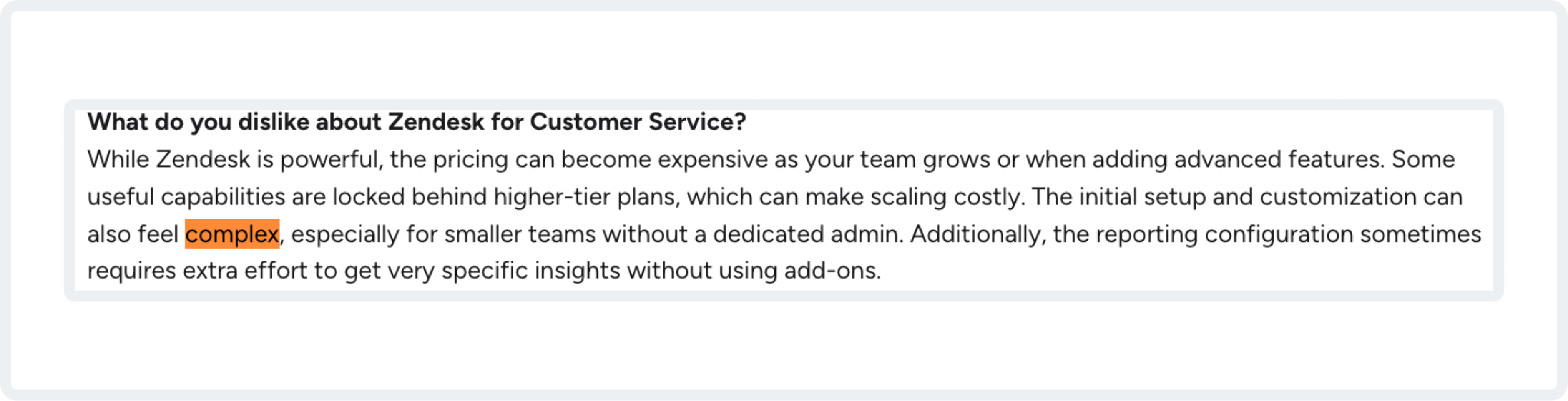
Capterra reviewers also note that advanced configuration takes time to learn and implement.
If you have a dedicated admin or operations owner, this may be manageable. If you want something your team can configure casually on the side, the review pattern suggests Zendesk can feel heavier than expected.
3. Customization still has hard edges
Zendesk is often described as customizable, but reviewers still point out specific limits. On G2, users report restrictions on ticket forms, workflows, user roles, business hours, and certain higher-tier feature gates.
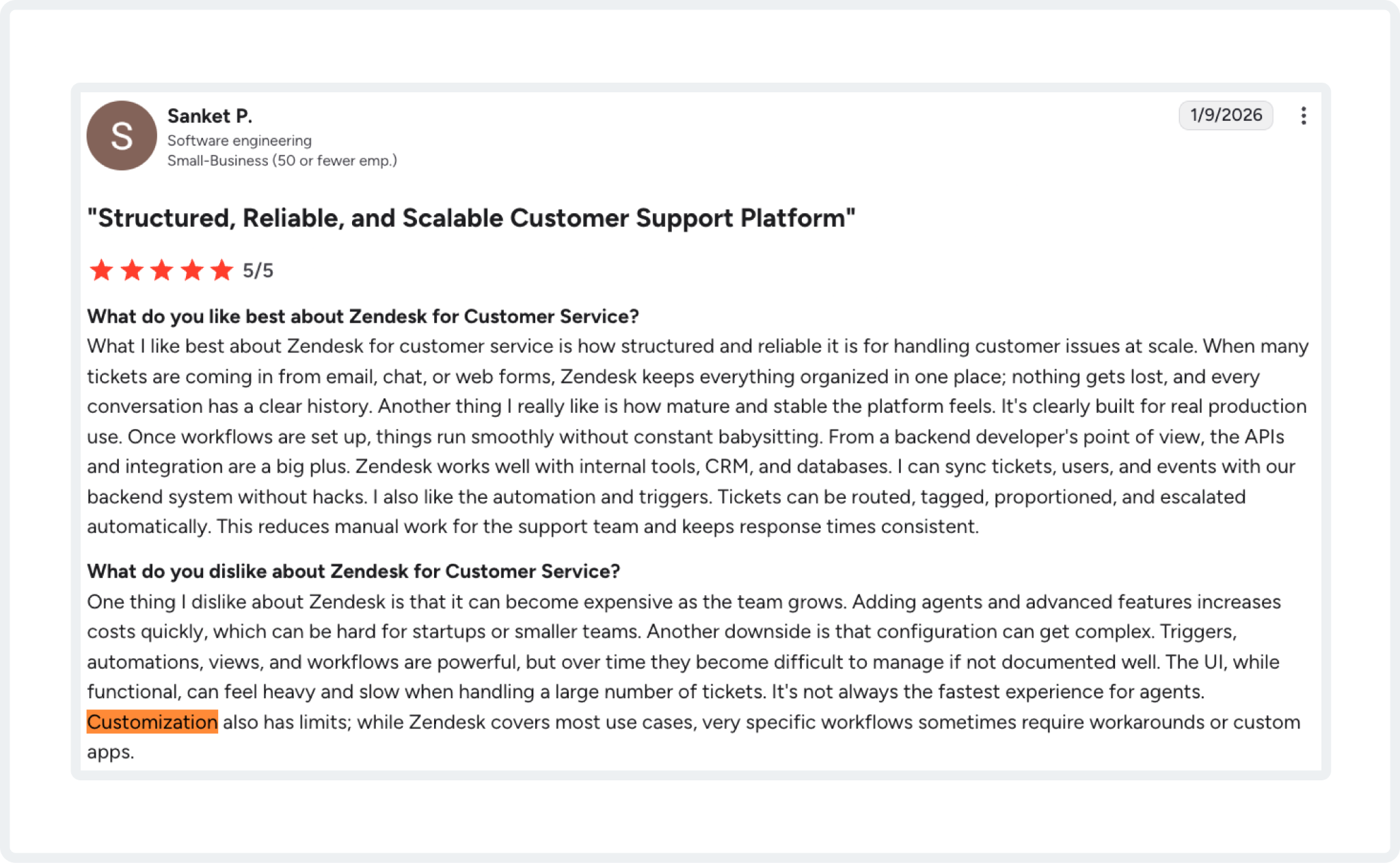
Other G2 reviewers say advanced reporting and workflow automation are harder to access if you are not especially technical.
That creates an interesting split in perception: Zendesk is clearly configurable, but not every team finds it flexible in the exact places they need.
4. There are still workspace and performance annoyances
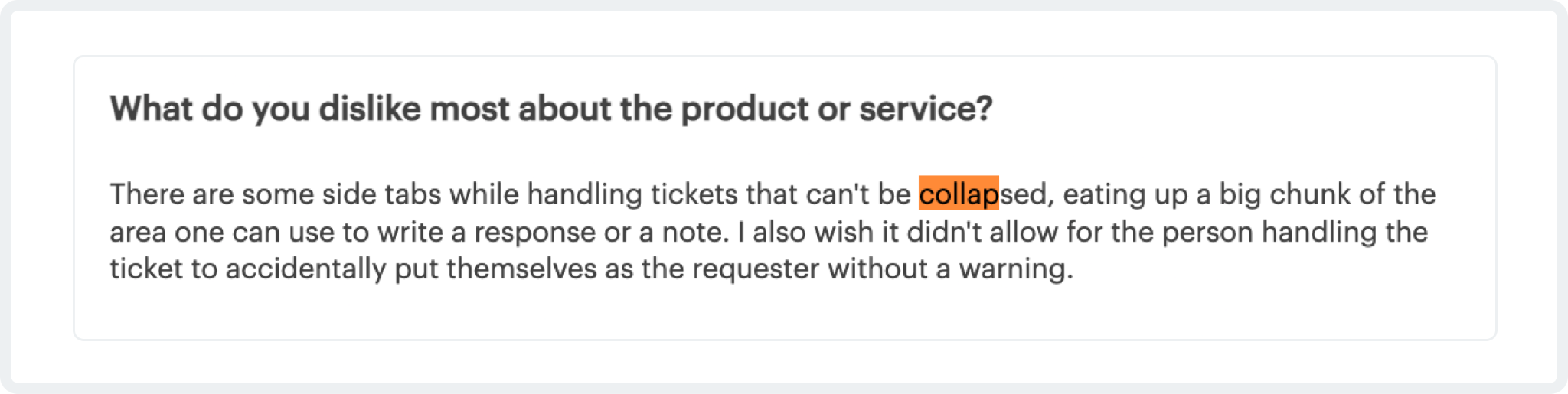
This is not the biggest theme, but it is a real one. Gartner reviewers mention interface issues, such as non-collapsible side tabs that eat into the workspace.
Capterra reviewers report slowdowns after updates, slower performance under some network conditions, and a weaker mobile chat experience.
These complaints do not dominate the review set, but they are common enough to be worth mentioning if your team is sensitive to UI efficiency or support-tool responsiveness.
How Does ClearFeed Compare Against Zendesk?
Zendesk and ClearFeed are not direct clones. Zendesk is the broader customer service platform. ClearFeed is most compelling when the operational problem is Slack-first support, triage, and collaboration around tickets.
- Zendesk provides a formal customer support platform: omnichannel case management, automation, AI workflows, and a mature ticketing layer.
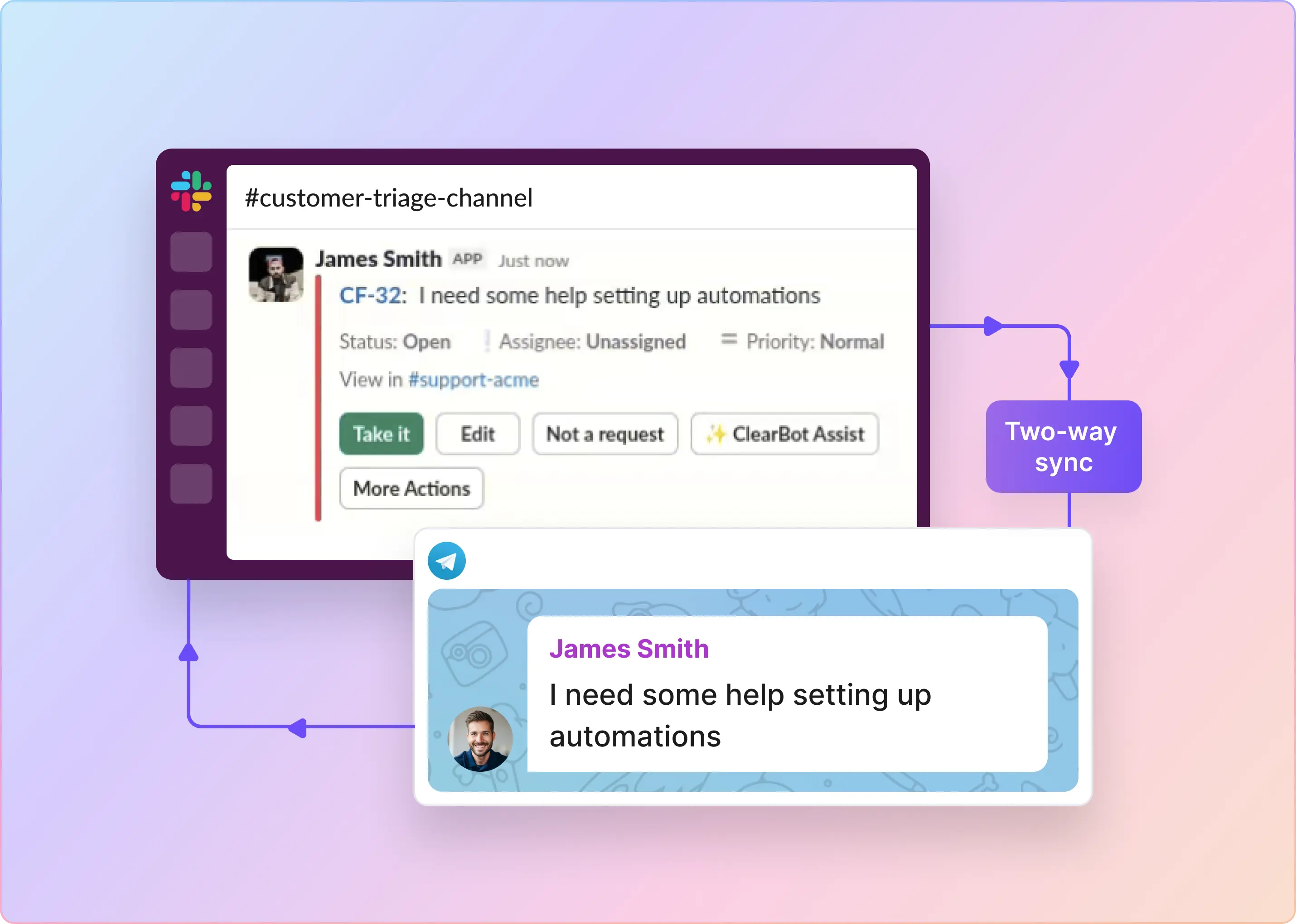
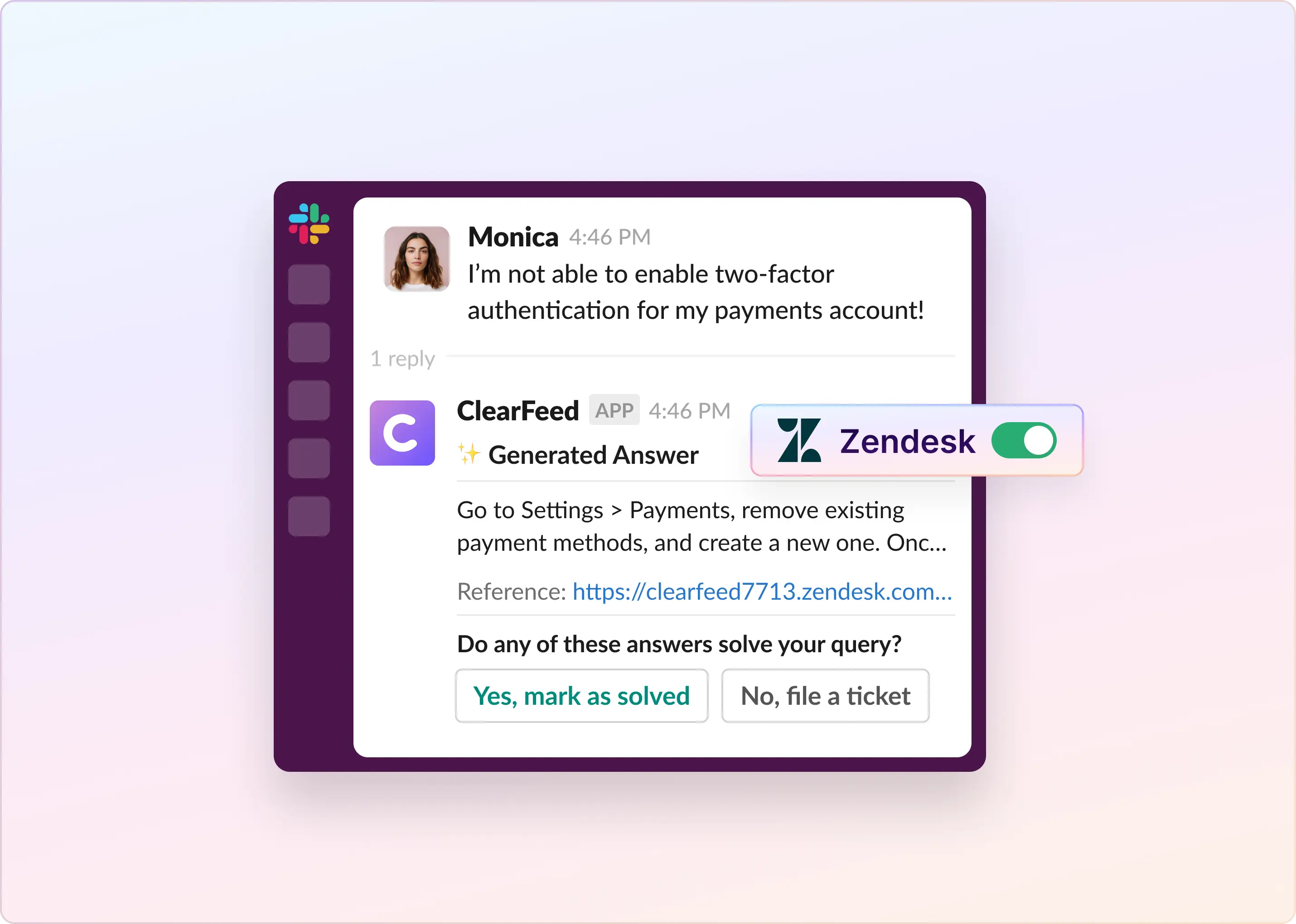
- ClearFeed lets teams create Zendesk tickets from Slack, keep bidirectional sync between Slack threads and Zendesk tickets, send private Slack comments to Zendesk, and edit Zendesk ticket fields directly from Slack.
- ClearFeed also adds triage channels, SLA reminders inside Slack, and AI-based answer suggestions in triage workflows.
- ClearFeed can support both external and internal helpdesk flows, while still linking or syncing work into external systems like Zendesk when needed.
So the real comparison is less "Zendesk or ClearFeed?" and more "Do you want your support operation centered inside a full-service platform, or inside Slack with Zendesk as a connected system of record?"
When To Use Zendesk and When To Add ClearFeed
You should use Zendesk if:
- Your team handles support across email, chat, phone, and social media, and wants a single central workspace.
- You need structured ticketing, routing, reporting, automation, self-service, and customer-facing support workflows.
- You have the admin capacity to manage setup, workflows, permissions, and ongoing optimization.
You should consider adding ClearFeed if:
- Your support conversations start in Slack or Slack Connect, and you want to keep agents there.
- You want Zendesk to remain the underlying ticket system, but you want agents and collaborators to work on tickets from Slack.
- You need private internal collaboration in Slack, bidirectional sync, ticket editing from Slack, or SLA reminders in Slack channels.
- You also have internal helpdesk use cases and want a Slack-first layer for those alongside external support workflows.
So Which One Should You Pick?
Choose Zendesk if your team needs a full omnichannel customer support platform and is willing to invest in the admin and process work required to unlock its value.
Choose ClearFeed if your team primarily works in Slack and wants the support workflow to feel conversational, collaborative, and Slack-native.
Choose both if you want Zendesk as the system of record and ClearFeed as the operating layer for Slack-based collaboration and triage. That is probably the most natural fit for teams who like Zendesk's ticketing depth but do not want all the day-to-day coordination to happen outside Slack.
Frequently Asked Questions
1. Is Zendesk still a good choice in 2026?
Yes, based on current review patterns, Zendesk is still a strong choice for teams that need omnichannel support, centralized ticketing, and mature automation. The caveat is that pricing and admin complexity remain consistent concerns in the same review set.
2. What do users like most about Zendesk?
The most repeated positives are centralized omnichannel support, organized ticket management, automation and routing, and an agent workspace that helps teams move faster once configured.
3. What are the most common complaints about Zendesk?
The most common complaints are pricing creep, a steeper-than-expected learning curve, admin/setup overhead, and customization limits in areas such as forms, workflows, or roles.
4. Is Zendesk easy to set up?
For agents, many reviews say the daily ticket workflow feels intuitive. For admins, the pattern is more mixed. Several reviewers say Zendesk is not fully plug-and-play and takes dedicated ownership to configure well.
5. Is Zendesk good for small teams?
It can be, especially if a small team truly needs multi-channel support and plans to use automation well. But current review signals also indicate that smaller teams are more likely to experience friction with pricing and setup effort.
6. When does ClearFeed make more sense than using Zendesk alone?
ClearFeed makes more sense when the operational bottleneck is Slack-based support coordination rather than ticket storage. If your team wants to create, sync, update, and collaborate on Zendesk tickets inside Slack, ClearFeed addresses that workflow directly.